
If your licence renewal invoice arrives before anyone has checked it against the leavers, this is for you. It is not for one admin with a handful of seats and the renewal date in the diary: the admin centre and a sheet already do that job.
Why does the bill stay the same after people leave?
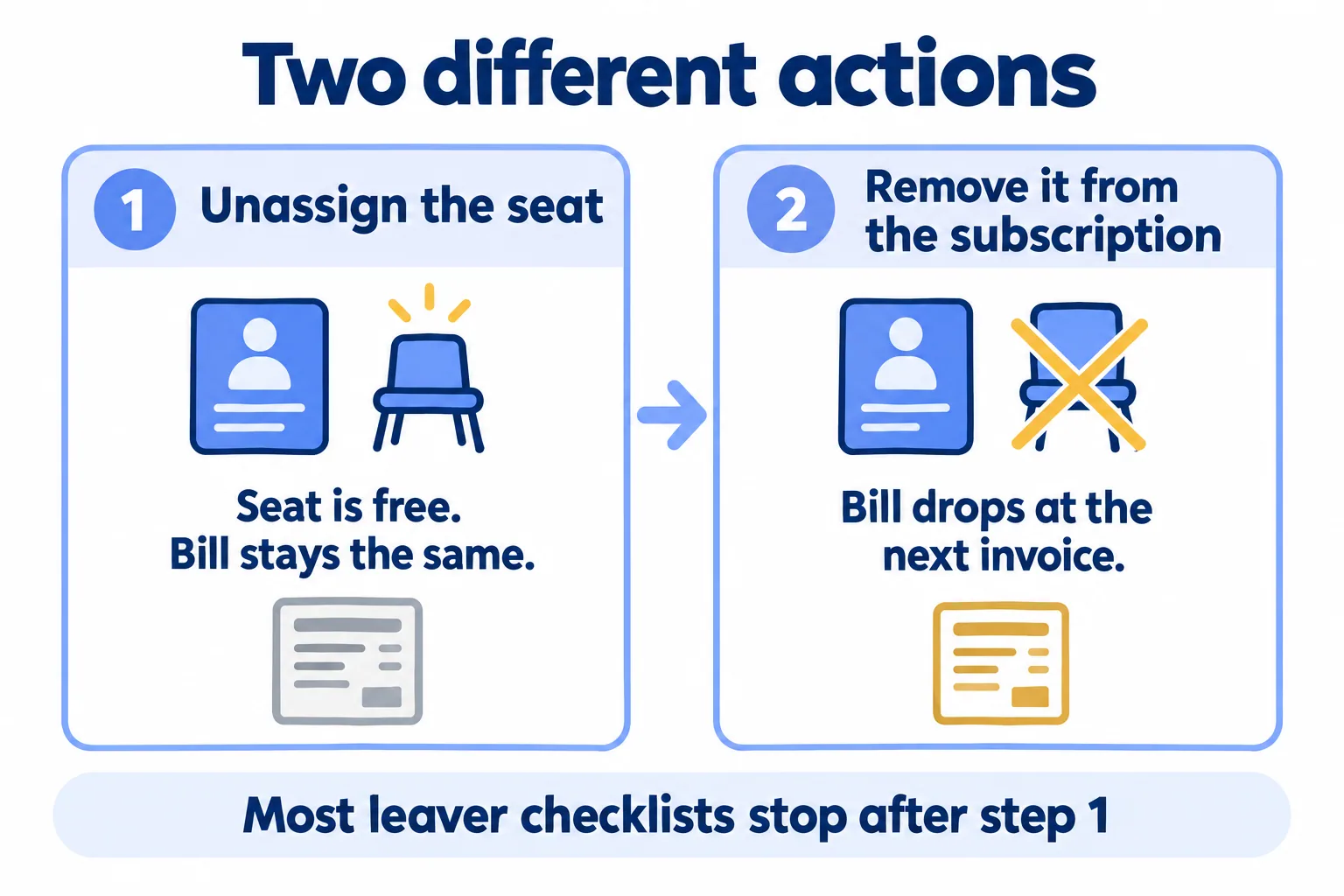
Because taking a seat off a person and taking it off the subscription are two different actions, and only the second one changes the invoice.
Here is the example our Assets page is built around. It is a sample case, not a client's: thirty Microsoft 365 seats renew next month. Four belong to staff whose residence visas were cancelled when they left in the summer, and nobody can say which four.
Usually IT did the first step. The leaver's account was blocked or deleted, and the seat went back to the pool as unassigned. It looks handled. But a seat in the pool is still a seat you bought. A Microsoft Q&A answer from July 2024 puts it in one line: "you cannot avoid paying for unassigned licenses... You have to pay what you have purchased."
Microsoft's own steps for a former employee say the same thing in order: unassign the licence, then reduce the number of licences under Billing, Your products. Most leaver checklists stop after the first step.
When can seats still come off?
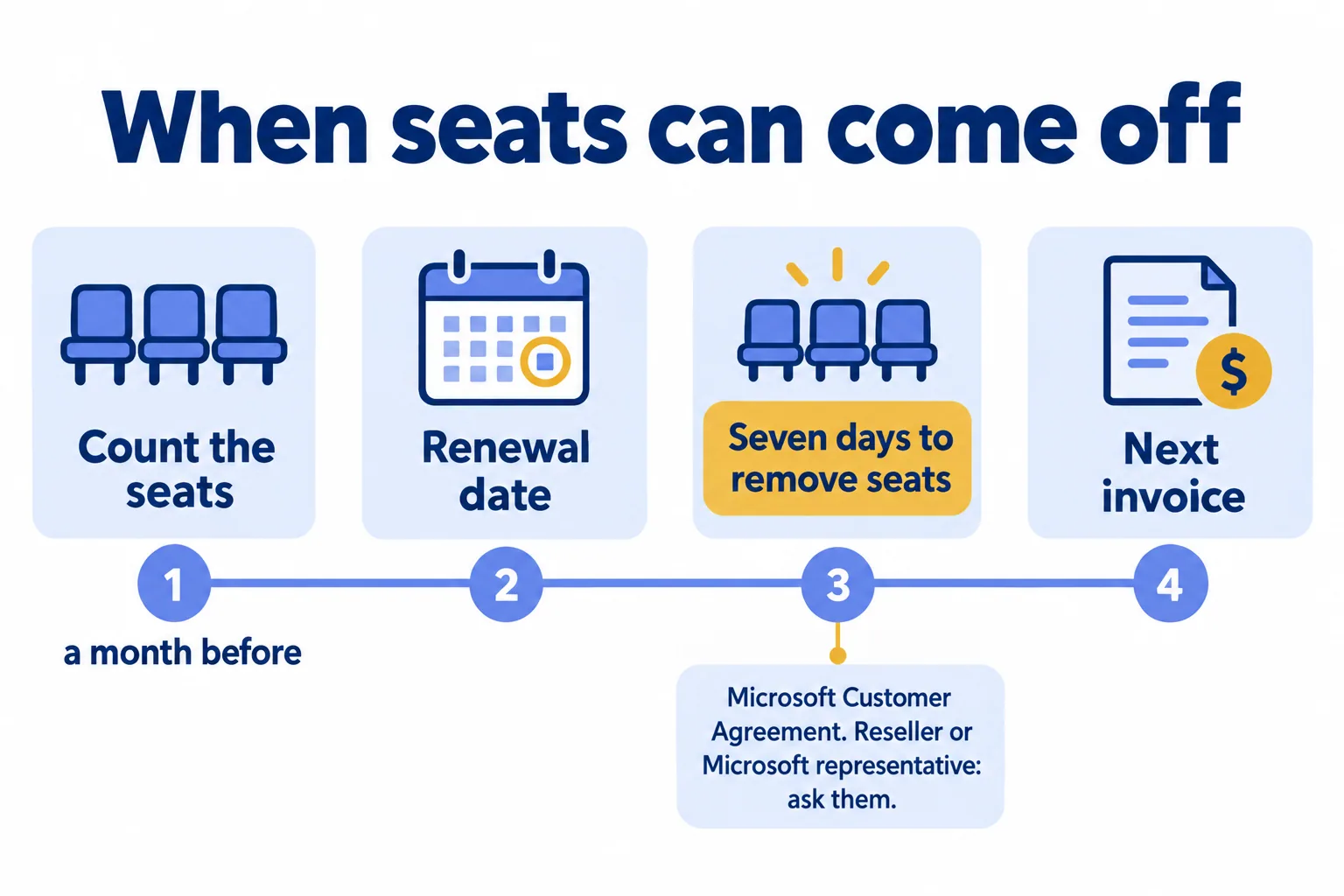
Not whenever you like. Microsoft Learn says that with a Microsoft Customer Agreement billing account, you can buy more licences at any time, but "you can only remove licenses from your subscription if it's within seven days of buying or renewing your subscription." When the window is closed, the subscription page shows the date your change takes effect.
The admin in that July 2024 Q&A thread hit this. Their subscription was a one-year term billed monthly. Three seats sat unassigned after staff left. The Remove licenses button was grey, with a note that changes would take effect when the subscription renewed.
How you bought the subscription changes who you ask:
- Bought in the admin centre: you remove seats yourself, under Billing, Your products. Microsoft says this works only when recurring billing is turned on, and not while every seat is assigned.
- Bought through a reseller (a CSP partner): the subscription page says "Reseller". Ask the partner how many days before the renewal date they need the new number.
- Bought through a Microsoft representative: Microsoft says to contact them directly to reduce the count.
The stakes follow from that. On an annual term, a seat you miss in the window is paid for until the next renewal, even when the bill comes monthly. Four missed seats are four seats for another year.
So the decision date is not the invoice date. It is the renewal date, or a few days before it if a partner needs notice. The count has to exist by then.
What do we count before the renewal date?
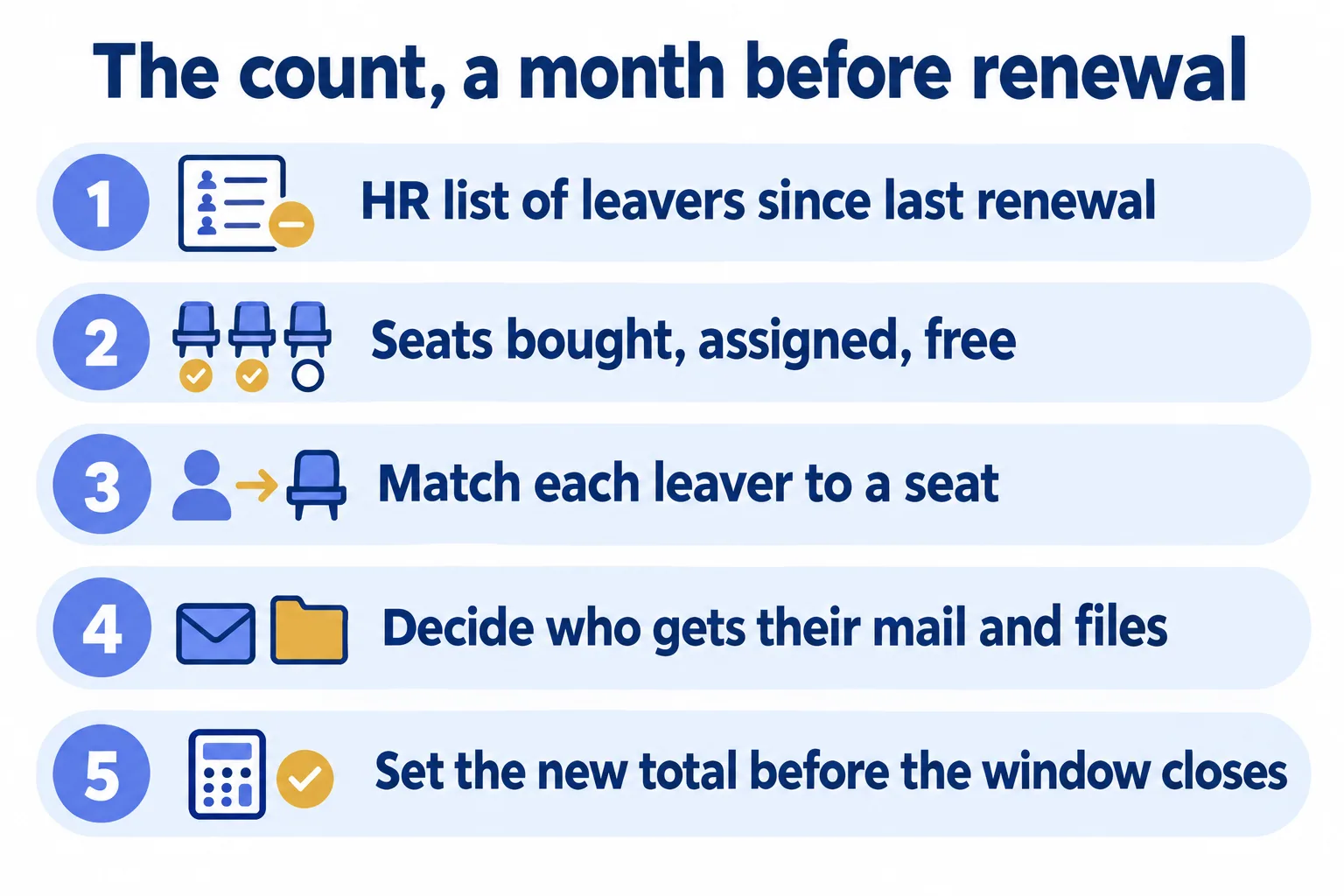
The admin centre tells you who holds a seat today. It does not tell you who left in July and was never cleared. So we start the count from HR's side, a month before the renewal date.
- 01Ask HR for everyone who left since the last renewal, with their last working day. In the UAE and Saudi Arabia this is the same list HR already keeps for final settlements and visa cancellations.
- 02Open the subscription and write down three numbers: seats bought, seats assigned, seats free. Then export the list from Users, Active users, so you have every licensed name in one file.
- 03Match each leaver to a seat. Mark it as still assigned, unassigned, or moved to a new joiner.
- 04For each leaver who still holds a seat, decide who gets their mail and files, then unassign it.
- 05Set the new total. In the admin centre, Remove licenses asks when the change should take effect; outside the window, the subscription page shows the date your change takes effect. Through a reseller, send them the number before the date they gave you.
Do the same for every paid add-on that sits on a seat. A leaver who held a Copilot seat or a Visio seat leaves two seats behind, not one.
What happens to a leaver's mailbox?
This is the reason to do the count a month early, not the night before. Microsoft Learn says that when you remove a licence, "that user's data is held for 30 days", and you can restore the account in that time. After 30 days, the content, except documents stored in SharePoint, "is permanently deleted from Microsoft 365 and can't be recovered."
Microsoft also says any hold on the mailbox has to be removed before the licence comes off. If the mailbox must stay searchable for legal reasons, it needs the right Exchange licence and a hold first. Whether a hold is needed is a question for your legal or compliance owner, not for IT alone.
The usual answer is a shared mailbox. Microsoft's page on converting a user mailbox says the mail and calendar are kept, the licence must still be assigned when you convert, and after that you can remove it, as long as the mailbox is under 50 GB. Do not delete the old account: the shared mailbox needs it. A hold on a shared mailbox needs an Exchange licence again.
So before a seat comes off, someone signs off on where that person's mail and files go: to their manager, to a shared mailbox, or nowhere. That sign-off is part of the leaver's clearance, next to the laptop and the phone. Our post on the asset handover form covers the signature for the kit; the seat belongs on the same clearance.
Is a sheet enough, or do seats need a record?
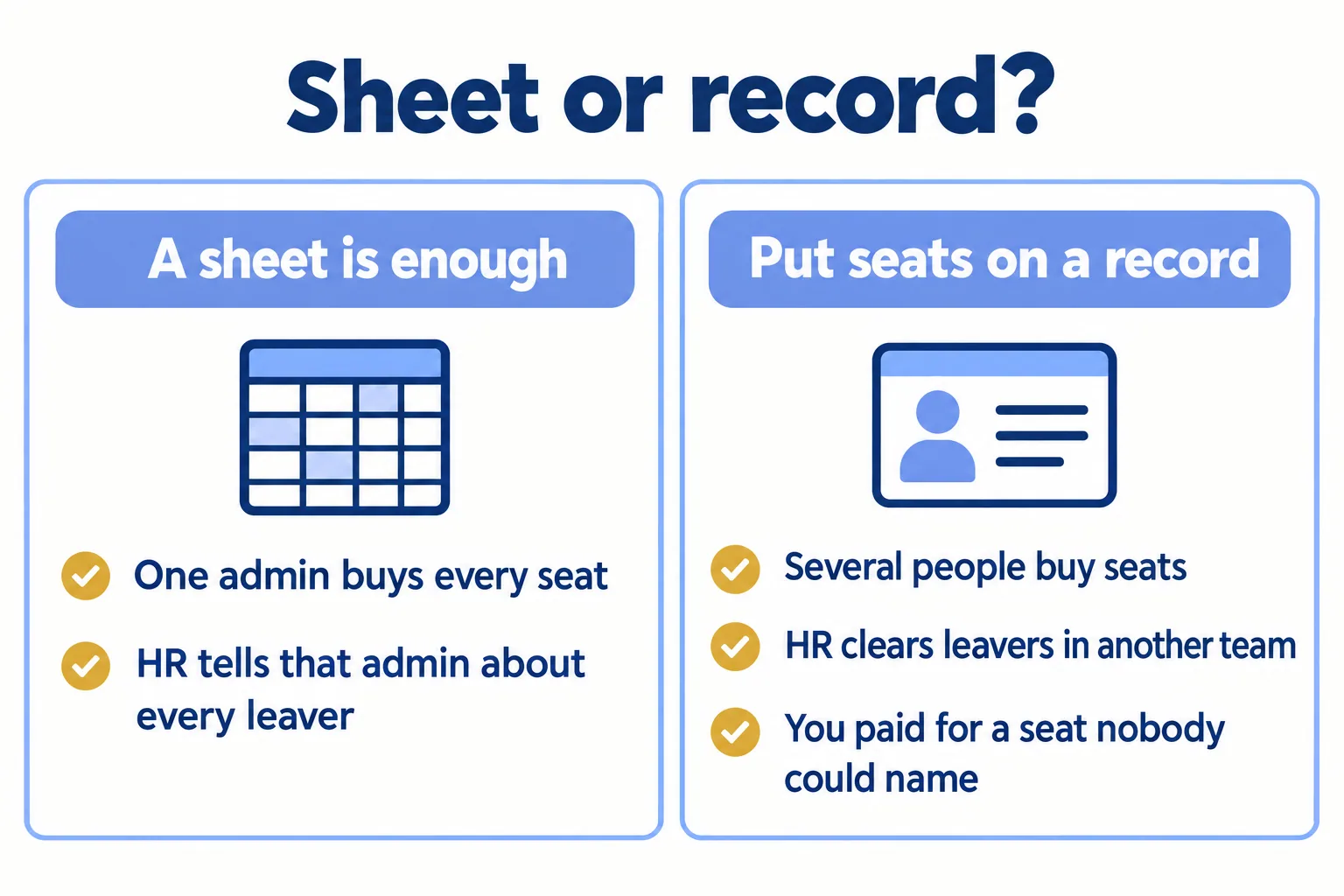
A sheet is enough while one admin buys every seat, HR tells that admin about every leaver, and the renewals are few enough to sit in one diary. Keep it.
Put seats on a record, with names and renewal dates, when any one of these is true:
- More than one person buys seats: IT buys Microsoft 365, marketing buys Adobe, the site team buys a drawing tool.
- HR clears leavers in another team, and IT hears about a leaver days later, or at the next renewal.
- You have already paid for a seat at renewal that nobody could name.
That is the same test we use for laptops. Our post on the asset register template has the version for kit.
What does Mindcat Assets do here, and what does it not do?
Each licence shows how many seats you bought, who holds each one, how many are free, the cost and the expiry date. A leaver's record lists every laptop, phone, monitor and licence seat checked out to them, so IT takes the seat back in the same visit as the laptop. Renewals and expiring licences show in the lists, and in a daily email once your mail server is connected during setup.
What it does not do: it does not read your Microsoft tenant by itself, and it does not remove seats or send a renewal order. Your admin removes seats in the Microsoft 365 admin centre. Sign-in with Microsoft, and laptops from Intune, Jamf or Google Workspace, are set up during setup, not on day one. Screens can be switched to Arabic, with about 54 percent of labels translated today; we finish the screens your team uses during setup.
If the leaver's request arrives as a ticket, the ticket belongs in Mindcat Desk. Building plant and maintenance plans belong in Mindcat Maintain. Assets is who holds what, including the seat. For IT service desks and MSPs, that is one copy per client, so "what do we own at renewal?" is a list.
What would it cost?
Here is what the Assets page says today. You pay per person holding kit, per month: anyone with at least one laptop, phone, tool or licence seat checked out to them. It starts at AED/SAR 5 a person for the first 100, with a shared-plan minimum of AED/SAR 600 a month, which covers up to 133 people. IT, HR and finance logins are free, and licences are unlimited. The quick start, which we set up for you on the shared plan for 1 to 100 people, is AED/SAR 2,500, fixed. Prices exclude 5 percent UAE VAT and 15 percent Saudi VAT.
See the full price list on the page.
Tell us how many people hold company laptops, phones or licence seats, and where you track them today. We reply with the setup plan and the monthly price per person, in AED or SAR.
