

If you cannot say which of your laptops has a label and which has only a name on a spreadsheet, this is for you. This post is not for a team where no one owns the register once a laptop has been handed over. Fix that first, because a label on a device nobody owns records nothing.
Why do two IT admins give opposite answers on asset tags?
An IT associate at a company of about 60 people, in a thread archived on 29 May 2026 by a mirror of Reddit, asked how to asset tag all the laptops "without using any management tool (because it's just about 60 laptops)". The replies split. One says: "What's the point of physically asset tagging? As long as Intune keeps track of the serial number, you're fine." Another says: "I wouldn't worry about barcoding/asset labelling devices. I recommend using the serial number instead as that is what the manufacturer is going to know the device by." A third keeps tag, serial, MAC address and IP in one row: "That way I can identify it even if the tag goes missing."
Both sides have a reason, and neither answers the question you face: which of your 60 devices get a label, and which do not. That thread is an IT admins' forum, not a Gulf one, but the disagreement carries over.

What is an asset tag for?
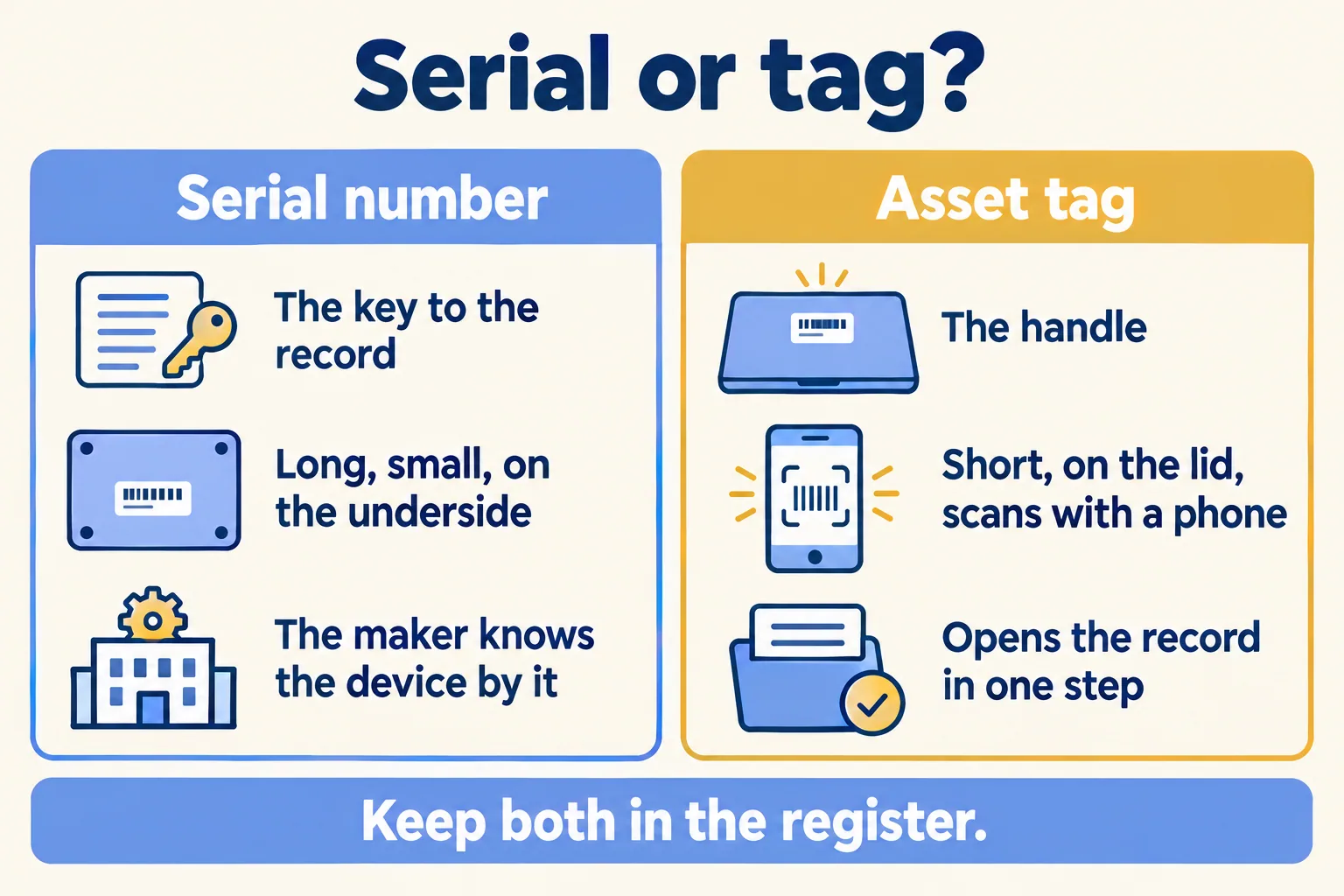
Our rule is the second answer with a limit on the first. The serial number is the key to the record. The tag is how a person finds the record from the device in their hand.
The serial is long, small and often printed on the underside. The manufacturer knows the device by it, so it belongs in the register for every device, tagged or not. A tag is short, sits on the lid and carries a QR code, so a phone can open the record without anyone typing sixteen characters. It also survives a rename: a laptop's name in your sign-in tool changes, a label does not.
Which devices get a tag, a serial number or nothing?
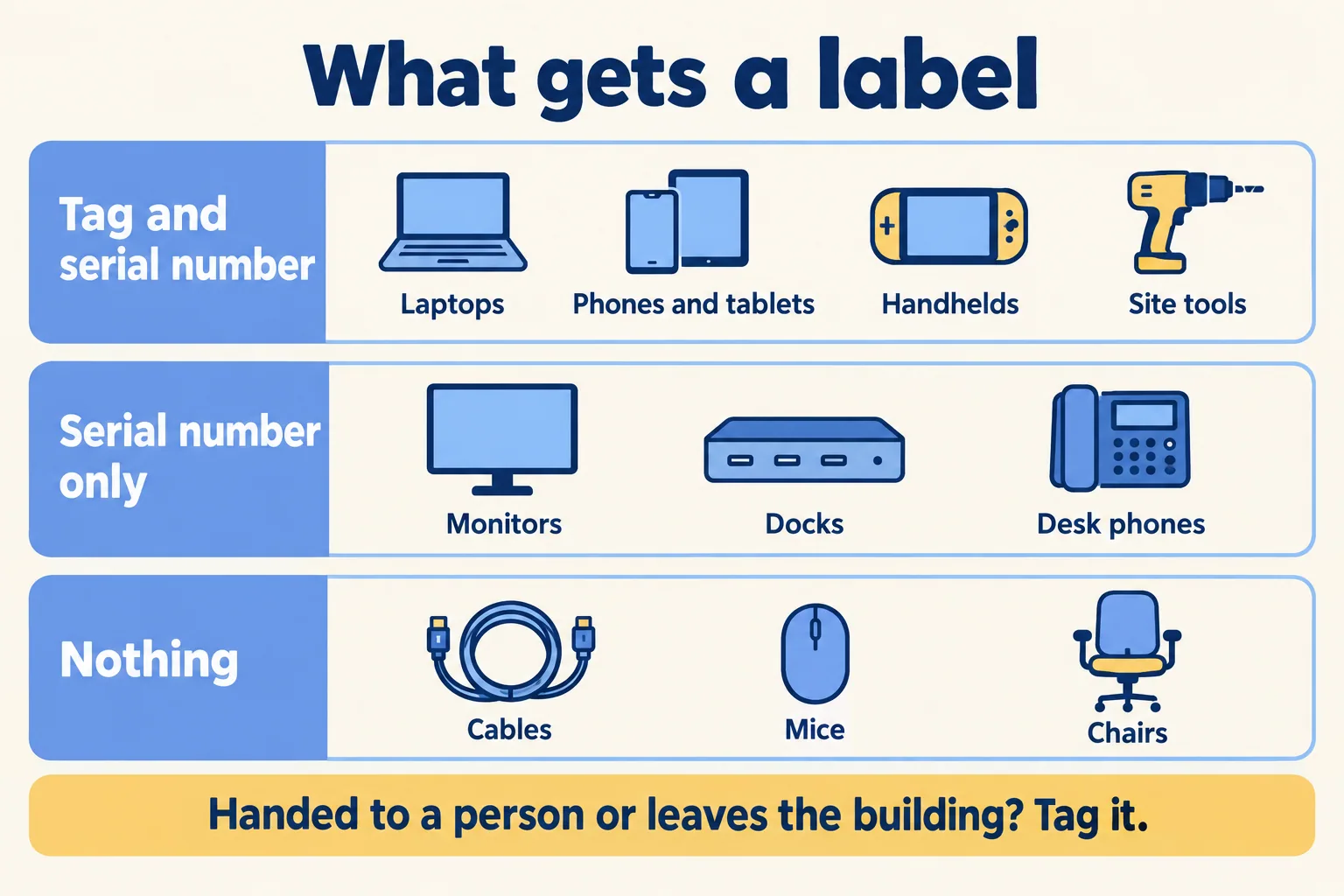
A vendor guide from Asset Panda (a seller of asset software, published in 2021) says to start with tagging "all high-value and mobile assets first". Techjaja, in a piece dated 19 October 2026, says why you stop there: "a list that includes every cable will be abandoned within a month." Together they give the line to draw.
The test is two questions. Is the item ever handed to a person, or does it leave the building? Then tag it. Does the manufacturer or an auditor ask for its serial number? Then it goes in the register. If both answers are no, leave it out.
When is no label the right answer?
We say so before we sell one. A 15-person office on managed laptops, where the serial list is complete, nothing leaves the building and one person owns the list, can skip the label. A sign-in tool that records the serial already does the finding.
The receipt is a ten-minute test. Pick five laptops at random from the drawer and your list. Find each record from the device alone, using only the serial number. If all five come up in under a minute each, you do not need a label yet. If the serial is scratched, the sticker is gone or you had to ask who holds it, the label has earned its cost.
How does a label help on count day and leaver day?
Techjaja names the four events that break an inventory: "Assignment, transfer, repair, and offboarding." A label is read at each of them. A technician scans it when a laptop is handed over, when it moves to another office, when it comes back from repair and when its holder leaves.
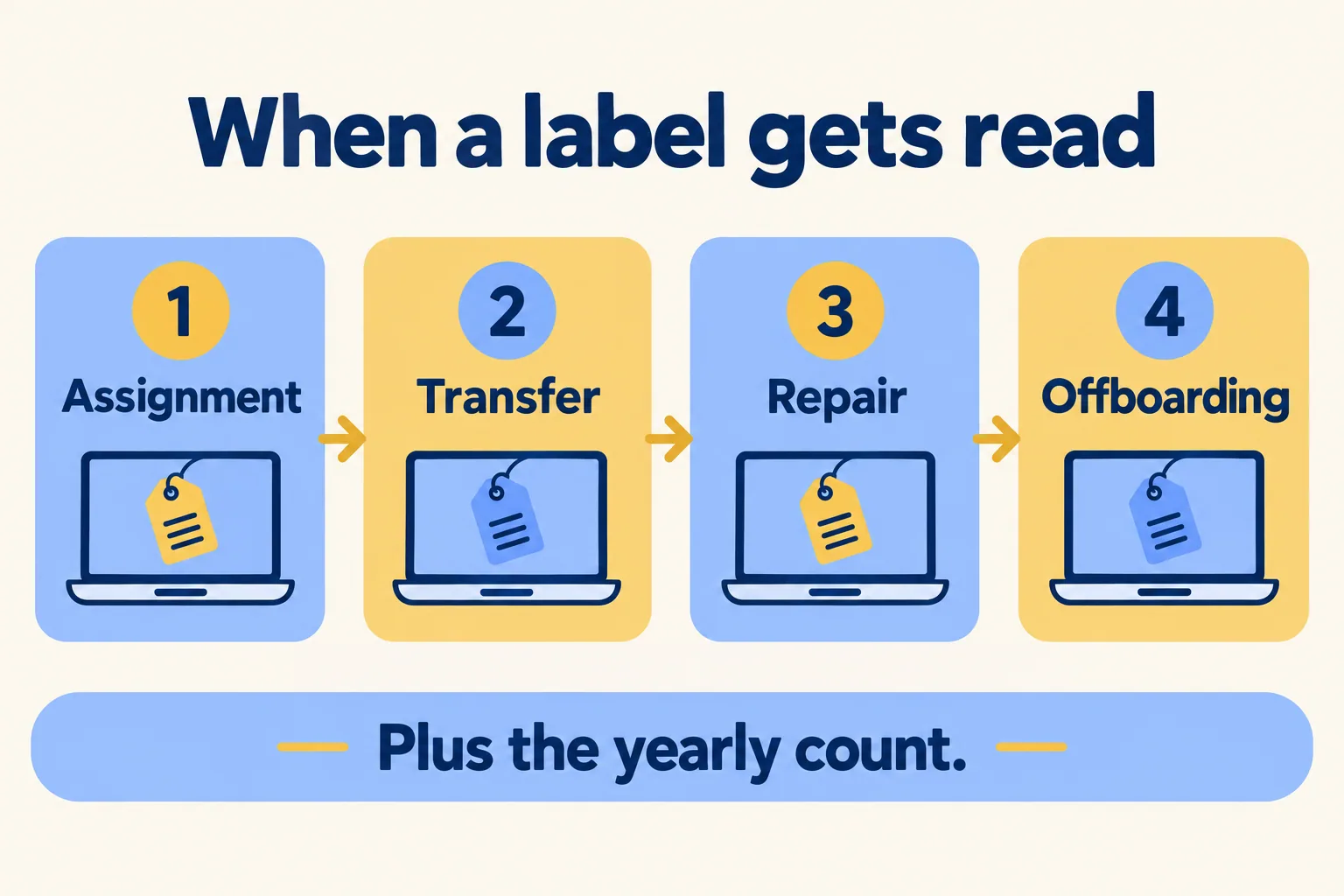
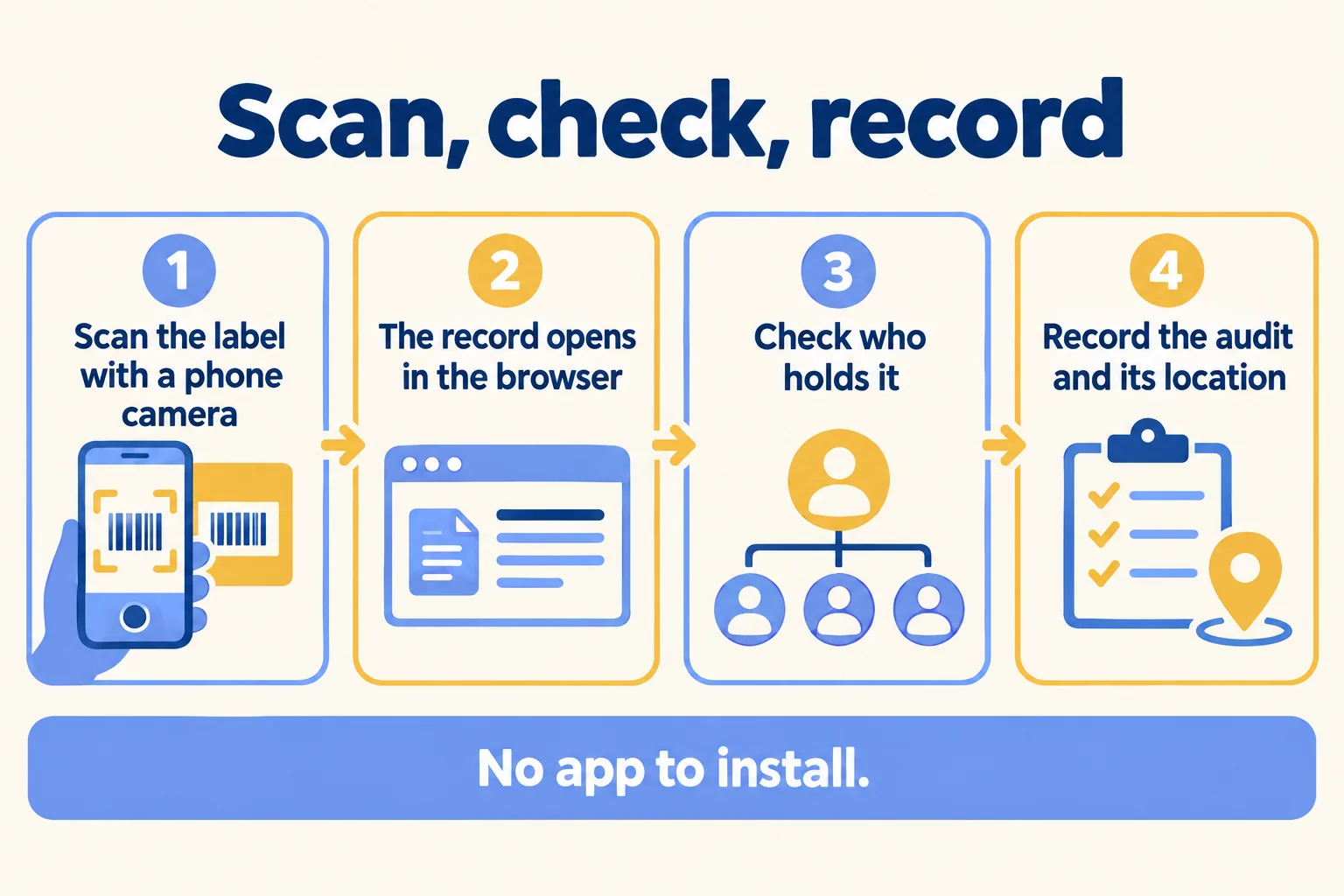
The yearly count is the same read, repeated for every device. With a label, the technician scans it, the record opens, and the audit is recorded with its location. Without one, he reads a serial off the underside and types it, or walks the floor with a clipboard.
Here is how our page describes it. Every asset gets a label with a QR code and a barcode. You scan it with a phone camera, the record opens in the phone's browser, and you record the audit with its location. Lists show what is due or overdue for audit by office. There is no app to install. If your laptops move between offices, the register in the previous post on asset registers shows the columns that make the scan useful, including the named holder.
Some limits to plan around:
- Mindcat Assets does not find devices on your network and does not wipe them. That is the job of a device-management tool. Sign-in with Microsoft and device sync from Intune, Jamf or Google Workspace are set up during setup, not on day one.
- Arabic screens are partly translated today. The page counts about 54 percent of labels at its last count, and we finish the screens your team uses during setup.
- Label printers and labels are yours to buy. Tagging and counting on site is quoted separately.
Tagging is also sold as a service in Dubai. Acube Infotech, for one, offers asset tagging services in Dubai and the Middle East, and its page asks you to contact them and shows no price. Ask any such firm what you pay for the tagging, what you pay for the software and who holds the data.
What would 60 people cost?
Here is what our page says today. You pay per person holding kit a month: AED or SAR 5 for 1 to 100 people, 3 for 101 to 300, 2 for 301 to 1,000 and 1 above that. IT, HR and finance logins are free. Assets, licences and locations are unlimited, and there are no per-asset fees.
The per-person price comes with a monthly minimum, so no one buys a few seats at the per-person rate. On the shared plan the minimum is AED or SAR 600 a month, which covers up to 133 people. For 60 people holding kit, 60 times 5 is 300, so you pay the 600 minimum. That is arithmetic on the page's list, not a quote. A company with 250 people holding kit pays AED 950 a month, as the page's example shows.
Up to 100 people, the quick start is a fixed package we set up for AED or SAR 2,500, one time. It includes your register imported from our CSV template, our categories and asset tag format, the handover note in Arabic and English that people sign, the label template and recorded training. Managed setup is AED or SAR 3,900 up to 100 people, and extra work is AED or SAR 900 an hour. Prices exclude 5 percent UAE VAT and 15 percent Saudi VAT.
What happens in the first working session?
We call the method Signed-for custody: every item checked out to a named person, with the signature on the record. On the quick start, you send your register in our CSV template and we send the payment link within 24 hours. The go-live date counts from the day your file arrives. No call and no on-site visit.
If you have fifteen managed laptops and one person who owns the list, we will say keep the sheet. If laptops leave the building, two people edit the list or a count is due, tell us how many people hold kit and what the register looks like today. We reply with the setup plan and the monthly price in AED. For IT teams that run this for other companies, see IT service desks. The leaver's side of the same record sits with our help desk app.
