
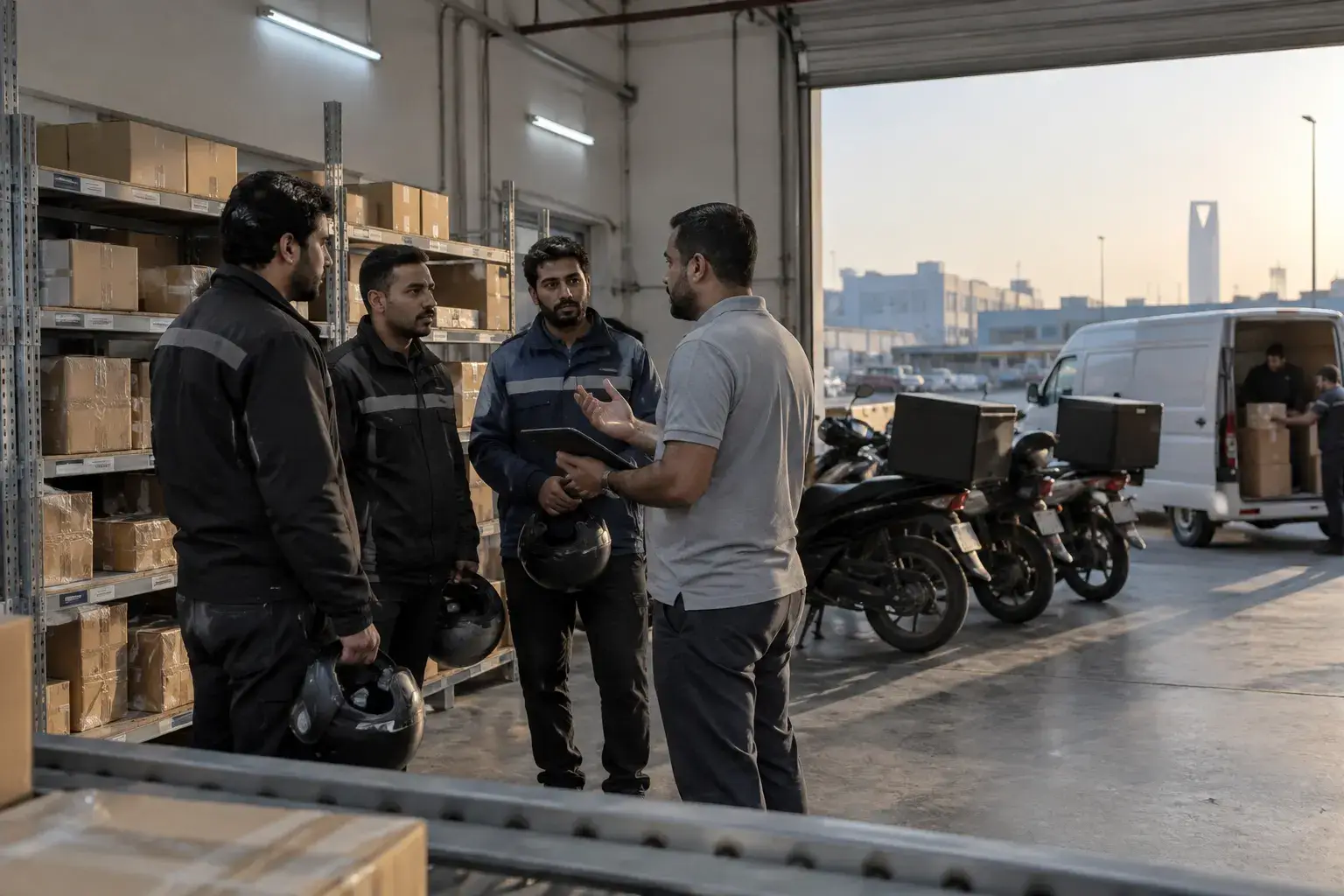
Industries · couriers and delivery companies
Merchant orders in by API, riders out by district, and every riyal of cash on the right merchant.
For licensed delivery companies, couriers and last-mile fleets in Riyadh, Jeddah, Dammam and Dubai. Mindcat Dispatch takes orders from your merchants by API or upload, assigns riders by district, gives each customer a tracking link and totals cash on delivery per rider and per merchant. Hosted in the Kingdom or the UAE, from SAR 119 per rider a month.
Where a courier day goes wrong
Four things that cost a delivery company merchants, fines or cash.

How one parcel moves
From the merchant’s system to the merchant’s statement, nobody retypes it.
A morning parcel from a Jeddah online store to a customer in Al Safa.
- 01MerchantSends the orderFrom their shop by API, from Salla or Zid once connected, or by uploading the day’s Excel file in their portal.On: Merchant portal or API
- 02DispatcherAssigns by districtOrders group by district and wave. Riders on shift get them automatically, or the dispatcher drags them on the board.On: Order board
- 03RiderTakes the stopsThe day’s stops in route order on the rider’s phone, with the pin and the customer’s number.On: Driver app
- 04CustomerFollows the riderA tracking link with the rider on the map, so the customer is at the door and the merchant gets fewer calls.On: Tracking page
- 05RiderProves the deliveryPhoto, signature or code at the door, and the cash recorded on the order.On: Driver app
- 06FinanceSettles each merchantCash on delivery totals per merchant and per rider come from the day’s orders, with the photo and time behind each one.On: Orders and reports
Real screens
What your merchants, customers and dispatchers see.
Captured from our own running copy with invented sample data. Names and numbers are not real customers.
“Merchants call us all day to ask where their orders are.”
A portal for every merchant
Each merchant logs in to its own portal to book orders, follow each one on the map, see proof of delivery and download invoices. Your coordinators stop being a call centre.
- Used by
- Merchants, account managers
- On screen
- A sample pharmacy’s order with route, activity, signature proof and an ID-check note.
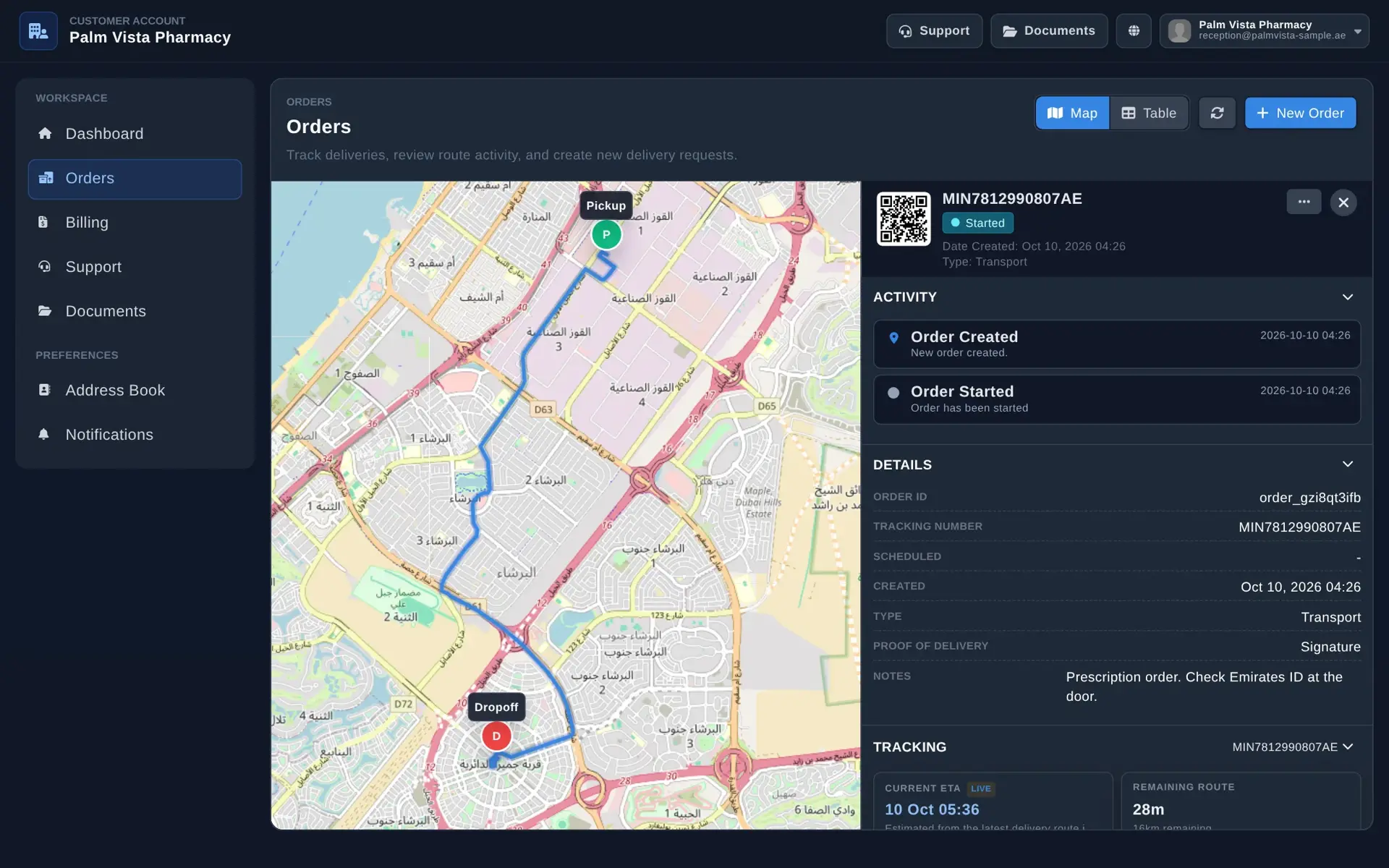
Merchant portal: the merchant answers its own “where is it?” “Riders call for the location, then forget to mark the parcel delivered.”
The rider’s whole day on one phone
The rider sees today’s orders with the stops left, distance and time, opens one to navigate, and marks it done. When an order needs proof, the app asks for the photo or signature before it can be closed.
- Used by
- Riders, shift supervisors
- On screen
- A sample rider’s Saturday: 8 orders, 12 stops left, 81.5 km, and proof of delivery required to complete.
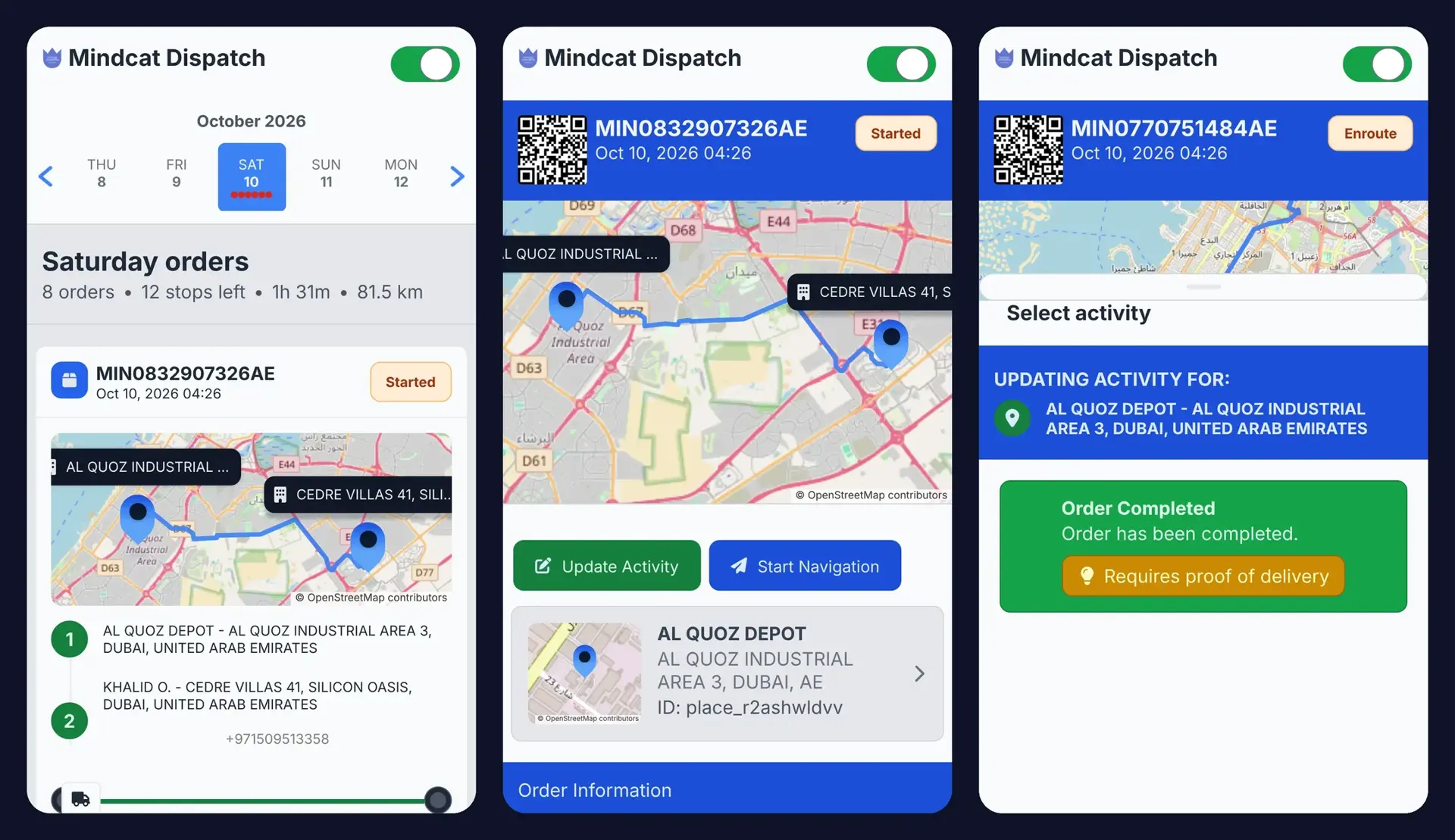
Driver app: stops in order, navigation, and no closing an order without proof. “The rider calls the customer for a pin, then calls again.”
A tracking link for the customer
The customer opens one link and sees the order’s status and the rider’s route on a map with Arabic street names. Sent by SMS or WhatsApp once we connect your account during setup.
- Used by
- End customers, merchants
- On screen
- The tracking page on a phone for a started order in Dubai.
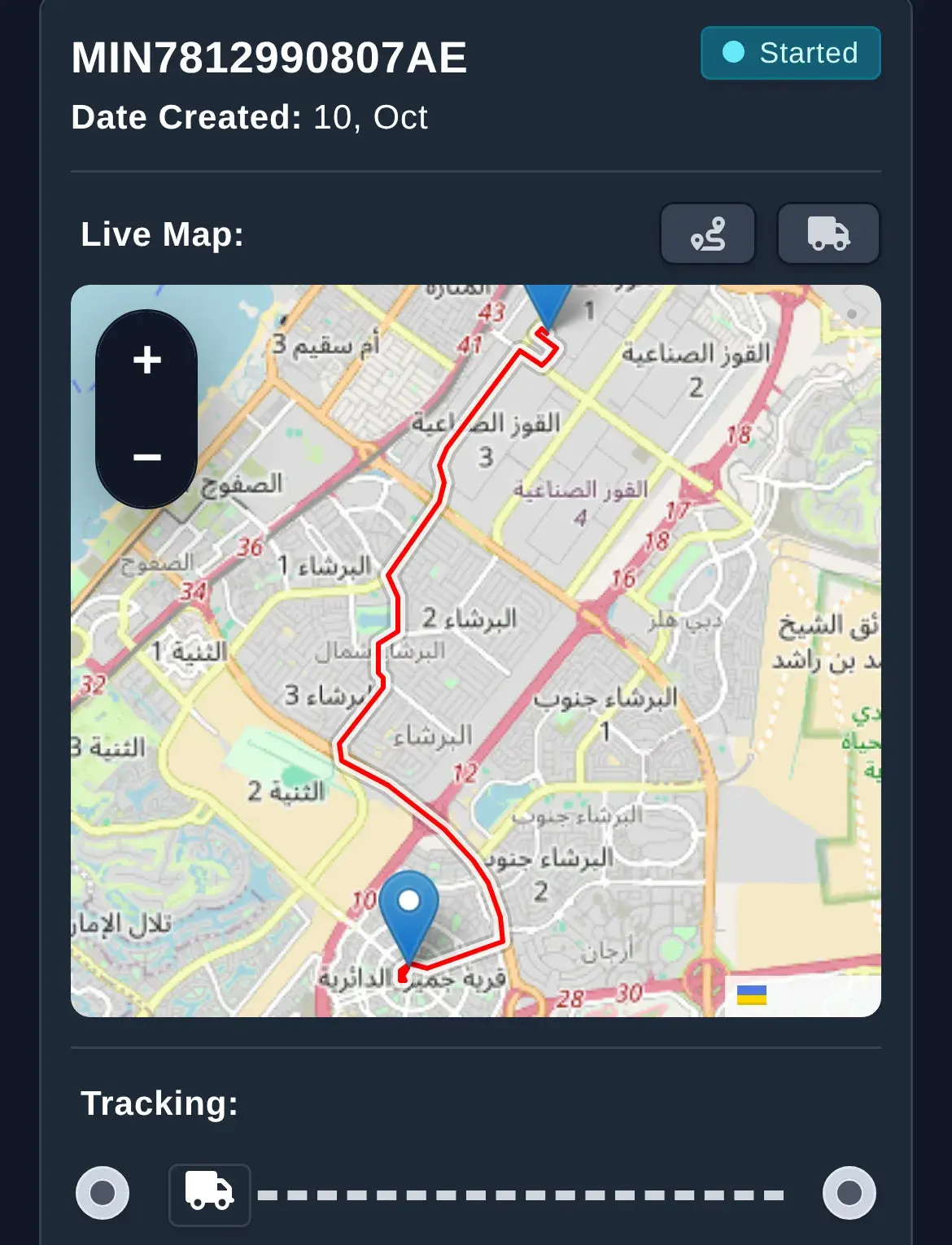
Tracking page: the customer is at the door when the rider arrives. “I assign 400 parcels from six WhatsApp groups every morning.”
Every order on one board
Orders from every merchant land on one board by stage, ready to assign by district or let the system pick the rider on shift.
- Used by
- Dispatchers, shift supervisors
- On screen
- The board with sample orders across three stages.
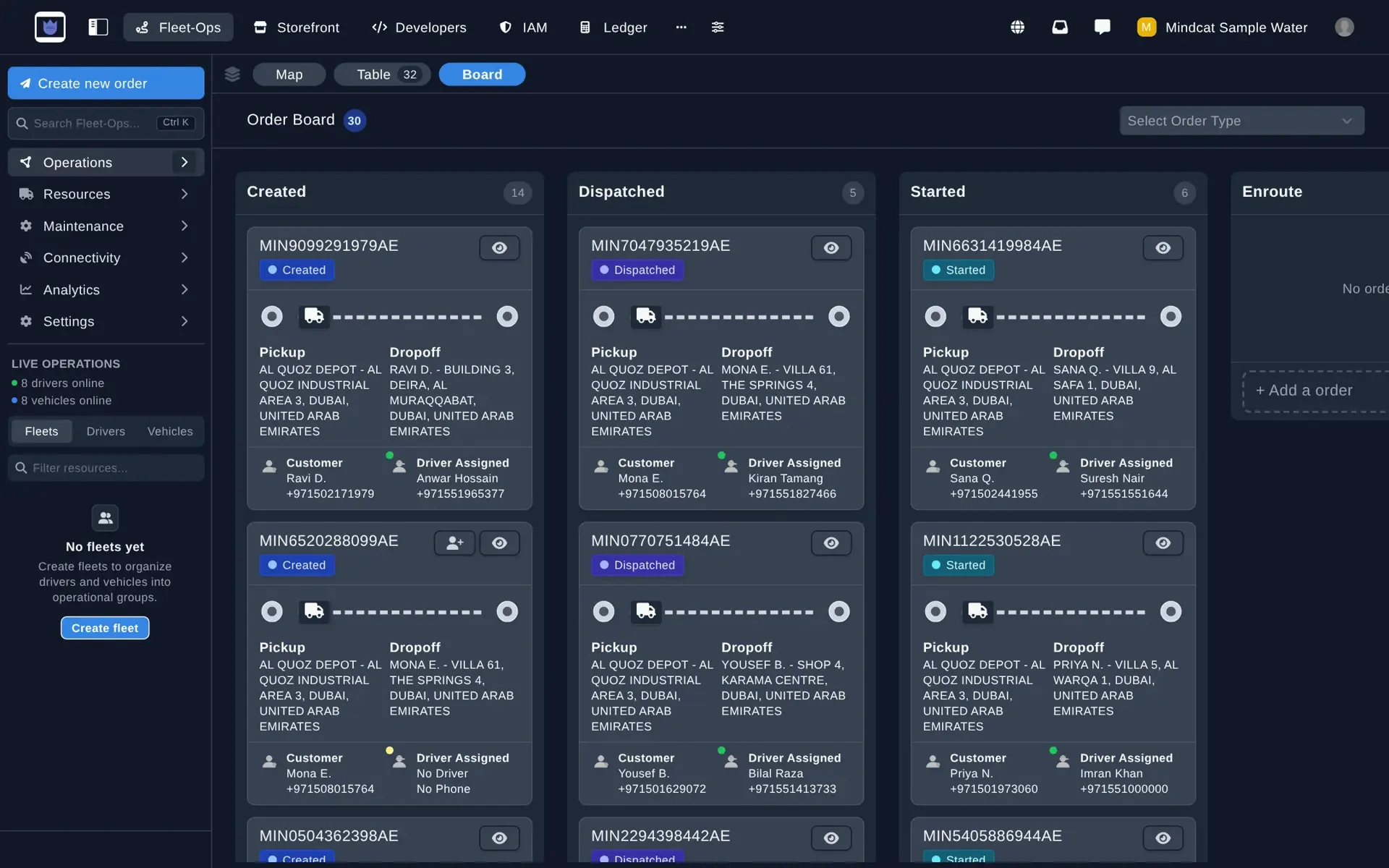
Order board: one queue instead of six chat groups. “An inspector asks which rider and which vehicle took an order.”
Every rider and vehicle on file and on the map
See who is online and where, with each rider’s vehicle and plate. Every status change on every order is kept with its time.
- Used by
- Operations manager, compliance lead
- On screen
- Eight sample riders online, each with vehicle and plate.
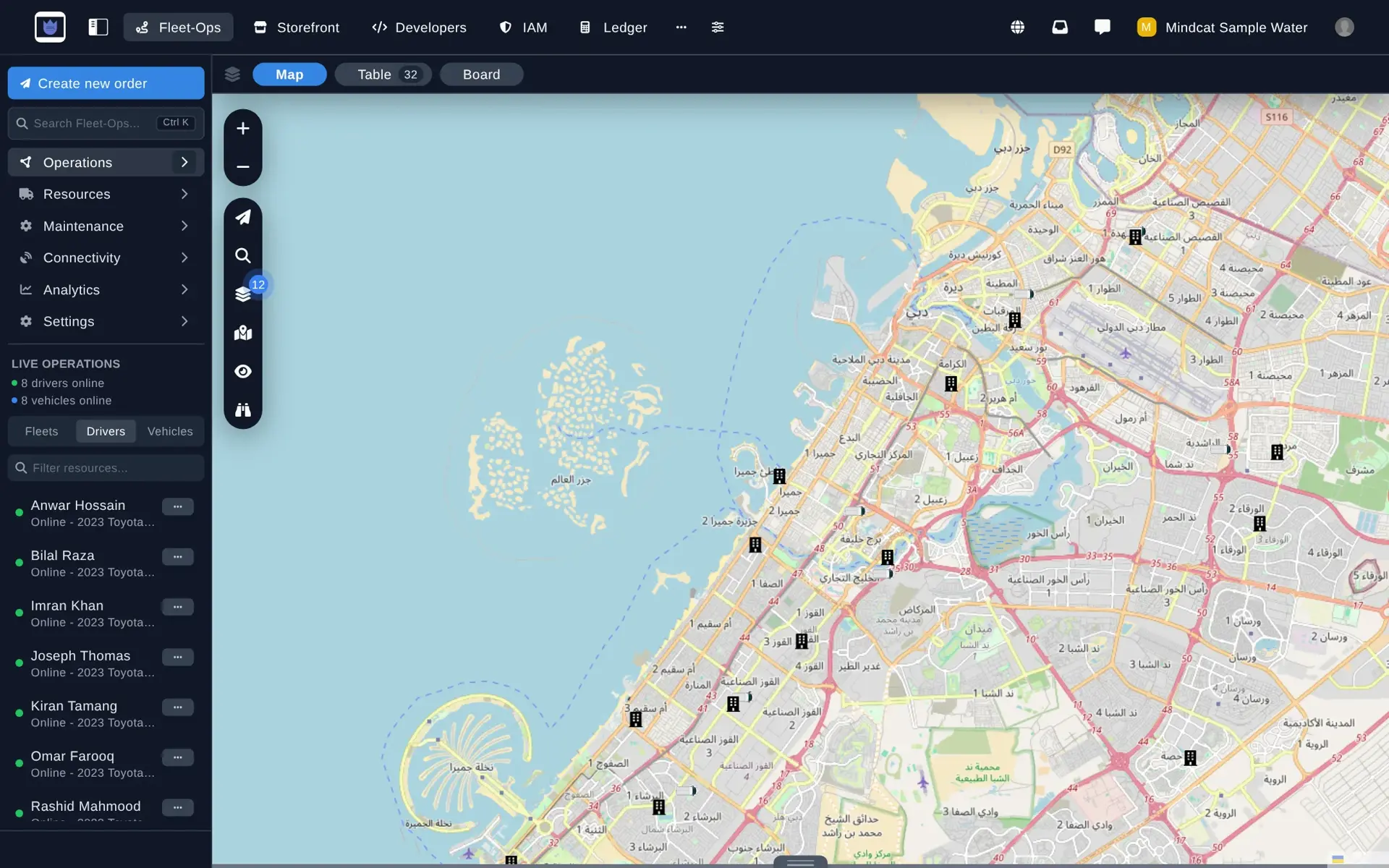
Live map and register: who took which order, in which vehicle, at what time.
Three courier days, before and after
Riyadh, Jeddah and Al Kharj.
Invented businesses in real districts, built from what courier supervisors describe in their own job ads.
Built for couriers in the Kingdom and the UAE
What is ready today, and what we add during setup.
What it costs
Per rider, in riyals, falling as you grow.
SAR 119 per rider for the first 10, 59 for riders 11 to 50, 45 for 51 to 200 and 35 above that. A 140-rider company pays 10 × 119 + 40 × 59 + 90 × 45 = SAR 7,600 a month on the shared option. Your own copy in Jeddah or Riyadh is twice the rider price. No per-order fees, and dispatchers, merchants and finance users are free. Price your own fleet on the Dispatch page.
FAQ
What courier owners ask first.
- Does it make us compliant with TGA?
- No, and nobody’s software can. It replaces manual dispatching with automatic assignment by district and keeps a register of riders, vehicles and every status change with the time. Your licences stay with you and TGA.
- Can our data stay in the Kingdom?
- Yes. Your own copy runs in Jeddah or Riyadh, or on your own servers. The shared option runs in the UAE.
- Can merchants send orders without retyping?
- Yes. Merchants send orders by API, upload their Excel file in their portal, or connect Salla or Zid during setup.
- Can we settle cash on delivery per merchant?
- Yes. Each order records how it was paid, so totals per merchant and per rider come from the day’s orders, with the photo and time behind each one.
- Do HungerStation or Keeta orders come in too?
- No. Platform orders stay in the platform’s own app. Mindcat Dispatch runs your direct merchants and your own deliveries, and the same riders can work both.
- What counts as a rider?
- Anyone who uses the driver app to take jobs in a month. Dispatchers, merchants and finance users are free.
The brief · one email
Tell us your rider count and how merchants send orders.
The honest no: if the work is a software factory with a named delivery date, we are the wrong partner.