An operations lead and an IT admin in a Dubai office move printed passwords and sticky notes into one laptop.

Vercel · Hosting and integrations

Your API keys live in a file on one developer’s laptop. Keep them in one place, synced to every environment.

The Salesforce login, the WhatsApp token and the payment key sit in .env files and chat messages. When the developer leaves, so does the only copy. With Doppler, every key lives in one place and syncs to each Vercel environment. Secrets are write-only once saved. Databases, sign-in and monitoring come from the Vercel Marketplace and add their own keys.

Salesforce consulting partner since 2010 · MVP Hall of Fame · 200+ agents in production · UAE, India and US desks

The problem

Where your keys leak or get lost today.

What Doppler and integrations is

Doppler and integrations, in plain words.

Facts from Vercel’s own pages, checked on 16 October 2026. The sources are at the end of this page.

Doppler sync
One way, from Doppler to Vercel. You set up a separate sync for each environment: Development, Preview and Production.
Variable types
Each sync writes Config (readable), Secret (write-only) or Dynamic, the default, which sends masked secrets as Secret and the rest as Config.
Public variables
Names such as NEXT_PUBLIC_ must be Config. If a sync tries to save one as Secret, Vercel rejects it and the sync stops with an error naming it.
Vercel environment variables
Encrypted at rest. Config values stay readable to the team. Secret values cannot be read back by the dashboard or API once saved.
Separate production secrets
An optional team policy makes every Secret use a different value in Production than in other environments.
Marketplace
Native listings include Neon, Supabase, Upstash, AWS, Sentry, Clerk, Stripe and Checkly, billed on the Vercel invoice. There is no Salesforce or 1Password listing.


How it works

From one store of keys to every environment that needs them.

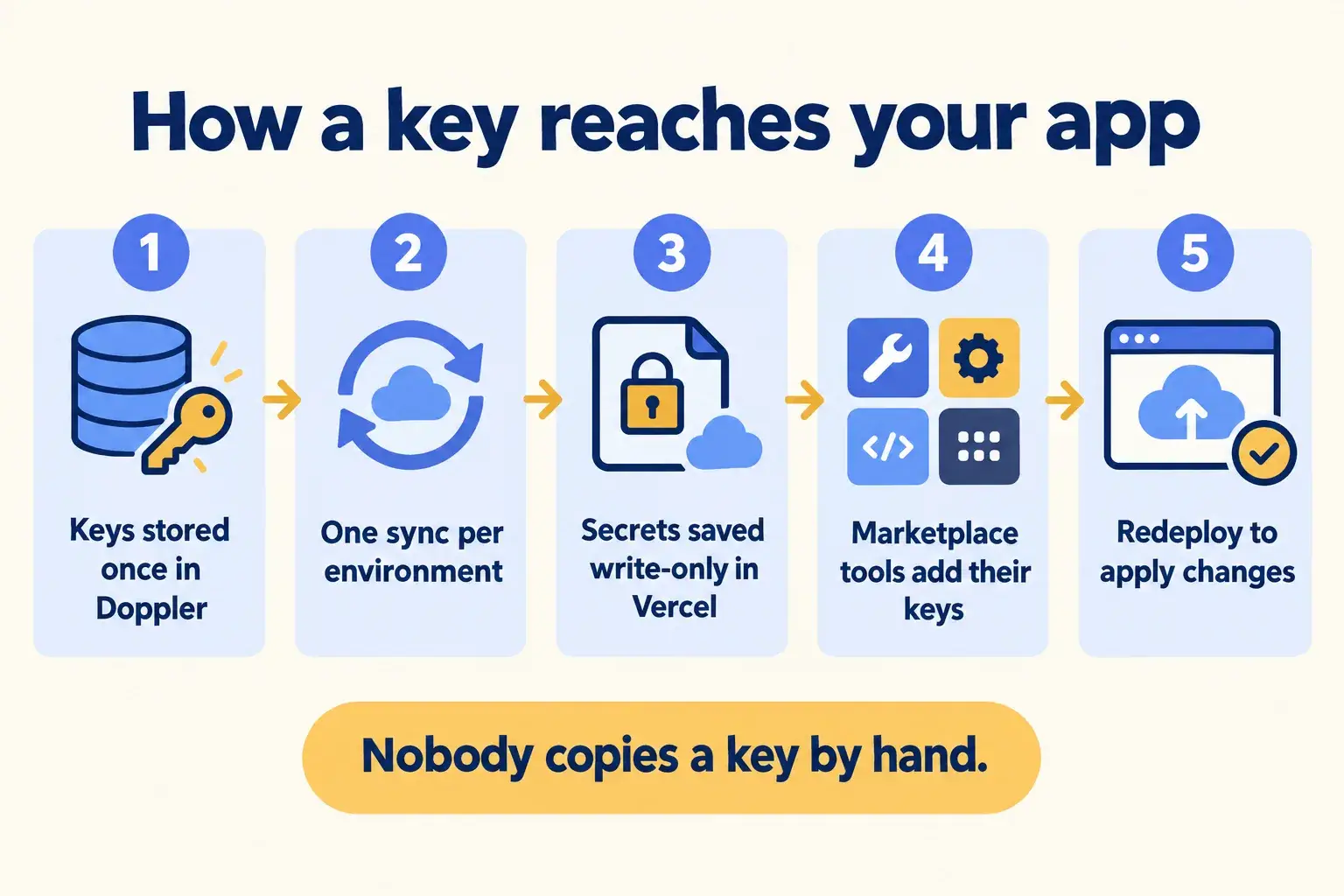
Five steps. A key changes in one place and reaches the right environment, and nobody pastes it into a chat.

Five steps: keys stored in Doppler, one sync per environment, secrets saved write-only, Marketplace keys added, redeploy.

Infographic

The same steps are written out below.

Step by step

What happens at each step.

  1. Store

    Keys stored once in Doppler

    Salesforce, WhatsApp and payment keys live in one Doppler project, with a config per environment.

  2. Sync

    One sync per environment

    Development, Preview and Production each get their own sync to the Vercel project.

  3. Save

    Secrets saved write-only

    Keys land as Secret variables that nobody can read back. Public settings land as Config.

  4. Add

    Marketplace tools add their keys

    A database, sign-in or monitoring tool connected from the Marketplace adds its own variables to the project.

  5. Redeploy

    Redeploy to apply

    Changed values apply to new deployments only, so we redeploy after every change.

How it fits together

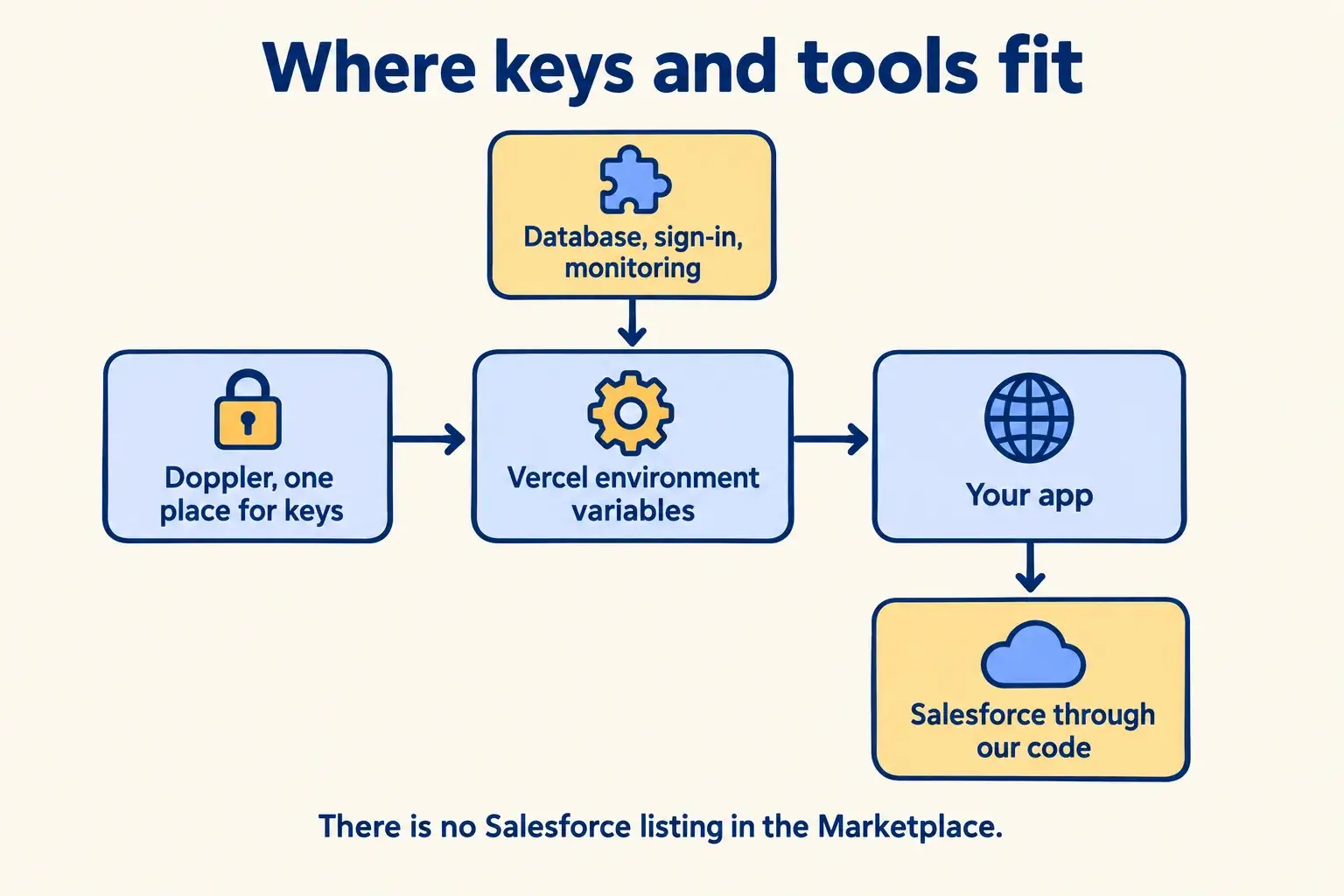
Where keys and tools sit between your app and everything it calls.

Doppler holds the keys. Vercel environment variables hand them to your app. Marketplace tools add their own. Salesforce has no Marketplace listing, so it connects through our code or Vercel Connect, where its connector is in Beta.

Doppler syncs keys to Vercel environment variables, Marketplace tools add theirs, and the app reaches Salesforce through code.

Infographic

Where it sits next to the systems you run today.

Use cases · worked examples

One worked example in each industry.

How Doppler and integrations fits into the work of the industries we serve, one step at a time.

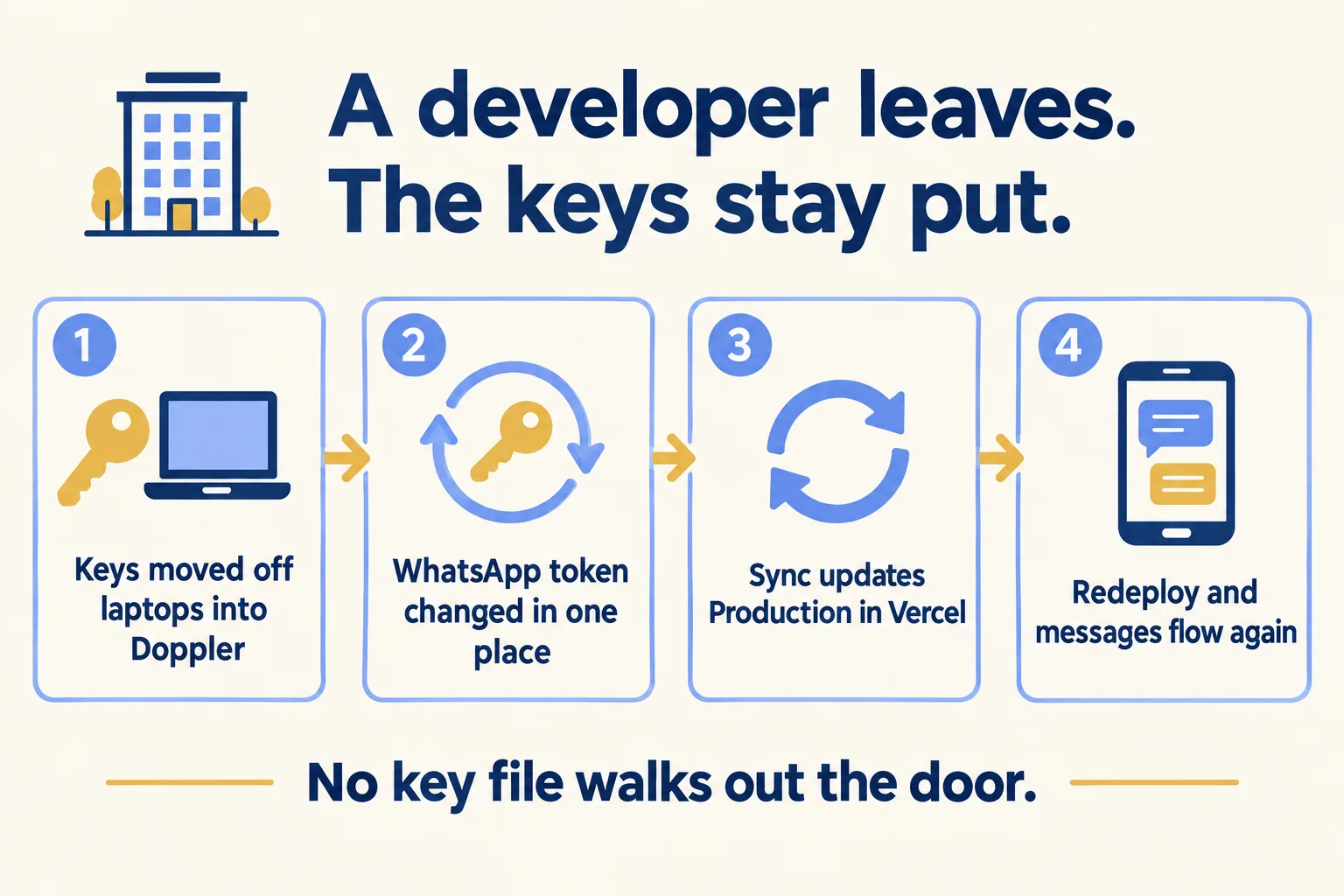
  1. A Dubai property manager moves keys into Doppler, changes the WhatsApp token once, and the sync updates Vercel.

    Example 1 · Property management, Dubai · Infographic

    Operations lead at a Dubai property management company

    Today: The tenant portal sends WhatsApp updates and logs requests in Salesforce. The only copy of the keys sat on a developer’s laptop, and he has left.

    After: Every key moves into Doppler, with one sync for each Vercel environment. The WhatsApp token is changed in one place and the portal picks it up on the next deployment.

    Worked example, step by step

    1. Sun 09:00Ops lead. Hears the developer has left and asks who has the keys.
    2. Sun 11:00Mindcat. Creates new Salesforce and WhatsApp keys and stores them in Doppler, one config per environment.
    3. Sun 11:30Mindcat. Sets up three Doppler syncs to the Vercel project: Development, Preview and Production, as Secret.
    4. Sun 11:40Mindcat. Revokes the old keys and redeploys production so the new values apply.
    5. Sun 12:00Tenant. Logs a leak in the portal and gets the WhatsApp update. The request is in Salesforce.

    The old keys are dead, the new ones live in one place, and nobody has a copy on a laptop.

    Property management
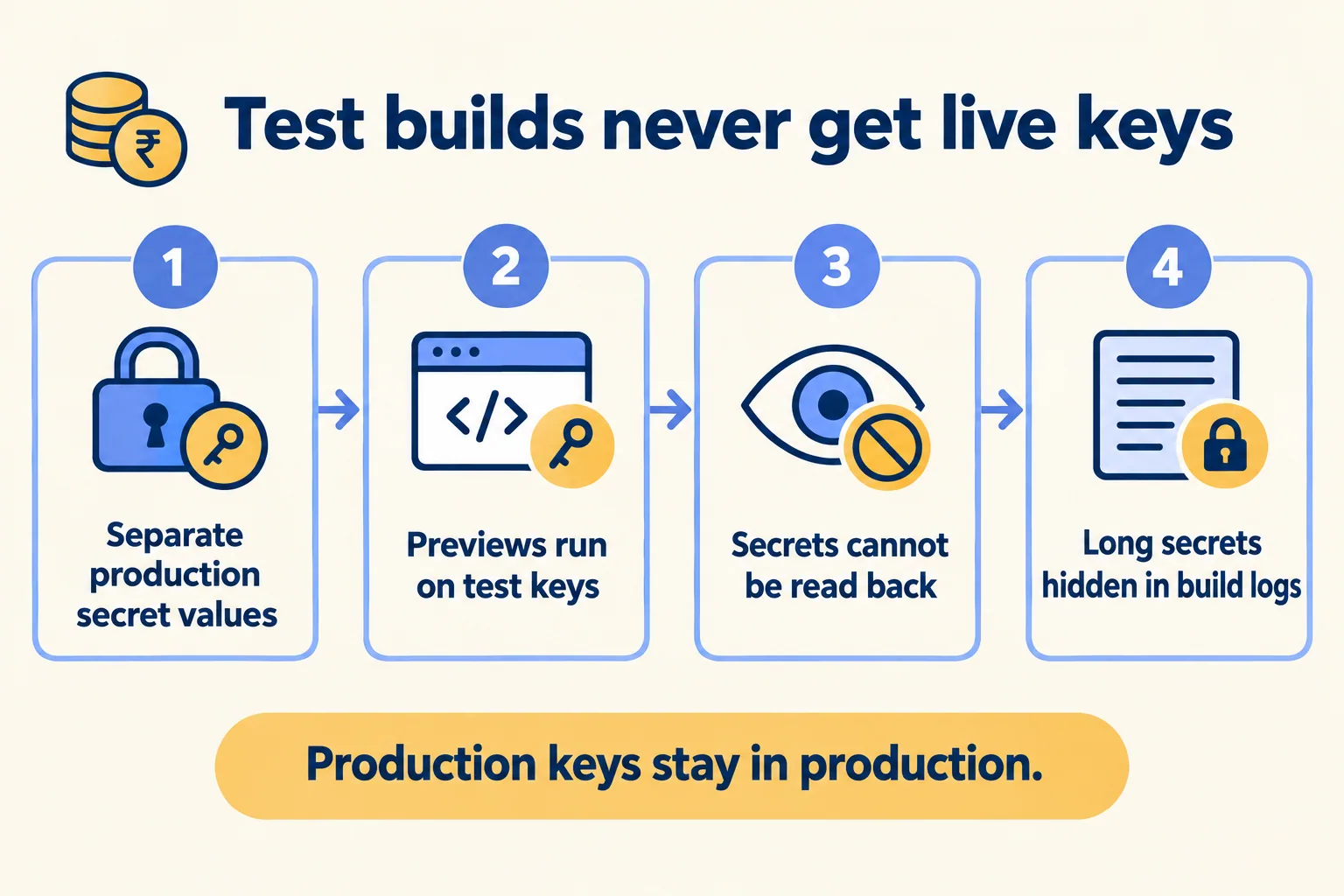
  2. A Mumbai lender separates production secrets so previews run on test keys and secrets cannot be read back.

    Example 2 · Financial services, Mumbai · Infographic

    Head of engineering at a Mumbai lending company

    Today: Preview builds and production share the same bank API key. One wrong test could move real money, and the key once showed up in a build log.

    After: The team turns on separate production secret values. Previews run on test keys, every key is a write-only Secret, and long secret values are redacted in build logs.

    Worked example, step by step

    1. Day 1Head of engineering. Lists every key the loan app uses and which environment needs it.
    2. Day 1Mindcat. Turns on the team policy that requires separate production secret values.
    3. Day 2Mindcat. Saves test keys for Preview and live keys for Production, all as Secret.
    4. Day 2Developer. Opens a preview. The loan form calls the bank’s test API, not the live one.
    5. Day 3Head of engineering. Checks a build log. A long secret value shows as [REDACTED].

    A preview can no longer reach a live bank account, and nobody can read the live key back.

    Financial services
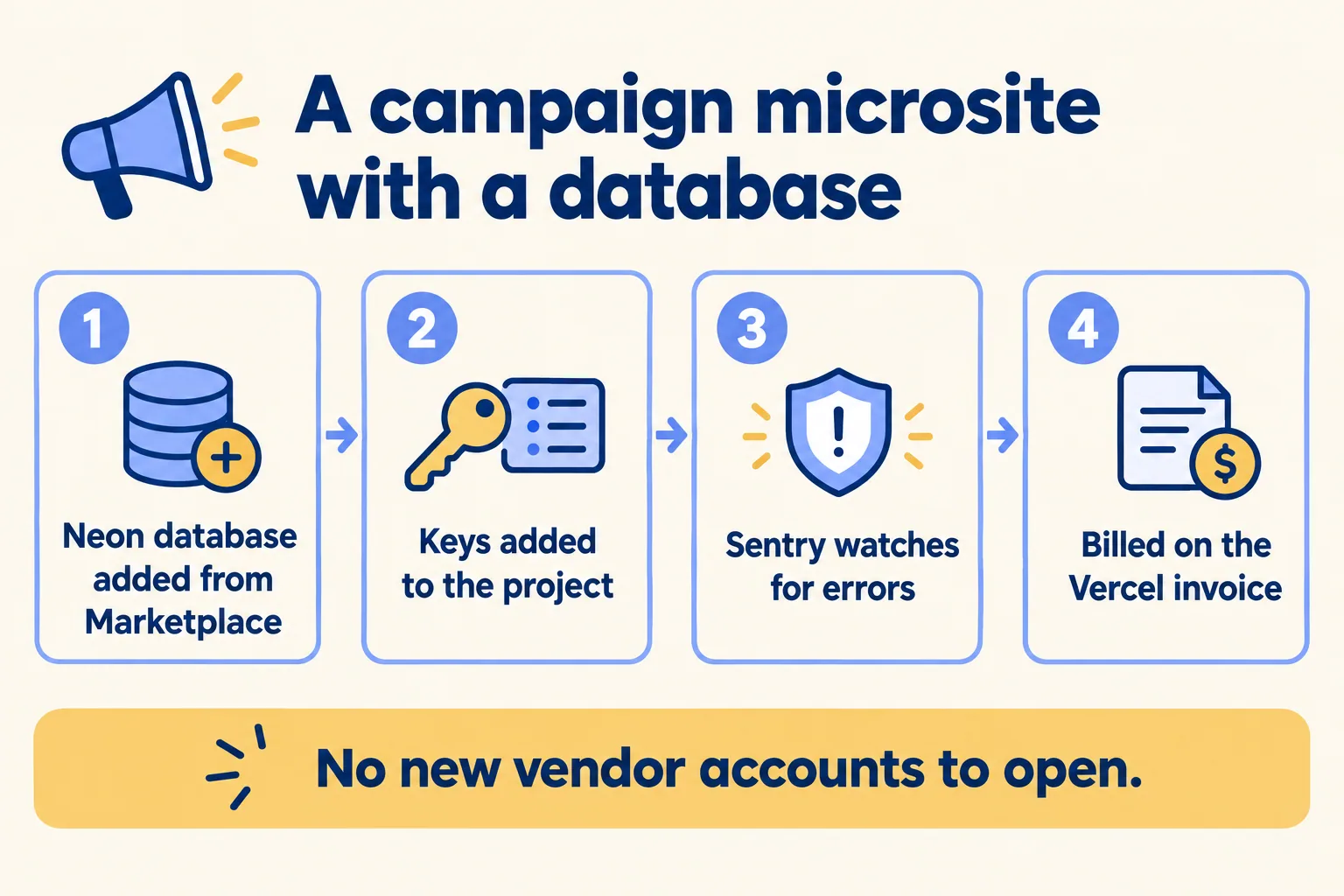
  3. An Austin agency adds a Neon database and Sentry from the Marketplace, with keys and billing handled in Vercel.

    Example 3 · Marketing agencies, Austin · Infographic

    Technical director at an Austin marketing agency

    Today: Every campaign microsite needs a database, a sign-up form and error alerts. Each one means a new vendor account, a new card and keys pasted by hand.

    After: The database and error monitoring come from the Vercel Marketplace. They add their own keys to the project and bill on the Vercel invoice. Leads still go to the client’s Salesforce through our code.

    Worked example, step by step

    1. Mon 09:00Technical director. Gets the brief: a contest microsite live by Friday.
    2. Mon 10:00Developer. Adds a Neon Postgres database from the Marketplace. Its keys appear in the project’s environment variables.
    3. Mon 10:20Developer. Adds Sentry from the Marketplace for error alerts.
    4. Tue 15:00Developer. Connects the entry form to the client’s Salesforce through server code, with its key stored as a Secret.
    5. Fri 09:00Technical director. Approves the preview and the site goes live. The tools show on next month’s Vercel invoice.

    A microsite with a database and alerts, and no new vendor account to open.

    Marketing agencies
Examples of the work, not client stories. Times in each example show the order of events, not a measured result.

Is it for you

When Doppler and integrations fits, and when it doesn’t.

Good fit

Not for you yet

Your app calls Salesforce, WhatsApp or a payment provider with API keys
Your team already runs a secrets manager it is happy with
More than one developer or agency touches the code
You expect edits in Vercel to flow back to Doppler: the sync is one way
Test and live need different keys
You want a Vercel Marketplace app for Salesforce: none exists
You want databases and monitoring on one invoice
Your site has no keys at all

What Mindcat does

We build it, then we run it.

The assessment is free: a short read of the org and a written note. If you go ahead, the first build week is a fixed AED/SAR 14,900 (about USD 4,050), credited in full when you sign the build within 60 days. After go-live, we keep it patched, watched and changing every month.

FAQ

What teams ask about Doppler and integrations.

If we change a key in Vercel, does Doppler update?
No. The sync runs one way, from Doppler to Vercel. Make every change in Doppler, or the next sync overwrites it.
Does a changed key reach the live site straight away?
No. Vercel applies environment variable changes to new deployments only. We redeploy after a change, and we write that step into the key rotation checklist.
Is there a Salesforce integration in the Vercel Marketplace?
No. On 16 October 2026 there was no Salesforce or 1Password listing. Your app reaches Salesforce through our server code, or through Vercel Connect, where the Salesforce connector is marked Beta.
Can we read a Secret back after saving it?
No. Vercel makes Secret values write-only once saved. Keep the source of truth in Doppler. Config values stay readable to people with project access.
Are secrets hidden in logs?
Partly. Vercel replaces a Secret value of 32 characters or more with [REDACTED] in build logs. Shorter values and runtime logs are not covered, so we keep keys out of log lines in the code.

Sources

Where these facts come from.

Start here

Tell us what you want built, and where it runs today.

One or two lines is enough. You hear back within 24 hours from the person who signs the work.

Salesforce consulting partner since 2010 · MVP Hall of Fame · 200+ agents in production · UAE, India and US desks