A sales operations manager and a developer at a Dubai brokerage check which staff can reach which systems.

Vercel · Agent stack · GA · Salesforce connector Beta

One leaked key opens your whole Salesforce org. Give each agent a token that expires.

Today the website, the reporting script and the new agent all share one integration user’s password, pasted into settings months ago. Nobody knows who changed which record. With Connect, each app asks for a short-lived token when it needs one, as the app or as the person who asked. You see every token in a log and switch off access in one place. Connect has been generally available since 25 August 2026. Its Salesforce connector is still Beta.

Salesforce consulting partner since 2010 · MVP Hall of Fame · 200+ agents in production · UAE, India and US desks

The problem

Where access goes wrong today.

What Connect is

Connect, in plain words.

Facts from Vercel’s own pages, checked on 16 October 2026. The sources are at the end of this page.

What it is
Managed OAuth, MCP and API key connections for apps and agents. Vercel says 1,000+ services.
How access works
Code requests a user-authorized token at runtime instead of storing provider keys in environment variables.
Acting as whom
A token can act as your service, as a specific user, or as a federated identity.
Salesforce
A Vercel-managed OAuth client for user-authorized and app-scoped access. The connector is marked Beta.
Status
Generally available on all plans since 25 August 2026. Many catalog connectors are Experimental, meaning Vercel has not verified them.
Audit
Each connector logs token requests, authorizations, trigger deliveries and revocations. Webhook triggers are Slack-only today.

How it works

From a stored key to a token that expires.

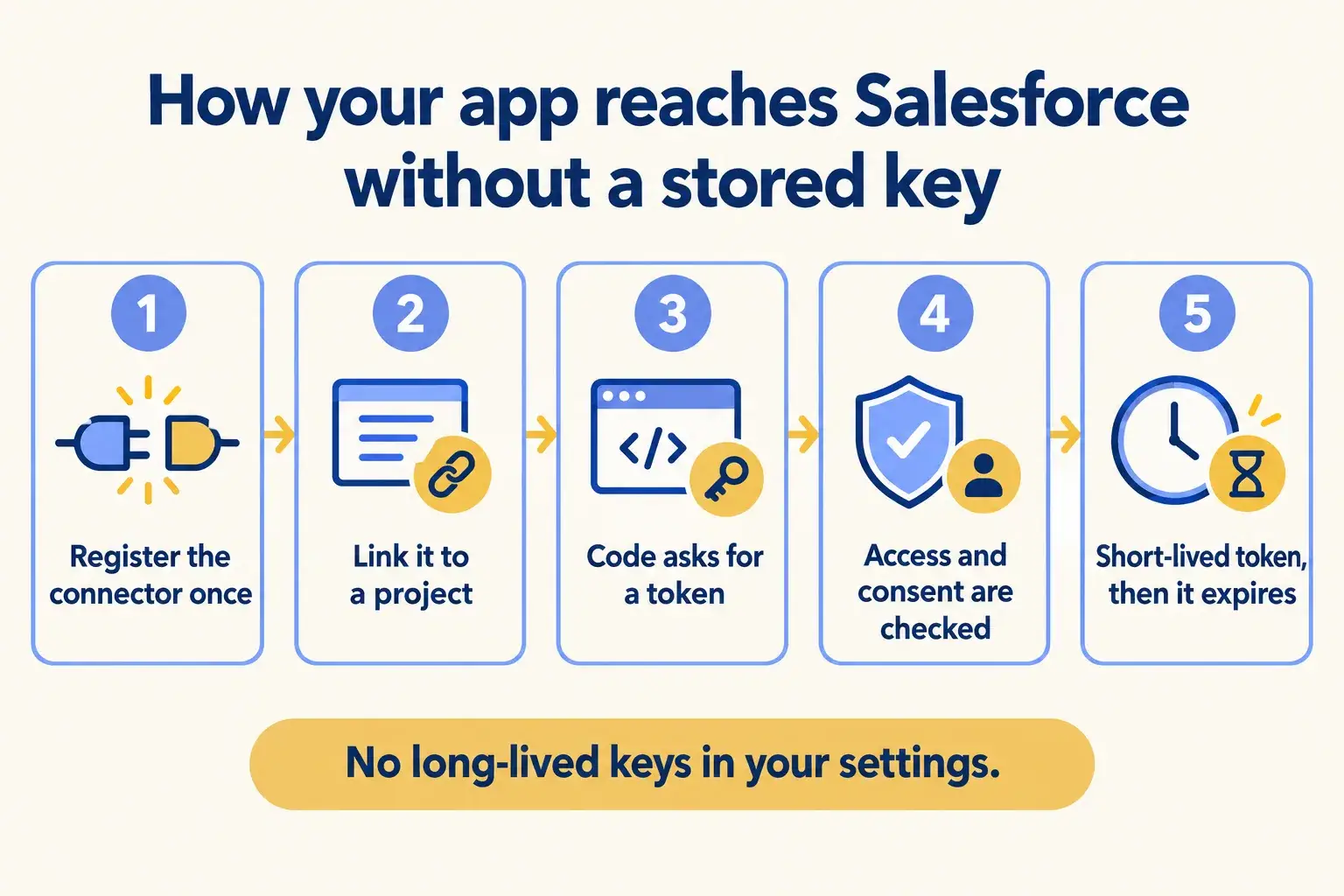
Five steps. The connector is set up once for the team. Each project gets only the connectors it is linked to, and each token is short-lived instead of stored for months.

Five steps from registering a connector to a short-lived token, with no key stored in your settings.

Infographic

The same steps are written out below.

Step by step

What happens at each step.

  1. Register

    Register the connector once

    Salesforce, Slack or Microsoft, set up at team level from the dashboard or the CLI.

  2. Link

    Link it to a project

    Only the projects and environments you choose can use it. Production and preview can differ.

  3. Ask

    Code asks for a token

    At runtime the app requests a token, signed in with its own deployment identity.

  4. Check

    Access and consent are checked

    Connect checks the project link. If the token is for a person, that person consents the first time.

  5. Use

    A short-lived token comes back

    The app calls Salesforce with it. The token expires and is never written to your settings.

How it fits together

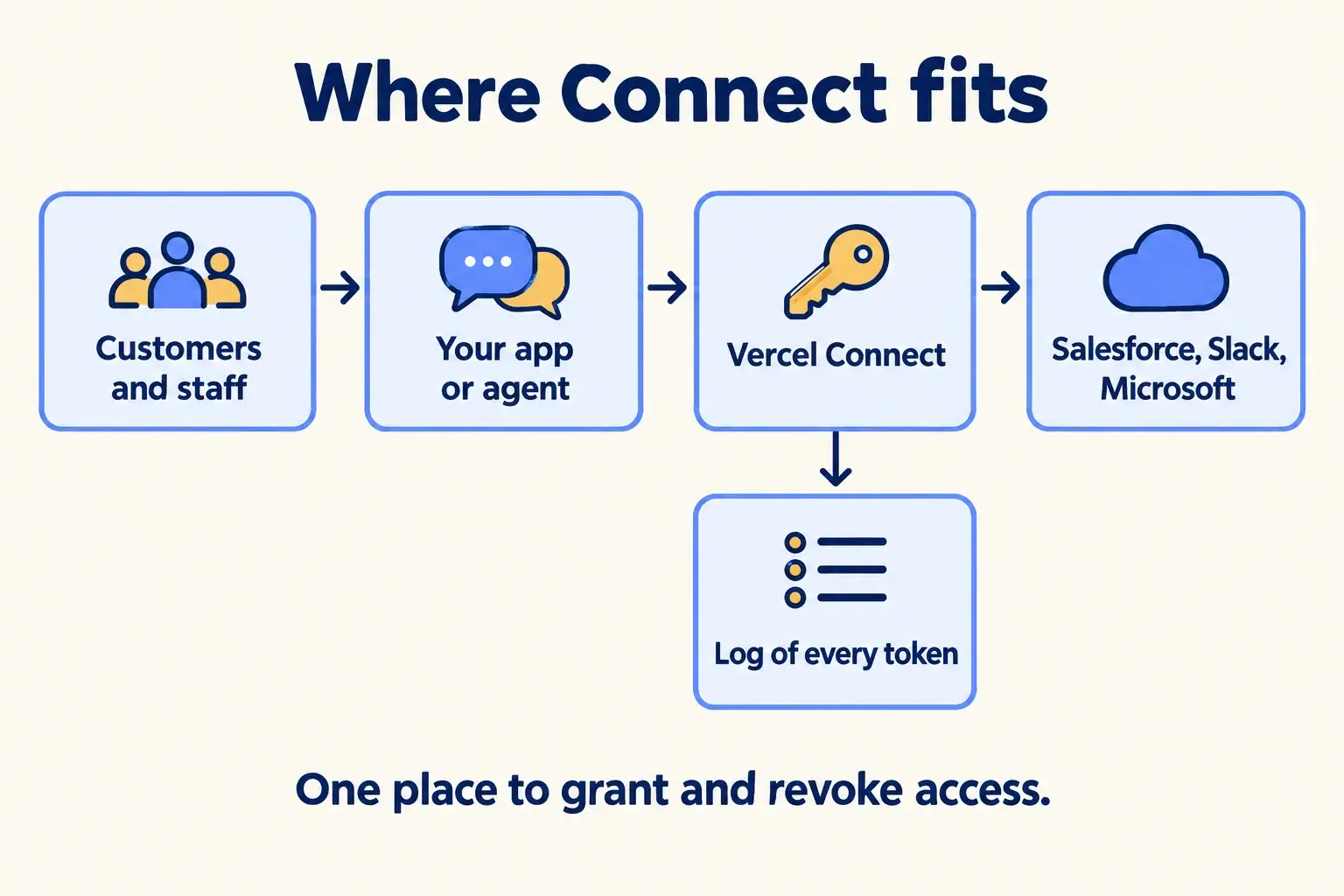
Where Connect sits between your agent and your systems.

Customers and staff talk to your app or agent. The app asks Connect for a token, then calls Salesforce, Slack or Microsoft with it. Every token lands in a log you can read.

Your app gets tokens from Connect to reach Salesforce, Slack and Microsoft, and every token is logged.

Infographic

Where it sits next to the systems you run today.

Use cases · worked examples

One worked example in each industry.

How Connect fits into the work of the industries we serve, one step at a time.

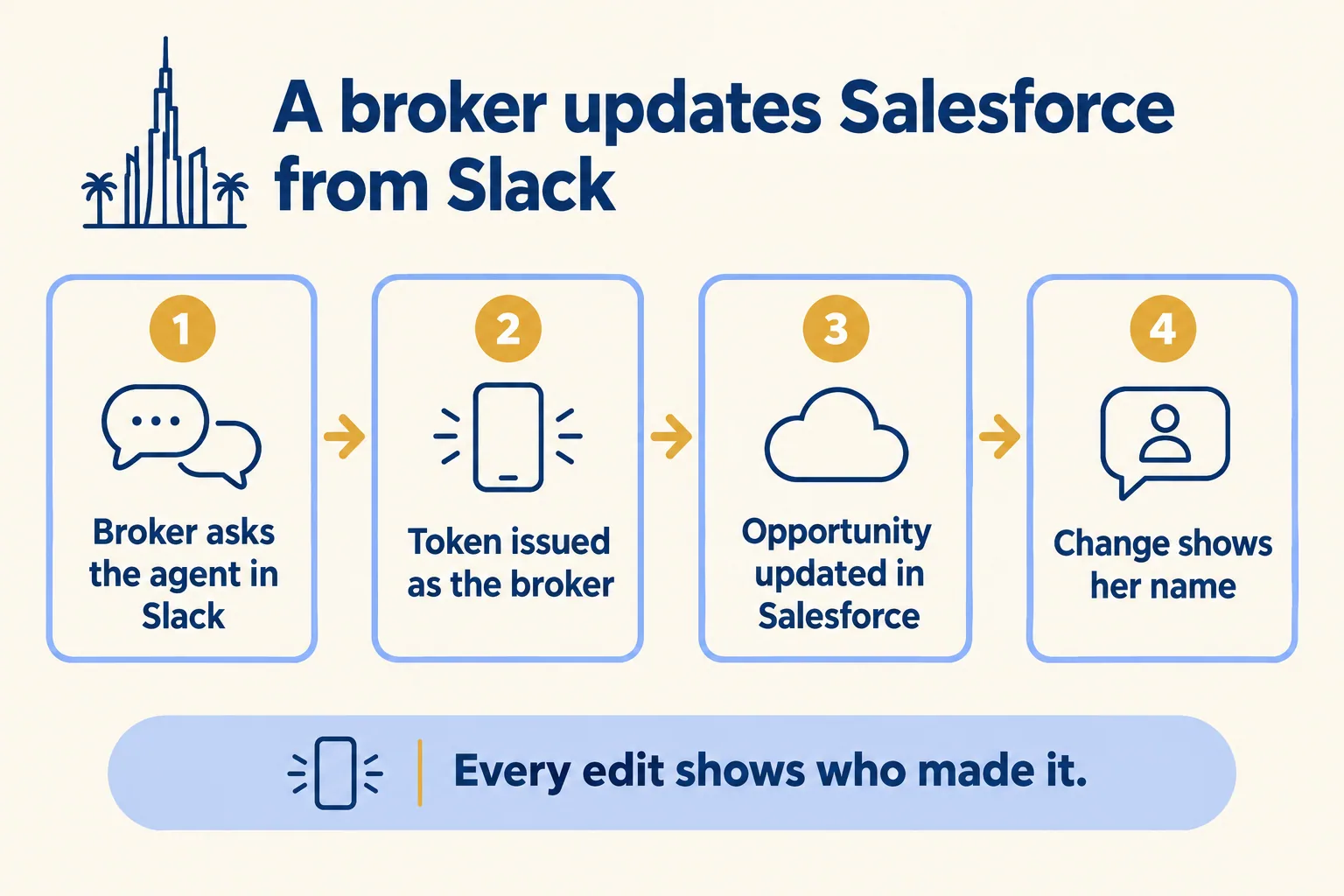
  1. A broker asks the agent in Slack, a token is issued as her, and the Salesforce opportunity change shows her name.

    Example 1 · Real estate, Dubai · Infographic

    Sales operations manager at a Dubai brokerage

    Today: Brokers ask the Slack bot to move a deal to “Offer made”. Salesforce shows the integration user made the change, so nobody knows which broker did it.

    After: The agent asks Connect for a token as the broker who asked. Salesforce records the change under her name, with her own permissions.

    Worked example, step by step

    1. 10:02Broker. Asks the agent in Slack to mark the Marina two-bed deal as “Offer made”.
    2. 10:02Agent. Asks Connect for a Salesforce token as this broker, not as a shared user.
    3. 10:02Connect. First time only: sends the broker a Salesforce consent link.
    4. 10:04Broker. Approves once. Connect returns a short-lived token.
    5. 10:04Agent. Updates the opportunity stage and replies in the thread.
    6. 10:05Sales ops. Sees the edit in Salesforce history under the broker’s own name.

    Every stage change in the pipeline shows the broker who asked for it.

    Real estate brokers
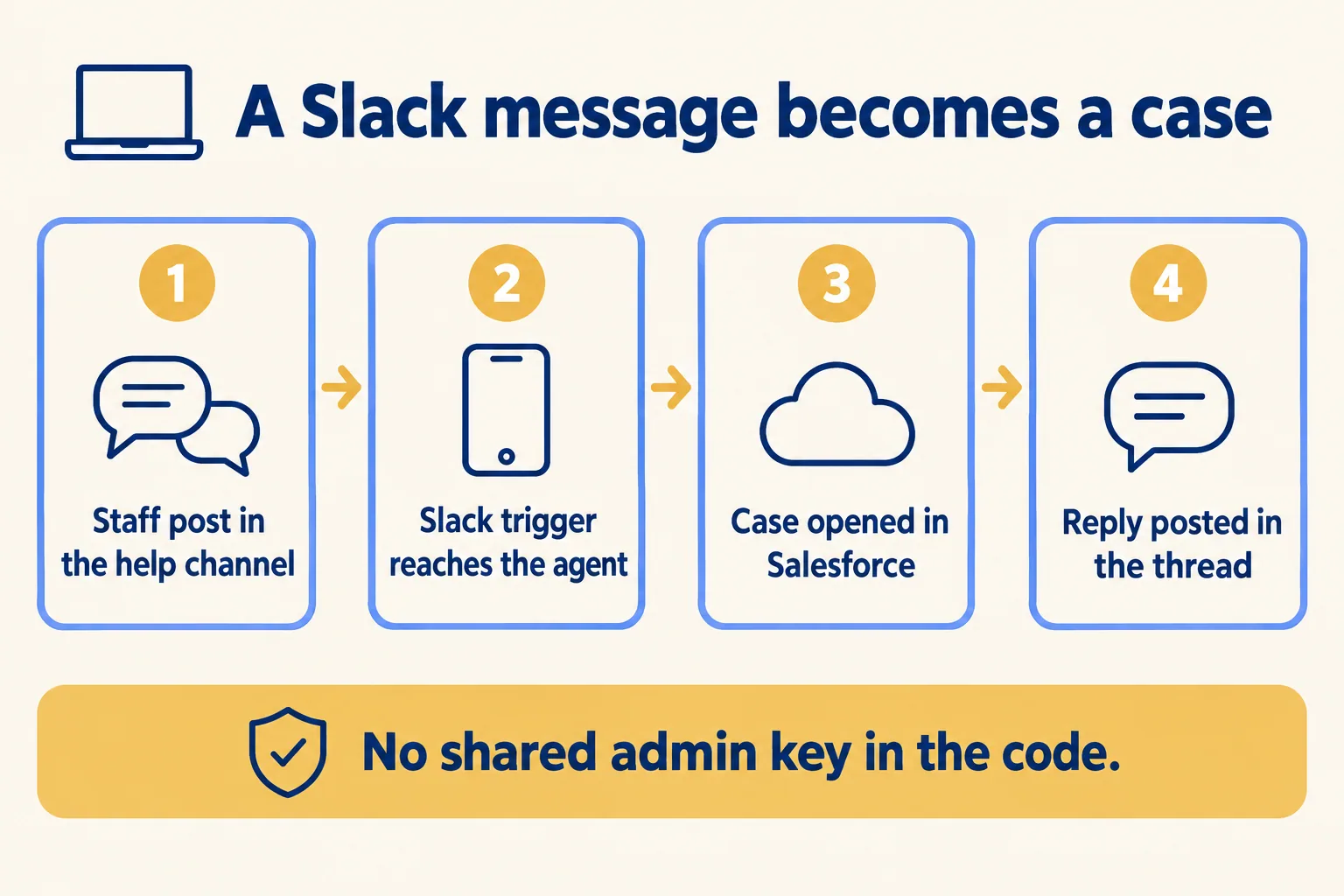
  2. A Slack help message reaches the agent through a trigger, a Salesforce case opens, and the reply is posted in the thread.

    Example 2 · IT service desk, Bengaluru · Infographic

    Service desk lead at an IT support company in Bengaluru

    Today: Staff report problems in a Slack channel. Someone copies each message into a Salesforce case by hand, and some get missed on busy mornings.

    After: A Slack trigger in Connect sends each new message to the agent. The agent opens the case in Salesforce with its own app token and replies in the thread.

    Worked example, step by step

    1. 09:10Staff member. Posts in the help channel: the VPN drops every ten minutes.
    2. 09:10Connect. The Slack trigger forwards the message to the agent’s project.
    3. 09:10Agent. Asks Connect for an app token for Salesforce.
    4. 09:11Agent. Opens a case with the message, the person and the channel, then posts the case number in the thread.
    5. 09:30Engineer. Picks up the case in Salesforce and answers in the same Slack thread.

    No message waits for someone to copy it, and the code holds no Salesforce password.

    IT service desks
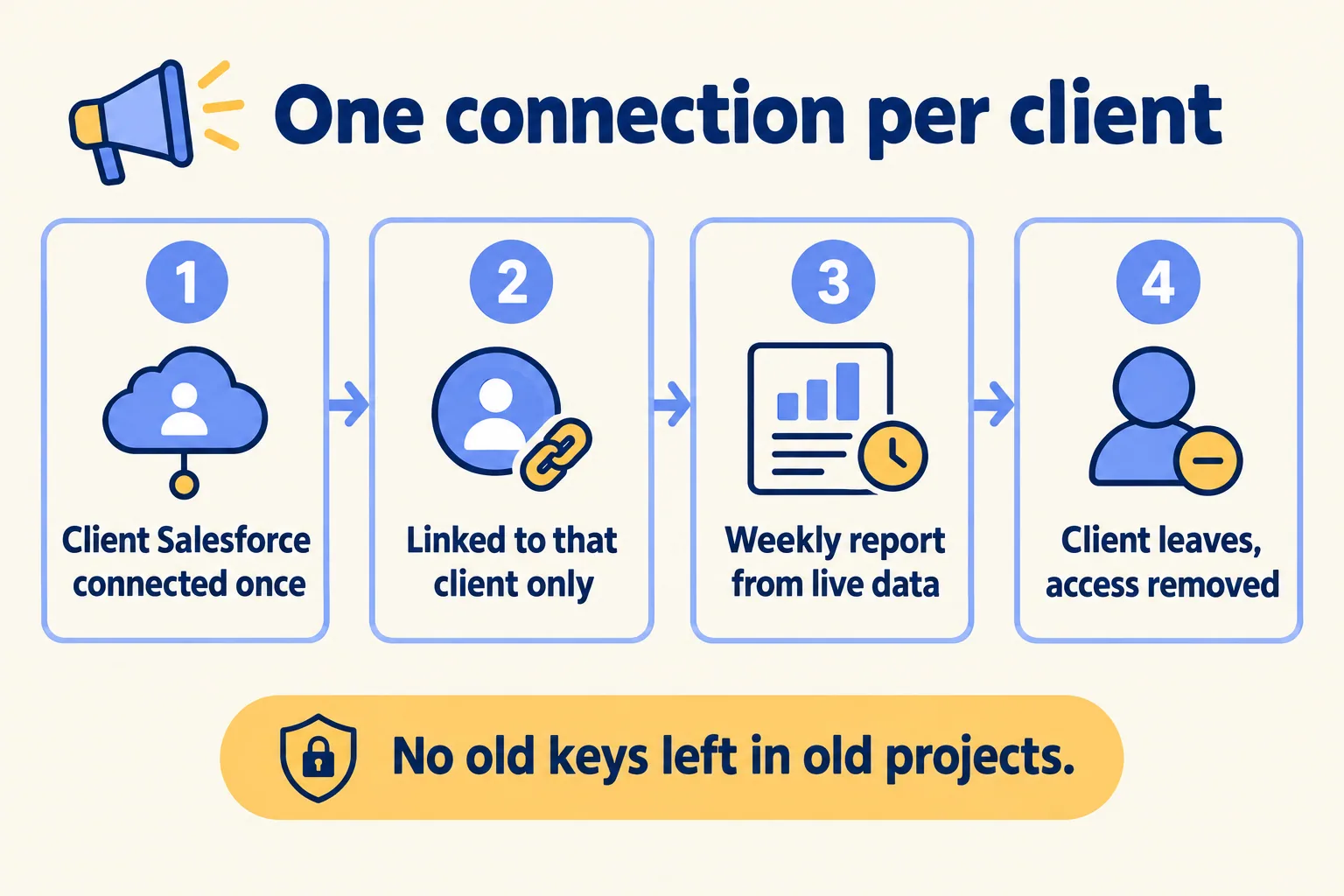
  3. Each client Salesforce is connected once and linked to that client only, then removed in one step when the client leaves.

    Example 3 · Marketing agency, Mumbai · Infographic

    Operations head at a Mumbai marketing agency

    Today: Each client’s Salesforce login sits in a different project’s settings. When a client leaves, nobody is sure every copy of the key is gone.

    After: Each client’s Salesforce is one connector, linked only to that client’s project. Ending the contract means removing one connector.

    Worked example, step by step

    1. Week 1Developer. Registers one Salesforce connector per client and links each to that client’s reporting project.
    2. Mon 07:00Report job. Asks Connect for a token and pulls last week’s campaign leads from that client’s org.
    3. Mon 07:05Report job. Posts the weekly summary to the client’s Slack channel.
    4. Month 6Ops head. A client ends the contract. She removes that client’s connector.
    5. Month 6Ops head. Checks the connector log: the last token request was the final Monday report.

    A client who leaves takes their access with them, and the log shows it.

    Marketing agencies
Examples of the work, not client stories. Times in each example show the order of events, not a measured result.

Is it for you

When Connect fits, and when it doesn’t.

Good fit

Not for you yet

Your agents or apps on Vercel write to Salesforce, Slack or Microsoft
Your apps do not run on Vercel
You need Salesforce to show which person asked for a change
You need Salesforce events to trigger the agent: triggers are Slack-only today
Several projects share keys today and nobody can list them
Your rules need a stated data-residency position: Vercel states none for Connect
You can accept a Beta label on the Salesforce connector
You rely on an Experimental connector for something critical

What Mindcat does

We build it, then we run it.

The assessment is free: a short read of the org and a written note. If you go ahead, the first build week is a fixed AED/SAR 14,900 (about USD 4,050), credited in full when you sign the build within 60 days. After go-live, we keep it patched, watched and changing every month.

FAQ

What teams ask about Connect.

Is the Salesforce connector ready for production?
Connect itself is generally available. The Salesforce connector is marked Beta in Vercel’s catalog as of 16 October 2026. We test it in a Salesforce sandbox first and tell you what Beta means for your use before go-live.
What does Connect cost?
As of 16 October 2026, Hobby includes 500 token requests and 1,000 triggers a month. Pro pays $3.00 per 1,000 token requests and $0.95 per 1,000 triggers. Enterprise is negotiated. Hobby is for non-commercial use only.
Can Salesforce changes start the agent?
Not through Connect today. Webhook triggers are Slack-only on Vercel’s page. For Salesforce events we use another path, and we tell you which one in the written assessment.
Does it replace Named Credentials or Connected Apps in Salesforce?
Vercel does not say so. Connect handles how your Vercel apps get a token. What a token can do is still set by the user’s profile and permission sets in your org.
Are all 1,000+ connectors checked by Vercel?
No. Vercel manages a short list, including Slack, GitHub, Linear, Microsoft, Snowflake and Salesforce. Many others are marked Experimental: not verified by Vercel.
Where is the token data held?
Vercel states no data-residency position for Connect. If your rules need one, we confirm it per project before you sign.


Sources

Where these facts come from.

Start here

Tell us what you want built, and where it runs today.

One or two lines is enough. You hear back within 24 hours from the person who signs the work.

Where are you?

Salesforce consulting partner since 2010 · MVP Hall of Fame · 200+ agents in production · UAE, India and US desks