

An IT administrator in a Riyadh office helps a colleague sign in to an internal tool with her company login.

Vercel · Agent stack · Enterprise only

Every internal tool has its own password. Put them all behind the login your staff already use.

The maintenance app, the referral board and the new agent each built their own sign-in, and IT has to remember to remove leavers from all three. Passport puts every internal app on Vercel behind Okta, Entra ID or Auth0. The app learns who signed in and which groups they belong to. Passport is available on Vercel Enterprise plans only.

Salesforce consulting partner since 2010 · MVP Hall of Fame · 200+ agents in production · UAE, India and US desks

The problem

Where internal logins go wrong today.

What Passport is

Passport, in plain words.

Facts from Vercel’s own pages, checked on 16 October 2026. The sources are at the end of this page.

What it is
A sign-in gate in front of the apps and agents you deploy on Vercel, using your own identity provider.
Which logins
Any provider that supports OAuth 2.0 or OpenID Connect, including Okta, Auth0 and Microsoft Entra ID. Vercel describes no SAML option.
What the app gets
A Vercel-signed token in a request header, with a stable user ID and, if you ask for them, the person’s groups.
Audit
Each successful sign-in writes an event to the Activity Log and Audit Logs.
Agents too
Agents you deploy sit behind the same gate and follow the same policy.
Plan
Enterprise only, generally available since 31 July 2026. Vercel lists no Passport on Hobby or Pro and prices it per contract.

How it works

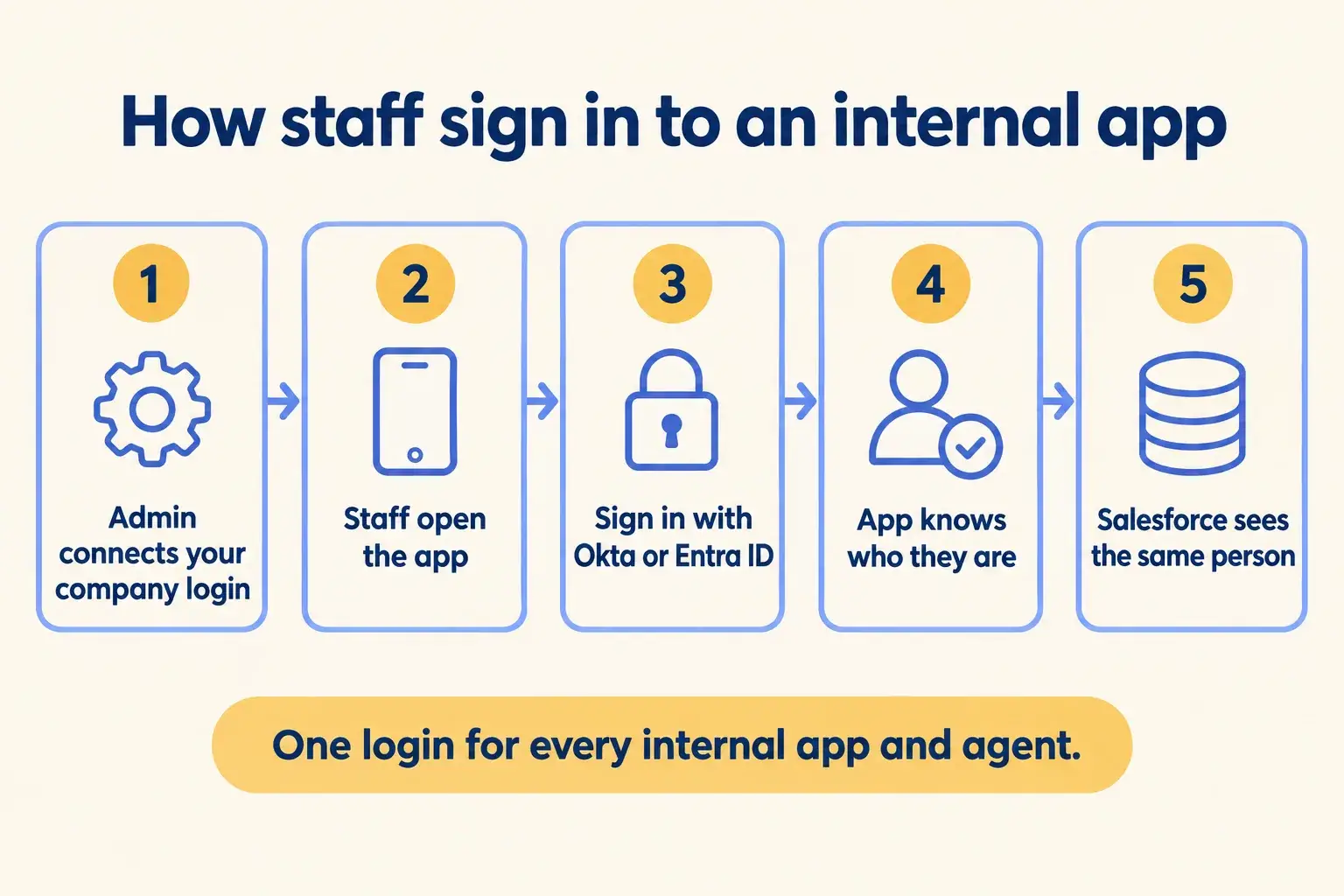
Five steps. IT sets it up once. After that, every request reaches the app with the signed-in person attached.

Five steps: admin connects the company login, staff open the app, sign in with Okta or Entra ID, the app knows who they are.

Infographic

The same steps are written out below.

Step by step

What happens at each step.

  1. Set up

    Admin connects your company login

    Your identity provider is registered once in Vercel Connect, then Passport is switched on for the project or team.

  2. Open

    Staff open the app

    Anyone who is not signed in is sent to your company login page.

  3. Sign in

    Sign in with Okta or Entra ID

    Vercel checks the answer from your provider and sets a session for that deployment.

  4. Request

    The app knows who they are

    Each request carries a signed token with the person’s ID and groups. Vercel strips any copy sent by the browser.

  5. Downstream

    Salesforce sees the same person

    With Connect, the app gets a Salesforce token for that person, so their own permissions apply.

How it fits together

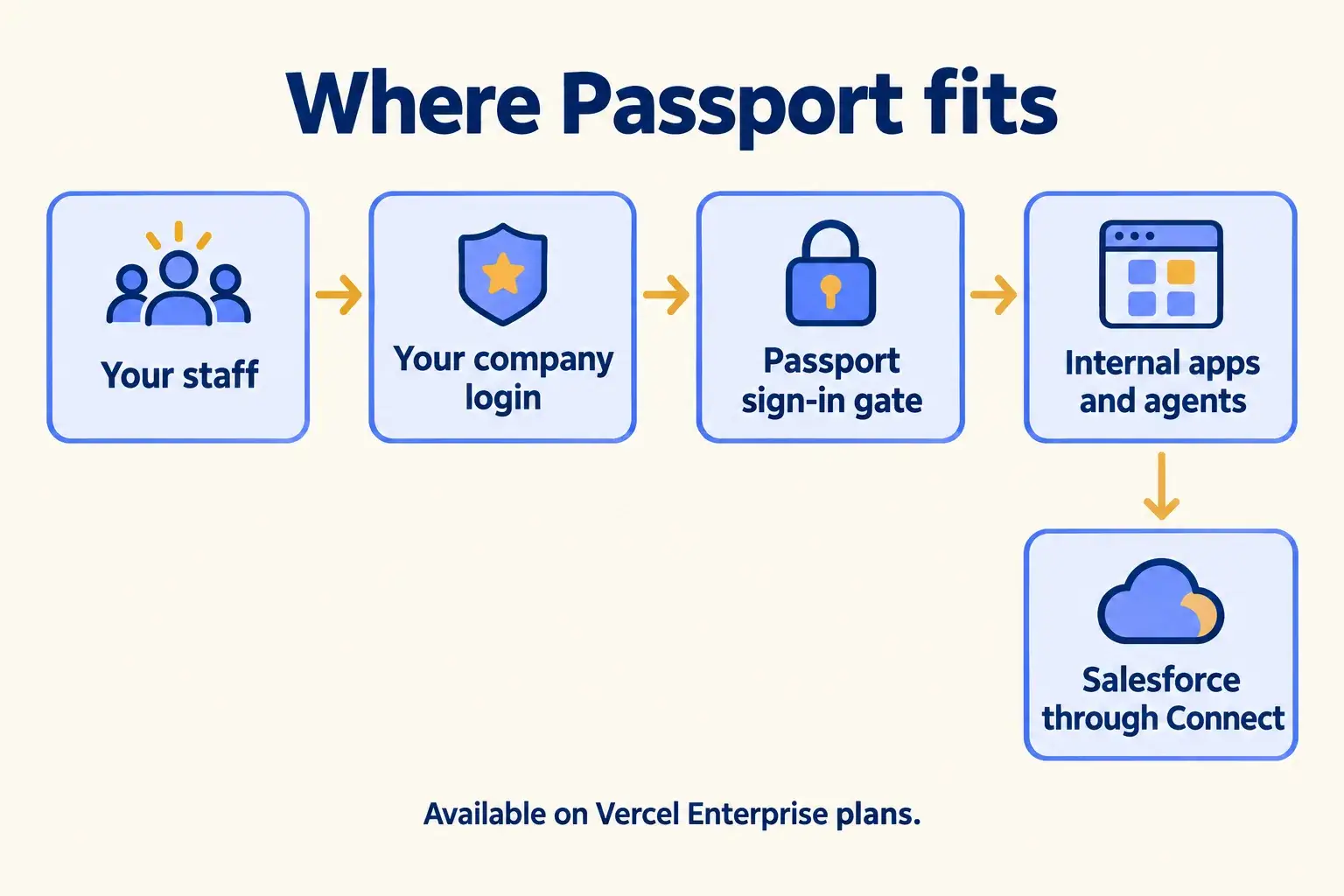
Where Passport sits between your staff and your internal tools.

Staff sign in with the company login they already have. Passport checks it before any internal app or agent loads. Through Connect, the same person reaches Salesforce with their own permissions.

Staff pass the Passport gate with their company login, and internal apps reach Salesforce through Connect.

Infographic

Where it sits next to the systems you run today.

Use cases · worked examples

One worked example in each industry.

How Passport fits into the work of the industries we serve, one step at a time.

  1. Technician and manager use one company login, and Salesforce shows which manager approved the quote.

    Example 1 · Property management, Dubai · Infographic

    Operations manager at a Dubai property management company

    Today: Technicians share one login to the maintenance app. When a quote is approved, nobody can say which manager approved it.

    After: The app sits behind the company’s Entra ID login. It reads each person’s group, so technicians log jobs and managers approve quotes, each under their own name.

    Worked example, step by step

    1. 08:15Technician. Opens the maintenance app on his phone and signs in with his company login.
    2. 08:15App. Reads his group from the token and shows the job list for technicians.
    3. 11:40Technician. Logs a chiller repair quote for a JLT tower.
    4. 12:05Manager. Signs in the same way, sees the approval screen and approves the quote.
    5. 12:05App. Gets a Salesforce token for the manager through Connect and updates the work order as her.

    Every approval in Salesforce names the manager who gave it, and nobody shares a password.

    Property management
  2. Clinic staff sign in with Okta, their group picks the screen, and referrals are saved to Salesforce.

    Example 2 · Clinic group, Riyadh · Infographic

    IT manager at a multi-branch clinic group in Riyadh

    Today: The referral board has its own usernames. Doctors and the front desk see the same screens, and old accounts pile up.

    After: The board sits behind Okta. Doctors and the front desk sign in with their usual login, and their Okta group decides which screen they see.

    Worked example, step by step

    1. 07:50Front desk. Opens the referral board and signs in with Okta.
    2. 07:50App. Sees the front desk group and shows today’s referrals to book.
    3. 09:20Doctor. Signs in the same way and sees the clinical notes screen instead.
    4. 09:35Front desk. Books the referral with the specialist branch.
    5. 09:35App. Saves the referral to Salesforce through Connect, under the front desk user’s name.

    One login for every internal tool, and each screen matches the person’s role.

    Clinics
  3. A banker signs in to the research agent with Entra ID, a risk service checks the token, and the sign-in is logged.

    Example 3 · Financial services, New York · Infographic

    Head of client technology at a New York wealth firm

    Today: Relationship managers want the new research agent. Compliance will not allow it on a link without the company login.

    After: The agent sits behind the same Entra ID gate as the rest of the firm’s tools. A separate risk service checks the signed token before it answers.

    Worked example, step by step

    1. 08:30Relationship manager. Opens the research agent and is sent to the company login.
    2. 08:31Passport. Checks the Entra ID sign-in and writes an access event to the audit log.
    3. 08:32Agent. Receives the question with the banker’s signed token attached.
    4. 08:32Risk service. Checks the token against Vercel’s published keys before it returns any data.
    5. 08:33Agent. Answers, and the request is tied to the banker who asked.

    Compliance can see who signed in to the agent and when.

    Financial services
Examples of the work, not client stories. Times in each example show the order of events, not a measured result.

Is it for you

When Passport fits, and when it doesn’t.

Good fit

Not for you yet

You are on a Vercel Enterprise plan, or about to be
You are on Hobby or Pro: Passport is Enterprise only
Staff already sign in with Okta, Entra ID or Auth0
Your identity provider only speaks SAML
Several internal apps or agents each have their own login today
The app is for customers, not staff
The app needs to know the person’s role
Your apps do not run on Vercel

What Mindcat does

We build it, then we run it.

The assessment is free: a short read of the org and a written note. If you go ahead, the first build week is a fixed AED/SAR 14,900 (about USD 4,050), credited in full when you sign the build within 60 days. After go-live, we keep it patched, watched and changing every month.

FAQ

What teams ask about Passport.

Can we use Passport on Pro?
No. As of 16 October 2026 Vercel lists Passport for Enterprise only, priced per contract. If you are on Pro, we use another login method and tell you which before you sign.
Does it work with Okta and Entra ID?
Yes. Passport works with any provider that supports OAuth 2.0 or OpenID Connect, and Vercel names Okta, Auth0 and Microsoft Entra ID. Vercel’s pages describe no SAML option.
Is every deployment private once it is on?
Only once you switch it on. Passport is a project or team setting, set up with a Vercel Connect application that holds your identity provider details.
Do Salesforce permissions follow the person?
Only with Connect. Passport tells your app who signed in. To have Salesforce apply that person’s own permissions, the app requests a user token for them through Connect.
Is there a charge per user?
Vercel’s page says flat-rate pricing that lets the whole company in at no additional cost. That sits inside an Enterprise contract, and Vercel publishes no figure.

Sources

Where these facts come from.

Start here

Tell us what you want built, and where it runs today.

One or two lines is enough. You hear back within 24 hours from the person who signs the work.

Where are you?

Salesforce consulting partner since 2010 · MVP Hall of Fame · 200+ agents in production · UAE, India and US desks