
If your payment, WhatsApp or CRM keys are pasted by hand into a Vercel dashboard, a laptop .env file and a build pipeline, this is for you. It is not for a team with one app and one developer: Vercel's own Secret variables are enough there, and adding a second tool only adds a second login.
When is Vercel's own secret storage enough?
When one team runs one or two projects and nothing outside Vercel needs the same keys. Vercel encrypts environment variables at rest. A Secret variable is write-only after you save it: its value cannot be read back in the dashboard or the API. Variables can be shared at team level across projects, and each environment gets its own values.
The trouble starts when the same key lives in several places. A WhatsApp Business API token sits in three Vercel projects, a GitHub Actions job and a developer's laptop. Someone rotates it in one place. Two sites keep sending messages with the old token until a customer says replies stopped.
That is the case for a secrets manager in front of Vercel: one place where a key changes, and syncs that copy it out. Doppler is one that has a Vercel integration, listed on the Vercel Marketplace as a third-party integration with 1,000+ installs.
Our rule: one app, one team, keys used only on Vercel, stay on Vercel Secret variables. Several projects, several platforms, or keys a person outside the team must never see, put Doppler in front.
What does the Doppler sync actually do?
It copies secrets from a Doppler config into one Vercel environment, in one direction.
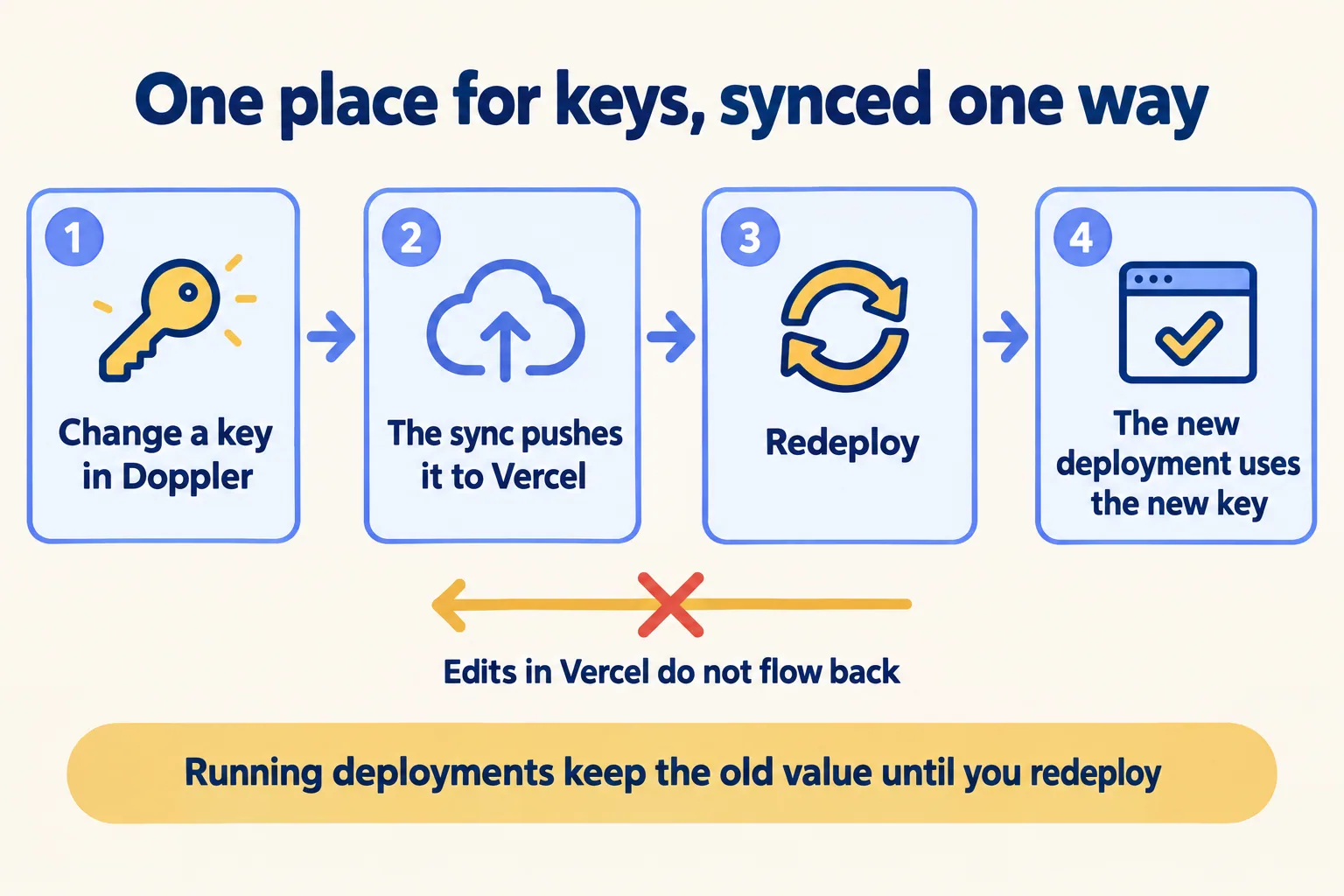
- 01In Doppler, open the project's Integrations, choose Vercel and authorise the Doppler app for Vercel.
- 02Pick the Vercel team, project and environment, the Vercel variable type, and the Doppler config to sync.
- 03Doppler writes those secrets to Vercel and keeps them in sync from then on.
- 04Vercel applies the new values to the next deployment, not to the ones already running.
The fourth step is where teams get caught. Vercel's environment variables page says changes "only apply to new deployments." A rotated key is not live until each project that uses it deploys again, so put the redeploy in your rotation checklist.
The first step matters too. Doppler's guide describes syncing Doppler secrets to Vercel. Nothing in it says Vercel edits come back. Make it a written team rule that keys change in Doppler, never in the Vercel dashboard.
Why do you need three syncs, not one?
Because Doppler's guide says Vercel's Development, Preview and Production environments each need "a separate Vercel integration."
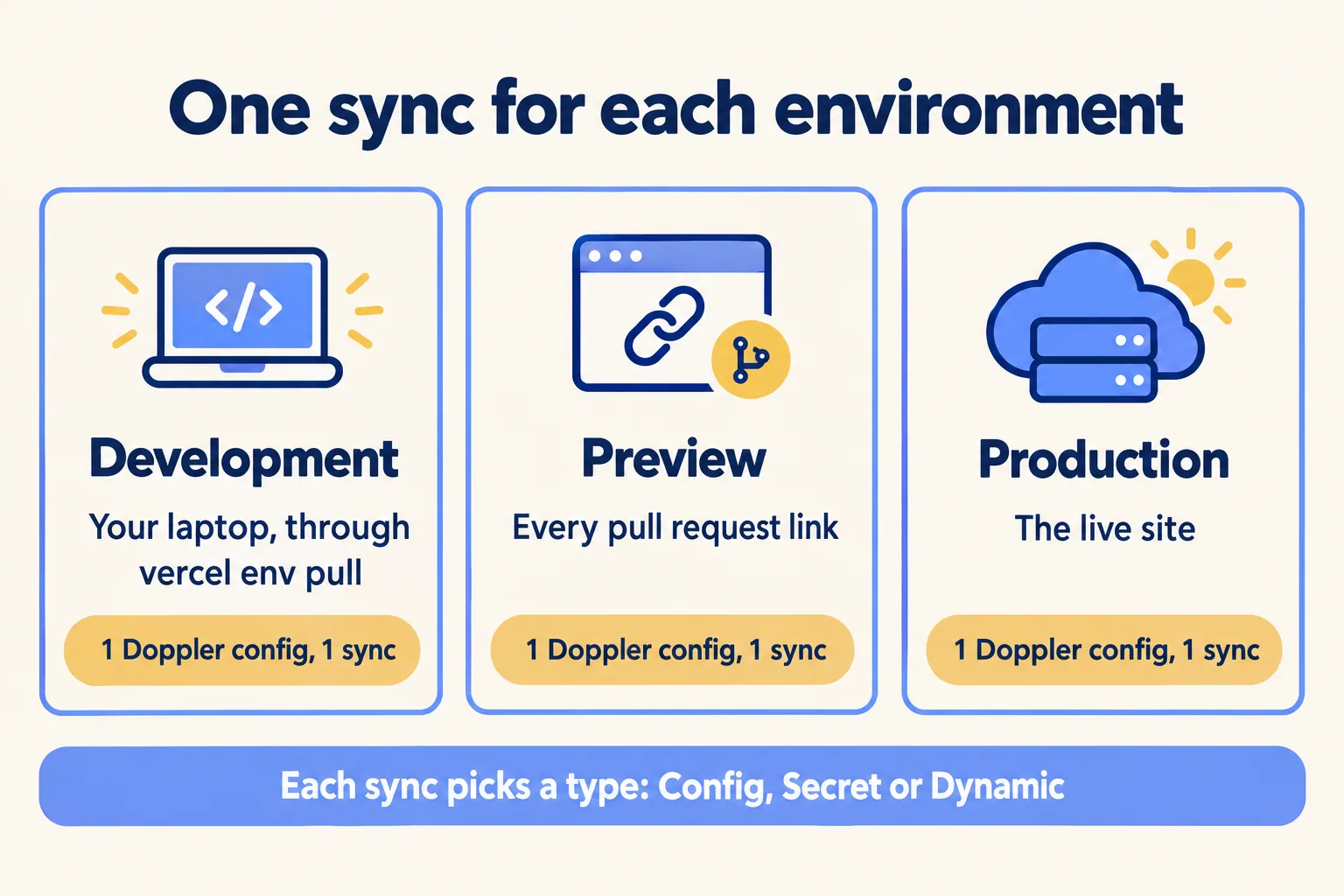
The split works in your favour. Each sync points at its own Doppler config, so a preview link can carry test payment keys and a test CRM login while production carries the real ones. Vercel has a team policy for the same idea, "Separate Production Secret Values", which makes every Secret use a different value in Production than in the other environments.
The Doppler page names only those three environments. Vercel's custom environments (a staging or QA on Pro and Enterprise) are not mentioned, so test that case before you rely on it.
Each sync also picks a variable type:
What breaks a sync, and how do you spot it?
Three things, all in Doppler's guide.
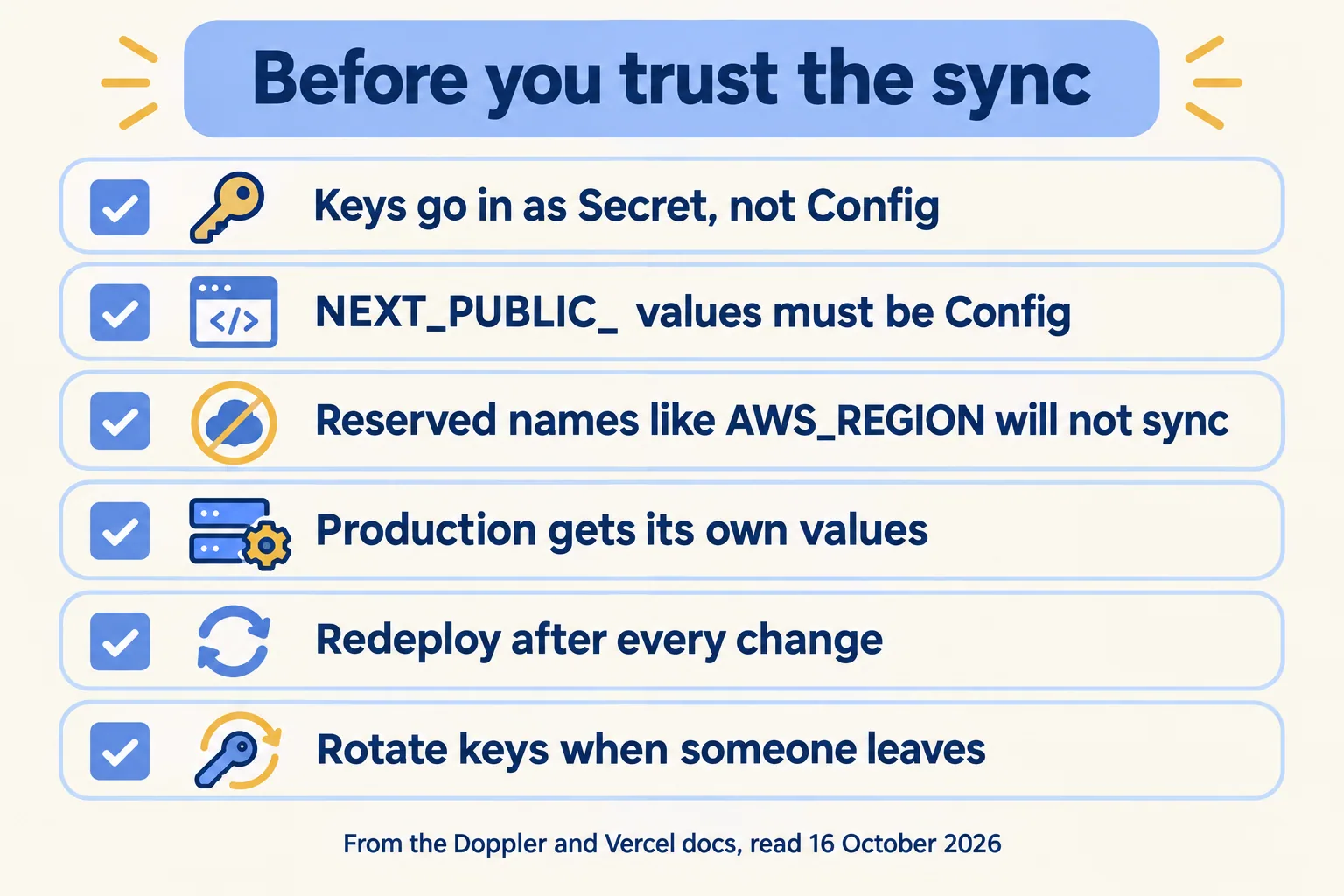
- A public variable synced as a Secret. Values with a public prefix such as
NEXT_PUBLIC_must be Config. If a sync tries to store one as a Secret, Vercel rejects it and the sync is disabled with an error naming the variable. The fix is the Dynamic type with that value marked Unmasked in Doppler. - A reserved name.
AWS_REGION,AWS_ACCESS_KEY_ID,AWS_SECRET_ACCESS_KEY,NOW_REGION,TZand others are reserved by the Vercel runtime and cannot be synced. Rename them in the code. - An old sync on the Config type. Syncs made before Vercel supported Secret variables may still write Config. Doppler's fix is to delete the sync, choosing "Delete all secrets in Vercel", and recreate it as Secret, one environment at a time.
Two Vercel limits sit beside these. A deployment can carry 64 KB of environment variables in total. And build logs redact a Secret only when it is 32 characters or longer, so a short password printed in a log stays readable. Do not print keys in builds.
What does it look like for eight client sites?
Here is a sample plan, not a client. A Dubai digital agency runs eight client sites on Vercel. Each site has a lead form that creates a Salesforce lead through an integration user, and three of them send WhatsApp replies. Today the keys sit in each project's settings, and two former freelancers once had dashboard access.
The Salesforce side stays where it is. The integration user, its permissions and its login history live in Salesforce. Doppler holds the credential; Salesforce decides what it can touch. For the agency side of this work, see Mindcat for digital agencies.
Where do Marketplace integrations fit?
Next to Doppler, not under it. Vercel's native Marketplace integrations, such as Neon, Supabase and Upstash, add their own environment variables to your project when you connect them, and the billing goes on your Vercel invoice. Let each one own the variables it creates. Copying them into Doppler gives you two sources for the same value.
Two gaps to know, from the Marketplace on 16 October: there is no Salesforce listing and no 1Password listing. Infisical has one, for teams that prefer it to Doppler. We did not compare the two here.
If you have no production workload on Vercel yet, do not start with a secrets manager. Ship one project on Secret variables, then add Doppler when the second platform needs the same keys.
What happens on the first call?
We call the method Preview every change, and keys are part of it: every preview gets its own values, and nothing reaches production on a key someone pasted by hand. On the call you list the projects, the places each key lives today and who can see them. The written assessment is free and says which keys move to Doppler, which stay on Vercel, and the order to rotate them.
The first build week is a fixed AED/SAR 14,900, and Run plans keep the rotations on a calendar after go-live. See everything we build at Vercel, then send us your project list.
