

If your website changes are approved from screenshots in a WhatsApp group, this is for you. It is not for a team whose site changes twice a year: there, a careful developer and a phone call are enough.
Why do WhatsApp approvals keep missing mistakes?
Because a screenshot is not the page. It shows one screen size, one moment and none of the links. The approver says "looks good" to an image, and the delivery link, the Arabic version and the form underneath were never checked.
Then the change goes live, and the first real review is a customer's message. Fixing it means finding the developer, who finds the old version, who uploads it again. Nobody can say afterwards who approved what, because the approval is a thumbs-up in a chat.
The fix is a link, not a better screenshot. Every change gets its own live copy of the site. The person who owns the change opens it on their own phone, clicks the real buttons and approves it in one place.
What does a preview deployment give the approver?
A real, private copy of the site with only that change in it, ready to open "as soon as it builds", as Vercel's previews page puts it.
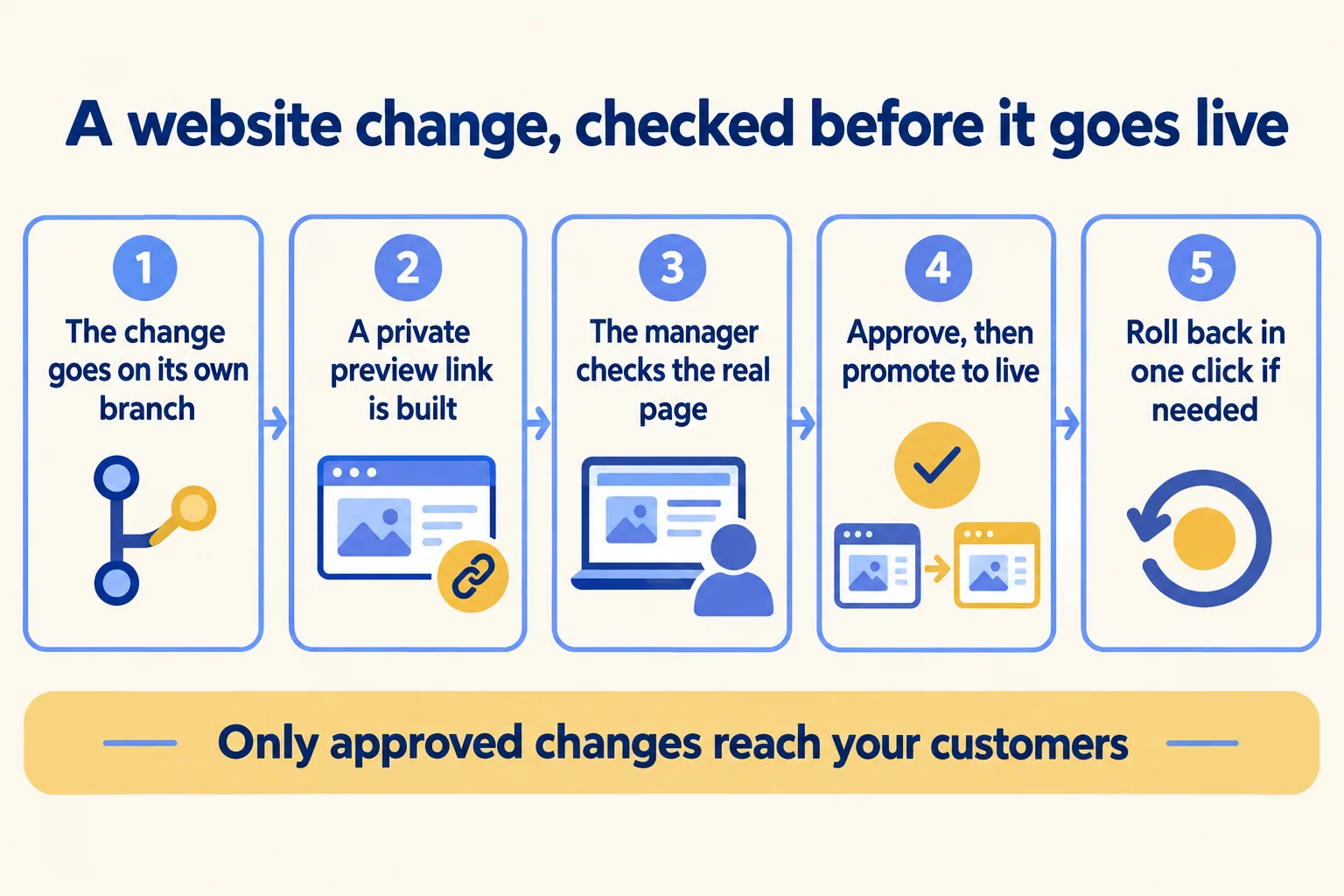
- 01The developer puts the change on its own branch, never straight on the live site.
- 02Vercel builds a preview. Pushing to a non-production branch, opening a pull request on GitHub, GitLab or Bitbucket, or a CLI deploy without --prod all make one.
- 03The approver opens the link and comments on the page itself, through the toolbar on the preview.
- 04Once approved, the change is merged, or a staged build is promoted. Promotion assigns the production domains without rebuilding.
- 05If something slips through, Instant Rollback puts the last good deployment back.
Each preview has two links. The branch link always shows the latest change on that branch, so the approver keeps one link while fixes land. The commit link points at one exact build and never changes, which is the one to keep with the approval.
What can a preview reach, and what should it not?
A preview reaches whatever its environment variables point at. Get this wrong and a test enquiry lands in your sales team's queue as a real lead.
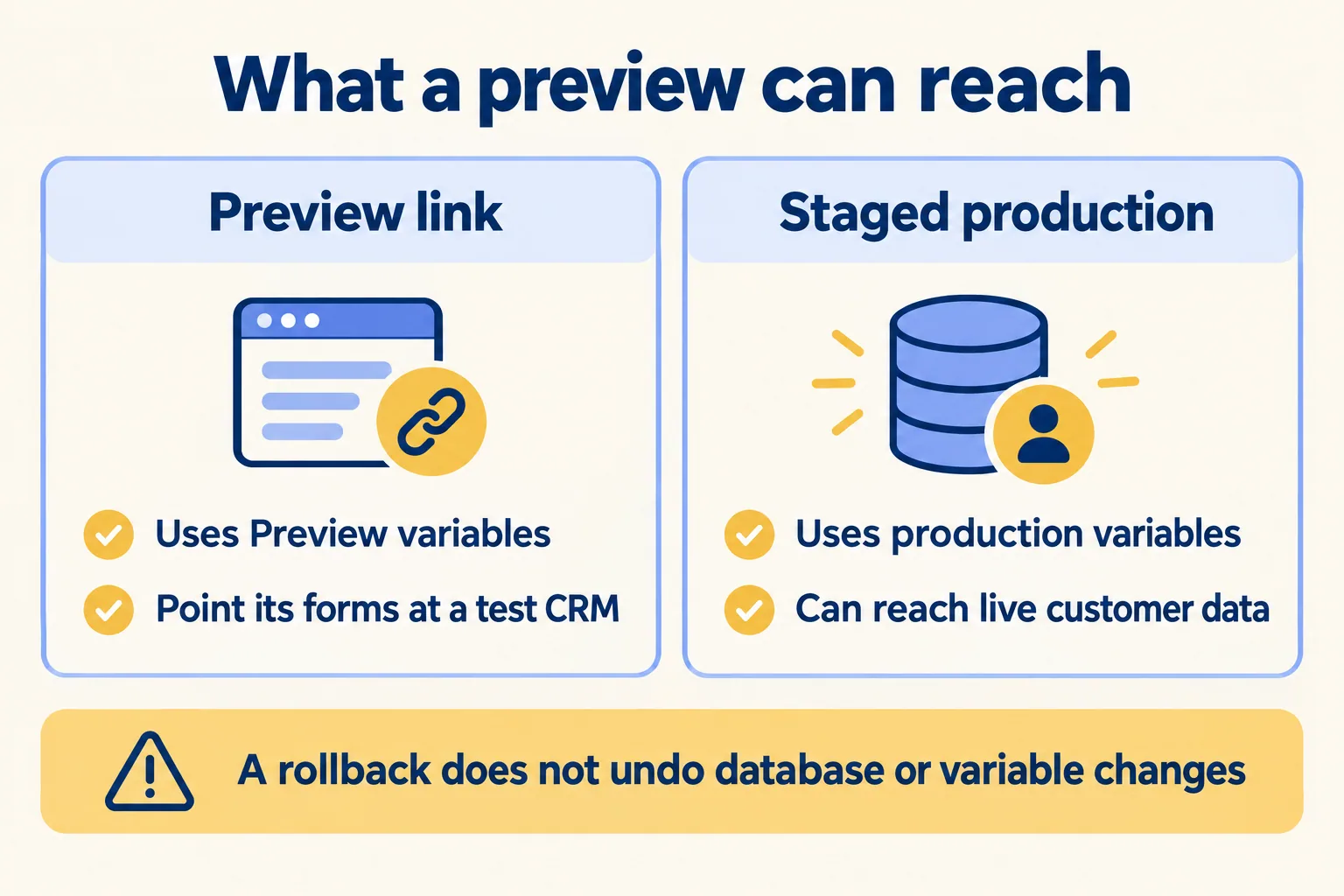
Vercel gives previews their own Preview variables, and a branch can override them with its own values. That is where the form's CRM login, the payment key and the WhatsApp token for previews live. Point them at a Salesforce sandbox and test keys. Then the approver can send a real-looking enquiry and see it arrive, without touching the live pipeline.
A staged production build is different. Vercel's environments page says staged production deployments "use production environment variables, so testing can access production services and data." Use staging for the last look before promotion, not for trying a form.
Who can open a preview link?
Only the people you choose, if you set it. Vercel's Standard Protection is available on every plan and protects every domain except your production ones. Combine it with Vercel Authentication, which lets in only Vercel users with access, at no extra cost.
On Pro, the people who only approve do not need paid seats. Viewer seats are free and read-only, and Vercel's Pro plan page lists commenting on previews among what they can do. A password instead of sign-in is Password Protection, $20 a project a month on Pro and not available on Hobby. Trusted IPs are Enterprise only.
That is how the approval leaves WhatsApp: the approver signs in, comments on the page, and the comment sits next to the change it is about.
What does a menu change look like for four cafes?
Here is a sample plan, not a client. A Dubai cafe group with four branches changes its menu prices on the website and fixes the delivery link for one branch. The operations manager owns the change.
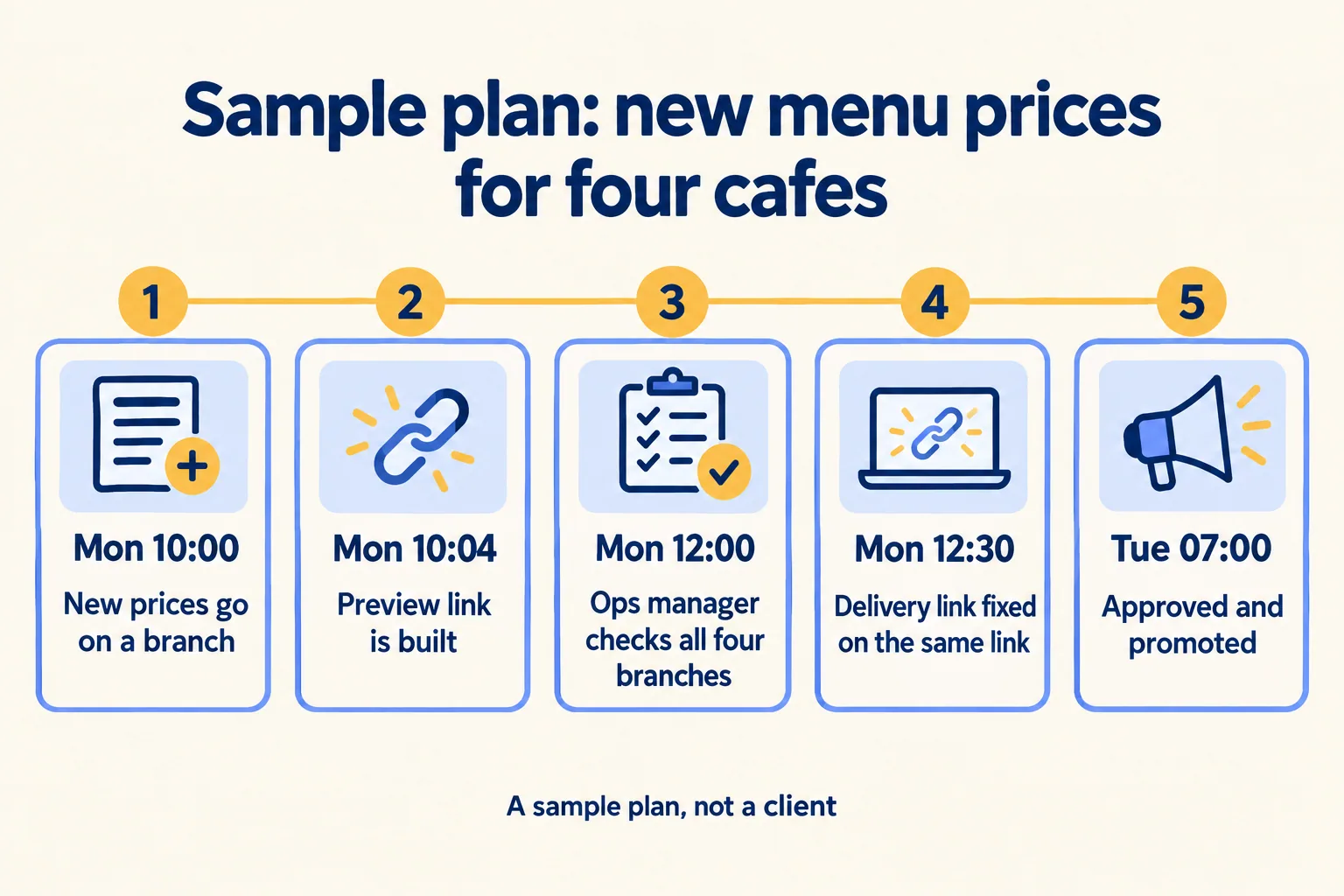
The price is right on the first morning, and the approval is written on the change, not lost in a chat. For the shape of the work in this industry, see Mindcat for restaurants and cafes.
What does a rollback undo, and what does it leave?
It undoes the code on your domain. Everything outside the code stays as the bad release left it.
Vercel's Instant Rollback page says three things a manager should know. On Pro and Enterprise you can roll back to any deployment that was ever live on your production domain; Hobby only to the one before. Environment variables do not change on a rollback. And the page reminds you that external APIs, databases and CMSes may have changed in between.
So a bad release that wrote wrong prices into a booking system, or sent leads with a broken field to Salesforce, is not fixed by the rollback. Put that cleanup in the release checklist, with a named owner, before you need it.
What happens on the first call?
We call the method Preview every change: nothing reaches your customers until the person who owns the change has opened it on its own link and approved it. On the call you tell us who changes the site, who approves, and what the forms send where. The written assessment is free and names the approvers, the test systems each preview points at, and the rollback owner.
The first build week is a fixed AED/SAR 14,900, and Run plans keep the approvals running after go-live. See everything we build at Vercel, then tell us how changes are approved today.
