
If your MDM can wipe a laptop but nobody can say who signed for the monitor and the dock, this is for you. If your MDM already holds the holder and cost of every device and nobody asks for signatures, it is not.
What is MDM software used for?
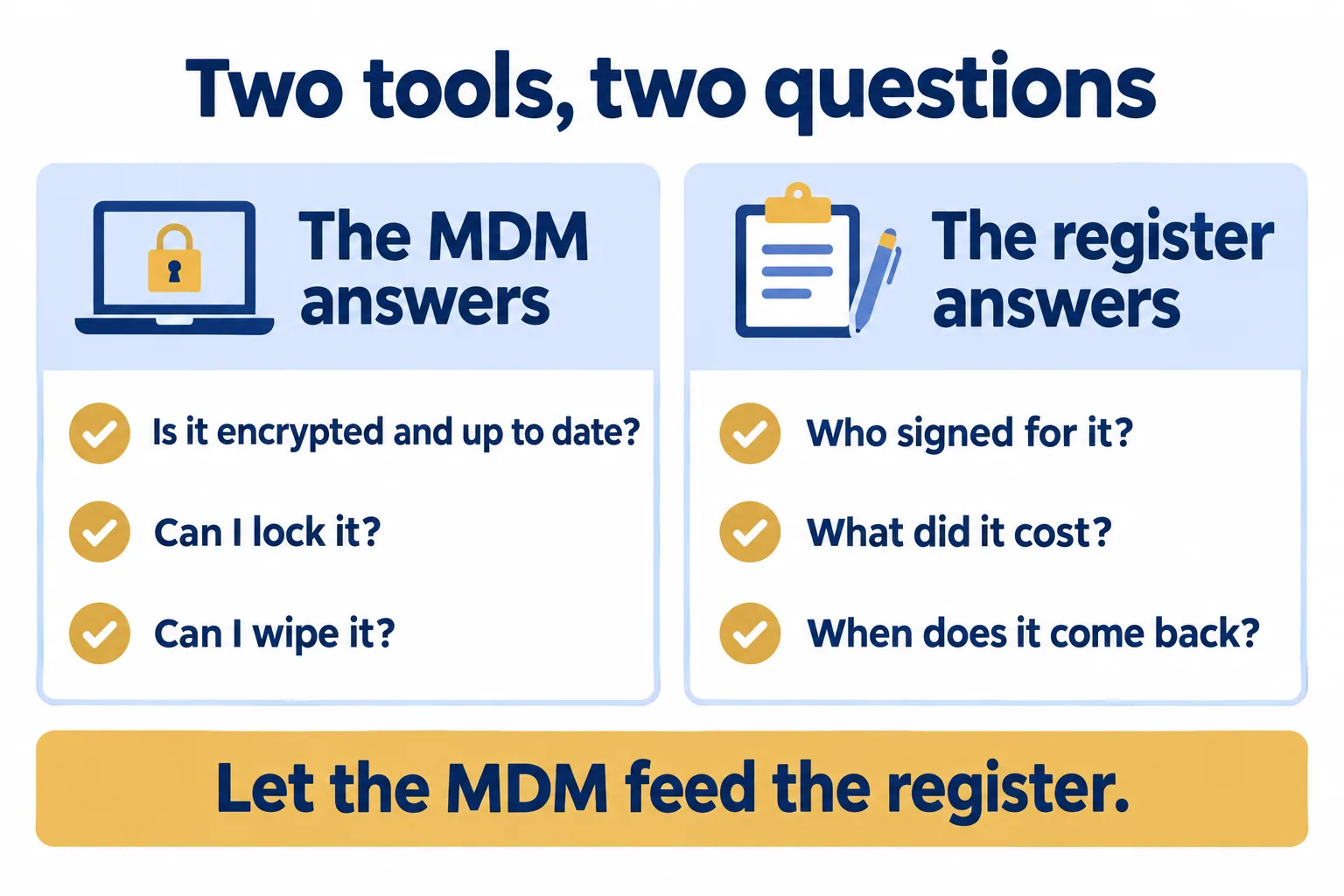
Mobile device management (MDM) software enrols company laptops and phones, pushes settings and apps, checks each device against your security rules, and lets IT lock or wipe one that is lost. Microsoft Intune, Jamf and Google Workspace are three common ones.
Even the newest MDM features act on a device the MDM can reach. A Windows 11 Remote Lock that Microsoft is testing in preview, reported on 20 November 2026, locks a lost PC through Intune without wiping it, but "The lock lands only when the laptop next checks in with Intune."
Why does the MDM list look like the whole inventory?
Because the laptops are the easy part. An IT person on a sysadmin forum put it this way: "The computers are the easiest thing to track because of the RMM software installed, but monitors. Web cams and other devices seem to be going MIA."
Another, writing in July 2026, asked what people use "to track monitors, docks, the spares shelf, loaner laptops, AV gear, whatever's in the storage closet. At my company it's a spreadsheet that's perpetually three months out of date and nobody fully trusts."
So the office ends up with two lists: the MDM's, which is accurate for what it covers, and a spreadsheet for the rest that nobody trusts. When HR asks what a leaver must return, IT opens both.
What does the MDM list leave out?
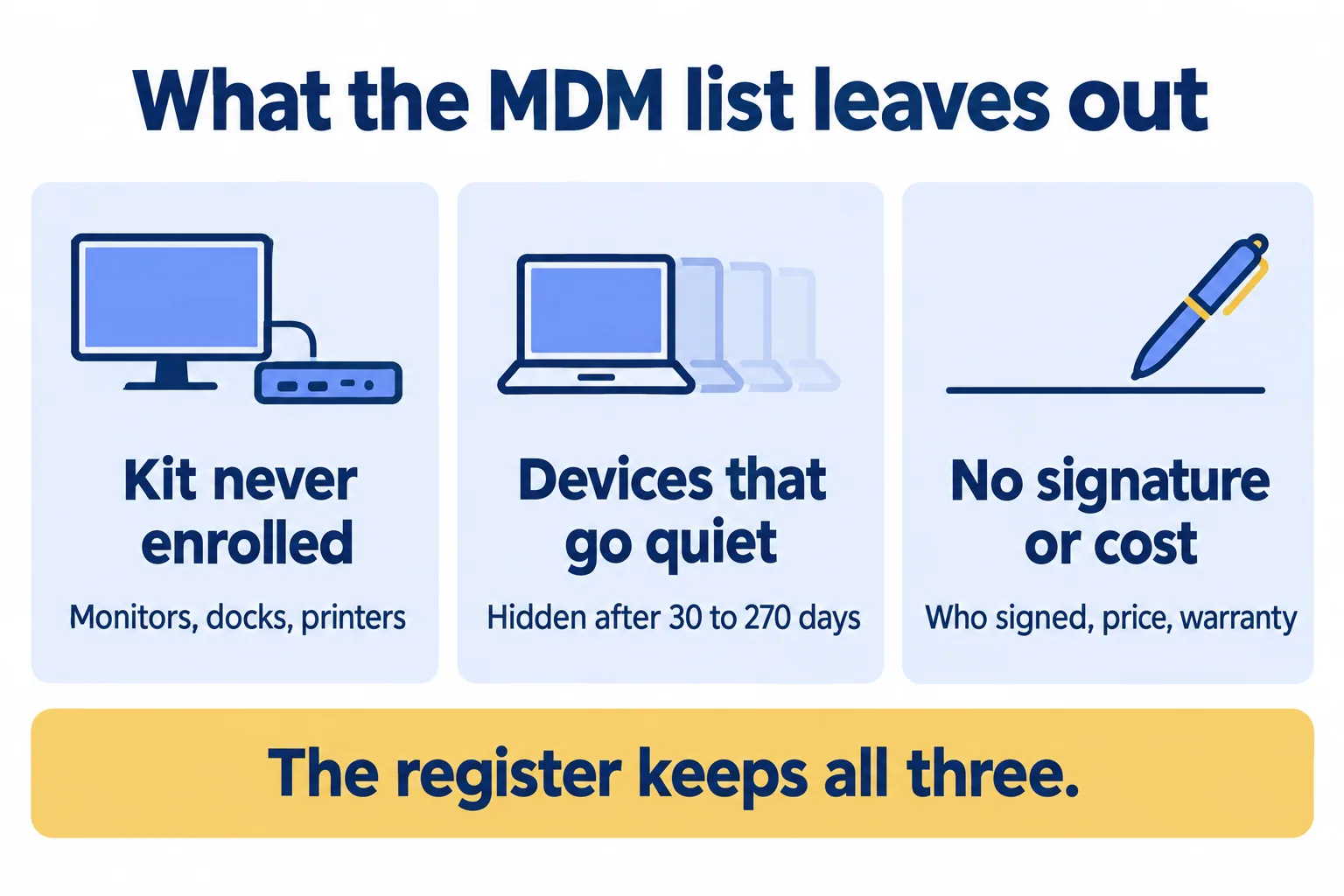
Three things, and the vendors' own documents say so.
Kit that is never enrolled. An MDM only sees devices running its agent or enrolled in it. Microsoft's Configuration Manager documentation says assets with no client, "for example, projectors, photocopiers, and network printers", need separate inventory files to be recorded at all. InvGate, a vendor that sells asset software, lists what Intune does not track: "monitors, docking stations, network devices, printers."
Devices that go quiet. Intune's cleanup rules "hide records of devices that didn't check in for a specified period". The admin sets the period, "a number between 30 and 270" days. The rules "Don't trigger any actions on the device (no wipe or retire)". So a laptop in a leaver's drawer drops off the Intune list once the days pass, while it is still the company's property and still holds company data. Microsoft adds that hidden devices "aren't removed from Microsoft Entra ID", so the record lives on in a second place.
Who signed, what it cost, when it comes back. An MDM records the device, its serial and its compliance. Intune also shows a primary user, the person who signs in, which is not the person who signed for it. It does not hold a signed handover note, a purchase cost for finance, a supplier, a warranty date or a return date.
Which question does each one answer?
This is how we split it before anyone buys either tool.
When is the MDM alone enough?
When three things hold at once: every device you hand out is enrolled, nobody is asked to sign for anything, and finance and HR never ask who holds what. A small office that issues one laptop and one phone per person, buys no separate monitors and keeps no spares can run on the MDM's device list. Even InvGate, which sells the other side, says Intune "may suffice" when "your only goal is MDM for a homogeneous Windows/mobile fleet".
Once monitors, docks, spare laptops or a leaver's kit go missing, or HR and finance start asking "who has it", keep a register. Let it take the enrolled devices from the MDM, and hold everything else by hand.
The export test we run before we suggest anything
It needs no new software:
- Export the device list from your MDM.
- Walk the office: count the desks, monitors and docks.
- Open the cupboard: count the spare laptops, phones and chargers.
- List every device issued in the last 12 months, from purchase orders or emails.
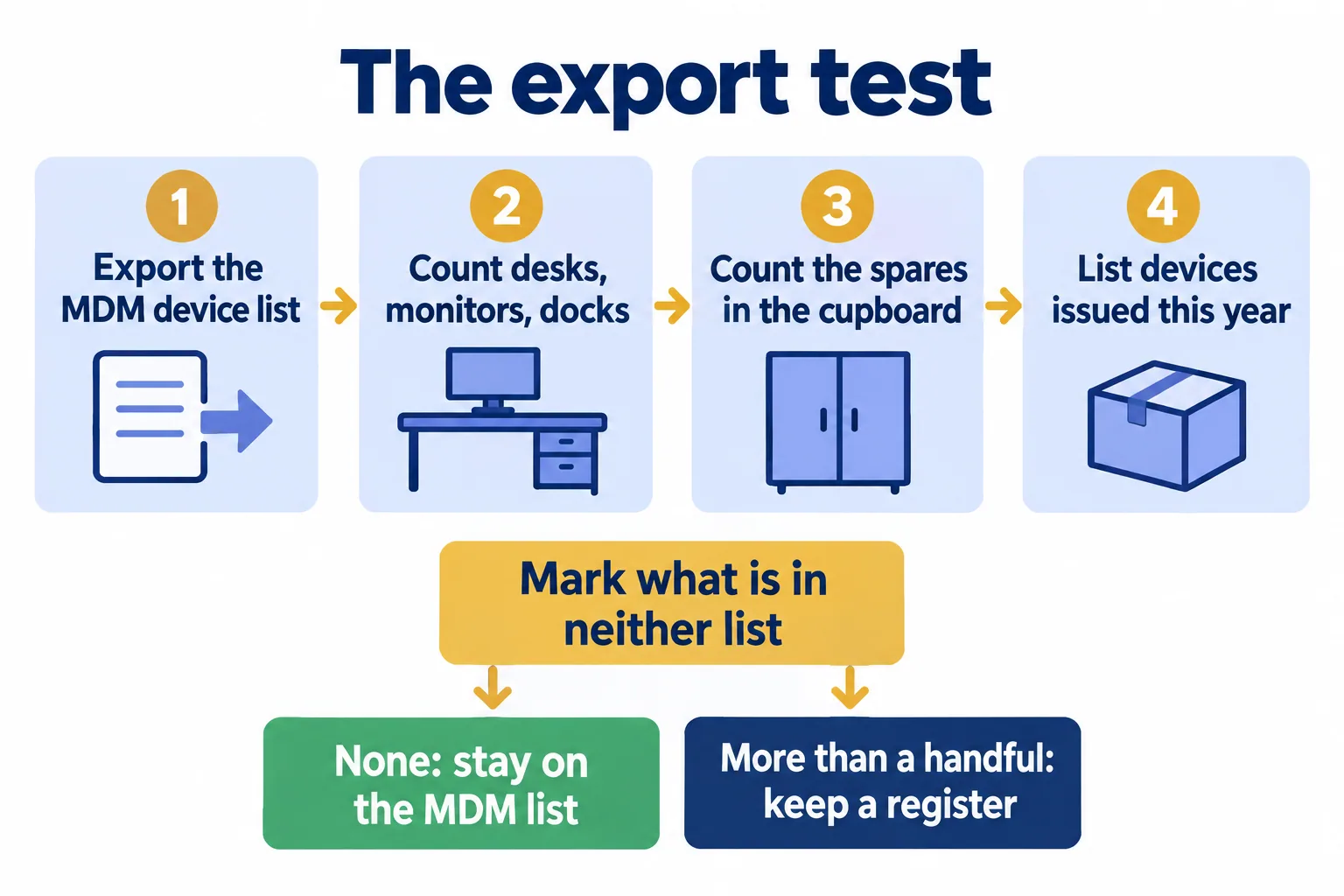
Then mark each item that is in neither the export nor anyone's signed form. If the answer is none, stay on the MDM list. If any item is unmarked, or nobody can say who holds the spares, you need a register, and the MDM should feed it rather than be replaced by it.
When one laptop shows in two lists, such as Intune and Microsoft Entra ID, match it by serial number, never by device name. Our post on the fixed asset register and IT's laptop list covers the same match from finance's side.
What happens to the kit when someone leaves?
Each tool does its own half. On the last day, the MDM wipes or retires the enrolled laptop and phone. The register lists every item checked out to the person, enrolled or not, and each one is signed back: the monitor, the dock, the headset, the access card.
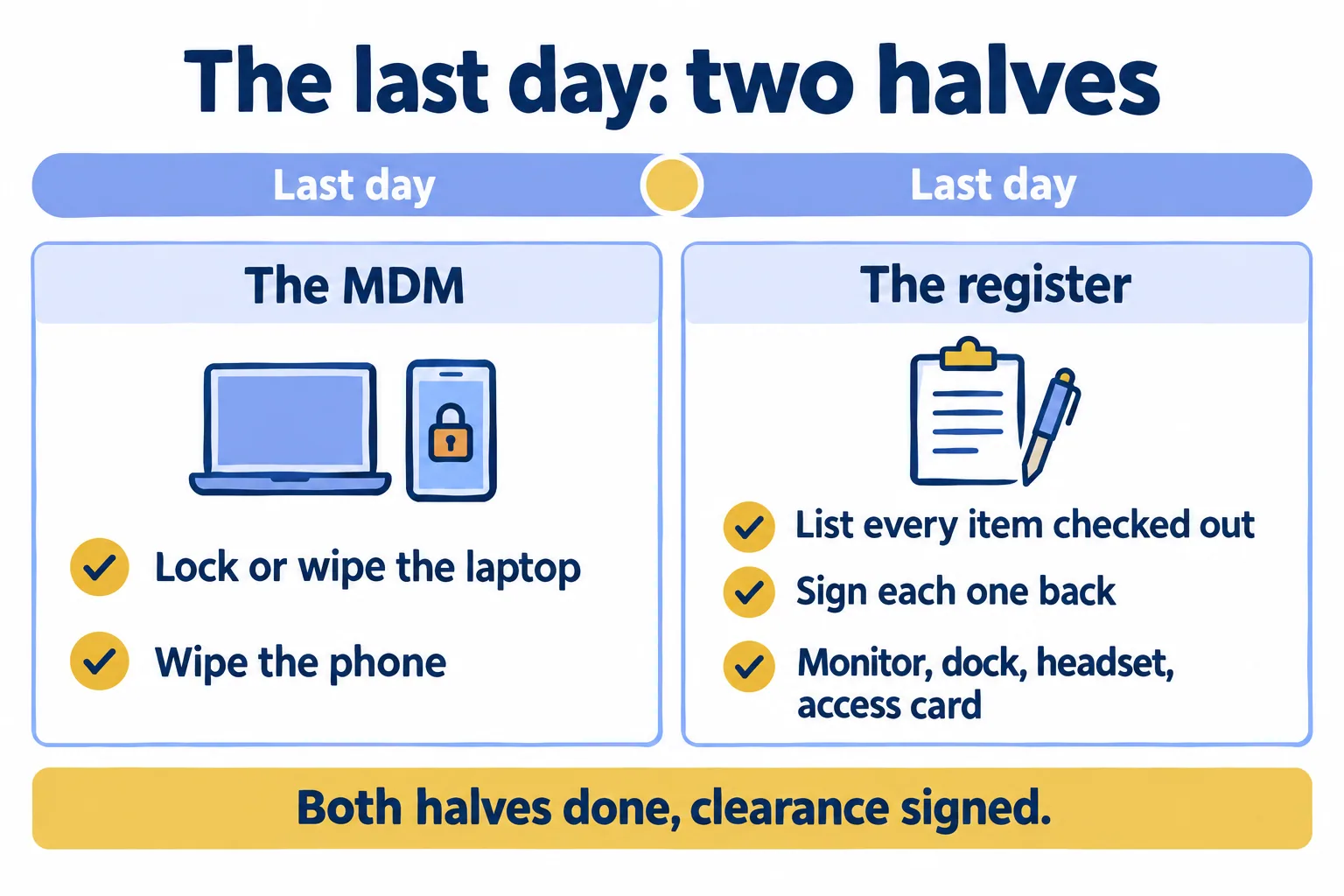
This is the list HR needs before it signs the leaver's clearance. Our post on leaver clearance and the register template covers that step. If the register is a spreadsheet, the leaver's list is whatever someone remembered to type. Licences go the same way: our post on Microsoft 365 licences and leavers covers the seats that stay paid after the person has gone.
What Mindcat Assets does with your MDM, and what it does not
Mindcat Assets is the register side. If you use Intune, Jamf or Google Workspace, we connect device sync during setup with your own app registration, and managed laptops and phones arrive once a day with their serial numbers. Monitors, docks, tools and SIMs are added from your spreadsheet or by IT. Each record holds the holder, the handover note in Arabic and English that the person signs on their phone, the cost, supplier, warranty and history. On the shared plan, your copy runs on our servers in the UAE or Saudi Arabia.
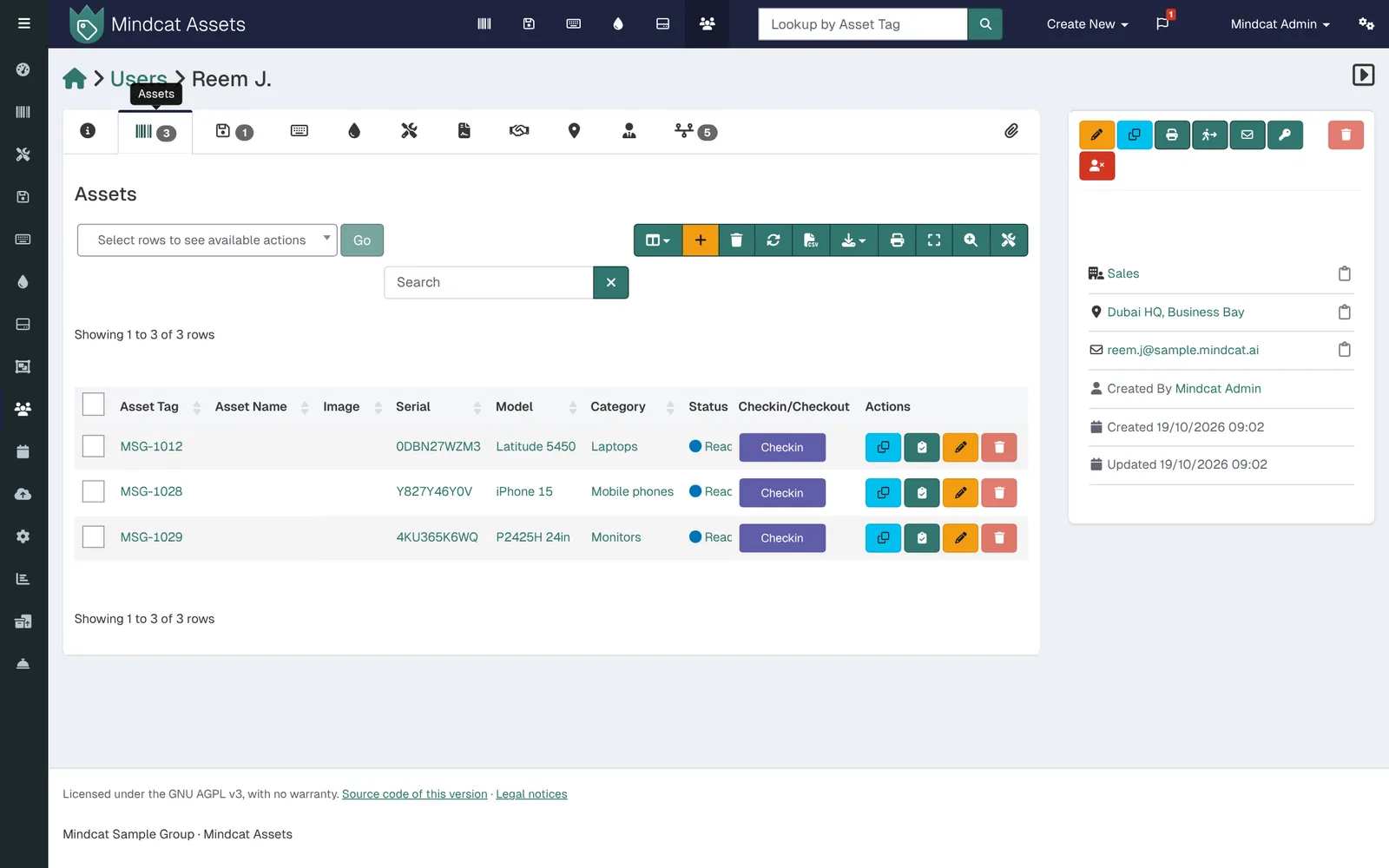
What it does not do: Assets is not an MDM. It does not lock, wipe, push apps or enforce settings. Wiping a phone when someone leaves stays in your MDM; the person record lists every device to wipe. There is no network scanner, so devices your MDM does not manage come from your spreadsheet or are added by hand. Sync is once a day, not live. Alert emails start once your mail server is connected during setup. Screens are partly in Arabic today.
The building's own plant, such as lifts, chillers and pumps, and the jobs on them belong in Mindcat Maintain. Assets holds what people carry.
What would a 60-person office pay?
Assets is priced per person holding kit: AED/SAR 5 a month each for the first 100 people, less above that. The shared plan has a minimum of AED/SAR 600 a month, which covers up to 133 people, so a 60-person office pays the AED/SAR 600 minimum. IT, HR and finance log in free, and there are no per-asset fees.
Up to 100 people, the quick start is a fixed AED/SAR 2,500 package we set up for you: your register imported from our CSV template, the handover note, the label template and training. The quick start does not list device sync: sync from Intune, Jamf or Google Workspace is part of our managed setup. Tell us which MDM you run and we say in writing how it connects and what it adds. Label printers and labels are yours. Prices exclude VAT; the full bands are on the Assets page, and IT teams that run a service desk are covered on our IT service desks page.
This is not for an office whose MDM already holds the holder and cost of every device, where nobody asks for signatures: keep what you have.
We call our method Signed-for custody: every item checked out to a named person, signed for, and signed back. Tell us how many people hold company laptops, phones or tools and where you track them today. We reply with the setup plan and the monthly price per person, in AED or SAR. Tell us how you track kit today.
