

If someone at your practice signed up for a booking tool in a lunch break and the Ramadan hours are still wrong a month later, this is for you. It is not for a practice that takes a deposit when the patient books: keep a tool that takes payment.
What does a per-user booking tool cost for four people?
Less than ours, by a wide margin. We say that first because our own Bookings page says it too: if you want a self-serve tool and are happy to set it up yourself, Zoho or Calendly cost less.
Zoho's pricing page, last updated on 1 October 2026, shows Basic at USD 8 per user a month on monthly billing, or USD 6 billed yearly. Premium is USD 12, or USD 9 yearly, "for organizations with multiple locations or departments that need online payments and integrations". One person can use the free plan.
So four people on Basic pay USD 32 a month, about AED 117.52 at the 3.6725 peg. Over twelve months that is USD 384, about AED 1,410.
Four staff calendars on Mindcat Bookings at AED 59 come to 236, which is under the shared plan's minimum of AED 399 a month. A four-person practice pays the minimum, 399, not four calendars' worth. Add the quick start, AED 2,500 once, and the first year comes to AED 7,288 before VAT.
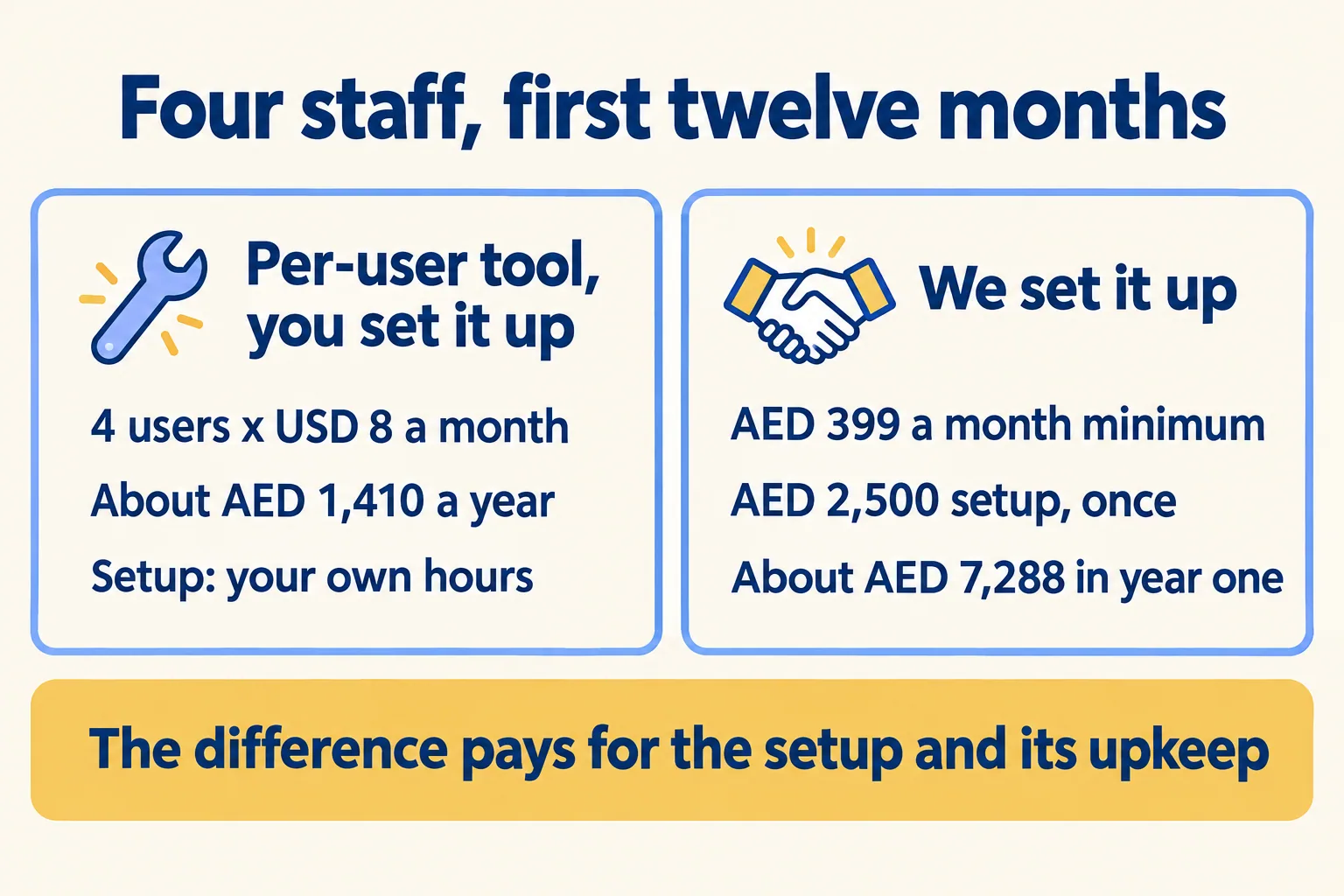
That is a gap of nearly AED 5,900 in year one, and about AED 3,400 a year after that. The question is what the gap buys. The price page answers how much a seat costs. It does not say who will build the diary.
What is the setup, job by job?
The setup is the cost no price page lists. Reviewers say so in their own words.
G2's Zoho Bookings page lists an implementation time of 1 month in its user insights, an average from 54 reviews. One reviewer wrote on 4 June 2026 that it is "very user-friendly, although it does take some time to set everything up. Once it's configured, it's easy to use." A vice president of operations at a small business wrote on 8 June 2026 that "some configuration settings are not always intuitive, particularly for more advanced scheduling and workflow scenarios".
It is a well-rated tool: 4.1 out of 5 on G2 and 4.4 on Capterra. It means the setup is real work, and for a four-person practice it lands on whoever has a free evening.
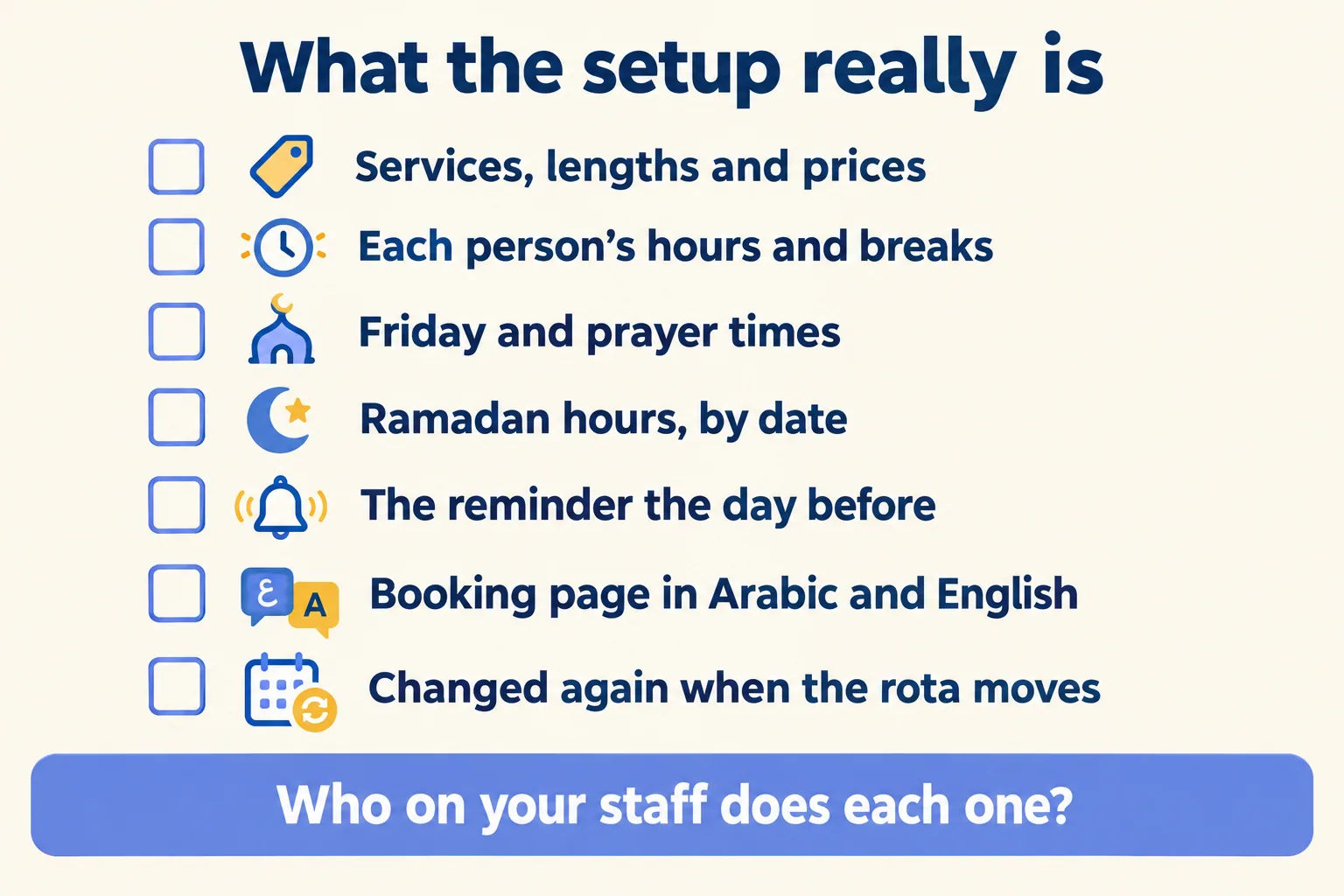
Here is the list for a practice in Dubai, whichever tool you pick:
- Services, with lengths and prices. A 60-minute first assessment is not a 30-minute follow-up, and the booking page only shows free times if each length is right.
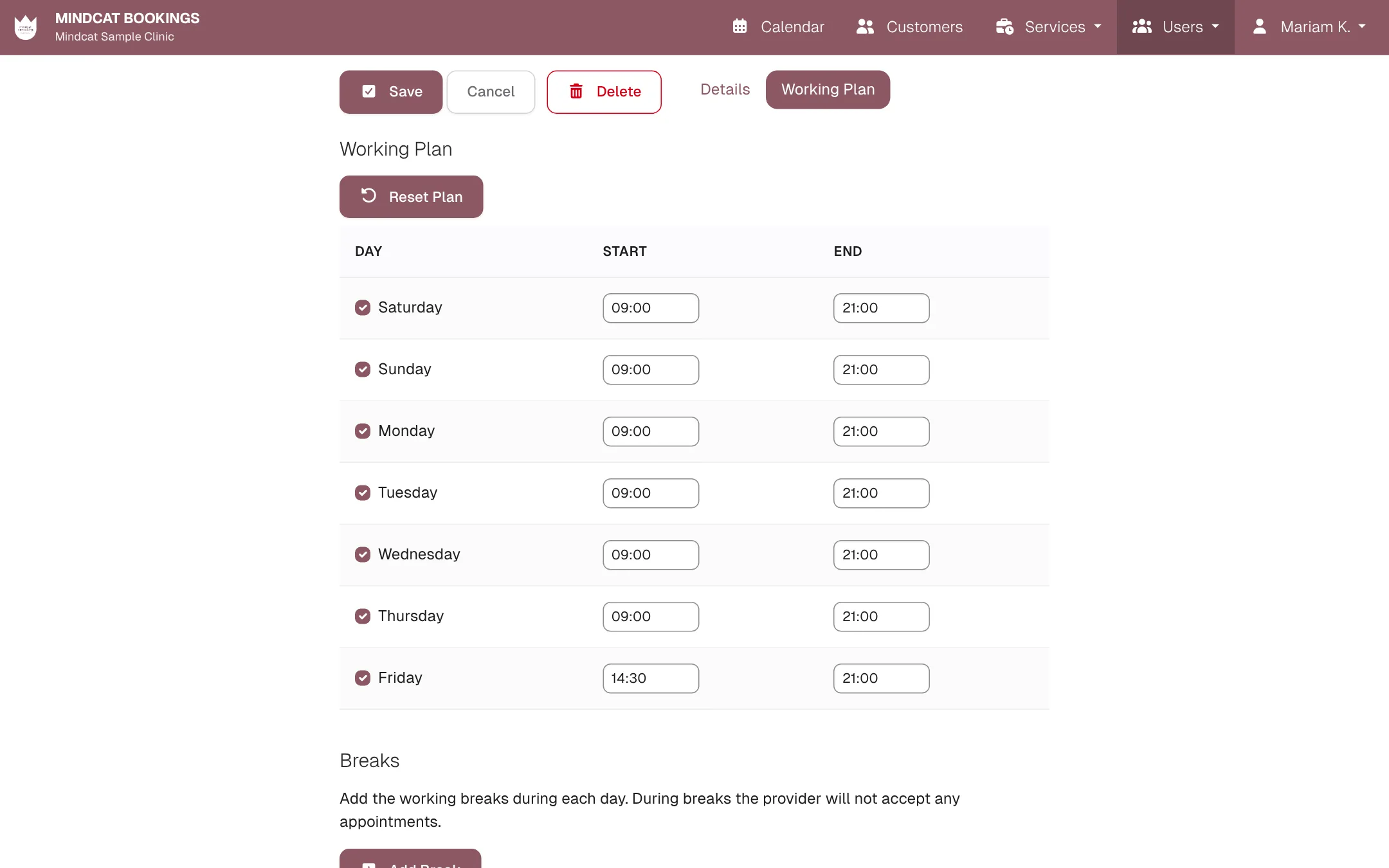
- Each person's hours, with breaks. Four people, four weeks that are not the same.
- Friday and prayer times. A Friday that starts at 14:30 is one setting. A break that moves through the year is another.
- Ramadan hours, by date. Different hours on chosen dates, entered before the month starts, not during it.
- The reminder the day before. Its wording, and its language.
- The booking page in Arabic and English. Service names written in both, checked by someone who reads Arabic.
- Changes when the rota moves. A new therapist, a holiday, someone going part-time.
Put a name beside each job and an estimate of the hours. If the same name is on all seven and that person already runs the front desk, you have found the cost.
Who keeps it right after the first week?
The first setup happens once. The upkeep has no end date. This is where a cheap plan drifts.
A sole trader in health on Zoho's own community forum, reviewing the Bookings 2.0 update, drew the line between two kinds of use. "If your use case is that you want an externally-facing booking solution, where other people are booking into your calendar ... this system could well be useful." For someone "heavily managing your own calendar", the same writer found it "time and labour intensive". A page where patients book themselves is easy to keep; a diary the desk changes by hand all day takes more care.

Ask one question: who changes the hours when a therapist goes part-time next month? If you can name that person, and it is part of their job, the per-user tool will stay right. If the answer is "whoever notices", it will not.
What about a room or a bay the desk books?
A physiotherapy practice often books the treatment room as well as the therapist.
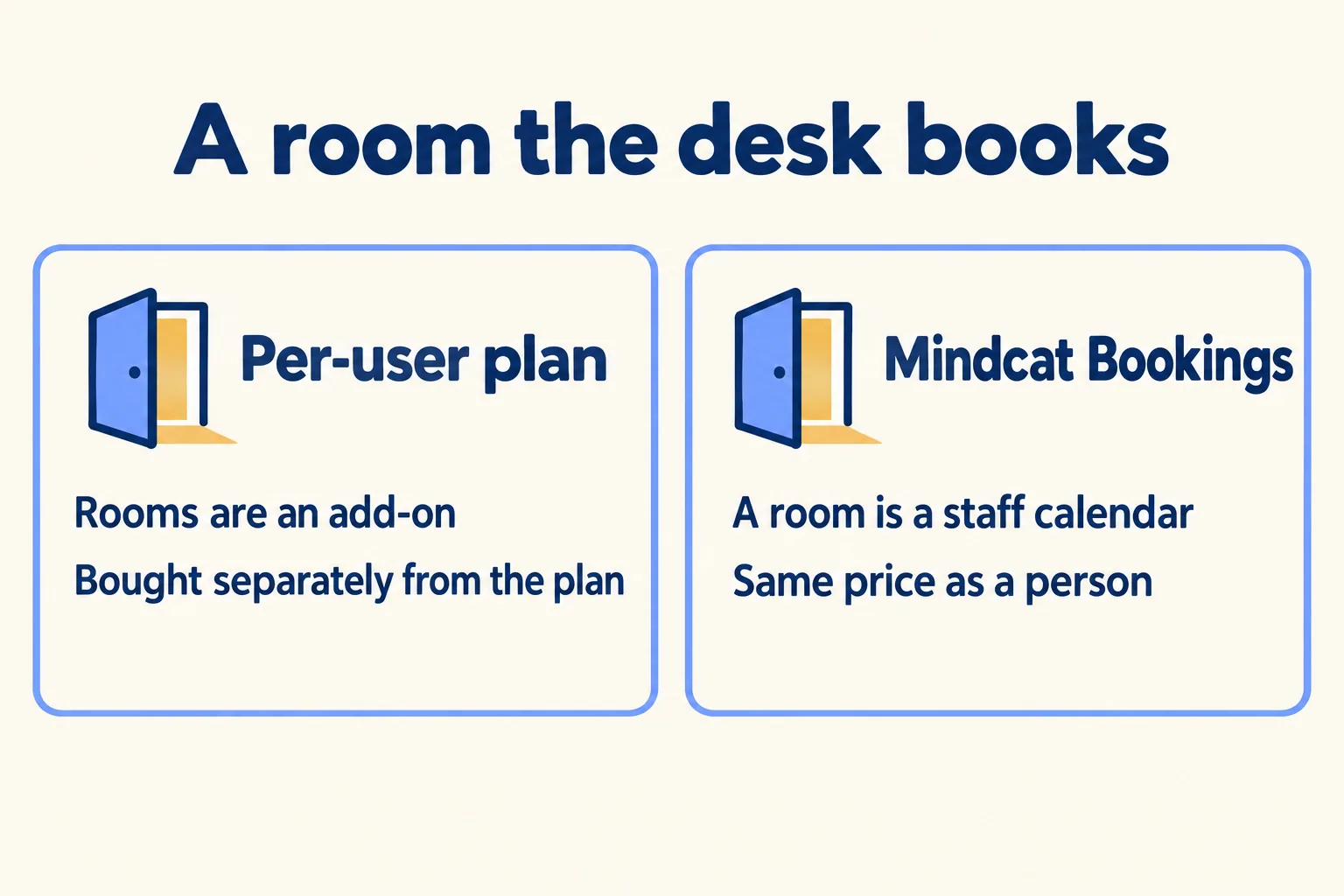
Zoho's plan table lists resources such as rooms and equipment, and says: "Resources are premium add-ons that are purchased separately and not included in the plan price." So the room is an extra line on the Zoho bill. Check its price on Zoho's page before you add it to the sum above.
On Mindcat Bookings, a staff calendar is "one person or resource patients book: a doctor, a therapist, a stylist, a service advisor or a bay". Four therapists and one treatment room are five calendars: 5 x 59 is 295, still under the AED 399 minimum.
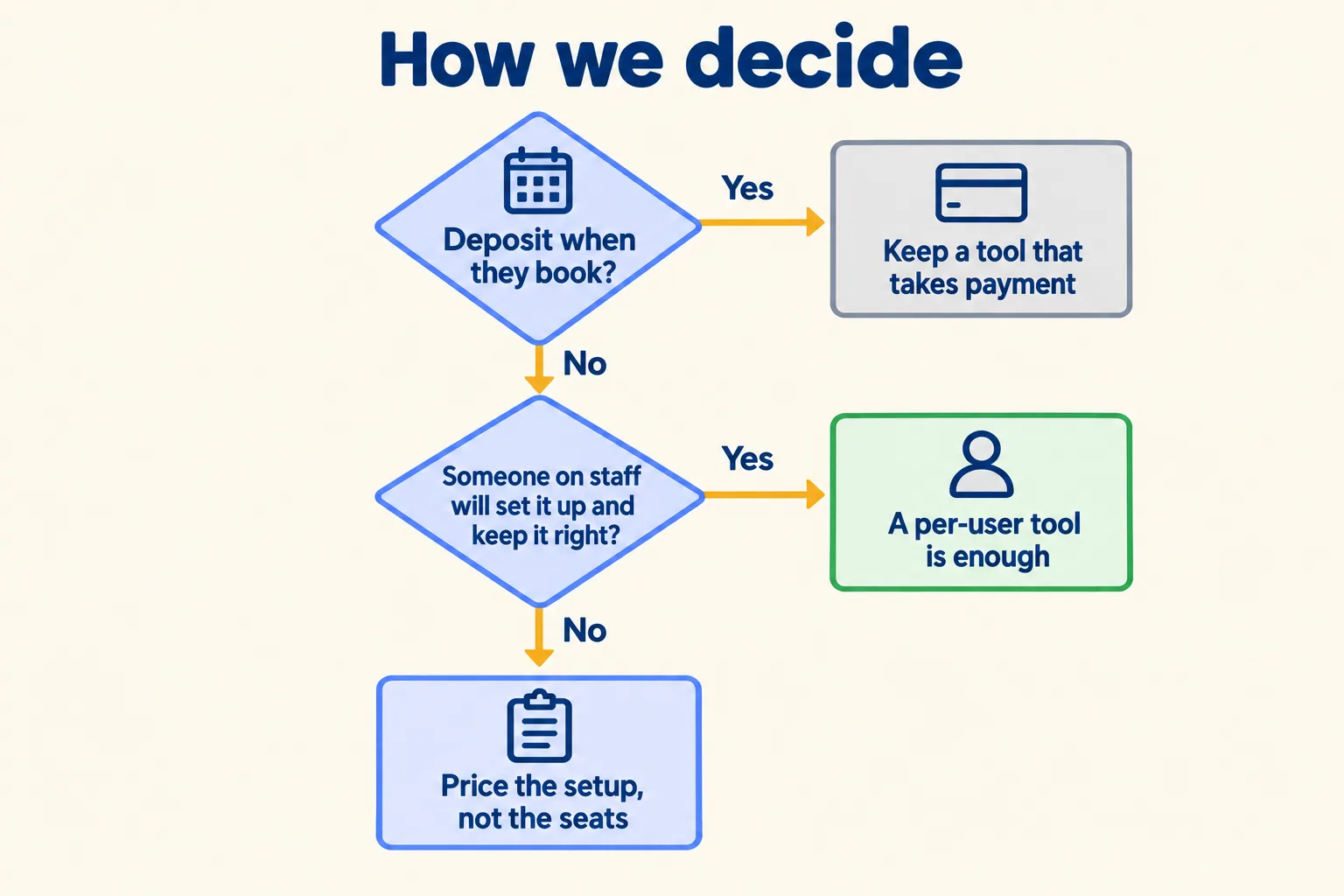
How we decide
Our rule, so you can argue with it. We ask three things, in this order.
- Do you take a deposit or payment when the patient books? Zoho's Premium plan is aimed at teams that need online payments. Mindcat Bookings takes no payment today: patients pay at the clinic. If a deposit is what stops your no-shows, stay on a tool that takes one. In a mixed practice where only some services take a deposit, two tools means two diaries for the desk, so count that cost too.
- Will someone on your staff set it up and keep it right? Services, hours, Friday, Ramadan dates, the reminder, and every change after. If yes, and it is part of their job, the per-user tool is cheaper and enough. Use the free plan if you are one person.
- If not, price the setup, not the seats. Count the evenings the setup would take and the hours each month to keep it right. If that is worth more to you than the yearly gap, have it set up for you, by us or by anyone else who will write down what they set.
If your front desk books for others by phone and walk-in all day, the seat question changes too. We worked through that case in what Calendly costs when the desk books for four. If most bookings still start on WhatsApp, read booking page, WhatsApp or both first.
What Mindcat Bookings does, and where the line sits
At Mindcat, we set up Mindcat Bookings for practices that want the diary built and kept for them. The desk sees every person's day on one screen, and patients only see times that are free.
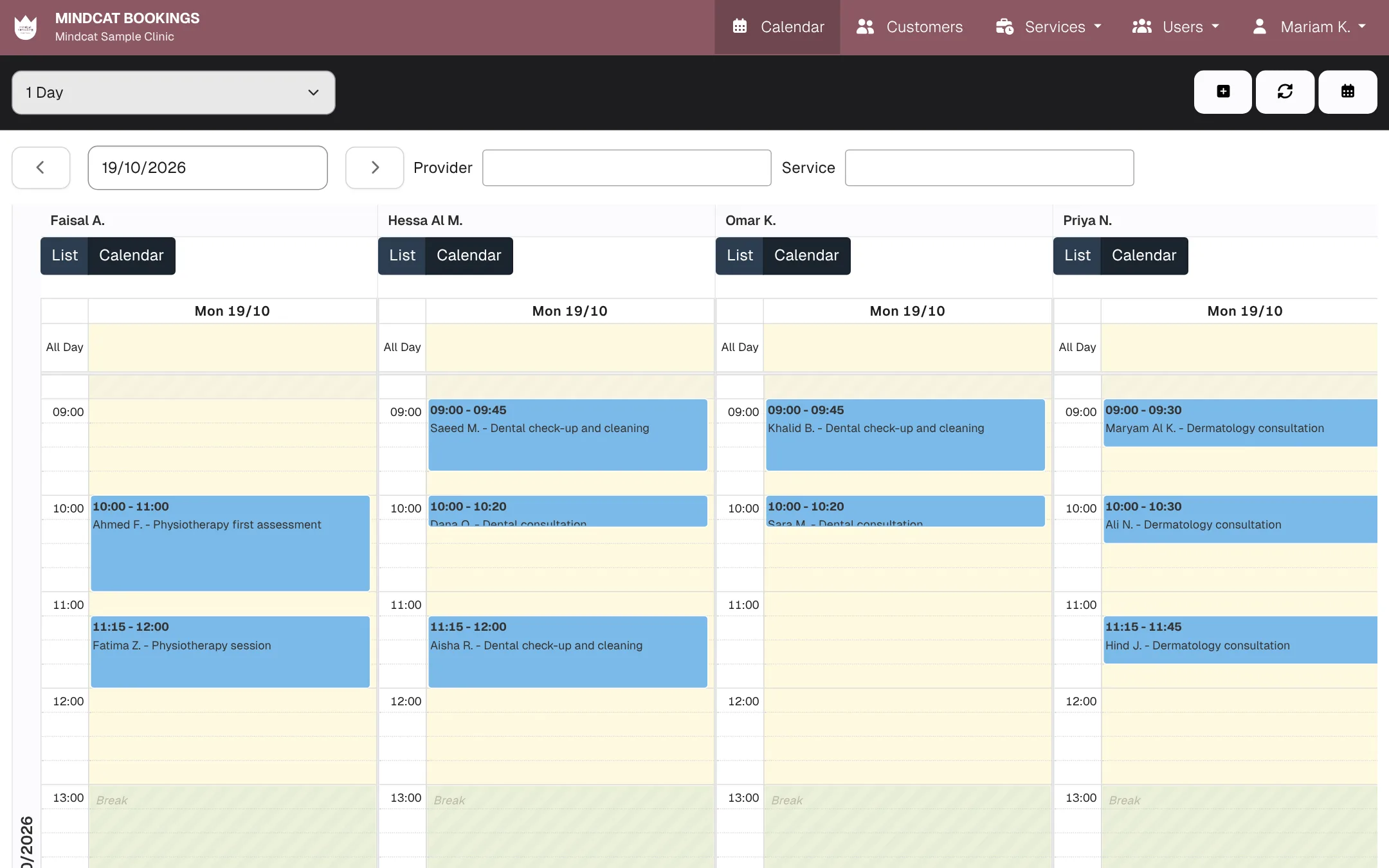
The quick start is a fixed package we set up, not software you set up alone. You fill in our CSV template, and we build your copy on our UAE servers: the booking page in Arabic and English with your logo, your services and prices, each person's hours, Friday and Ramadan hours, and a reminder email the day before. Recorded training and guides come in Arabic and English. The go-live date is counted from the day your CSV arrives. After go-live, the quick start includes ticket support, and what the monthly fee covers, rota changes included, is written into the plan you accept before you pay. You can export every booking whenever you want.
Ready today: the Arabic booking page, confirmation and emails, laid out right to left, and Friday, prayer and Ramadan hours. Added during setup: the reminder. The app itself sends confirmations; we add the reminder email the day before as part of the quick start, and keep it running; from 6 calendars, a managed setup can add WhatsApp or SMS through your own provider, with sending fees billed at cost. Not today: deposits and online payment, Hijri dates, and UAE PASS or Nafath sign-in.
The price, from the live page: AED/SAR 59 per staff calendar a month for the first five, with a shared plan minimum of AED/SAR 399 a month. Receptionists and managers who run the diary are free, and patients never count. There are no per-booking fees. WhatsApp, SMS and email sending fees are billed at cost. Prices exclude 5% UAE VAT and 15% Saudi VAT.
Patient records and visit notes are a clinic system's job; Mindcat Clinic keeps those. Bookings keeps the diary. For the rest of a clinic's setup, see clinics.
Who should stay where they are?
A practice where one person enjoys the setup, already has the hours right and changes them on the day the rota moves. Keep the per-user tool and the money. The same goes for a solo practitioner on a free plan, and for any practice that takes a deposit at booking.
Tell us how many people take bookings, whether rooms or bays are booked too, and how patients book today. We reply in writing within 24 hours with the setup plan and the monthly price per staff calendar, in AED or SAR.
