

If your staff visa dates live in a spreadsheet that one person updates, this is for you. It is not for a company whose HR system already holds each visa copy with its date and sends the reminder to someone who acts on it.
How do you check one visa's expiry date?
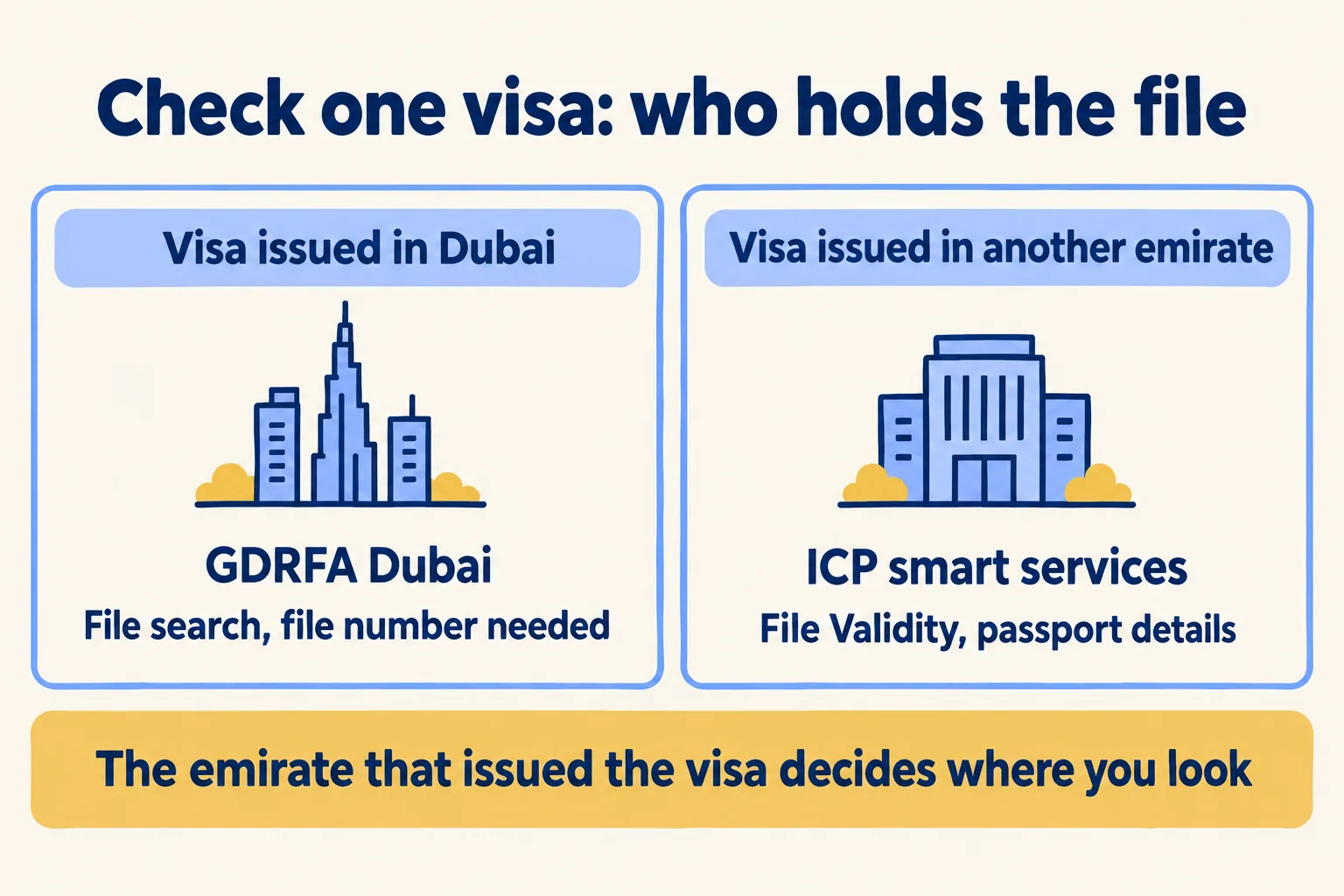
Ask the authority that issued it. A visa issued in Dubai sits with GDRFA Dubai, whose status inquiry at smart.gdrfad.gov.ae has a file search. A visa issued in any other emirate sits with ICP, whose smart services at smartservices.icp.gov.ae have a public File Validity service that searches by passport details or file number.
That answers the question for one person. An office manager with 40 staff on company visas has a different question: who sees each of the 40 dates before it passes, and who acts on it.
The u.ae portal is plain about whose job that is: "Your sponsor must renew your residence visa before it expires." For a private-sector employee, the sponsor is the company.
What happens after the date passes?
Less than the worst posts online say, and more than nothing. Read the authority's own card, not a blog. The figures repeated online disagree, and some say the fine starts the day after expiry.
ICP's card for renewing residence permits, read on 25 November 2026, says a fine of AED 50 a day applies for staying in the UAE "starting from the day following the end of the grace period" for that permit type. The same card lists the grace periods: 30 days for most categories, 60 for permits issued with a guarantor or host, 90 for skilled workers in levels 1 to 3 and property owners, and 180 for Golden, Green and Blue residence holders.
GDRFA Dubai's card for renewing a private-sector residence permit states a grace period of 60 days. The two authorities publish different figures, so confirm the one that applies to each employee's permit before you count on it.
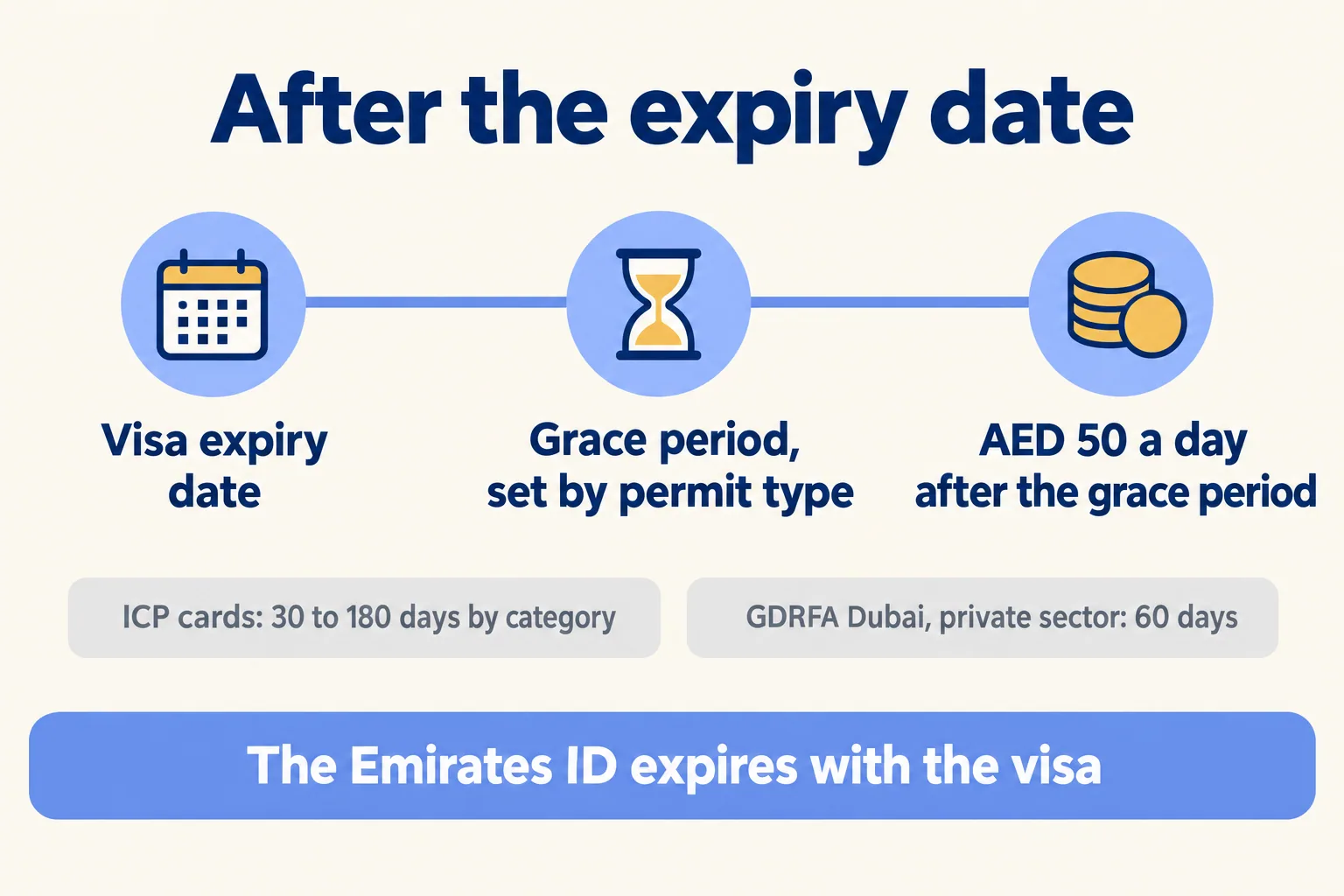
The fine is not the only cost. u.ae says that when the visa expires, the Emirates ID issued by ICP expires too. An expired ID is the one a bank, a landlord or a client's site gate asks for.
When is a spreadsheet of dates enough?
For a long time, and we say so first. Emirates Compliance, which sells a tracking platform, opens its own piece on spreadsheets by saying it "may seem straightforward when a business has a small workforce".
The same piece names the moment it breaks: "If the responsible employee is unavailable or the spreadsheet is not reviewed on time, important expiry dates may be missed." It is about the person, not the number of rows.
An HR business partner in Dubai put the sheet in one line on LinkedIn in July: most small companies track the visa date "in an Excel sheet, next to the ILOE renewal, the Emirates ID, the medical fitness certificate, and everyone's leave balance. It works. Until the week it doesn't."

So the sheet is enough while three things hold:
- One named person owns it. Not "HR". A name.
- They open it every week. Sorted by expiry, not by employee name.
- Each visa copy is one click from its row. A bank, a client's site access or an audit asks for the copy, not the date.
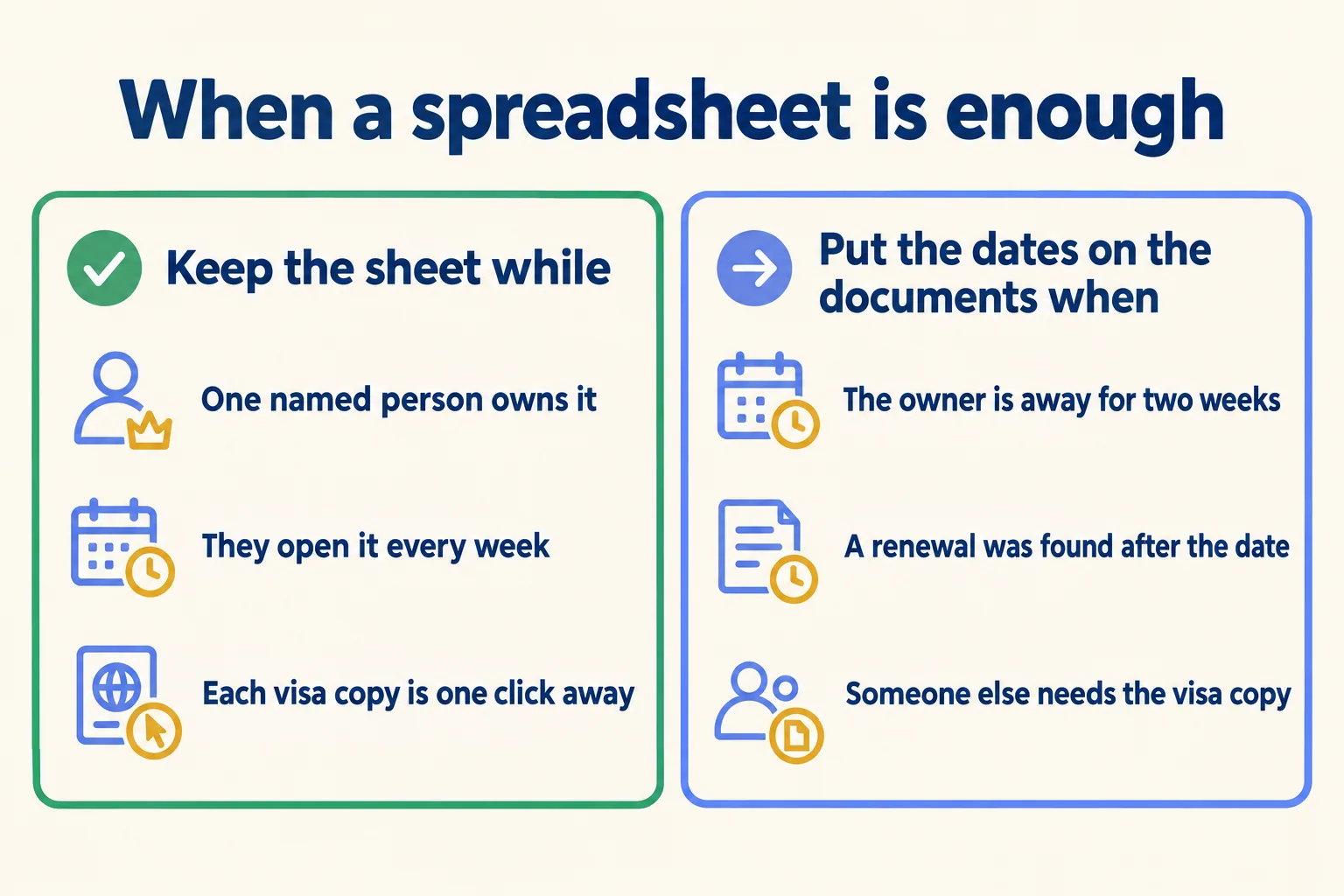
When one of the three stops holding, the date and the copy have drifted apart. That shows up as the owner on two weeks' leave with nobody else opening the file, a renewal found after the date, or a colleague asking the owner to send a visa copy because only they know which folder it is in. That is when the dates belong on the documents themselves.
The five-row test
Run this on your own sheet today. It takes about ten minutes.
- Sort the sheet by expiry date, soonest first.
- Take the next five rows.
- Open the visa copy for each one, from wherever it is kept.
- Time how long each takes.
- Ask who would do this if you were away for two weeks.
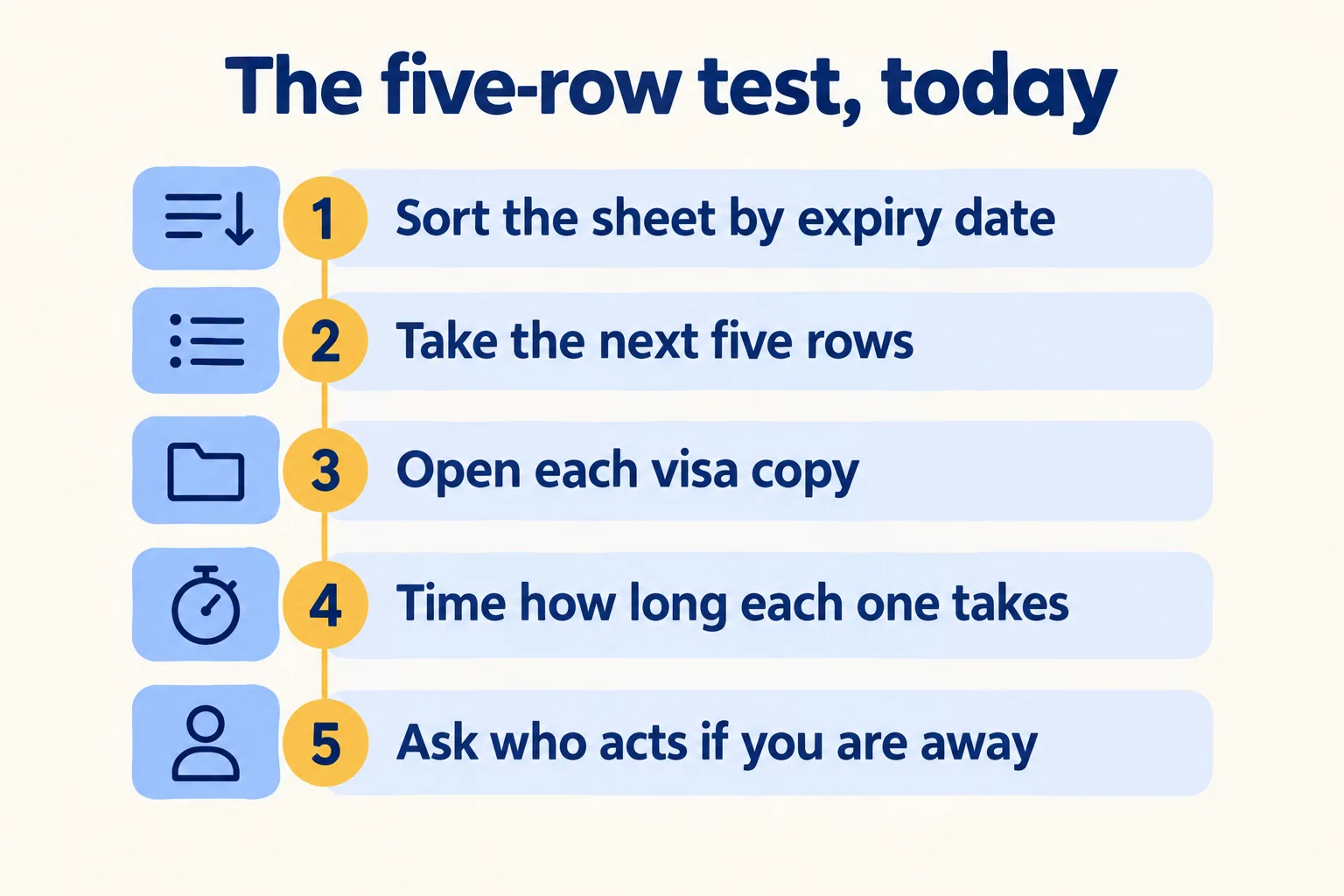
If all five copies open in under a minute and you can name the person in step 5, keep the sheet. If a copy sits in someone's email, a WhatsApp chat or a folder named for last year, the sheet is holding the date and nothing else.
The test also checks the date itself. A row in the sheet is the date someone typed. The copy is the proof. If they differ, trust the copy and the authority's file, and fix the row.
How we decide
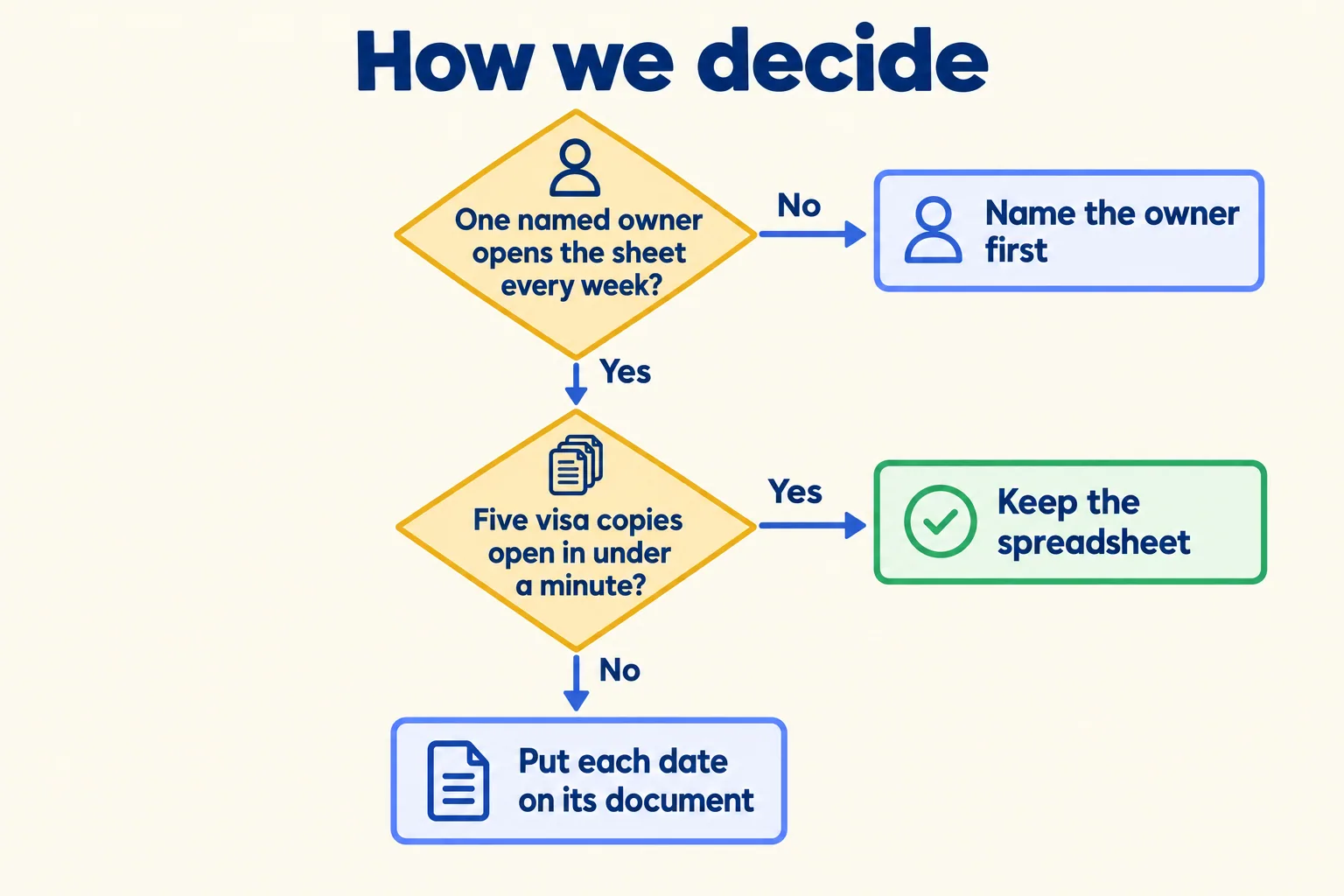
Our rule, so you can argue with it. We ask two things, in this order.
- Does one named person open the sheet every week? If not, no tool fixes it. A reminder that lands in a shared inbox reaches everyone and moves nobody. gulfHR, which sells HR software, says the same in its guide to expiry tracking: "if the notification reaches someone who cannot take action, the document may still expire without resolution." Name the owner first, and a second person for the weeks they are away.
- Do five visa copies open in under a minute? If yes, keep the spreadsheet; it costs nothing and it works. If no, put each date on its document, so the reminder arrives with the copy attached and the list is the folder.
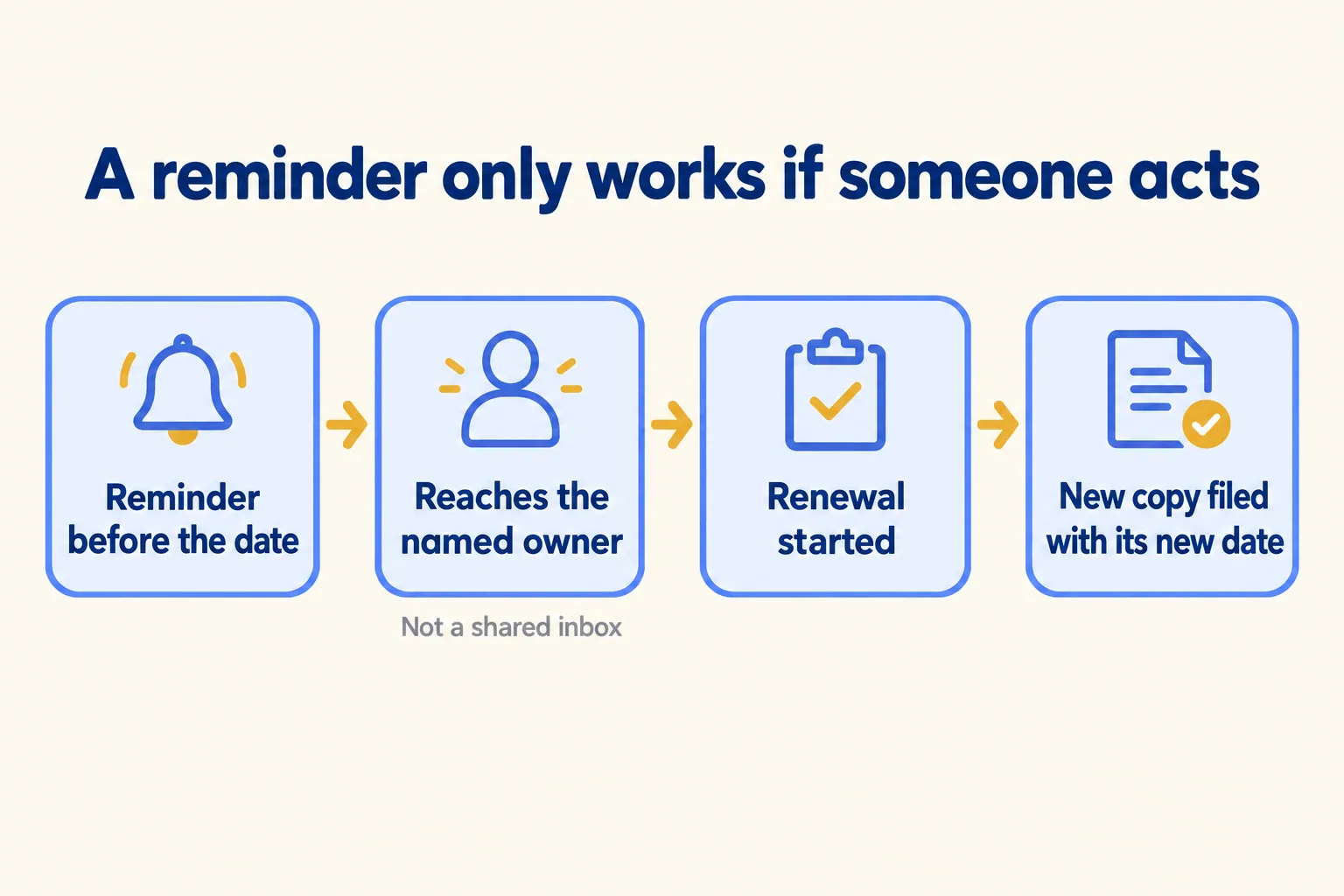
On timing, gulfHR separates the expiry date from the date the business needs to start the renewal, and gives an example schedule of 90, 60, 30 and 15 days before. It labels those as management intervals, "not statutory deadlines or legally recognised grace periods". Set your own from how long your renewals take, including the medical and the typing centre.
The same habit applies to the company's own papers. The trade licence date has the same problem, and we wrote up who owns the trade licence renewal date for the PRO desk. If your copies sit in a shared drive, read when folders stop working first.
What Mindcat Vault does, and where the line sits
At Mindcat, we set up Mindcat Vault for offices that want the date to live on the document. Our method is "Nothing expires unseen": the visa copy is filed once, with the employee and its expiry date as fields, and the reminder carries the copy.
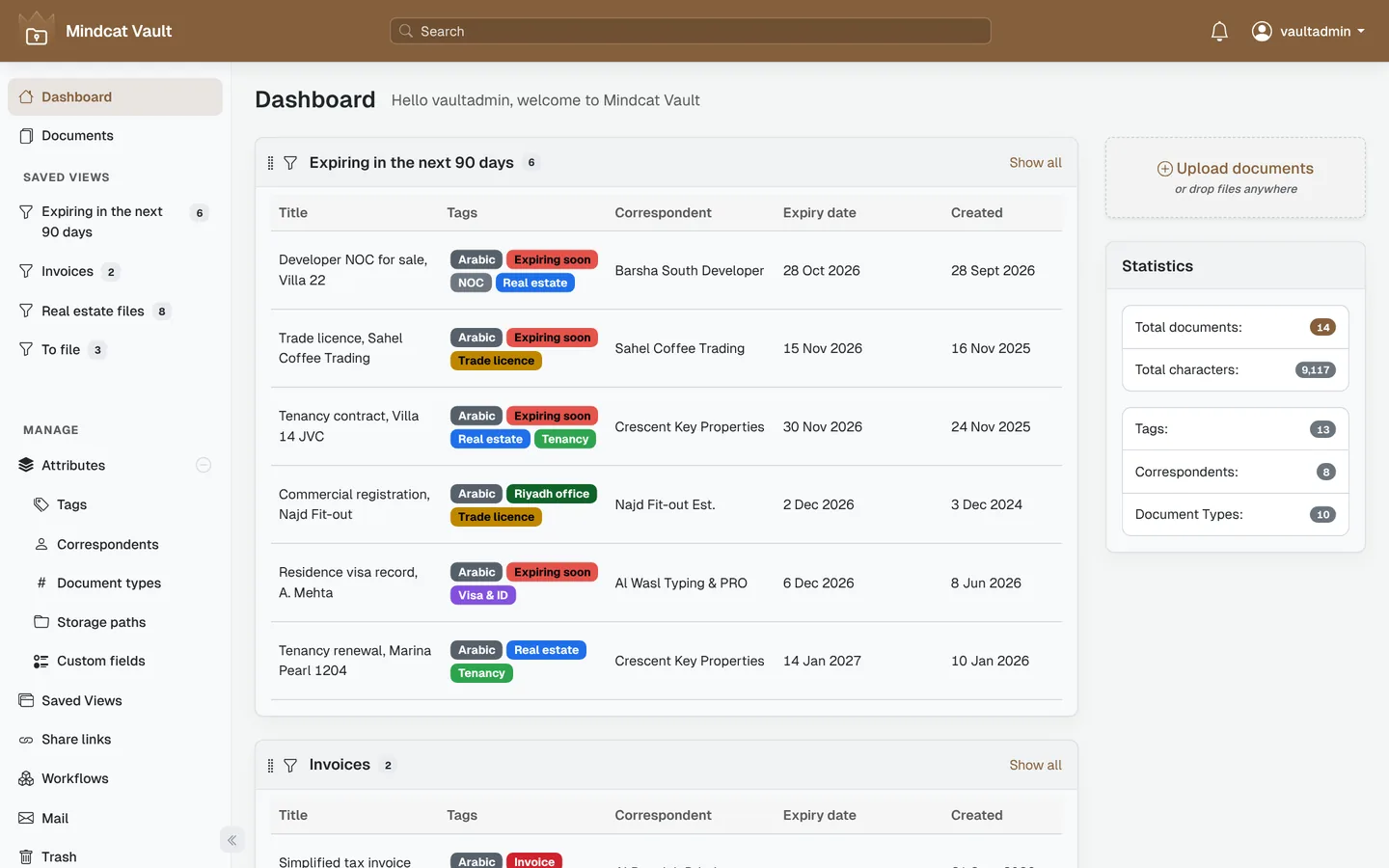
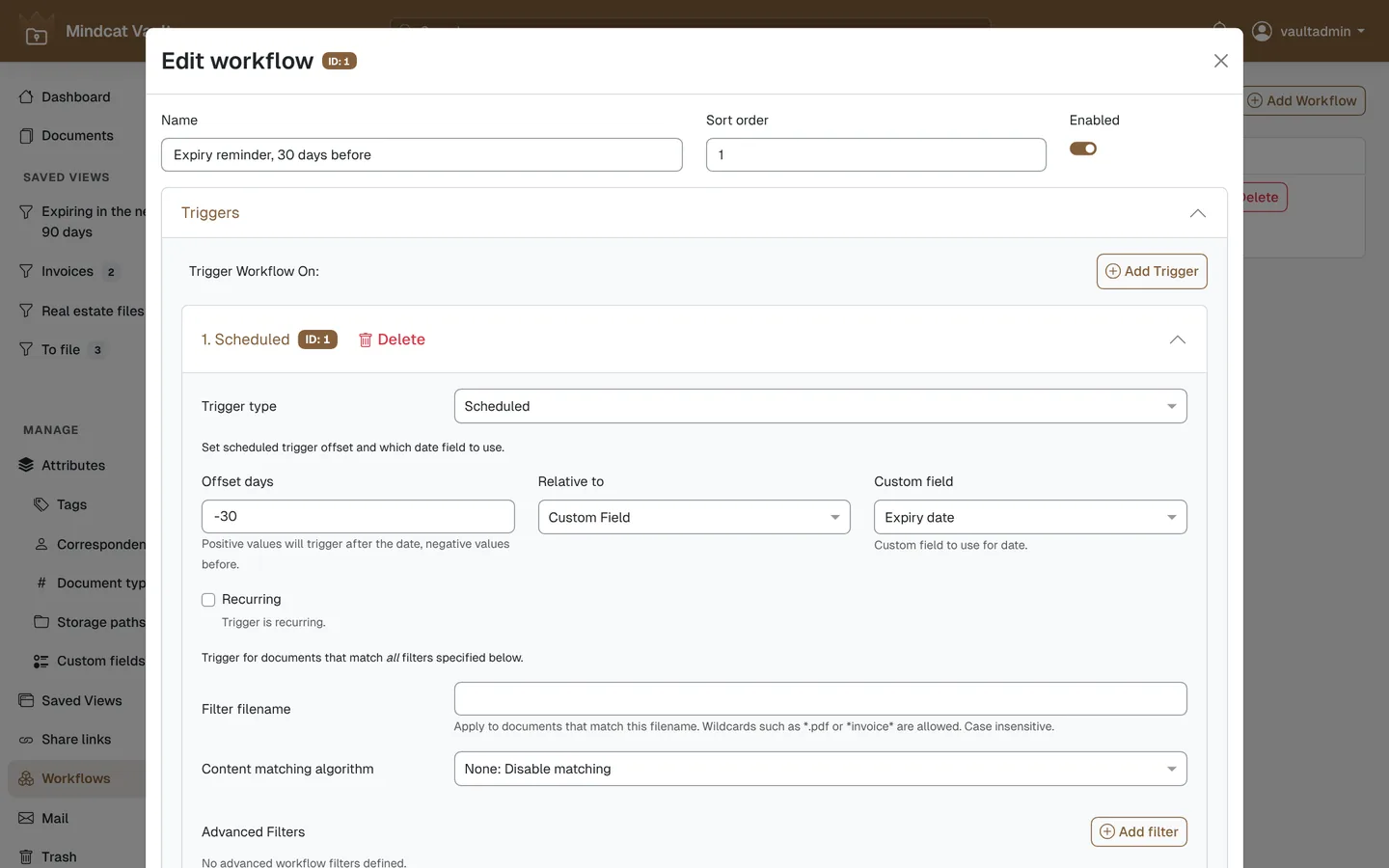
Each paper is its own document with its own type, employee and expiry date, so the visa, the Emirates ID, the work permit and a broker card can sit on one person with four dates. The dashboard shows a saved list of everything expiring in the next 90 days. A rule runs on the expiry date field: 30 days before, it labels the document Expiring soon and emails your desk. You can change the days, the label and who gets the email, so it goes to the named owner and the cover, not a shared inbox.
The quick start is a fixed package we set up, not software you set up alone. You get your own copy on our UAE servers with your logo, our office template (document types for trade licences, Emirates IDs, visas, tenancy contracts and title deeds, each with an expiry date), Arabic and English text reading, the expiry list on the dashboard and the reminder emails, your users added from our CSV template, recorded training in Arabic and English, and ticket support.
Where the line sits. Ready today: the expiry fields, the dashboard list and the reminder rule. Added during setup: the reminder email, once we connect your mail, and Arabic text reading, which makes every scan searchable by any word on it. It does not fill in the date: your team types or confirms each date when it files the copy; Vault does not read the date off a visa by itself and does not connect to ICP, GDRFA or MOHRE. It does not renew anything. Reminders are email, not WhatsApp or SMS. Dates are Gregorian; Hijri dates are not supported.
The price, from the live page: AED/SAR 59 per user a month for the first five, with a shared plan minimum of AED/SAR 449 a month. A user is someone who signs in, so the HR officer and the PRO count and the 40 staff whose visas are filed do not. A two-person desk pays the minimum, 449. The quick start is AED/SAR 2,500 once, for up to 20 users. Prices exclude 5% UAE VAT and 15% Saudi VAT.
For staff visas, pick one, not both. If you run payroll, WPS and leave through us, use Mindcat People, where we add visa and Emirates ID expiry fields to each employee record during setup. If payroll stays where it is and the visa copy should sit next to the trade licence, the tenancy contract and the rest of the company's papers, use Vault. For the PRO side of the work, see PRO services.
Who should stay where they are?
A company where one person owns the sheet, opens it every Monday, has a named cover for leave, and can open any visa copy in seconds. Keep the spreadsheet. The same goes for a company whose HR system already files each copy with its date and emails a named owner. The spreadsheet's weak point is the owner's leave, not its size.
Tell us how many people need access, what papers you hold and which dates you track. We reply in writing within 24 hours with the setup plan and the monthly price per user, in AED or SAR.
