
If your office keeps hundreds of clients' papers in one shared drive and only one person really knows where things are, this is for you. It is not for someone with one folder and one user, or for a team whose files are drafts they edit together all day: keep the drive for those.
When are folders enough?
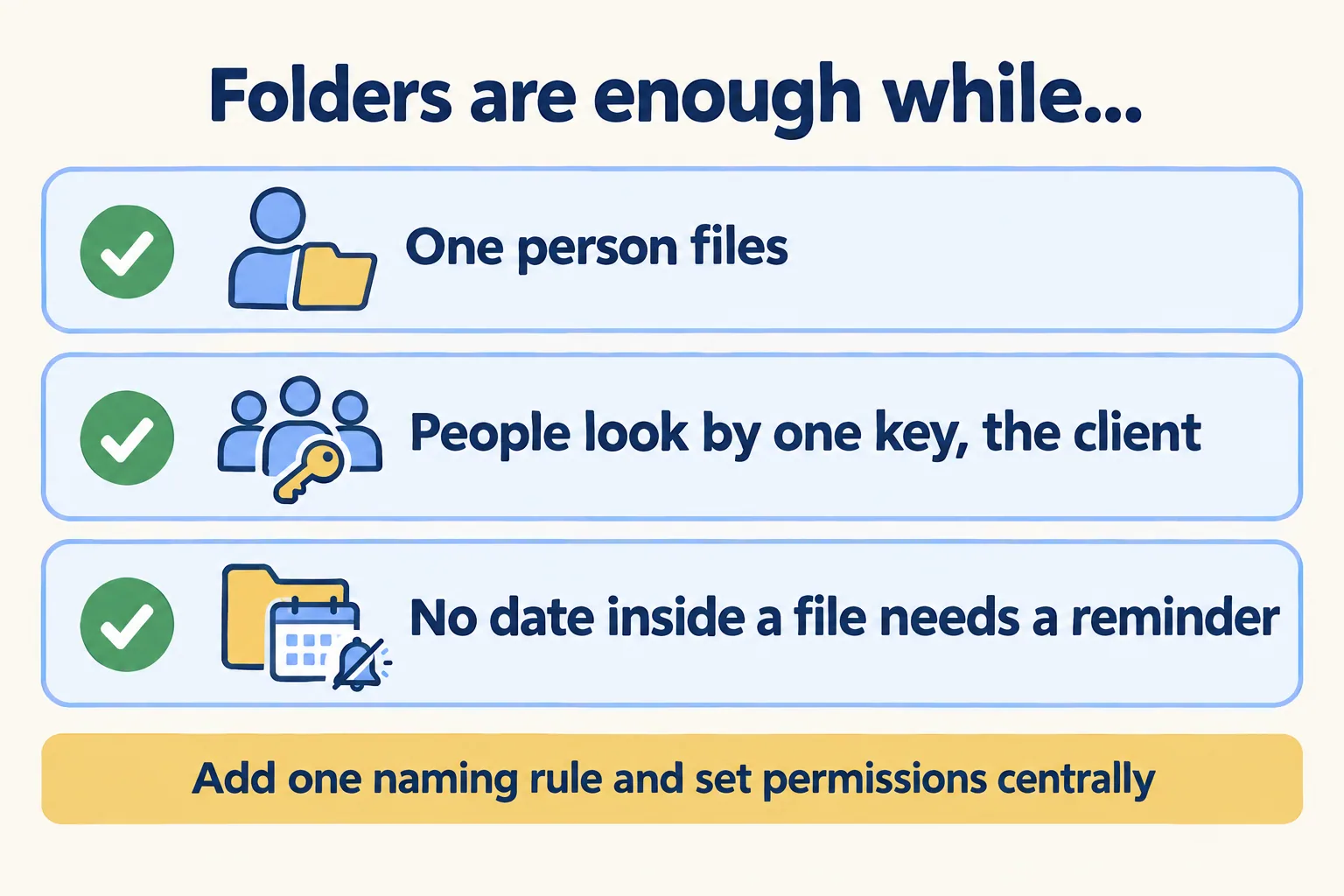
More often than vendors admit. Our rule: folders plus one naming rule are enough while one person files, people look for papers by one key (usually the client), and no date written inside a file needs to reach anyone.
An IT admin on r/sysadmin put the risk well in May 2026, when the CEO wanted every company file moved to Google shared drives. The worry was "turning a controlled file server structure into a sprawl of Shared Drives, personal Drives, shortcuts, ad-hoc sharing, external links, unclear ownership." The fix in that case is not a new tool. It is discipline: one person creates the shared drives, one naming rule, permissions set centrally.
A drive run that way can last for years. The trouble starts when the office grows past the person who built it.
What does Google itself say about deep folders?
Google's shared drive limits page, read on 17 November 2026, says a shared drive holds up to 500,000 items and folders can nest 100 levels deep. Then it advises against using that depth: "We recommend that you avoid creating many folders in one shared drive. Members might have difficulty organizing and finding content."
On file counts it says the same: "Shared drives with too many files might be difficult to organize and search, or members ignore much of the content."
So the vendor does not treat the folder tree as the office's index. The tree is storage. Finding things is a separate job, and folders do it well only up to a point.
Test one: can someone else find it by a second key?
A folder path is one way in. "Clients, then Sahel Coffee Trading, then Licences" works when the person searching knows the client. It fails when the question arrives by another key: which tenancy contracts sit on Villa 14, which staff visas end in March, which licences expire this quarter.
The person who filed it can answer, from memory. Nobody else can, without opening folder after folder. A software founder at Cotera (a vendor, writing about his own team) described the result: a proposal took 23 minutes to find because it "was in a folder belonging to a teammate who'd left the company four months prior. Nobody had reorganized her files."
Moving folders around does not fix this. A big reorganization brings its own problem. An IT contractor on Spiceworks wrote that after "one of the employees did a massive reorganization of the file structure over the weekend", the rest of the team's sync clients "got too confused to continue."
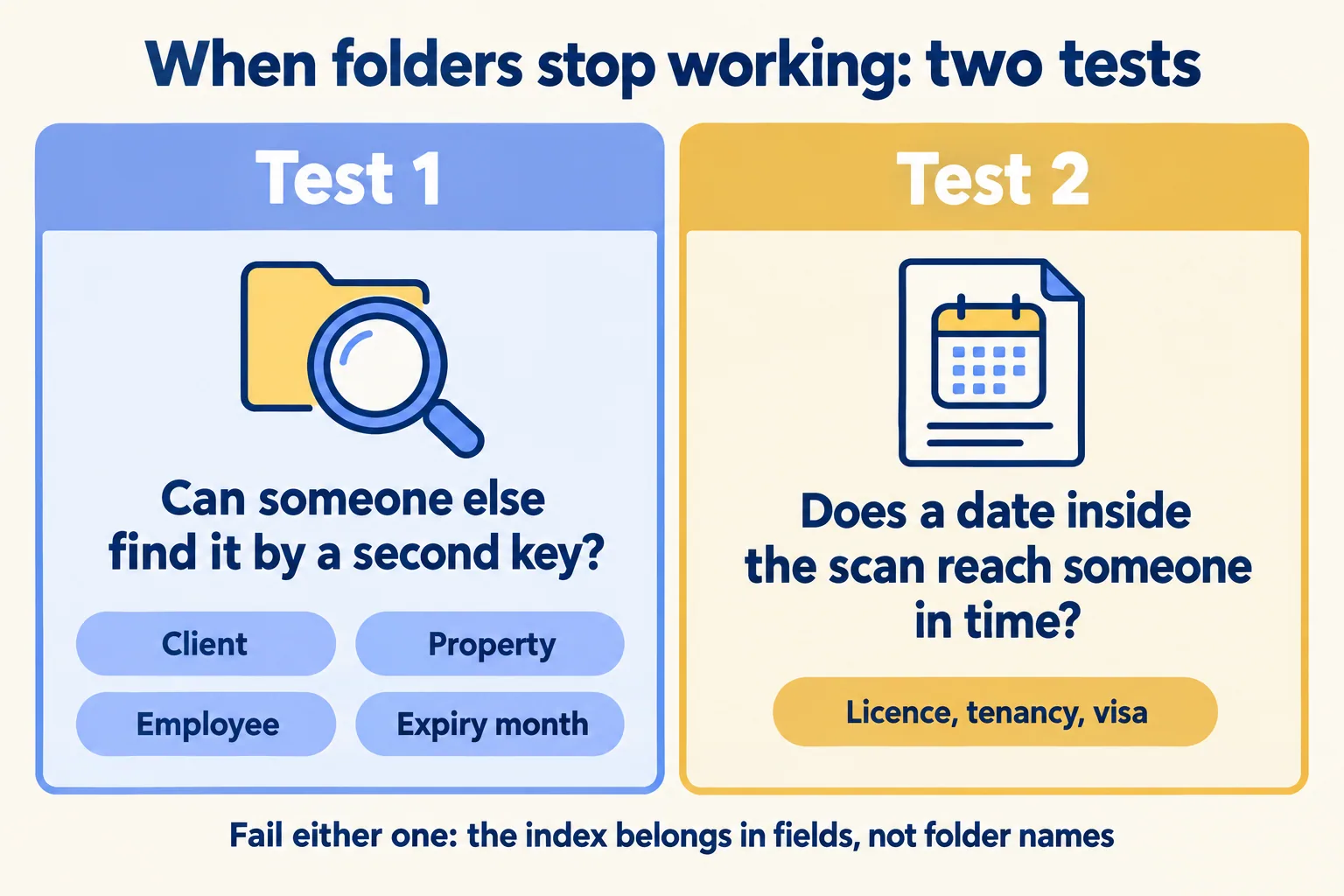
Test two: does a date inside the scan reach anyone?
A trade licence, a tenancy contract and a residence visa each carry a date that matters more than the file name. That date is printed inside the PDF. A folder name can hold it only if someone types it there, and nothing reads the folder name back to you 30 days before.
This is where we stop recommending folders. When the office holds papers whose dates must reach someone, the index belongs in fields: client, type, expiry date, property or employee, each one a way in, and the date one a reminder can run on.
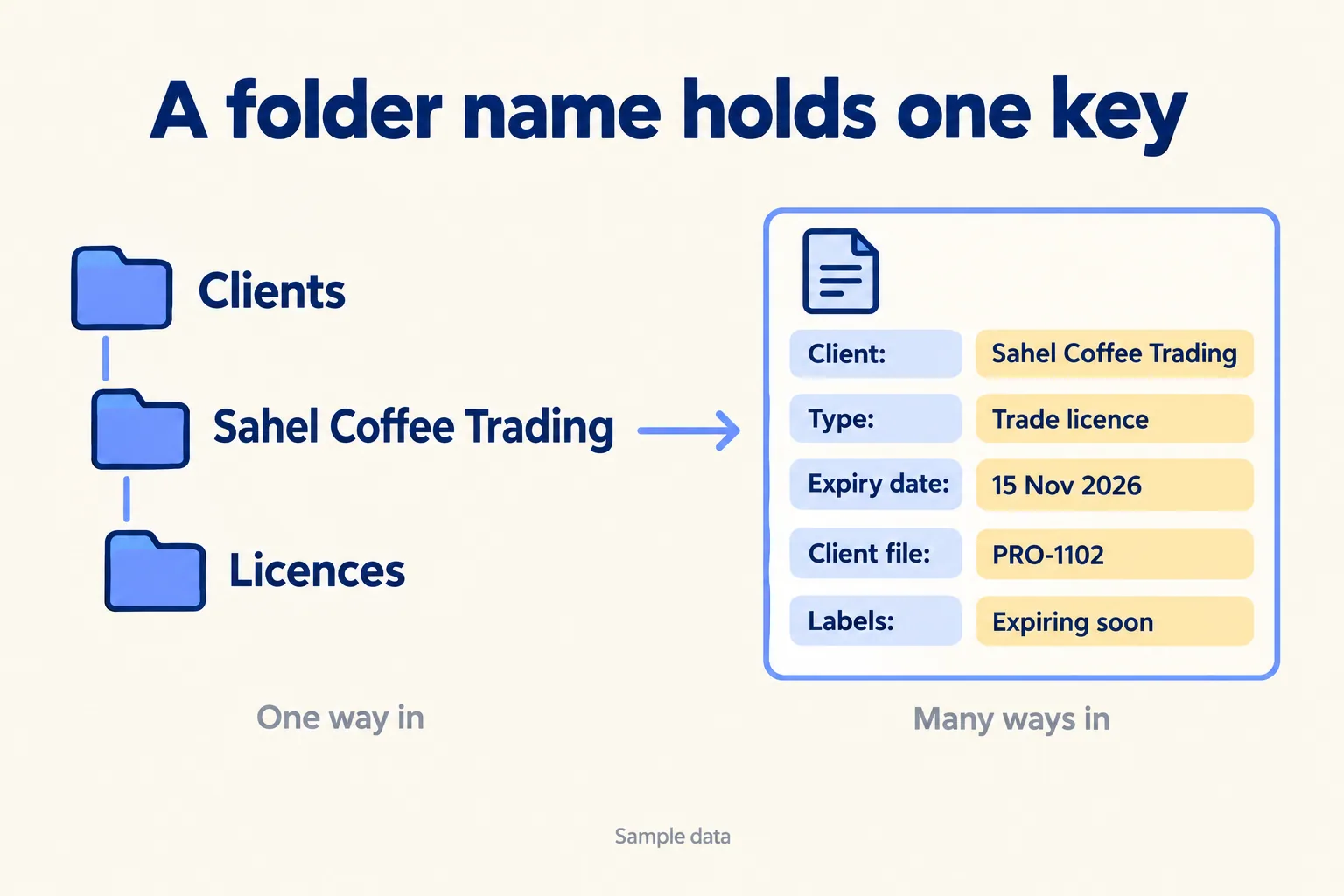
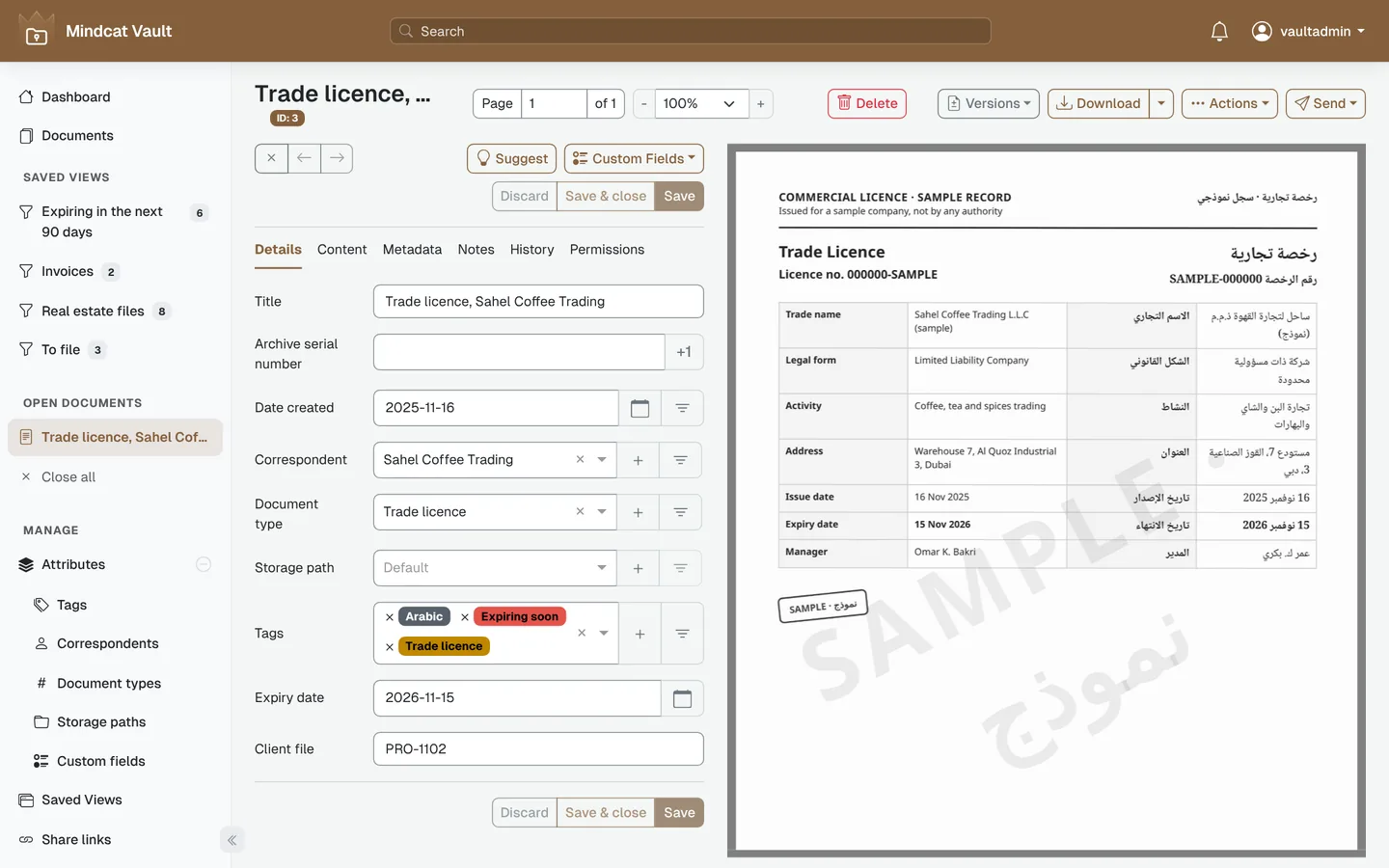
That is how Mindcat Vault files a paper. Each document gets its client, a type, labels and your own fields, such as expiry date, client file number, property or employee. A saved list shows every document whose expiry date falls in the next 90 days, and a rule labels it Expiring soon and emails your desk 30 days before. The reminder email goes out once we connect your mail during setup. Your team scans and files each paper and enters its date; Vault learns from your filing and suggests the client, type and labels for the next one.
How long to keep those papers is a different question, with its own rules. We covered it in box files or search.
What we check before you move anything
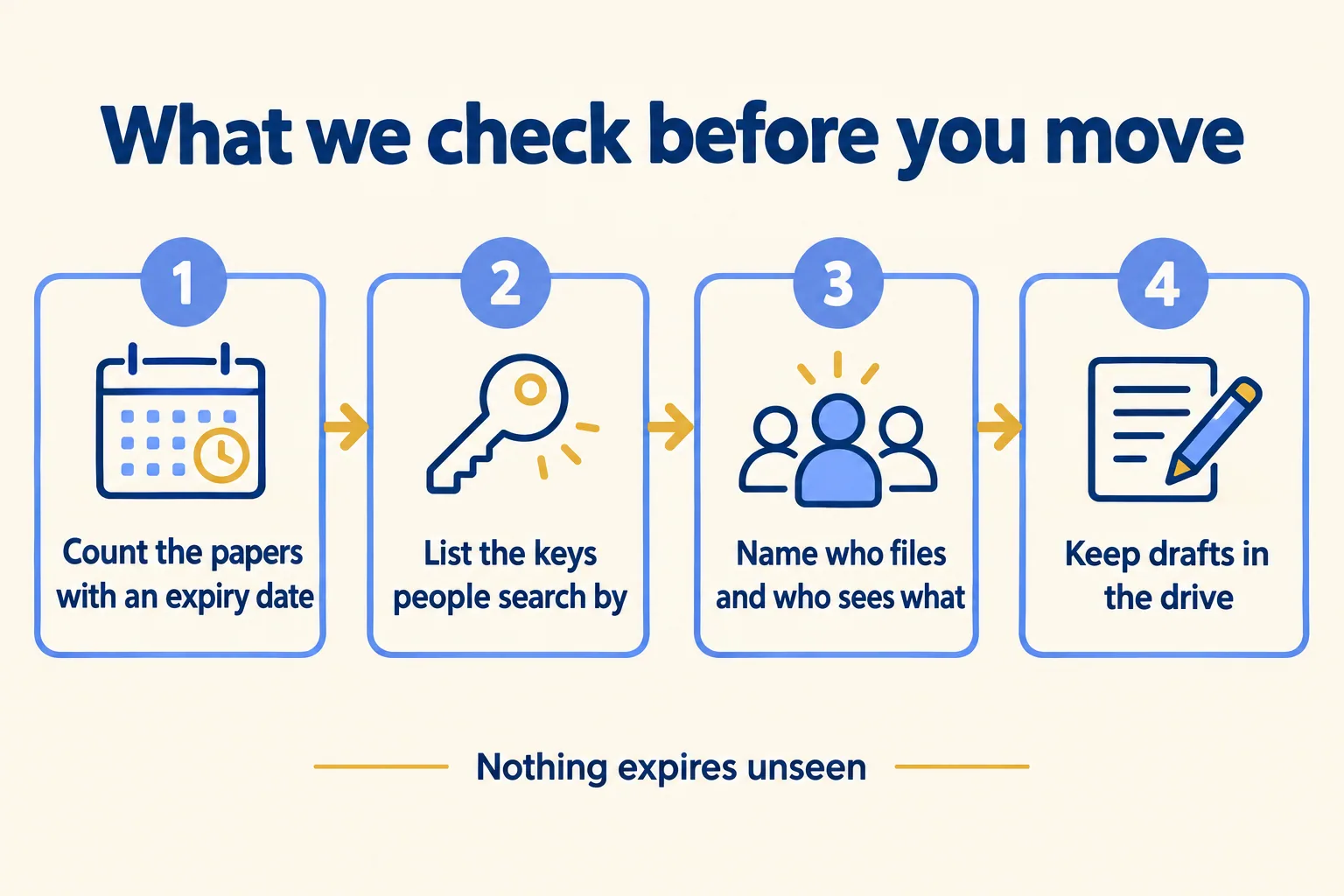
Our method is called Nothing expires unseen, and it starts with four checks, not a migration:
- 01Count the papers with an expiry date. Licences, tenancy contracts, IDs and visas. If there are only a handful, a calendar entry may be enough.
- 02List the keys people search by. Client only, or also property, employee and expiry month. One key suits folders; several suit fields.
- 03Name who files and who may see what. One filer and one team can live with folders. Several offices or teams need permissions per group.
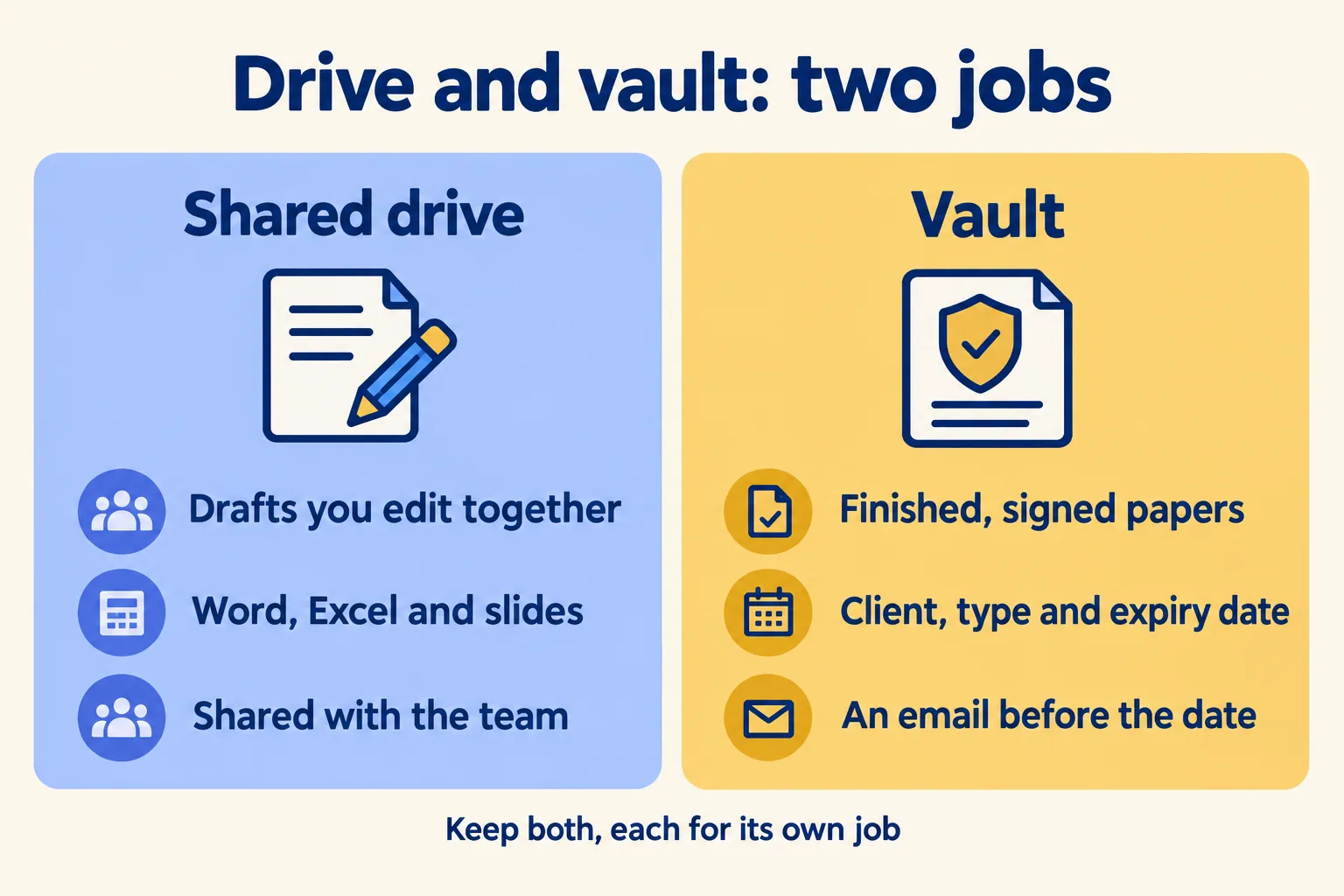
- 04Keep the drafts in the drive. Word, Excel and slides your team edits together stay where they are. Only finished papers move.
The last check matters most. Vault holds finished files and their dates. It does not edit Word or Excel files and does not sync with Google Drive or OneDrive. If you use Microsoft 365, our SharePoint post for PRO desks covers what SharePoint can do with extra setup.
Who should keep the drive as it is?
An office where one person files, everyone searches by client, and the few dates that matter sit in a calendar that person checks. A new tool would cost more than it saves at that size. Set permissions centrally, write the naming rule down, and keep going.
What does a move cost?
Once either test fails, the cost is the renewal nobody saw and the file nobody can find. From the live Vault page: AED/SAR 59 per user a month for the first five users and AED/SAR 39 for users 6 to 20. Each band applies only to the users inside it. The shared plan has a minimum of AED/SAR 449 a month, so a 3-person office pays AED/SAR 449 and a 15-person office pays AED/SAR 685. The files sit in your own separate copy on our UAE servers. Up to 20 users, the quick start is AED/SAR 2,500, fixed: we set up your copy with our office template for licences, IDs, visas and tenancy contracts, each with an expiry date, and your users added from our CSV template. Your team then scans and files. From 21 users, moving your existing shared drive in is part of managed setup. Scanning a paper archive is quoted separately. Prices exclude 5% UAE VAT.
One line on the sibling app: Mindcat Sign sends a contract for signature; Vault files the signed copy and its dates.

Tell us how many people need access, what papers you hold and which dates you track. We reply in writing within 24 hours with the setup plan and the monthly price per user, in AED or SAR.
