
If a client's licence is somewhere in 3,000 scanned PDFs and only one person knows the file name, this is for you. Not for an office with a handful of scans a year, or a team where nobody owns the folder: a free tool and a calendar will do.
Why does a free Arabic OCR tool look fine and still fail?
Because the demo is a clean page. You drop in a crisp trade licence, the tool reads it, and the search works. Then someone scans a faded lease at an angle, or a page with a stamp across the name, and the words you would search for are not there.
Arabic OCR is the step that turns a picture of a page into text a computer can search. A free engine can do it. The question for a Dubai office is whether it does it on your papers, which are rarely clean.
What do the published tests say?
Free engines trail on Arabic. KITAB-Bench, an Arabic document benchmark presented at ACL Findings in 2025 with 8,809 samples, scored the free Tesseract engine at a character error rate of 0.54 and EasyOCR at 0.58. Gemini-2.0-Flash, the best model in the same table, scored 0.13. A lower number is better, so the free engines made about four times as many character errors on the same pages. The paper adds that Tesseract was "particularly challenged by diacritics (15.3) and tilted text (5.9)" on its ChrF score.
An earlier study points the same way. Thomas Hegghammer tested Tesseract, Amazon Textract and Google Document AI in 2021. Accuracy for English was considerably higher than for Arabic, and Tesseract "was significantly more sensitive to noise" than the server-based engines. He ran Arabic only on Tesseract and Document AI, because Textract does not support Arabic.
Neither study is about your papers, and neither is about us. They explain why a ten-paper test is worth an afternoon. A benchmark average hides the page that matters, which is the one a client asks for next week.
What is the ten-paper test?
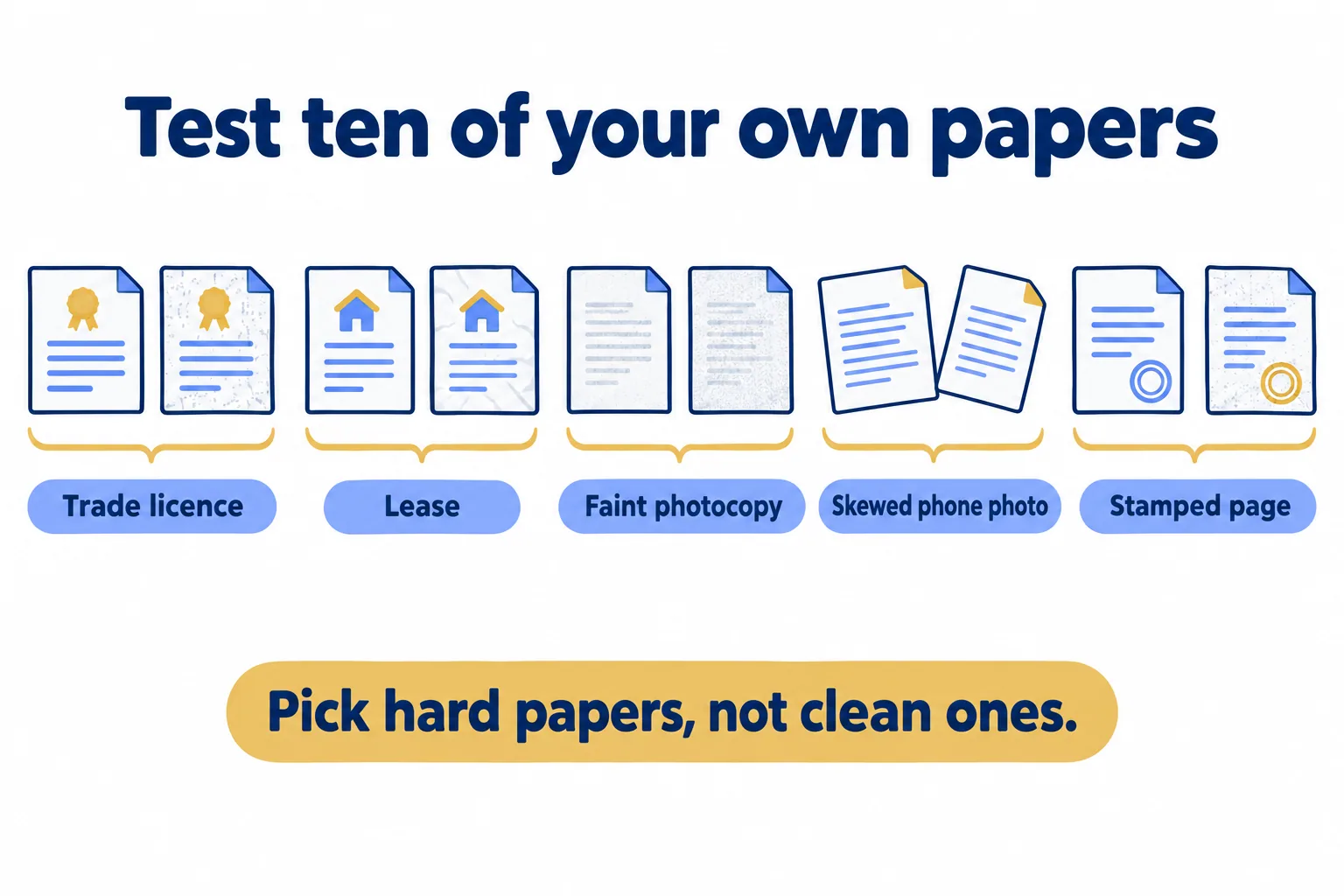
Pick ten of your own papers, and pick hard ones: a trade licence, a lease, a faint photocopy, a skewed phone photo, a page with a stamp over the text. Run each through the tool you are considering (Tesseract is the free engine in the studies above), then check three things.
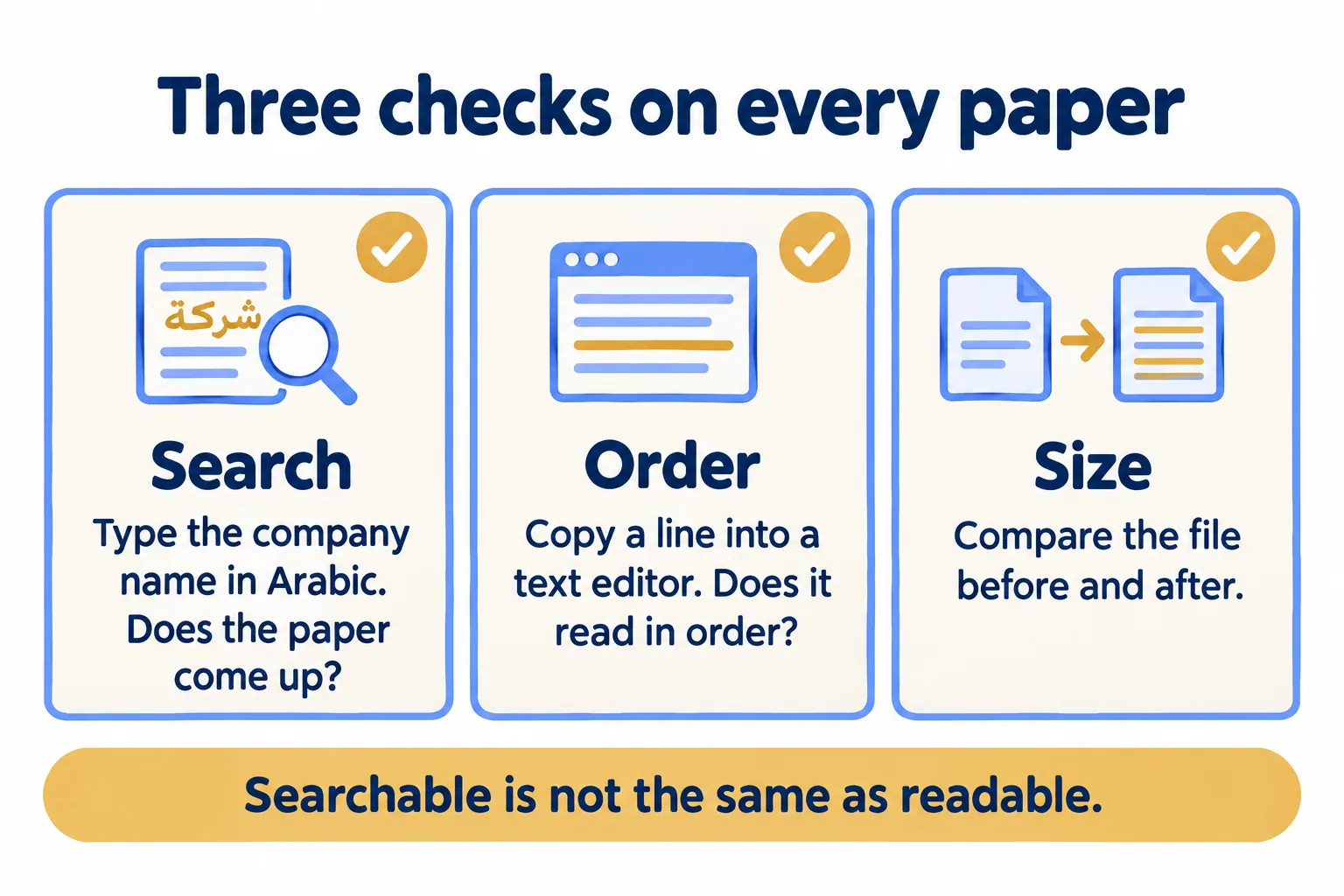
- 01Search. Type the words you would really search for, such as a company name or a family name, in Arabic. Does the paper come up?
- 02Order. Copy a line out of the searchable PDF into a text editor. Does it read in the right order, or backwards?
- 03Size. Compare the file before and after. Has a 2 MB scan become 15?
The second check matters more than it looks. An OCRmyPDF user reported in January 2021 that Arabic output was "backwards" and gave the example of a word displayed reversed. The maintainer called it a third-party issue, a viewer or engine matter and not OCRmyPDF's own, so the same file can read fine in one viewer and wrong in another. A Tesseract user reported in June 2021 that text export was fine, but the searchable PDF did not handle right-to-left Arabic, and that a 20 MB file became 171 MB. These are developers' bug reports, not office managers' reviews. They show what to look for.
When is a free tool enough?
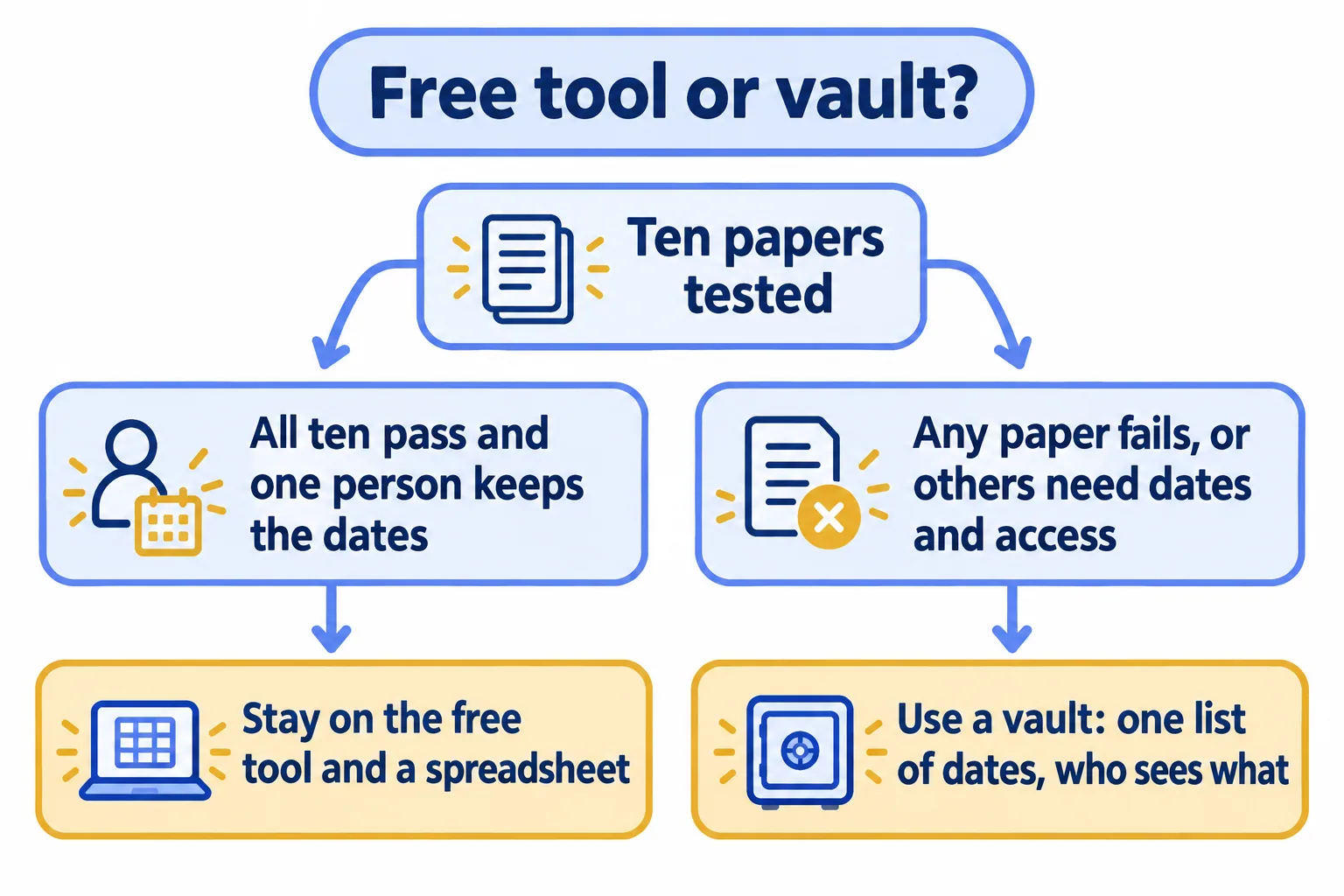
When all ten papers pass and one person owns the folder. Search finds the word on all ten, the copied text reads in order, and the files stay close to their original size. Then stay on the free tool and keep a spreadsheet for the dates. That is a sound setup, and a vault would only add cost.
It stops being enough in two cases. Papers fail and the failures follow no pattern you can predict. If nine pass and the tenth is a faded stamp page, try a second tool on that one paper first. If the failures keep coming on the papers your clients ask for, the tool is the problem. Or someone other than the person who scanned the file needs to find a licence by company name and see when it expires. A tool that reads text does not answer that second need, however well it reads.
What does a vault add that OCR cannot?
A list of dates and a rule for who may see what. OCR turns a picture into words. It does not know that a trade licence for a coffee trader in Al Quoz expires on 15 November, that the PRO desk should hear about it 30 days before, or that the Riyadh office should only see Riyadh files.
A vault keeps each paper filed to a client with its expiry date as a field, shows the ones expiring in the next 90 days on a dashboard, and emails the desk before each date. The same record holds the permissions. None of that depends on the reading being perfect. If a word is misread, the client name and expiry date on the record are what you find the paper by.
What does Mindcat Vault do with Arabic scans, and what does it cost?
Mindcat Vault reads Arabic and English on the same page when a scan arrives and keeps the text with the file. The Arabic reading is switched on during setup, not on day one. Clean scans read well; faint or skewed ones get some words wrong, which is why we run the ten-paper test on your own documents in setup. The test applies to us as much as to any free tool.
Arabic screens are partly translated and run left to right today. Reminder emails go out once we connect your mail during setup. Scanning a paper archive is quoted separately.
Prices on our page: on the shared plan, your own separate copy on our UAE servers, AED or SAR 59 per user a month for 1 to 5 users, 39 for 6 to 20, 29 for 21 to 50 and 19 from 51, with 20 GB per user included. The monthly minimum is AED or SAR 449, so a three-person office pays 449, not 177. Fifteen users come to AED 685 a month. The quick start is a fixed AED or SAR 2,500 for up to 20 users, set up for you from your CSV; above that, setup is managed to a written plan and price. Prices exclude 5 percent UAE VAT and 15 percent Saudi VAT.
Send us ten of your own papers and the number of users, and we reply with the setup plan and the monthly price. Our PRO services page shows the same screens with sample documents, and our note on SharePoint for PRO files covers the Microsoft 365 option.
