
If you were asked to set up document control for the office and all you have is a shared drive and a spreadsheet of expiry dates, this is for you. This post is not for teams that need revision control and transmittals on drawings. That is a project document system, and Vault is not one.
What does 'set up document control' mean?
It depends who asked. On a construction project it means that every trade builds from the current drawing. In an office it often means that nobody loses a licence, a contract or an ID, and that anyone can find the page they need.
Search results for the phrase mix both. Box, a content-management vendor, wrote in October 2021 that document control "specifically refers to the security of a file throughout its lifetime": who can reach it, which version is current, when it is archived. Plexa, an Australian construction-software vendor, describes what that looks like on a site: "The register might say Revision C is current. The wall says Revision A. Both are technically true, and only one of them is safe to build from."
Those are two different problems. The first is about versions that people act on. The second is about papers and the dates on them. Your boss may have meant either, so ask before you buy anything.
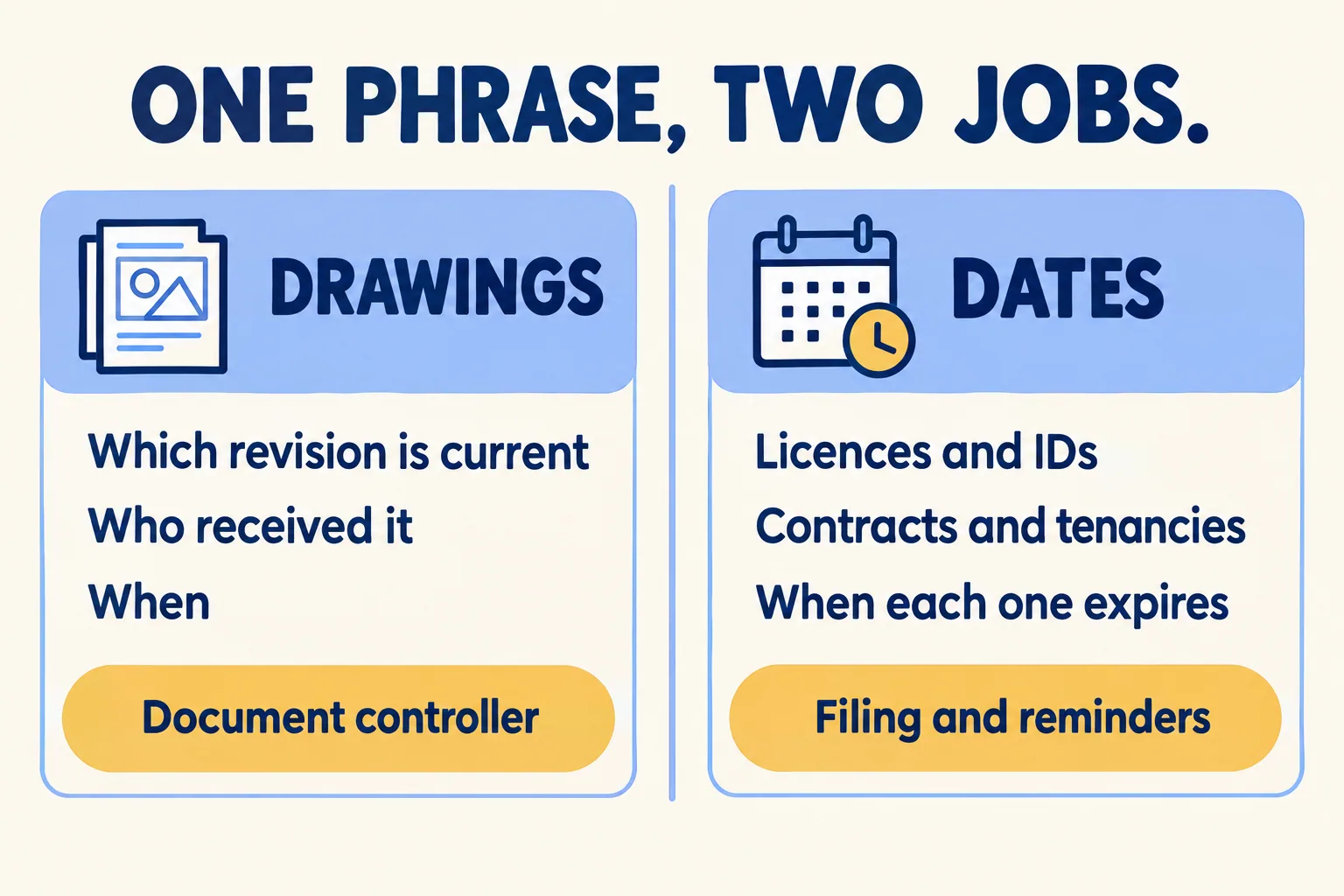
Which job do you have: drawings or dates?
Ask one question about your files: if this file changes, does someone have to be told which version to build or sign from?
If yes, you have document control proper. A drawing is reissued, a specification is revised, and the people on site or at the signing table must work from the new one. That needs a register of revisions, a record of who received what and when, and usually a person whose job it is. It is a document controller's job and a project system's job.
If no, you have a filing and dates problem. A trade licence is renewed and the new one replaces the old. A tenancy contract is signed once. An Emirates ID expires on a date. Nobody builds from version C. The work is finding the right paper in a minute and knowing, a month ahead, what is about to lapse.
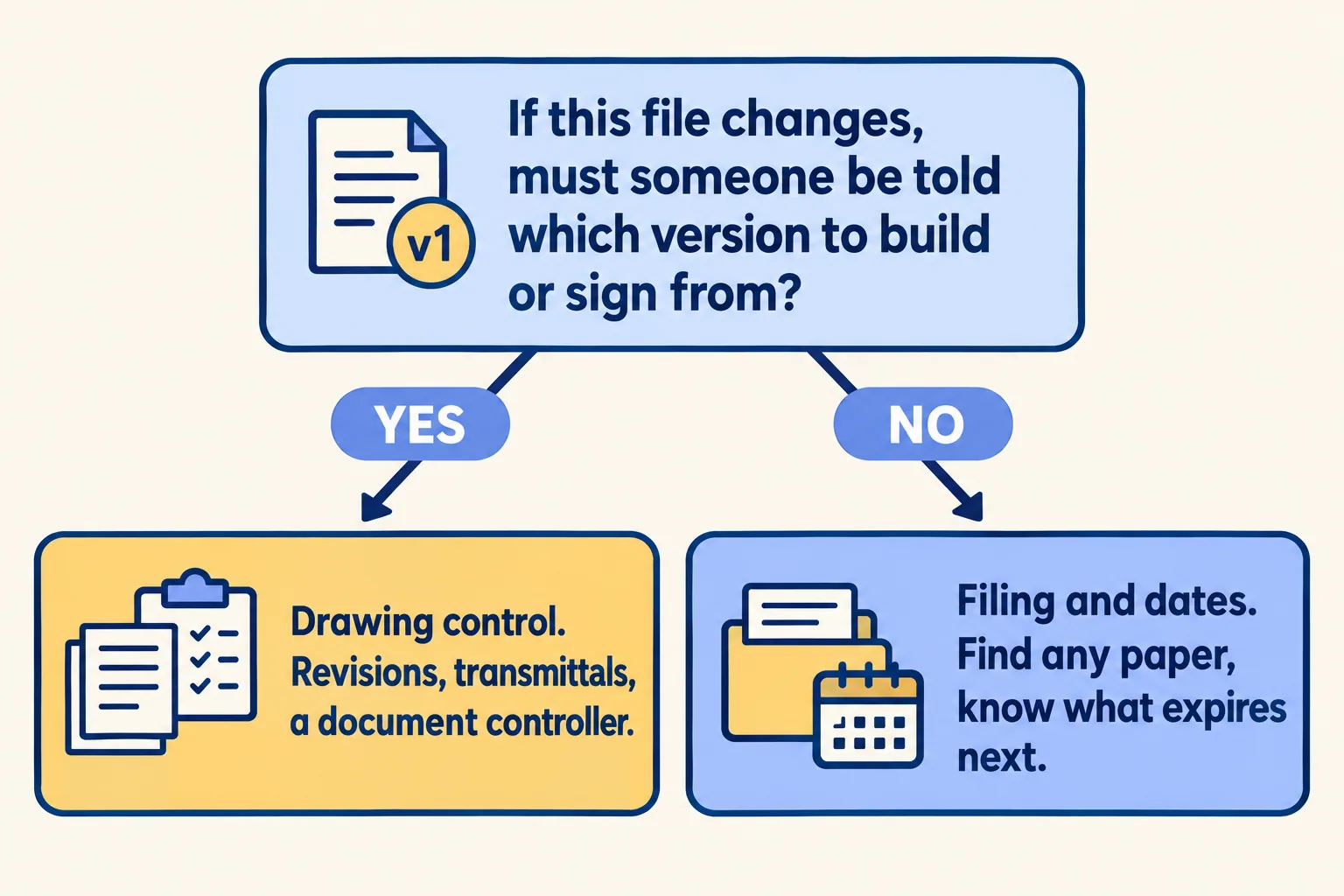
Many offices have both. A contractor's site office has drawings and also licences, insurance papers and subcontract agreements. Split the list: the files that answer yes go one way, and the rest go the other.
What does a drawing-control job need?
A register that says which revision is current, a record of who received it, and a way to stop an old sheet from being used. Plexa's example is a 400 mm grid-line error from a printed sheet that was eleven days out of date. The cost there was a day of formwork undone.
On many projects you will not choose the system. In an AIA Community Hub thread (December 2023 to January 2024), a US architect noted that "as a small firm, it is most common that the contractor hosts the app". Another member wrote that they "Maintain our own copies of all documentation on our server in our Project files." A third kept copies of correspondence "especially if one day we don't have the access to the files... and we are 'cut-off'". That thread is about US architects, so read it as a pattern and not as Gulf practice.
The pattern is useful anyway. Even when someone else runs the project system, your office may still need its own copy, filed so you can find it and dated so you know what is due. That copy is the filing job, and it is the one a vault does.
What does a filing-and-dates job need?
Four things, in this order:
- Every paper in one place, scanned and named by client, type and number.
- Search that reads the page, in Arabic and English, because an NOC or a power of attorney is often a picture inside a PDF.
- An expiry date on each paper and a list of what lapses next.
- A reminder before the date, sent to a person, not a shared inbox nobody checks.
Our test for whether it works: pick the five papers you would least like to lose. Time how long it takes to find each, and ask what expires in the next 90 days. If the answers take minutes and need one person's memory, the filing job is not done yet.
What does Mindcat Vault do, and not do?
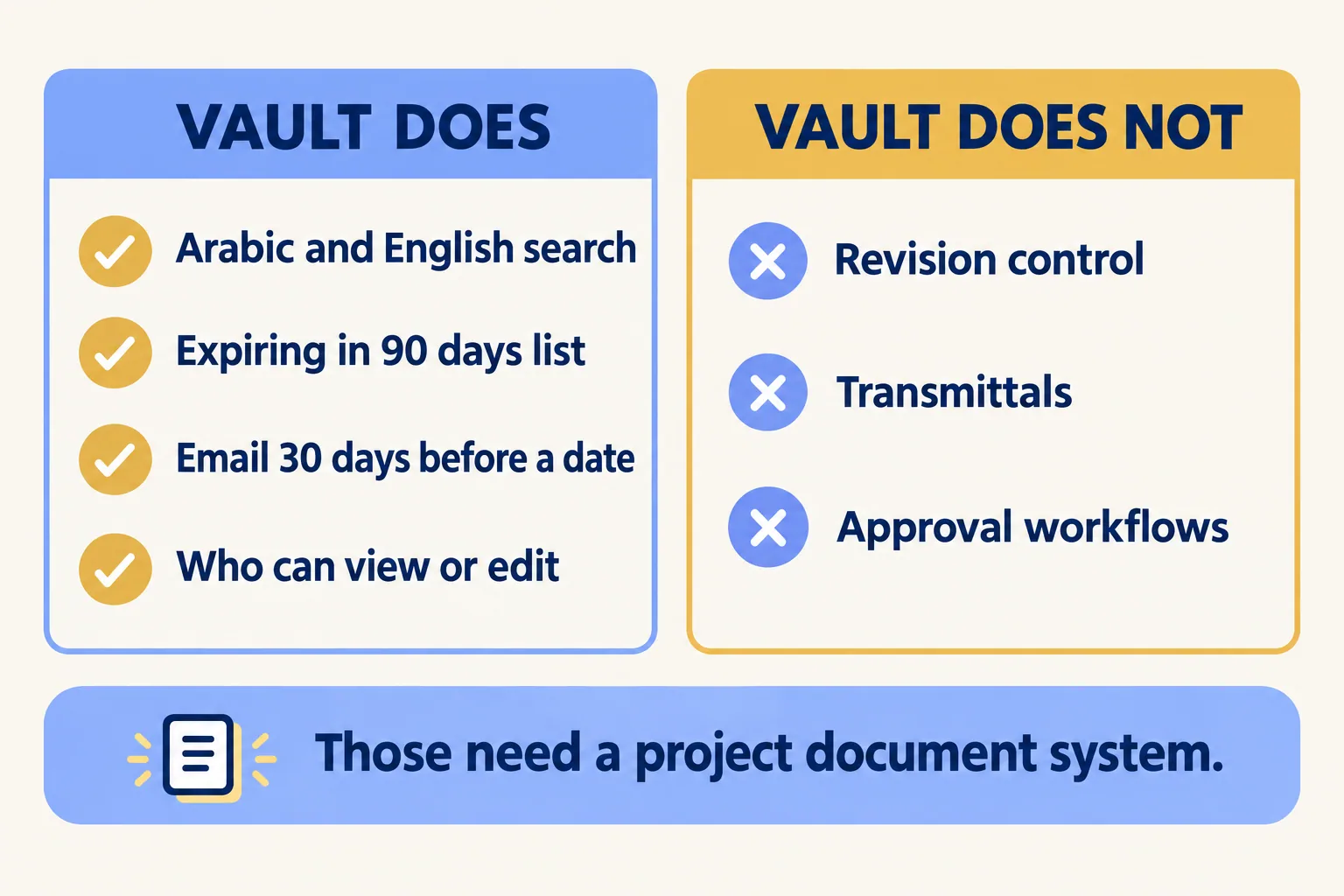
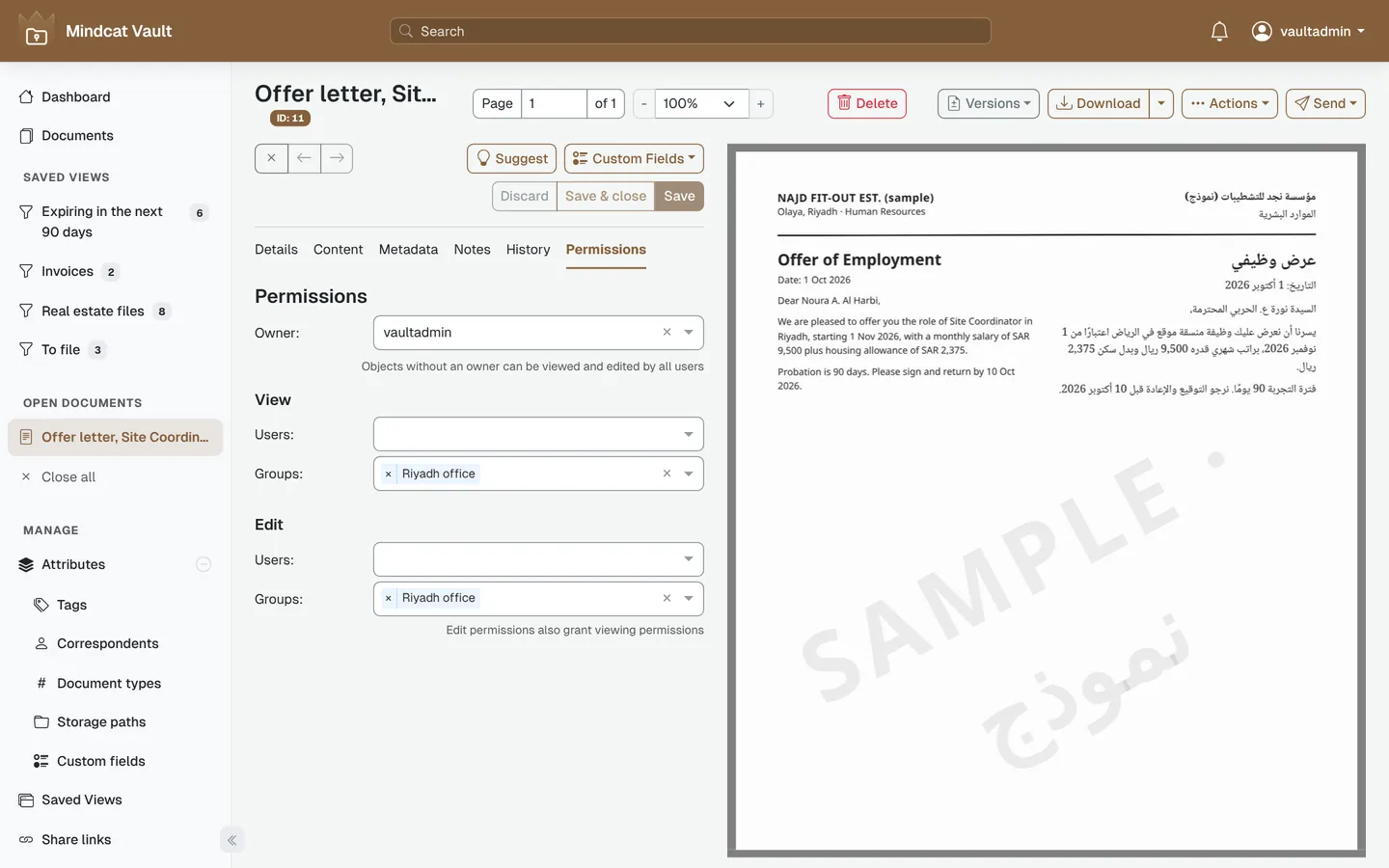
What the page describes today: a saved list called "Expiring in the next 90 days" on the dashboard; a rule that labels a document Expiring soon and emails your desk 30 days before its date; search by any word in Arabic or English; owner and view-or-edit permissions per user and group; and a link to one file or a bundle that stops working on a date you set. The signed contract goes on the same record as the draft, and the draft stays in its history.
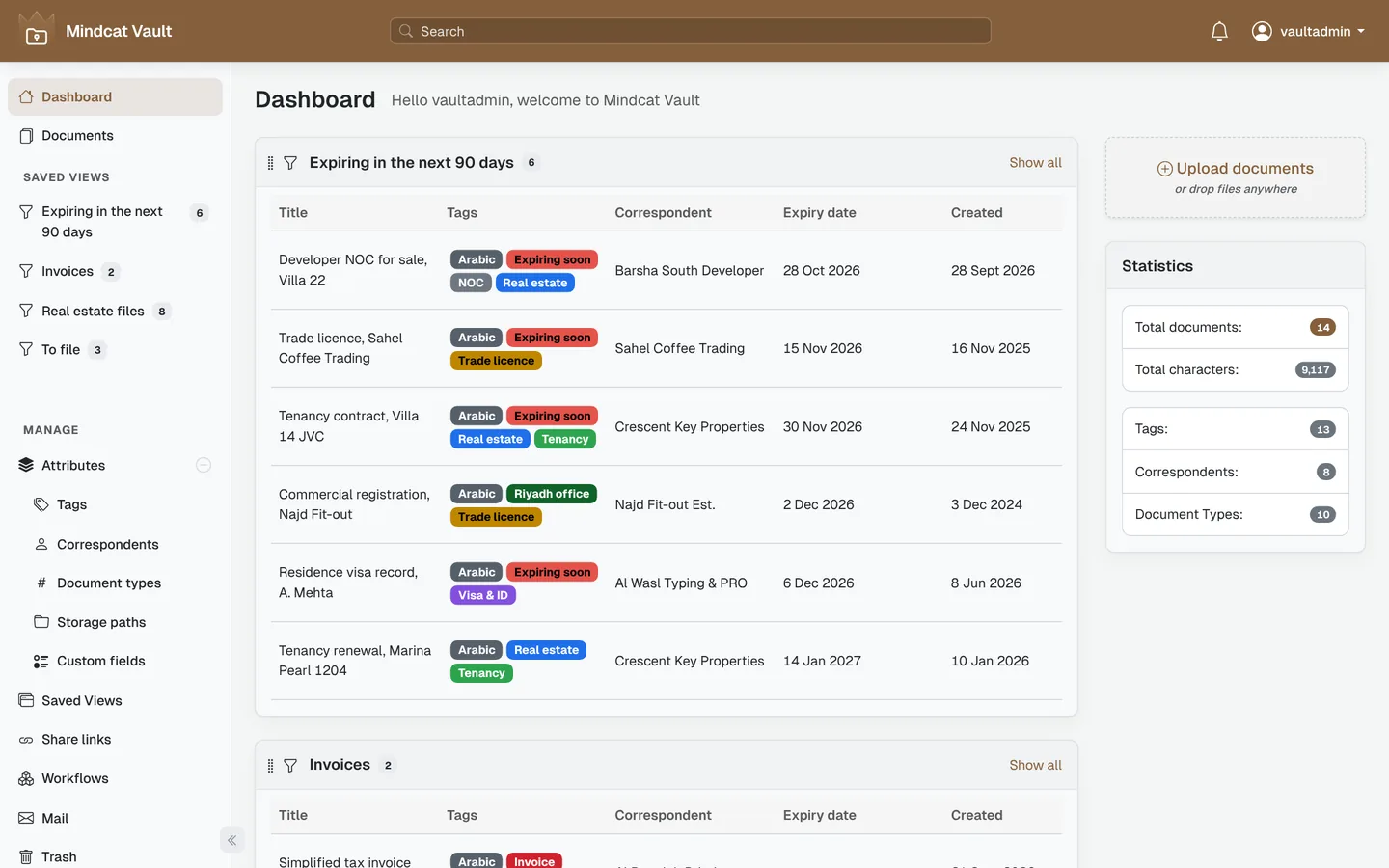
What it does not do: Vault has no drawing register, no revision control, no transmittals and no approval workflow. There is no client portal; you send a link instead. Arabic text reading and the reminder email are switched on during setup, and faint or skewed scans get some words wrong, so we test your own documents first.
If you send contracts for signature, Mindcat Sign sends them and Vault files the signed copy with its date.
What would it cost, and what happens first?
You pay per user a month, graduated: AED or SAR 59 for users 1 to 5, 39 for 6 to 20, 29 for 21 to 50 and 19 from 51. A user is anyone who signs in during the month. The price comes with a monthly minimum of AED or SAR 449 on the shared plan, so a 3-person office pays 449, not 177. A 15-user office pays 5 x 59 + 10 x 39 = 685. Storage is 20 GB per user, then AED or SAR 0.50 per GB a month. Prices exclude 5 percent UAE VAT and 15 percent Saudi VAT.
Up to 20 users, the quick start is a fixed package we set up for AED or SAR 2,500, one time. Larger teams are managed, with the go-live date in writing after one session with your office manager.
We call the method Nothing expires unseen. If your answer to the one-question test was "no", tell us how many people need access, which papers you hold and which dates you track. We reply with the setup plan and the monthly price per user in AED. If it was "yes", you need a document controller and a project system first, and we will say so.
Already weighing Microsoft 365? The post on SharePoint and PRO files compares the two for this job. For scans that will not search, read Arabic OCR for scanned papers, and for the date that causes most trouble, the trade licence renewal post. PRO teams can start at PRO services.
