

If an installer has quoted a video wall for your showroom and nobody has said what it will show on a Tuesday, this is for you. It is not for a single-screen reception, or a control room that shows camera feeds, which is a security system's job.
A developer's sales showroom in Dubai, a brokerage office, a tower lobby: the quote arrives with a panel model, a pixel pitch and a mounting drawing. It rarely arrives with an answer to the question that decides whether the wall earns its place. What will it show, and who changes it?
What does the wall show on a normal Tuesday?
Not the launch film. That plays on opening night. On a normal Tuesday the people at the sales desk want the payment plan for the tower that is selling, the floor plans buyers ask about, a welcome line for the 3pm appointment, and maybe the dates of next week's event.
That is four messages, not one picture. An AV integrator, David King of King Systems, puts the order plainly: "The hardware is the easy part. Who updates the content? How does it get scheduled?" His own illustration of what goes wrong, which he labels a hypothetical, is a lobby wall six months in where "the content has not changed since opening day, and the wall gets switched off 'temporarily.'"
In a Dubai sales gallery the pattern is easy to spot: the wall is sized for launch night, and the price list changes every few weeks after it. Every change to a one-picture wall means a new file made at the wall's size.
What is a video wall, and how does it work?
Several panels are mounted edge to edge and driven by a player or a processor. They can show one picture split across all of them, the same picture on each, or a different picture on each panel. A guide to multi-screen signage from Nento, published on 17 November, names these as video-wall, mirrored and independent modes, and says independent mode "is among the most feasible alternatives to restaurants, retail outlets and offices."
The catch with one picture is the size. The same guide: "A one-screen layout is not always easily scalable to multiple screens without modifications." Two full HD screens side by side form "an effective nominal canvas of 3840 × 1080 pixels." Four full HD panels in a square make 3840 by 2160. Four in a row make 7680 by 1080, a shape no stock video or slide was made for. Someone has to make content at that size, every time it changes.
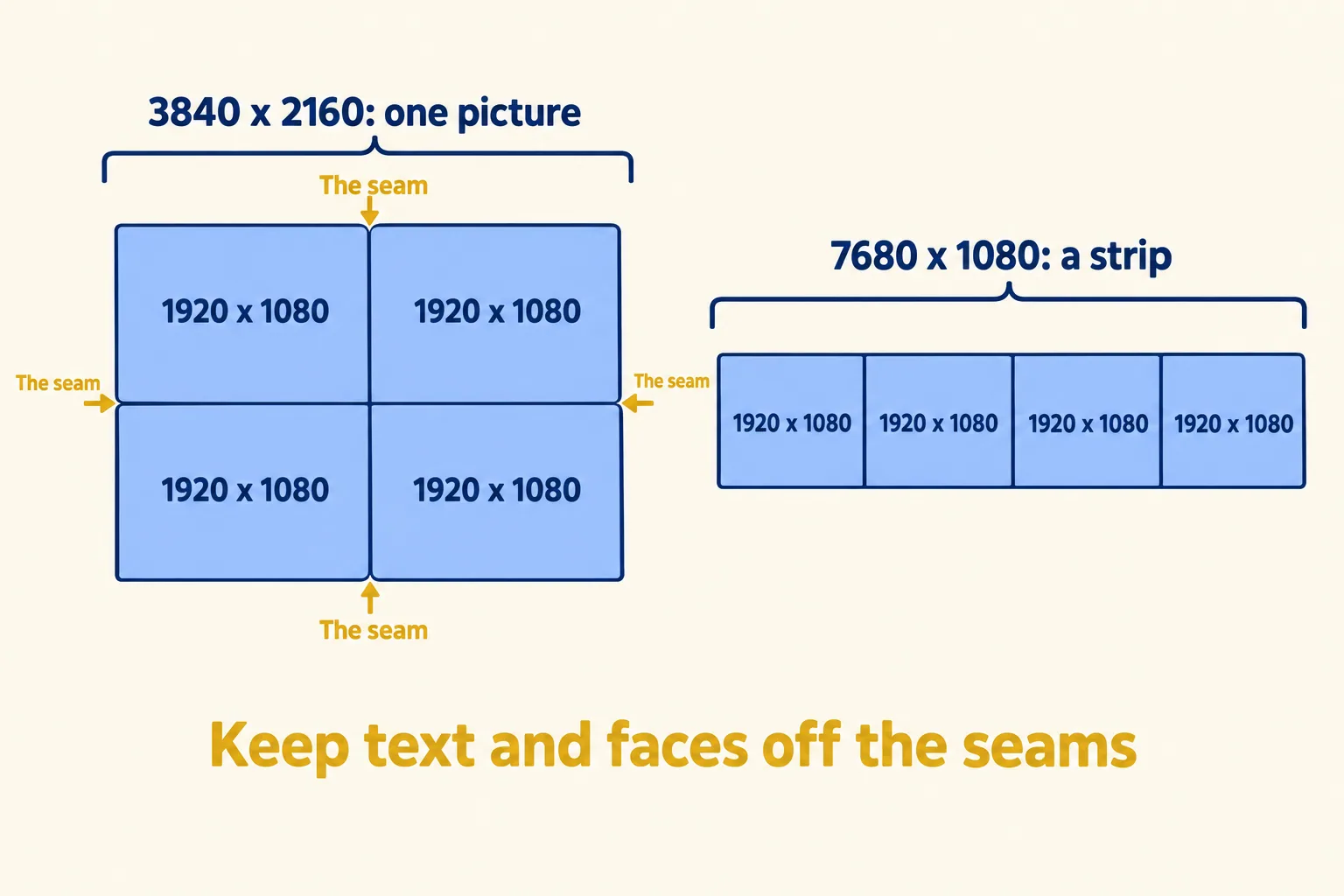
On LCD panels there is a second catch. The frame around each panel leaves a thin line through the picture, and the guide's advice is that "important text and faces should not be positioned across the gaps." A payment plan in large type across four LCD panels will have a line through it.
How we decide: one canvas or separate screens
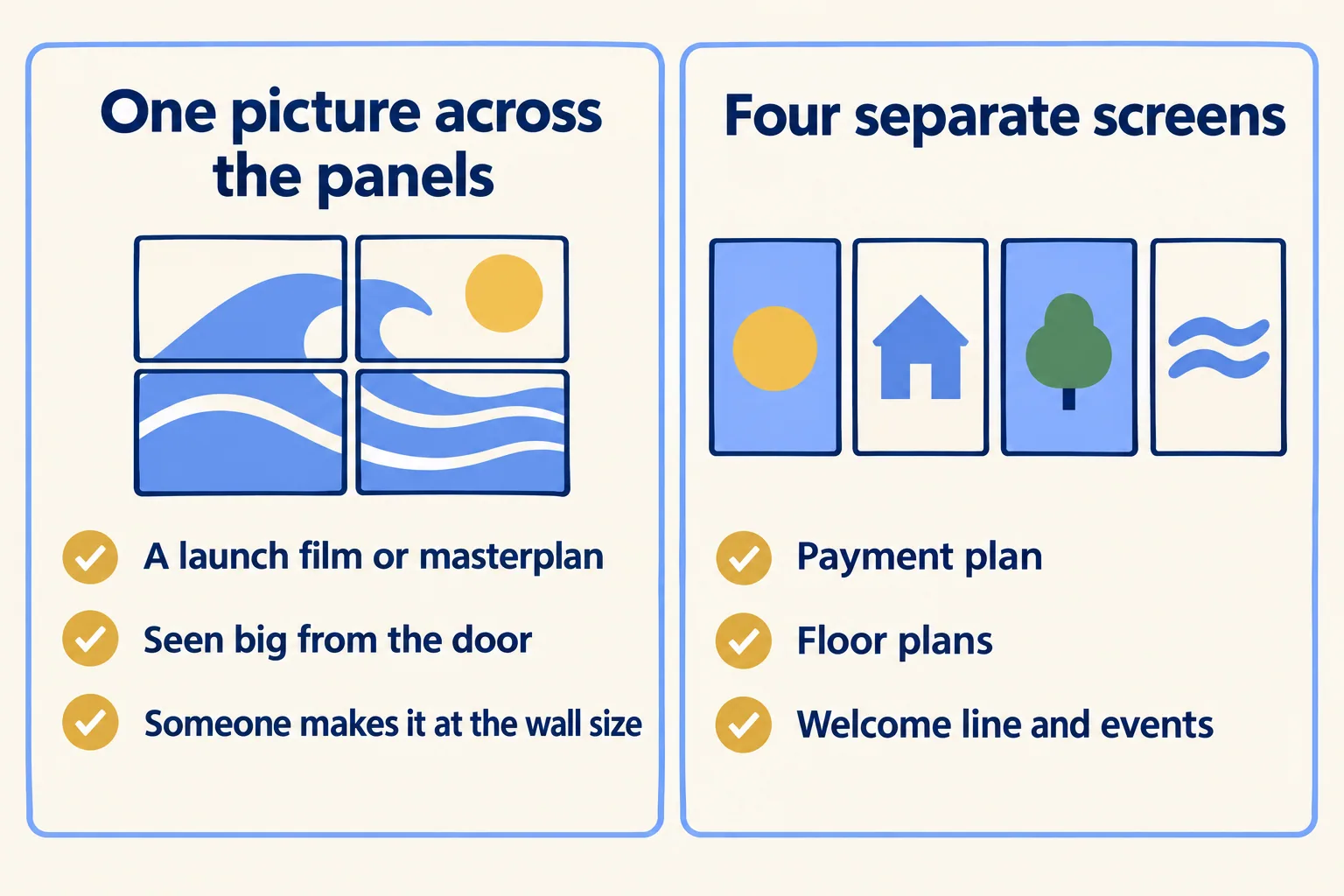
Our rule: build one canvas across the panels only when the content is one picture that must be big, such as a launch film, a masterplan or a brand loop seen from the door, and someone will make content at the wall's own size. If the panels will carry different things, hang separate screens and let each play its own layout.
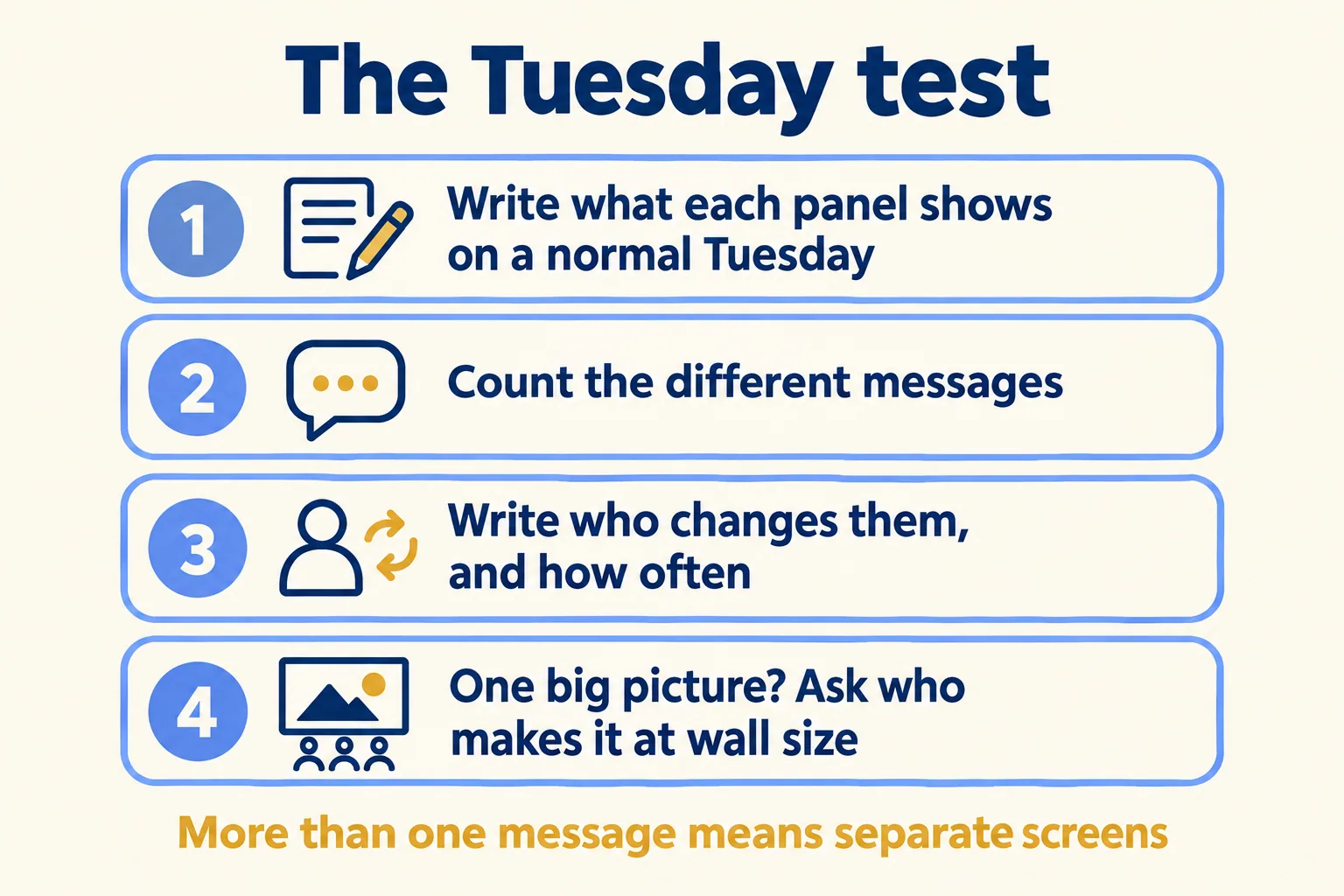
Run the check this week before you sign the quote. It takes ten minutes and a sheet of paper.
- 01Write down what the wall should show on a normal Tuesday, panel by panel.
- 02Count the different messages. More than one means separate screens.
- 03Write the name of the person who changes them, and how often.
- 04If anything is one big picture, ask who will make it at the wall's size, and how often it changes.
If the list is one picture and a named designer, the wall quote is the right quote. If it is four messages, or the name line is blank, the money is better spent on separate screens and an owner for what plays on them. Our earlier note on who keeps a screen up to date covers that owner question for a building lobby.
Two questions for the installer
Panel choice is the installer's call, not ours. But two questions keep the quote honest, and both come from people who build these walls.
First, where does the nearest person stand? An LED engineer, Angel Huang, wrote on 16 November: "The number that decides the panel is how close the nearest person stands, not how large the room is." In a typical lobby she puts that band at "2-4 m at the counter and 10-14 m at the entrance doors." A sales desk 3 metres from the wall sets a different panel from a wall seen only from the door.
Second, what does the glass do in the afternoon? Her advice is short: "Check the glass before you check the datasheet." A showroom with a glass front facing west will wash out a wall at 4pm that looked fine at the 9am handover.
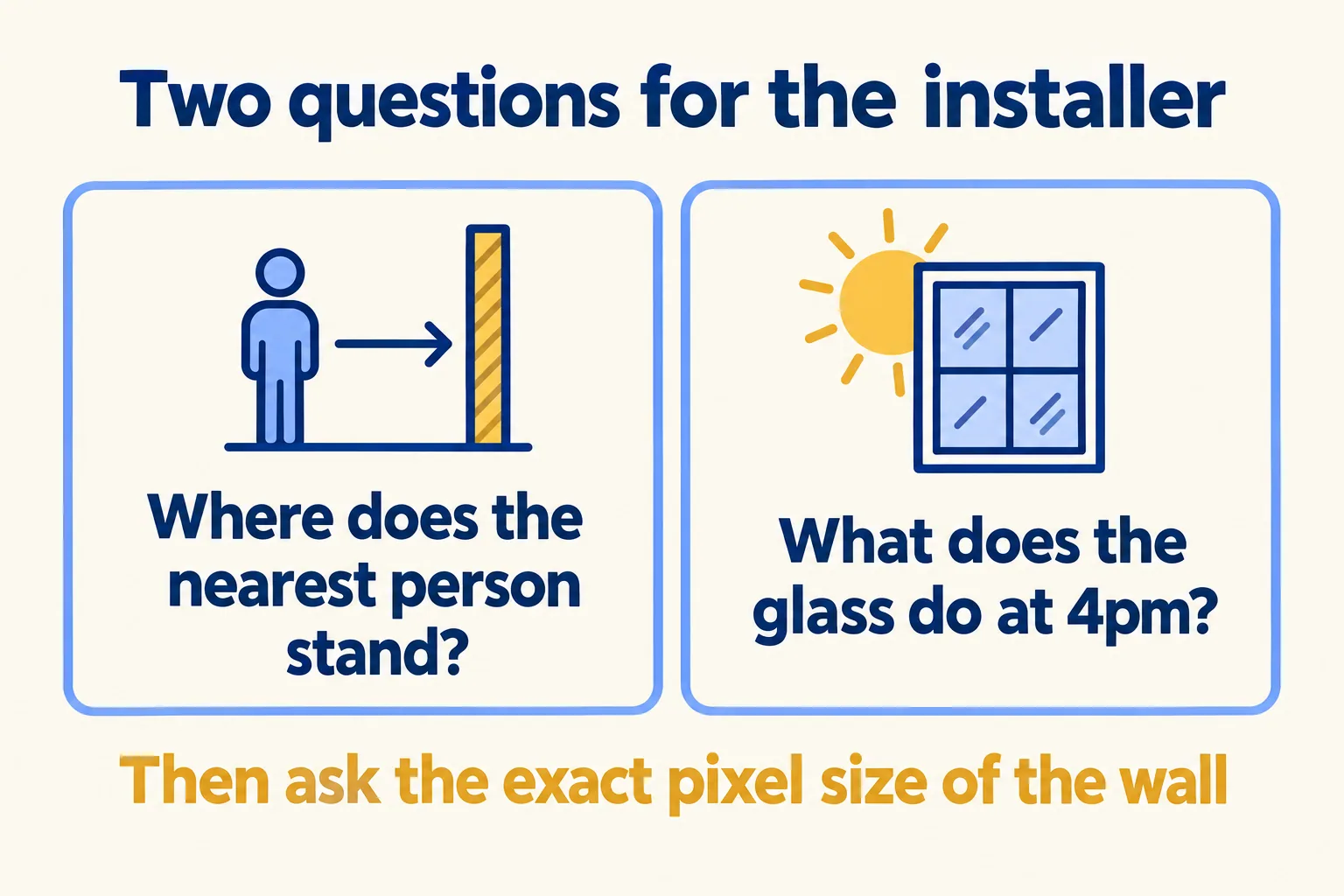
Ask one more thing that is about content, not hardware: the exact pixel size of the finished wall, and which player or processor drives it. Send us the model with your screen list and we check it. Our note on which player each screen needs covers the player side.
Who notices when a panel goes dark?
Someone has to see it before a buyer does. King's hypothetical goes on: "Nobody knows who to call." A dark panel in the middle of a masterplan is worse than a dark screen in a row of four, because the whole picture breaks.
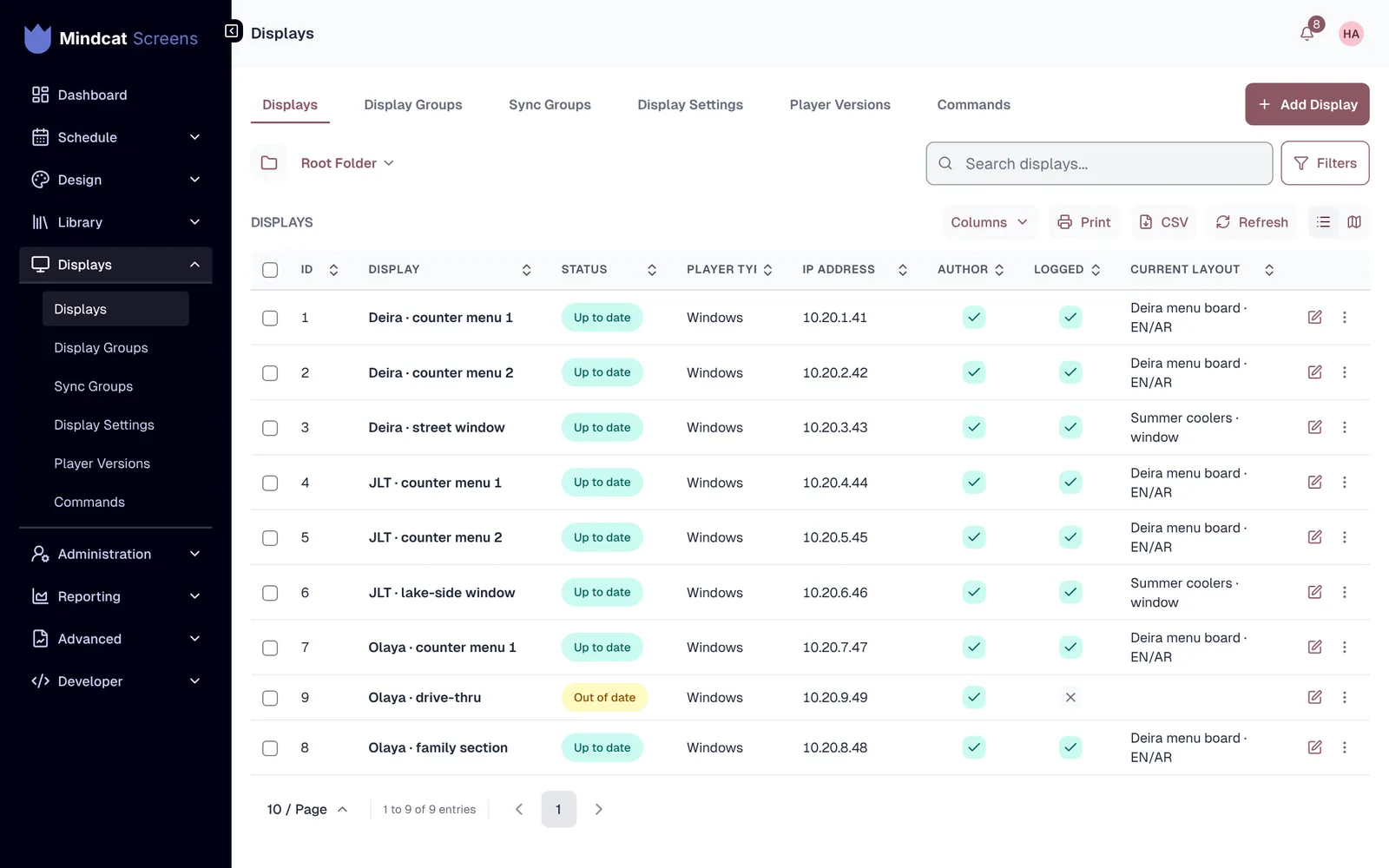
In Mindcat Screens each screen of a wall is a screen in the displays list, shown as up to date or out of date, logged in or not, with the layout it is playing. Alerts can go to your operations team by email. Separate screens are grouped, so a campaign reaches the group once, with a start and an end: one edit reaches every screen in the showroom, and every showroom if you run more than one. That is the method we call "One edit, every branch". Boards carry Arabic and English side by side, with Arabic running right to left.
Who types the change? Your named person, in the console. A price feed from your POS or ERP comes with managed setup from 51 screens; at showroom size, the payment plan and the welcome line are changed by hand, which is why the name on the Tuesday sheet matters.

We do not sell, rent or install panels, LED modules or processors. Your AV installer supplies and mounts them and connects the screens with our guide.
Who should not start here?
A reception with one screen behind the desk: there is no wall to decide. A control room that shows camera feeds: that is the security system's video wall, built by the people who run the cameras. And a showroom with nobody named to change what plays: name the person before you buy anything, because a wall or four screens with last quarter's launch on them say the same thing to a buyer.
What does it cost?
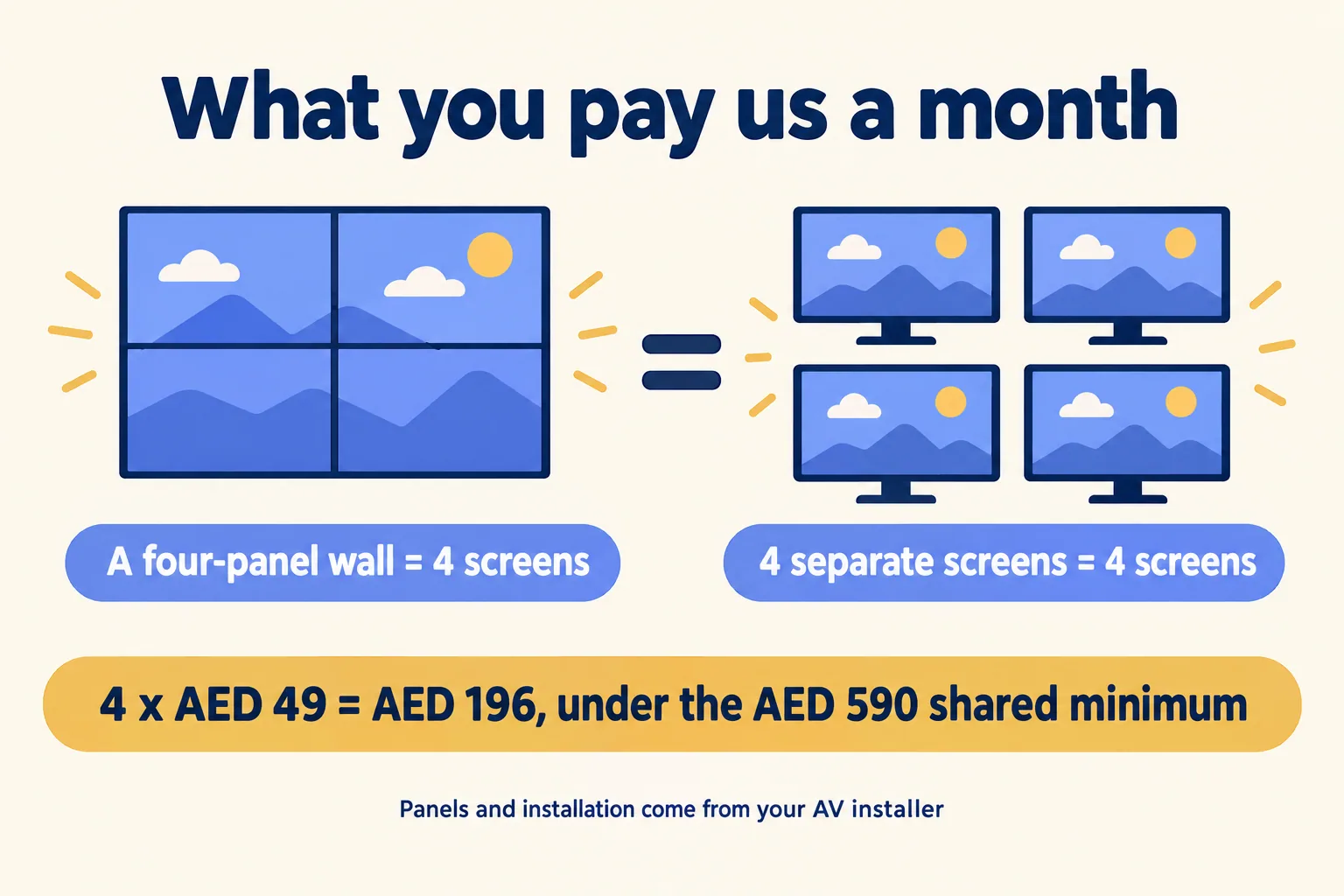
The short answer: a four-panel wall on its own pays AED/SAR 590 a month, plus AED/SAR 2,500 once for the quick start. The detail, from the live Screens page: you pay per screen per month, and each screen of a video wall counts. Screens 1 to 10 cost AED/SAR 49 each and screens 11 to 50 cost AED/SAR 35, each band applying only to the screens inside it. A four-panel wall counts as four screens, 4 × 49 = AED 196, which sits under the shared plan's AED/SAR 590 monthly minimum. So a wall on its own, or with a few more screens in the office, pays AED 590 a month; the minimum stops applying at 13 screens. On our side, a wall and four separate screens cost the same. The difference is in the panels and in who makes the content.
For up to 10 screens the quick start is AED/SAR 2,500, fixed: we set up the shared plan, list your screens from our CSV template, and send the player install guide and recorded training in Arabic and English. Your installer connects the screens. Player software on a Windows media player costs nothing; on Android, Samsung (Tizen), LG (webOS) and ChromeOS screens it is a one-off licence per screen from the player's maker, at cost. Panels, players, mounts and installation come from your AV installer. Prices exclude VAT.
Tell us how many screens you run, in which branches, and how content reaches them today. We reply with the setup plan and the monthly price per screen, in AED or SAR.
