
Digital signage and menu boards (Mindcat Screens)

UAE

Guests queue at your counter: does the menu belong on a screen or a QR code?

By Shivanath DevinarayananPublished 4 min read
Written forOperations or sales lead at a mid-market UAE business“Leads go cold before anyone replies.”

The short answer

A Dubai cafe has guests queueing at the counter and a QR code taped to the till: should the menu move to a screen, stay on the QR code, or both?

Count how many guests order standing at the counter and how many order seated. Most standing: put the menu on a screen. Most seated: keep the QR code, with printed menus on request. Many cafes need both. At Mindcat, we set up the counter screen.

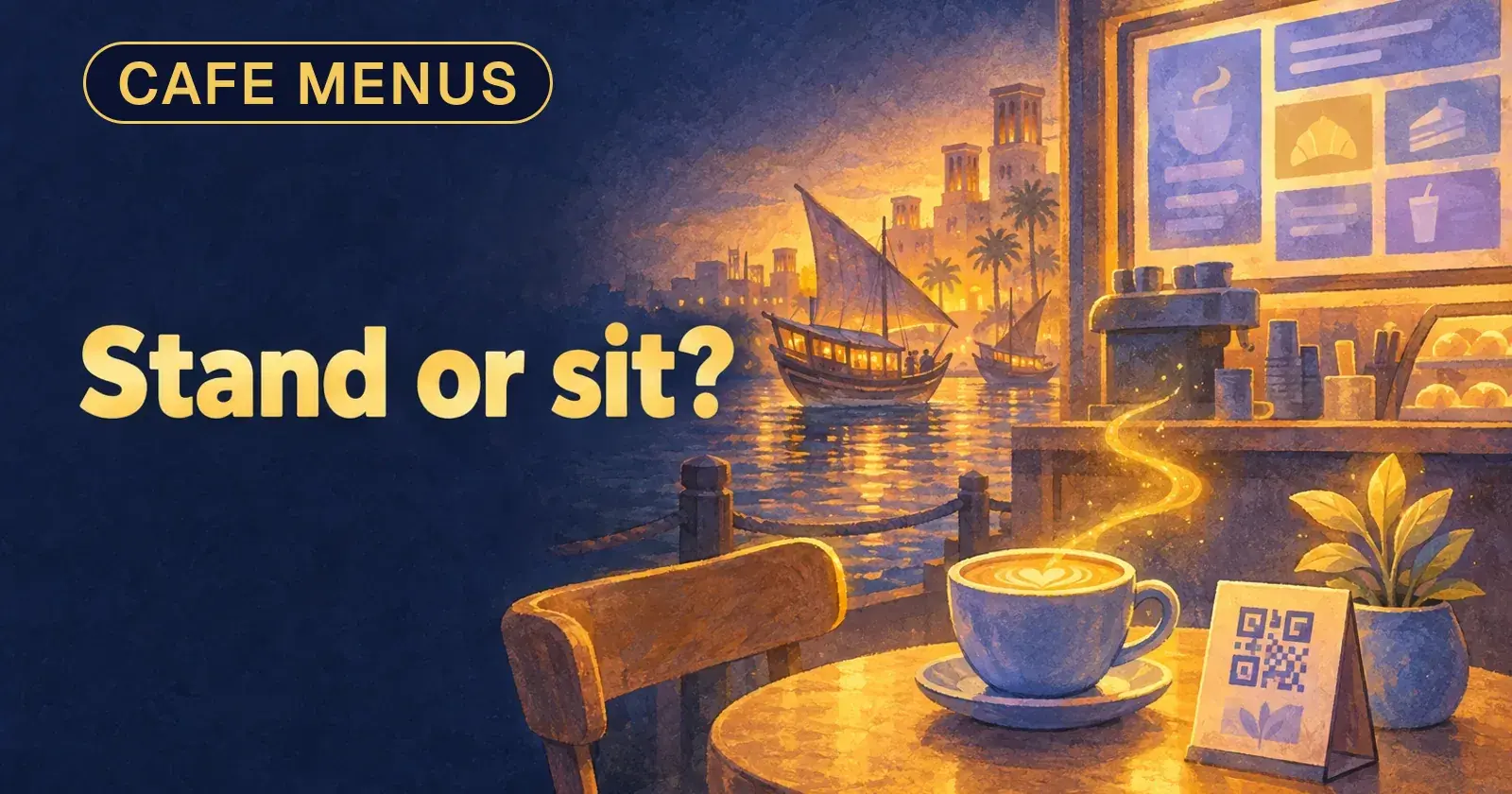
A cafe counter with a menu screen on the wall and a QR code card on a table, with the words Stand or sit?

Takeaways

  1. 01Where the guest stands decides it. A queue reads a screen. A seated guest has time for a phone.
  2. 02A QR code on a screen takes one tenth of the viewing distance and 15 seconds, so a queue reads the menu instead.
  3. 03A QR menu alone drives complaints. A short stack of printed menus fixes most of them.
  4. 04Mindcat Screens covers the counter screen. It does not sell QR menus or table ordering.

If guests queue at your counter and read a laminated menu or a QR code taped to the till, this is for you. It is not for a restaurant with ten tables and no queue: a printed menu does that job.

Where does the guest stand when they choose?

That one fact decides the menu. A guest who is seated has a phone out and the time to scroll. A guest who is standing in a queue has the person behind them, and a menu that hides behind a scan.

So skip the "digital or paper" debate and ask two questions. How many guests order at the counter? How many order at a table? We call this the stand-or-sit count.
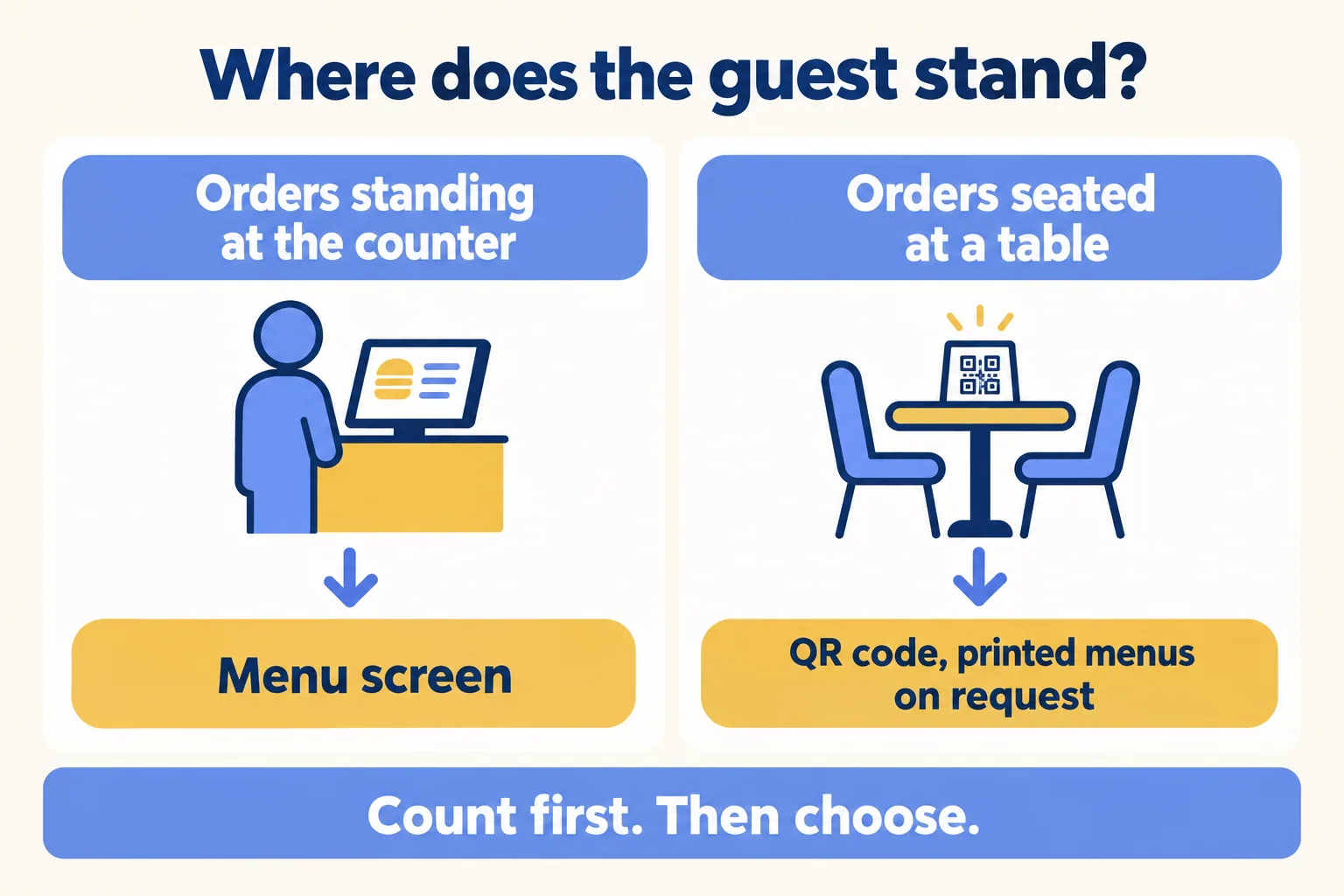
Guests who order standing at the counter: menu screen. Guests who order seated: QR code with printed menus on request
Where the guest stands decides the menu.
If most of your orders happen at the counter, see how Mindcat Screens puts one menu in Arabic and English on the wall behind it, or read the page for restaurants and cafes.

What does a QR code need on a screen?

The common fix for a queue is "put the QR code on the screen". It works less well than it sounds. DigitalSignage.com, a signage vendor that also sells a QR component, updated its guidance on 25 October 2026. Its planning rule: the code should be at least one tenth of the scanning distance. That is 7.2 inches (18 cm) for a viewer 6 feet away and 12 inches (30 cm) at 10 feet. It adds a blank border of 4 modules on every side, and leaves the code on screen for 15 seconds or more.

Read that as a space bill. A code 30 cm wide takes a large part of a counter screen, and it has to stay up while the menu you wanted people to read goes elsewhere. In a queue, the screen is better used as the menu itself. At a table, the phone in the guest's hand is already the screen.
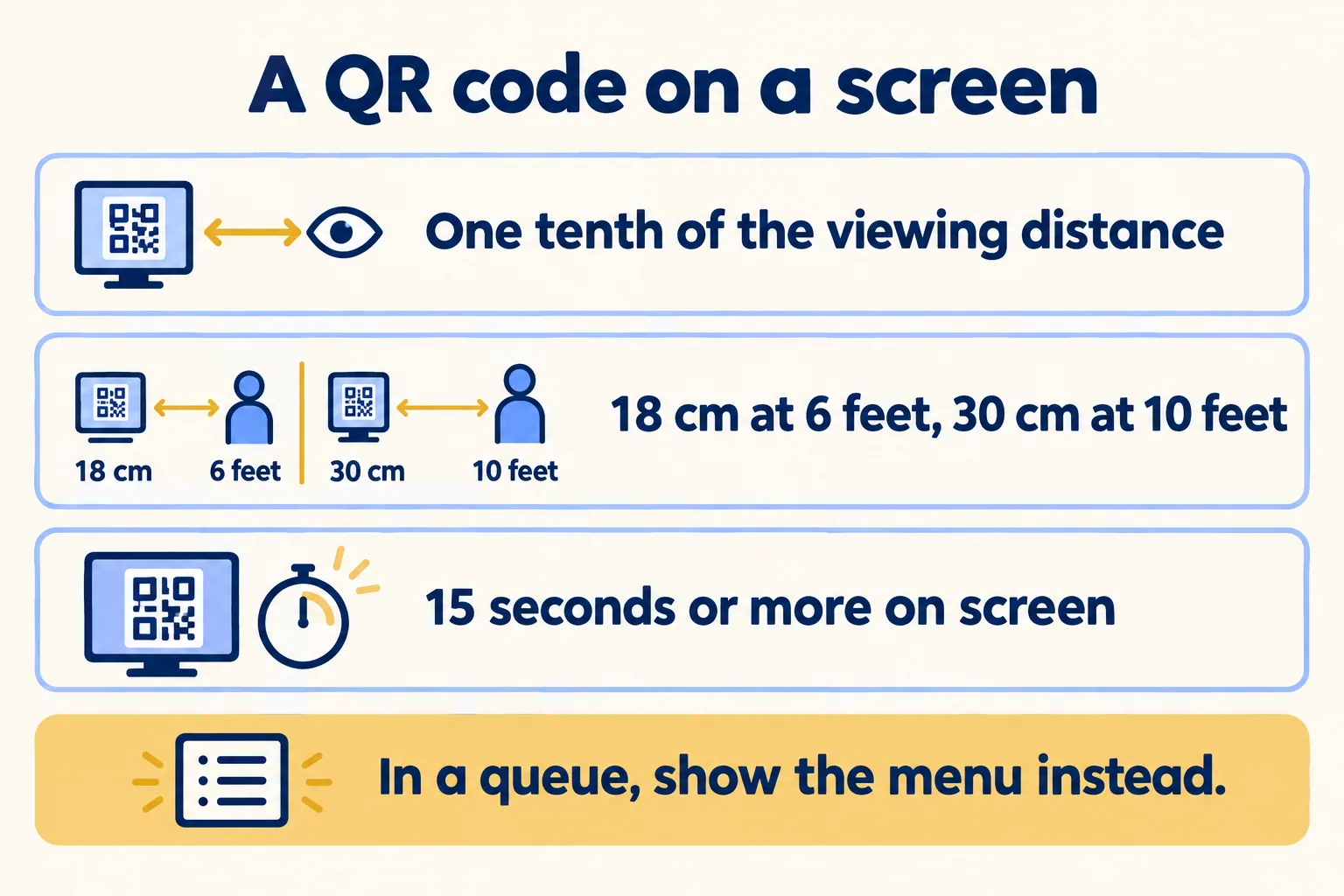
QR code on a screen: one tenth of the viewing distance, 18 cm at 6 feet, 30 cm at 10 feet, 15 seconds or more
A QR code on a screen needs room and time.

Why not QR only?

Because the complaints land on you, not on the code. VisibleMenus, a QR menu vendor, published an honest look on 23 August 2026. Its summary: "A hybrid (QR plus a small stack of printed menus at the host stand) keeps the savings and kills the complaints." It rates counter service as a strong fit for QR on the full menu, with "a printed board or a few cards at the counter". For a cafe with many older guests it says "Printed-first, QR offered, never QR-only."

A QR vendor wrote that, so its framing favours QR. The useful part is that even the vendor does not recommend QR alone. If your queue has no printed board and no screen, the guests who cannot scan have nothing to read.

Count one week, then decide

Tally every order for seven days: counter or table. A paper tally by the till is enough. Then apply the rule.

  • Mostly standing: put the menu on a screen behind the counter. Keep a few printed cards for guests who ask.
  • Mostly seated: keep the QR code on the table, with printed menus on request. Do not buy a screen yet.
  • Both: a counter screen for the queue and a QR code for the tables. Many cafes land here, and that is fine.

Our rule of thumb: if more than half of your orders are placed standing, lead with the screen. If the counter queue forms at breakfast and the tables fill at lunch, your week will show it, and the screen can follow your dayparts.
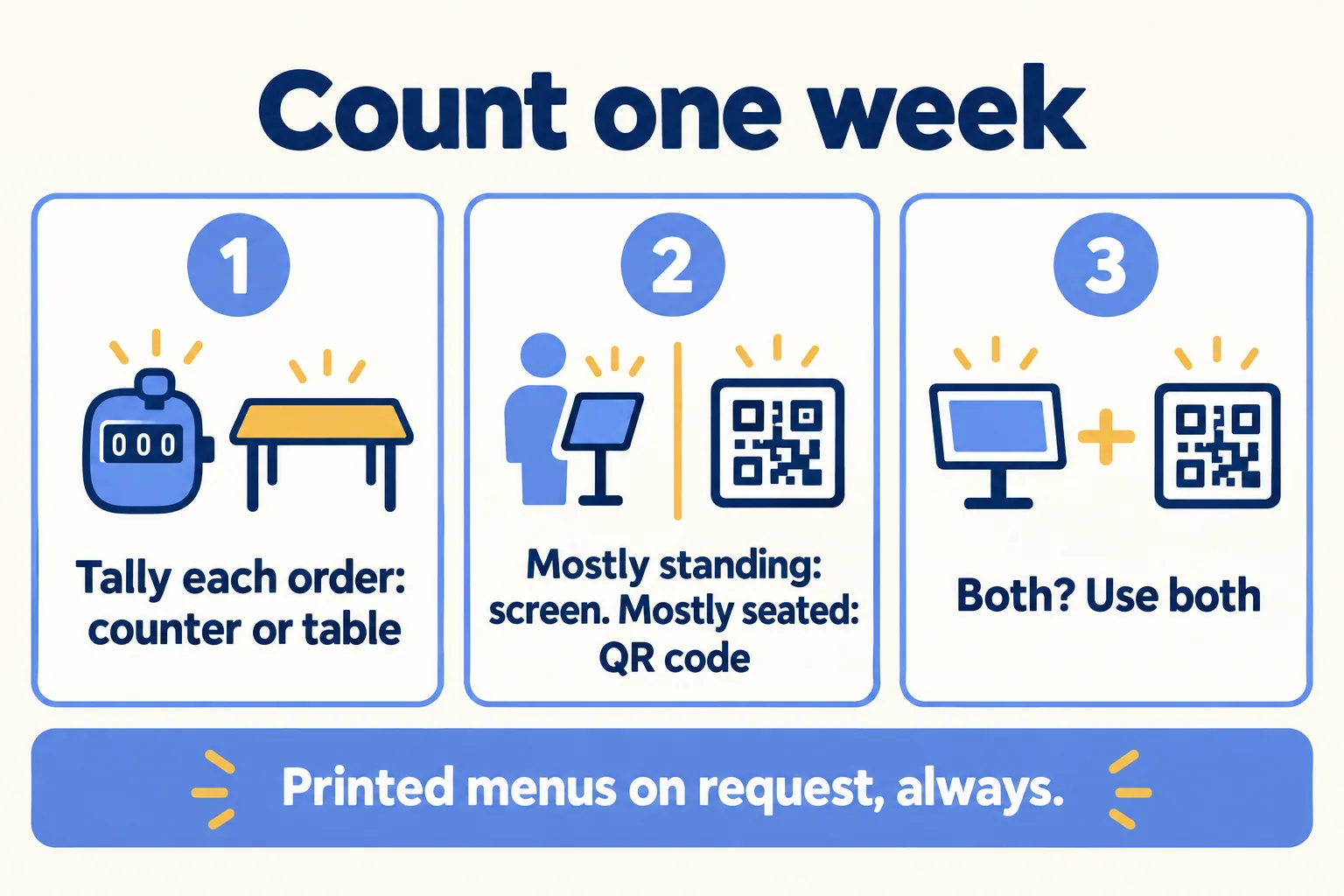
Count one week: tally orders at the counter and at tables, then pick screen, QR code or both
One week of tallies settles it.

What does Mindcat Screens do, and cost?

If the count says screen, Mindcat Screens is one option. It puts menu boards in Arabic and English side by side on the same screen. Breakfast, lunch and dinner menus run as named time windows, and one change to a price reaches every branch. We set up your daypart windows in the first week.

What it does not do: it does not sell a QR menu, a menu page for guests' phones or table ordering. For the tables, use a QR menu tool and keep our screen for the queue.

The price is AED 49 a screen a month for screens 1 to 10, with a shared monthly minimum of AED 590, so no one can buy a single screen at AED 49. A cafe with two screens pays the AED 590 minimum, not AED 98. Up to 10 screens, the quick start is a fixed package we set up for AED 2,500, one time. Bigger groups get a written plan and a price. Player licences on Android, Samsung, LG and ChromeOS screens are paid to the maker, outside our price. Software on a Windows player costs nothing. Screens, players, mounts and installation come from your AV installer. Prices exclude VAT.

We call the method One edit, every branch. Tell us how many screens you run, in which branches, and how content reaches them today. We reply with the setup plan and the monthly price per screen, in AED. If your week shows a seated cafe, we say keep the QR code.

Filed under

Digital signage and menu boards (Mindcat Screens)digital menu boardqr menu or menu screencafe menu screen dubai
Useful to someone on your team?

FAQ

Questions teams ask next

How big should a QR code be on a menu screen?
DigitalSignage.com, updated 25 October 2026, gives a planning rule: the code should be at least one tenth of the scanning distance. That is 7.2 inches (18 cm) for a viewer 6 feet away and 12 inches (30 cm) at 10 feet, with a blank border of 4 modules and 15 seconds or more on screen.
Is a QR-only menu a good idea for a cafe?
VisibleMenus, 23 August 2026, says a hybrid works better: QR plus a short stack of printed menus at the host stand keeps the savings and ends the complaints. It rates counter service as a strong fit for QR on the full menu, with a printed board or a few cards at the counter, and says an older-guest mix needs printed-first, never QR-only.
Does Mindcat Screens sell QR menus?
No. Mindcat Screens puts menu boards in Arabic and English on the screens behind your counter. It does not sell a QR menu or table ordering. For a table QR code, use a QR menu tool and keep our screen for the queue.
What does Mindcat Screens cost for a cafe?
AED 49 a screen a month for screens 1 to 10, with a shared monthly minimum of AED 590, so two screens pay AED 590, not AED 98. The quick start for up to 10 screens is AED 2,500, fixed, and we set it up. Player licences on Android, Samsung, LG and ChromeOS screens are paid to the maker. Prices exclude VAT.
What is Mindcat Screens built on?
Mindcat Screens is built on Xibo, licensed under AGPL-3.0, and any changes we make to it will be released under the same licence. Your copy carries the licence notice and will link to the source of our version.

Sources

  1. 01DigitalSignage.com: QR code size and scan distance for screens (updated 25 October 2026)Accessed 05 Nov 2026
  2. 02VisibleMenus: Are QR code menus worth it? (23 August 2026)Accessed 05 Nov 2026
  3. 03Mindcat Screens: prices, languages and gaps (live page)Accessed 05 Nov 2026
Shivanath Devinarayanan, founder of Mindcat

Written by

Shivanath Devinarayanan

Founder, Mindcat Consulting · Salesforce MVP Hall of Fame

Builds and runs AI agents in production. Reads every brief that comes in and signs the work that goes out.

About Shivanath

Mindcat Screens · the written assessment

We work in real estate and right now, leads go cold before anyone replies.

Industry
Problem

Brief: Real estate. Leads from portals and WhatsApp. Follow-up has no owner. An agent on a named process. A reviewer on the exceptions. From: /blog/qr-menu-or-counter-screen-cafe.