

If you couldn't say today who stops an agent, and how fast, this is for you. Someone on your team has asked to connect an outside assistant to your Slack, and you are the person who says yes or no. This post gives you three questions to answer in writing first. It is for the IT lead, CIO or Slack admin who approves apps.
What can an outside assistant do once it is connected?
More than read. The Slack MCP server is the door an assistant uses to reach Slack through Model Context Protocol (MCP), the standard way an assistant connects to another tool. Slack's developer docs, read on 26 October 2026, say it can search messages, files, users and channels. It can read a channel's full history and its threads, and send, schedule and draft messages. It can also create channels, create and update canvases, upload files, and read and update lists.
Slack's help page names the partner apps that connect today, among them ChatGPT, Claude, Cursor, Perplexity and Notion. The docs add one caution in plain words: connecting a client means "giving them access to your Slack data so you can use it as context."
There is a first filter in your favour. Slack says only apps published in the Slack Marketplace and internal apps can use MCP, and unlisted apps are prohibited from using it. If the requested app is not on that list, the answer is already no.
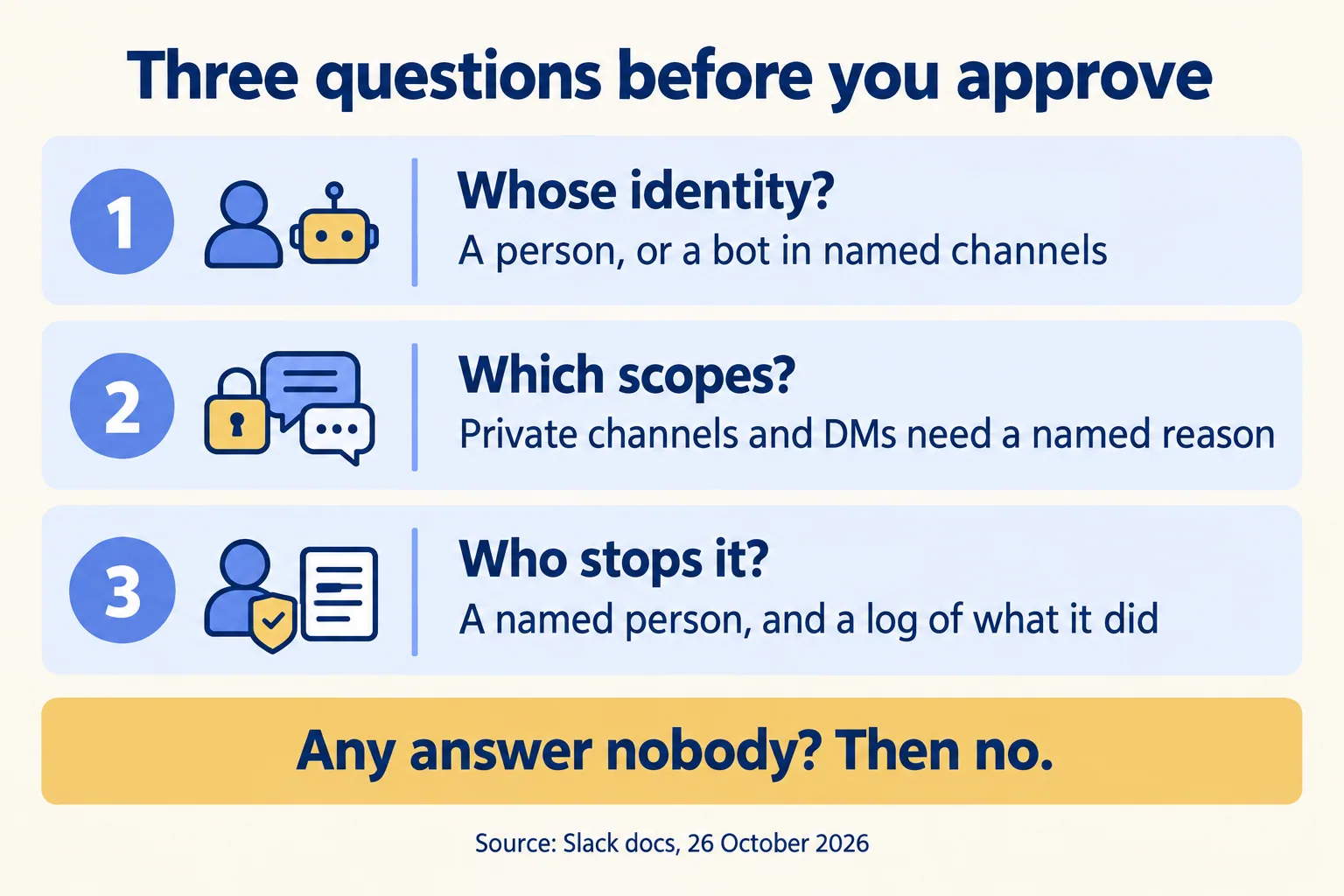
Whose identity does it act as?
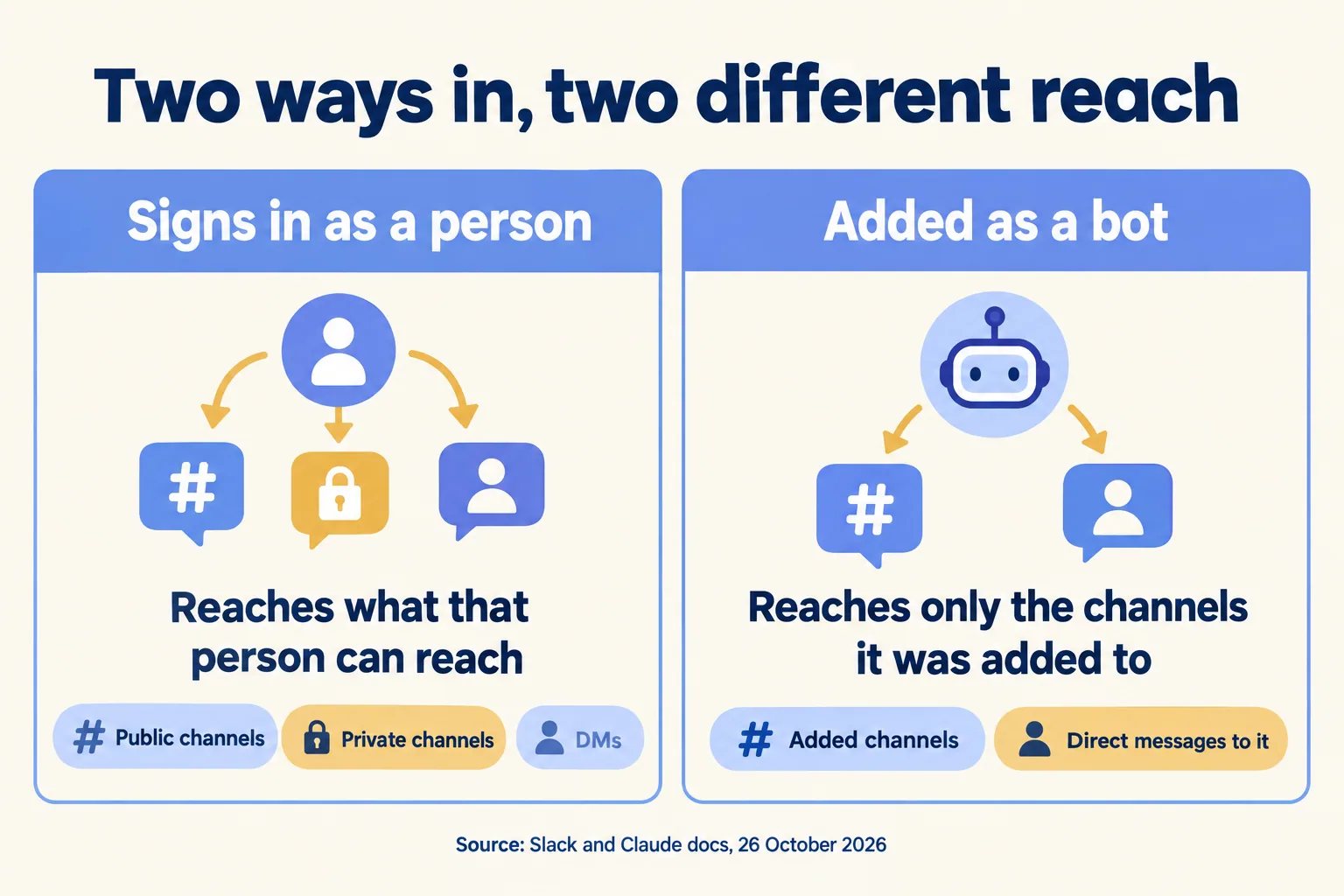
This decides how much it can read, so ask it first. Slack's MCP server signs a client in with a Slack user token: the docs give the user-token authorization endpoint and list the scopes "needed on user token" for each tool. A user token carries the access of the person who signed in. In practice the assistant can reach what that person can reach.
Compare that with the other design. Claude's own Slack app, as Claude's admin page describes it, "reads and posts only in channels it has been added to, and in direct messages." Installing it adds it to no channel. That page also says it does not join channels on its own outside the paths it lists.
So two assistants from one vendor can give two different answers to "what can it read?" Ask the requester which sign-in the tool uses, and write the answer down. If a director who sits in a private HR channel connects an assistant on a user token, the question is whether you are comfortable with that channel being reachable through that assistant.
Which scopes is it asking for?
The consent screen lists them. Slack's docs tie each tool to scopes, and the table below keeps the ones that matter for a first review. The last column is our rule of thumb, not Slack's.
Reading exposes what was said. Sending commits you: a message the assistant posts has been seen by the time anyone notices. Slack's docs list sending messages to any type of conversation, so the owner of the request should say who checks a message before it goes out.
Public channels are not harmless. In a real workspace they hold customer names, pricing talk and the odd pasted password, so read a sample before you allow them. If a request asks for every scope in the table, ask what the assistant does that public channels alone cannot do. The answer is often "nothing yet." Then ask the vendor whether a read-only connection is offered. If it is not, that is an answer too.
Ask one more thing that Slack's pages do not answer for you: where the Slack content goes once the assistant has read it, and how long its vendor keeps it. Get that in writing from the vendor, against your own data policy.
Who can switch it off, and who can see what it did?
Two separate answers, and both must name a person.
Switching it off first. Slack says every MCP client is backed by a registered Slack app with a fixed app ID, so admins manage it through the standard Slack app approval process. Each assistant is its own app, which means you can remove or restrict one without touching the others. When your workspace requires approval, the app waits in the admin's Requests queue, and the admin sees the full list of requested scopes before deciding. After install, admins review apps under Integrations > Installed apps. Slack's pages do not say how fast a removal takes effect, so ask Slack in writing if the speed matters to your policy.
Seeing what it did next. On a user token, an action is taken as the person who signed in, so the first thing to ask Slack is whether an audit entry for an MCP action names the client app as well as the person. Slack's audit log help (read 14 October 2026) shows that kind of field for Slackbot (acting_agent), but the MCP pages we read do not say the same for outside clients, so ask in writing. Without it, you cannot tell your director from the assistant acting on the director's token. Slack's docs say: "Audit MCP activity with the associated audit logs." On Slack's plans and features page, audit logs are listed on Enterprise+ only. Pro and Business+ list access logs, and the Slack pages we read do not say whether those cover MCP activity. If your plan has no audit logs, the honest answer to "who can see what it did" may be "nobody," and under this test that means no.
One more control to check: if your app has an IP allowlist, Slack says requests to the MCP server are subject to the same restrictions.
A separate Slack page covers the opposite direction, where Slackbot connects out to other apps' servers. There, admins can allow or deny each server and must re-approve if a server on a different domain is added. Do not mix the two when you read the docs.
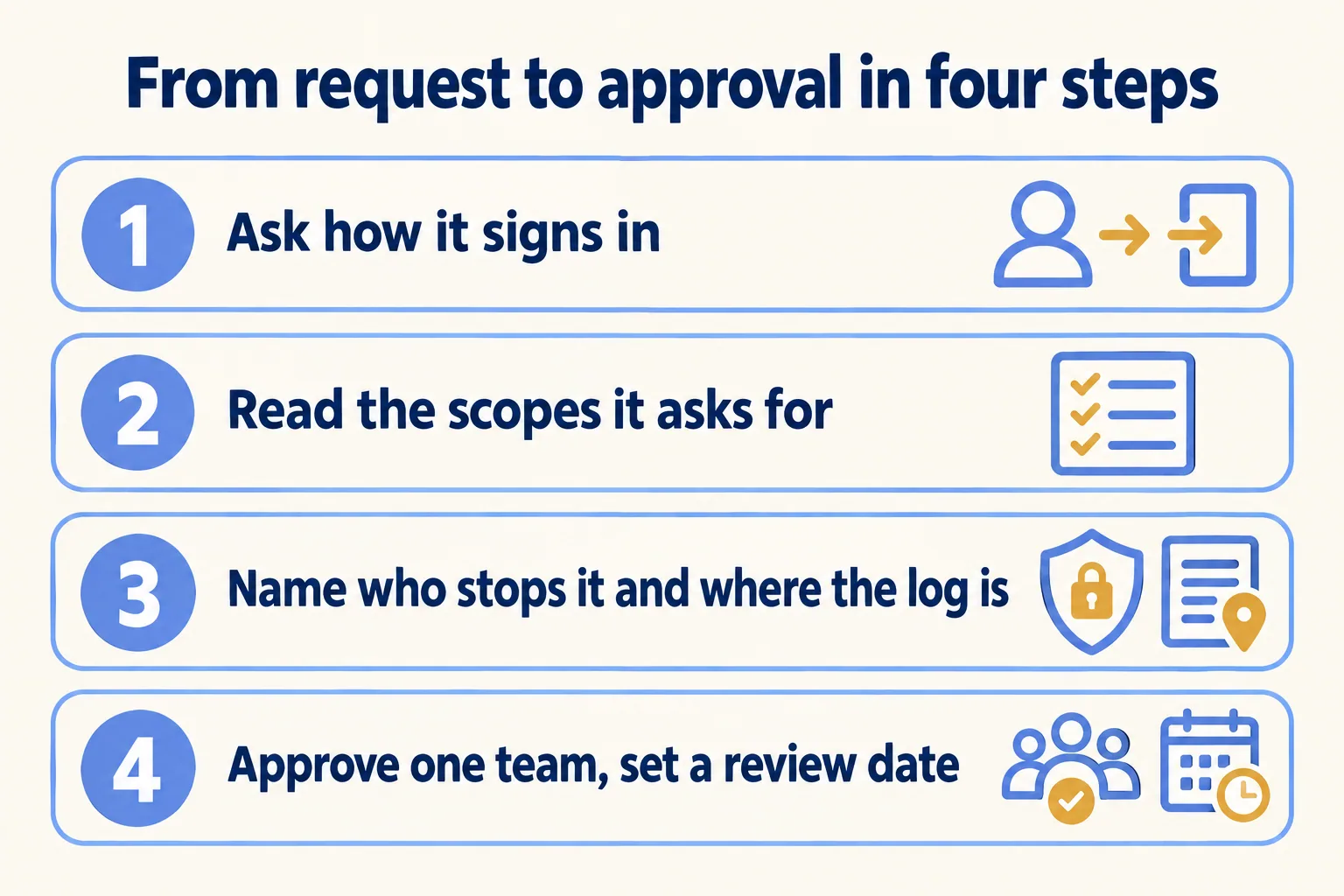
How do you approve it in four steps?
With these four, in this order. It is our rule of thumb, not Slack's.
- 01Ask the requester in writing which client it is and whether it signs in as a person or as a bot added to named channels.
- 02Put the scopes from the consent screen next to the table above. Refuse private channel, group and DM scopes unless someone can name the reason.
- 03Write the name of the person who can switch it off and the place you will see what it did. Check that your plan has audit logs.
- 04Approve for the one team that asked, and put a review date and a named owner in the calendar. On that date, re-read Slack's docs, the app's scopes and the plan table, because all three change.
If you want the plan side of this, Choosing a Slack plan? Start with one control shows which plan first carries which control, and Asked to switch on AI in Slack? covers what Slackbot itself reads.
Who is this not for?
Teams with no assistant or agent touching a real system yet. If nobody has asked, there is nothing to approve: keep app approval on and come back when the first request arrives. If the request is about approvals chased across WhatsApp, email and Excel, start with handoffs that leave the channel instead.
At Mindcat, we write the three answers down before an assistant goes near a channel, and check each against Slack's pages on the day. It is part of the written note from our "Pick your ten" method, which also covers Slack security. Licences come from Salesforce today. We help you pick the plan and work with your Salesforce account team. If you want a second read on a request you have open, tell us the process it is meant to help.
