

If a partner is pitching Salesforce and you have also been quoted Zoho, read this first. Both quotes will look fine on a feature table, so the table cannot settle it. Who in your team must own records, build reports and change automation can. This is not for you if you are already on a signed order form for either one.
Why does a feature table not settle it?
Because both tools can do most of what a 15-person team asks of a CRM. The search results for this question are feature tables and vendor claims, and the user comments we read point at the same pain. A roundup of user comments from GTM Ranked sums up Salesforce complaints as "overkill for small teams, with admin overhead that forces the business to wrap itself around the tool". That is a complaint about who runs the tool, not about a missing feature.
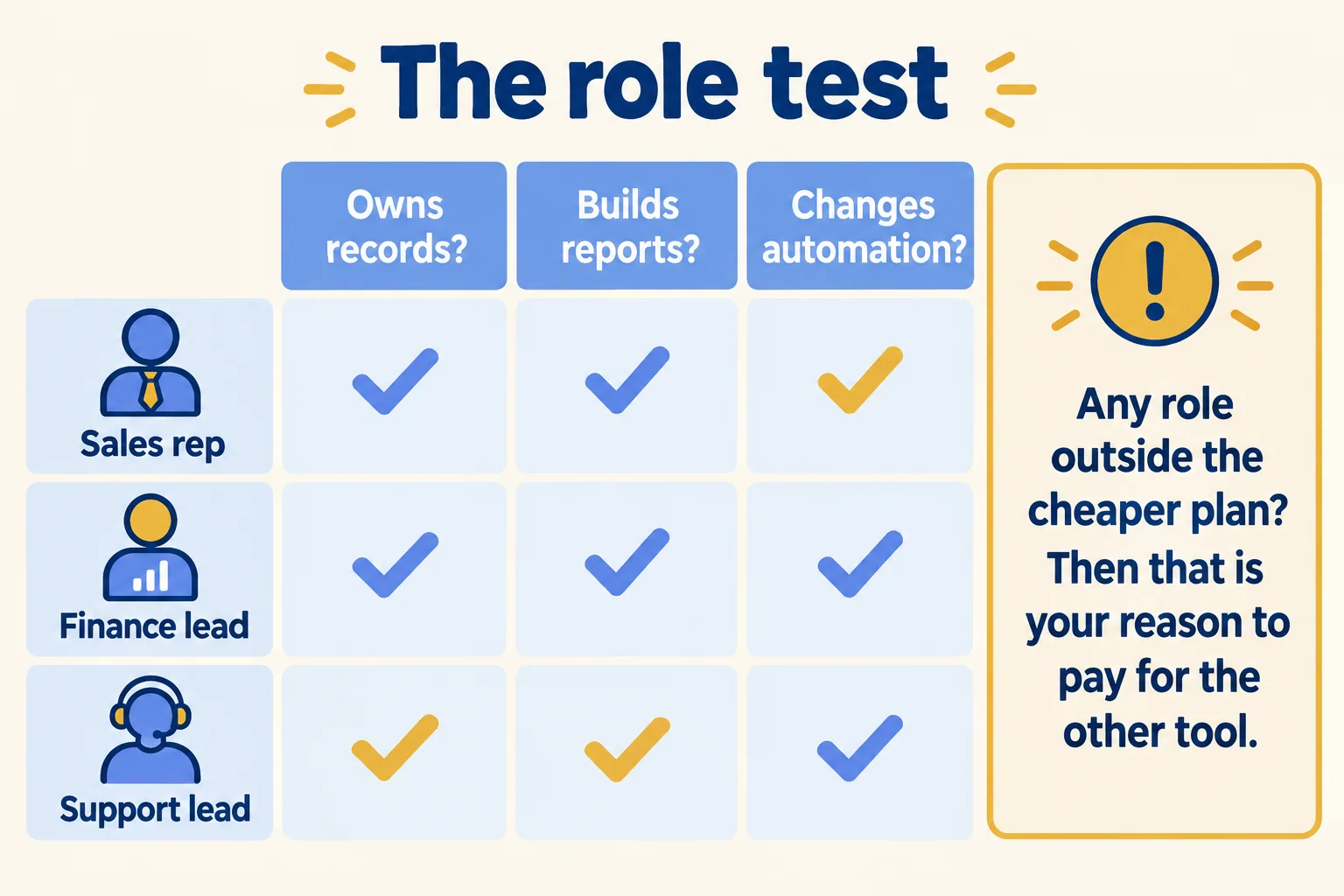
So the question to ask is narrower. Which roles in your week of work need more than the cheaper licence allows? One role that does is the reason to pay for the other tool. If no role does, you have your answer, and it is the cheaper one.
What does a Zoho seat actually buy?
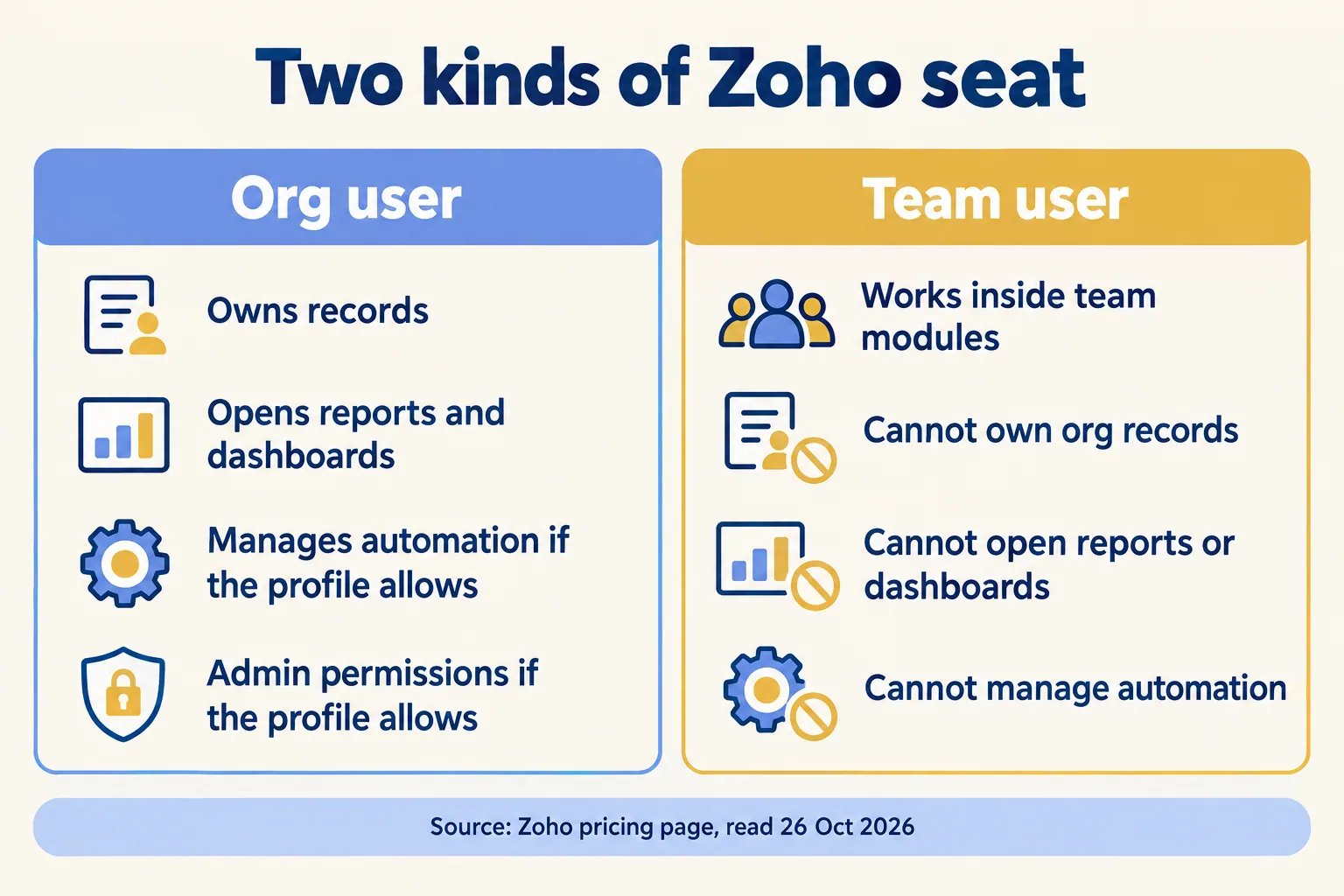
Less than one price suggests, for some people. Zoho's pricing page splits users in two. Org users "have full-scale CRM access", and Zoho calls that licence ideal for sales reps, sales managers, presales teams and central CRM admins. Team users work in team modules and have only partial access outside them. Zoho calls that licence ideal for non-sales users such as marketing, support, legal and finance.
The same page lists what team users cannot do. They cannot "own records or have any admin-level permissions". They cannot access or work with Reports and Dashboards, initiate calls or meetings, create or manage automation, or use AI and Zia features. Zoho's help page adds that they cannot change record owners, convert leads or import and export org records.
That matters for a 15-person team because the people who feel left out are usually the ones who run the process. A finance lead who needs a pipeline report cannot get one as a team user. Neither can a support lead who must change an assignment rule.
Zoho shows its seat prices per plan on that page, so read the figure for your plan on the day you decide. The point holds at any price: ask how many of your 15 people are org users.
What do the Salesforce list prices look like?
On the Salesforce pricing page, read on 26 October 2026, the Sales editions list at these prices per user per month: Starter Suite USD 25 (billed monthly or annually), Pro Suite USD 100, Core USD 195, Advanced USD 395 and Max USD 550, all four of the last billed annually. These are list prices. Your quote can differ.
For scale, here is arithmetic on those list prices, not a quote. Fifteen users on Starter Suite is 15 x 25 = USD 375 a month. Fifteen on Pro Suite is 15 x 100 = USD 1,500 a month. The gap between the two is the number to put beside the role test: which roles, if any, need the edition above the cheap one?

What do both vendors say about who runs it?
Each says the same thing about the other. The Salesforce page on Zoho says "Zoho is ideal for startups or very small businesses (under 10 employees) with a limited budget who need basic CRM functionality without complex customization", and that complex processes "may be more challenging to implement" there. Zoho's comparison PDF says "You can only make the most out of Salesforce if you have a dedicated implementation team in your organization."
Both are sales pages, so read them as claims by each vendor. What they share is the real deciding factor: who runs the tool after go-live. A feature gap can be worked around. An owner gap cannot. A 15-person team is above the "under 10" line on the Salesforce page and below the size where most teams have a full-time admin, which is exactly why the owner question needs an answer before the quote does.
How do you run the role test in an afternoon?
You need one sheet and the vendors' own pages. Do not ask either vendor to run it for you.
- 01List every person who touches the process, from first enquiry to invoice. For 15 people, that is a list of 15 names.
- 02For each, mark three things: must own records, must build or open reports, must change automation or assignment rules.
- 03Check each marked role against the plan you were quoted: for Zoho, org user or team user; for Salesforce, the edition's own feature list.
- 04Count the roles that fall outside the cheaper licence. Note the date you hit the limit.
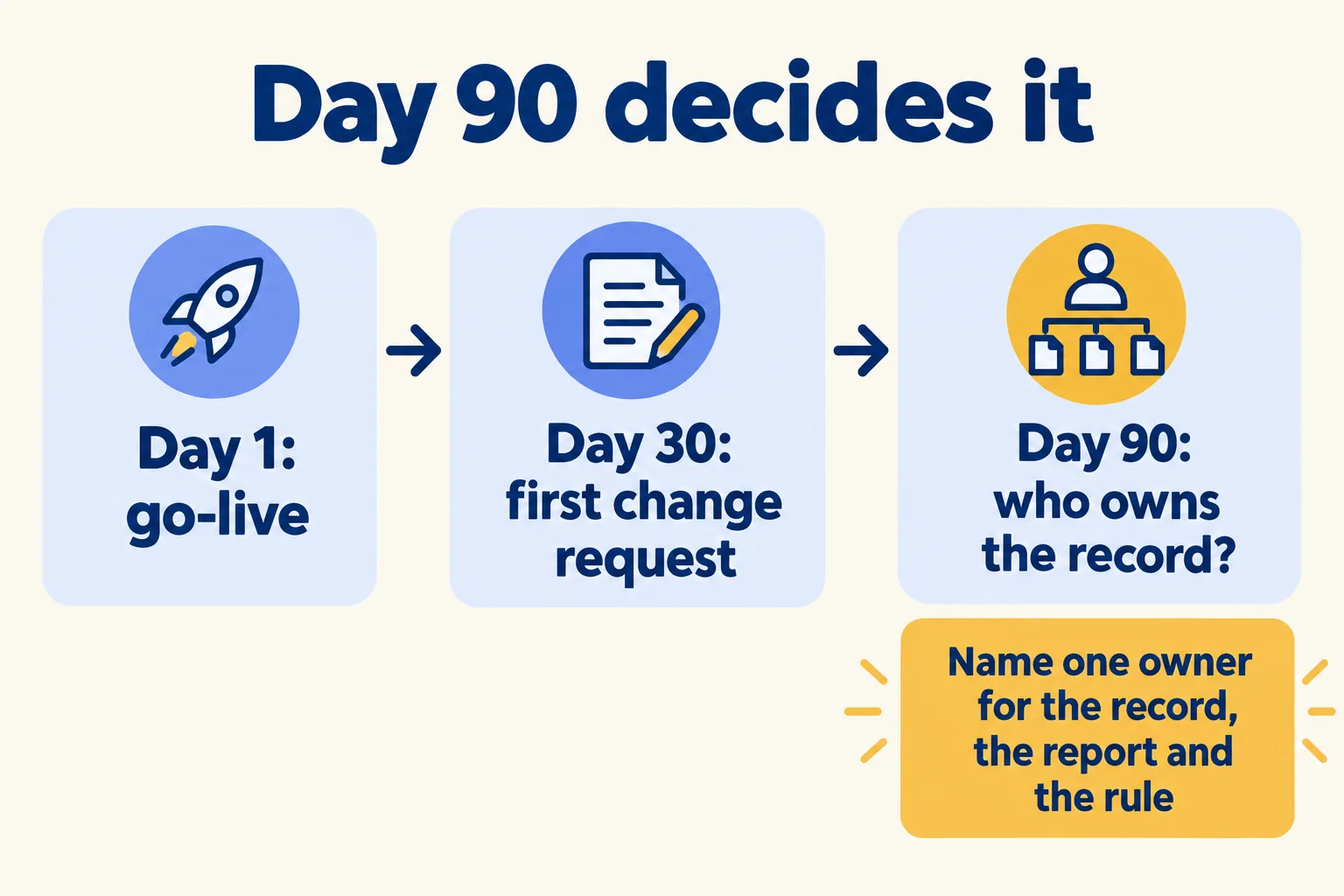
- 05Name who owns the record, the report and the rule on day 90. A role with no owner is a risk in either tool.
If nobody falls outside the cheaper licence and a named person owns day 90, stay with the cheaper tool. If one role in a normal week does, you have found your reason, and you can say it in one sentence to whoever signs.
What would we do first?
At Mindcat, we start with the week of work, not the tool. Our Find your week method reads one real week of your process first: who touches a record, who reports on it, who changes the rules. Then we write down what is worth building and which tool carries it. Sometimes the answer is the cheaper tool, and we say so. You can read how Implement Around Your Process works, and the Salesforce implementation page shows what we build when Salesforce is the answer. The implementation best-practice guide covers the rest of the build.
The first read is free and ends in a written note.
Not for you if you are already on a signed order form. Finish that project, name the day-90 owner, and run this test at renewal.
