

If you run on HubSpot and a partner is pitching you Salesforce, read this first. This is not for teams already contracted to move.
Why does a headcount rule not settle it?
Because it names no plan and no limit. The comparison pages we read for this post give a number of people, anywhere from 50 to 200, below which you are told to stay on HubSpot and above which to move. None of them showed where the number came from. A 20-person team with a custom billing process can outgrow a plan. A 120-person team with plain deals can stay on it for years.
Our rule: move off HubSpot only when you can name the record, permission or integration your process needs that your HubSpot plan does not give, and the date you hit it. Stay when the problem is a process nobody owns. You can do that test in an afternoon, with HubSpot's own help pages open.

Which of your objects sit above your HubSpot plan?
Start with what you track besides contacts, companies and deals: units, contracts, installations, policies, batches. Each one is an object. Then read what your plan allows. These are HubSpot's statements, read on 19 October 2026.
The pipeline limits depend on your portal's pricing model, so open Data Management, then Data Model, then the Limits tab, and read your own numbers. Do not copy ours.
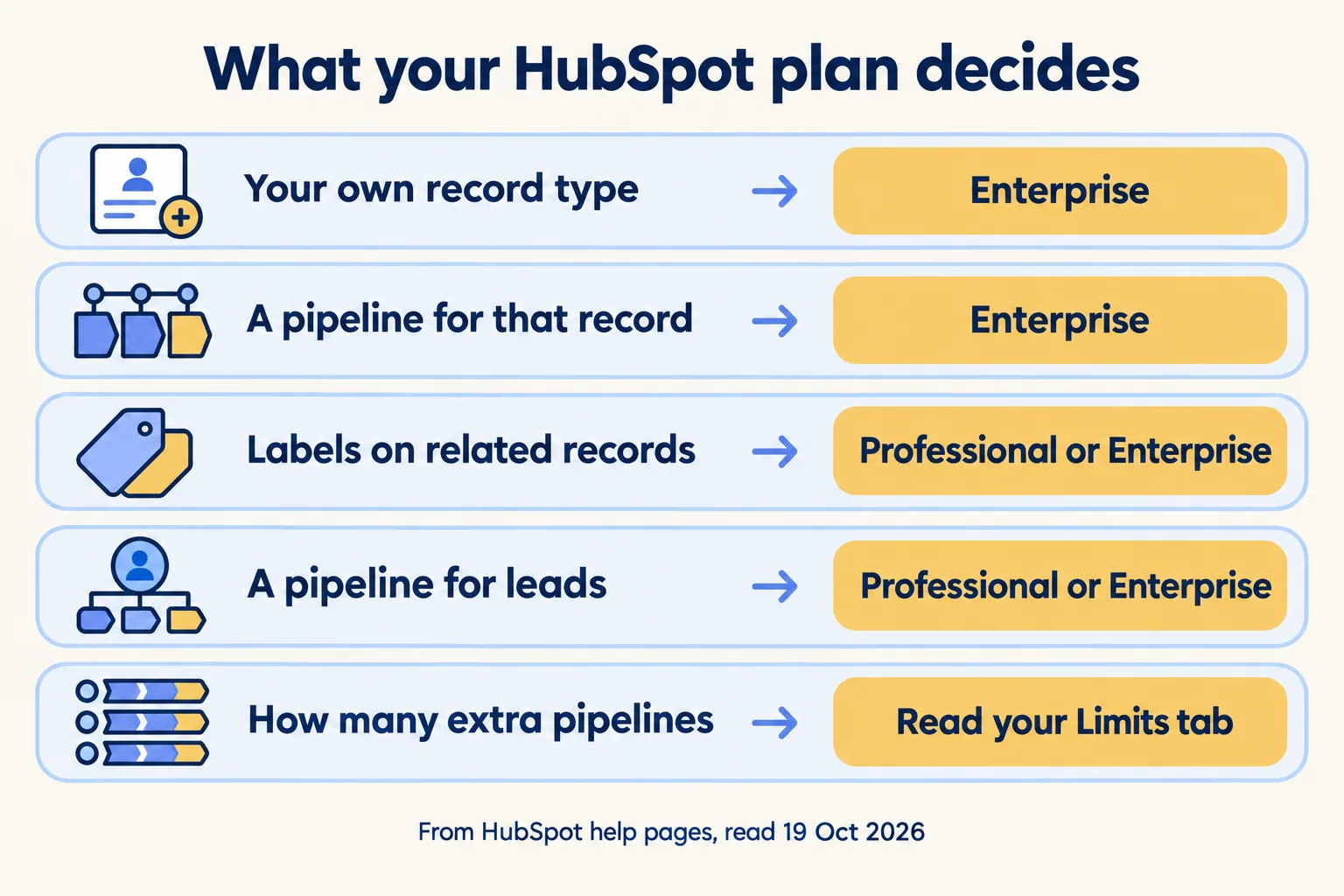
If every object you track fits inside your current plan, the plan is not your reason to move. If one does not, you have a named object and a price question: the next HubSpot tier, or a different system. That is a fair question to ask a partner who pitches Salesforce, and a fair one to ask HubSpot.
What does the same work cost on the Salesforce side?
Check the same needs against Salesforce's own pages, because it has limits and add-ons too. Salesforce's Pro Suite datasheet lists custom apps and objects, approvals and flows, and access to AppExchange. Your order form sets the numbers, so read the edition's comparison chart on the day you decide.
Integrations are where a surprise hides. Salesforce's add-ons page lists Web Services API, which lets other apps connect through REST, SOAP, Bulk and Streaming APIs, at $25 per user per month, billed annually, in USD. It is an add-on for Pro Suite and Professional, and included in Enterprise and Unlimited. If your process leans on an integration, ask what it needs on each side and who pays for it. We have not checked HubSpot's side of that line, so check it yourself.
What does moving cost besides the data?
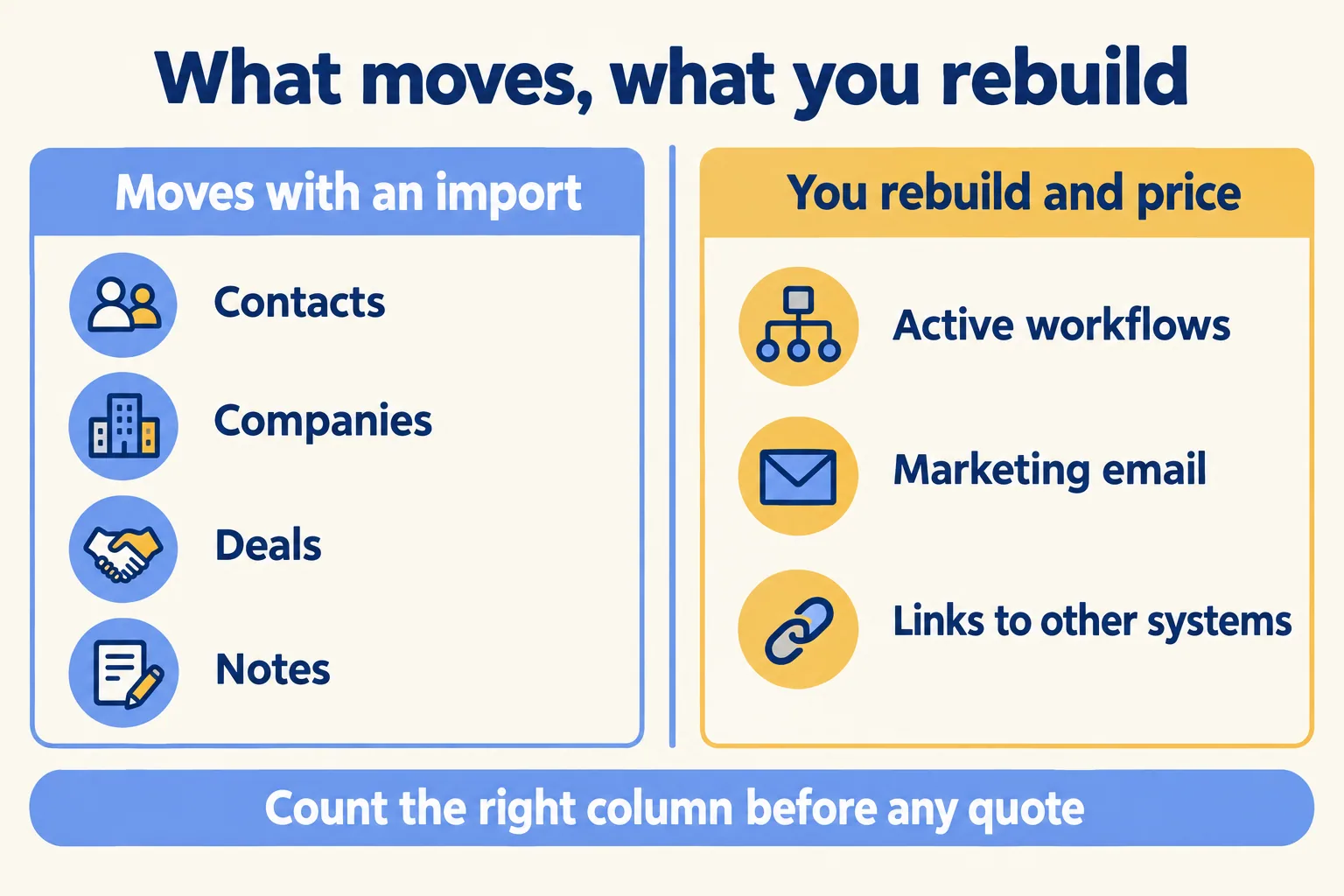
Every active workflow. Contacts, companies, deals and notes can be exported and imported. Your HubSpot workflows live in HubSpot's workflow tool, and Salesforce does its automation in its own tools, so treat each active workflow as something to rebuild and price, not something to carry across. Count them before anyone gives you a quote.
Do the same for marketing. If your team sends email from HubSpot, ask the partner in writing what replaces it and whether that is a second project.
Hypha, a HubSpot partner, wrote about keeping both systems, from the Salesforce-to-HubSpot side. Its line works in either direction: "The important part is deciding what each system will own before data starts moving between them." Write down what the CRM does for you today beyond the pipeline: who gets notified, what gets created, what reaches finance. That list is the real size of the move. When the CRM has become the connective layer between departments, Hypha calls replacing it "an operational replatforming project", and we agree with that.
Who owns the new system on day 90?
If you cannot name a person, you are about to move a problem. A team that is unhappy in HubSpot often has the same complaints that would follow it to Salesforce: reps who do not log activity, stages that do not match how deals are really qualified, and a leader who needs a spreadsheet to see the pipeline. A new system does not fix a process nobody owns. It gives that process a new login.
Whichever system you pick, someone has to handle change requests, user setup and release changes after go-live. We wrote how to size that job in the owner question after go-live. Read it before you sign: count 90 days of requests, then decide whether that person is a hire, a retainer or a part of someone's week. If the honest answer is "nobody", stay and fix the process first.
How do you run the test in an afternoon?
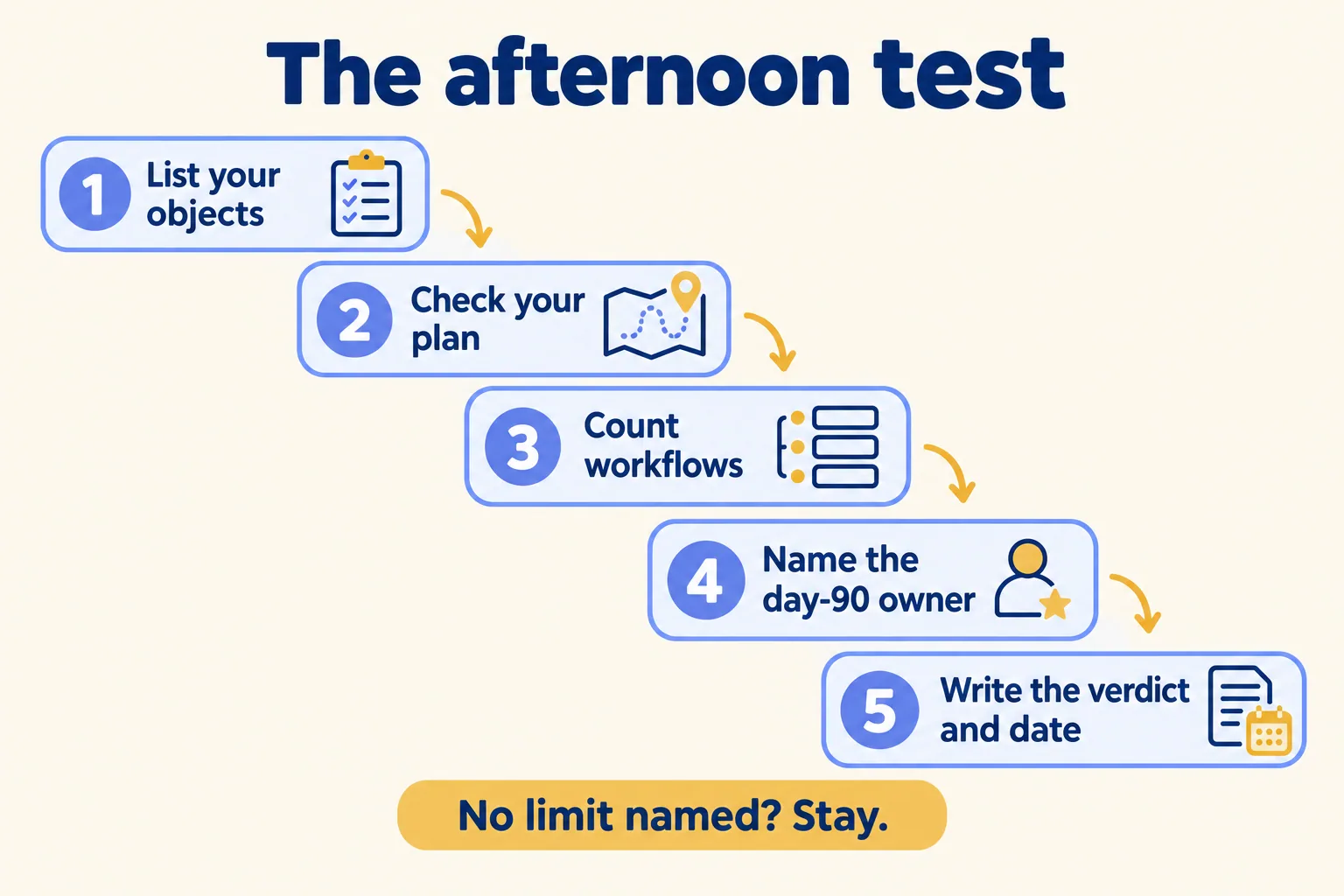
Five steps, none of which need us.
- 01List every object you track besides contacts, companies and deals, one line each, and the process step that uses it.
- 02Check each against your HubSpot plan, using the help pages above and your portal's Limits tab. Mark the ones above your plan.
- 03Count your active workflows and the integrations that write to your CRM. Each one is a rebuild.
- 04Name the owner of the new system on day 90, and what their week looks like.
- 05Write the verdict below in one sentence, with the date you expect to hit the limit.
The first row is the only reason to move that we would accept. In the other three, moving costs money and brings the same pain along.
When are we the wrong answer?
When you are already contracted to move, or when the work is a software factory with a named delivery date. Our own page says so: "if the work is a software factory with a named delivery date, we are the wrong partner."
If you send us the process, we read it first and write what is worth building. We give no number before week one, and a fixed price for a named piece after it. Stay is a legitimate answer from us, and we put it in writing when the test says so. We do not know your plan or your workflows, so we do not claim Salesforce is better or worse than HubSpot for your team.
For the UAE version of this choice, with Zoho and Bitrix24 in the mix, read CRM in the UAE: how to choose. For a worked example of a HubSpot custom-object limit, read the best CRM for real estate. For what a Salesforce licence includes, see the licensing guide.
If you want the written read, tell us the process you want in Salesforce, the HubSpot plan you are on, and the objects above it. We reply in writing within 24 hours, and the first look is free.
