
If you went looking for the Optimizer report in Setup and it is not there, this is for you. Salesforce retired it, a free scan can replace the list, and the list is the easy part. What you do with it decides whether you fix the right things. This is not for you if all you need is a one-off list of unused fields. Run the free scan and stop.
Where did the Optimizer report go?
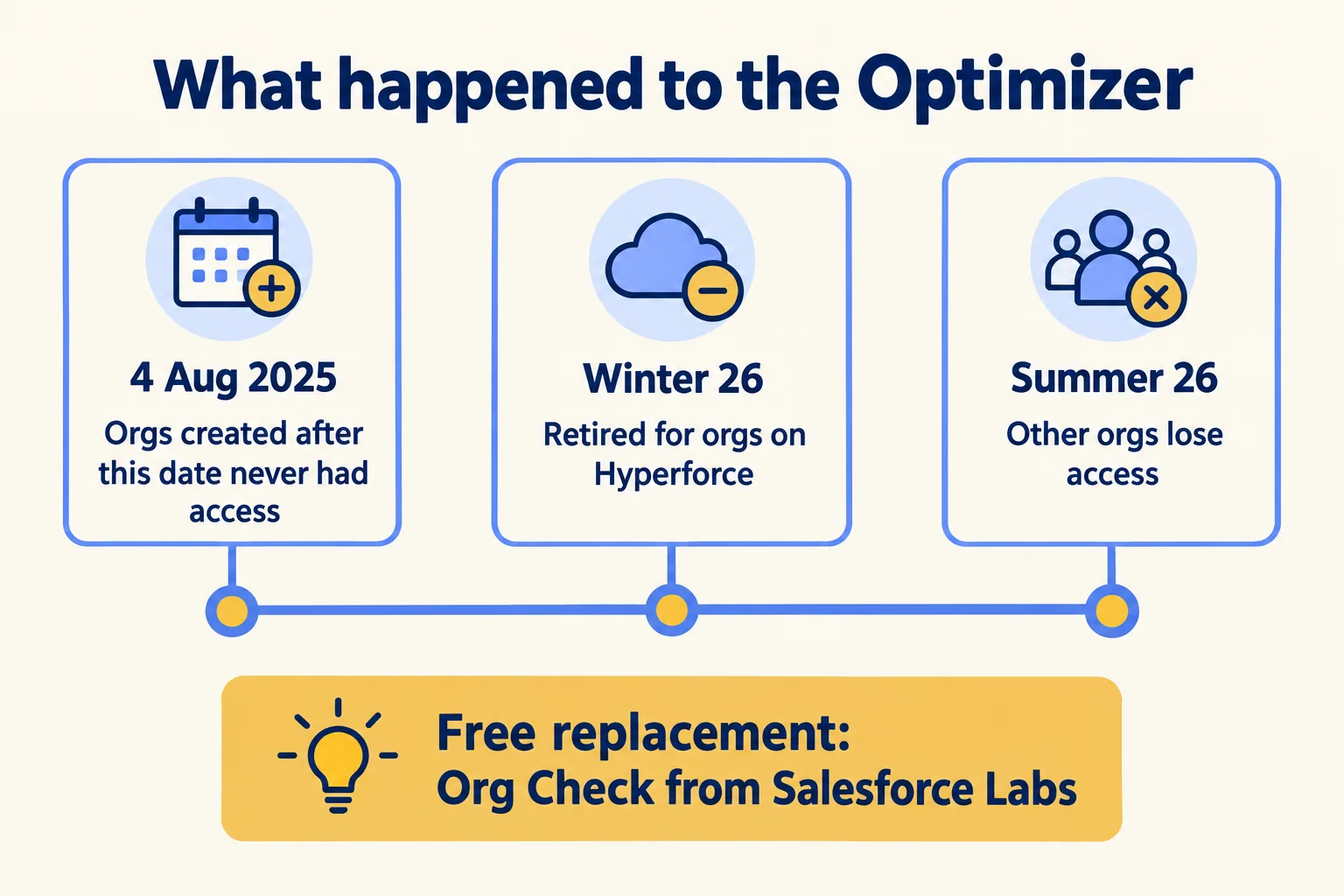
Salesforce retired it. Salesforce Help says the Optimizer app is retired with the Winter '26 release for orgs on Hyperforce, and that other orgs lose access with the Summer '26 release. Orgs created after 4 August 2025 never had access. The reason Salesforce gives is that the app's original purpose was to move customers to Lightning Experience, and that most have moved.
An admin on the Trailblazer Community put the cost plainly in September 2025. "We have used the Optimizer to get a quick overview of the org and I can not understand why this has to stop with no other nativ solution in place." In a follow-up he called it "a very good tool to get a fast 'org check' without clicking around to see if we still follow best practice."
To see where your org stands, open Setup and look for Optimizer. The Help article says that is how you check its status.
What replaces it, and what does it not do?
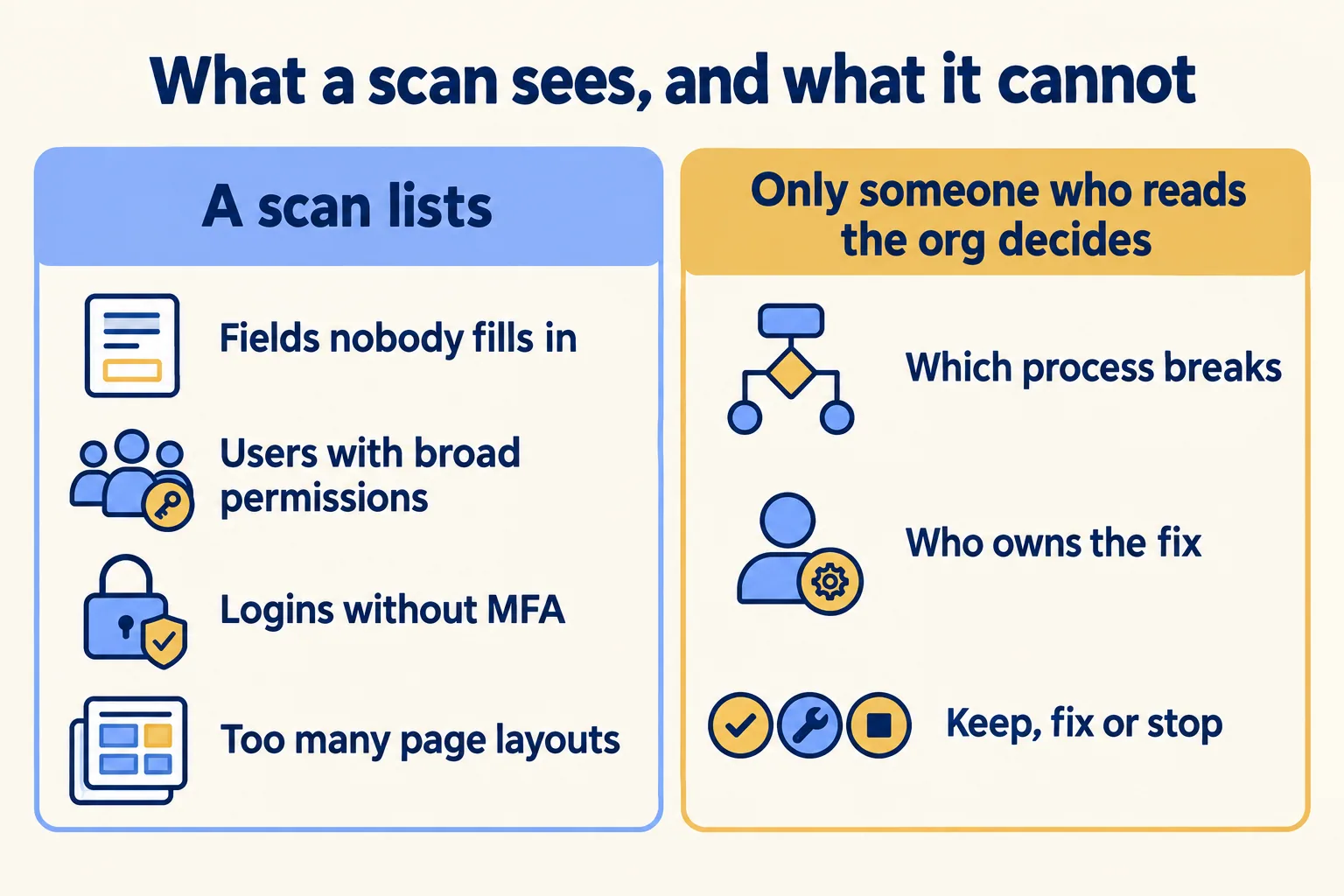
Nothing built in. The Salesforce Admins blog points admins to Org Check, a free app from Salesforce Labs, and calls it "a great, free solution" for finding technical debt. Its v7 release in December 2025 added checks borrowed from the old report, such as objects with a high number of fields, page layouts, record types, workflow rules or validation rules. It also lists logins that skipped multi-factor authentication and users with high system permissions.
Read the small print before you install it. Org Check's own page says it "is not a Salesforce product", has "not been officially tested or documented by Salesforce", and has no Salesforce support. Help comes through the community and its issue tracker. That is fine for a scanner. It is a reason to run it once, read the output yourself, and not to build a process on it.
The last row is the one that matters.
What can no scan decide?
Which finding matters. A scan reads the metadata and flags what is unusual. Twenty record types on one object is a finding. Whether those twenty record types match twenty ways your team works, or twenty ways a past project got stuck, is not in the metadata.
That is why a list of 300 findings feels like a debt and not a plan. Every item looks equally urgent, and none has a name next to it. Teams then do one of two things: fix whatever is easiest, or fix nothing and keep the report in a shared folder.
The way out is a rule we use: a scan gives you findings, and only someone who has read the org against the process can say which one matters. So give every finding a process, an owner, and one of three calls: keep, fix or stop.
How do you read the list?
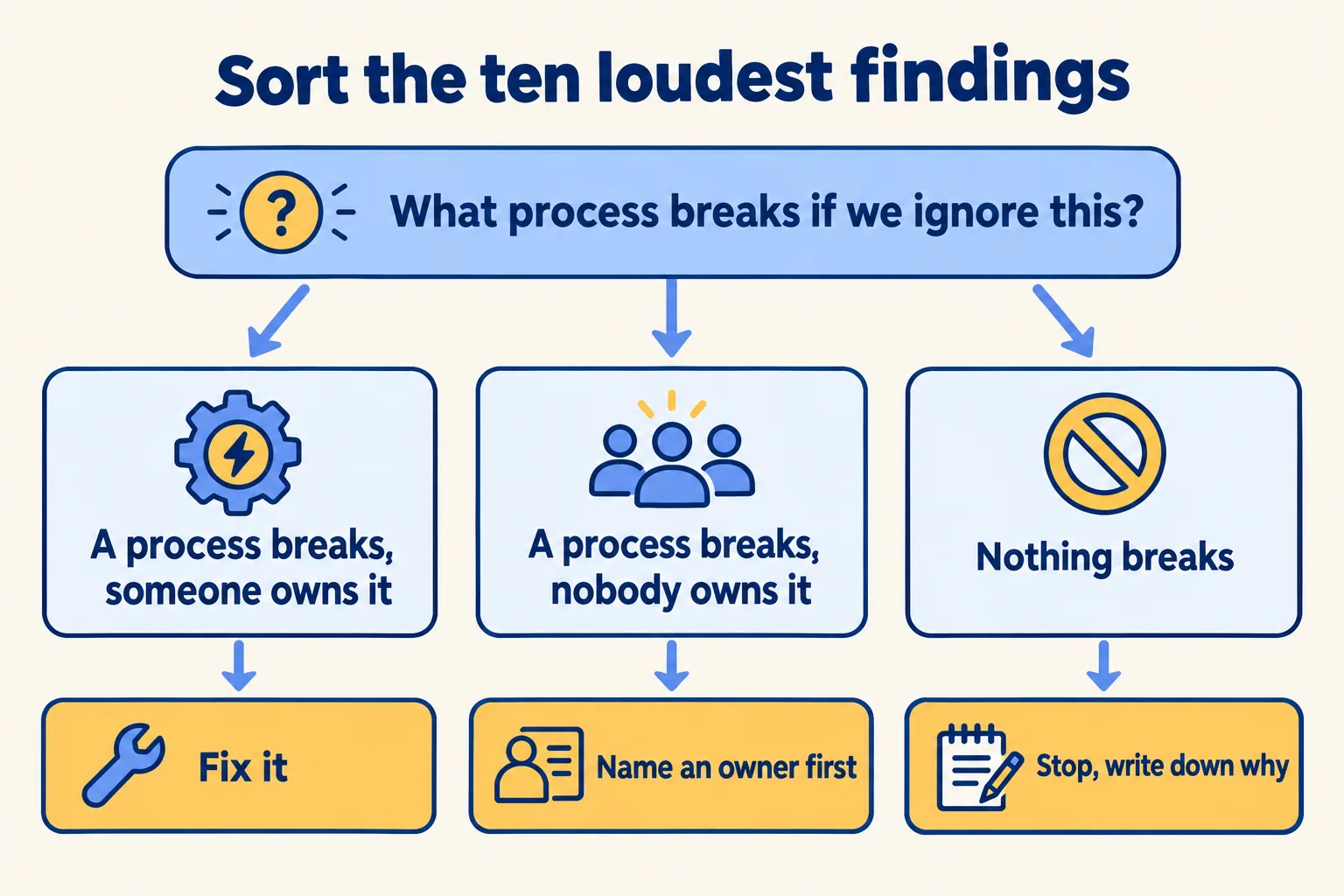
Take the ten loudest findings. For each, ask one question: what process breaks if we ignore this? Then sort.
This is a rule of thumb, not a study. It works because it forces a finding to meet a process. Most scanners cannot do that on their own.
- 01Run the scan once and export the findings.
- 02Take the ten loudest. Ignore the rest for now.
- 03For each, write the process that breaks if you ignore it, in one line.
- 04Mark each: fix, stop, or no owner.
- 05If three or more of the no-owner findings sit on the same process, that process is your next project.
When is a scan enough?
When the question is small and the org is steady. You want to know which fields nobody fills in, which users have broad permissions, or which logins skipped multi-factor authentication. Someone already owns the answer. The scan gives them the list, they act on it, and you are done.
That is the case where we tell a visitor to run the free scan and stop. A rescue week would cost more than the problem.
It stops being enough when the list lands on a team that does not agree on which process matters. If your reps keep a spreadsheet beside the org, what the sheet holds is a better clue than any scan. If a project slipped before go-live, our finish, cut or rebuild test is the better start.

What would we do first?
At Mindcat, we read the org against the process before we recommend anything. In a rescue week we get read-only access on day 1 and switch off anything that is hurting data, with a note. The week ends with a written call: finish, cut or rebuild, with the reasons and the first fix. Sometimes the call is "stop". You can see a sample read, on an invented org, before you send us anything. We do not fix-price a rescue we have not assessed. For the clean-up that follows, the Salesforce optimization and technical debt work covers it.
Not for you if your org has no named admin or owner yet. Name one first, and the ten-finding test will give you an answer you can act on.
