
If your launch report shows Snapchat twice, in two spellings, and the sales team's WhatsApp has more leads than the report has visits, this is for you. If nobody owns the ad account and the website tag, name that person first, because naming rules do not hold without one. If one person runs one site on one ad channel, skip this: a hand-checked list is enough.
Who should name the campaigns?
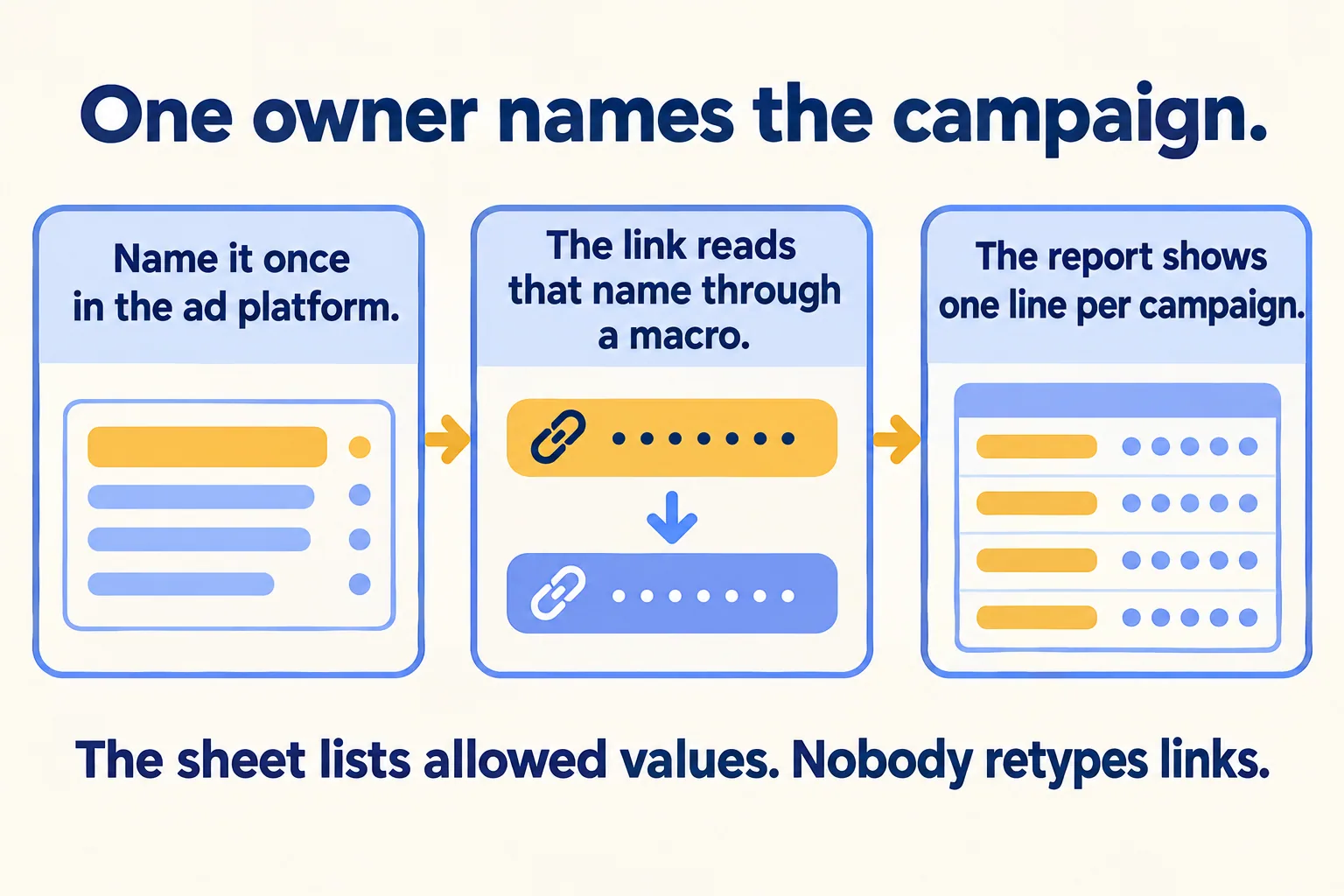
One person, and they name each campaign once, in the ad platform. They do not name it again in a spreadsheet of links.
The reason is simple. Snapchat and TikTok already hold the campaign, ad set and creative names you typed in their ads managers, and both can write those names into the link for you. If a person then retypes them into a link by hand, the report gets a second spelling of the same thing.
Our rule has three parts, so you can argue with it:
- The owner types the campaign name once, in the ad platform.
- The link reads that name through the platform's macro. Nobody retypes it.
- A short sheet holds only the allowed values for source and medium and the pattern for campaign names, so reports group cleanly.
The same rule works for Meta and Google Ads: type the name once, keep source and medium to the sheet's values, and check the preview. Where a client insists on typing links by hand, the sheet becomes the control, and one person checks each link before the ad goes live.
What do Google, Snapchat and TikTok say about the values?
Three platform pages, read on 23 October 2026, point the same way.
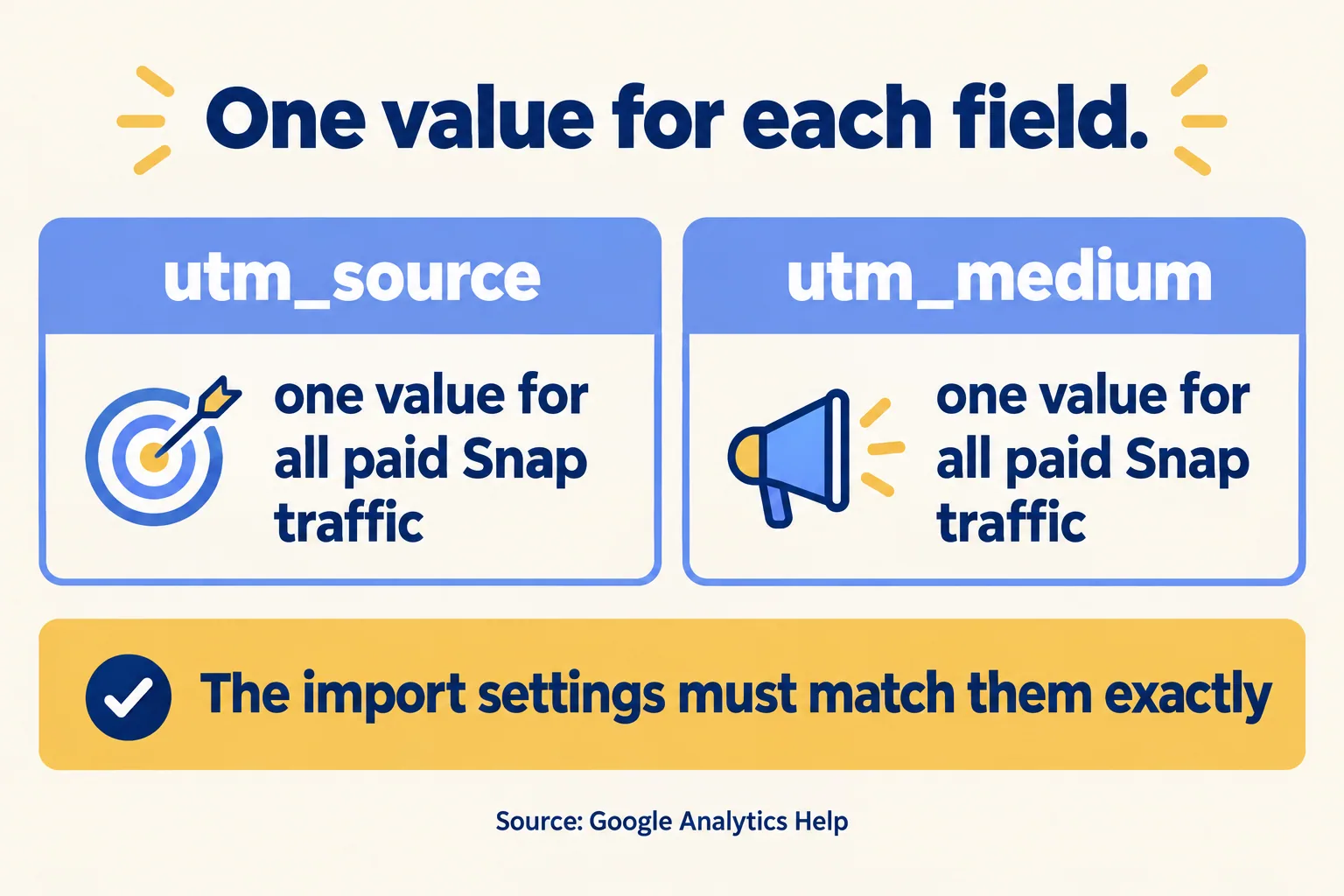
Google's page is about its own import of Snap cost and click data. It gives the example utm_source=Snap and utm_medium=paid. Mindcat Analytics does not run that import, but the lesson holds for any report: one channel gets one source value.
Snapchat's page adds two details worth putting in your checklist. It tells advertisers not to put audience information in a campaign, ad set or creative name, because those names travel in the link. And a Snapcode preview shows the dynamic values as "successful_", not the live values, so read the Preview Link in Ads Manager before you submit.
On TikTok, decide where source and medium come from: the automatic option or your sheet. Pick one, then open the link preview before approving the ad.
What goes in the naming sheet?
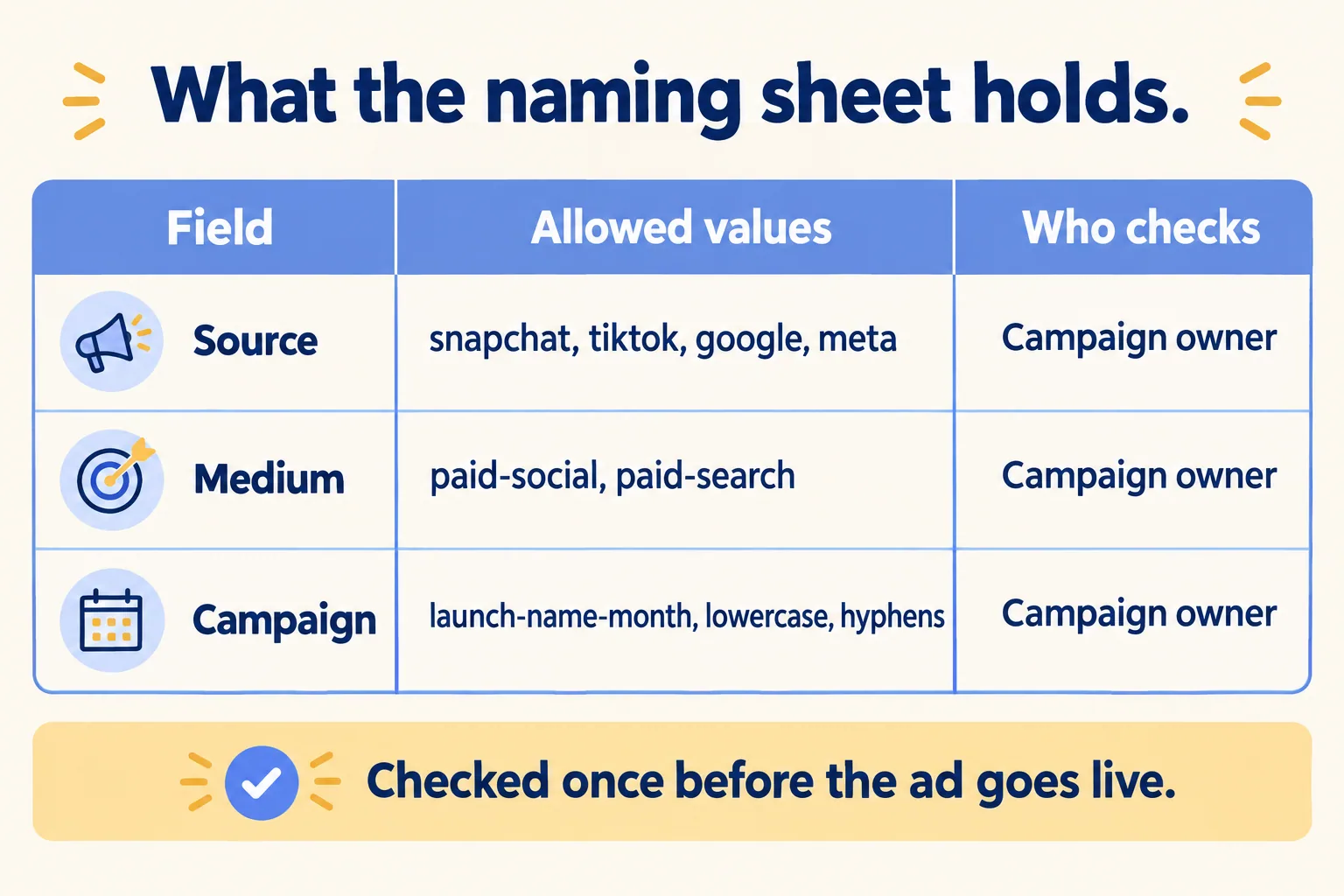
Less than most sheets do. It holds the allowed values, the pattern and the owner. It does not hold the links.
- Source: one lowercase word per channel, such as snapchat, tiktok, google, meta.
- Medium: one word per type of buying, such as paid-social or paid-search.
- Campaign: a pattern, for example project, offer and month, lowercase, with hyphens and no spaces. Our rule is plain letters and digits, so no Arabic letters or accents in a campaign name that rides in a link.
- Owner: the one person who names campaigns and the one person who checks the final link.
The check takes a minute. Open the ad's preview link, read the source, medium and campaign out loud against the sheet, and approve only when all three match.
What does one bad link and one fixed link look like?
Here is an example with made-up names. The first two links come from two people typing by hand for the same launch. The third is what the sheet allows.
What does week one look like?
- Day 1: name the owner of campaign names and the checker. Write the sheet: sources, mediums and the campaign pattern.
- Day 2: type each live campaign's name once in the ad platform to match the pattern. Turn on the macros for source, medium and campaign, or paste the sheet's values.
- Day 3: open the preview link for every ad and read it against the sheet. Fix before approving.
- Day 5: put the week's WhatsApp taps by campaign beside the leads your team logged by campaign. To log by campaign without any tool, the person who answers writes the campaign name from the sheet next to each new lead. A gap tells you where the message went unanswered.
If old campaigns carry messy names, leave them as they are and start the pattern with the next launch. Renaming a live campaign splits its history.
Why is a WhatsApp tap not yet a lead?
On a Saudi launch the goal is often a tap on a WhatsApp button. That tap is a click. The lead exists when the message arrives and someone replies.
So count the tap by campaign, and then check the other half. Name who reads the messages, who covers after hours, and the time by which they answer. Set that deadline yourself and write it in the sheet beside the owner, because a report cannot warm a cold lead. A billboard QR gets its own short link with its own count, which makes the billboard a line in the same report. Our Inbox picks up where the tap ends. Teams selling off-plan units can see the same flow on our page for real estate brokers, and agencies on the page for digital agencies.
What does Mindcat Analytics do today, and what is left out?
At Mindcat, we count your visits on a copy hosted in the UAE or Saudi Arabia. The setup includes the UTM naming sheet for your Snapchat, TikTok, Google and Meta ads and our tracked-click template for WhatsApp, call and form clicks, up to five tracked clicks per website. The UTM report shows visitors by source, medium and campaign.
What is not there today:
- It does not replace Google Analytics for everything. There are no ad audiences and no feed for Google Ads bidding.
- It does not import campaign cost or impressions from Snapchat, TikTok, Google or Meta. Spend stays in each ads manager.
- WhatsApp, call and form click tracking is added during setup.
- Revenue by campaign is a filter, not a ready table. There are no email reports.
- Members of a team see every website in that team, so give each client its own team.
- The Arabic screens are mostly translated.
What does it cost?
You pay per website a month. Websites 1 to 5 cost AED 99 each, 6 to 20 cost AED 39, 21 to 100 cost AED 19 and 101 and up cost AED 12, and each price applies only to the websites inside its band. The shared plan has a monthly minimum of AED 499, so a team of up to five websites pays AED 499, not AED 99 per website. Logins are free and unlimited. Each website includes 200,000 events a month, pooled.
An agency with 10 client websites pays 5 × 99 + 5 × 39 = AED 690 a month. For 1 to 5 websites the quick start is AED 2,500, a fixed package we set up for you, with the naming sheet and the tracked-click template included. From 6 websites, or on your own copy, setup is managed: up to 5 websites AED 2,900, and 6 to 20 AED 5,900. Prices exclude 5 percent UAE VAT and 15 percent Saudi VAT.
If one person runs one site and one ad channel, a hand-checked sheet and a free tool are enough. If several people launch ads for several sites, the owner and the check matter more than the tool.
Tell us how many websites you run and where your visitors are. We reply with the setup plan and the monthly price per website, in AED or SAR.
