
If a workflow in your Slack can now hand a step to an agent, and nobody has said who checks what it writes, read this first. Since 18 November 2026, Workflow Builder can pass a step to Slackbot or any installed agent, and it adds a review step after it. That review step is only as good as the person in it, and the same goes for the approvals that sit today in a chat nobody can find. This is not for teams with no agent touching a real system yet, or whose workflows only post messages and write nowhere.
What changed in Slack on 18 November?
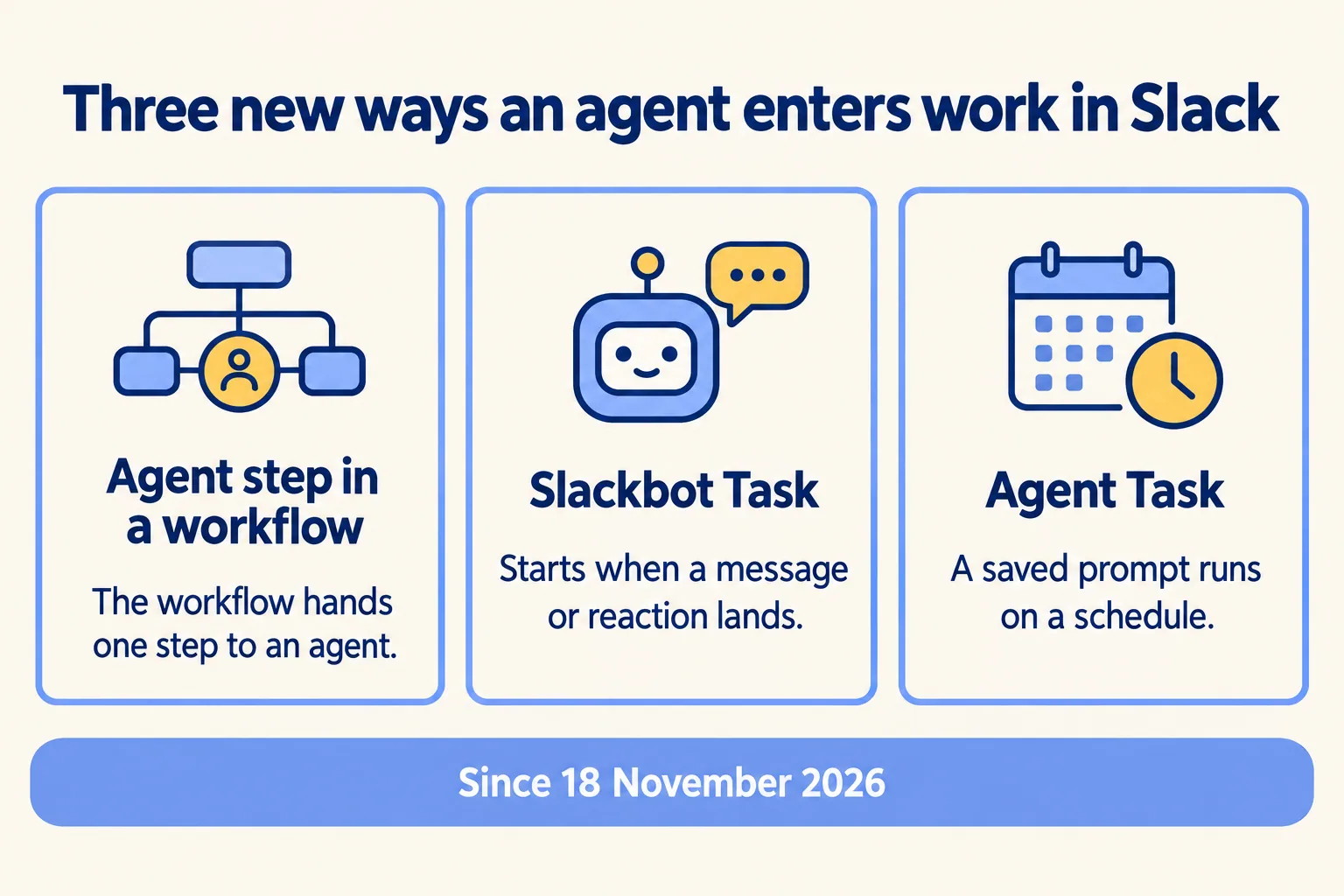
Three new ways for an agent to enter the work, from Slack's own post that day:
- An agent step inside a workflow. "Start conversation with Agent" hands a step to "any third-party or custom agent". Pick the agent, write the prompt once, and every run uses it. "Start conversation with Slackbot" does the same with Slackbot.
- Slackbot Tasks. They start "the moment something happens in Slack, like a message posted, a reaction added, or a list item updated." Slack says calendar, Salesforce and other service triggers are "coming next", so they are not here yet.
- Agent Tasks. "Save a prompt to any third-party agent, set a schedule or a Slack event, and Slack runs the agent for you." Slack's example is a weekly pipeline review that pulls a sales rep's opportunities and suggests next steps.
The fourth change is the one your team will lean on. Slack's post: "when you bring an agent or AI step into a workflow, Workflow Builder automatically adds a review step right after it. When the workflow runs, it pauses and shows the AI-written content to the right person in an editable form." Only after that person approves does the workflow send it on "to tools like Jira, Google Sheets, and Salesforce."
Slack lists Workflow Builder in the Pro, Business+ and Enterprise plans. Slack's help adds a plain warning: "Because agents use AI, they can be wrong."
What is already switched on?
More than most teams expect. These are Slack's defaults, read on 23 November 2026:
- Anyone can install an agent. Slack Help: "By default, members can install apps with agents, but owners and admins can enable app approval for their workspace or Enterprise organization to review apps before they're installed."
- Restricting later does not remove it. On app approval, Slack's help says that if an app you restrict "has already been installed to your workspace, members can continue using it." You uninstall what you don't want.
- Every agent DM has a Tasks tab. Slack's developer changelog says the tab, where people set up scheduled agent work, "is on by default" for agents built on the new messaging experience. The agent's developer can turn it off in the app settings, and doing so "pauses any existing tasks for all users."
- Guests are out. "In all cases, guests can't use AI apps or agents."
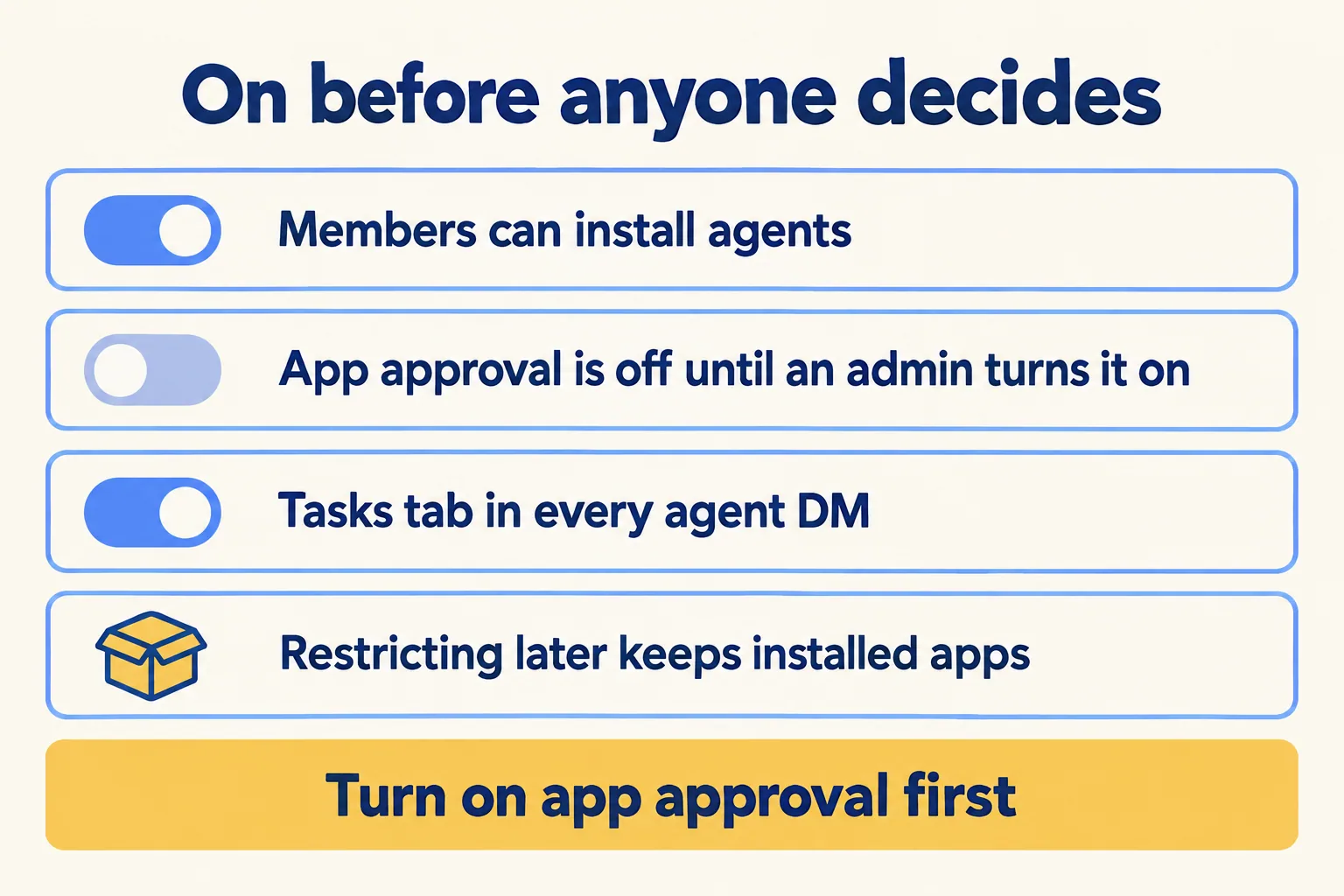
Put together: a member can install an agent, set it a weekly job in its Tasks tab, and add it to a workflow, all before an owner or admin has looked. So the first job is not choosing steps. It is turning on app approval, then listing the agents already installed and asking each team what they set them to do. When you approve an app, Slack's help says you are "approving the scopes it will use to take actions in your workspace", so read the scopes on each request as well as the name.
Guests matter for partner and vendor channels. A vendor brought in as a guest cannot start an agent, so a workflow step that needs one runs for your own people only.
Which steps do we hand an agent?
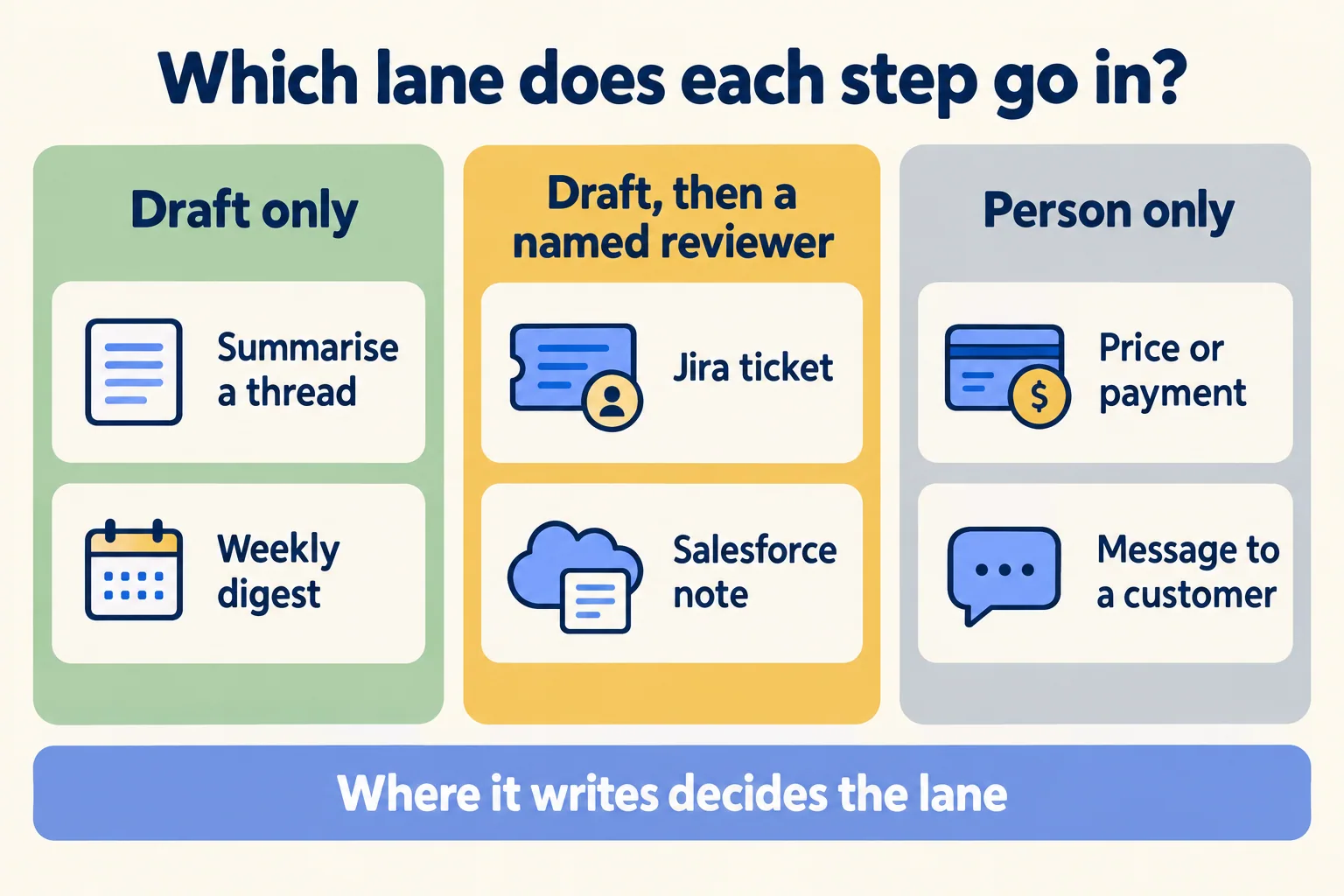
The line we draw: what the agent makes, and where it goes next. It is our rule, not Slack's.
Agent Tasks sit in the first lane until someone owns more. A saved prompt that runs every Wednesday reads and summarises. If a team wants it to write somewhere, it becomes a workflow, with a review step and a reviewer.
A practitioner guide published the same week draws the line in the same place: "Replying in the thread is low risk. Posting in other channels, sending DMs, or writing to your CRM is not." (Sam Claassen, DEV Community, 18 November 2026.)
Who reviews the draft?
A person named by role, who can say what wrong looks like. Not a channel, and not everyone.
Slack's own guidance for agent builders says why: "Asking for confirmation on every action creates fatigue and trains users to click through without reading. Save confirmation for moments that actually need it." A review step on every small draft teaches the reviewer to press approve. A review step on the steps that write to Salesforce or Jira, with a short checklist, gets read.
For each step in the middle lane, we write three lines before it is built:
- 01The reviewer, by role: 'the support lead on shift', not a name that leaves, and not a channel.
- 02What wrong looks like, in three checks or fewer: the account is the right one, the priority matches the request, nothing promised that we do not do.
- 03What happens if the reviewer is away: who covers, and whether the draft waits or is dropped.
Then settle whose name the write goes in under. Slack's help on connector steps says the workflow's creator chooses: each person running the workflow signs in with their own account, or the workflow uses the creator's credentials. Pick the first for anything that lands in Salesforce or Jira, so the record shows the person who ran it, not one shared account. The reviewer is a separate name, so write down where their approval is kept before go-live. For agents we build ourselves, every write also goes through one control point that records who asked, which agent ran and what changed (the control plane in our five planes).
If you cannot fill those three lines, the step is not ready for an agent. It is ready for a person, and that is a fine answer. Our earlier post on approvals stuck in DMs uses the same test for human approvals.

Who stops it, and how fast?
Write down who holds each switch before the first run. Slack gives you four, from small to large:
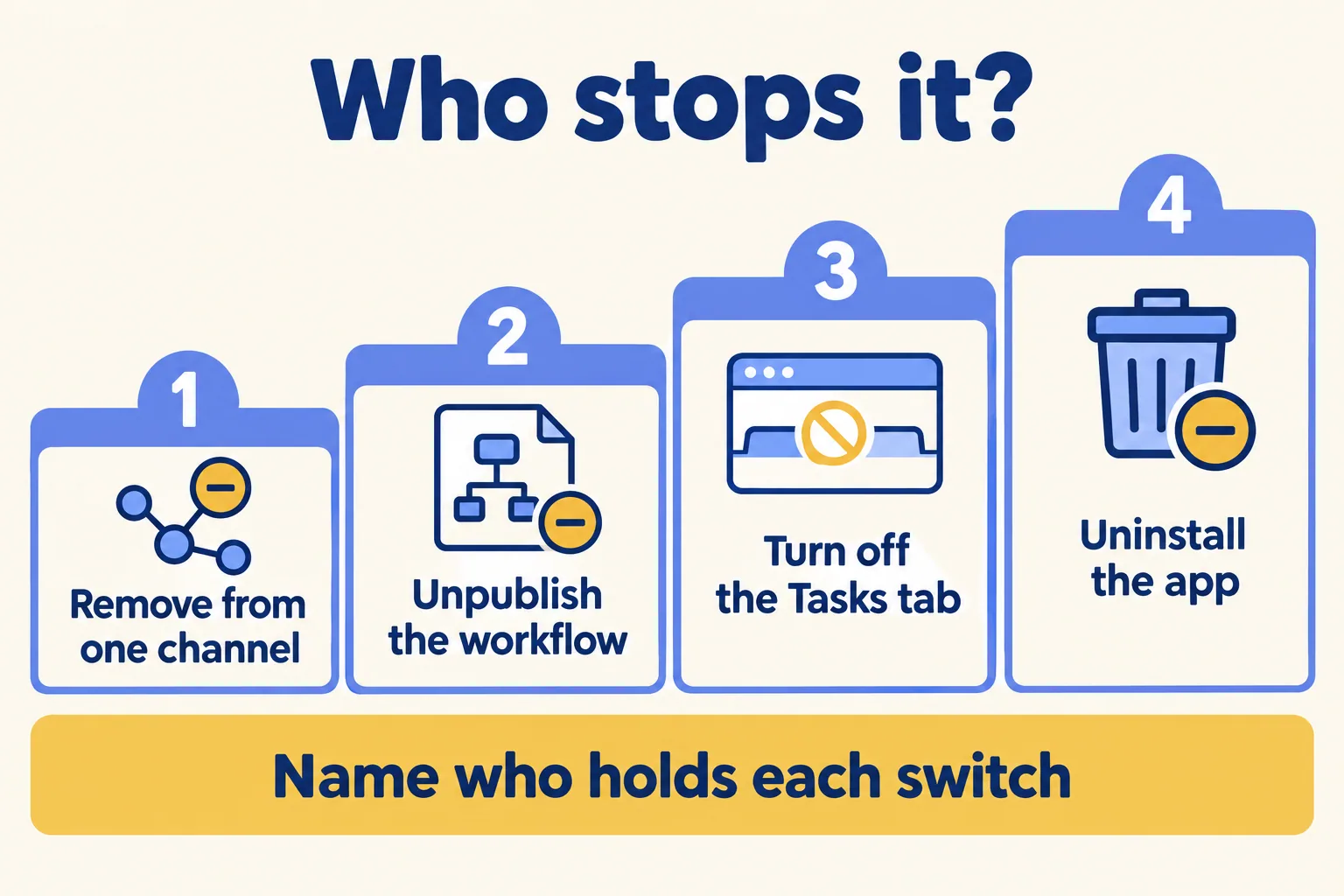
The third row matters for agents your own developers build. If a scheduled job goes wrong, the fastest stop for everyone is the developer's toggle, so that person's name goes on the list. For a third-party agent, that toggle sits with the vendor, so your own stop for the whole workspace is the uninstall.
Test each switch once, in a quiet hour, before the first live run. You then know how long it takes and what happens to a run already under way, and the person holding it has done it once. Hand this section to your Slack admin; the lanes and the three lines are for your team leads.
What an agent can read depends on its scopes. Slack's help says an app can by default read your messages with it, and more only once someone adds it to a conversation. What an outside assistant can read through Slack's MCP server is a separate question. We covered it in three questions before you connect one. Our Slack security page lists what we set up and what stays Slack's.
What would we do first?
At Mindcat, we call our method "Pick your ten." We sit with the team and list the ten recurring decisions that leak between desks today. Each one gets a lane: draft only, draft with a named reviewer, or person only. Each middle-lane step gets its three lines before anything is built. Turning on app approval comes first, before the first agent goes in. You can see the kind of work this covers on our Slack use cases page.
Licences come from Salesforce today. We help you pick the plan and work with your Salesforce account team.
Not for you if no agent touches a real system in your company yet, or your workflows only post messages. If you are deciding this now, sort your ten into the three lanes on paper first, then come back when a step writes somewhere that matters.
