

If approvals still live in direct messages, WhatsApp and Excel, and people forget to answer, this is for you. It is not for teams with only a handful of approvals a week, or for teams happy on Microsoft Teams. We do not move you for the sake of it.
Why do approvals stall in Slack threads?
One buyer put it in a Reddit post in r/AI_Agents: "Our approvals live in Slack threads and people forget to respond. Procurement, hiring, and content all need sign-off, but tracking is manual." That is one person's description, not a measured figure. It matches what operations leads tell us in the first call.
The message is fine. The trouble is what the message leaves out. Nobody wrote down who approves when the usual person is away. Nobody decided what happens on day three of silence. And the yes, when it comes, sits in a thread that finance will not find in March.
A workflow does not fix any of that by itself. It makes the gaps run faster.
What are the three blanks?
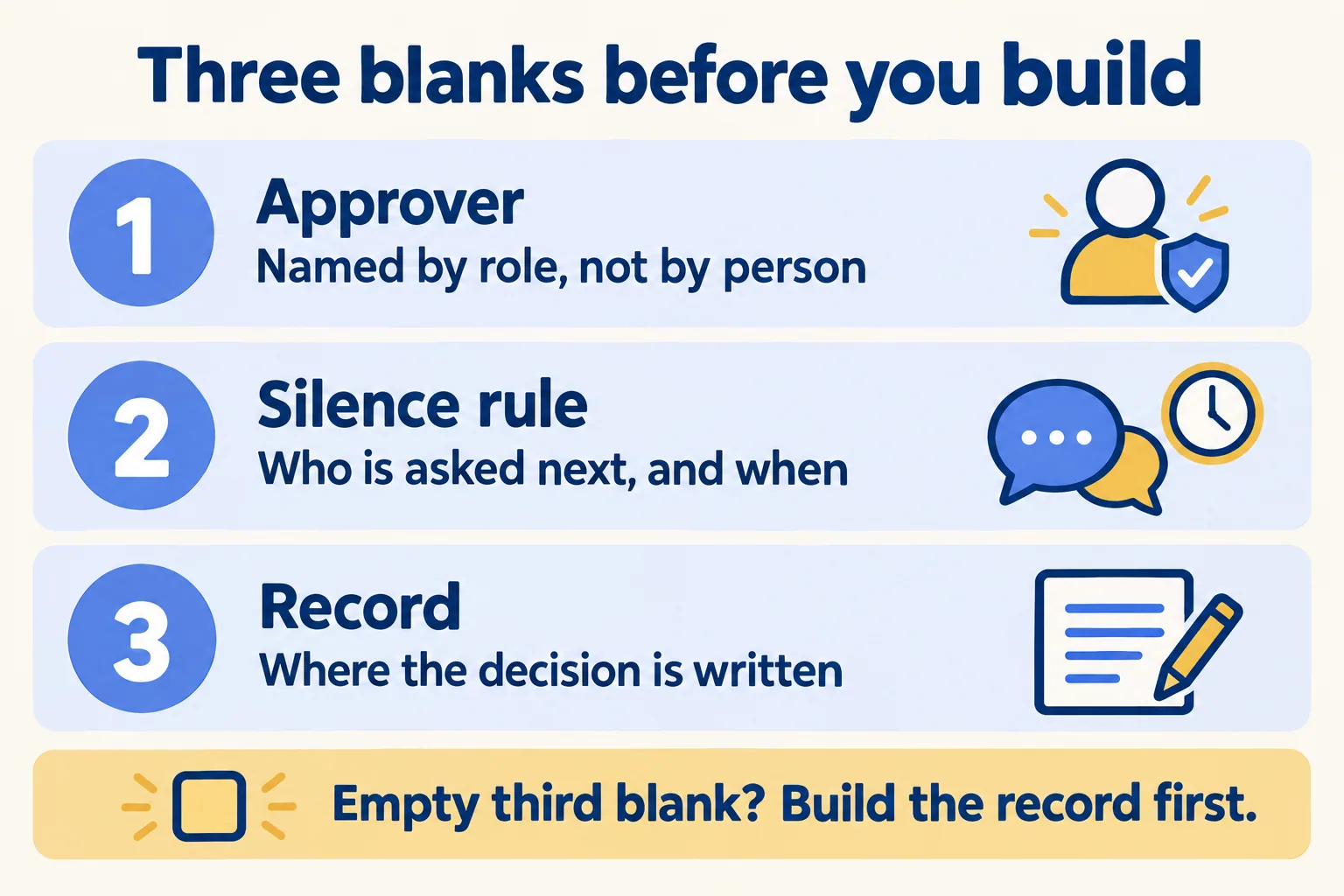
Our rule, so you can argue with it. A Slack workflow is the right home for an approval only if you can fill three blanks: the approver named by role, what happens when nobody answers, and the record the decision is written to.
- The approver, by role. "Head of finance for anything over the limit", not a person's name. Names leave. Roles stay. If the role has two holders, the workflow needs to reach whoever is in.
- The silence rule. After how long, who gets asked next? Slack's help says a workflow button can be given an expiration date that disables it at a set date and time. That switches the button off. It does not decide what happens to the request, so the answer to "what if nobody clicks" is yours to write.
- The record. Where does the yes or no land so that someone can count it, report on it or audit it later? A Salesforce field, a Slack List, your own system. If this blank is empty, the message itself becomes the record.
If the third blank is empty, do not build the workflow yet. Build the record first, then let the workflow write to it.
Who is allowed to build the workflow?
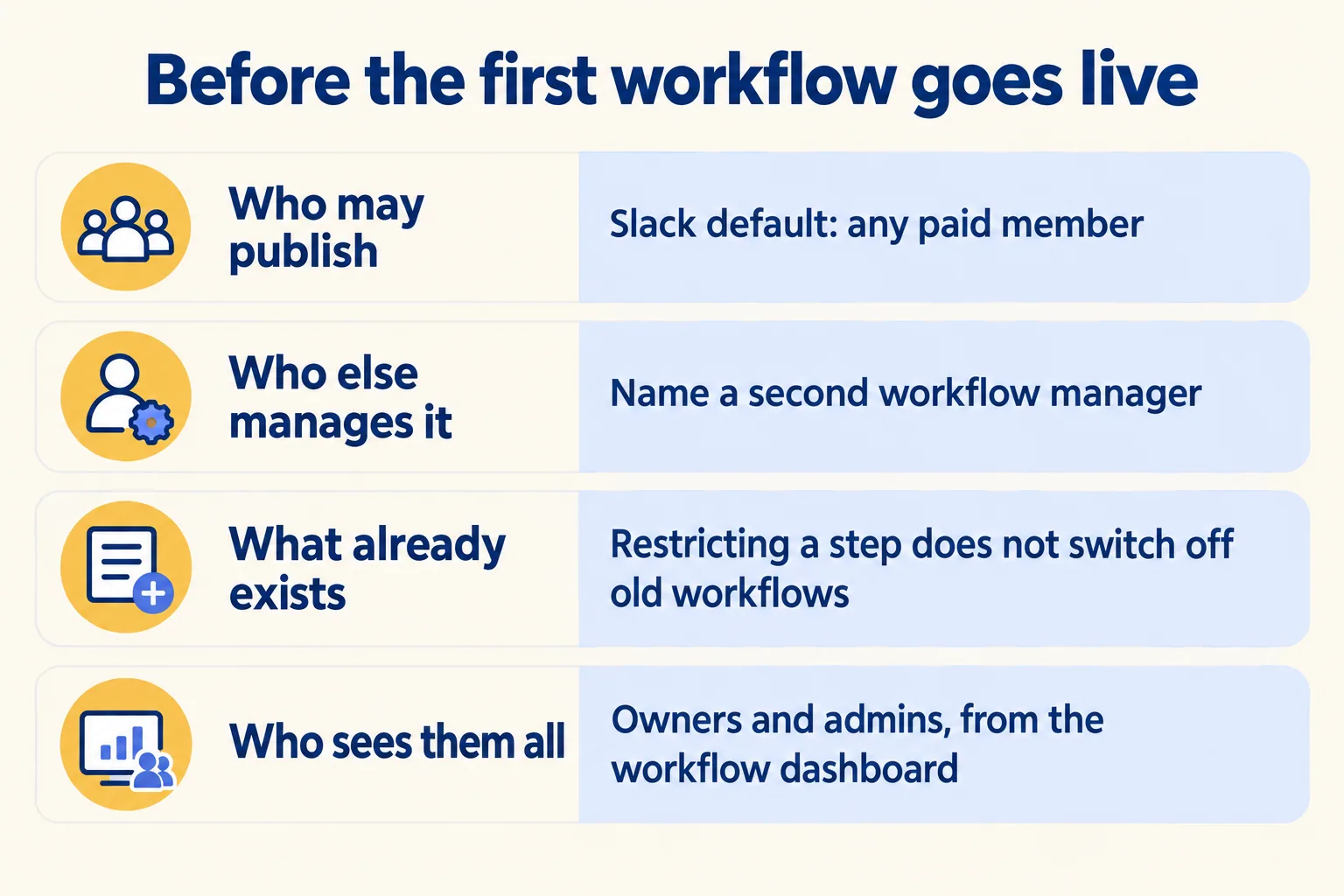
This is the first control, and most teams meet it by accident. Slack's help page on creating a workflow says: "By default, anyone on a paid plan (except Frontline Members) can create workflows using Workflow Builder." If a person does not see the option, "your owners or admins may have restricted access."
Slack's admin page gives the levers. Owners and admins can restrict who may create workflows through the Publish Workflows permission, choosing owners and admins only or adding certain people and groups. They can also "view all published workflows in their workspace or Enterprise organization and add themselves as workflow managers from the workflow dashboard." On Enterprise plans, Org Owners and Admins can disable Workflow Builder for the organization or set an org policy.
Two more things to know before you tighten anything:
- The person who builds a workflow is automatically its manager. Slack's help says that person can edit, unpublish and delete it, and that you can add others to share the work. If the builder leaves and nobody else is a manager, the approval has no owner. Name a second manager when you publish.
- Restricting a step does not switch off what already exists. Slack's admin page says restricting a step or trigger does not remove it from existing workflows. Review what is published first, then change who may build.
So the list you need before the first workflow is short: who may publish, who is the second manager, and which approvals already run on someone's personal workflow.
Which approvals go first?
Score each approval you have today against the three blanks. Here is a sample plan, labelled as one, for an operations team with five approvals. It is an example of how we score, not a client result.
| Approval (sample) | Approver by role | Silence rule | Record | Build first? |
|---|---|---|---|---|
| Purchase over a limit | Head of finance | Escalates after two days | Salesforce field or List | Yes |
| Discount on a quote | Deal desk lead | Next role in line after one day | Written back to the opportunity | Yes |
| Access request | System owner | Not decided | Not decided | Fix the blanks, then build |
| Creative sign-off | Marketing lead | Not decided | The thread | Record first |
| Change before a release | Release manager | Escalates before the window | A List item | Yes |
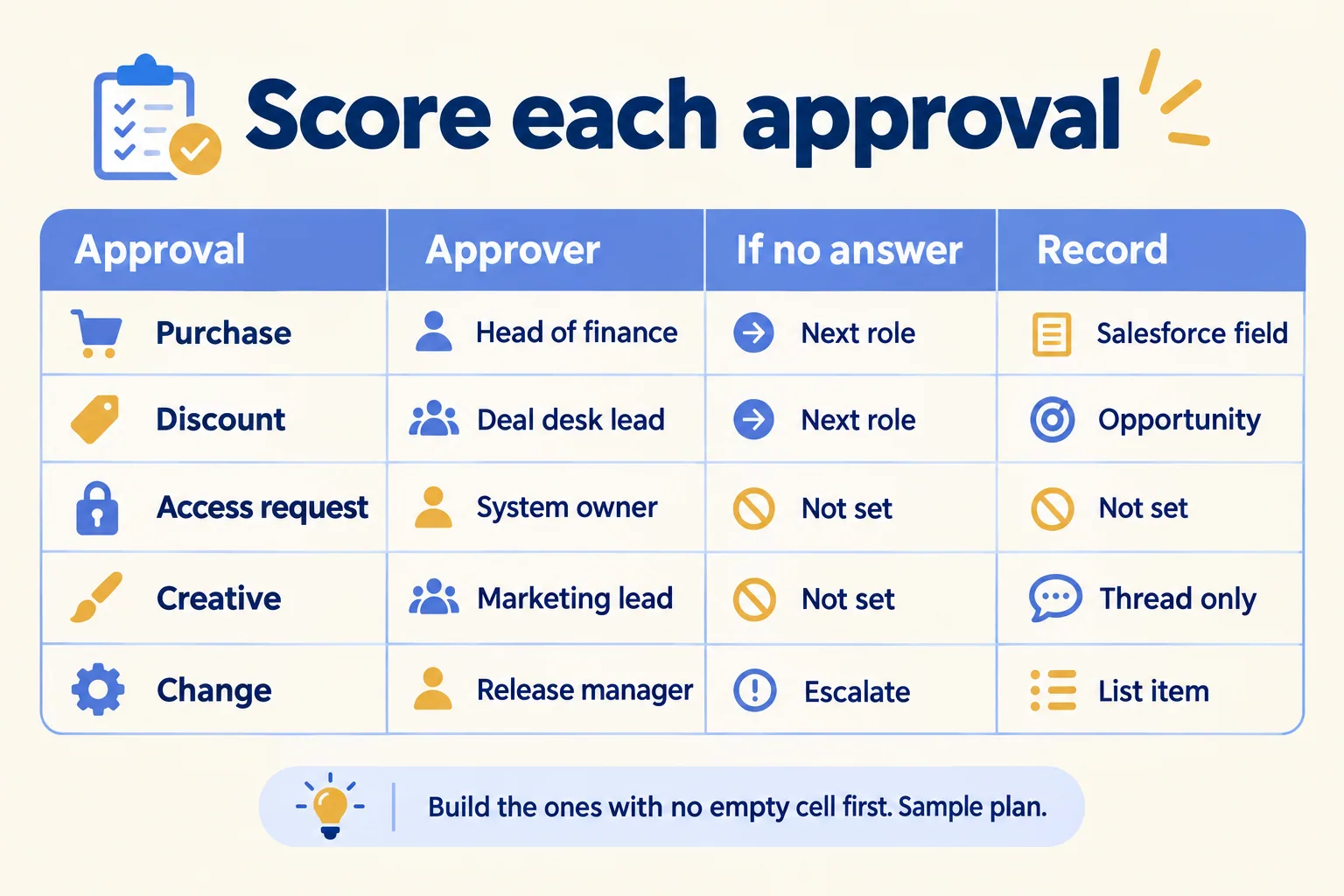
Pick the three that fill every blank. Build those first. The ones with an empty record go to a Salesforce field or a List first; a workflow written on top of nothing only moves the mess into Slack.
Our Slack use cases page lists the same approvals as everyday cases: spend and purchase approvals, discount and quote approvals, access requests, change approvals. On each, the idea is the same: "the decision is logged" or "the answer is written back to the CRM". That clause is the third blank.
What if a blank will not fill?
Most teams fill the first blank in a morning and stall on the second or third. That is useful information.
If the approver blank will not fill, the approval has no owner, and Slack will not give it one. Decide the role before the tool.
If the silence rule will not fill, nobody has agreed what a late answer costs. Start with one rule for everything, such as "ask the next role after one working day", and change it when a real case argues for it.
If the record will not fill, the first job is not a workflow. It is a place for the answer to live. For anything a client, auditor or finance team will ask about later, that place is a record in Salesforce or your own system. We make the same split for handoffs in channel, canvas or record.
Who is this not for?
If you approve only a few things a week, a message and a thumbs up may be enough. If your team is happy on Microsoft Teams, stay; see Slack against Microsoft Teams for where each fits. We do not move you for the sake of it.
If approvals leak through WhatsApp, email and Excel and you want them scored, tell us the approval that stalls most. We call the method Pick your ten, part of Run the Work in Slack: you give us the process, we write the ten Slack use cases that fit, what to build first and what to leave alone. On paper you get how each would run: the channels, the approvers, what Salesforce records, the plan and the seats, before you buy anything. Licences come from Salesforce today. We help you pick the plan and work with your Salesforce account team.
