

If the new owner has to read the whole channel to catch up on a job, this is for you. It is not for one-team companies with no handoffs, or for teams happy on the tools they use. We do not move you for the sake of it.
What does the new owner need in five minutes?
Think of the last time a job changed hands: a vendor onboarding, a delivery, an approval that moved from one desk to another. The person leaving writes "should be fine, ask me if stuck." The person arriving opens the channel.
A developer's hackathon write-up describes that moment for an on-call shift: the next engineer opens "150+ unread messages across three threads" and spends "30–60 minutes reconstructing what happened before they can own anything." That is one builder's description of his own project, not a measured figure, and it is about engineers. The shape is the same for an operations lead. The talk is all there. The answer to "who owns what, and what is open" is not.
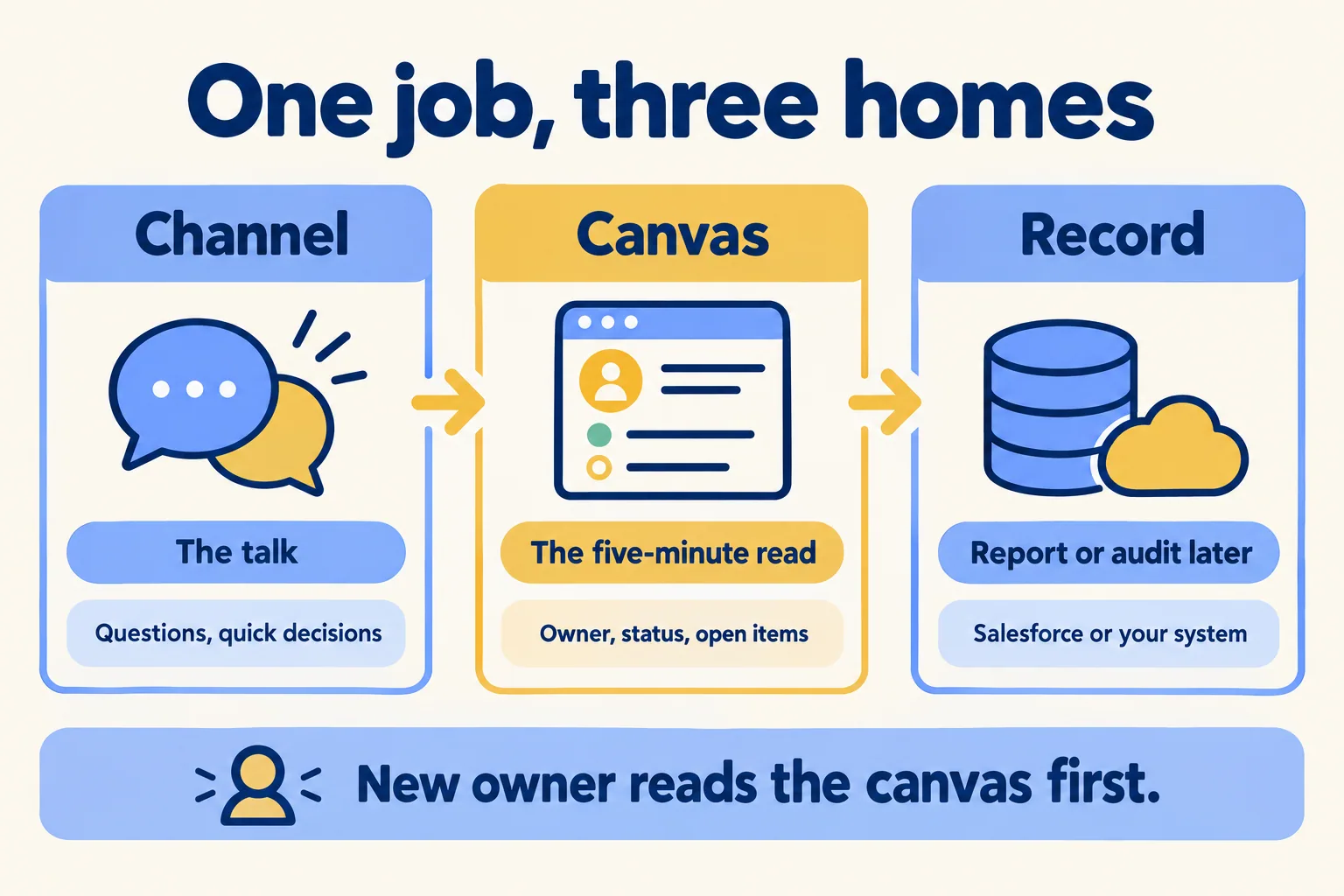
Our rule, so you can argue with it. The channel holds the talk. The canvas holds what the next owner must read in five minutes. The record holds anything someone will report on or audit later. If the new owner still has to scroll the channel to learn who owns what, the canvas is missing. If finance or a client will ask for it in a year, it belongs in a record, not a canvas.
Which plans have which canvas?
Check this before you promise anyone a standard. Slack's canvas settings page says: "Channel and direct message (DM) canvases are available on all plans, while standalone canvases are only available on paid plans."
So a handoff canvas that lives inside the job's channel works on every plan. A standalone canvas you keep in a folder of its own depends on a paid plan.
There is a second thing to check if you ever drop a plan. Slack's page on the free version says that when you downgrade, "the canvases in your workspace will be converted to read-only and you won't be able to create new ones." The same page says the free version shows only the most recent 90 days of message and file history. A handoff that lives only in channel messages can fall behind that line. A handoff written into a canvas does not depend on scrolling.
Which plan fits your control needs is a separate question; we cover it in how to pick a Slack plan by control.
Who can read the canvas?
Not the same people who are in the channel. This is the part most teams skip.
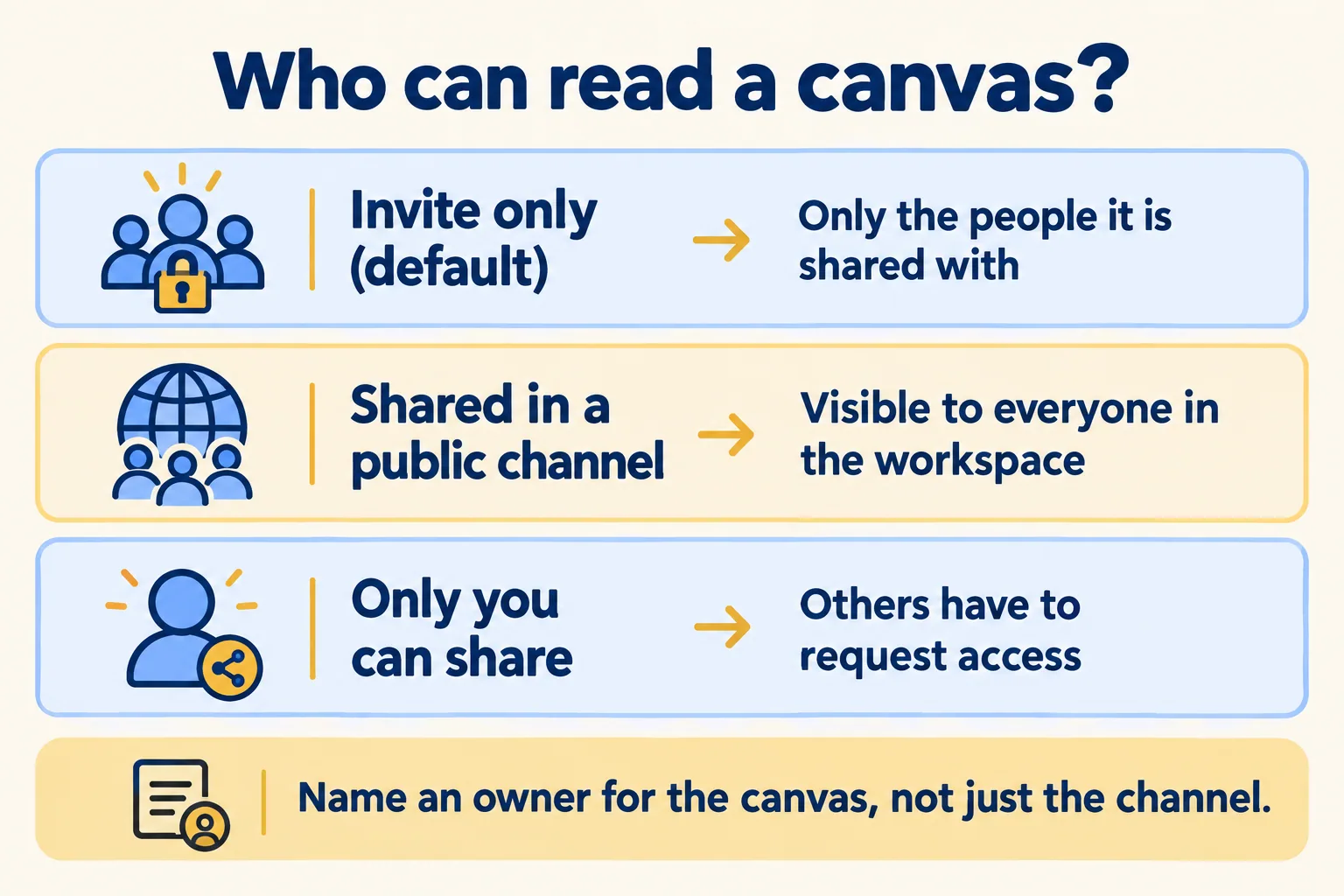
Slack's access page says a canvas starts as invite only: it "won't appear in search results or be visible in the Canvases or Lists browser for anyone it hasn't been shared with." People you add get view, comment or edit access. Then comes the exception: if you share a canvas set to invite only in a public channel, "it will be visible to everyone in your workspace or Enterprise organization."
Two controls matter for a handoff. A canvas owner can turn on limited sharing (the box reads "Only you can share"), so only owners can grant access and everyone else requests it. And in the admin settings, workspace owners and admins can limit sharing so only canvas owners can share their canvases with other people and channels.
So name two things on every handoff: the owner of the channel and the owner of the canvas. If the person who created the canvas leaves, someone else needs to be an owner already. Slack's page says you can make someone you have shared with an owner, with the same management permissions as the creator.
One more setting worth knowing. Admins can turn off canvas version history, so only the latest version is kept. For a handoff you may want history on, so you can see what changed since the last owner wrote it.
What goes in the channel, the canvas and the record?
Sort by one question: who reads it, and when?
| Where | What goes in | Who reads it, and when |
|---|---|---|
| Channel | Questions, quick decisions, photos, "done" messages | The people on the job, as it happens |
| Canvas | Owner, status, open items, the decisions made and why | The next owner, once, in five minutes |
| Record (Salesforce or your own system) | Anything you will count, report, approve or audit | Finance, a client, a regulator, next year |
Three tests make it fast.
Would the next owner need it on day one? Then it is in the canvas, and a thread alone is not enough. Will someone count it? Then it is a field in a record, because a canvas is a page to read, not a table to total. Is it a decision with a reason? Write it in the canvas in one line, and put the approval itself in the record if anyone will ask who said yes.
The rule has a cost: someone has to keep the canvas current. Slack posts a message in the channel when a channel canvas is updated, which helps the team see that it moved. If nobody owns the update, the canvas goes stale and the channel becomes the source again. That is the failure to watch, so the owner's name goes at the top.
What does a handoff canvas template hold?
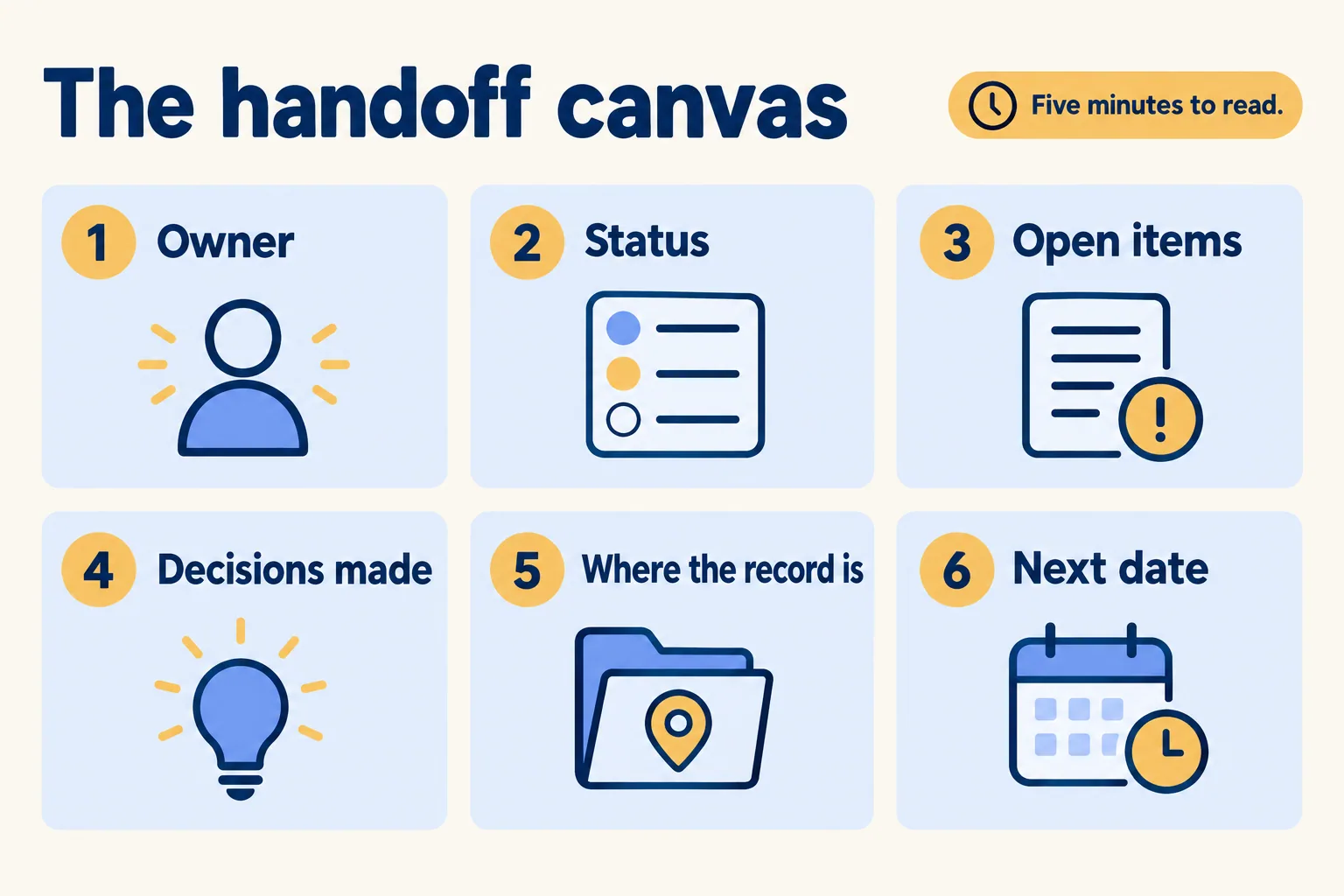
Slack's help covers how canvases are shared and who sees them; the headings are yours to choose. These are the six we recommend, in this order:
- Owner. Who owns the job now, and who owned it before.
- Status. One line: where the job is today.
- Open items. What is waiting, on whom, and since when.
- Decisions made. The three that the next owner would otherwise reopen, each with its reason.
- Where the record is. The link to the record in Salesforce or your system.
- Next date. The next date that matters.
If the canvas is longer than a screen or two, it has become a second channel. Cut it back, or move the detail into the record and link it.
On our Slack use cases page, the shift-handover case is written the same way: the problem today is "notes in a shared doc that nobody reads", and in Slack it becomes "an end-of-shift post of open cases and who owns them." The canvas is the page; the post is the nudge.
Who is this not for?
If your work sits in one team and nothing changes hands, a channel is enough and you do not need this. If your team is happy on Microsoft Teams, stay; see Slack against Microsoft Teams for where each fits. We do not move you for the sake of it.
If a job changes hands across teams and you want the split written down for your processes, tell us the one handoff that leaks most. We call the method Pick your ten: you give us the process, we write the ten Slack use cases that fit, what to build first and what to leave alone. On paper you get how each would run: the channels, the approvers, what Salesforce records, the plan and the seats, before you buy anything. If the handoff today leaks through WhatsApp, email or Excel, that is the one to name. Licences come from Salesforce today. We help you pick the plan and work with your Salesforce account team.
