

If you report a client's website traffic every month and the tool is about to change, this is for you. It is not for a site nobody reports on. And if a client's Google Ads bidding depends on Google Analytics audiences, do not switch that client off it; run both, as below.
What happens to the traffic number the day you switch?
It changes. Tell the client that before it happens, not after they see the first report.
A migration guide on analytics-migration.com puts the reason in one line (updated 1 November 2026): "Privacy-first tools count sessions differently, ignore bots differently, and do not follow users across visits the same way." It adds the part that matters for an agency: "Without a baseline, you cannot tell an expected discrepancy from a broken installation."
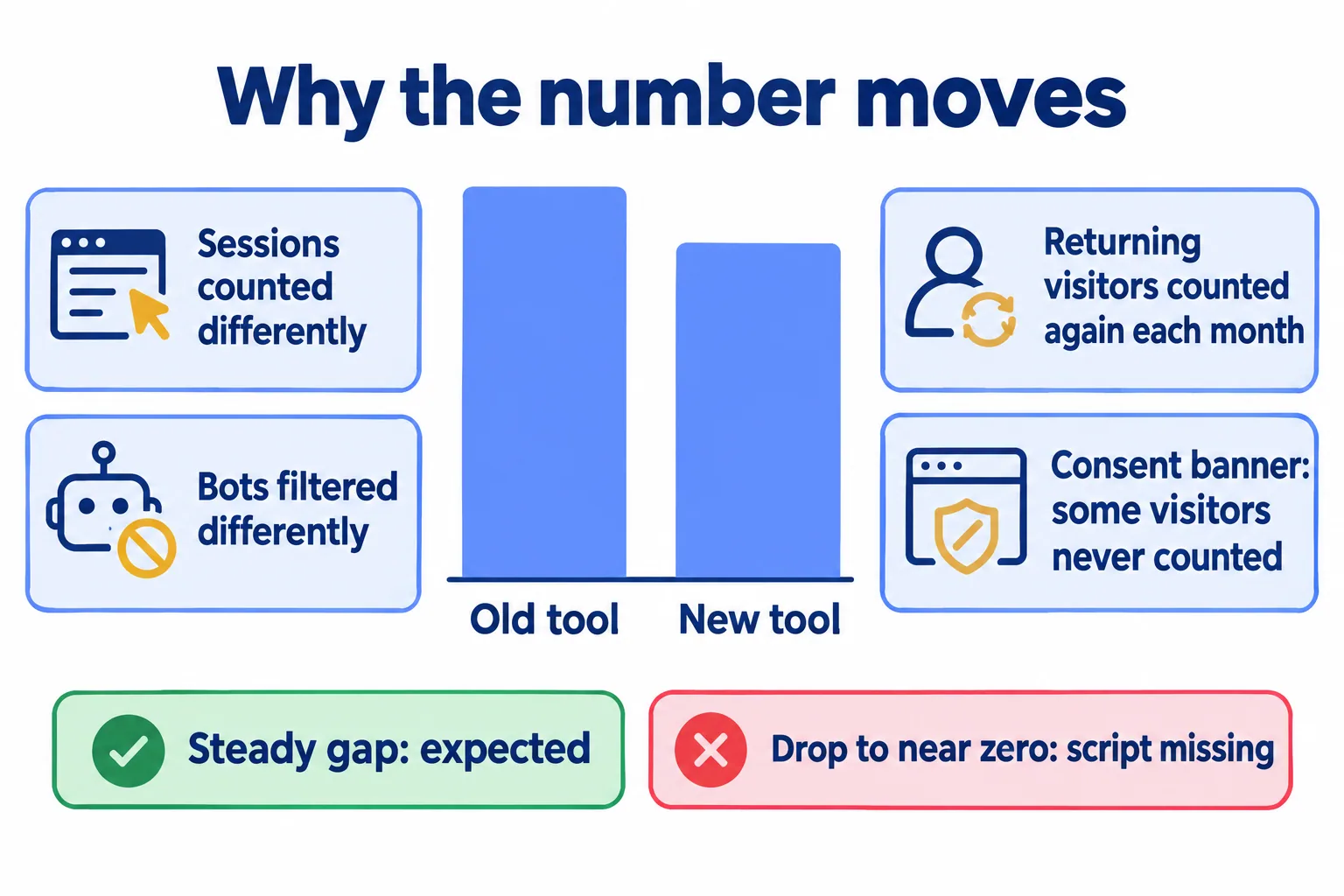
Here is one concrete case, from our own tool. Mindcat Analytics sets no cookie, and a visitor's session is a code that changes every month. So a person who visits in October and again in November counts as two visitors in a two-month report. A tool that keeps a cookie for a year counts them once. Neither number is wrong. They answer different questions.
The consent banner moves it too. Our own Analytics page names the problem agencies bring us: the banner goes up, many visitors close it, and the dashboard shows fewer visits than the sales team has leads. A tool that counts without a cookie is counting a different set of visits from one that waits for consent.
So the rule we give agencies: expect a steady gap between the old number and the new one. A gap that stays the same week to week is the tools disagreeing. A drop to near zero on one site is a missing script.
How much history is there to lose?
Less than the client thinks, and it is already expiring.
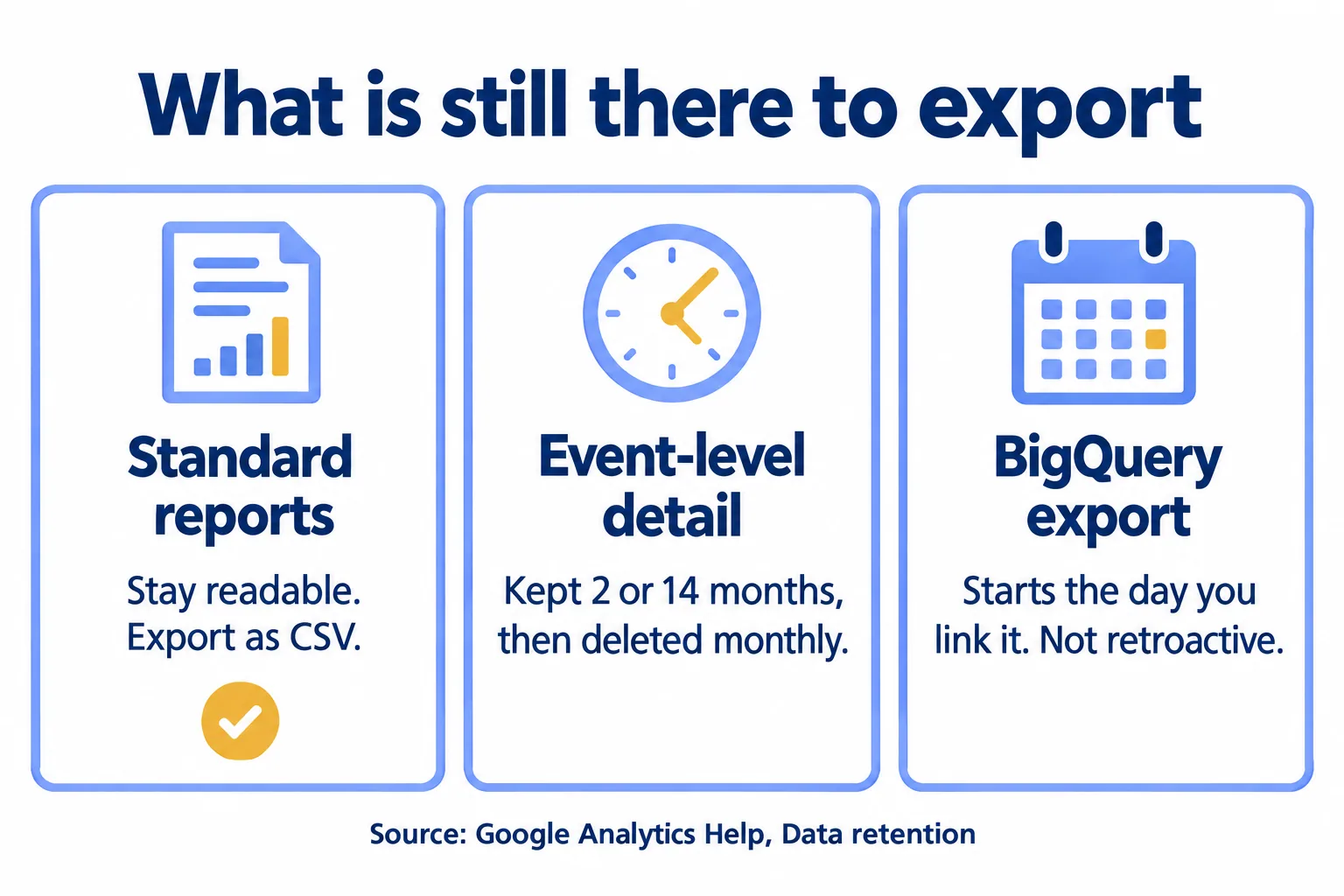
Google's own Data retention page says a standard GA4 property keeps user-level and event-level data for 2 months or 14 months. When data reaches the end of that period, "it is deleted automatically on a monthly basis." The longer options (26, 38 and 50 months) are for the paid 360 tier only.
The same page says what the setting does not touch: "the data retention setting does not affect standard aggregated reports". It only limits explorations and funnel reports. So the "four years of traffic" a client worries about is mostly the standard reports: traffic by channel, top pages, conversions by source. Those are exactly what you can download today.
There is a precedent for waiting too long. Google stopped standard Universal Analytics properties processing data on 1 July 2023, and from the week of 1 July 2024 removed access to their current and historical data. Its own help page warned that data not exported "will be permanently deleted by Google and won't be recoverable." Nothing like that is announced for GA4. The habit it teaches still holds: export while you can, not when you need it.
What do we export first?
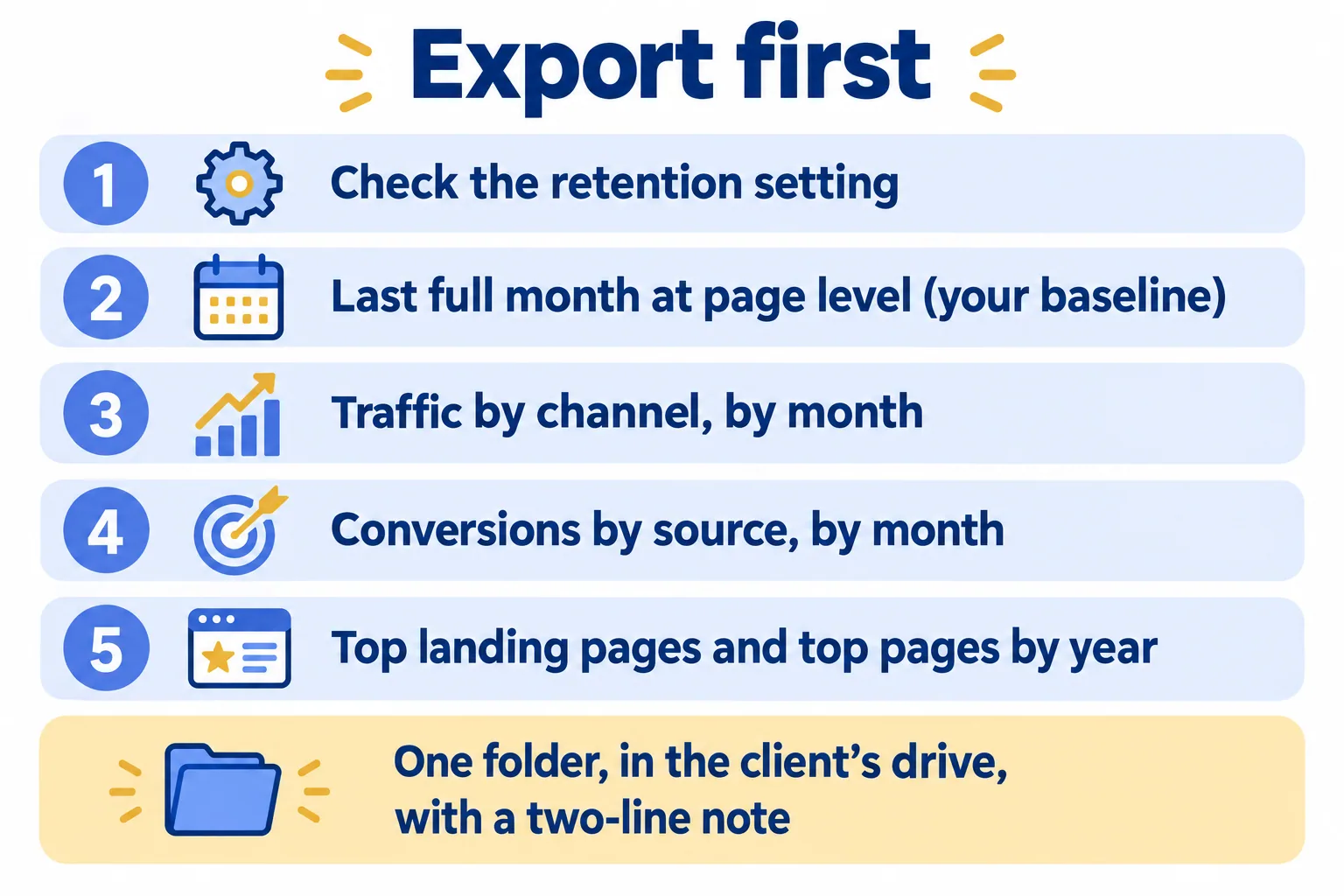
Five steps, in this order, before anything changes on the site. The first is a check; the other four are exports.
- 01Open Admin, Data Settings, Data Retention, and write down whether the property keeps 2 or 14 months. That tells you how much detail is left.
- 02Export the last full month at page level: sessions, users and views for the top twenty pages, plus conversions. On a broker site with hundreds of listing pages, group the listings into one line per project or area so they do not fall out of the top twenty. This is the baseline you compare the new tool against.
- 03Export monthly traffic by channel for as far back as the reports go.
- 04Export conversions (GA4 calls them key events) by source and by month. If the client's leads come on WhatsApp or by phone, the WhatsApp tap and the call tap are the conversions that matter most; make sure they are in this export.
- 05Export landing pages for the campaigns the client still talks about, and top pages by year.
Download each one as CSV with the date range in the file name. Put them in one folder in the client's own drive, with a two-line note saying what was exported and when. The migration guide gives the same advice, and a warning: "a folder of 200 unlabelled CSVs is not an archive."
If the client needs event-level rows (one line per click, with its details), link the free BigQuery export now. It holds only what it collects after you link it. It does not reach back, and standard properties are limited to one million events a day, according to the same guide. For most broker and clinic sites, the five exports above are enough.
Who owns the account the history sits in?
Check this before the exports, because it decides who can make them.
LegalClarity, a US legal explainer published in June 2026, quotes Google's terms of service: on termination, "all of Your historical Report data will no longer be available to You". Its conclusion: "If the agency controls the account and terminates it, your historical data disappears." It recommends that the agency creates every account and property under the client's own business account, and archives reports in a format the client can open.
That is written under US law, not UAE law, so treat it as the questions to put to the client's counsel, not as the answer. Our working practice is simpler. The client's Google account owns the old property. The client's drive holds the exports. The new tool's account is in the client's name too, and the agency gets a login.
How long do we run both tools?
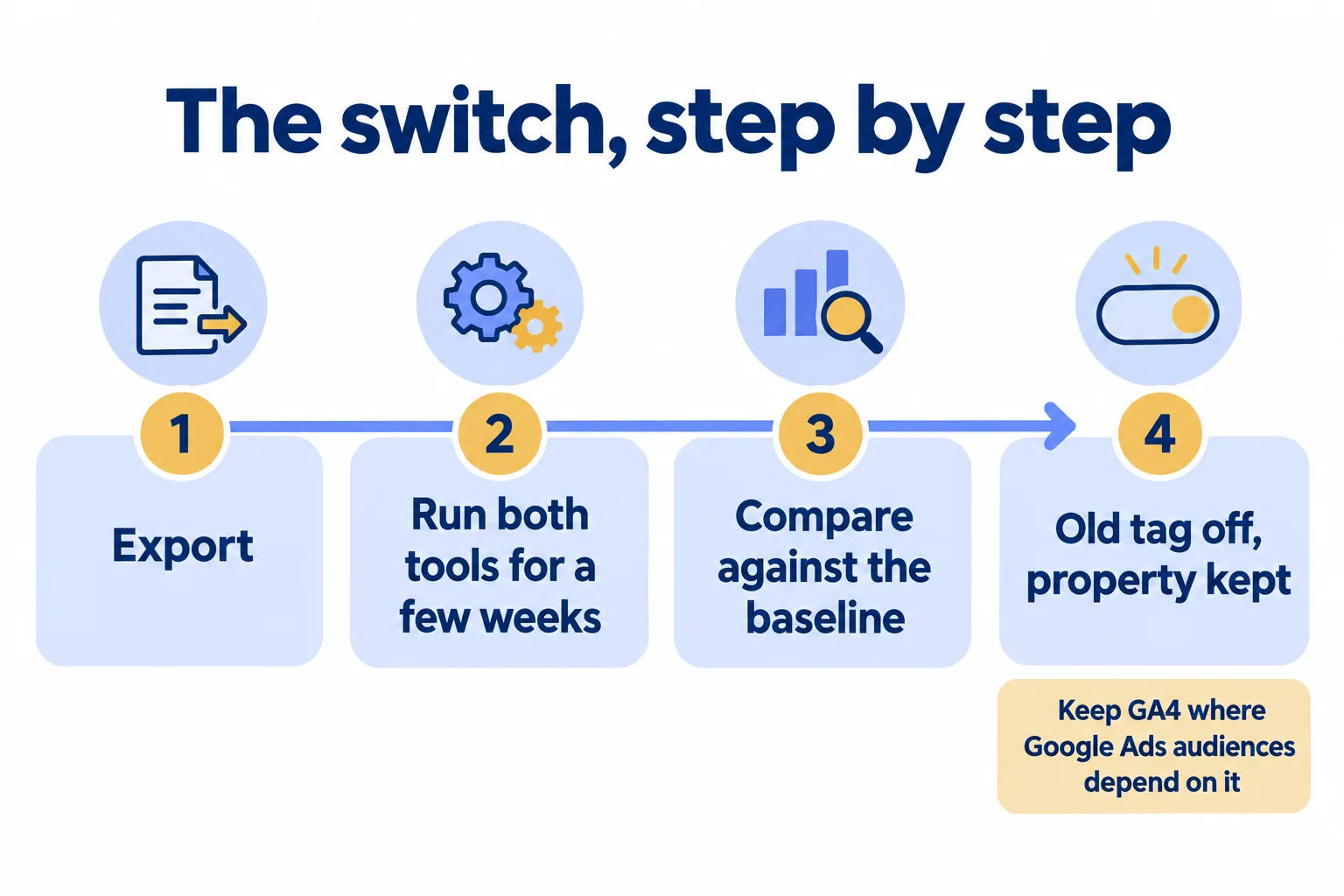
Until two full weeks show the same gap between the two tools on the same pages. That is our working rule. Counting the partial first week, it means at least three weeks from the day the new script goes on. Our page says it plainly: you can run both while you compare, and keep GA4 only where you need its ad features.
When the gap is steady, take the old tag off the site and leave the property in place, read-only. It costs nothing, and the standard reports stay readable. The same guide notes that a deleted property sits in the Trash for 35 days and can be restored there. After that it is gone for good. There is no reason to delete it at all.
What do we tell the client before the switch?
Three lines, sent before the first new report. This is a sample, not a client's message:
From next month your website traffic report comes from a new tool. The visitor number will not match the old one, because the two tools count returning visitors and the consent banner differently. We have kept last month's full report as a baseline, and your old reports stay in your own account.
Two timing rules come with it. Do not switch a client in the month a campaign launches, because the first month after a switch is the one with no clean comparison. And for a retail or hospitality client, do not switch in the run-up to Ramadan or a sale season, when the client will compare this year against last year line by line.
The campaign names carry across if they were set by UTM tags (short labels at the end of an ad link). If nobody owns that list yet, fix it first. Who names the campaigns has the naming sheet.
What will Mindcat Analytics not do?
Say it before the price. Mindcat Analytics does not import GA4 history. Your history stays in your exports and in the old property, and the new tool starts counting the day the script goes on the site. It builds no ad audiences, does no remarketing and sends no signals to Google Ads bidding, so keep GA4 for those. It sends no reports by email and shows Gregorian dates only, with no Hijri calendar.
What it does: a read-only link per client website that opens on a phone with no login, and a CSV export of any website whenever you want it. Logins are free, so the client keeps their own.
Whether a client's site still needs a consent banner is a question for their counsel, not for the tool. The questions to bring are in our post on GDPR for a UAE website. If the leads arrive by WhatsApp and phone, count the taps first.
How do we decide which client sites move?
Our method is called Counted in the region. We read each client site and sort it into one of three groups.
- Move: the client wants the data kept in the UAE or Saudi Arabia, or the monthly report is the problem (rebuilt by hand, or the client cannot open it).
- Keep on GA4: the client's Google Ads campaigns depend on GA4 audiences or bidding signals.
- Run both: the client wants the in-region count and still runs Google Ads. GA4 stays for the ads, and the new tool carries the report.
For an agency with many client sites, we usually move the sites in batches, a few a month, so each batch has a clean baseline. For a broker's launch site, we move it between launches, not during one.
What does it cost?
Here is what the Analytics page says today. You pay per website a month. A website is one site or domain, and the Arabic and English versions of one site count once. Logins are free and unlimited.
- Websites 1 to 5: AED or SAR 99 each. 6 to 20: 39. 21 to 100: 19. 101 and up: 12.
- The shared plan, hosted by us in the UAE or Saudi Arabia, has a minimum of AED/SAR 499 a month, for up to five websites. The page's worked example: an agency with 10 client websites pays AED 690 a month.
- Each website includes up to 200,000 events a month (page views plus the clicks we track), pooled.
- The quick start is a fixed AED/SAR 2,500 that we set up, for the shared plan up to five websites. From six websites, managed setup starts at AED/SAR 5,900.
- Billed at cost, outside the website price: a paid geo database if your setup needs one, and any outside service you ask us to buy for you.
So for an agency with 10 client sites on the shared plan, month one is AED 5,900 for the managed setup plus AED 690 for the month, and AED 690 a month after that. Annual prepay takes 15 percent off. Prices exclude 5 percent UAE VAT and 15 percent Saudi VAT. See prices and the comparison on the page.
Tell us how many websites you run and where your visitors are. We reply with the setup plan and the monthly price per website, in AED or SAR.
