
If your handover snag list lives in a sheet, nobody can say which items are really closed, and retention is waiting on it, this is for you. It is not for a team with one trade, one person walking the job and a short list. Stay on the sheet.
Why does the last page of the snag list never close?
Because the list stops being a record. Items get marked closed by whoever fixed them, the consultant walks the unit again and reopens half of them, and nobody can show which version is true.
BuildFlow, a UAE vendor of snagging software, describes the usual handover in fit-out companies as "a printed snag list, a phone camera, and a WhatsApp group." In its words: "Snags get closed verbally and reopened by the consultant." That is a vendor's description of the market, not a study, but most contractors will recognise it.
The cost is the money held against the list. Maaf Legal, a Dubai law firm writing for contractors, says retention "often gets stuck quietly," with release delayed by reasons like "closeout pending" or "defects still open." Its advice: keep records of every defect notice, repair, inspection and closeout confirmation, and "Do not rely on verbal site approval."
So the question is not which tool looks better. It is whether your list can prove what was closed, by whom, and when.
Who is allowed to type Closed?
The person who raised the snag, after looking at the fix. Not the trade that did the work.
Redesign Technical Services, a Dubai fit-out contractor, writes: "An item marked closed in a spreadsheet by the party who caused it is a claim, not a fact." Arkan, which sells construction software, gives the same rule: "Do not allow a contractor to close their own item. The person who raised the snag, or an independent inspector, should verify and close it."
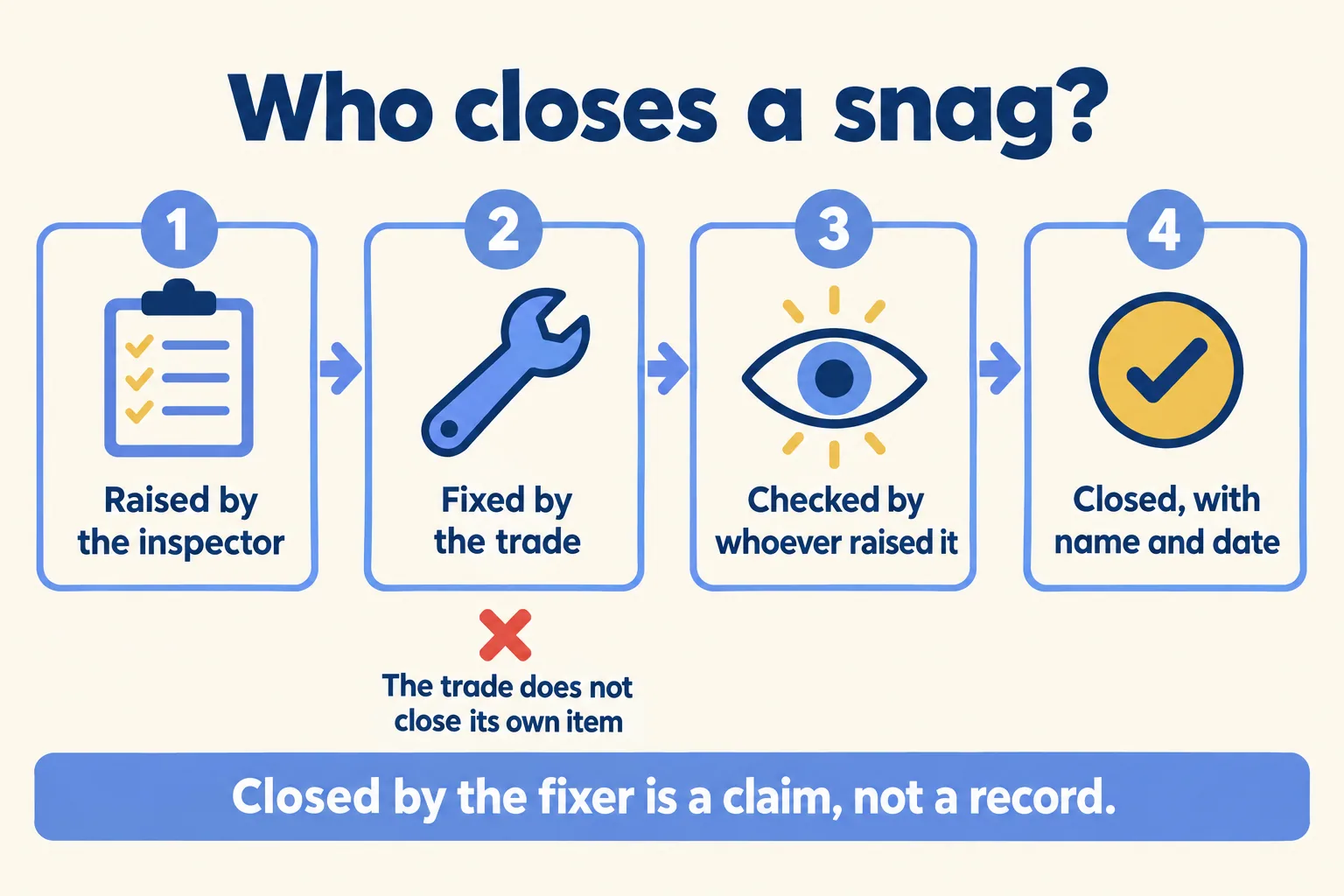
That gives you a test you can run on your own sheet today. Open the Closed column and ask who typed each entry. If it was the person who raised the item, after a second look, the sheet is doing its job. If it was the subcontractor, a supervisor on the trade's side, or nobody you can name, the column is a list of claims.
Sheet, tracker or snagging app?
This is the rule we give fit-out and MEP contractors. It turns on who closes items and what a close has to carry.
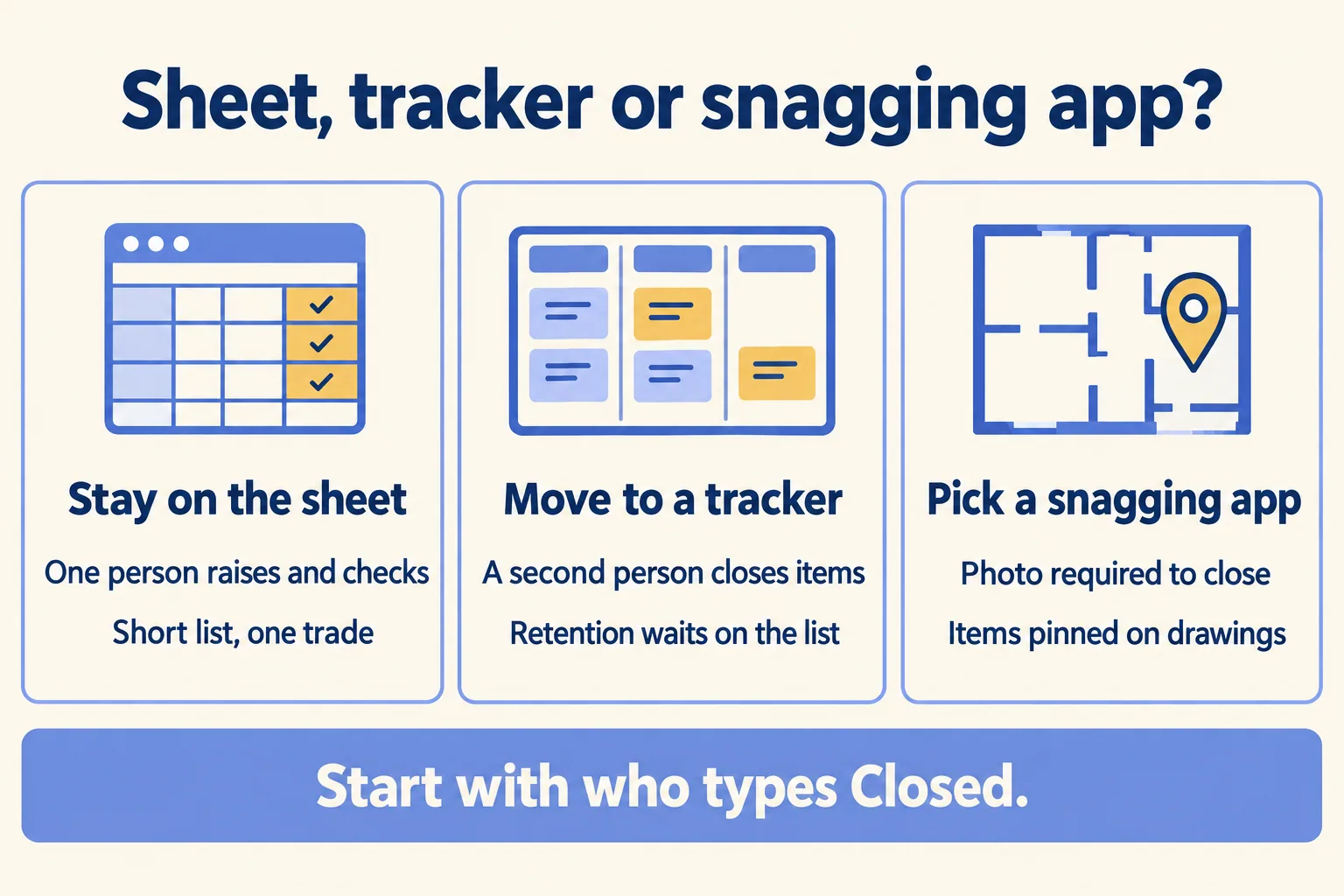
A tracker earns its place when the snag list sits inside the job you already run. The snags live next to the programme, the approvals and the handover milestone, and the client reads the same list you do.
A snagging app earns its place when the walk itself is the work: hundreds of items pinned on drawings, a photo required before anything closes, inspectors in basements with no signal. If that is your handover, a project tracker is the wrong tool, ours included.
Is it a snag or a defect?
Two lists, two clocks. The snag list closes at handover. The defects liability period starts then and runs after it.
Interioxpert, a Dubai fit-out firm, sets it out in a table: snagging happens before handover and ends when the list is closed and you take possession; the defects liability period runs from practical completion "for the contracted period regardless." Its rule for the files: "one register, numbered, with the date logged, location, owner and sign-off date." And: "If an item closed at snagging fails again under normal use, log it as a new DLP defect. Do not reopen a closed snag list."
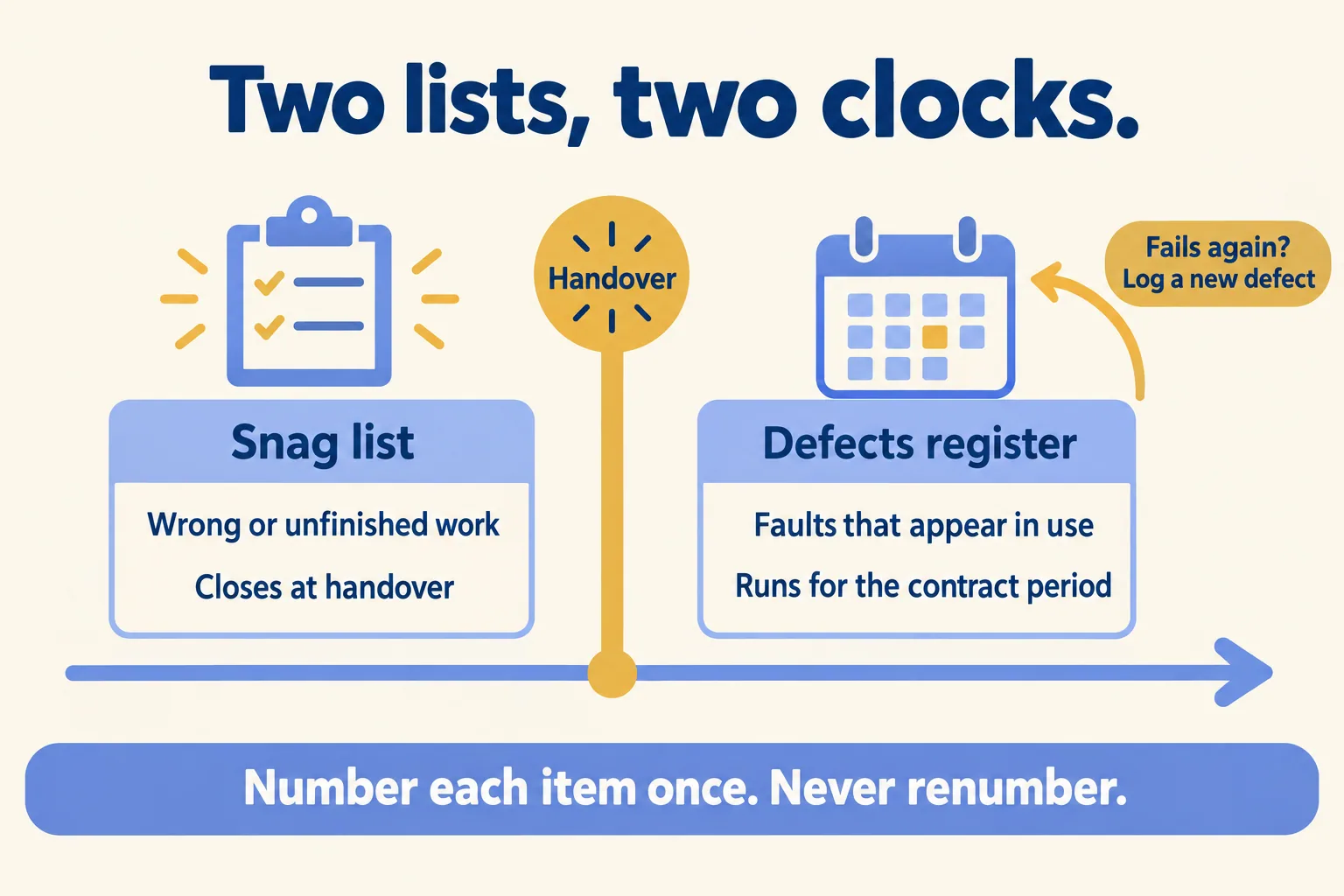
For the contractor this matters in both directions. A sheet that gets overwritten each round loses the date an item first closed, which is the date that shows it was a snag and not a later defect. Numbers that change between rounds make the argument worse. Whatever you use, number each item once and never renumber it.
Redesign also sorts snags into three grades: A blocks safety, compliance or occupancy, and the unit does not hand over until it closes. B is a contractual defect that must close before the closing payment. C is cosmetic, closeable during the defects period by agreement. Put the grade on the line. It tells the site team what to fix first and tells the client which items are holding money.
The length of the defects period and the retention triggers are in your contract, not in this post. Read your own clause, and ask counsel before you rely on a release date.
What the list's own dates have to carry
Redesign states it directly: "Dubai sets no statutory window for closing snags on private fit-out work." A response time exists only if the contract sets one.
That makes the dates on your list the only clock you have. Whether you stay on the sheet or move, these are the columns we set up for a fit-out snag list:
A sheet can hold those columns. It struggles to show who changed them and when, which is what a consultant asks for when an item comes back.
In Dubai the consultant often raises the snags and will not type into your sheet or your tracker. Then the close is on paper: the signed re-inspection sheet or the walk minutes. Record that close against each item with the consultant's name and the date, and attach the signed sheet, so the record points to the person who closed it, not to whoever typed it in.
Testing and commissioning do not belong on the finishes list at all. Redesign treats them as "a precondition of practical completion, not a snag to be closed afterwards." Track them, and the authority inspections, as their own tasks.
Two smaller habits from the same sources are worth copying either way. Keep status and the closed date in one shared file instead of emailing a new attachment every round. Keep variations off the snag list: a snag is contracted work done wrong or left unfinished, and a different finish or an extra socket is a variation, priced separately.
What Mindcat Projects does for a snag list
Mindcat Projects keeps each snag as a task on the job, beside the programme and the approvals. Each task has an owner, a status, comments, attached photos and drawings, and a full history of who changed what and when. The sample copy on our page has a Snagging stage. The client and the consultant get a free read-only login, so they see what is still open without a call.
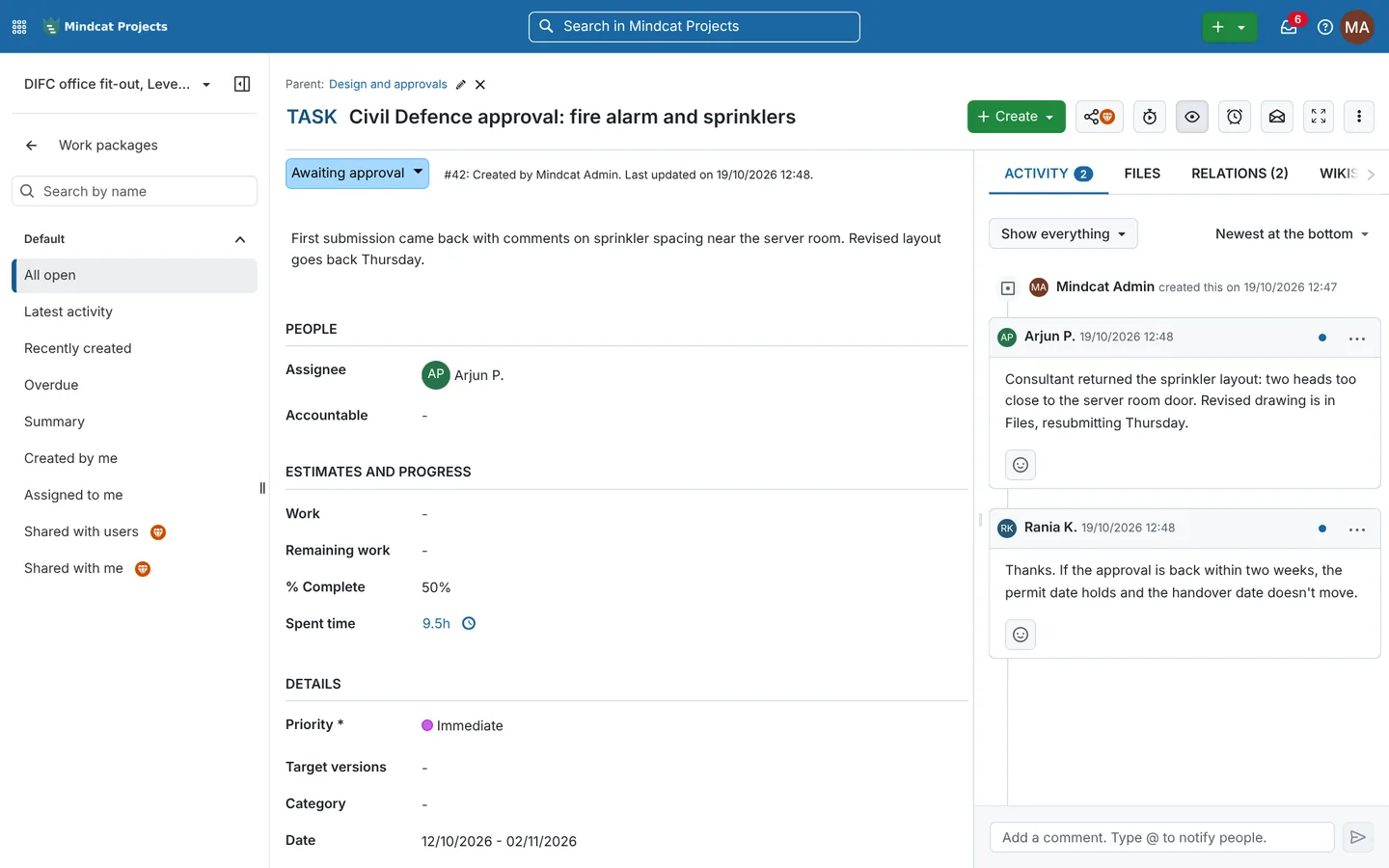
The rule that only the person who raised a snag sets it to Closed is one we agree with you and set up as your team's way of working. Every change shows who made it, so a close by the wrong person is visible on the task. Site engineers update from the phone browser, with nothing to install. A done photo that arrives on WhatsApp has to be saved to the task by someone; nothing moves across on its own.
What it does not do: require a photo before an item closes, pin an item on a drawing, or work offline. Photos attach to the task as files. Updates reach people by email and in the app inbox, not on WhatsApp. The Arabic screens are partly translated and read left to right. It is not connected to Dubai Municipality, Civil Defence or DEWA portals.
One subscription covers all your jobs, with no per-project fees. You pay per member: anyone who creates or edits tasks, so a subcontractor who updates its own items is a member. Clients, consultants and read-only logins are free.
Our page prices each member a month from AED or SAR 179 for members 1 to 10, falling in bands as the team grows. Each plan has a monthly minimum, so no one buys a single member at that rate: the shared plan minimum is AED/SAR 2,499 a month for up to 10 members, and your own copy starts at AED/SAR 5,349. The quick start is a fixed package we set up for AED/SAR 2,500, once. The maker's Enterprise add-ons are billed at cost. Prices exclude 5 percent UAE VAT and 15 percent Saudi VAT. The full list is on the Projects page.
If one person walks your jobs and closes every item, keep the sheet; we cover that case in Board, Gantt or spreadsheet?.
Our method is One programme per job: every job, its snags included, on one live plan. You tell us how many live jobs and members you run, how you track snags today and where it should run. We reply with the setup plan and the monthly price per member. If a snagging app fits your handovers better, we say so. If the tracker does, tell us about your jobs. For the trade in full, see Projects for fit-out contractors.
