
Speaking twice at Dreamforce · Sept 15-17 →

Slack

US · Global

If approvals run in Slack, your Slack support path changes on 27 October

By Shivanath DevinarayananPublished 7 min read
Written forCOO or operations lead whose work crosses teams, partners and systems“Your team chases every decision across WhatsApp, email and Excel.”

The short answer

What happens to our Slack support on 27 October 2026, and do we need to do anything?

On 27 October 2026, Slack moves its support to Salesforce Success Plans at no added cost. Pro and self-serve Business+ get Standard. Order-form Business+, Enterprise+ and Enterprise Grid get Premier. Slack says no action is needed, but new cases go through Salesforce Help. At Mindcat, we list which Slack workflows stop work if Slack stalls, and who owns each.

A lighthouse keeper hands a ring of keys to a new keeper on a stone bridge at dusk: Slack support moves on 27 October

Takeaways

  1. 01From 27 October 2026 Slack support moves to Salesforce Success Plans at no added cost. New cases go through Salesforce Help.
  2. 02The plan follows how you bought: Pro and self-serve Business+ get Standard, order-form Business+ and Enterprise+ get Premier.
  3. 03Slack's article gives two dates for self-serve Business+: your next billing cycle, and 27 October if you renew earlier. Ask Slack which is yours.
  4. 04Slack says no action is needed. It also says the Success Plan terms apply and each workspace may get its own notice.

What changes on 27 October?

If approvals run in Slack, this change is yours as well as IT's: it decides who answers when Slack itself fails and how fast. A discount waiting for sign-off in #deal-desk, an escalation room, an incident room: when Slack stalls, those stall, and someone has to file the case. Slack's help center says that starting 27 October 2026, Slack support moves to Salesforce Success Plans. You are moved automatically, at no additional cost, and you keep your Slack sign-in. As of today, 8 October, that is 19 days away.

19days from 8 October to the 27 October switch
Source: Slack Help Center, 'Understand your new Salesforce Success Plan for Slack', read 8 October 2026

Slack's US page says "Success Plan". Its UK and New Zealand pages say "Success Subscription". It is the same article, so we use "plan".

Support goes through Salesforce Help, with the Agentforce Help Agent answering first. Slack describes it as "faster self-service content, streamlined case creation and management, and our AI-powered Help Agent." Cases you open from 27 October are managed there, and your earlier case history stays on the Slack case page.

Now the line most people will stop at: "No action is required." That is true of the account and not of the way your team works. Slack's own article lists four things that change anyway: new cases live in a different portal, the Salesforce Success Plan terms apply, each workspace may get its own notice, and a Slack subscription can end up beside a second Success Plan you already hold for Salesforce. Nothing breaks. But the person who files the next case needs to know where.
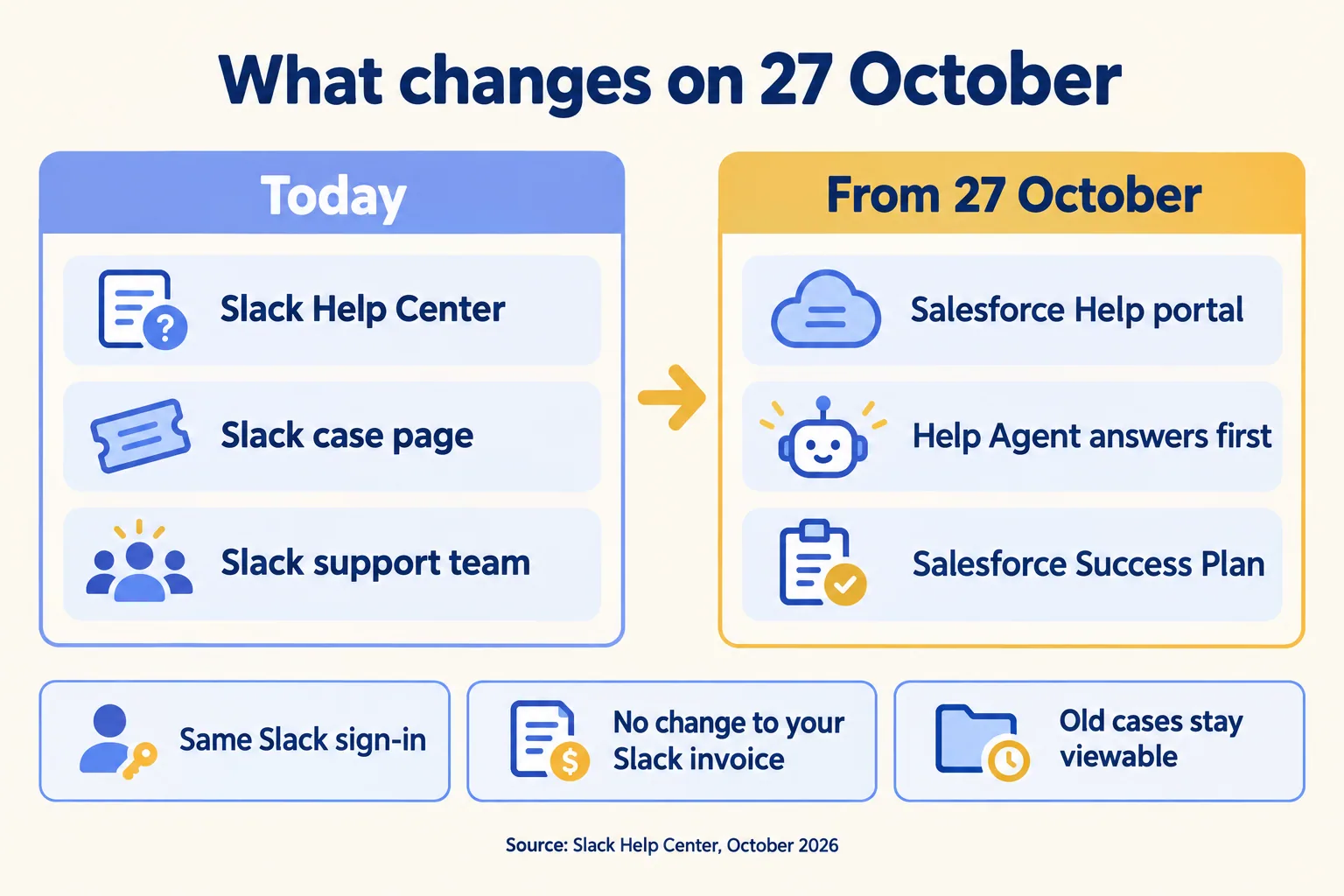
Today: Slack Help Center, case page and support team. From 27 October: Salesforce Help portal, Help Agent, Success Plan
What changes, and what does not.
If your team already runs approvals and escalations in Slack, our ten Slack use cases show which ones need a named owner before they go live.

Which plan does your workspace get?

It follows how you bought Slack, not how big you are. Slack maps each subscription to one of two Salesforce plans.

Your Slack subscriptionYour new plan
ProStandard
Business+ bought on the Slack website (self-serve)Standard
Business+ bought on an order form from a Salesforce repPremier
Enterprise+ or Enterprise GridPremier

The split in Business+ is the part to check. Two workspaces on the same plan name can land on different support levels, because one was bought online and one on an order form. Slack says your Billing page shows which you have. If you run several workspaces, each moves according to its own subscription.
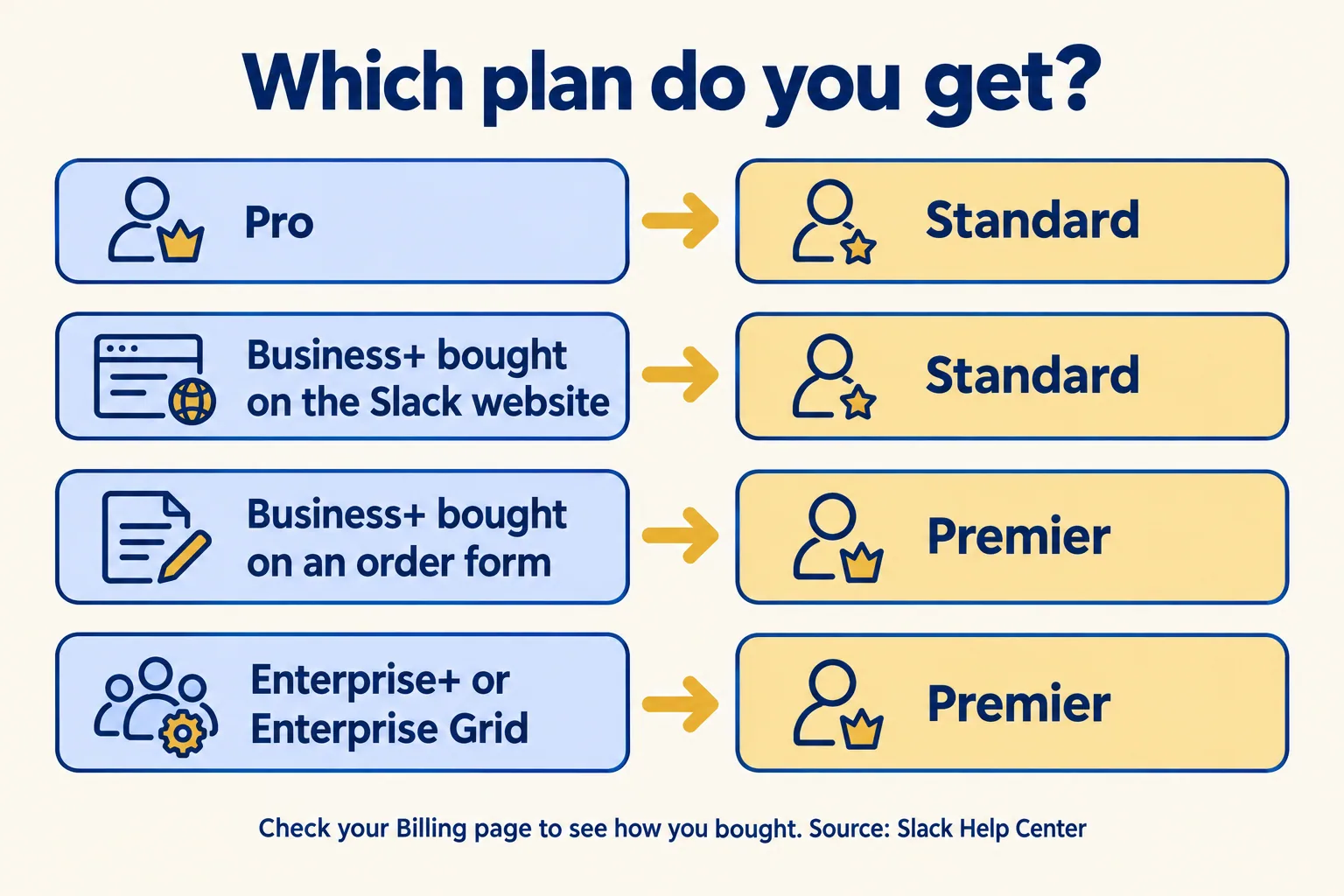
Pro and website-bought Business+ get Standard; order-form Business+ and Enterprise+ or Grid get Premier
Which plan each Slack subscription gets.

Customers who chose to keep support in a FedRAMP environment, and GovSlack customers, are outside this change for now.

When does yours switch?

On 27 October for most, and at renewal if yours comes later. Slack gives three cases.

If youWhat Slack says
Bought on an order form and renew before 27 OctoberYou get the plan on that order form, then move to the matching Success Plan on 27 October
Bought self-serve and renew before 27 OctoberYou keep current Slack support through the renewal, then move to Standard on 27 October
Renew on or after 27 OctoberYou get the matching Success Plan right away, as your renewal documents describe

One gap: for self-serve Business+, Slack's article gives two dates. Its "Do I need to do anything" answer says you move at your next billing cycle. Its renewal answer says a self-serve workspace renewing before 27 October moves to Standard on 27 October. The article does not reconcile them. If that is you, check the email Slack sent and ask Slack which date applies.
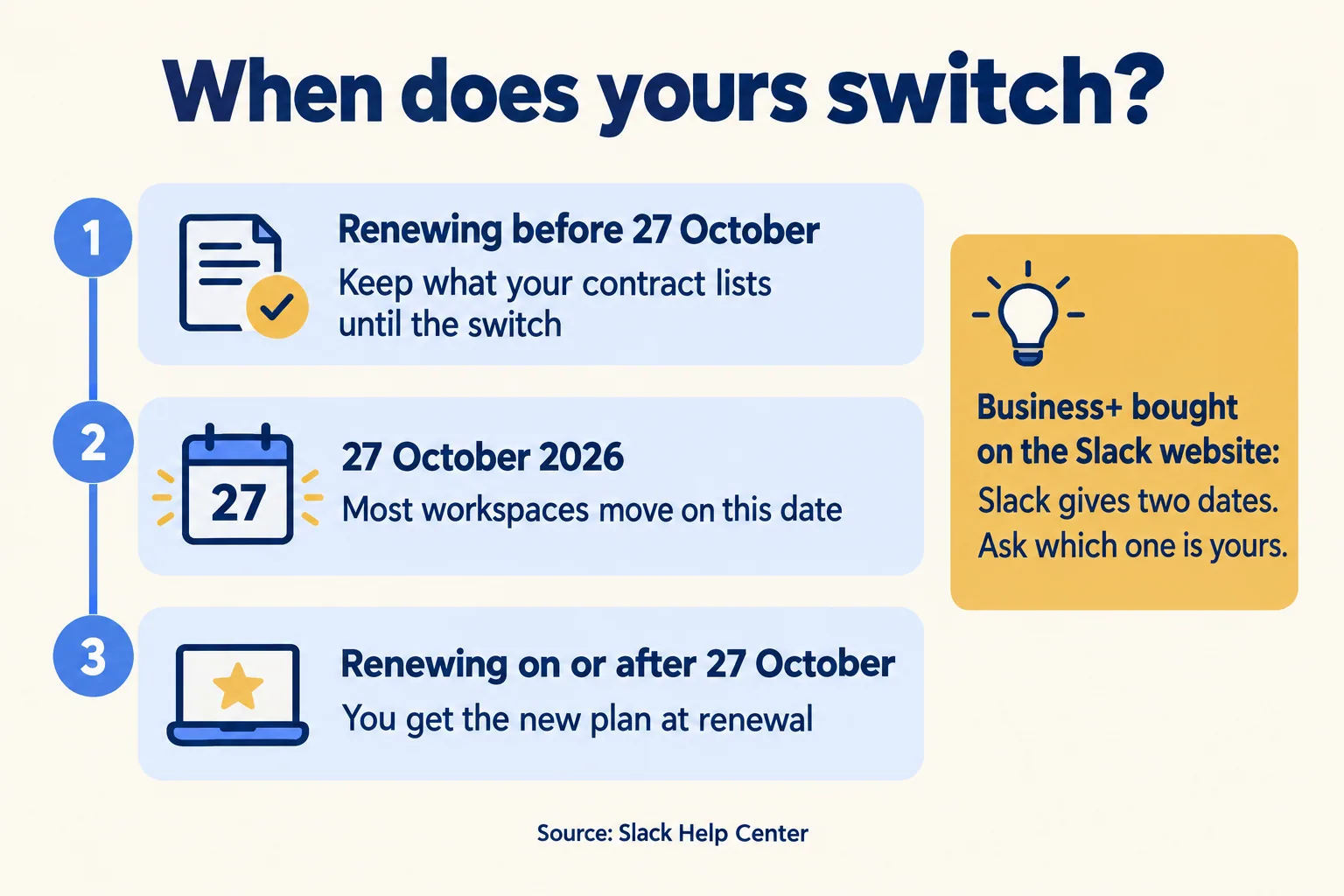
Renewing before 27 October keeps current terms until the switch; 27 October for most; renewing after gets the new plan
When the switch reaches you.

What do Standard and Premier promise?

Salesforce publishes response targets for its own products. Slack has not listed any for Slack. Slack's article names the plan and gives no response targets. It says Slack will "send follow-up communication" on 27 October with more detail. So the numbers below are Salesforce's, from its Success Plans pages, and may not carry over unchanged.

StandardPremier
Reply target2 day response for all customer support inquiries1-hour response for business-stopping issues
Hours and channelsSelf-guided, always-on resources24/7 support for business-stopping issues, by chat, phone and case

If your workspace is on Standard, plan for a case to wait up to two days until Slack tells you otherwise. If it is on Premier, a business-stopping issue should get a first reply within the hour, but ask Slack to confirm in writing what "business-stopping" covers for a Slack outage. Our reading is that this matters most where Slack carries approvals. If Slack carries your approvals, two days of waiting means two days of stalled approvals.
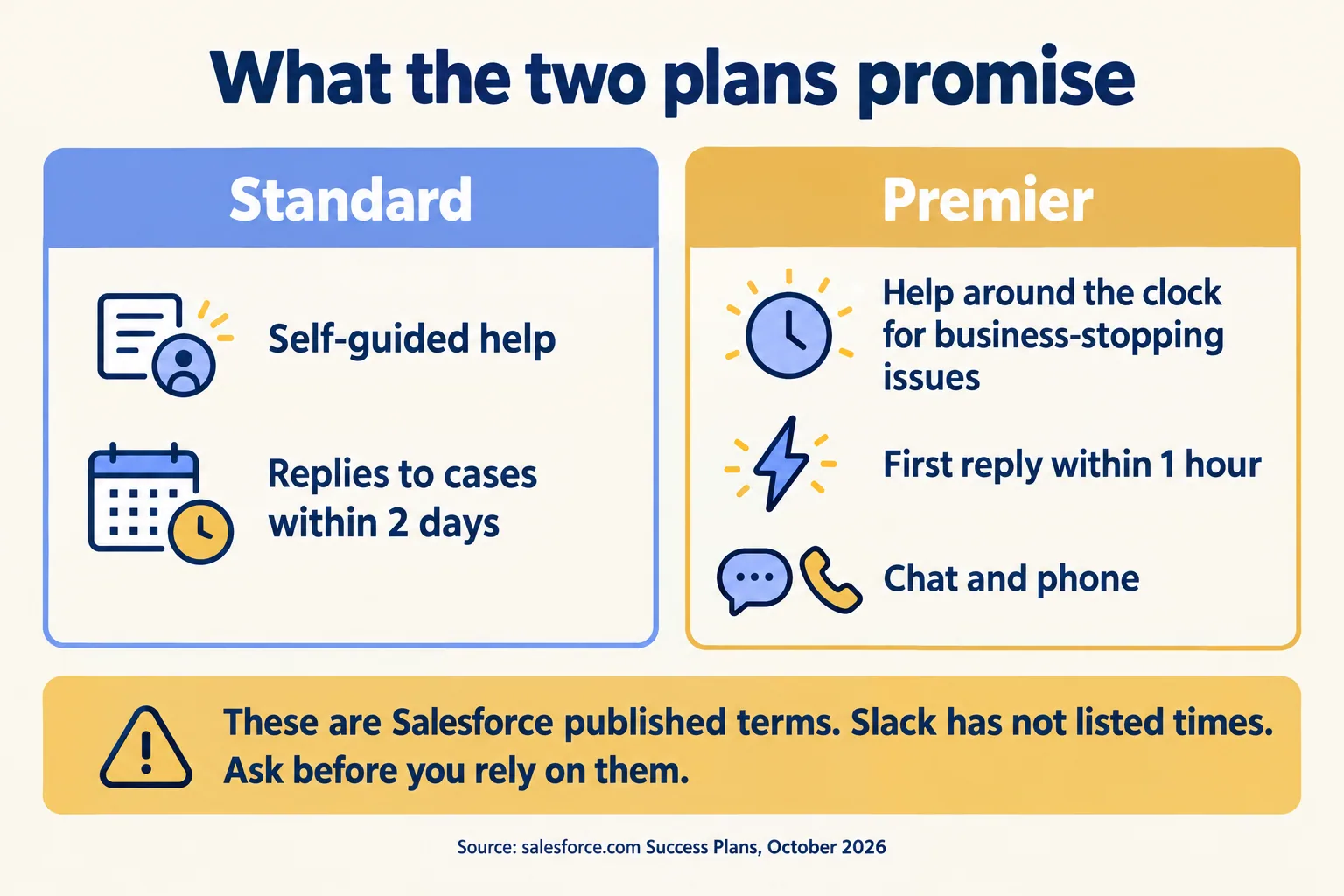
Standard: self-guided help, 2 day replies. Premier: round-the-clock help for business-stopping issues, 1 hour reply, chat and phone
What Salesforce publishes for the two plans.

What should you do before 27 October?

Five checks, none required by Slack, all cheap. They stop the first case after the switch from being a scramble.

  1. 01Find how each workspace was bought. Open the Billing page: self-serve or order form decides Standard or Premier.
  2. 02Name who files support cases. One person, not IT in general, and a backup. Have them sign in to Salesforce Help with their Slack credentials on 27 October to see the path.
  3. 03Save links to the cases you care about. Your history stays on the Slack case page, but you want the numbers to hand.
  4. 04Send the Salesforce Success Plan terms to legal. Slack says the Success Plan terms and conditions will apply.
  5. 05Tell your team where to go for help, in the channel they already use, with the new path in one pinned post.
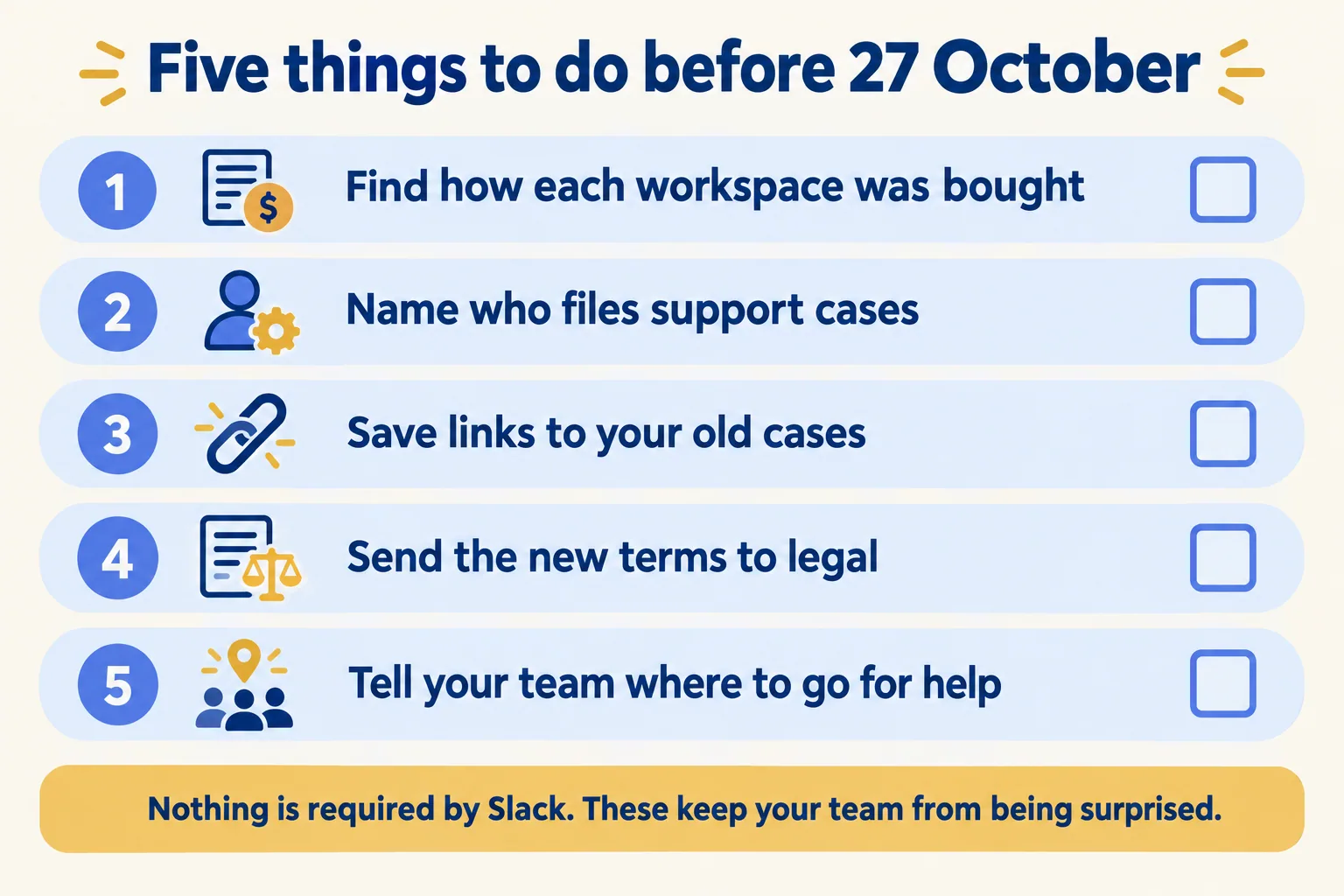
Five checks: how each workspace was bought, who files cases, old case links, new terms to legal, tell your team
Five checks before 27 October.

Then ask Slack three things in writing: which date applies to each workspace, what the response targets are for Slack incidents, and whether a case open on 27 October moves or stays. Slack says it will write again on the day, so keep the thread.

What would we do first?

We would list what stops when Slack stalls. At Mindcat, we run our own work and approvals in Slack, and we set it up for clients the way we use it ourselves. We are not Slack and we do not resell it, so your support contract is with Slack and Salesforce. Our part is the process side.

Take discount and quote approvals, one of our ten Slack use cases. Here is the four-line version, as an example of the format and not a finding about your team:

QuestionExample answer
What waits?Every request in #deal-desk until the approver replies
Who owns it?A named approver, and a named backup
Who files the case?The Slack admin you listed in check 2, with the case path from 27 October
What happens in the first hour?Approvals go by email to the same two people, and the answer is pasted into the thread afterwards

We would write those four lines for each workflow you run in Slack. The list is the first page of our Pick your ten note. The note is a short written document that names the ten Slack use cases that fit your work, what to build first and what to leave alone. The four lines also show whether Standard is enough, or whether a Premier-level answer is worth asking about at your next renewal.

If you want that list for your own workspace, send us the process that leaks between desks. You hear back within 24 hours from the person who signs the work, and what you get is a written note, not a demo.

A lantern, an open logbook and a ring of keys on a lighthouse desk, a keeper crossing a stone bridge at dusk
A handover works when someone knows who holds the keys.

Related reading: Run the Work in Slack, Slack security, and Slack or Microsoft Teams.

Filed under

Slackslack customer supportsalesforce success plan slackslack success subscriptionslack premier supportslack help agent
Useful to someone on your team?

FAQ

Questions teams ask next

Will Slack support cost more after 27 October?
Slack says it will not. Its help article says the move is at no additional cost and that your Slack invoice does not change. For cost it writes 'Not at this time', so confirm at your next renewal.
Do we need a new login for Salesforce Help?
No. Slack says you reach support with your existing Slack credentials, with no new account or login. From 27 October, signing in through the Slack Help Center shows a new menu that makes Salesforce Help easy to reach, and the Help Agent can start or manage a case from either place.
Does this apply to GovSlack or FedRAMP customers?
Not at this time. Slack says customers who chose to keep their support in a FedRAMP environment, and customers who bought GovSlack, will keep getting support through the Slack Help Center and the existing case process. Their engagements and the way they get help today do not change under this announcement.
What happens to our open cases?
Slack says you can keep viewing your case history on the Slack case page, and that from 27 October all new cases are managed through the Salesforce Help portal. Its article does not say whether a case that is open on that day moves. Ask, and note the case numbers you care about.

Sources

  1. 01Slack Help Center: Understand your new Salesforce Success Plan for Slack (US)Accessed 08 Oct 2026
  2. 02Slack Help Centre: Understand your new Salesforce Success Subscription for Slack (en-gb, en-nz)Accessed 08 Oct 2026
  3. 03Salesforce: Success Plans, support levels and optionsAccessed 08 Oct 2026
  4. 04Salesforce: Success Plans and Professional Services pricing (plan comparison table)Accessed 08 Oct 2026
  5. 05Salesforce: Premier Success PlanAccessed 08 Oct 2026
Shivanath Devinarayanan, founder of Mindcat

Written by

Shivanath Devinarayanan

Founder, Mindcat Consulting · Salesforce MVP Hall of Fame

Runs 200+ agents in production. Reads every brief that comes in and signs the work that goes out.

About Shivanath

Run the Work in Slack · the written assessment

We work in real estate and right now, leads go cold before anyone replies.

Industry
Problem

Brief: Real estate. Leads from portals and WhatsApp. Follow-up has no owner. An agent on a named process. A reviewer on the exceptions. From: /blog/slack-support-success-plans.