
If your housekeepers, store staff or nurses get the day's changes through WhatsApp groups and a printed rota, this is for you. It is not for teams that already reach every shift on one governed app, or for teams happy on Microsoft Teams. We do not move you for the sake of it. One more check before you read on: Frontline is an add-on to Slack's Enterprise+ plan only, and Slack says smaller organisations may not qualify.
Why do shift teams end up on WhatsApp groups?
Because nothing else reached them. Most shift staff have no company email and no desk. The group chat is the one tool already on their phone, so a supervisor starts one, then another, then one per shift.
The cost shows up in two places. The message changes on the way down: in Microsoft's Work Trend Index survey of 9,600 frontline workers (late 2021), 63% said messages from leadership don't make it to them, and 59% in hospitality. And nobody controls who is in the group. A person who left in March can still read April's rota.
Village Hotels' CTO Jon Davis described the same thing in Slack's customer story: "WhatsApp channels started springing up all over the place, and by the time it got to the end of the chain, the message had completely changed."
What is Slack Frontline, in plain words?
A cut-down, mobile-first Slack for people who work away from a desk. Slack launched it on 19 October 2026 as an add-on to the Enterprise+ plan, and the Salesforce product page also lists it for Salesforce Max (A1E). It adds a new account type, the Frontline Member, next to Full Members and guests.
Slack's case for it rests on two numbers. Frontline workers are "about 80% of the global workforce", a figure Microsoft and Emergence Capital also use. And Slack's Village Hotels story says "a scant 1% of annual software investment targets frontline workers." The original Emergence Capital figure (2018) is narrower: 1% of software venture funding. Either way, the tools were built for the desk.
The plan matters before anything else. Slack's billing help says the add-on is only for Enterprise+, that it costs less per person than a Full Member, and that "you may not be eligible for Frontline or may be limited to a specific number of Frontline Members" depending on your size. Slack publishes no price; your Account Executive quotes it.
What can a Frontline Member do?
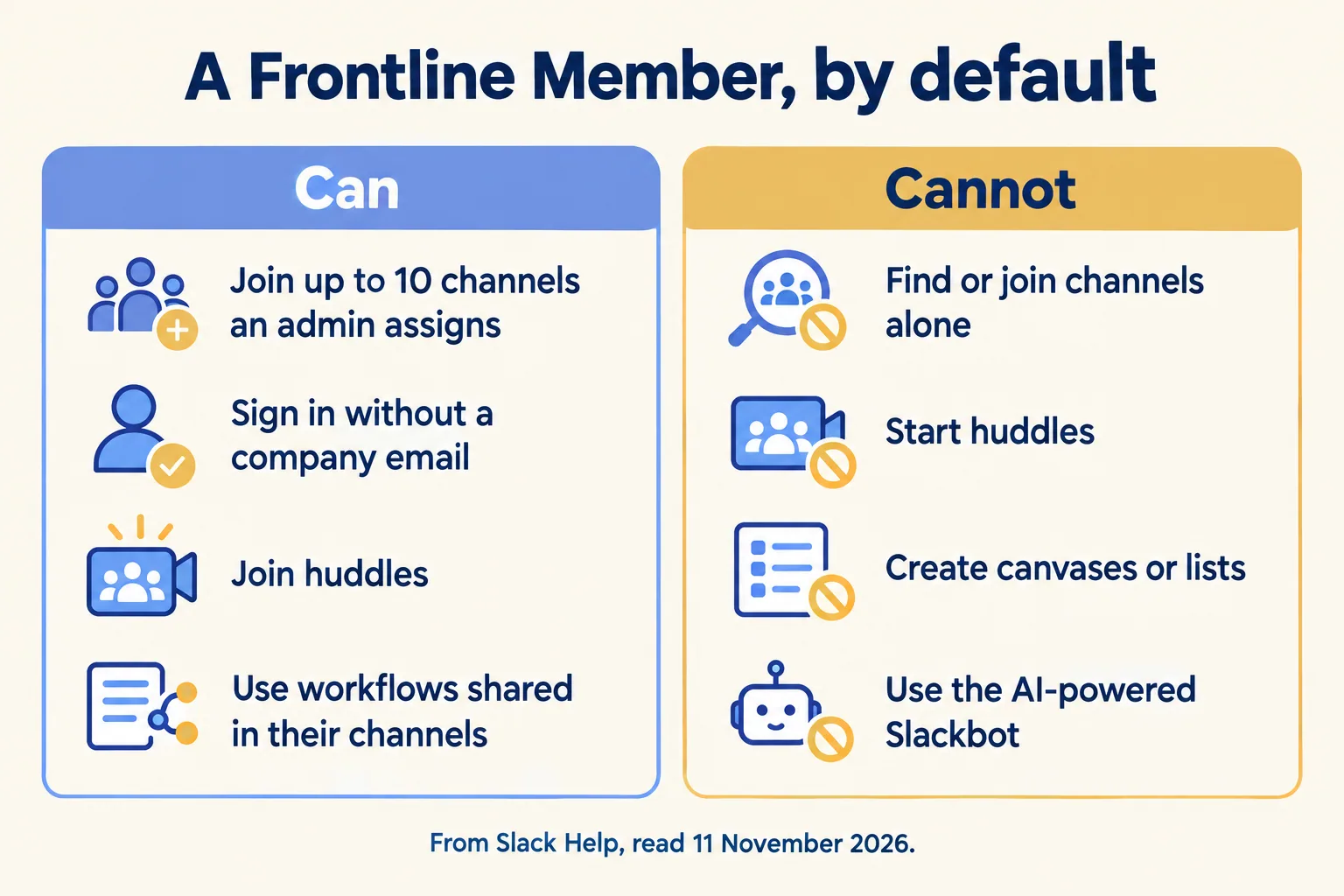
Less than a Full Member, on purpose. These are the defaults in Slack's help page "Understand Frontline Members", read on 11 November 2026:
| A Frontline Member can | A Frontline Member cannot |
|---|---|
| Sign in without a company email (SSO, or username and password) | Create, join, leave or search for channels alone |
| Join up to 10 channels an admin assigns | Start a huddle, in a channel or one to one |
| Join huddles in those channels | Create canvases or lists |
| Use workflows shared in their channels | Install apps or connect their own account to Salesforce |
| Message people in the same channels | Use the AI-powered Slackbot or AI summaries |
Two lines in Slack's launch post read wider than the help table. The post promises "instant Huddles with HQ"; the help table says a Frontline Member can join a huddle but not start one. The post names employee ID and QR code sign-in; the help table lists SSO and username and password. Go by the help page, and ask for a demo of the sign-in your staff will use.
Slack's launch webinar on 10 November also demoed a shift app for clocking in and out, and an option to keep staff out of Slack outside their shift hours. Neither appears in the Frontline help pages, so ask your account team which of them your contract includes.
Why pick the ten channels first?
Our rule, so you can argue with it. Before you count a single Frontline seat, write the ten channels for each role. Those ten are the whole of Slack your shift staff will ever see.
Three facts from Slack's help make the list the product:
- The cap is ten. "Frontline Members can join a maximum of 10 channels."
- Admins choose them. Frontline Members "can't join channels on their own (or search for them)", so an Org Owner or Admin adds them, often through user groups.
- Every assigned seat is billed. Full Members are billed on activity over 28 days. Frontline Members are billed on "the total number of assigned users you have, whether or not they were active."
So a vague list costs twice: staff open the app and find nothing useful, and you still pay for them. A clear list does the reverse. Here is a sample plan, labelled as one, for a housekeeper in a Dubai hotel. It is an example of how we write the list, not a client result: property announcements, housekeeping this shift, maintenance requests, guest requests, lost and found, safety and drills, rota and time off, HR and payroll help, training how-tos, and team chat.
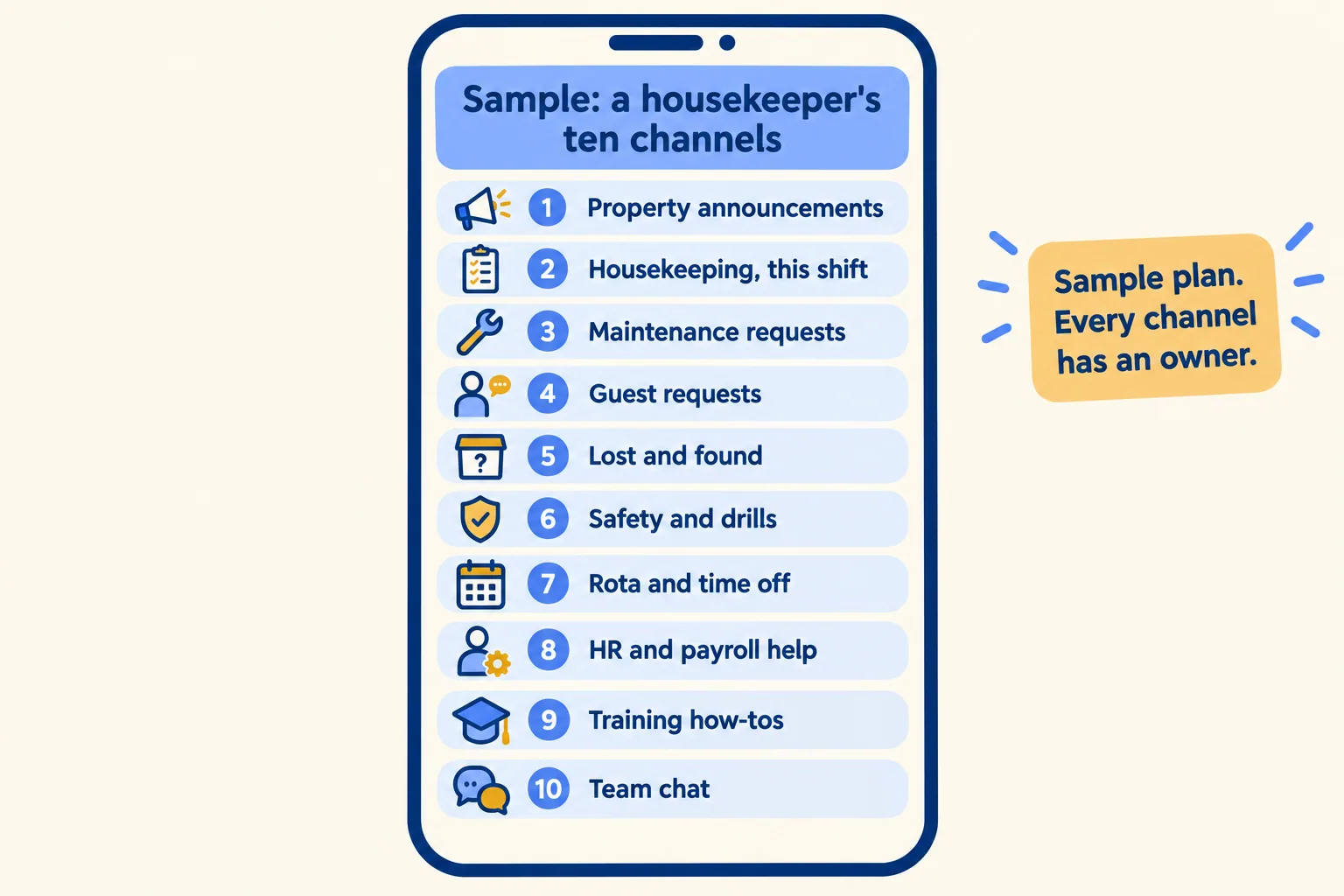
Each channel on the list gets three answers: who posts in it, who answers in it, and where a request ends up. A guest request or a broken air conditioner is not finished when someone replies in a thread. It is finished when it lands in a record, such as a Salesforce case or your maintenance system. Requests from the floor move up the same way: a Frontline Member cannot start a huddle, but can run a workflow a Full Member shared in the channel, so a leave swap or an overtime request goes to a named approver rather than a DM. We make the same split in channel, canvas or record.
Write your own role's list below. Pick the closest role, keep ten, and the plan goes into the brief at the end of this post, so we can send back the written version.
10 channels, 5 that must end in a record, 40 seats.
- #property-announcements: news and chat, nothing to close.
- #this-shift: news and chat, nothing to close.
- #maintenance-requests: ends in a work order in the maintenance system.
- #guest-requests: ends in a case in Salesforce or the guest system.
- #lost-and-found: ends in an entry in the lost-property log.
- #safety-and-drills: news and chat, nothing to close.
- #rota-and-time-off: ends in a leave or swap request in the HR system.
- #hr-and-payroll-help: ends in an HR case.
- #training-how-tos: news and chat, nothing to close.
- #team-chat: news and chat, nothing to close.
Slack bills every assigned Frontline Member, active or not. Count the rota, not the people who log in.
Sample lists to start from, not a client plan. Each channel still needs a named person who posts and one who answers. Slack publishes no Frontline price; your account team quotes it.
What did Village Hotels change?
Village Hotels is Slack's public example, not ours. Slack's customer story describes a UK group of 34 hotels and roughly 4,700 employees, nine in ten of them on site, which also runs Sales Cloud, Service Cloud, Data Cloud, MuleSoft and Tableau.
Before, central teams sent monthly packs "that could run up to 130 slides". After, they post in four update channels (IT, marketing, revenue, customer), and hotel staff follow the ones for their role. The story quotes Davis: "We cut our customer notification time from 48 hours to under 20 minutes."
On Slack's 10 November webinar, Davis gave advice to anyone planning the same move. In our words:
- Start from the problems on the floor, not the technology. Ask shift staff how they get information today, and build back from what frustrates them.
- Adoption comes from making someone's shift easier, not from mandating the tool.
- Find champions in operations early. They sell it to their teams better than IT can.
- Use an implementation partner if you are new to Slack and Salesforce.
The first point is the ten-channel list. It is the shift, written down.
What should a Gulf hotel, store or clinic check?
Four things, in this order, before anyone signs.
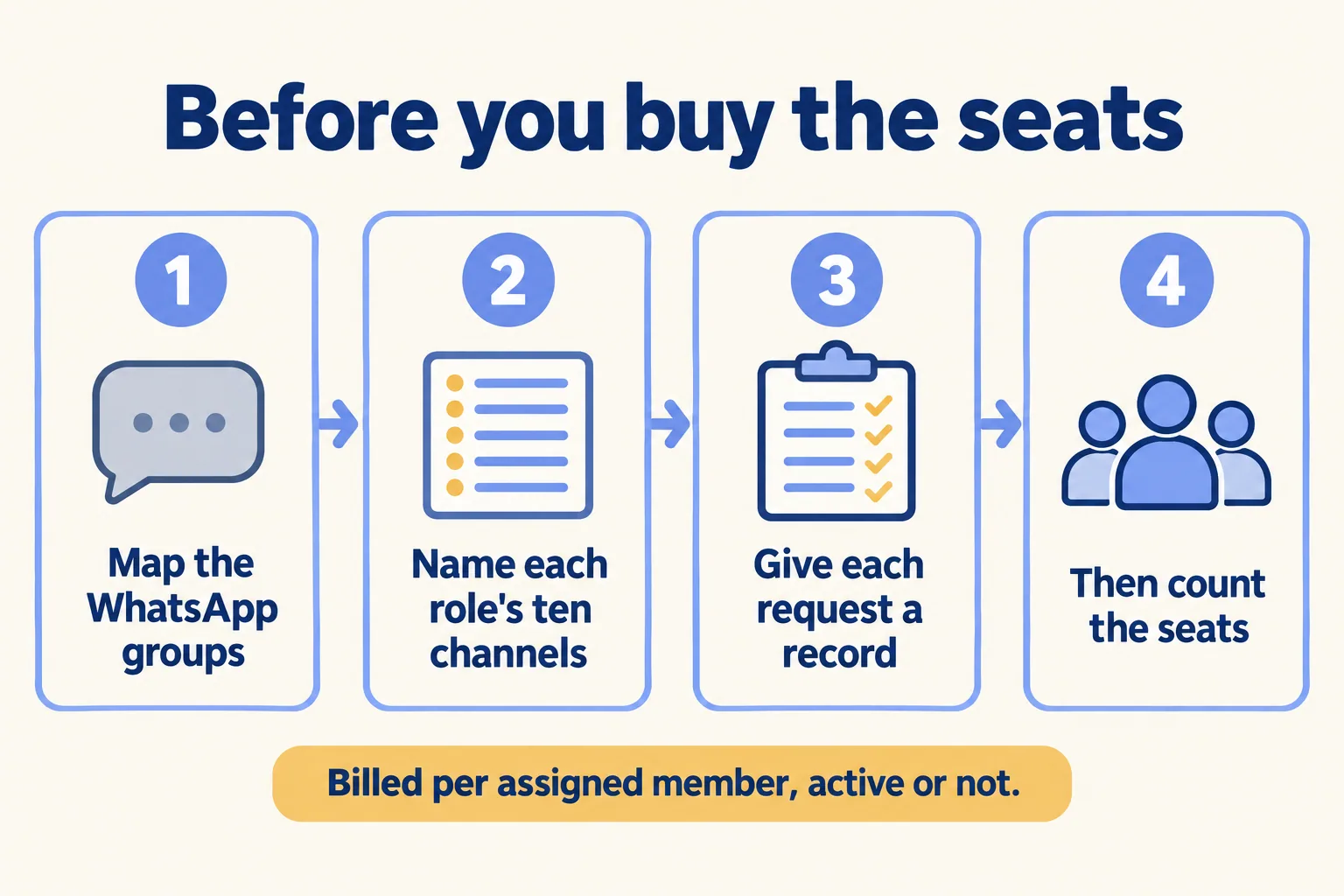
- Map the WhatsApp groups you have. Name, owner, members, what each is used for. Most of them fold into three or four of each role's ten channels.
- Write each role's ten. Housekeeping, front desk, store floor, nursing. Use user groups so a new joiner gets all ten on day one.
- Give each request a record. Maintenance, guest complaints, stock and leave each land in a system, not in a thread.
- Then count the seats. Only staff whose role list is written get a seat, because every assigned seat is billed.
Two Gulf checks sit beside the list. First, the plan: Frontline needs Enterprise+, so see which Slack plan fits by control before you price seats. Second, where the messages are stored: Slack has announced UAE data residency, but its data residency help page did not list the UAE when we read it. For a clinic or anyone holding patient or ID data, UAE data residency is confirmed per plan before you sign. Our Slack security page sets out what we confirm and when.
Who is this not for?
If Enterprise+ is not in your plans, Frontline is not on the table yet. If your shift staff already reach everything through one governed app, or your team is happy on Microsoft Teams, stay; see Slack against Microsoft Teams.
If your shifts run on WhatsApp groups and you want them on one governed app, tell us the role that gets the message last. We call the method Pick your ten, part of Run the Work in Slack: you give us the process, we write the ten Slack use cases that fit, what to build first and what to leave alone. For Frontline that means each role's ten channels, the record behind each request and the seat count, on paper, before you buy anything. Licences come from Salesforce today. We help you pick the plan and work with your Salesforce account team.
