
If your client asks every month why the SEO report and the analytics do not match, this is for you. If you already send a labelled one-page summary and the client has stopped asking, skip to the table below.
Why do the SEO report and the analytics never match?
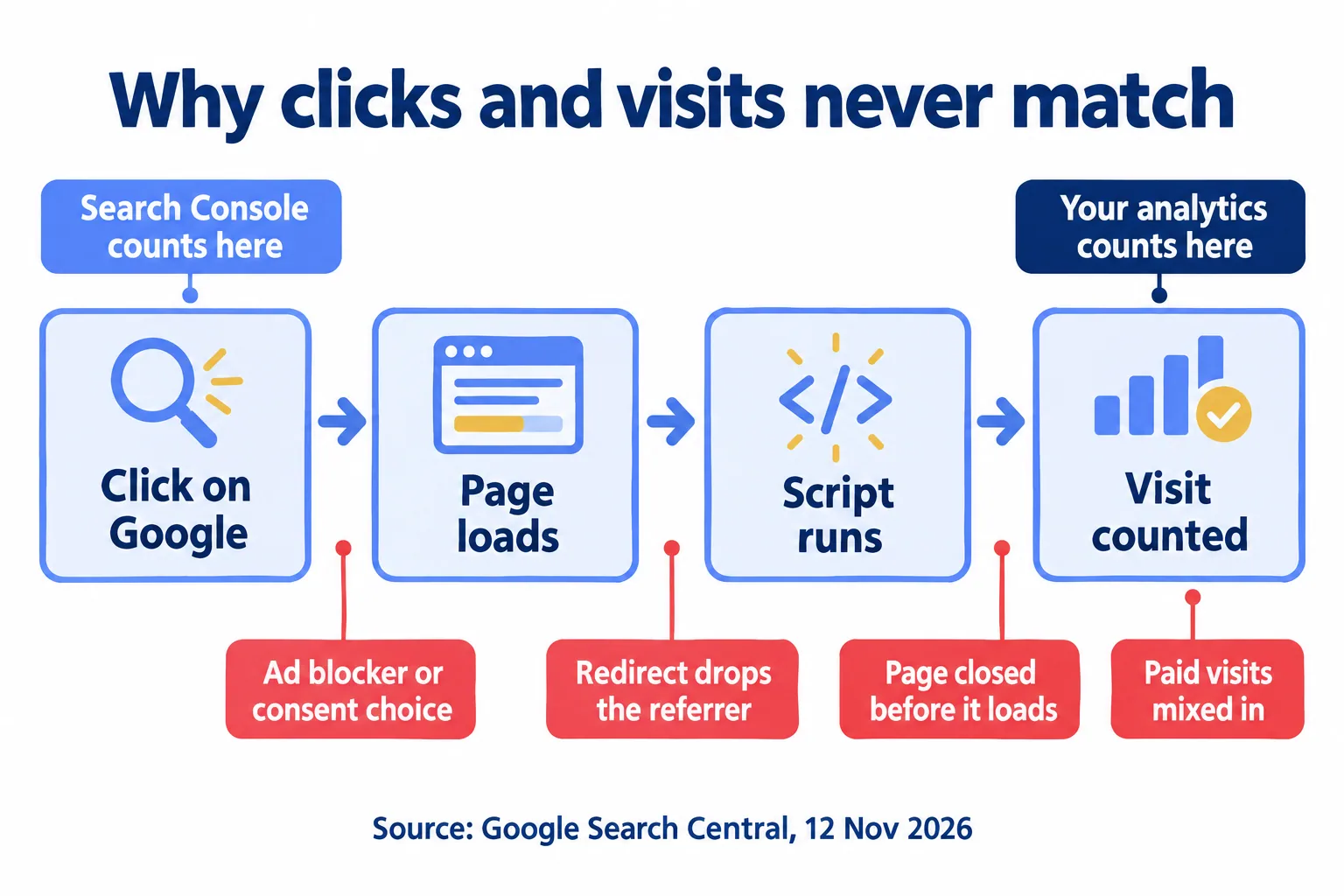
Because they count different things, and Google says so. Search Console counts clicks on Google's results. An analytics tool counts visits that load your page and run its script. A click that never becomes a loaded, tracked page is in one number and not the other.
Google's new page on Search traffic, last updated 12 November 2026, puts it plainly: the data in your analytics "often doesn't match 1:1 with the clicks reported in Search Console." It lists the reasons:
- Browser privacy settings, extensions, ad blockers and consent choices block the analytics script or strip the referrer.
- Redirects on your own site can replace the referrer with your own page's address.
- Search Console records a click when someone selects the link. The analytics tool records a visit only after the page loads and the tracking code runs.
- Search Console counts organic clicks only. Your analytics may include paid visits, depending on how it is set up.
Search Console's own help adds three more: it omits some rare queries for privacy, its data usually arrives 2 to 3 days late, and it labels days in Pacific Time. Google's guide to using both tools says to expect different numbers and to compare the general pattern.
So the monthly argument is not a tracking fault. The fault is a report that puts both numbers on one slide with no label and lets the client do the sum.
A steady gap is the two tools. A gap that jumps from one month to the next is worth a look, and Google's own list says where: a new consent banner, a redirect added in a site rebuild, or new landing pages that went live without the analytics script. We check those three before we tell a client the tracking is fine.
One agency blog captures the bad move exactly. XRoad SEO, an agency writing about its own reporting, quotes the line it tells teams never to write: "Search Console says 4,100 clicks but GA4 only shows 3,700 sessions, so one tool must be wrong." Neither tool is wrong. They answer different questions.
What did Google add on 12 November?
A page in Search Central called "Identify Google Search traffic in your web analytics or server logs". Two lines in it settle a question agencies argue about.
First, the query never reaches your site. Google uses the origin referrer policy, so the header "contains only the scheme and host of the referring page, without the URL path or query parameters," and the page says directly that it "doesn't include the search query that the user entered." For queries, Google points to the Performance report in Search Console. That is true of every analytics tool, Google's own and ours.
Second, Discover and Google Images clicks arrive with the same referrer values as Search. An analytics tool that files them under Google organic counts all three together. Search Console keeps them apart: its Search results report has a search type filter (web, image and more), and Discover has its own report. Before you set Search Console clicks beside analytics visits from Google, say which search types you included.
What follows for the report: any line about which searches brought people in comes from Search Console, or it is a guess. If the report shows keywords next to the analytics visits, label them as Search Console's. That includes queries you see inside Google Analytics through its Search Console link: they are still Search Console's numbers, with its rules.
Which number comes from which tool?
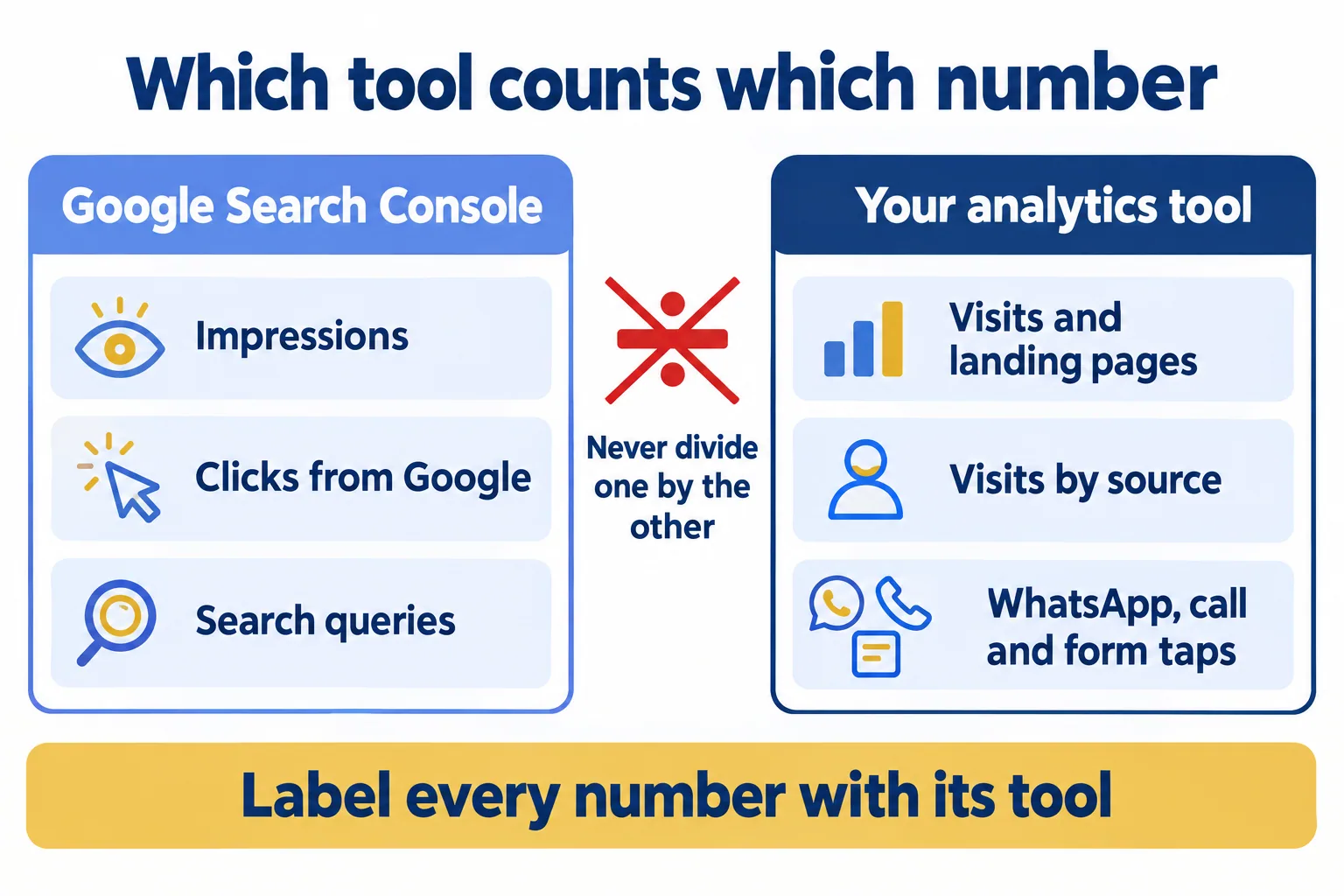
This is the rule we set up for agency clients. Each number comes from the tool that measures it, and the report names that tool beside the number.
Three habits keep it honest:
- Never divide one tool's number by the other's. Clicks from Search Console over taps from analytics is not a conversion rate, because the two were counted under different rules.
- Call a tap a tap. A tap on the WhatsApp or call button means someone pressed it. Lumea Direct's template, built from agency owners' Reddit threads, puts it this way for Google listings: call it a "call button tap," since Google cannot tell you if anyone picked up. Our post on what a tap count can and cannot prove goes further.
- State the gap once, in Google's words, then show trends. A line such as "Search Console counts clicks and our analytics counts visits that load the page, so the two totals differ; we report the trend in each" saves the monthly question.
Who should own the Search Console property?
The client. Since queries come only from Search Console, the property that holds them is the client's search history. Three steps: the client verifies a domain property in its own Google account, adds the agency as a full user, and, if the agency verified it first, the agency removes its own ownership.
We check this before the first report. If the property sits in the agency's account, we move it while both sides are on good terms, not on the day the retainer ends. The same goes for the analytics account. A broker or a clinic that changes agency should keep every month it paid for.
What does the client read first?
The top. Lumea Direct's summary of r/agency threads says owners report that many small clients never log into the dashboards agencies build, and would rather have a short summary.
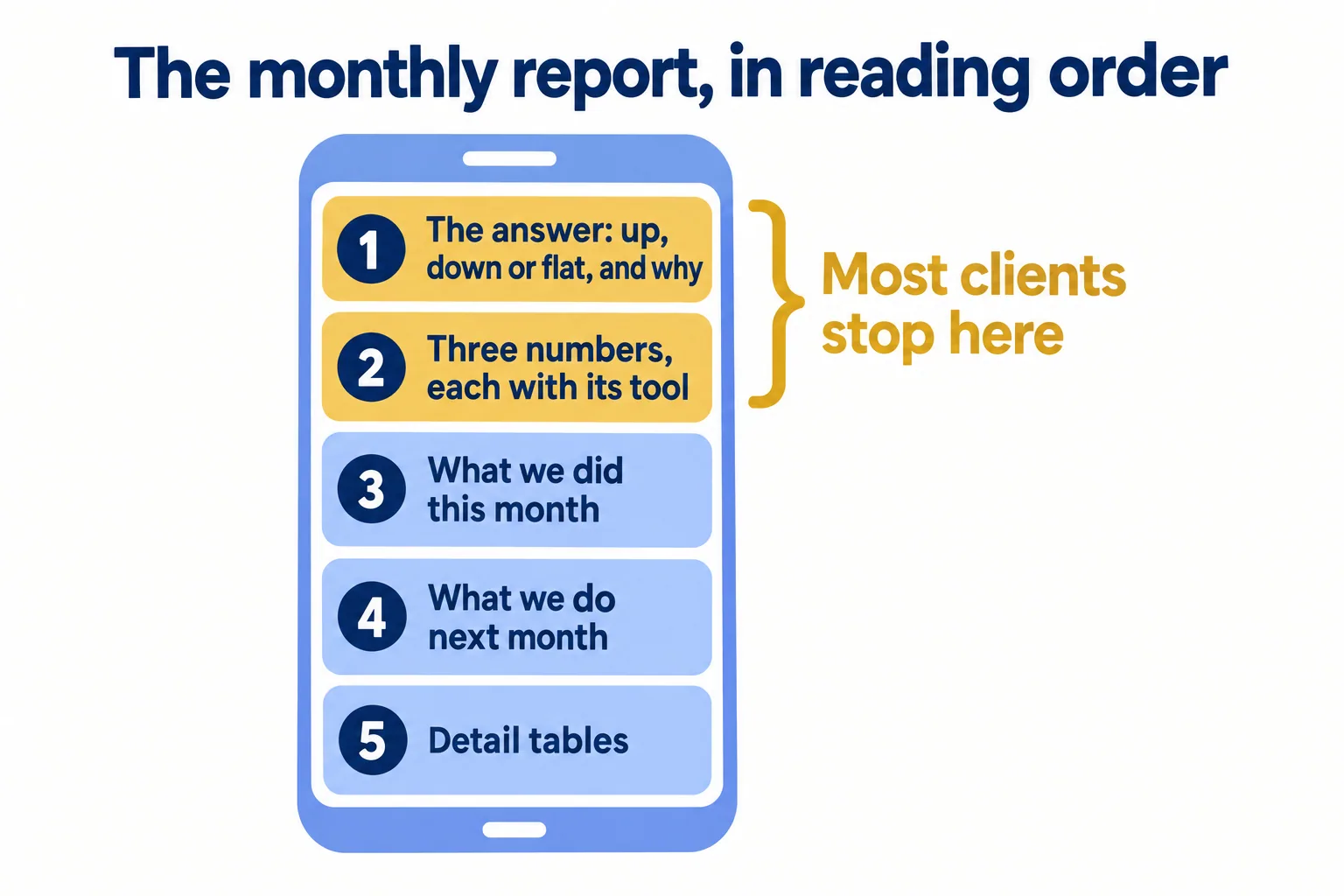
So we order the report for someone who reads one screen on a phone:
- The answer in one or two sentences: up, down or flat, and why.
- Three numbers, each with its tool: Search Console clicks, analytics visits from Google, and WhatsApp, call and form taps.
- What we did this month, with links.
- What we will do next month.
- The detail tables, at the bottom, for anyone who wants them.
Here is a top screen for a Dubai clinic, with sample numbers only:
October, sample clinic. Visits from Google rose and so did WhatsApp taps from the treatment pages; clicks on Google held steady after a site change in week two. Google Search Console: 1,240 clicks. Your analytics tool: 1,080 visits from Google. Your analytics tool: 96 WhatsApp taps, 41 call taps, 12 forms. Search Console counts clicks and our analytics counts visits that load the page, so the two totals differ; we report the trend in each.
Send that summary with a read-only link to the live numbers, instead of a long PDF nobody opens. Keep the signed PDF only where a contract asks for one each month.
What Mindcat Analytics does in the report
Mindcat Analytics covers the analytics half: visits, pages, sources and countries for each client website, with the visitor data kept in the UAE or Saudi Arabia. During setup we tag up to five buttons per website, such as WhatsApp, call, form, booking or brochure, so the taps show as their own events.
Its script sets no cookies and does not store the visitor's IP address. Whether your site needs a consent banner is a question for your counsel, so the size of the gap still depends on your site's setup.
For the client, each website can have a read-only shared link. It opens on a phone with no login and shows visitors, pages, sources and countries for the dates the client picks. We create share links only when you ask for one.
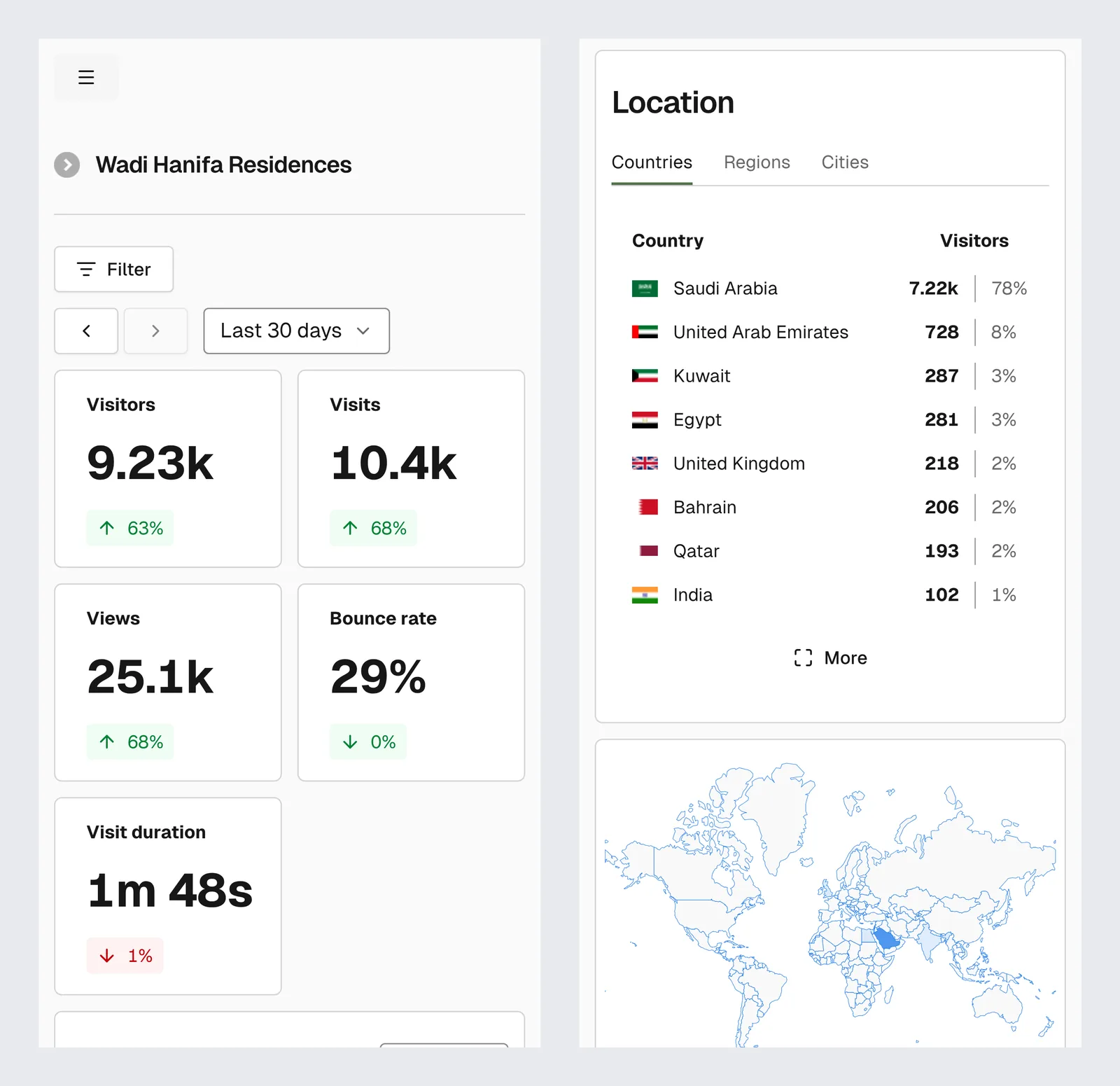
It does not do the Search Console half. It has no Search Console connection, no keyword rankings and no SEO audit, so clicks, impressions and queries come from the client's own Search Console. It sends no reports by email; the client opens the shared link. It does not recover the search query, for the reason Google gave on 12 November.
You pay per website a month, and the price per website falls as you add more. Our page's example: an agency with 10 client websites pays 5 × 99 + 5 × 39 = AED 690 a month. The shared plan has a monthly minimum of AED/SAR 499, which applies up to five websites, so one website alone costs the minimum. Logins are free. The full bands and setup prices are on the Analytics page; prices exclude VAT.
This is not for an agency whose client reads no report at all: agree what they will read first, then decide what to count.
Our method is Counted in the region: each client's visits, pages and tapped buttons on one shared link, labelled by source. Tell us how many websites you run and where your visitors are. We reply with the setup plan and the monthly price per website, in AED or SAR. Tell us about your websites. For the trade in full, see Analytics for digital agencies.
