
If one Salesforce user's password sits in four vendors' settings, this is for you. That shared integration user saves licences on paper. It also means one vendor's mistake can stop every other sync in the org, and nobody can tell from a record which system changed it. This is not for you if your org has no integrations, or no named Salesforce admin or owner to make the call.
What goes wrong when every integration shares one user?
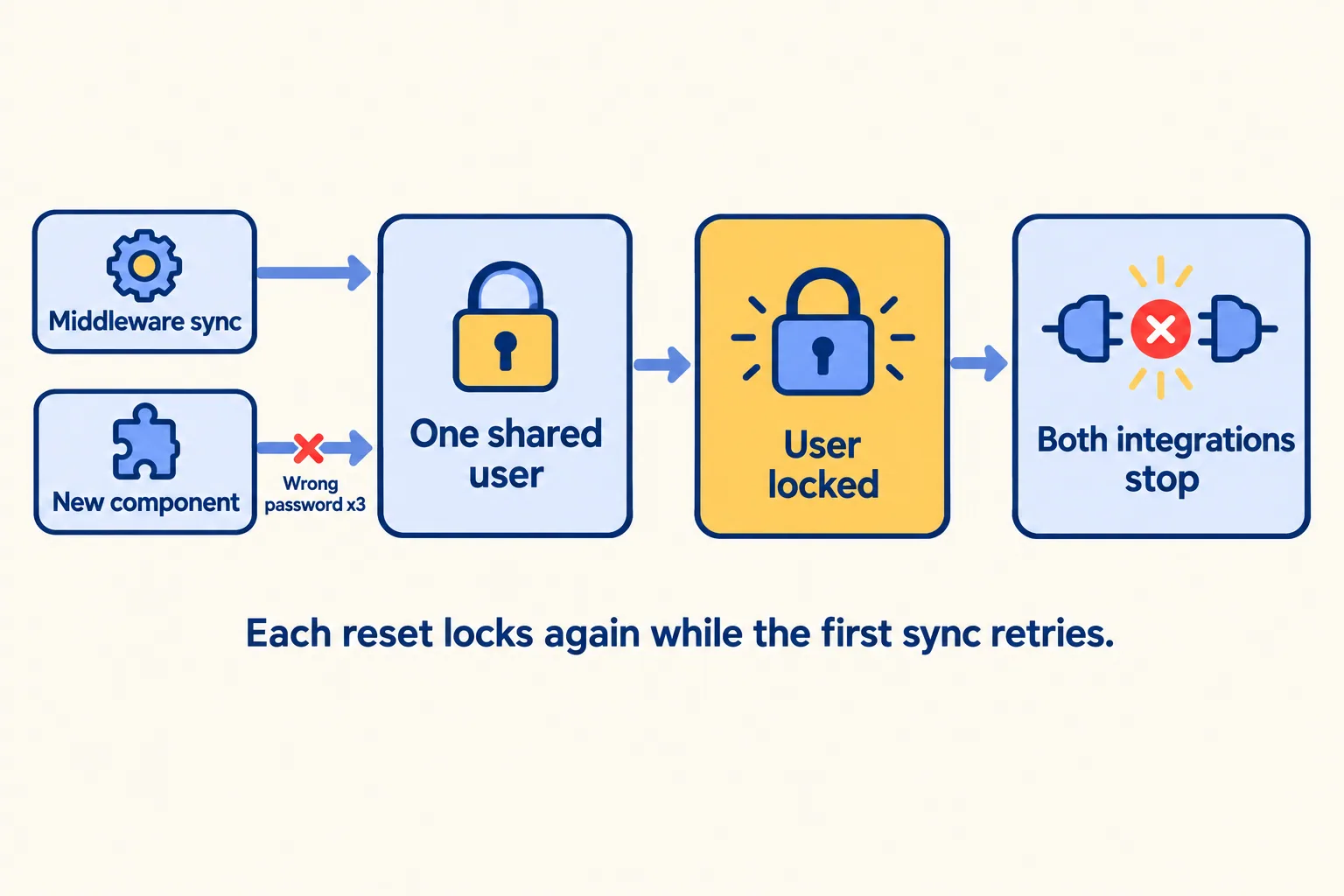
One bad password stops all of them. A Salesforce architect who teaches on stevetecharc.com describes a client with a single integration user. A middleware platform used it to send updates "a couple of times a second" all day. A second team shipped a new component on the same user with the wrong password, tried three times, and locked it out.
Both integrations stopped, because it was one user. Every reset locked it again within seconds, because the first integration kept retrying with a valid username on a locked account. The fix was to ask the second team to stop, then wait.
The other cost is quieter. When every integration writes as "Integration User", Created By and Last Modified By name nobody. A wrong price on an order could have come from the ERP, the e-commerce site or the billing tool, and the record will not say which.
Practitioners say the same about why it happens. Danny Gelfenbaum, head of delivery at a Salesforce consultancy, wrote on LinkedIn in July 2024 that many companies combine all integrations into one user and give it "VERY privileged permissions, usually a System Admin profile... Not best practice. At all. But it is cost-efficient."
What does Salesforce recommend?
One user for every integration. Salesforce Help says, "Following the principle of least privilege, we recommend creating and configuring one Salesforce user for every integration." It gives three reasons: "more control over operations", "traceability of transactions", and it "minimizes the impact if a user or integration is compromised."
The licence for it costs most orgs nothing to start. The Salesforce Admins blog says Enterprise, Unlimited and Performance Edition orgs are provisioned with five Salesforce Integration user licences at no additional cost, and Developer Edition orgs with one. For more, Salesforce says to contact your account executive.
The Admins blog, updated in October 2025, adds a step that only works with separate users: set Login IP Ranges on each application's profile to the vendor's published addresses. The blog's reason: even if credentials stored by a vendor are stolen in an attack on that vendor, "an unauthorized actor still cannot access your Salesforce org." Check the app's IP relaxation setting too, so the range is enforced for its tokens. A shared user can only be locked to the addresses of every vendor at once.
Separate users also let you stop one vendor in an incident. Freeze or deactivate that integration's user, and the other syncs keep running.
How do we decide: split, keep or retire?
Start with a list, not a licence count. Write one line for everything that signs in as the shared user, with four columns: the system, what it reads, what it writes, and the one person who can approve a change to it.
- 01List every system that signs in as the shared user. Ask the admin, read the vendor contracts, and filter Login History to that username: the Source IP and Application columns usually tell the vendors apart.
- 02Next to each, write the objects it reads.
- 03Write the objects it creates, edits or deletes. 'Nothing' is an answer.
- 04Write its owner: the one person who can say yes to a change.
- 05Give the line a call: split, keep or retire.
Then apply the rule. This is our rule of thumb, not a Salesforce rule.
Here is what the list looks like on a sample org. The org and every line are invented; the shape is the one we write.
Five lines: three splits, one keep, one retire. That is four Integration users, which fits the five licences an Enterprise org includes, with one to spare. The backup line is a split even though it rarely writes, because a restore writes everything, and you want that run named on every record it touches. Test it in a sandbox before anything else: a backup tool needs read access to every object, so it is the line most likely to hit a permission the Integration licence does not allow.
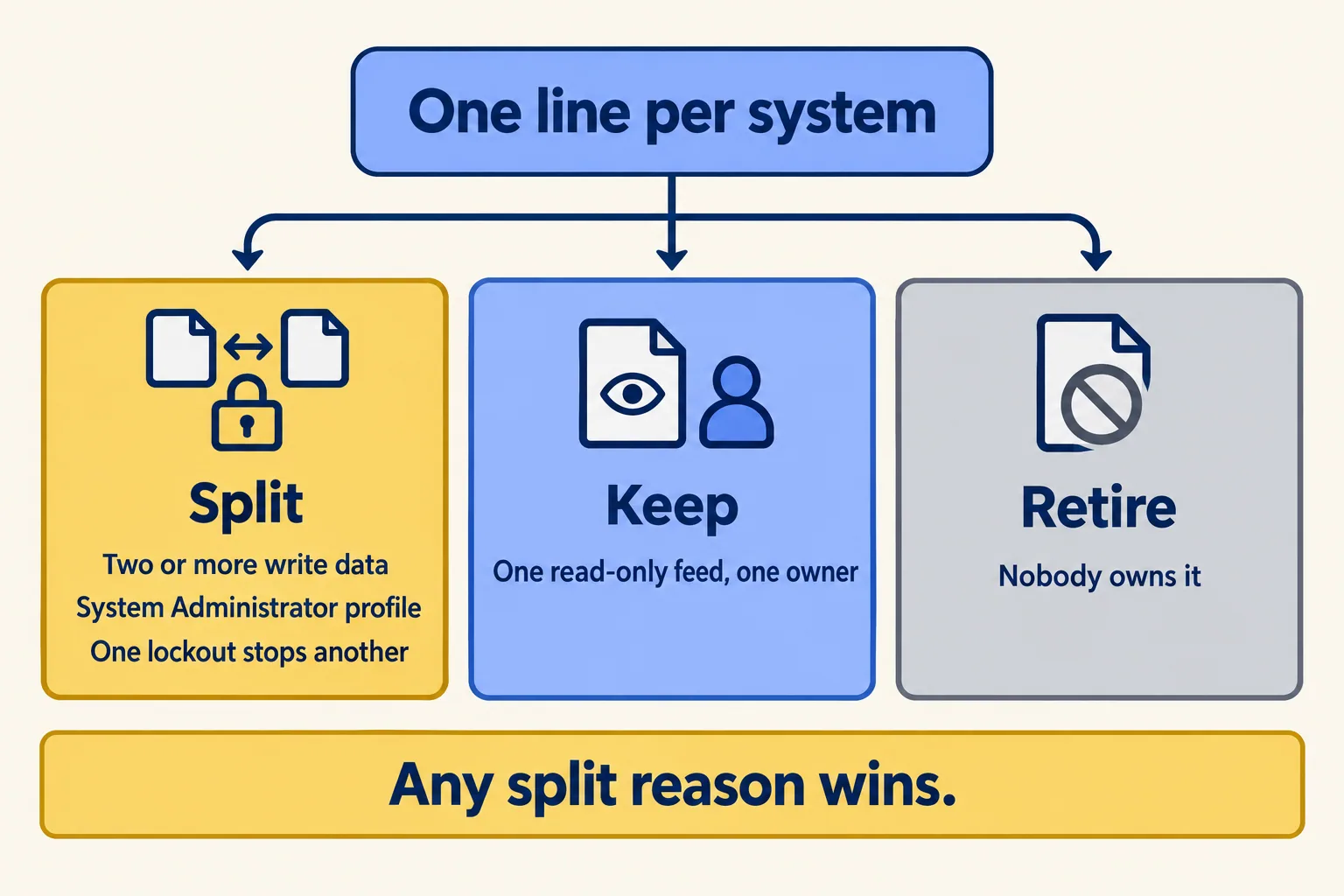
A line that hits any split row is split, even if the others say keep. A line with no owner is the real finding: someone in the org has to own it before anyone touches its permissions.
Where does the switch go wrong?
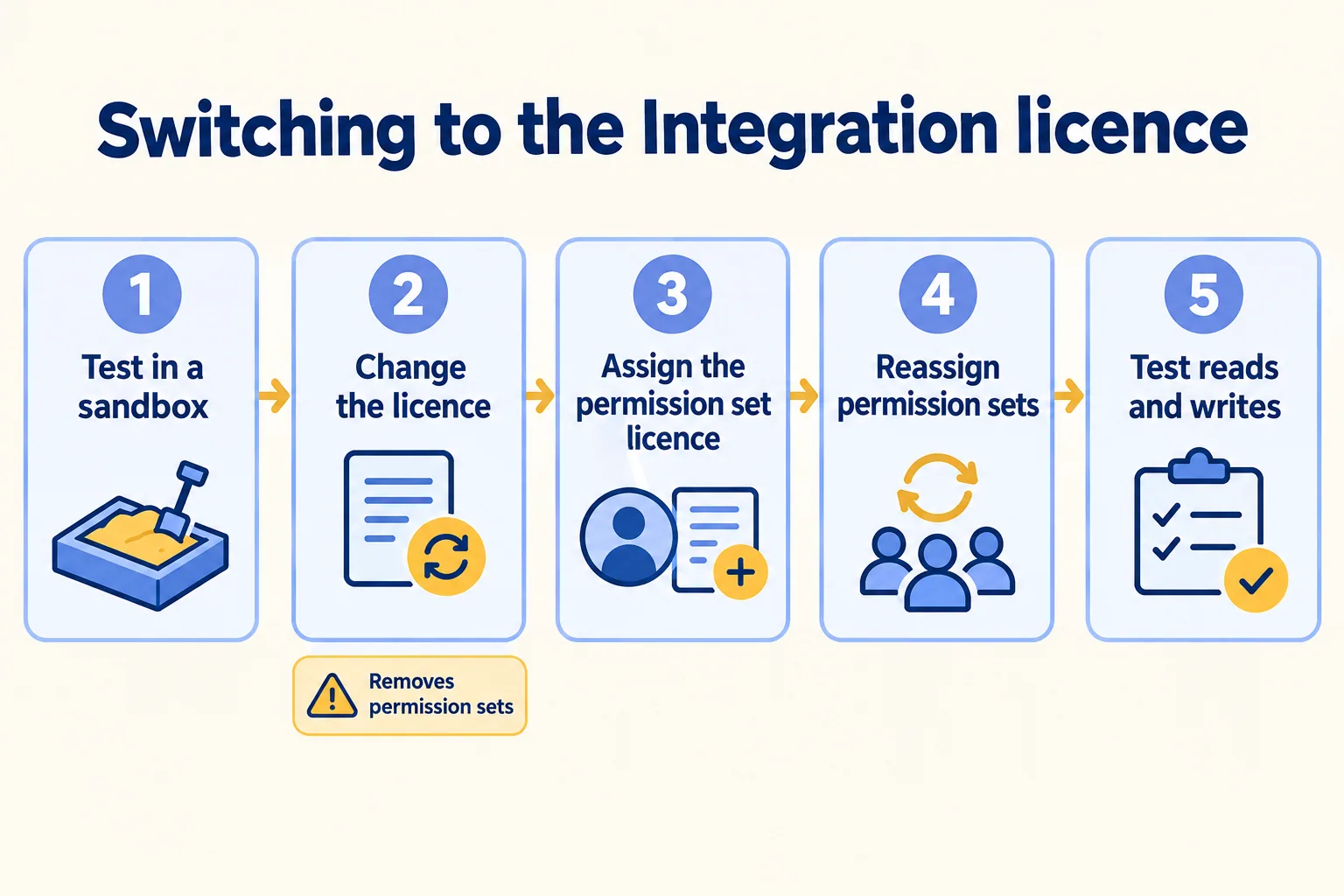
In the order of the steps. Eric Kintzer, an admin who moved thirteen integration users to five free and eight purchased Integration licences in January 2024, wrote down three traps.
- The licence change removes permissions. Changing a user from the Salesforce licence to Salesforce Integration "has the effect of deleting all the permission set and permission set group assignments", he wrote. Public group membership stayed.
- The permission set licence comes first. Assign the Salesforce API Integration permission set licence before any permission set, or the assignment fails with "permission not supported".
- Some permissions are not allowed. A permission set for this licence cannot hold Visualforce pages or the Lightning Experience User permission. One vendor he used needed Visualforce access, so it could not move.
He also tested one worry: changing the licence did not break the sign-in already in place.
The Salesforce Admins blog adds two of its own: "Not all integrations work with this license. Check with the vendor," and configure the API-only profile in a sandbox before production. Vendor support changes, so read each vendor's documentation on the day you plan the move.
Why do it before 20 February 2027?
Because many of these integrations have to sign in again anyway. On 20 February 2027, Salesforce stops the OAuth username-password flow for connected apps, with no opt-out. If the shared user's password sits in vendors' settings, check which of those integrations use that flow.
We covered how to find those integrations and what replaces the flow in which integrations stop on 20 February 2027. If each one needs new credentials before the deadline, giving it its own user at the same time costs one extra row in the plan. Splitting later means changing credentials in every vendor's settings twice.

What would we do first?
At Mindcat, we start a rescue week from the list above. We get read-only access on day 1, read Login History and every user that an integration signs in as, and write one line per integration: what it reads, what it writes, who owns it, and the call. The week ends with a written call on the org, finish, cut or rebuild, with the reasons and the first fix. You can see a sample read, on an invented org, before you send us anything.
The assessment is free: a short read of the org and a written note. If you go ahead, the first build week is a fixed AED/SAR 14,900 (about USD 4,050), credited in full when you sign the build within 60 days. We will not fix-price a rescue we have not assessed. If the list turns into integrations you want rebuilt properly, our Salesforce integration work covers it.
Not for you if your org has one integration, or no named admin or owner yet. Name the owner first, then make the list.
