
If an integration in your Salesforce org signs in with a person's username and password, this is for you. On 20 February 2027 Salesforce stops that sign-in method, and Setup does not hand you a list of what uses it. You can build the list in an afternoon. This is not for you if every integration in your org is a vendor's managed package and the vendor has already confirmed its update.
What happens on 20 February 2027?
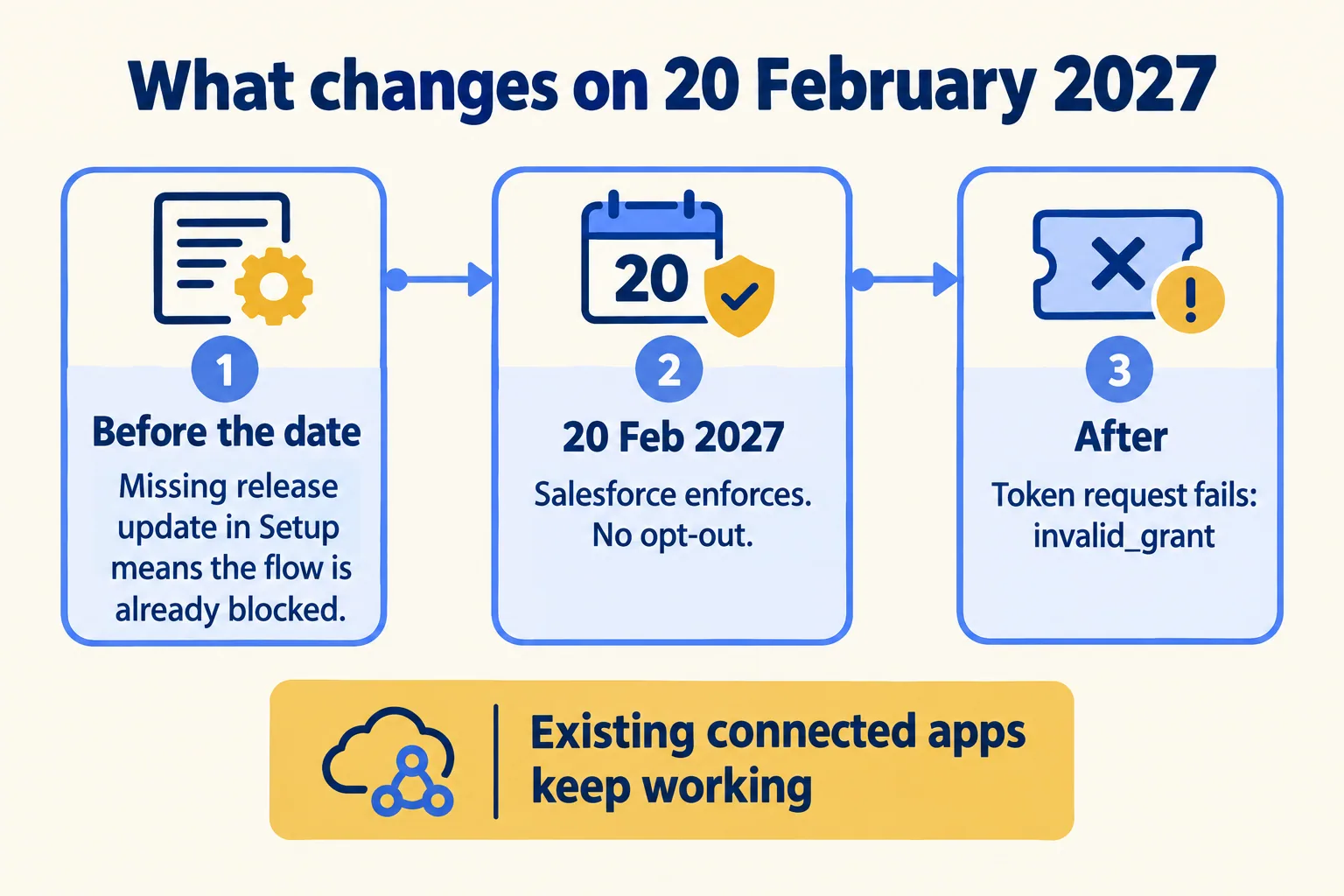
Salesforce stops one sign-in method for connected apps: the OAuth 2.0 username-password flow. Salesforce Help says it enforces the change on 20 February 2027, about 16 weeks from this post. After that date, "integrations that use the username-password flow can't obtain access tokens and stop working."
The failure is plain when it comes. The token request returns invalid_grant with the description "authentication failure". Login History shows the status "OAuth Username-Password Flow Disabled". Salesforce also says there is no opt-out, and that switching the flow back on is not a supported fix.
Nothing else is switched off. Salesforce says existing connected apps keep working. A connected app that signs in another way is not touched by this change.
Some orgs see it early. If the release update "Retirement of OAuth 2.0 Username-Password Flow for Connected Apps" is missing from Setup, then Release Updates, Salesforce says the flow is already blocked in your OAuth and OpenID Connect settings. A Trailblazer Community question from December 2025 is titled "Unable to Enable OAuth Username-Password Flow in Developer Org (Winter '26)". Its failure reason in Login History reads "Username-Password Flow Disabled".
How do you find the integrations that sign in as a person?
Ask Login History. In Setup, search for Login History, show the Login Subtype column, and look for the subtype "OAuth Username-Password". Salesforce gives the same check as a query:
SELECT Application FROM LoginHistory WHERE LoginSubType = 'OAuth Username-Password'
That returns the application names. It does not tell you who owns each one, who built it, or what the business loses when it stops. That part is your work, and it is the useful part.
An integration that runs once a quarter will not show in a short window. Pull the longest period you can, then ask whoever runs month-end and quarter-end jobs which ones they trigger.
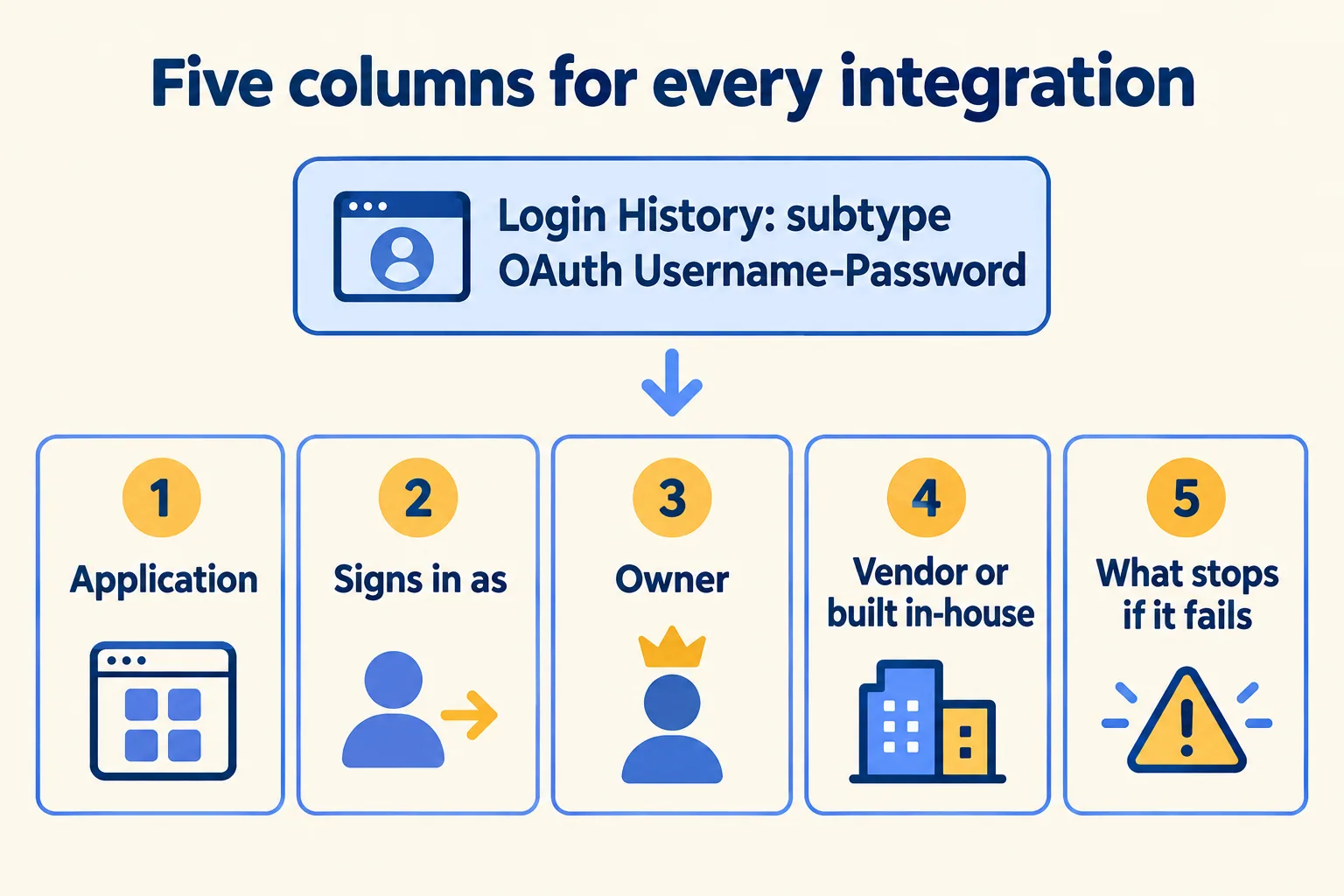
- 01Filter Login History to the subtype OAuth Username-Password and list each application once.
- 02Next to each, write the username it signs in as. A person who has left, or a shared mailbox, is a flag.
- 03Write the owner: the one person who can say yes to a change.
- 04Write the vendor, or 'built in-house', or 'nobody knows'.
- 05Write one line: what stops in the business if this fails.
Which flow replaces it, and where does the move stick?
Salesforce names two replacements. For sign-in by a user, it points to the OAuth 2.0 web-server flow with the PKCE extension. For server-to-server integrations, it points to the client credentials flow.
Three things make a "simple" move slip, all from Salesforce Help:
- One Run As user. Client credentials maps the integration to a single identity. If your client signs in as several usernames in one org, Salesforce says to use the JWT bearer flow instead.
- The login address. The client credentials flow does not support calls to login.salesforce.com or test.salesforce.com. The client must call your My Domain URL, and for a sandbox its own My Domain URL.
- The client code. Someone has to change the client to request tokens the new way. If the client is a vendor's managed package, Salesforce says the vendor must provide the external client app version before you can migrate, so you wait for it.
The first two are settings. The third needs a person who can open the code. That is why the owner column matters more than the flow name.
Which do you move, rebuild or retire?
Give every row one of three calls. This is our rule of thumb, not a Salesforce rule.
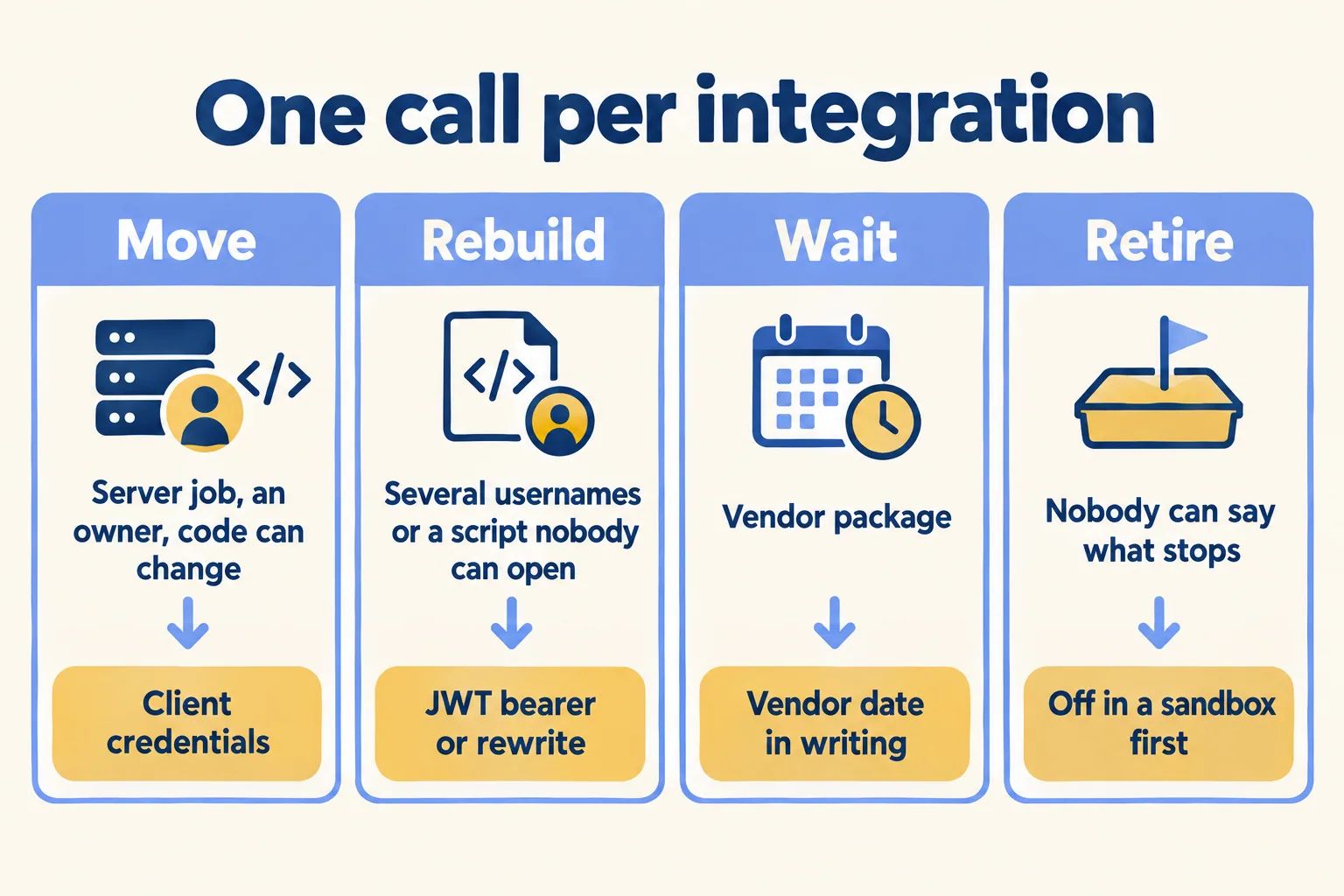
A row with an owner and a clear answer is a task. A row with no owner is the real problem, because the deadline will not wait for someone to be found. If that is most of your list, it is a project and not a ticket.
What about the connected app itself?
Salesforce is also changing how apps are created, and owners often meet this change through that term. Salesforce Help says new connected apps can no longer be created in the user interface or the API since Spring '26, and that a new integration must be an external client app. Existing connected apps keep working, and Salesforce says end of support is coming, with no date in that article.
So a move may mean building the new sign-in as an external client app, not editing the old connected app. Plan for that when you size the work.

What would we do first?
At Mindcat, we start a rescue week from this list. We get read-only access on day 1, begin with Login History and the Run As users, and write one line per integration: who it signs in as, who owns it, what stops if it fails. The week ends with a written call, finish, cut or rebuild, with the reasons and the first fix. You can see a sample read, on an invented org, before you send us anything. We do not fix-price a rescue we have not assessed. If the list shows an integration pattern you want rebuilt properly, our Salesforce integration work and the integration patterns guide cover it.
Not for you if all your integrations are managed packages and the vendors have confirmed their updates. Check each date, and you are done.
