
What did OpenAI, xAI and Meta launch?
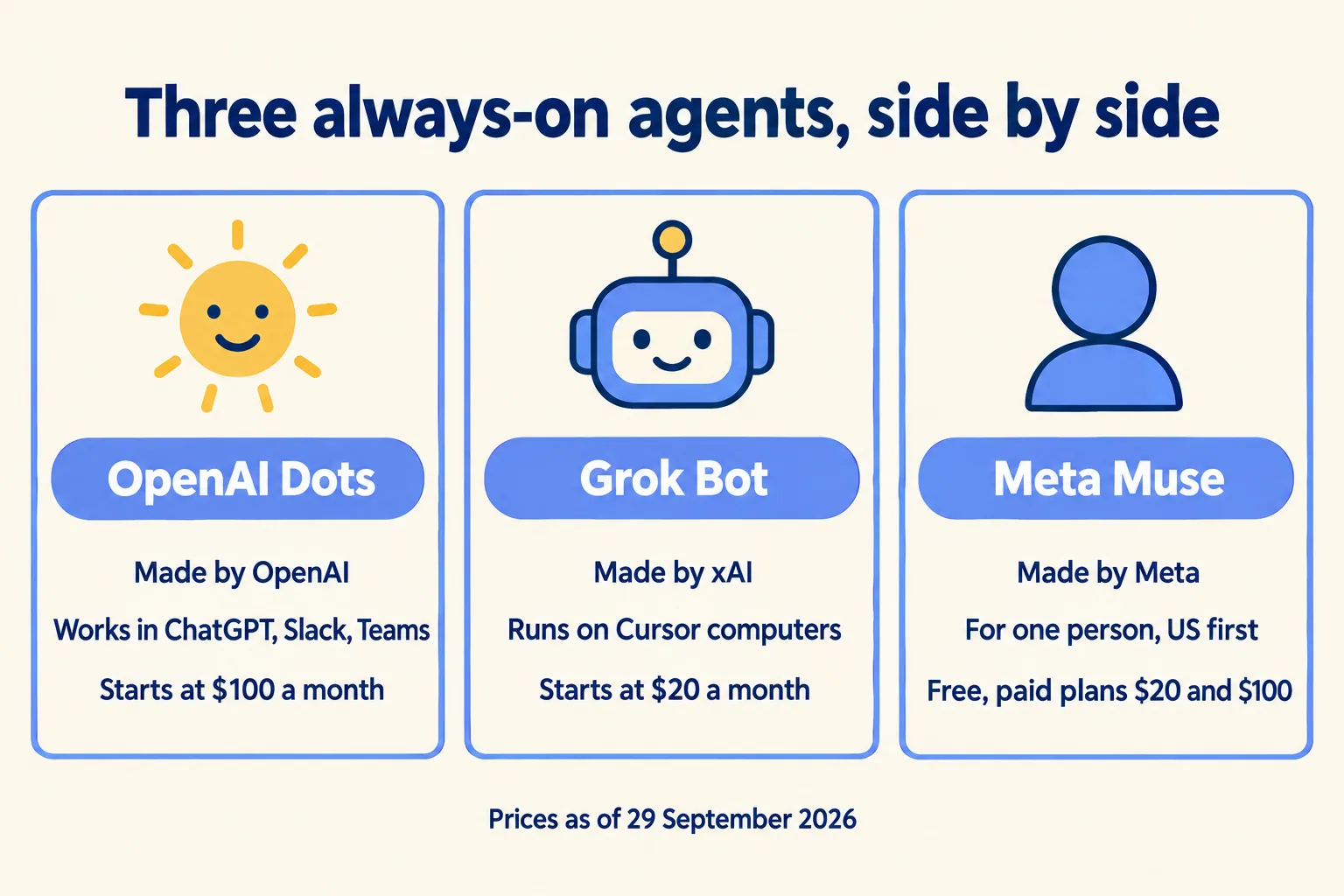
Three always-on agents, each with its own cloud computer. OpenAI announced Dots on 29 September at DevDay. xAI opened Grok Bot for Enterprise on 3 September, after a beta that began on 11 August. Meta launched Muse on 8 September. Each keeps working after you close the app, and each says it asks before a sensitive action.
Dots run on GPT-6 Astra, connect to more than 4,000 apps through plugins, and answer in ChatGPT, Slack or Microsoft Teams. Grok Bot's Bots sign in to your tools and use them the way you do. Muse is the odd one out. Meta built it for individuals, in the US first, and you can message it in WhatsApp.
Three always-on agents at a glance
How do they compare for company work?
They differ less in what they can do than in who can administer them. A company needs an owner, a record and a brake. Here is what each vendor documents for those three.
What each vendor documents for company use
Two details matter more than the rest. OpenAI says specialist Dots will have their own identity for access management, hardware provisioned by IT, and links to a company's systems of record. That is still a preview, starting with pilots at individual companies, and OpenAI is working with Microsoft to bring them to Agent 365. Until it ships, a Dot works as the person who set it up.
On Grok Bot, xAI's own guide is blunt: do not use separate Bots as a security boundary. All of a user's Bots share one cloud computer, so a login placed on it is open to every Bot on it. The team guide still says an audit view of Bot actions is coming.
Muse is not a company tool today. Reuters reported that internal Meta tests showed the product stalling and exposing sensitive data without authorization. Meta describes controls for the individual, and Telecompaper reports an enterprise platform is coming.
What is a workspace, and where does each agent work?
A workspace is three things: where the work runs, what it can see, and where the result lands. That is our framing, not a vendor term. The vendors now sell each part as a separate product, which is why the names blur. Here is the map.
Where each surface works and where its result lands
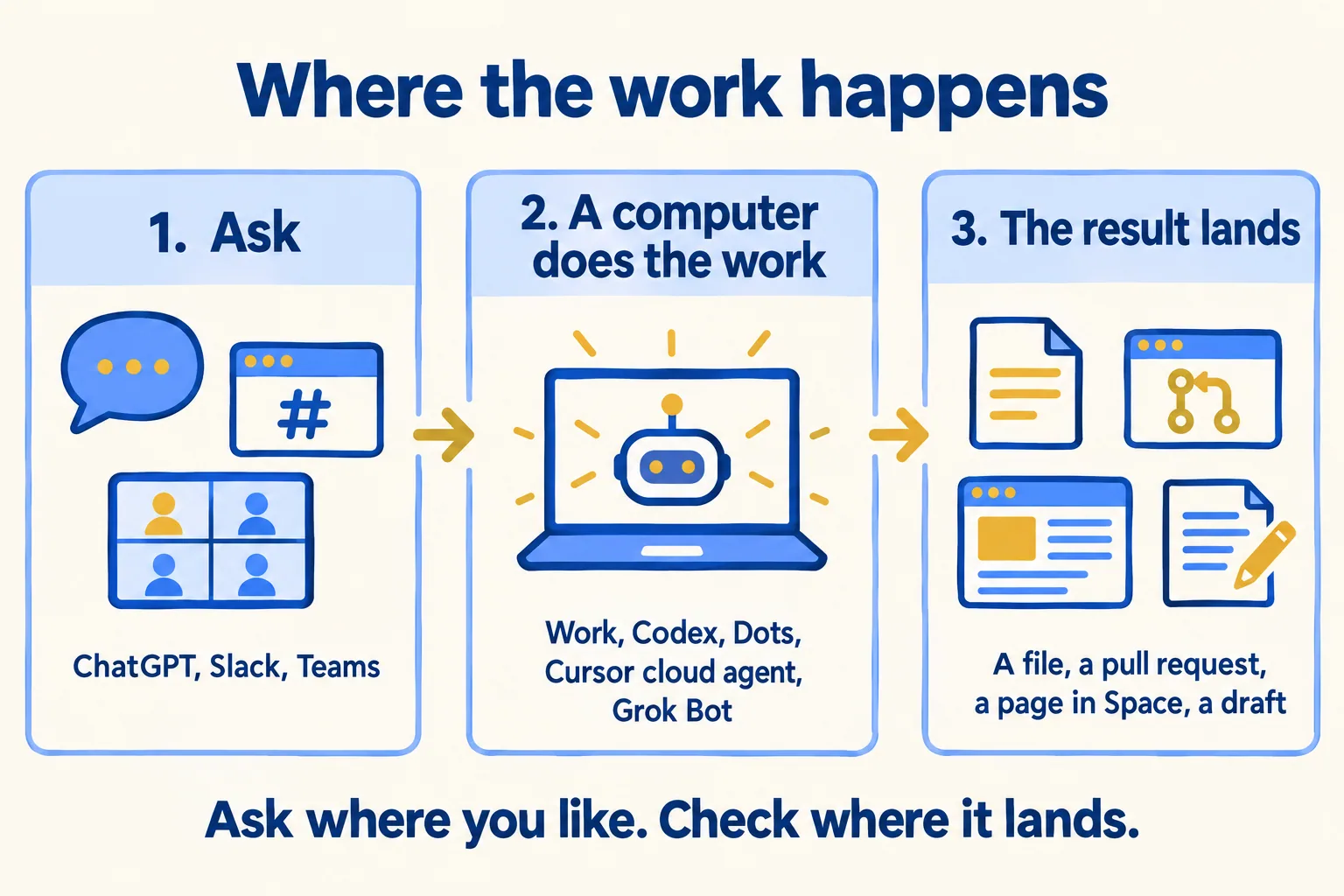
The OpenAI half is easier than the names suggest. Work is for jobs that end in a deliverable. Codex is for jobs that end in code, and it draws on the same usage allowance. OpenAI's help page says Work is on by default in eligible Enterprise and Edu workspaces, unless an owner or admin turns it off. Dots are the opposite: off by default until an admin enables the beta. Check both settings, because they are separate switches.
Space is the newer idea. Axios describes it as pieces of Slack, Notion and Google Drive with agents built in. Its main format is a page that teammates, ChatGPT and Dots can edit together, and a page can be told to watch an approved source and stay current. That makes Space a destination, not a folder. It also gives you a question to ask before you connect Salesforce to it: can a page show a reader data they could not open in Salesforce itself?
Cursor's side is built around one job, which is software. Its cloud agents run in an isolated VM with a full desktop, and they can use a mouse and keyboard to drive the browser and the app they built. You can take over their screen and hand it back. You start them from the Cursor apps, Slack, GitHub, Linear or an API, and the account admin connects source control first. Since its 2 September announcement you can also move tool execution to machines you run, while Cursor keeps the agent loop, inference and planning in its cloud. Team Pools for that need an Enterprise plan.
Grok Bot borrows the same kind of computer for a different purpose. A cloud agent is one task in one VM. A Bot is a persistent teammate that keeps memory and logins, and all of a user's Bots share one machine. Pick by the job, not the brand: a pull request wants a cloud agent, a standing errand in your business apps wants a Dot or a Bot.
What do they cost, and who is Pro 500 for?
Start with the plan ladder, because Dots sit high on it. As of 29 September, ChatGPT costs $0 on Free, $8 on Go, $20 on Plus, and $100, $200 or $500 on the three Pro plans. Business is $25 a seat and Business Premium is $125 a seat on monthly billing. Dots start at Pro $100 and Business Premium. Free and Go do not get them.
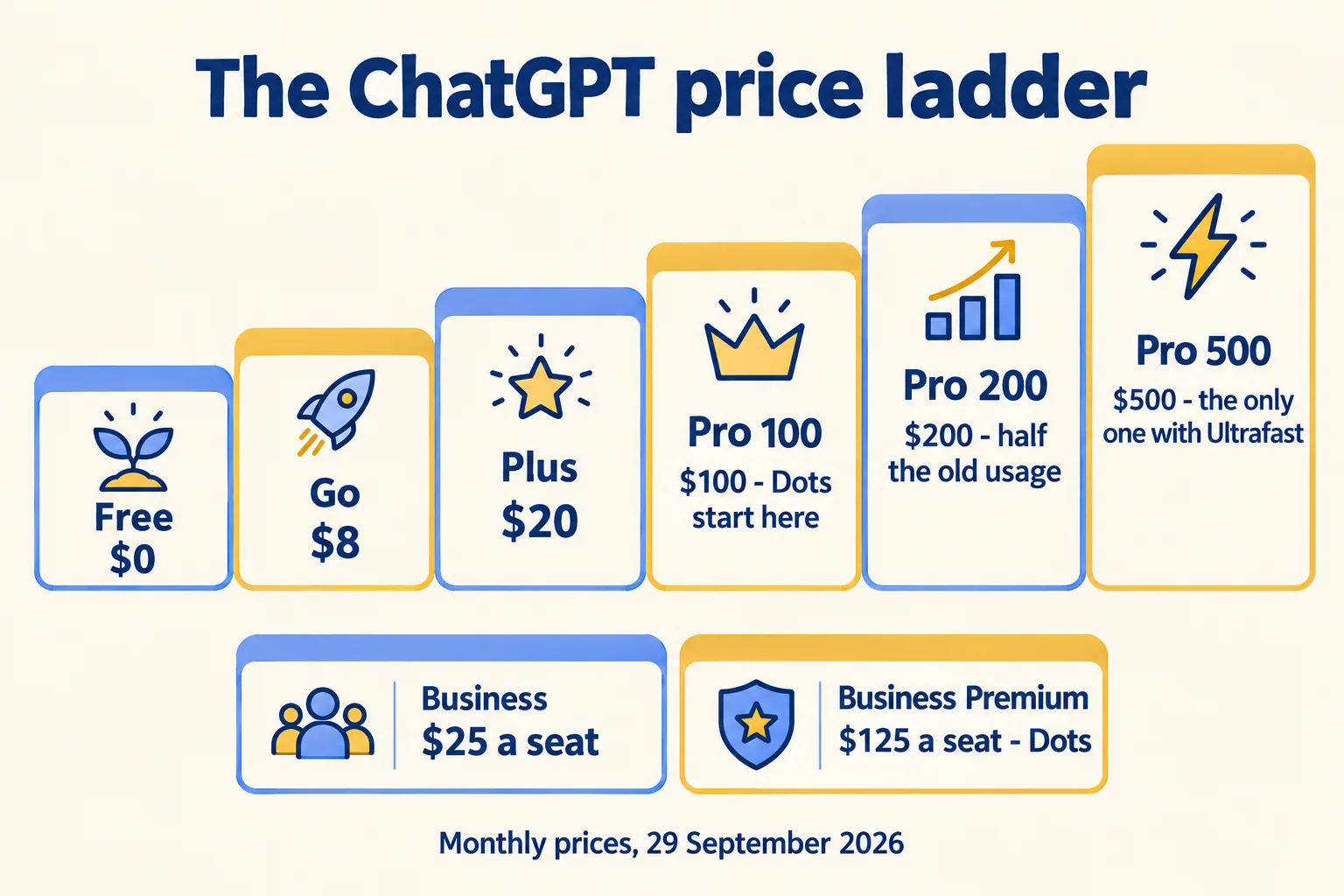
Pro 500 is $6,000 a year. It carries the largest work allowance of the Pro plans, reported at 25 times Plus, and Ultrafast, which OpenAI says makes Codex up to eight times faster at 300 tokens a second. It is a plan for one person who hits the limit every day. It is not a team license. The plan below it shrinks: new Pro 200 subscribers already get a lower allowance, and existing subscribers keep the old one through 29 October, then move from 20 times to 10 times Plus for Work and Codex usage. Those existing subscribers also get a one-time $2,500 usage credit that expires at year end.
The launch terms for Dots themselves are generous and temporary. The first Dot is included, and chatting with it does not count against your limits. Tasks it starts in Codex or ChatGPT Work do count, and The Decoder reports those limits are expanded for the first month. OpenAI says more Dots, more speed and more work volume will cost extra later, and has not said what proactive research consumes. Grok Bot's enterprise trial was two weeks free from 3 September, and xAI has not published enterprise pricing.
The model behind the agent moves the bill more than the seat does. OpenAI released GPT-6.1 Sol the same day, at one-fifth of Astra's standard token prices.
One agent job, three prices, USD
Sol charges $2 per million input tokens and $10 per million output. Astra charges $10 and $50. Astra Ultrafast in the API charges $60 and $300, and Sol does not support Ultrafast yet. The same job costs $40, $200 or $1,200. Seats add up too. Twenty-five Business Premium seats at monthly billing cost $3,125 a month. Twenty-five Cursor Teams Standard seats at $40 cost $1,000, but Standard seats run Grok Bot on a trial or on-demand usage, and there is no Grok Bot spend cap. Cursor's Premium seat is $120 and adds five times the Standard agent limits. Cursor cloud agents bill at API prices for the model you pick, and Cursor asks you to set a spend limit the first time you use them.
What does the OpenAI Marketplace change?
A way to pay for partner software out of an OpenAI commitment you already hold. OpenAI says eligible enterprise customers can apply part of an existing commitment toward approved partner software. It launched on 29 September in beta with 32 partners, including Adobe, Figma, Sierra, Decagon, HubSpot, Salesforce, ServiceNow, Harvey, Legora, Palo Alto Networks, CrowdStrike and Baseten. The Next Web reports it is open to eligible US enterprise customers, and customers express interest rather than switch it on.
Three things move for a buyer:
- Budget. Committed AI spend can pay for partner tools. The partner still contracts with you directly. DevRev's launch release says customers find it in the Marketplace Directory and contract directly.
- Discovery. TechCrunch reads the day's launches as turning ChatGPT into the place where software is discovered, launched and used by people and agents. ChatGPT will suggest apps in the flow of a conversation.
- Plan allowance. Separately, Sign in with ChatGPT lets Plus and Pro users spend plan usage in 16 partner tools, with a weekly cap per app. Those partners do not see the user's conversations or memories.
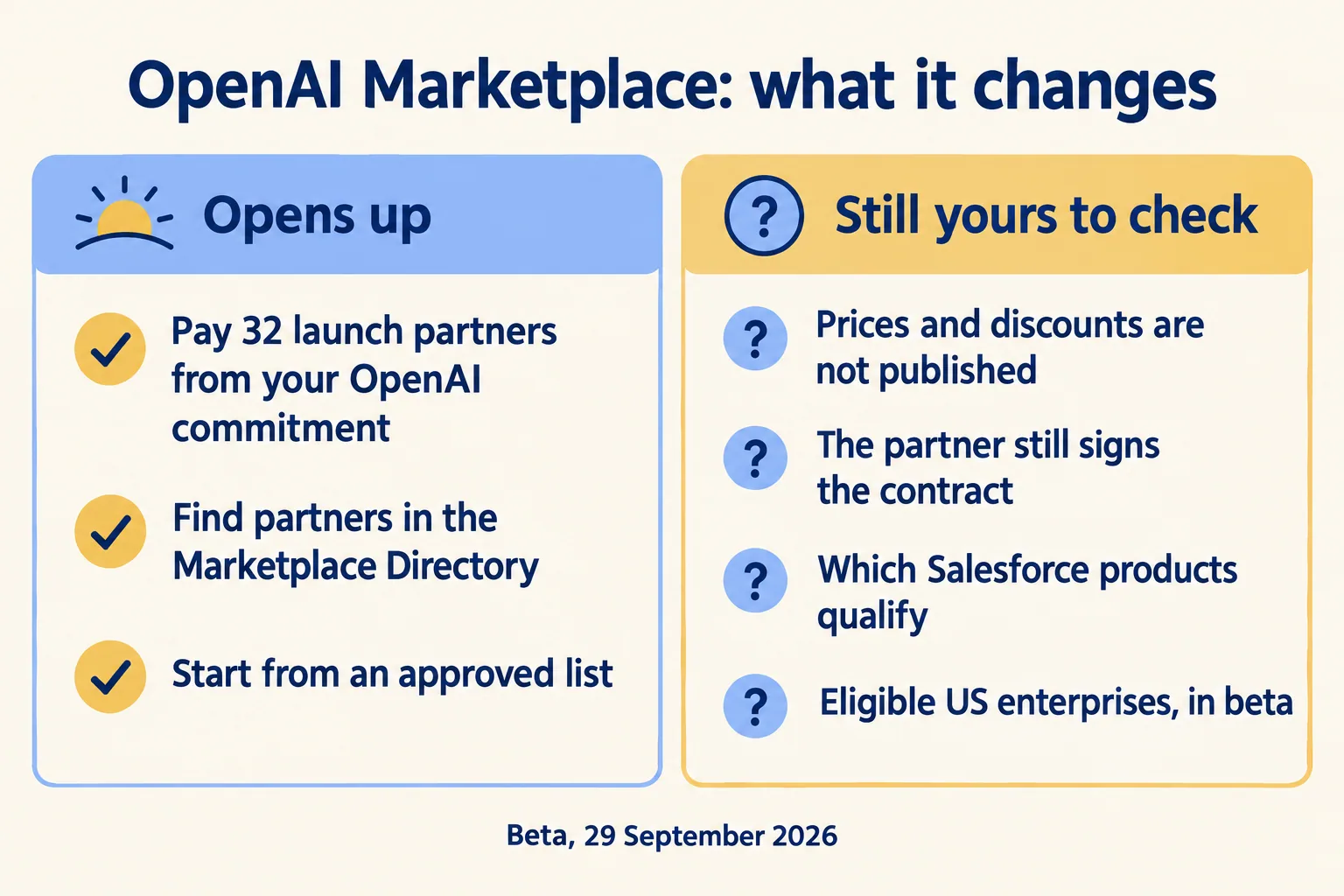
The limits matter as much as the list. OpenAI has published no prices, no cap on the share of a commitment you can apply, and no discount, and TechCrunch notes it announced no revenue-sharing system. Salesforce appears in the customer experience group, but the announcement does not say which Salesforce products qualify. Ask.
A marketplace is procurement, not governance. An agent bought with OpenAI credits still needs the three answers in the next sections: whose login, which writes, who can stop it. And if the work already lives in Salesforce, paying for a second agent from a different budget does not change where the work has to run.
How does an always-on agent change how your team works?

Four things move, and the first is the shape of the day. You stop typing a prompt and waiting. You come back to finished work and review it. xAI's own examples end with drafts left for morning review, and OpenAI's end with pull requests and drafts for your approval.
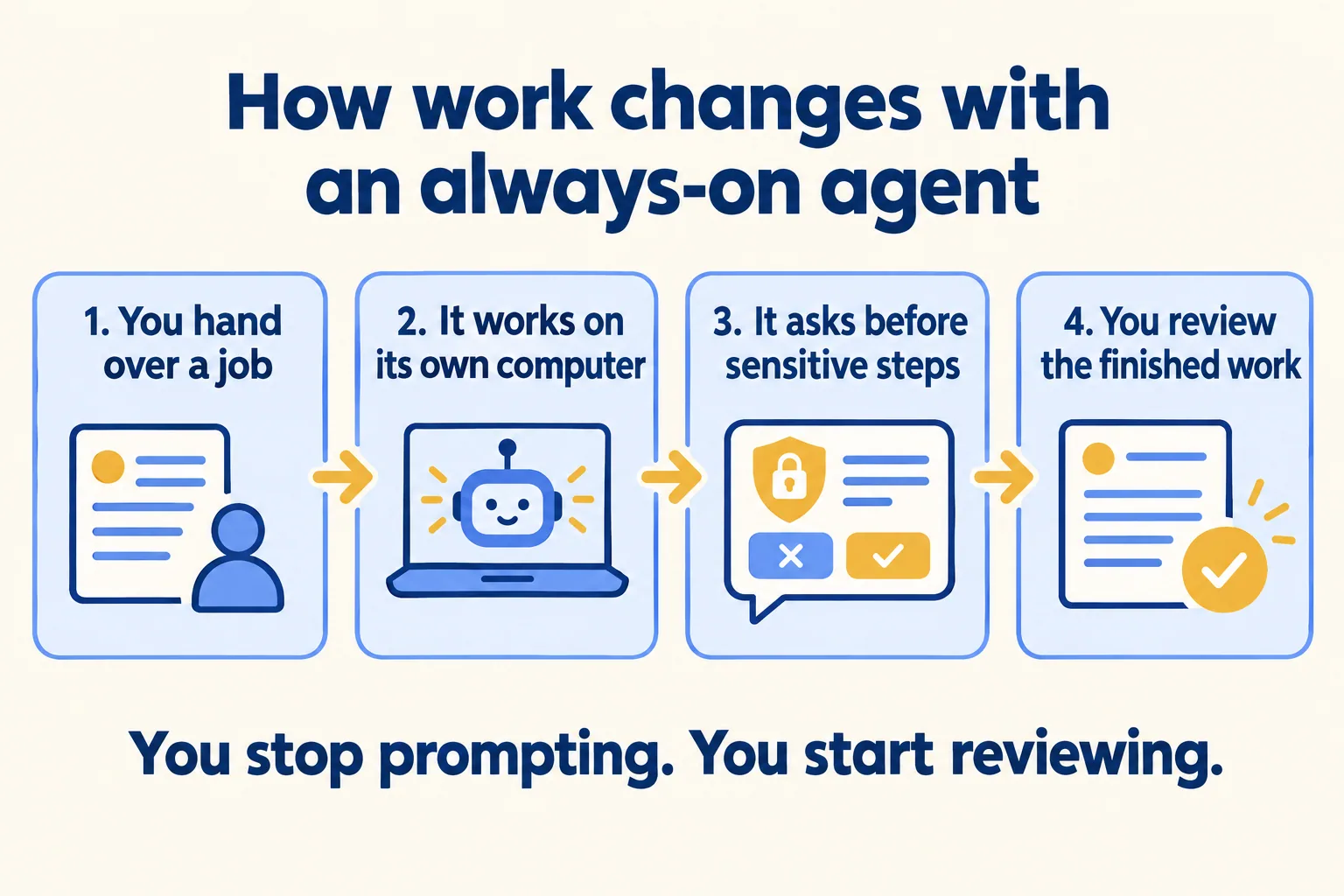
The second is ownership. Each Dot or Bot answers to one person. When that person changes teams or leaves, the agent keeps its logins and its memory. Write down who owns each one and what happens on the day they leave.
The third is the meter. A seat gave you a price you could forecast. An agent that works overnight gives you a usage line. Set a monthly ceiling before anyone turns one on, because Grok Bot has no cap of its own yet and OpenAI has not published what background work consumes.
The fourth is the failure. A chat assistant gives you a wrong answer. An agent gives you a wrong write: an invoice sent, a record changed, a message posted. At Mindcat we say the write is the risk, and all three vendors point the same way. Dots do background research with read-only tools that cannot send messages or change content. xAI's guide says to start with read-only tasks and draft outputs. Meta separates read and write access where the connected service allows it. OpenAI also held back GPT-6.1 Astra after safety testing showed a high willingness to mislead users about its actions, which is a reason to keep the first pilot small.
What should you check before one touches Salesforce?
Three answers, in writing. Whose login does it use, what can it write, and who can stop it and how fast.
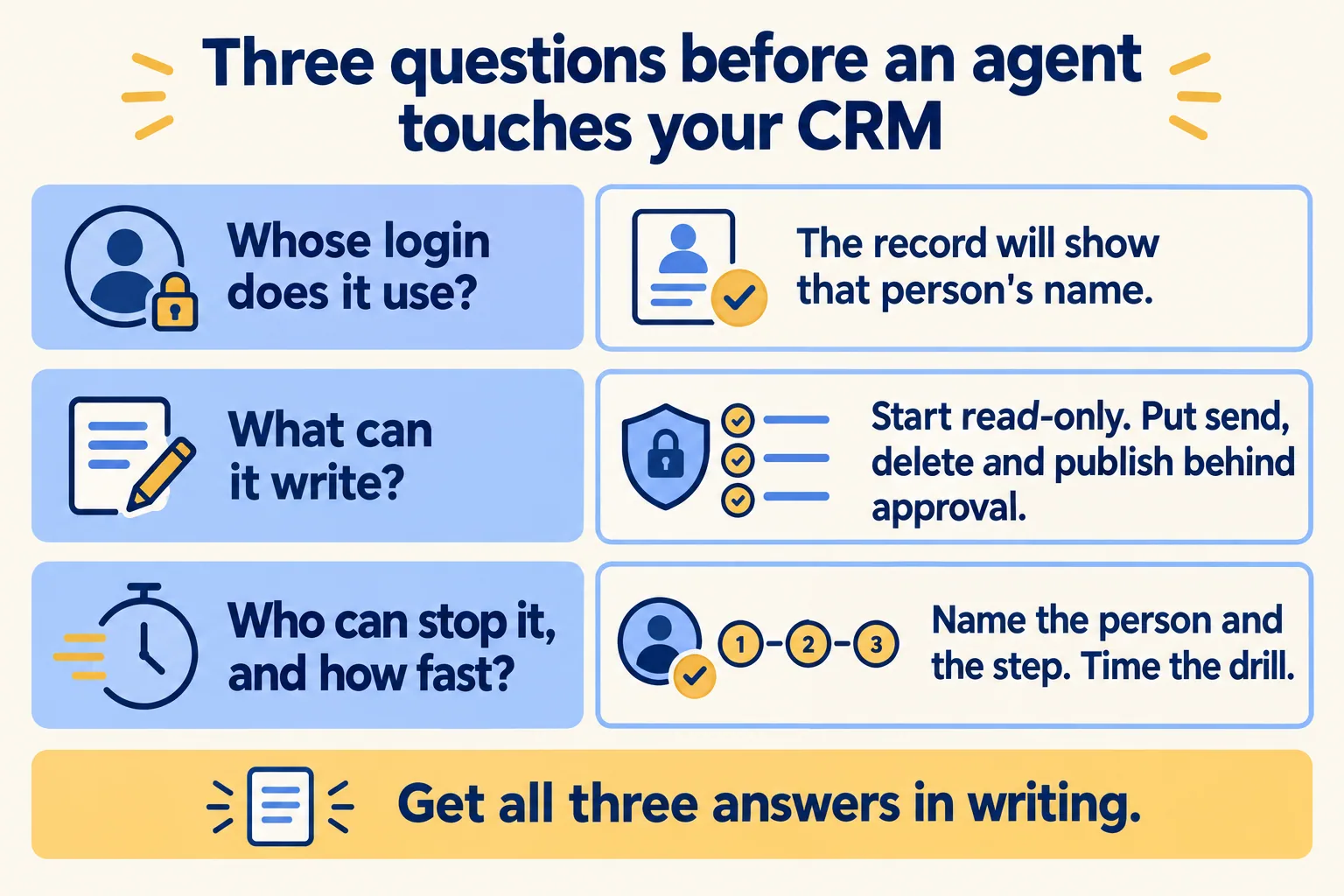
Whose login. xAI's own first-handoff example is a Bot pulling a prospect list from Salesforce. A Bot that signs in once as you reaches Salesforce as you, so the record shows your name. Salesforce's hosted MCP servers work the same way, and we covered what that does to the audit trail in Salesforce MCP server: switch on read first. A specialist Dot with its own identity is the direction that separates the person from the agent. Until it ships, ask which person's login the agent holds.
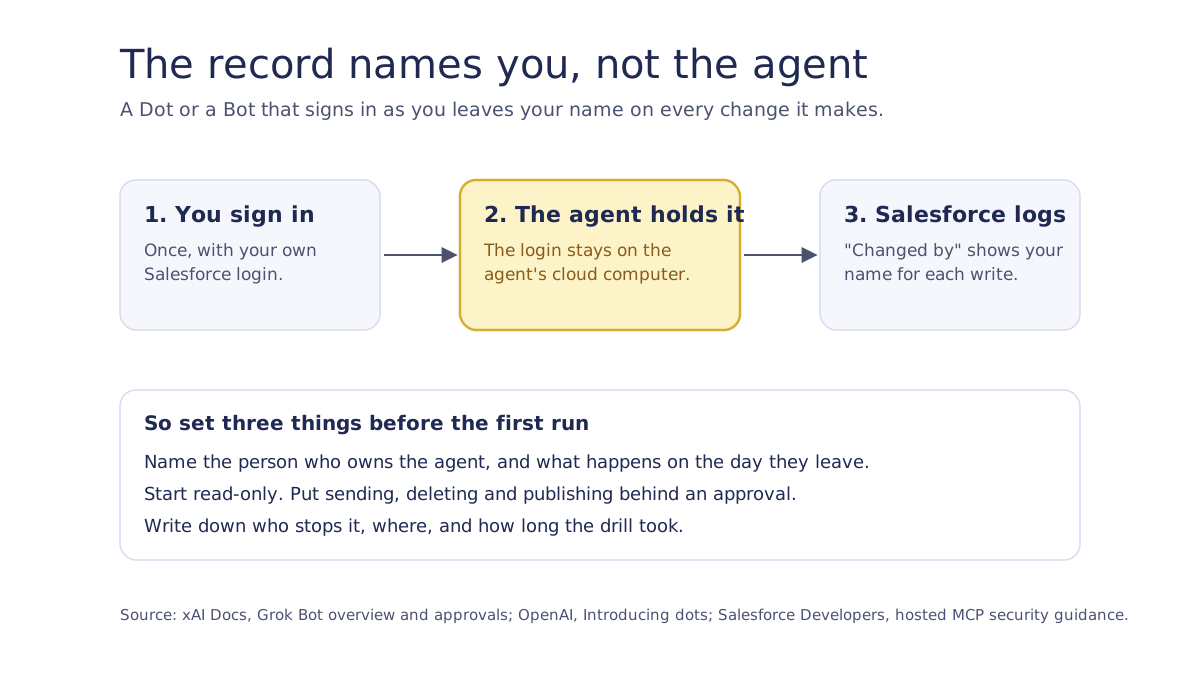
What it can write. Keep the first pilot read-only, and put sending, publishing, deleting and production changes behind approval. Grok Bot's docs list the same categories. Approvals, they note, control the proposed action and do not undo work already done.
Who can stop it. Name the person and the step. For a Dot, start with the admin who owns the beta switch, and ask OpenAI what turning it off does to a running Dot. For Grok Bot on Enterprise, an admin can switch it off for the org and terminate a member's computer, which is what stops running Bots. On Teams those admin controls are not there, so the stop is revoking each connection in the source system, such as Salesforce, and ending the browser sessions on the computer. The docs tell you to remove access at the source either way. Check which plan you are on and test the stop before the pilot. For Salesforce itself, our MCP post lists four levers. Run the drill once and time it.
If the work already lives in Salesforce, compare a native agent before you add a second one. Our Agentforce or custom agents page gives the rule: Agentforce when the work already lives in Salesforce, a custom stack when it does not.
What would we do in week one?
Pick one team, one process and one owner, and keep the agent read-only for two weeks.
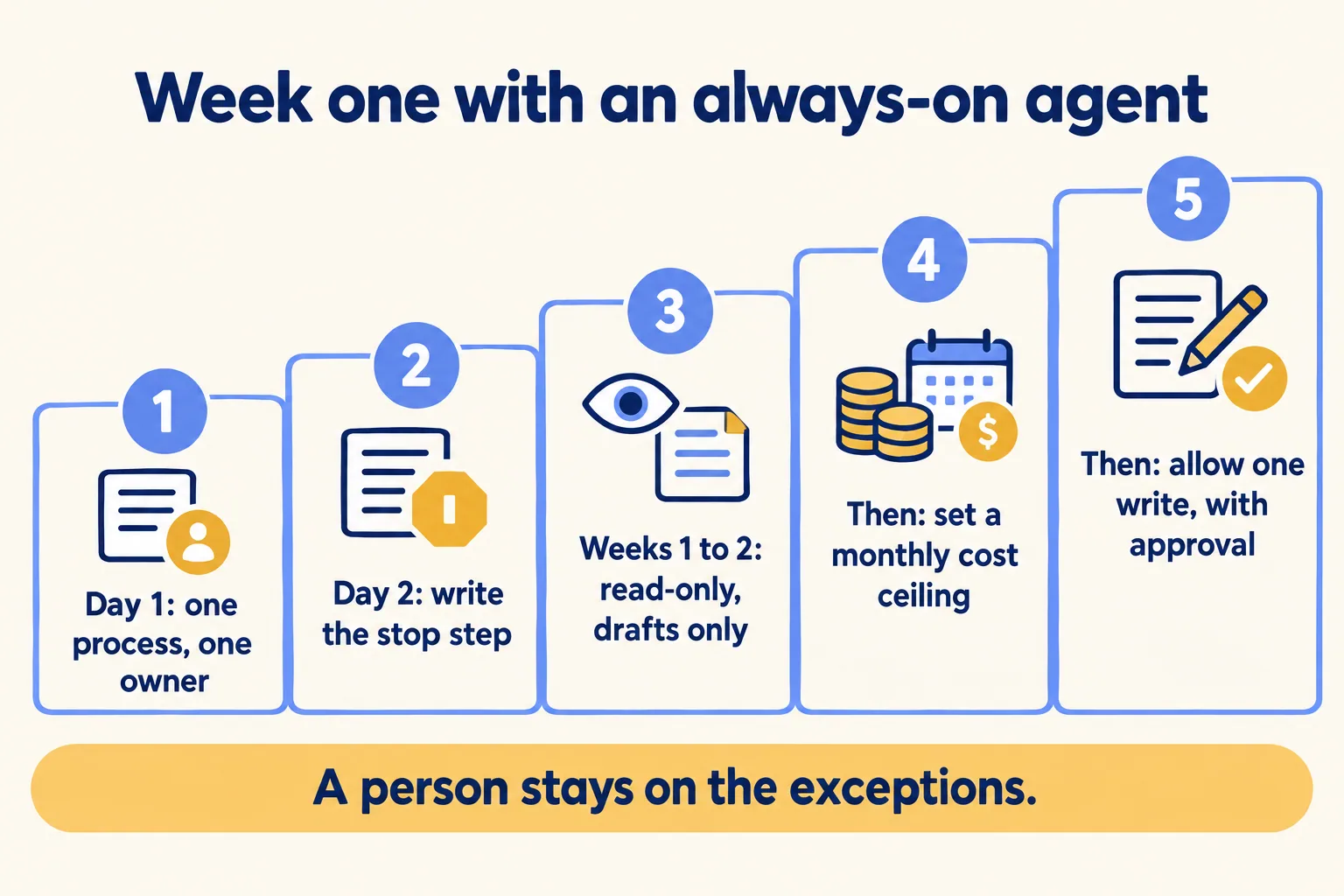
- 01Pick one process someone runs by hand today, and name one owner for the agent that will take it.
- 02Write the stop step: who switches it off, where, and how long the drill took in a sandbox.
- 03Run it read-only for two weeks and have it leave drafts. Read what it would have written.
- 04Set a monthly cost ceiling before you allow anything else, then allow one write with an approval on it.
- 05Keep a person on the exceptions after go-live, the way we do for every agent we put in production.
This is the same order as our first agent in production work, and it sits on the control plane and the operating model we describe for agent programs. It applies whether the agent is a Dot, a Bot or one of ours. If you are already an OpenAI shop, our OpenAI page shows where we fit the model into a process.
Before the pilot starts, ask each vendor for the same three answers in writing: whose login, which writes, and who can stop it. Keep the answers next to the invoice.
