

If your team answers customers from one phone and one person is always the bottleneck, this is for you. It is not for a team of one or two, who may not need the API yet, and it is not for a team with nobody who owns a lead after the first reply.
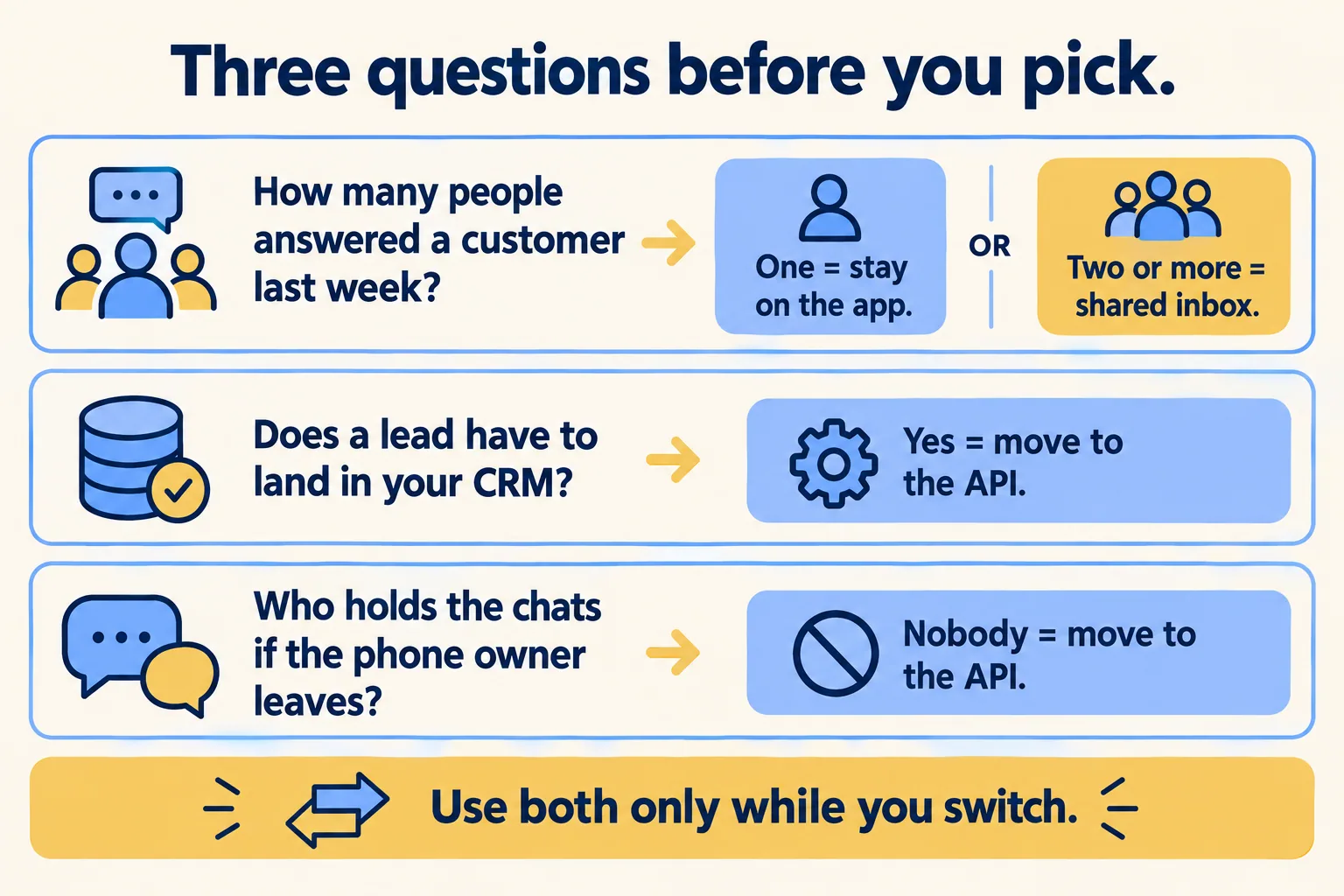
Who answered a customer last week?
Count them. Open the phone, look at last week's chats, and write down how many different people sent a reply. Then ask a second question: if the person who owns that phone left tomorrow, who would hold the chats?
Those two answers decide most of this. Check it against your own week and not a vendor's pitch. If your count is one and the owner is also the owner of the business, the app is doing its job.
Our rule, so you can argue with it. Stay on the WhatsApp Business app while one person can answer every chat from one phone and no lead has to reach a system. Move the number to the API when a second person must answer from a desk, when a lead has to land in your CRM, or when a leaver would take the chats with them. Use both only for the switch.
When is the phone app enough?
When all of these hold. One person answers everything. That person is reachable in business hours and you accept the gaps. Nobody needs a lead copied into a system on the day it arrives. And losing the phone, or the person, would be an annoyance and not a lost quarter.
The app also costs nothing to send from. Meta's page says messages sent from the WhatsApp Business app "will continue to be free."
This week, write the number's owner on a card and put it in your handover file. If that owner is a staff member's personal phone, move the number to a company phone first. That one change helps whichever route you choose.
When does the number need a shared inbox?
When any one of these is true.
A second person must answer. The app lives on a phone, and a team of five either passes the phone around or sits in linked devices that Meta unlinks once the number is connected to the API. A desk with a shared inbox is how a second and third person answer without sharing a handset.
A lead must reach a system. Portal enquiries, ad chats and referrals need an owner and a time. The app has no hook to your CRM, whether that is Salesforce or another system. The API does. A portal enquiry at 9 pm then reaches a shared screen with an owner and a time, instead of waiting in one person's pocket until morning.
A leaver would take the chats. History on one phone is history one person controls.
The route to the API does not have to start from zero. Meta's setup lets a number that already runs on the app connect to the API and keep working, and it copies recent chat history across. That is the next section.
What does sharing one number cost you?
Meta calls it coexistence: the same number runs in the WhatsApp Business app and on the Cloud API at once. We read Meta's developer page on 26 October 2026. It says:
- The business needs WhatsApp Business app version 2.24.17 or higher.
- History covers messages sent or received within 180 days of onboarding, and the partner has 24 hours after onboarding to run the sync. Media IDs are kept only for messages sent within 14 days.
- A number used on both has a fixed throughput of 20 messages a second.
- "Group chats will not be synchronized."
- "Broadcast lists will be disabled." Existing lists become read-only.
- "Disappearing messages will be turned off for all individual (1:1) chats." View-once and live-location messages are also off in one-to-one chats.
- Catalog, orders, quick replies and labels are not supported on the API side.
- Companion apps such as WhatsApp for Windows are unlinked at onboarding.
So coexistence keeps the phone alive during a switch, and it takes away tools some teams lean on. If you send broadcast lists today, plan for that before you agree to share the number. If you rely on a group chat with a supplier, it stays in the app and does not appear on the desk.
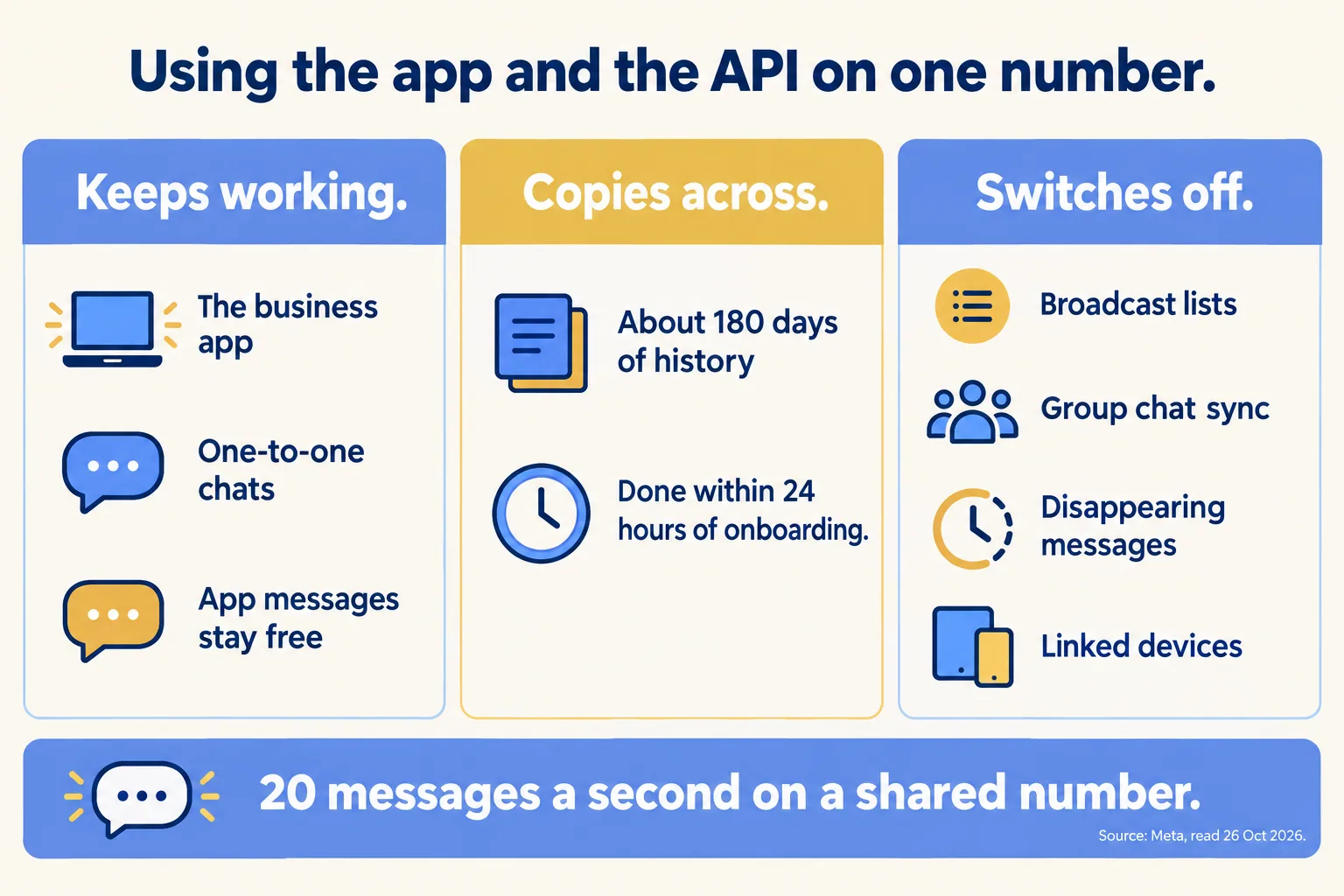
Treat coexistence as the bridge, not the place to live. The 20-messages-a-second cap is a ceiling a small team will not hit, but the switched-off tools are a daily cost, and the number still has one phone attached to it.
What does each route cost?
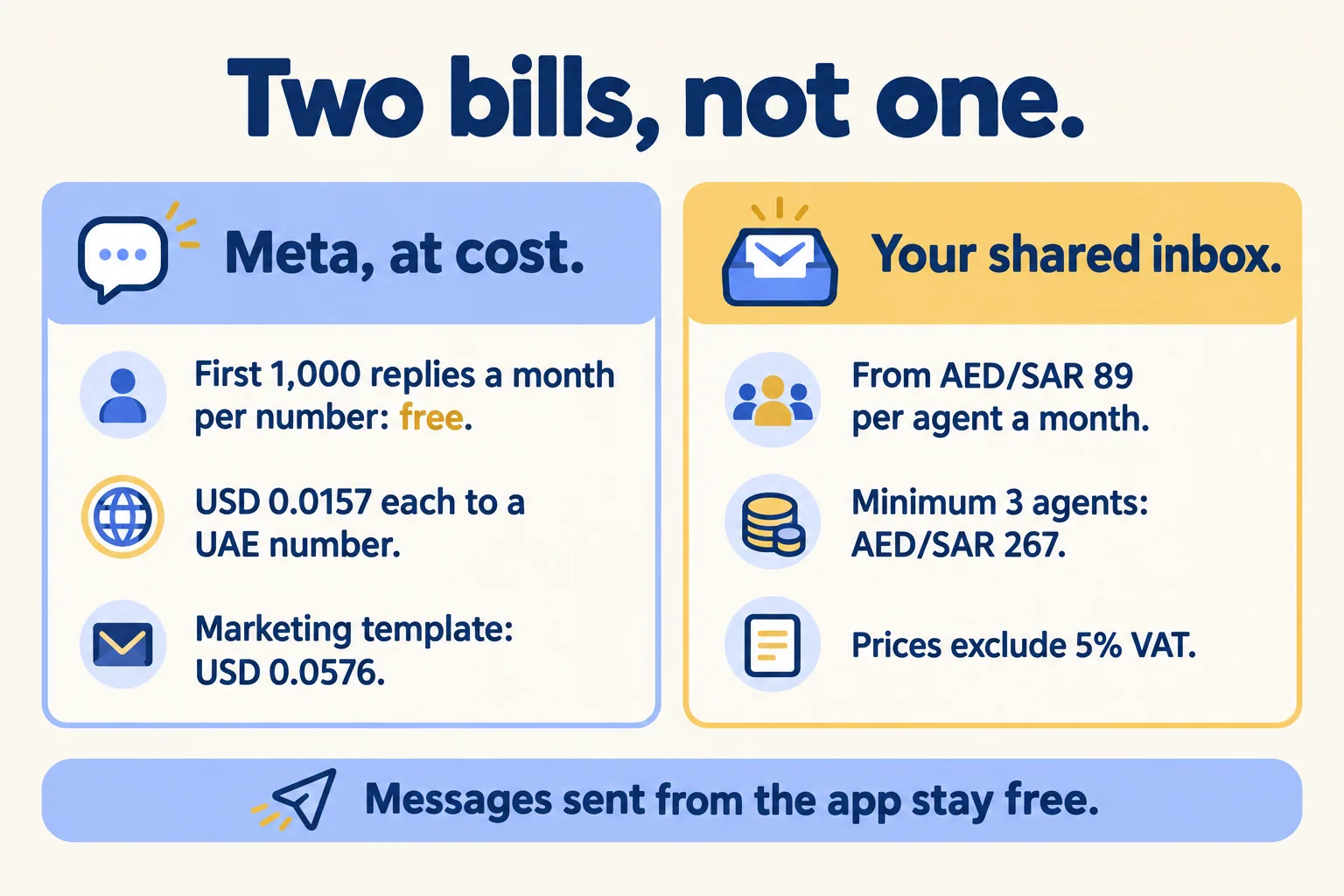
The app route has no per-message fee and no shared access. The API route has a fee schedule, but you pay it to Meta on your own account, at cost.
Meta's rates, as shown on our WhatsApp page and checked on 10 October 2026: the first 1,000 replies a month on each number are free, inside the 24-hour window. After that, USD 0.0157 each to a UAE number. A marketing template to a UAE number is USD 0.0576. Since 1 October 2026, utility templates are charged inside the window too.
An example, labelled as one. A team that sends 3,000 replies in a month pays for 2,000 of them: 2,000 × USD 0.0157 = USD 31.40, before any templates. Work out your own volumes with the WhatsApp cost calculator.
The people side is a separate line. Mindcat Inbox starts from AED/SAR 89 per agent a month, graduated: 1 to 5 agents AED/SAR 89, 6 to 20 AED/SAR 59, 21 to 50 AED/SAR 45, 51 and up AED/SAR 35. The shared plan has a minimum of 3 agents, AED/SAR 267 a month, so a team of one or two still pays that minimum. Meta's fees are billed at cost, and prices exclude 5 percent UAE VAT. In Inbox people answer; there is no automatic reply today.
When are we the wrong answer?
When one person answers every chat and a phone is enough. Stay on the app; it is free and it works. When you want an assistant to answer instead of people, that is a different job: see WhatsApp agents. Before you send marketing messages, read the WhatsApp rules page.
If your count is two or more, or the phone owner is a single point of failure, tell us how many people answer, which number they use and where a lead should land. We reply with the written assessment: which route fits, what coexistence would switch off for you, and the monthly price per agent. If the app is enough, we say so. For how Meta's fees work in more depth, see our post on what WhatsApp costs a UAE team on Meta's rates.
