

If your developer or agency builds your site with a coding agent, and you sign off what leaves their laptops and who can deploy, this is for you. The plugin is a small install that helps the agent write current Vercel code. The decisions around it (telemetry, tokens, and what it can do to your account) are yours. If nobody on your site uses a coding agent, or the site does not run on Vercel, skip this.
Why does a coding agent write code against old APIs?
Because the model learned the platform from whatever it read before its cutoff, and the platform kept moving. The agent writes a config option that was renamed, or an SDK call from an older major version. The code looks right, the build fails, and a developer spends the afternoon correcting what the agent did in a minute.
Vercel says as much in its own FAQ: it picked the plugin's skills for the areas "where agents most often write code that needs correcting against current Vercel behavior". The cost of stale code is review time, and review time is the expensive part of using a coding agent at all.
What is inside the plugin?
Current Vercel knowledge, packaged so the agent can pull it in when it needs it. Vercel's docs list four parts:
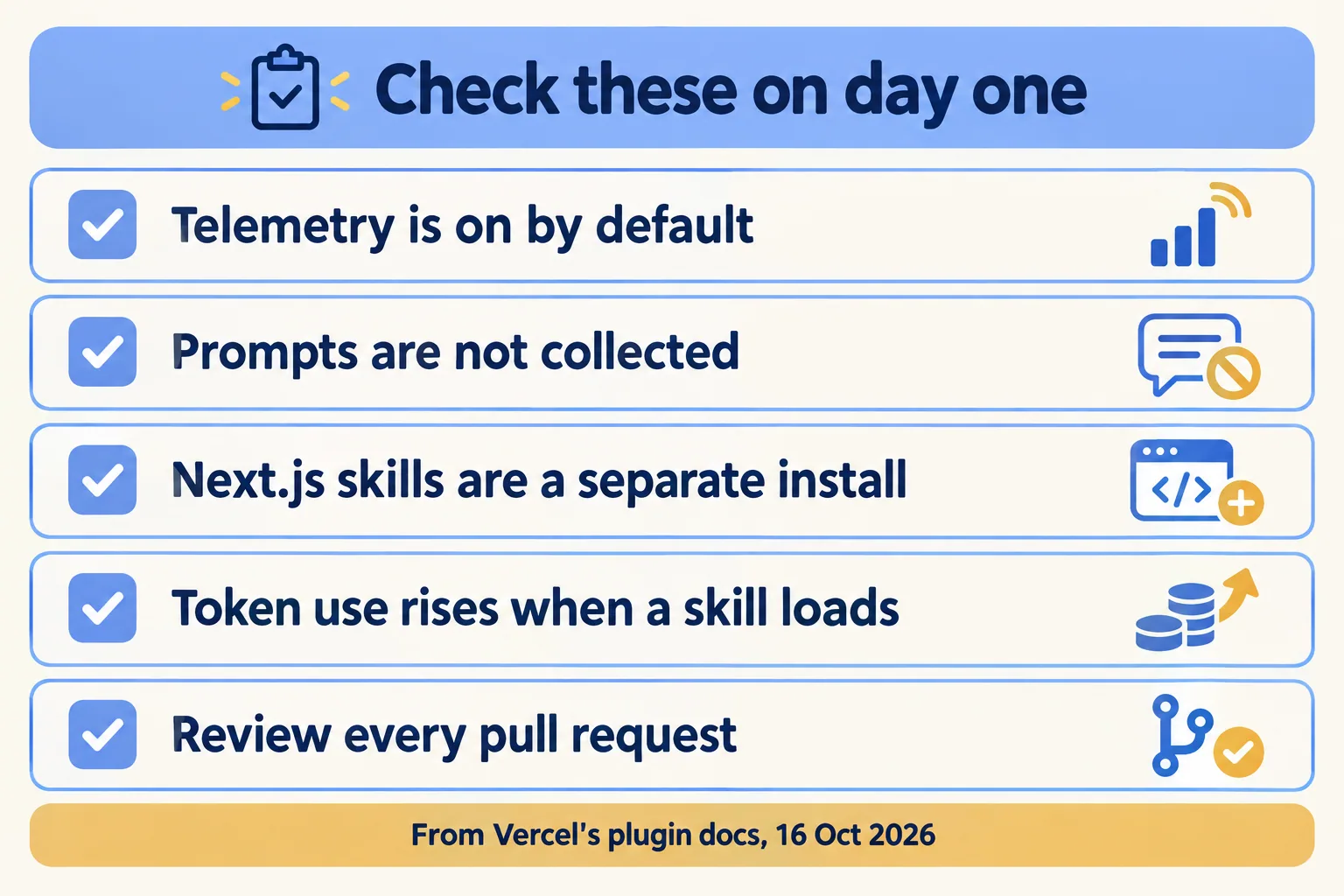
It does not ship Next.js skills. The docs point you to npx skills add vercel/next.js for those, because Next.js carries its own version-matched docs for agents. If your team builds on Next.js, that is a second install, and the first thing people miss.
Supported tools in the docs: ChatGPT, Claude Code, Codex CLI, Cursor, GitHub Copilot and its CLI, Grok Build, Kimi Code CLI, Kiro, OpenCode 2 and VS Code. The marketing page's list leaves out Kiro. We go by the docs.
Plugin or MCP server: which one acts on your account?
The MCP server does. The plugin only changes what the agent knows. Vercel's FAQ draws the line: the plugin "shapes how your agent thinks about Vercel", while the Vercel MCP server gives your agent tools that act on your account, such as listing projects, triggering deployments and pulling logs.
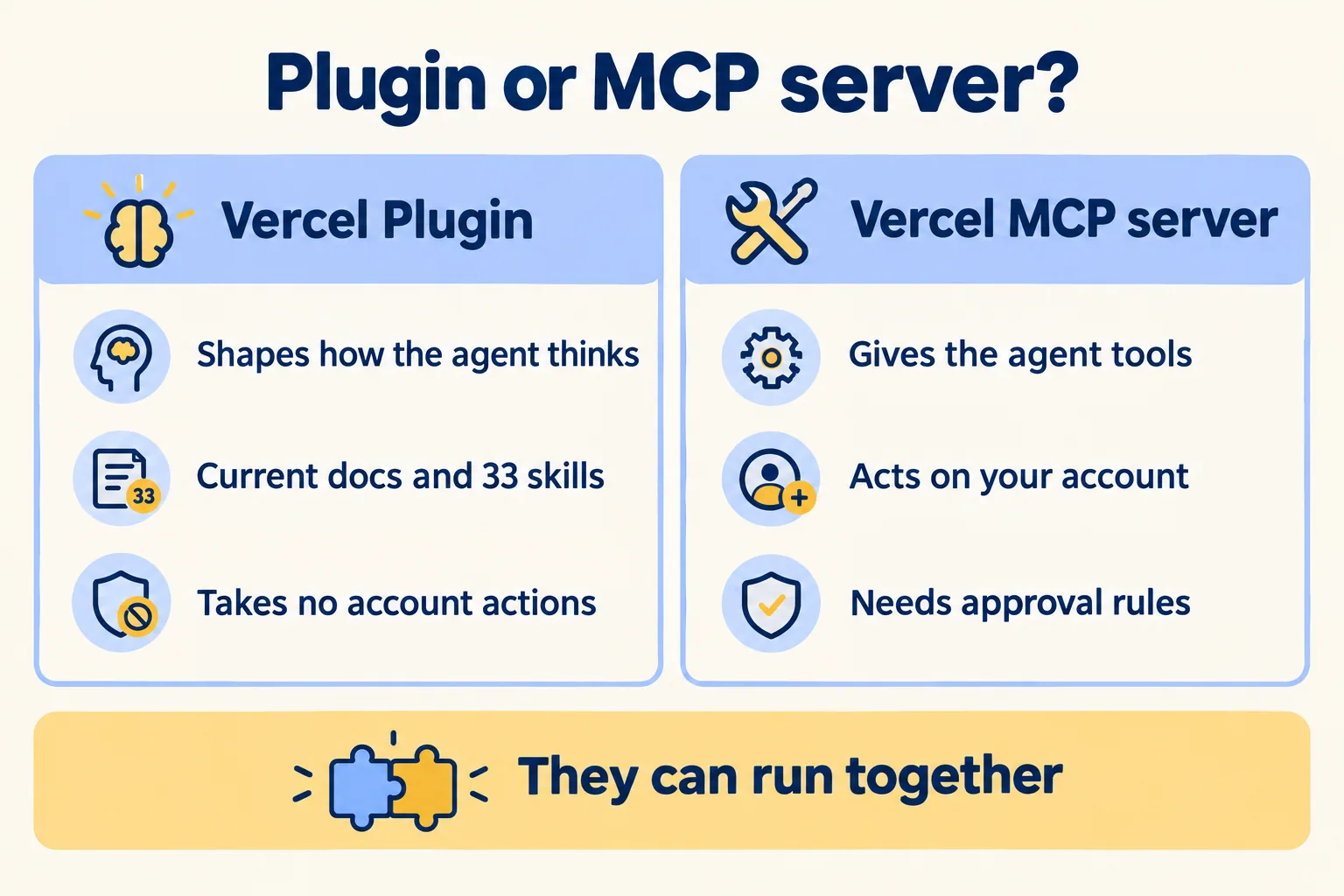
That split decides your risk. The plugin brings no credentials of its own. But its slash commands include deploy (to preview or production) and env (list, pull, add and remove environment variables), and our reading of the docs is that they act with whatever Vercel access that developer's machine already has. So the real control is the developer's own access: who has a deploying seat, and whether production deploys need a review. Connecting the MCP server does, so it needs the same controls as any agent with a write path: who it acts as, what it may change, and who approves. We set those out for Salesforce in MCP server controls, and the same questions apply here. Our default: plugin on for every developer, MCP server only where someone has written down what it may do.
What does it cost to run, and what does it send home?
No licence fee is stated. The cost is tokens and a telemetry setting. Vercel's FAQ says "Token usage goes up when the agent loads a skill." Its docs say the default install keeps automation light: session-start context goes in only for empty folders and detected Vercel, Next.js or eve projects, and skills are "not auto-injected on every prompt or every tool call by default".
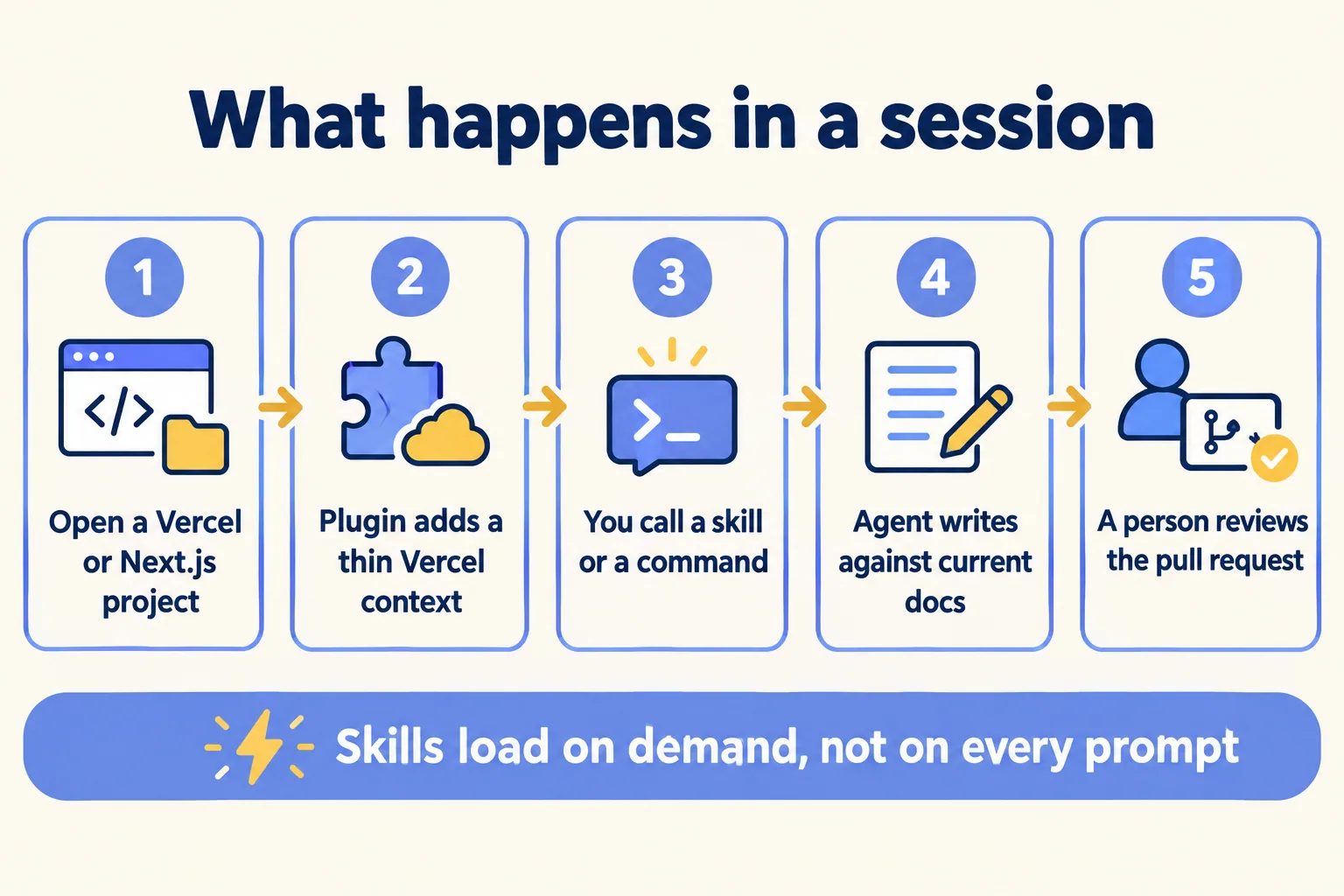
One thing to know: Vercel's two pages disagree. The marketing page says the plugin "watches your files and tool calls, then pulls in the right skill at the right moment". The docs say skills are not injected on every prompt or tool call by default. We read the docs as the behaviour and measure token use on our own sessions for a week before we trust either.
How big is a skill when it loads? Vercel does not say, so we measured. On 16 October 2026 we downloaded the 33 SKILL.md files from the main branch of the public vercel/vercel-plugin repository and counted their size. Tokens below are our estimate at about four characters a token, not a Vercel figure, and any reference files a skill pulls in come on top.
So one skill call adds roughly a page or two of context to that session, and the largest adds about twelve thousand tokens. If all 33 were injected on every prompt, the plugin would be expensive; the docs say they are not, and the sizes show why that default matters.
Telemetry is on unless you turn it off. With VERCEL_PLUGIN_TELEMETRY unset, the plugin sends a once-a-day active event and an event with the name of each skill your agent loads. The docs say prompt text, bash and tool-call telemetry are not collected. Setting VERCEL_PLUGIN_TELEMETRY=off stops both events. The docs do not say where those events are stored or for how long; ask Vercel in writing if your questionnaire needs it, or turn them off. For a client whose contract says what may leave a developer's machine, we set it to off before the first session.
What it costs: we found no price for the plugin on Vercel's pages, and it adds no line to your Vercel bill that we could find. The cost sits in the coding agent's own token use, on whatever plan your developer pays for, and the sizes in the table above are what each skill adds when it loads.
What does it change on an agency's clinic site build?
Here is the shape for a digital agency building a booking site for a group of clinics, with Claude Code on each developer's laptop. It is an illustrative example, not a client.
Without the plugin, the agent writes the booking assistant's model call from memory, and a reviewer finds an older SDK pattern in the pull request. With it, the developer calls the ai-sdk skill, which Vercel's docs describe as covering AI SDK 7, and the agent writes against that. The reviewer still reads every line. What changes is how much of the review is correcting versions instead of checking the work.
On day one the team lead does four things: installs the plugin, adds the Next.js skills, sets telemetry to off because the clinic group's contract asks for it, and decides that the MCP server stays off until someone owns its permissions. See how we approach digital agencies and clinics.
Should your team install it?
Yes, if your developers already use a supported coding agent on Vercel projects and review time goes on version fixes. No, if nobody on the team uses a coding agent yet, or your apps do not run on Vercel. Then the plugin has nothing to correct.
- 01Install it with npx plugins add vercel/vercel-plugin (Node.js 18 or later and Bun; OpenCode uses its own command).
- 02Add Next.js skills separately if you build on Next.js.
- 03Decide on telemetry before the first session, and write the setting into your setup notes.
- 04Keep the MCP server off until someone owns what it may do.
- 05Measure for two weeks: one without the plugin, one with. Count pull requests sent back for version fixes and the tokens each session used. Keep the plugin only if the fixes drop by more than the tokens cost you.
This is not for a team still choosing whether to use coding agents at all. Pick the process first; the plugin only helps once agents are writing code you ship.
We call our method "Spec, shadow, gate". Spec: write down which repositories the agent works in, which plugin and skills it loads, and whether telemetry is on. Shadow: run it alongside the team and count the corrections before anyone relies on it. Gate: every pull request it writes is merged by a named person. The plugin sits on the spec step. We are not a Vercel partner and are not affiliated with Vercel; we use its tools and pick them per job. See everything we build on Vercel. The assessment is free and the first build week is a fixed AED/SAR 14,900, credited in full if you sign the build within 60 days. You hear back within 24 hours from the person who signs the work. A Run plan keeps the setup current after go-live.
