

If you approve internal apps and agents, and you could not say who opened one last week or how a leaver is cut off today, this is for you. If you run one internal tool and no agents, this can wait. The question is whether Passport is worth an Enterprise plan, or whether a Pro team should lock its tools another way.
Why does every internal tool end up with its own login?
Because each one is built on its own. A visa tracker gets a password page, a staff dashboard gets another, and the new agent gets a shared link. Each holds its own idea of who the user is.
Vercel describes the same problem on its Passport page: it "ends per-app login", so that instead of "every app rolling its own auth and its own idea of who the user is", deployments sit behind your identity provider. The cost you carry today is not the logins themselves. It is the leaver who still opens the dashboard a month later, and the agent whose actions you cannot tie to a person.
What does Passport do at the door?
It sends every visitor to your company login before the app or agent opens, then hands the app a signed identity it can trust.
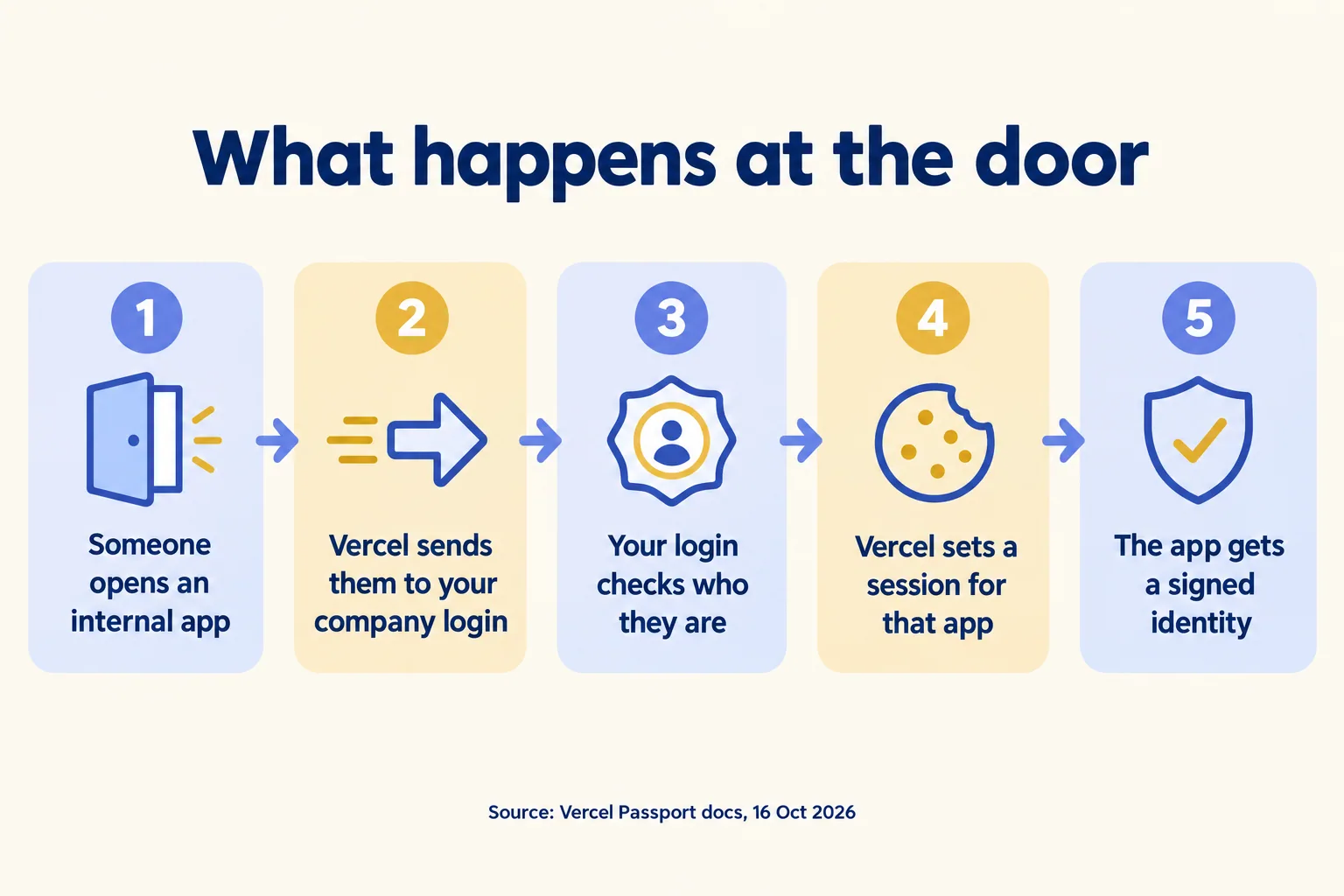
- 01An admin registers your identity provider as an OAuth application in Vercel Connect and turns Passport on for the project or the team.
- 02Someone opens a protected app, and Vercel sends them to Okta, Entra ID, Auth0 or another OpenID Connect login.
- 03Your provider checks who they are. Vercel validates the answer and sets a session cookie for that deployment.
- 04Every request reaches the app with a Vercel-signed token in a header. Vercel strips any value the browser tried to send.
- 05The app reads it with getIdentity(), or forwards it to another backend that checks it with verifyIdentity() or the published keys.
Agents you deploy sit behind the same gate, Vercel says, and inherit the same policy. If you request the groups scope, the token can carry your provider's groups, so a route can refuse anyone outside "finance". Each successful sign-in writes a passport-access-granted event to both the Activity Log and the Audit Logs, naming the visitor, the hostname and the project.
Which plan has it, and what does a Pro team use?
Passport is on Enterprise plans only. A Pro team has three other ways to lock an internal app, and each answers "who is this?" less well.
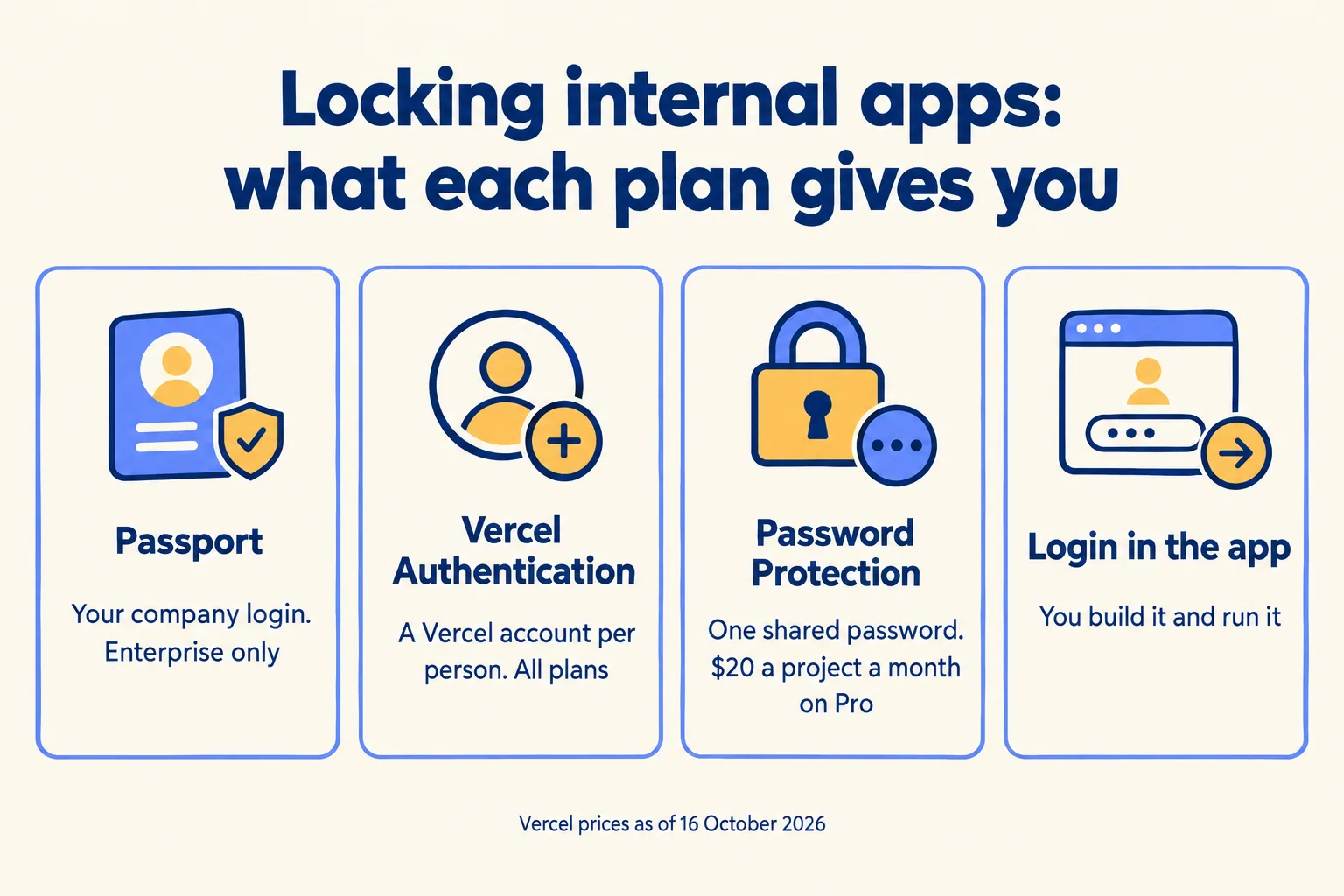
The product page calls Passport "flat-rate pricing" that lets "the whole company in at no additional cost". We read that as no charge per person inside an Enterprise contract. Vercel publishes no figure, so the number you compare against is the Enterprise quote, not a per-seat price.
Vercel Authentication is the closest Pro answer, and it is free. The catch is the account: each person needs a Vercel login with at least a viewer role, so your company directory does not decide who gets in. When someone leaves, you remove them in two places.
What should you check before you sign?
Five things, in writing, before Passport goes into an Enterprise quote.
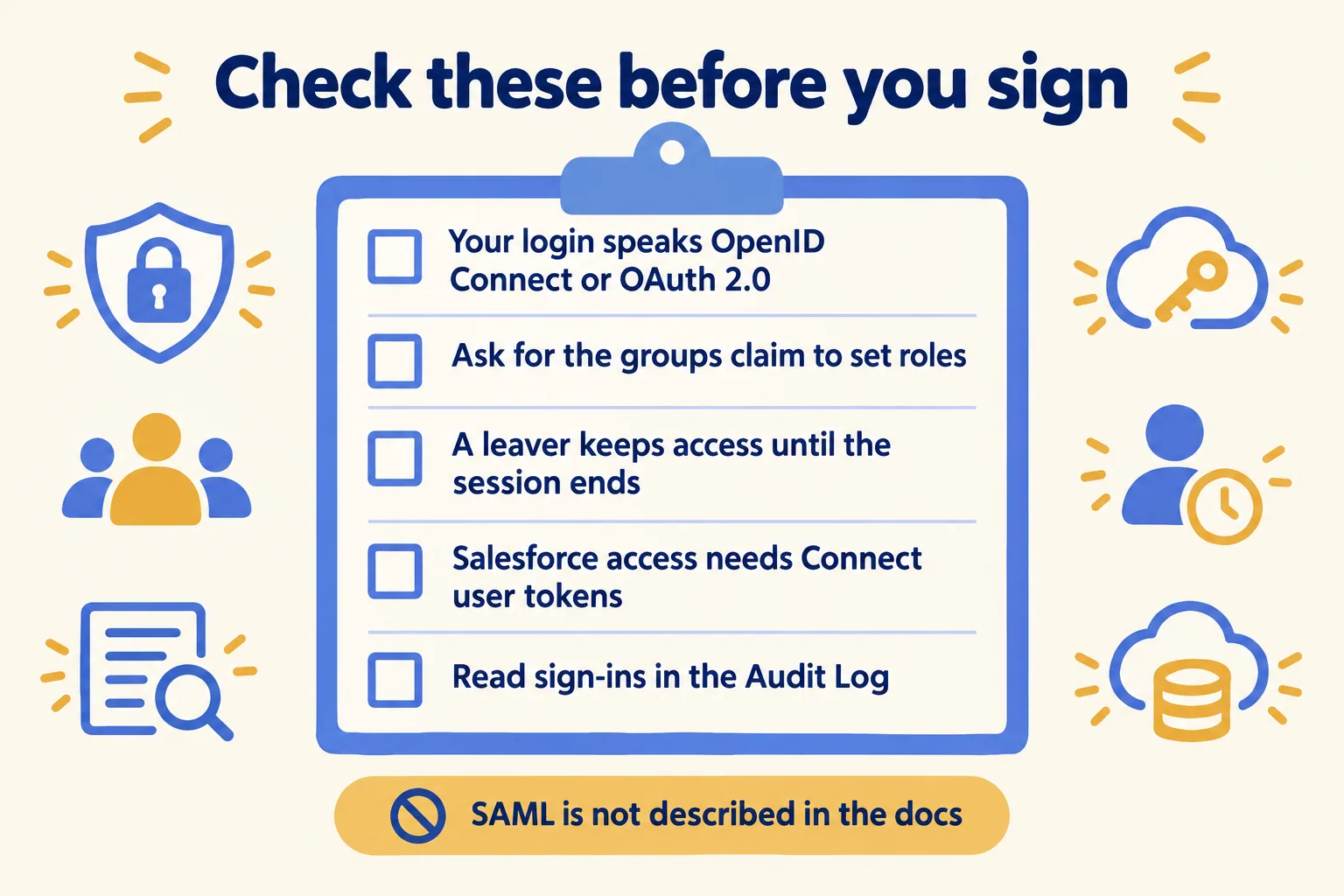
- Your login's protocol. The docs describe OAuth 2.0 and OpenID Connect. We found no SAML setup for Passport.
- Roles. Ask for the
groupsclaim and allowlist it, or every signed-in person sees every route. - Leavers and the stop. The page says a visitor "with a valid session can view the deployment until the session expires". Get the session length in writing. Until you have it, the same-day stop for one person is their downstream tokens (revoke their Connect grants), and the stop for everyone is taking the deployment down.
- Salesforce. Passport proves who opened the app. For the Salesforce call to run as that person, the app needs a Connect user token, and the Salesforce connector is Beta. Until it leaves Beta, we keep Salesforce writes on a named integration user with a person approving each one.
- Where it runs. Neither page states where identity data is handled. Vercel's regions page lists 19 compute regions and none in the UAE or Saudi Arabia, which matters for a review under the UAE PDPL (Federal Decree-Law No. 45 of 2021).
One more for agents: Passport is the door, not the control on what the agent does inside. An agent behind it knows who asked; which tools it may call, and who approves a write, is a separate decision, which we cover in who approves an agent's action. Governing every agent from one place is what our founder taught at the Dreamforce 2026 breakout.
What does this look like for a Dubai PRO firm?
Take a PRO services firm with three internal tools: a visa file tracker, a document check agent and a staff dashboard, all on Entra ID. This is a sample, not a client.
On Enterprise, Passport sits in front of all three from one team setting. The PRO officers group opens the tracker and the agent; finance opens the dashboard. The agent reads the officer's identity from the token and records it as "acting for" on every file it touches, so the file shows the agent and the person who asked. A leaver is disabled in Entra ID, and their session runs out.
On Pro, the same firm would give each officer a free Vercel Viewer seat and use Vercel Authentication, or build one login page into a single app that holds all three tools. Both work. Neither lets Entra ID decide who opens the door. Our PRO services page shows the files and dates that work runs on.
When is Passport the wrong answer?
When you have one internal tool, a handful of staff, or no Enterprise plan in sight. Building and running a login inside one app is work you own, but it is a smaller commitment than an Enterprise contract bought for one door. From three or more internal tools and agents that share one company login, Passport starts to earn its quote; that threshold is our rule of thumb, not Vercel's.
If no agent of yours touches a real system yet, wait: decide what it may do before you decide how people sign in to it.
We are not a Vercel partner: your Vercel account and any Enterprise contract stay in your company's name. When it is right, we use the method we call Spec, shadow, gate: write who may open each tool and what the agent may write, run it in shadow beside the officer who does it today, then gate the write. The written assessment is free, the first build week is a fixed AED/SAR 14,900, and the Vercel hub shows the rest of what we build there.
