
If you sign off on an agent that holds a Salesforce or Slack key, and you could not say today whose name is on its actions or who can cut it off, this is for you. If no agent of yours touches a real system yet, this can wait. The question is narrow: when to move the key out of the agent, what that costs a month, and what to check before a Beta connector touches your CRM.
What goes wrong when the key lives with the agent?
A provider key in an environment variable stays valid until someone rotates it. Every project that copies it carries the same power, and the provider's log shows one account for every action, whoever asked the agent to act.
Vercel names the same problem on its Connect page: the product exists to remove "long-lived third-party secrets from your runtime while still letting agents act on external APIs." For an approver, the stored key fails two questions at once: who acted, and can we stop it without breaking everything else that shares the key.
So the decision is not "is Connect good". It is whether your risk sits in the stored key, and whether you need to prove who acted.
How does a token at run time work?
Your code asks for access at the moment it needs it, and gets back a token that expires on its own. No provider key sits in your environment variables.
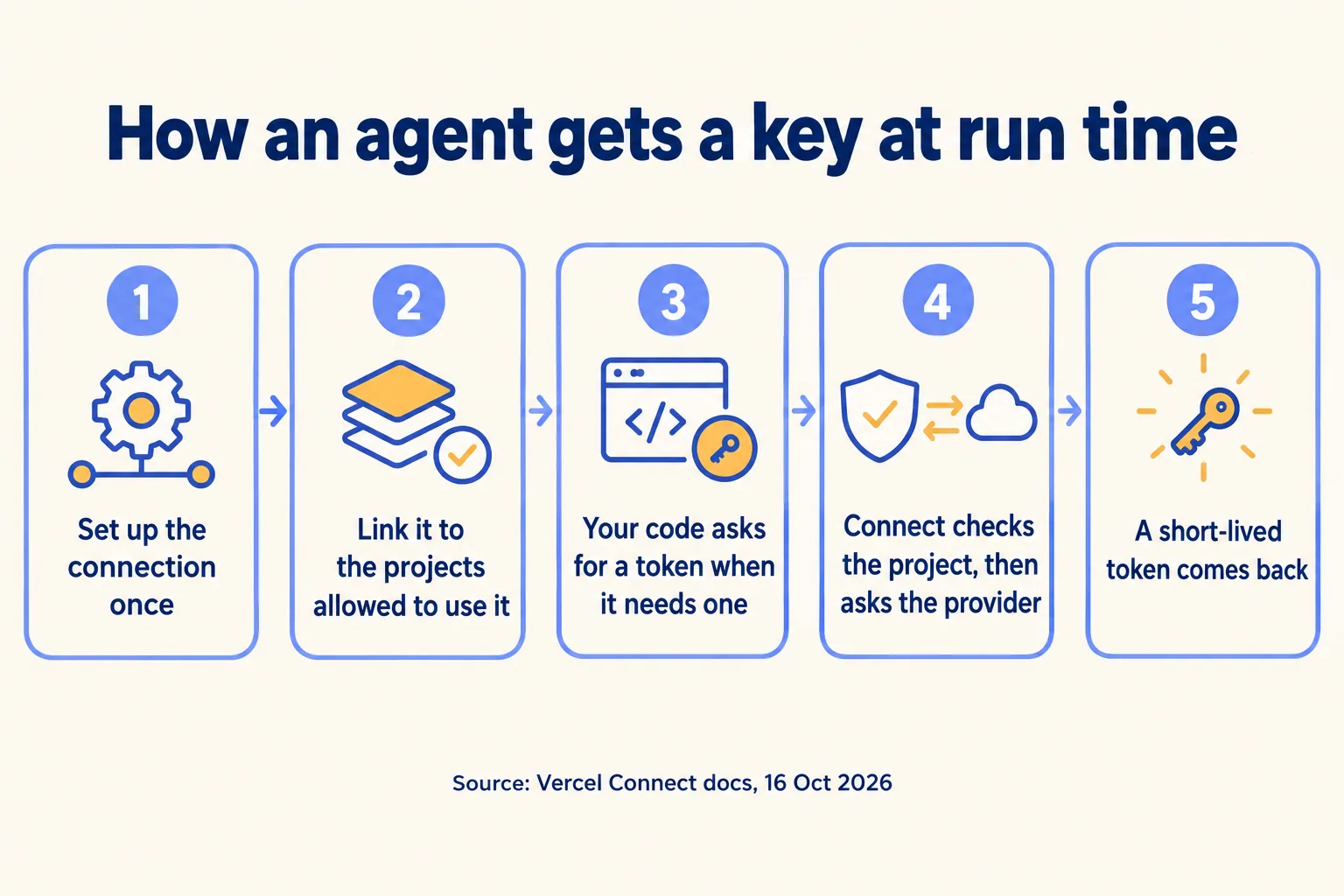
- 01Register a connector once at team level, for example with vercel connect create salesforce.
- 02Link it to the projects and environments allowed to use it. Nothing else can ask.
- 03At run time your code calls getToken. The SDK signs in to Connect with the deployment's Vercel OIDC token.
- 04Connect checks the project link and exchanges the stored credential with the provider, asking the user for consent when a user token needs it.
- 05A short-lived, scoped token comes back. The SDK caches it until it nears expiry.
Each token has a subject: your service (app), a named person (user), or a federated identity (jwt-bearer). For Slack, GitHub, Linear, Microsoft, Snowflake and Salesforce, Vercel registers the OAuth client. For anything else you bring your own OAuth client or an API key, and Vercel stores it.
What does it cost to run?
Connect bills per token request and per forwarded trigger. For most agents the number is small, because a cached token covers many API calls in one run.
Vercel's Connect pricing docs say a typical agent that makes many provider calls in one invocation pays for one token request. A webhook forwarded to three destinations counts as three triggers, and an event with no destination still counts as one.
A sample month, with our assumptions stated: an agent runs 4,000 times and asks once for a Salesforce token and once for a Slack token each run. That is 8,000 token requests, or $24 on Pro at the 16 October rate. Hobby's 500 would not cover it, and Hobby is for non-commercial use only. The bill grows in a straight line: 400,000 runs a month at two tokens each is $2,400. If your volume is that high, ask for the Enterprise rate, and check that your code reuses cached tokens before you budget.
What changes for a Salesforce agent?
Connect is generally available. Its Salesforce connector is not: the catalog page marks it Beta on 16 October 2026. That one word sets how far you let it reach.
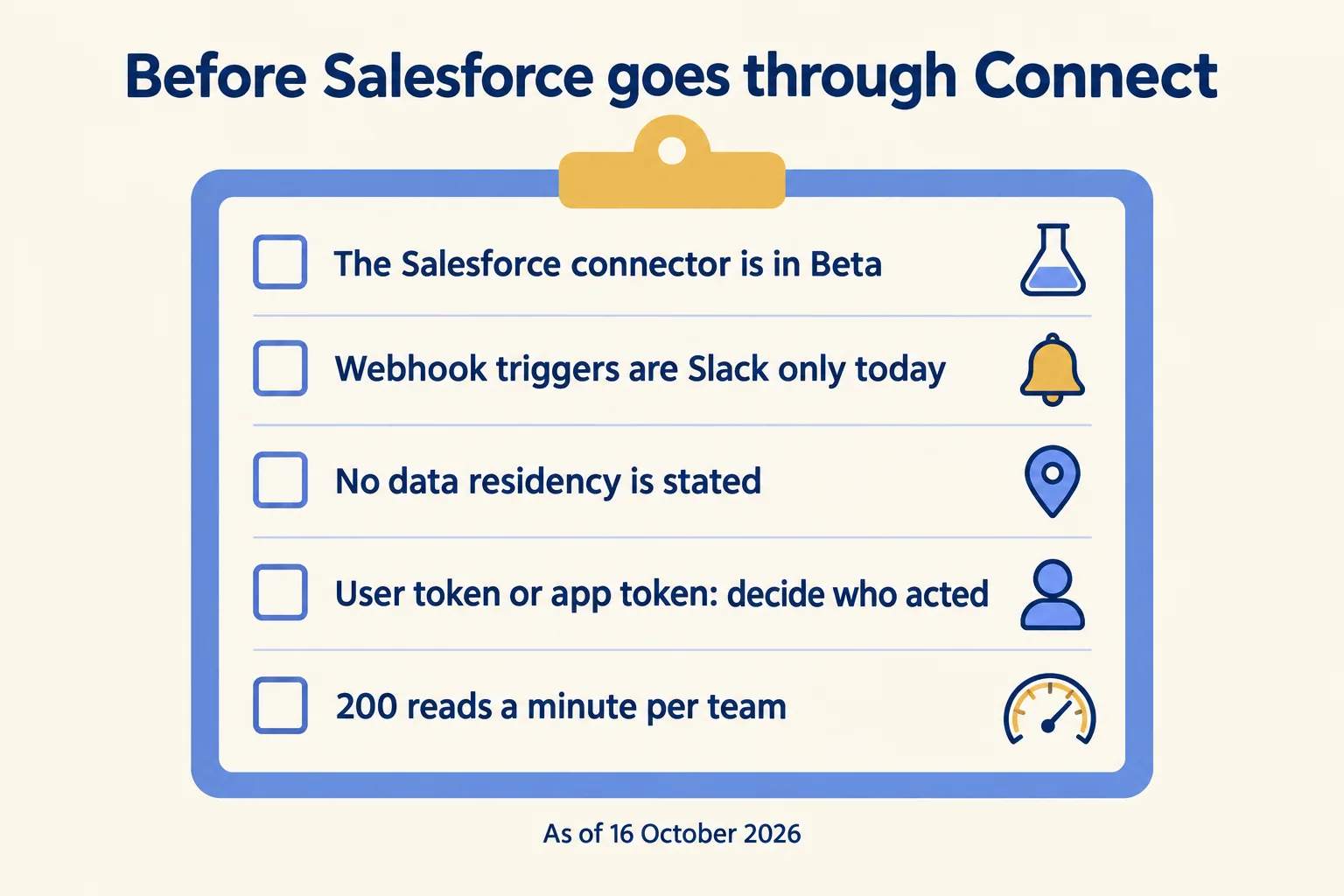
- Beta. Start with one workflow and a read-only scope. Widen it after a month of clean logs.
- No Salesforce triggers. Webhook forwarding is Slack-only today, so a new case cannot wake the agent through Connect. Plan a scheduled run or your own endpoint.
- No residency statement. Neither the page nor the docs say where Connect handles data. Vercel's 19 compute regions include none in the UAE or Saudi Arabia, and Mumbai (bom1) is the nearest.
- Rate limits. Token reads share 200 requests a minute per team. Over the limit,
getTokenthrows a 429 in your code, so cache. - Named Credentials stay. Vercel does not say Connect replaces anything inside Salesforce. Keep your org's own controls and treat Connect as the agent's side of the door.
We cover the Salesforce side of an agent's access in the controls an MCP server needs.
Who acted, and can you stop it?
The subject you pick answers "who acted". The connector's own log answers "when, and from which project". Neither happens by default: you choose the subject per call, and you decide who may revoke.
With a user token the call is made as that person, so their own Salesforce access applies. With an app token every call is the service's, and the provider log shows one name. Pick per action: reading a case can be the app; closing one should be the person who asked.
Every connector has an Observability tab that logs token requests, authorizations, trigger deliveries and revocations, with IDs such as tokenId you can match to your own records. Audit logs record connector activity, and role-based access decides who can manage connectors. The docs tie event retention to your plan and we found no fixed number, so if your policy names a period, send the events to your own store with a Drain (Pro and Enterprise).
Stopping has two levels. To stop its access: revoke the provider grant (revokeToken clears the cache too) and detach the connector from the project. To stop the agent itself, take its deployment down; revoking a token does not stop the agent's model calls or other tools. Vercel's GA note says access can be "cut off in seconds". That is the vendor's claim: time it yourself in the shadow run, and write down who may do it.
For a UAE team, a review under the UAE PDPL (Federal Decree-Law No. 45 of 2021) needs the residency answer that Vercel does not state, so put that question to Vercel in writing before the first real record flows. Governance across every agent, not one connector, is what our founder taught at the Dreamforce 2026 breakout on seeing, controlling and governing every agent.
What does this look like for a Dubai building team?
Take a property and facilities team that logs tenant complaints as Salesforce cases and sends jobs to technicians in Slack. This is a sample, not a client.
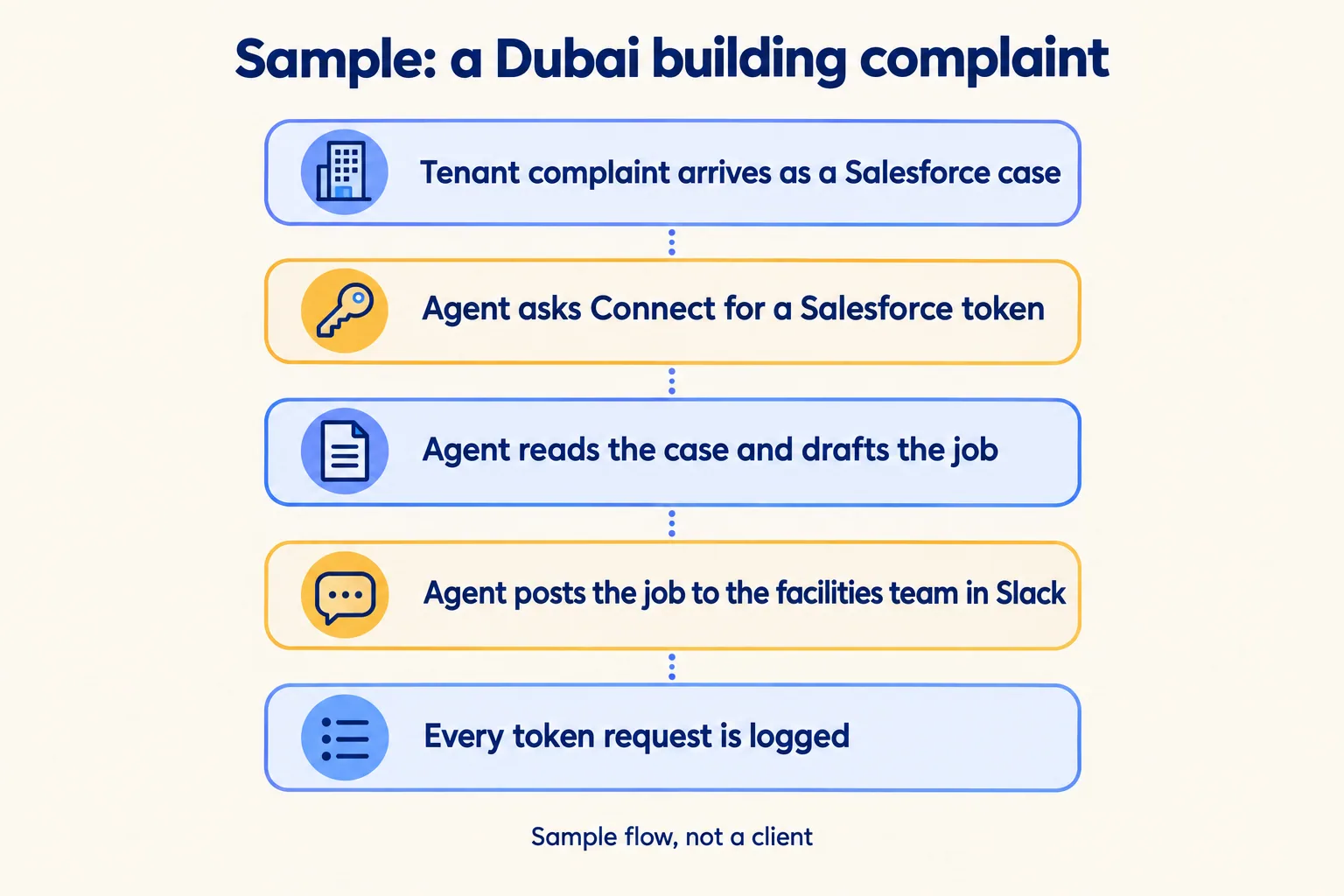
The agent reads new cases with an app token and a read-only scope. It drafts the job and posts it to the facilities channel through the Slack connector. When the supervisor taps to close the case, that write goes out on the supervisor's user token, so Salesforce records the supervisor, not the agent. If you run buildings, our property management page shows the rest of that work.
What this setup does not do: wake on a new case by itself (no Salesforce triggers), or promise where the data sits. Both go in the written plan before the build.
When should you leave the key where it is?
Keep the key if one internal service uses it, nobody else can read the project, and the provider log naming one service account is acceptable to your auditor. Connect earns its place when several projects share a provider, an agent acts for named people, or you must answer "who acted" in writing.
If no agent of yours touches a real system yet, wait: pick the process first, then decide how it signs in.
We are not a Vercel partner: your Vercel account stays in your company's name and Vercel bills you for it. When you are ready, we use the method we call Spec, shadow, gate: write what the agent may touch, run it in shadow beside the person who does the work today, then put a human gate on the write. The written assessment is free, the first build week is a fixed AED/SAR 14,900, and the Vercel hub shows what else we build there. UAE teams can also read our UAE agent desk.
