

If your team keeps several sites or apps in one repository and every push rebuilds all of them, this is for you. The fix is a build system plus one file, and the one file is where most teams get it wrong.
Why does one change rebuild every site?
Because nothing tells the build which site the change belongs to. In a repository with a brokerage site, a restaurant site and a shared button library, a typo fix on the restaurant menu starts a build for all three. Each build waits its turn, and each one is a chance for a site nobody touched to change. A typo fix on one client's menu should not put four live sites through a release.
Turborepo is Vercel's answer. Vercel describes it as "a high-performance build system for JavaScript and TypeScript codebases", with incremental builds, content-aware hashing and a Remote Cache. The solutions page says that "when deployed on Vercel, Turborepo only builds affected projects".
Two pieces do the work. In each Vercel project, the Ignored Build Step runs a check, such as turbo query affected or npx turbo-ignore --fallback=HEAD^1, and skips the build when the change did not touch that project. When a build does run, the Remote Cache replays any task whose inputs have not changed, on Vercel and on your own CI.
When does Turborepo pay off?
It pays off when one repository holds several apps that share code. That is the shape of most agency repositories and of most companies with a site, a portal and an admin tool.
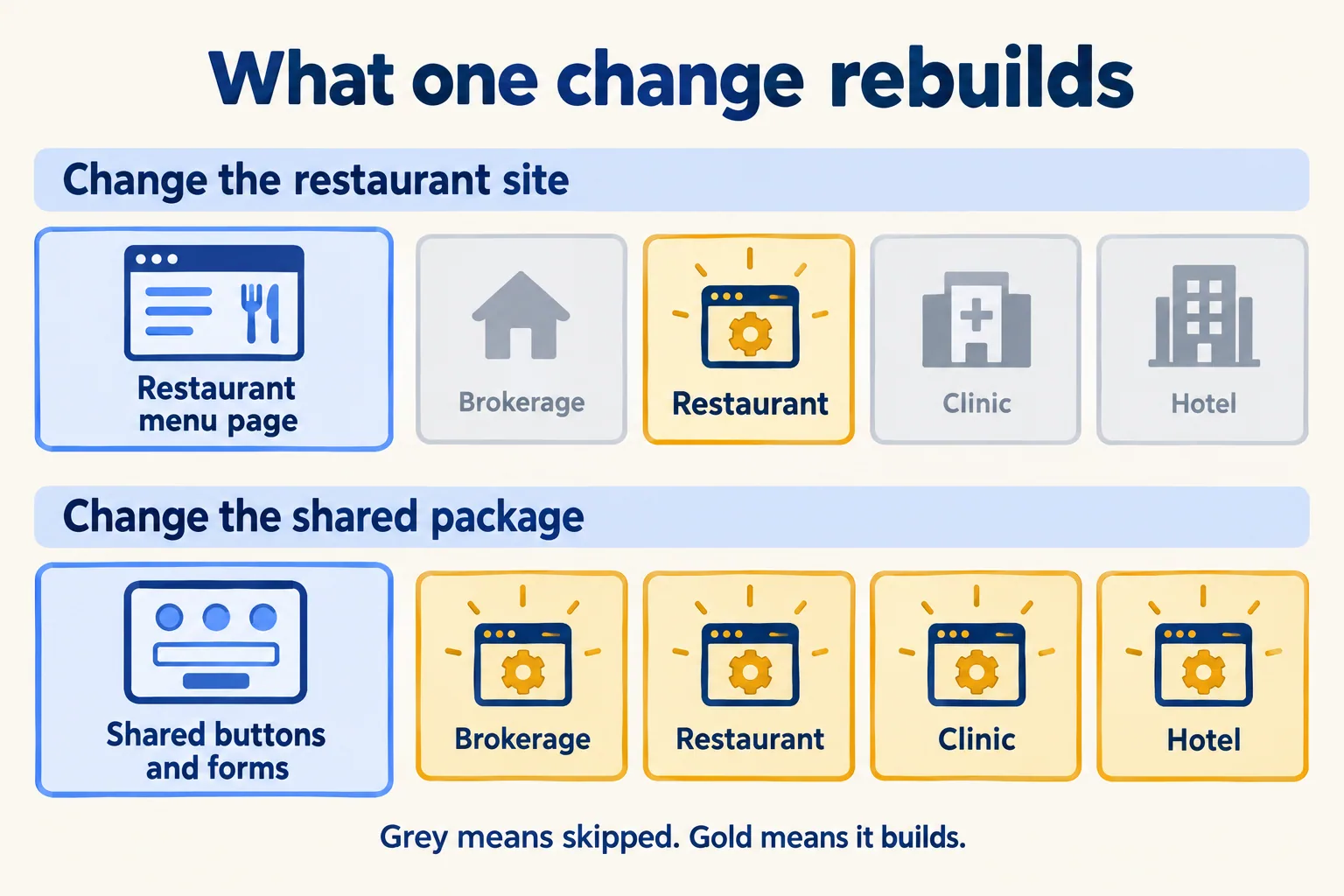
Here is the arithmetic, with our assumptions, not a measurement. Four sites, each build three minutes, 20 pushes a day that each touch one site. Without skipping, that is 80 builds and 240 build-minutes a day. With the Ignored Build Step, it is 20 builds and 60 minutes. Three in four builds are skipped. For you that means a fix reaches the live site sooner, and the three sites nobody touched do not change at all.
Our rule: two or more apps with a shared package, or CI runs that redo the same tests on every pull request, and Turborepo earns its place. One app in one repository gains little, because there is nothing to skip. Vercel reports a customer quote from Watershed that Remote Caching "drastically sped up our CI runs". That is Vercel's report, not our measurement.
Which three mistakes ship the wrong thing?
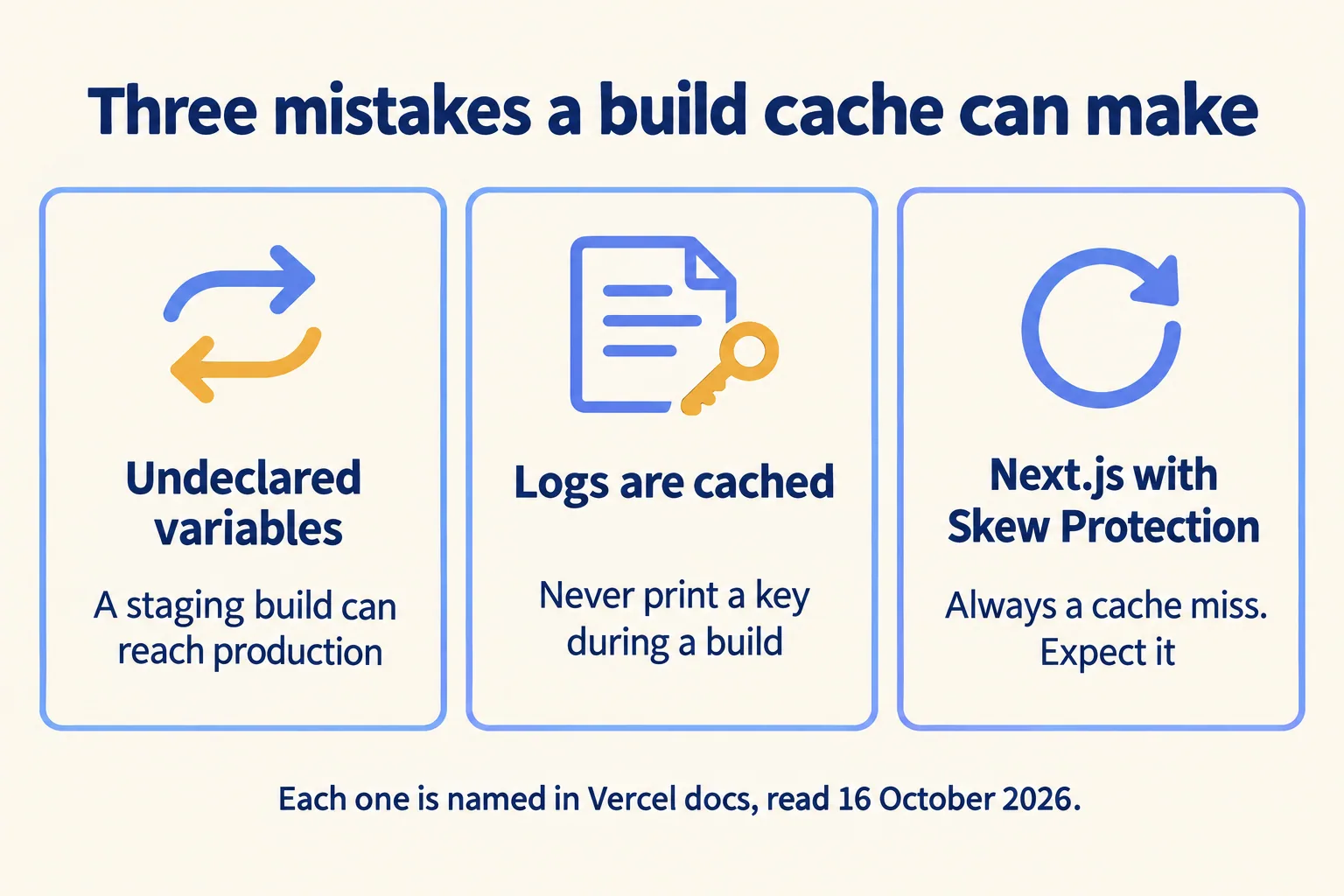
A build cache returns a saved answer instead of rebuilding. That is the speed gain, and it is also the risk: if the cache cannot tell two builds apart, it returns the wrong one. Vercel's docs name all three cases.
Undeclared environment variables. Turborepo decides whether a build is the same by hashing its inputs. If an environment variable changes the output but is not listed in turbo.json, a staging build and a production build look identical. Vercel's docs put it plainly: "you can accidentally ship your staging environment to production". Turborepo tries to infer Next.js public variables on its own; anything else your build inlines must be declared under env or globalEnv.
Logs are artifacts. Vercel warns that "Turborepo treats logs as artifacts, so be aware of what you are printing to the console". A build script that prints an API key stores it in the cache and replays it to anyone who reads that cached log.
Next.js with Skew Protection always misses. Vercel's docs say building a Next.js app that uses Skew Protection "always results in a Turborepo cache miss", because Skew Protection uses an environment variable that changes with each deployment. The other apps in the repository still hit the cache, and the Vercel CDN cache still works. Expect it and do not chase it.
What does the Remote Cache cost, as of 16 October 2026?
Nothing extra, within fair use. Vercel says the Remote Cache "is free for all plans, subject to fair use guidelines", and that you do not need to host on Vercel to use it.
We are not a Vercel partner and earn nothing from your Vercel bill. Our own site runs on Netlify. What stays portable: Turborepo runs with a local cache and no Vercel account. What is Vercel's: the Remote Cache and the Ignored Build Step setting in each project.
Artifacts expire after 7 days, so a branch nobody touched for two weeks builds from scratch once. Enterprise adds signed artifacts that are verified before use. In one line: the cache is free, and the bill is USD 20 a month for each deploying seat plus metered usage. For one marketing site and one portal with normal traffic, that usage usually sits inside the included USD 20 credit; our arithmetic for a similar site is in our Next.js post. The cost you do pay is the hosting plan and the seats: on Pro, USD 20 a month with one deploying seat and USD 20 of usage credit, and USD 20 for each extra deploying seat.
What does this look like for a digital agency?
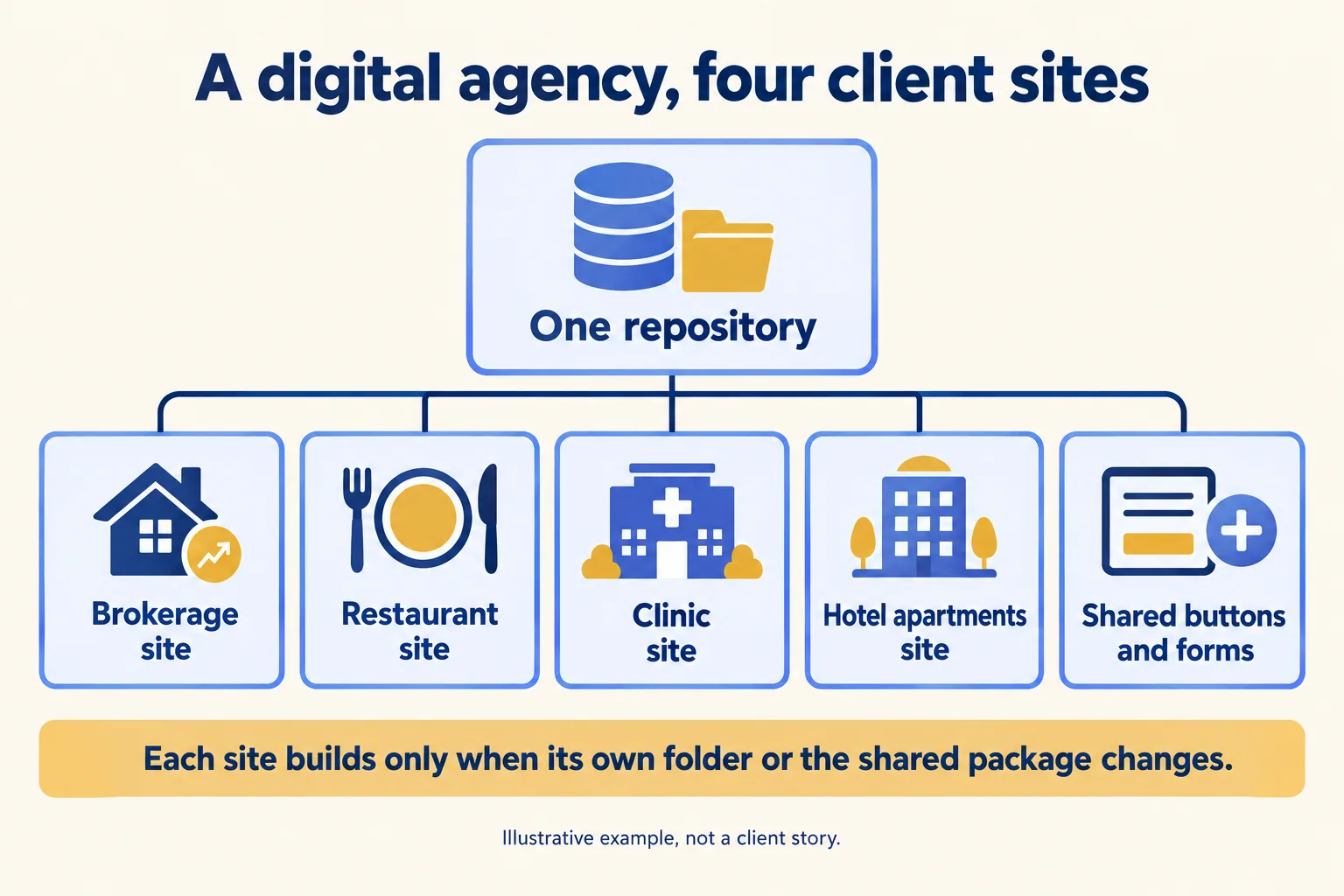
Take a sample Dubai digital agency with four client sites in one repository, a brokerage, a restaurant group, a clinic and a hotel apartments group, plus one shared package of buttons and forms. This is an illustration, not a client story.
- 01Each client site is its own Vercel project, pointing at its folder in the repository, with turbo-ignore as the Ignored Build Step.
- 02A designer changes the restaurant menu page. Only the restaurant site builds. The other three show as skipped.
- 03A developer changes the shared form component. All four sites build, because all four use it.
- 04Each site's form keys and API addresses are listed under env in turbo.json, so a staging build never stands in for a live one.
- 05The agency's GitHub Actions use the same Remote Cache, so a test run whose inputs have not changed is replayed instead of run again.
One question to settle early: whose Vercel team holds each client's site, because the team owner pays the bill and decides who can deploy. See how we work with digital agencies.
What goes on the security questionnaire?
Vercel splits the answers in its shared responsibility model, read on 16 October 2026. Here is who writes each line.
If a contract says data must be processed inside the UAE, Vercel cannot meet it today. Say so before you sign, not after.
For a bad month, set Spend Management. Vercel sends alerts at 50%, 75% and 100% of the amount you set, and pauses production when you reach it if Pause Production Deployments is on. A budget alone does not stop usage, and the check can lag by several minutes. If a change breaks the site, Instant Rollback on Pro returns production to any earlier production deployment from the dashboard; environment variable changes are not rolled back with it. One gap: the Remote Cache docs we read do not say which region holds cached build artifacts. Ask Vercel in writing if a questionnaire asks, and keep keys out of build logs either way.
What do you check before you switch it on?
- 01Every environment variable that changes a build is listed in turbo.json, per app or under globalEnv.
- 02No build script prints a key, a token or a customer record.
- 03Each Vercel project has an Ignored Build Step that checks whether its app was affected.
- 04turbo login and turbo link are done for CI, against the right Vercel team.
- 05The team knows a Next.js app with Skew Protection will always rebuild, and why.
- 06One test: change one app, push, and confirm the others are skipped.
If your repository holds one app and the build takes two minutes, you do not need Turborepo yet; come back when the second app arrives.
What happens on the first call?
We call the method Preview every change: each change gets its own preview link, someone on your side approves it on a phone, then it goes live, and any release can be rolled back. Send us the repository and how your builds run today. The written assessment is free and says what to change, what to keep and what it costs to run. The first build week is a fixed AED/SAR 14,900, and a Run plan keeps the builds and sites running afterwards. More on how we build and run sites is on our Vercel page.
