
If your AI chat window shows whatever the model writes, and the model reads tickets, emails or web pages your team did not write, this is for you, and for whoever signs off that assistant. If it renders plain text, or only text your own team wrote, this can wait. The renderer is the last step before a person sees the answer, and its defaults decide what that answer can make their browser do.
What does Streamdown do for a chat window?
It renders a model's Markdown cleanly while the answer is still arriving. Its docs call it "a markdown renderer designed for streaming content from AI models." Without it, a half-sent answer shows raw asterisks and broken code blocks until the last token lands.
Two parts do the work. A preprocessor called remend completes unterminated Markdown, such as an open **bold or a code fence, so it renders correctly while it streams. And each block is memoized, so only the blocks that changed re-render as tokens arrive. You pass the growing string to <Streamdown> and set isAnimating while it streams.
It is a React component, open source under Apache-2.0, version 2.7.0 on npm on 16 October 2026. Its props match react-markdown, so it can replace it. Optional plugins add code highlighting, Mermaid diagrams, maths and CJK punctuation.
Why is an image in a reply a risk?
Because the browser fetches an image as soon as the reply renders, with no click. Streamdown's own security page puts it plainly: with the defaults, an image such as  "is requested by the browser as soon as the message renders, with no user action."
Join that to prompt injection. If the model's context holds text an attacker controls, "a fetched web page, a tool result, a stored record", the docs say injection "can make it emit such an image with conversation data in the URL." The person reading the chat sees a broken image, or nothing. The data has already left.
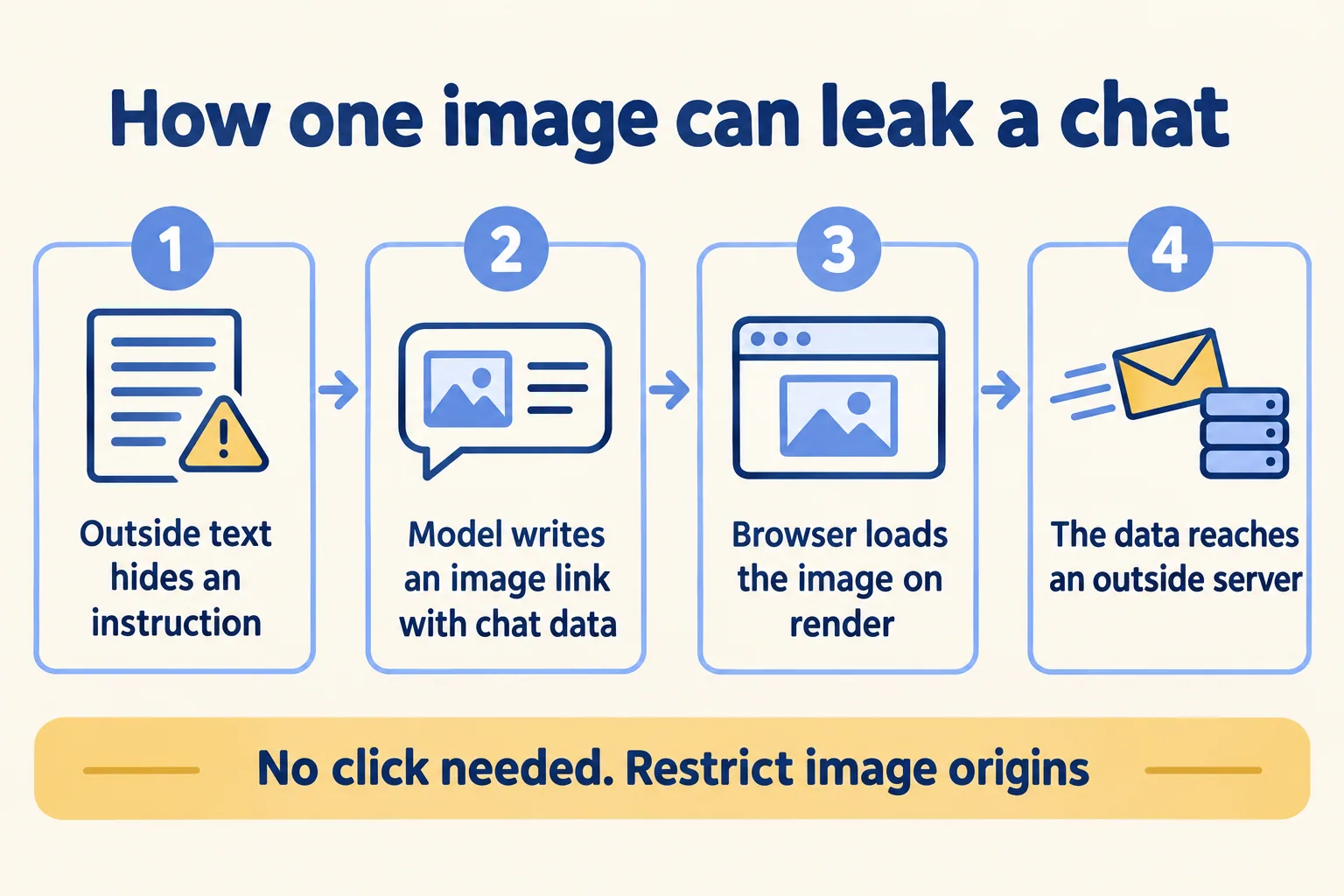
This is not a flaw in Streamdown. It is how Markdown images work in any renderer. What matters is that Streamdown gives you the switch, and that the switch is off by default.
What are the defaults, and what should you set?
Streamdown runs two layers: rehype-sanitize, which strips dangerous HTML using GitHub's schema, and rehype-harden, which restricts URL protocols, link domains and image sources. The sanitize layer is on. The harden layer starts open, "permissive security to allow maximum functionality."
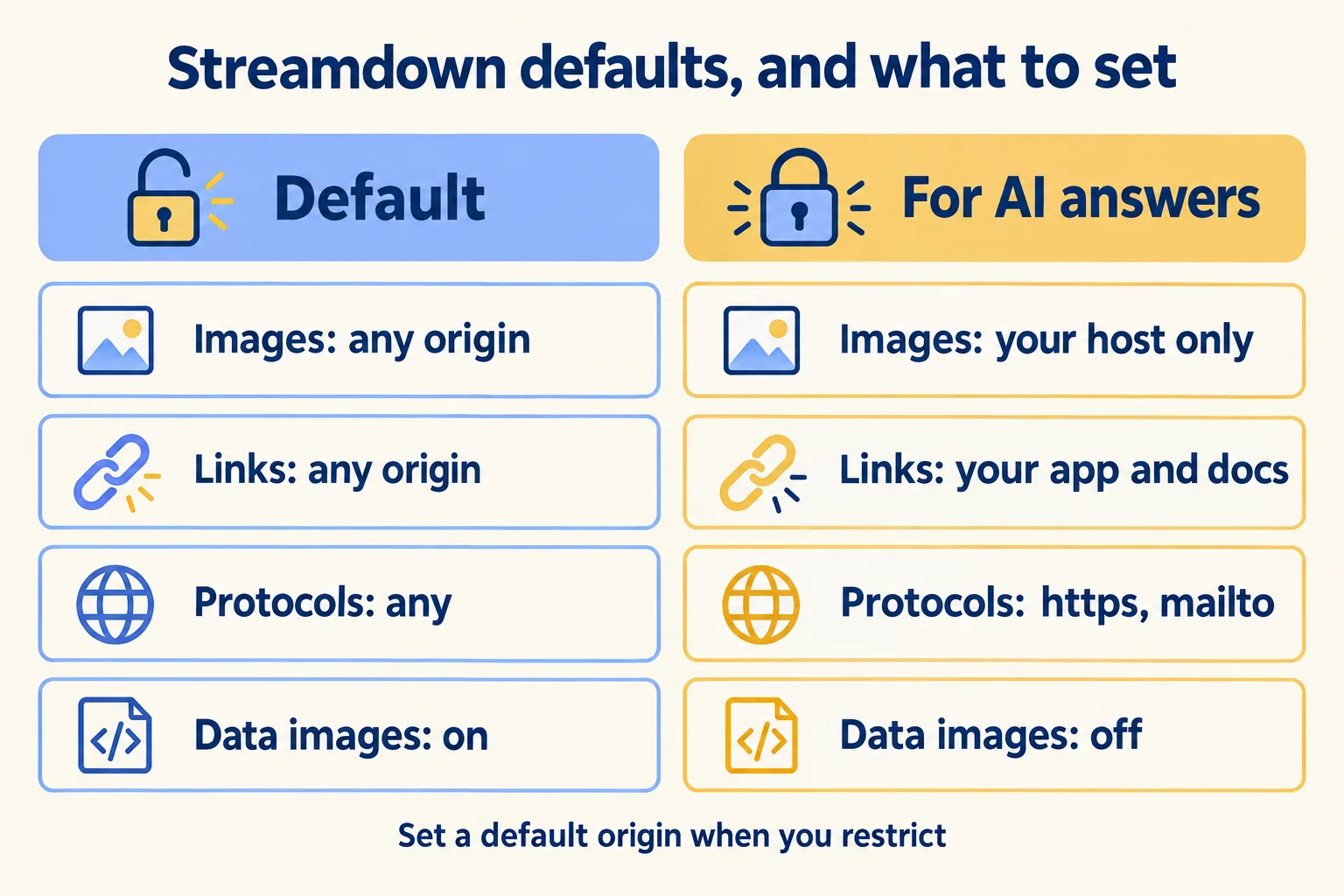
With an image list set, "images whose URL does not start with one of the allowed prefixes are not rendered, so the browser never requests them." That covers Markdown images and raw <img> tags. Links that do not match the list are rewritten and render as blocked. Turning off data images stops base64 images, which the docs list as a route for tracking pixels and large payloads.
Then keep link safety on. It is on by default: a click opens a modal with the full URL, a copy button and an open button. Use onLinkCheck to let your own domains through without the modal, and leave the modal for everything else.
What breaks when you change the plugins?
The protection you did not mean to remove. The docs warn: "The rehypePlugins prop replaces the entire default array; it does not merge." So a team that adds one plugin and passes only that plugin has switched off sanitising, with no error.
The fix is one rule in review: any rehypePlugins array must include defaultRehypePlugins.sanitize, and the harden settings with it. Two more checks catch the rest. rehype-harden throws if you restrict images or links without a defaultOrigin, which you will see in testing. And the restriction applies per component, so a second chat view built later needs the same settings.
Where else should the control sit?
In the page header and the log as well as the component. OWASP's Top 10 for LLM applications names this risk LLM05:2025, Improper Output Handling. Its second attack scenario is this one: a page carries an injected instruction, and the model encodes sensitive data and sends it to an attacker-controlled server. Its mitigations start with "treat the model as any other user, adopting a zero-trust approach", encoding model output, and "strict Content Security Policies".
So the renderer setting is one lock of several. Each layer owns a different part of the risk:
The page header is the one that survives the next chat view. MDN describes the Content-Security-Policy img-src directive as the list of "valid sources of images and favicons", enforced by the browser for the whole page. A second chat screen built next year without the Streamdown settings is still covered by it. The gate is where the founder's Dreamforce 2026 session, Agent Fabric: See, Control, and Govern Every Agent, spends its time: who acted, and how you stop it.
What does this look like for an IT service desk?
Here is a worked example, not a client. An IT service desk adds an assistant that answers staff questions from past tickets and the knowledge base. Tickets are written by anyone with an email address, so ticket text is outside text, and some of it could be written to steer the model.
- 01The assistant streams its answer through Streamdown with an image list that holds only the desk's own file host.
- 02Data images are off, so a ticket cannot smuggle a base64 picture into the answer.
- 03Links to the knowledge base open directly through onLinkCheck. Every other link shows the full address first.
- 04A test ticket with a planted image pointing at an outside address runs before launch. The answer renders with no request leaving the page.
- 05The agent itself only reads tickets. Anything that writes, such as closing or reassigning one, goes to a person to approve.
The renderer is one control, not the whole answer. It limits what a reply can make the browser do. What the agent can do on its own is set at the tool and the gate, and our AI agents service covers that side.
What should you check before launch?
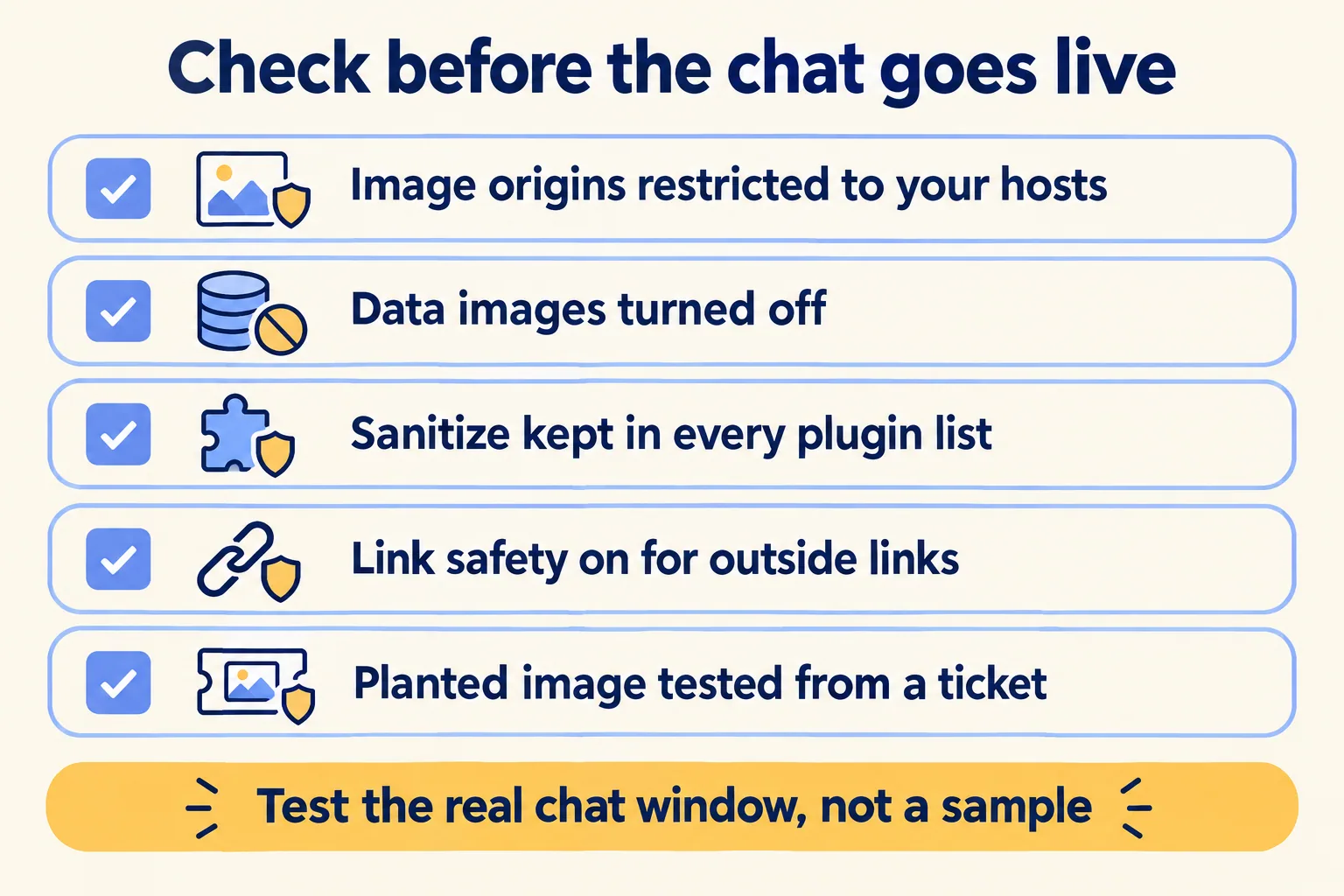
Run these six against the real chat window, not a sample:
- 01Image origins restricted to hosts you control, with a defaultOrigin set.
- 02Data images turned off.
- 03Every custom rehypePlugins array still includes sanitize.
- 04Link safety on, with your own domains on the onLinkCheck list.
- 05A Content-Security-Policy img-src header on the page, listing the same hosts.
- 06A planted image and a planted link tested from a ticket, an email and a fetched page, with each block in the log.
We are not a Vercel partner. Streamdown runs in the browser, so where you host the app does not change these settings. For the rest of the stack we build on, see our Vercel overview.
If your chat window only shows answers built from text your own team wrote, or renders plain text with no Markdown, the defaults carry less risk and this can wait. If it reads tickets, emails or the web, name the assistant and the data it reads, and send it to us. We start with a free assessment; the first build week is AED/SAR 14,900. Our method is Spec, shadow, gate: we write what the agent may do, run it in shadow beside your team, and put a person on every write.
