
What did Slack change for admins in October?
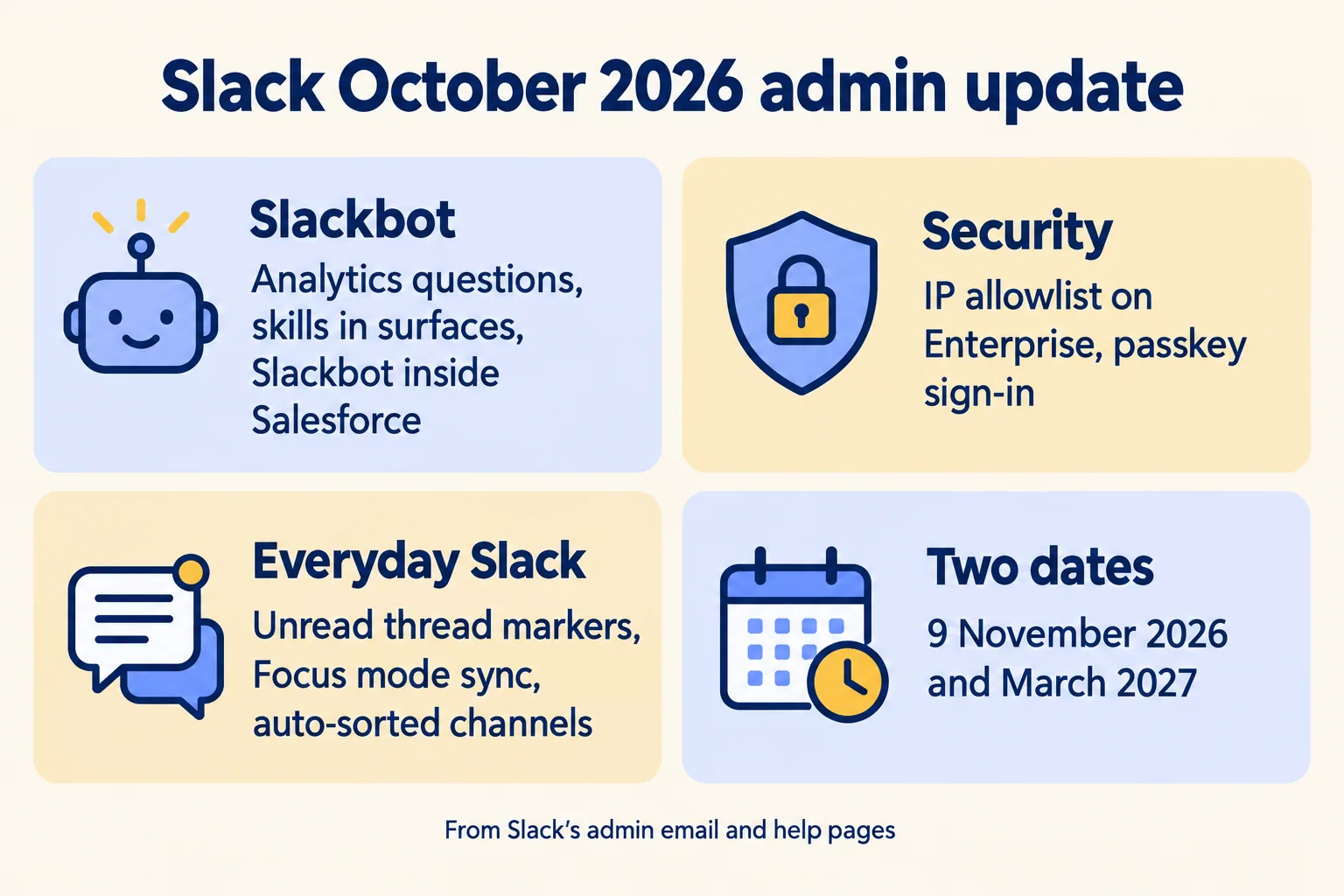
If you couldn't say today who stops Slackbot writing to your Salesforce org, and how fast, this is for you. Slack's October 2026 admin email lists fifteen new things and two dates. Most of it can wait. One default and two dates can't. If nothing writes to your Salesforce from Slack yet, skip the Slackbot sections; the dates, the IP allowlist and passkeys still apply.
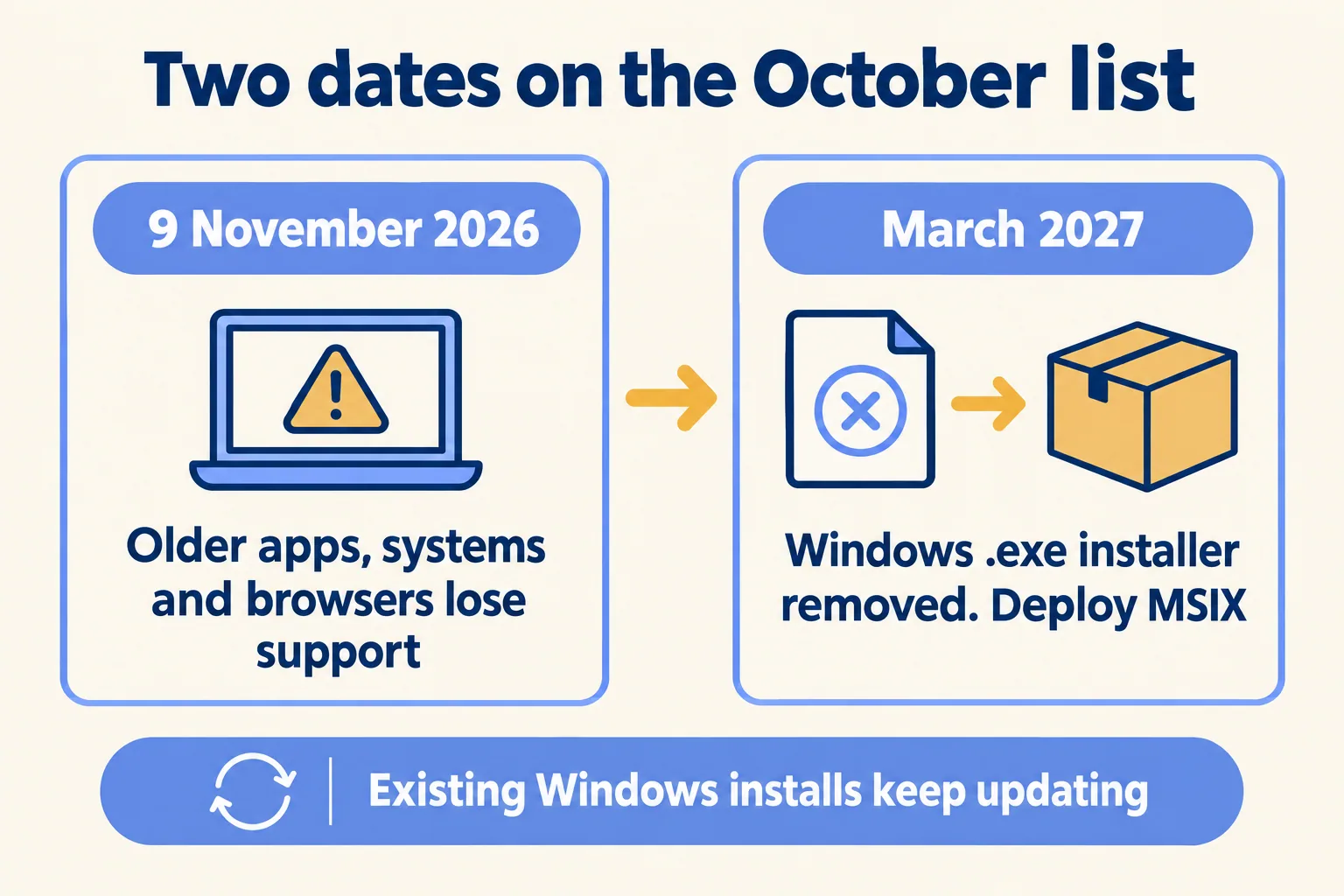
The default: when Slackbot is connected to a Salesforce org, Slack's help says it can create or update records unless an admin limits it. The October admin list includes Slackbot inside Salesforce Lightning (Slack's What's new page dates it to the September feature drop), so that setting now reaches people who never open Slack. The dates: on 9 November 2026 older Slack apps, operating systems and browsers lose support, and after March 2027 the Windows .exe installer is gone.
Two cautions. Plan names below are written exactly as Slack writes them (Business+ v2, Enterprise+, Enterprise plans), because the same feature differs by plan. And these features are days old: we have not run them in a client workspace yet, so where we only have Slack's word, we say so.
What can Slackbot change inside Salesforce?
More than most admins expect, and this is the setting to decide first. Slack's October list says Slackbot now works inside Salesforce Lightning, with answers scoped to the record being viewed and data access following each member's own Salesforce permissions. Its What's new page says this is included in Business+ and Enterprise+ plans, and available to other plans through Flex Credits.
The belief to break: "it only sees what the person sees" is true, and it is about reading. Writing is a different setting. Slack's help page for connected Salesforce orgs says, word for word, "By default, Slackbot can create or update records." Admins can allow record actions only for some objects, for all objects except excluded ones, or not at all. A separate October setting limits Slackbot to fields on the record layout instead of any field the member can edit. Slack also says members are always asked to review and approve before a change is made.
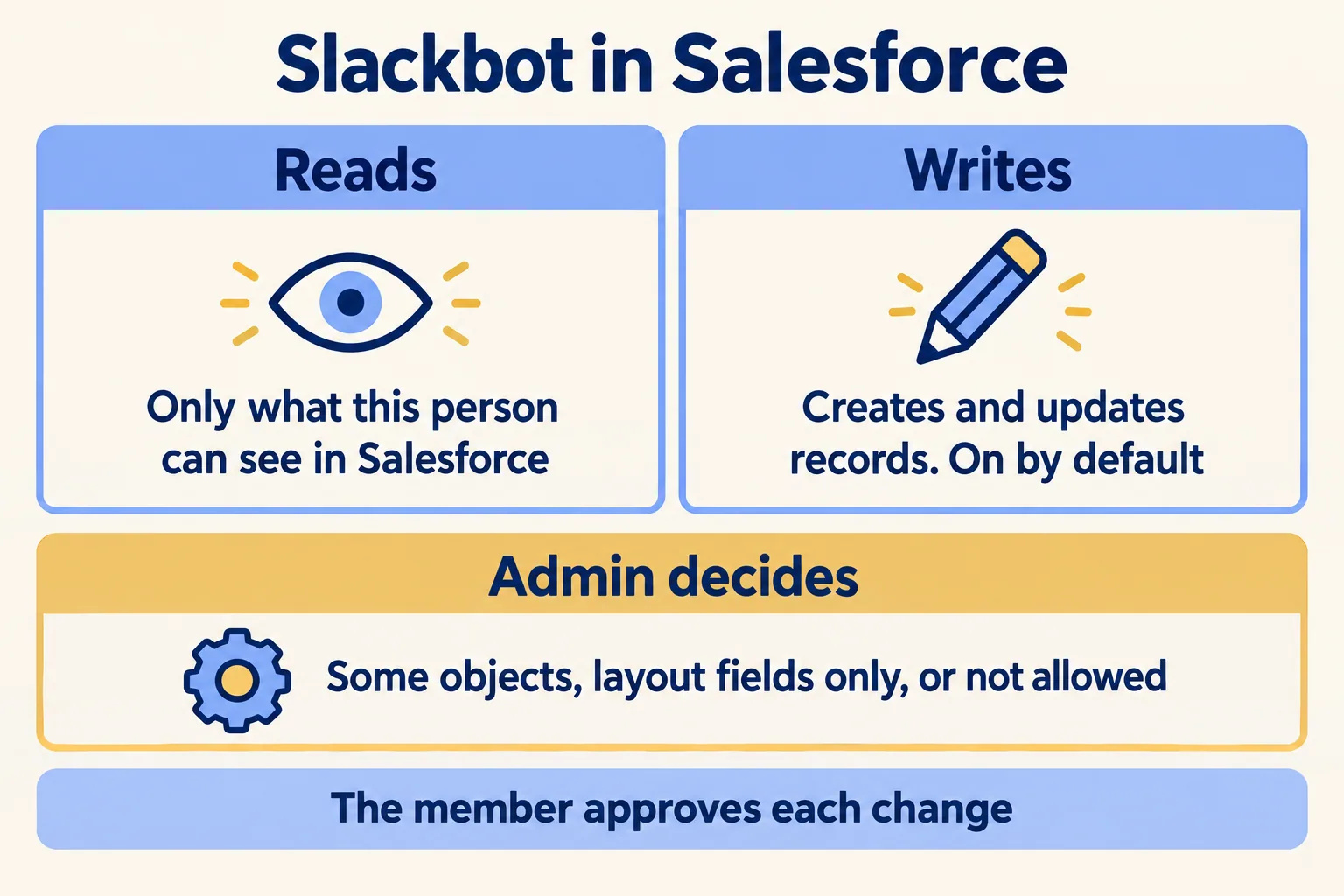
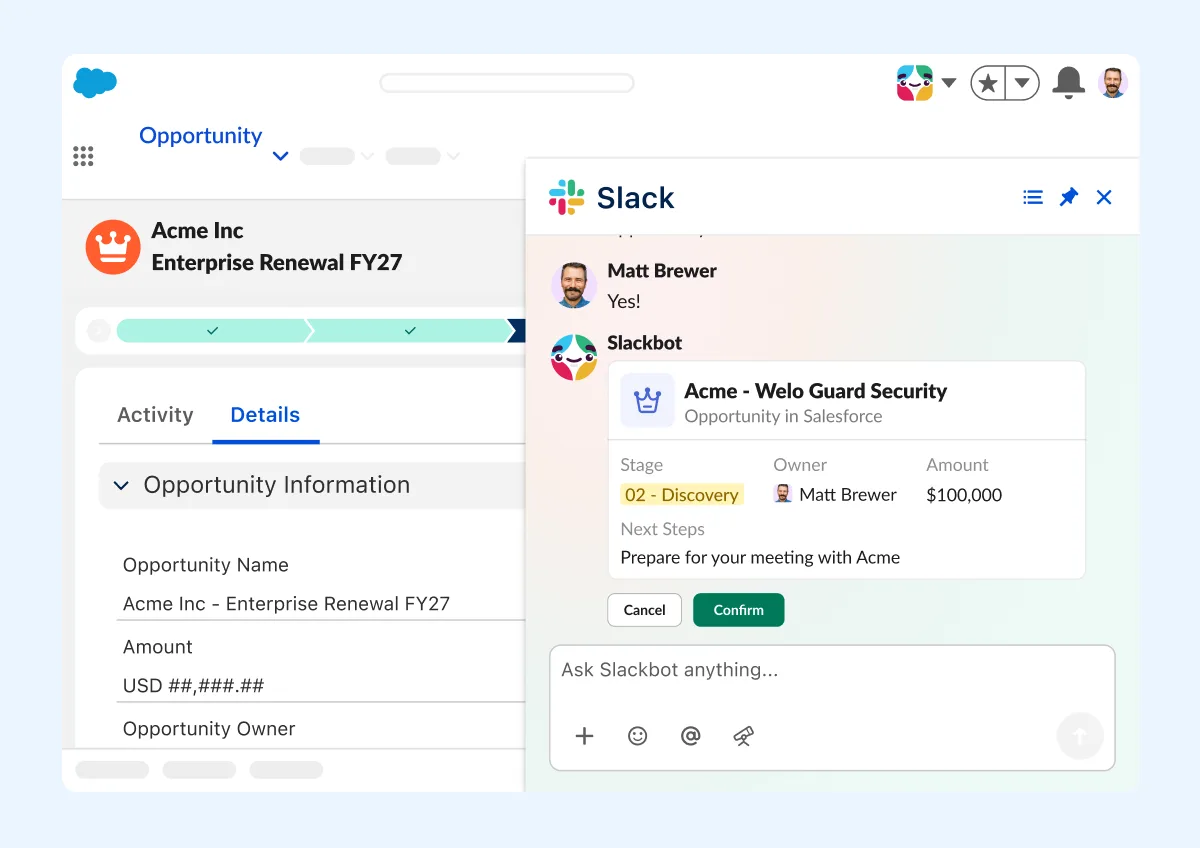
A person approving each change is a real control, but it is a click, and a busy rep clicks. The admin setting decides which records can be offered for that click at all. Setup, from Slack's help, in the order we would run it. If the org is already connected, check the record-action setting today, before anything else:
- 01Connect the Salesforce org to Slack and map users who don't yet have Salesforce access in Slack.
- 02In Slack, set which Salesforce objects Slackbot may create or update, and whether it may edit only layout fields, before anyone can use it.
- 03Turn on Slackbot in Slack's AI settings (included on Business+ and Enterprise+). On Free or Pro, or beyond the Business+ weekly limit, metered use bills against Flex Credits once a Salesforce admin approves it.
- 04In Salesforce, add the Slackbot UI permission to a permission set and assign it to a named pilot group first.
Step 3 is ours to move earlier. Slack's pages list it as a setting you can change at any time. We put it before anyone gets the permission set, because the people who use Slackbot in Lightning may never see Slack's admin settings at all. If Slackbot also reaches Salesforce through MCP servers, Enterprise Grid and Enterprise+ admins can set read-only and write tools separately per server. Check those too.
How do you stop it, and who shows as the actor?
Four switches, from the narrowest to the widest, all from Slack's help pages. Write them into your incident runbook before the pilot, with the name of the person who holds each one.
The second question is who acted. Slack says Slackbot works within each person's Salesforce permissions, and that the member approves each change. Slack's pages we read do not say what Salesforce's Field History or Setup Audit Trail records as the actor for a change made through Slackbot: the member, an integration user, or something else. We have not confirmed it. So the pilot starts with one test: in a sandbox, make one change through Slackbot, then read the record's field history and note what it shows. If you can't tell an agent's write from a person's, you know that before the pilot, not after an incident. Our kill switch guide covers the same two questions for agents in general.
For UAE customer data, one more question goes to your Salesforce account team before meeting summaries or Slackbot answers touch it: where they are generated and stored. We confirm data residency per plan before you sign, and we don't assume it.
What stops working on 9 November?
Old app versions, and the people still on them. Slack updates its system requirements every May and November. Its support lifecycle page lists what reaches end of support on 9 November 2026:
The row that hurts is the app version. Slack's page says a person on an unsupported desktop or mobile app version gets a prompt to upgrade and can't use Slack until they do. That lands on the people who never restart their laptop, and on shared or kiosk devices nobody owns. On Enterprise plans, Slack's help describes an admin dashboard export of members on unsupported app, OS and browser versions. Pull it this week and send the list to whoever manages devices.
What does the Windows installer change mean?
Nothing for machines that already run Slack, and a change of package for new ones. Slack's admin email says the legacy Squirrel-based .exe installer leaves the download page after March 2027 and gets no new releases. Existing installations keep working and auto-updating. New deployments should use the MSIX package, which Slack's Deploy Slack for Windows page offers for Windows 10 and 11, ARM and 64-bit.
The work sits with whoever builds your laptop images. If a setup script or device management policy still downloads the .exe, switch it now while both exist. Slack already retired its MSI installers on 15 September 2025, per its feature retirements page, so a team that moved then may have nothing left to do.
What do meeting insights write to Salesforce?
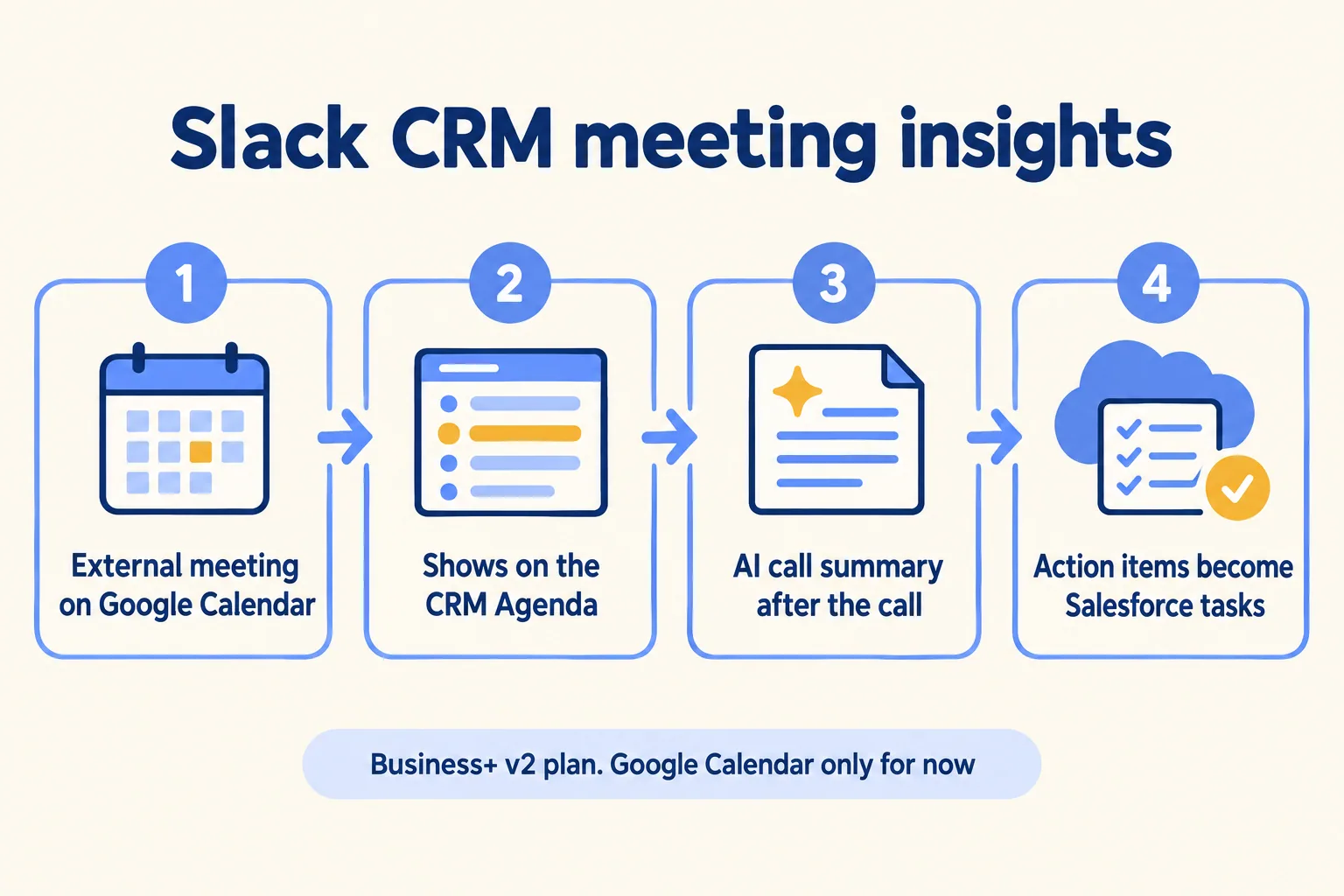
Tasks. This one is for Slack CRM on the new Business+ plan. Slack says upcoming external meetings now show on the CRM Agenda and the record's activity timeline. After the call, Slack writes an AI call summary with action items, and the action items turn into Salesforce tasks. Slack says it works with Google Calendar for now.
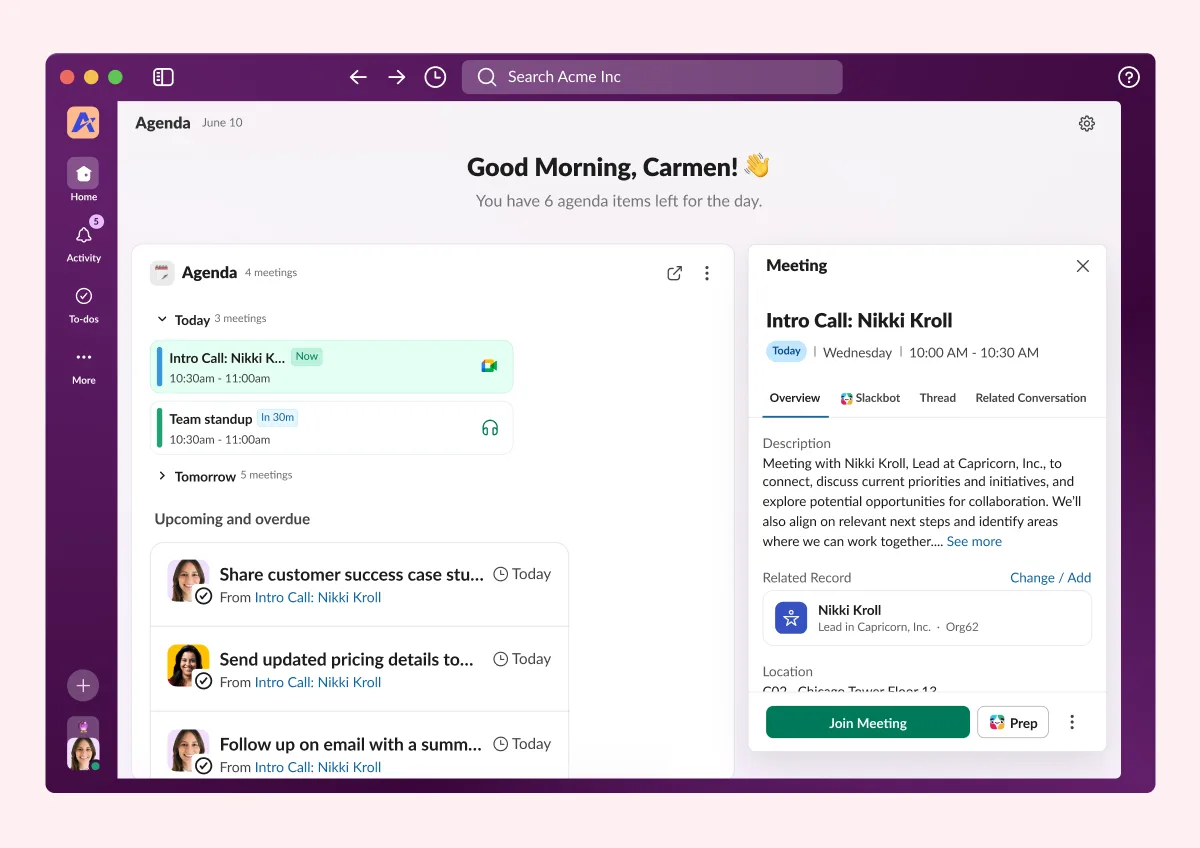
Know which product this is before you plan around it. Slack's help says Slack CRM is set up by a Workspace Owner for up to 100 members and stores its data in a new Salesforce Free Edition org. It is built for small teams that have no Salesforce yet. We have not seen Slack document meeting insights for a full Sales Cloud org connected to Slack, so if you run one, ask your Salesforce account team before you promise it to sales. For a small Dubai brokerage weighing Slack CRM against a full Salesforce org, our real estate CRM guide sets out where each fits.
Either way, a call summary that creates tasks is a write. Decide who owns the tasks it creates, and whether they need a person's review before a manager reports on them.
Should you switch on the IP allowlist and passkeys?
The allowlist, only after a dry run. Slack's help says Org Owners and Org Admins on Enterprise plans can set approved IP ranges, such as an office or an approved VPN, and block every other address. Slack's admin email adds org-level defaults with workspace-level overrides. The same help page carries the warning that matters: "Adding an allowlist will sign people out immediately if they're accessing Slack from other IP addresses."

Our reading, not Slack's: before you save, list every place your people open Slack from. Each office, each VPN exit address, and the people who use a phone on mobile data when they travel. Anyone not on that list is signed out the moment it goes live. For a team split across UAE, India and US desks, that list is longer than it looks. Start with one workspace using the override, then the org.
Passkeys are simpler. Members sign in with a fingerprint, Face ID or device PIN, and manage passkeys from their account settings. Slack's October email lists Pro and Business+; its changelog says Free, Pro and Business+ workspaces. Neither lists Enterprise plans, where sign-in usually runs through your own single sign-on.
What can the new Slackbot analytics tell you?
Which tools and MCP servers people actually use. Slack says admins can now see per-tool and per-MCP-server usage in the Slackbot analytics dashboard, and that owners, admins and Analytics Admins can ask Slackbot directly about channels, apps, workflows, huddles and Slackbot itself. Slack's dashboard help lists Slackbot analytics on Business+ and Enterprise plans: messages to Slackbot, skills used and created, tool uses, and MCP server uses with a top 10 of each.
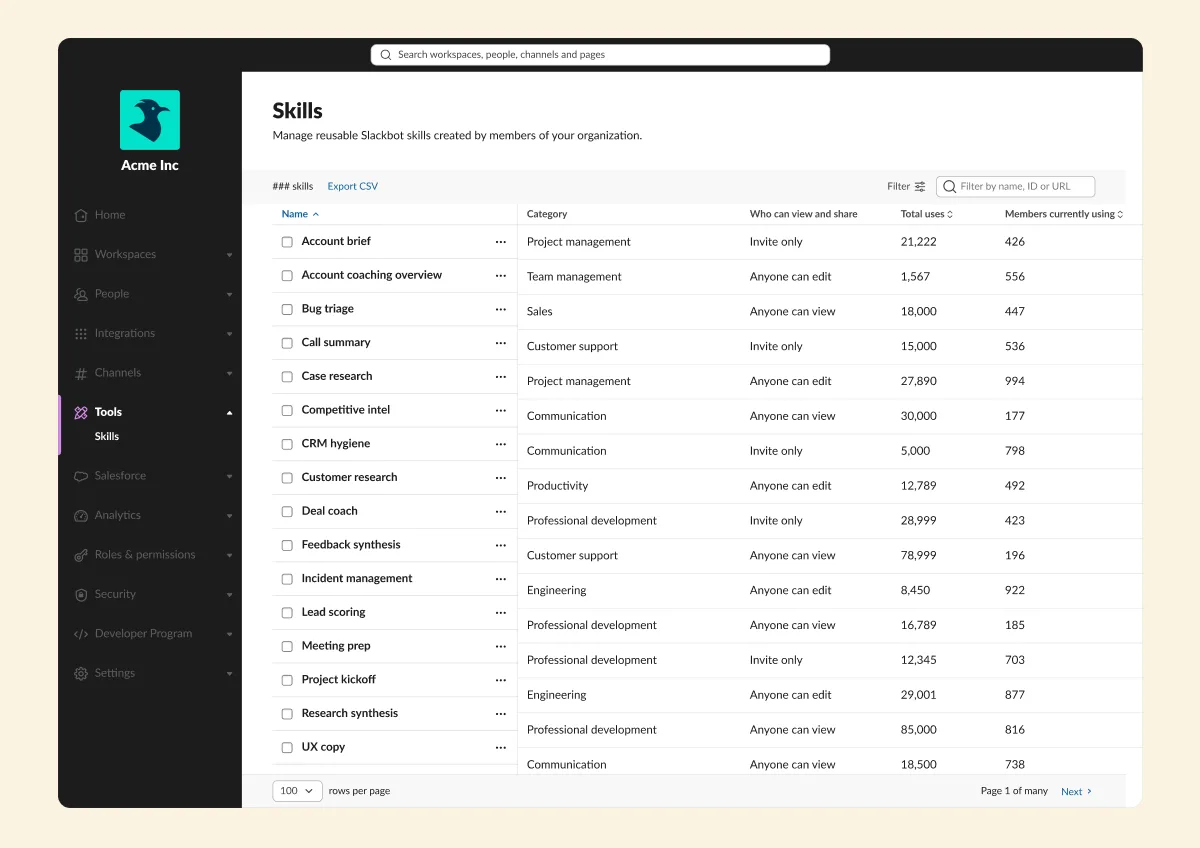
Use it as a monthly check, not a vanity count, and not as an inventory. Usage numbers and a top 10 show what people use, not which servers can write, and a write-capable server nobody uses yet won't appear. For the inventory, open Workspace settings, Salesforce, Salesforce MCP Servers, and check each server's write tool setting; use the analytics to decide which to look at first. A server in the top 10 that nobody approved is the finding.
What else changed?
The rest is small or plan-specific. In Slack's words, condensed:
Two of these touch admins. Auto-sorted channels changes what every member's sidebar looks like after they join a channel, so decide before the questions arrive whether to leave it on. Work object previews now run as embedded previews from partner apps, and Slack's What's new page says admins control access org-wide or by workspace. Treat each partner as an app review.
What would we do first?
The dates have deadlines and the default has a trigger: set it before anyone gets the Slackbot permission set, whatever the date. Our order below is our judgement, not Slack's.
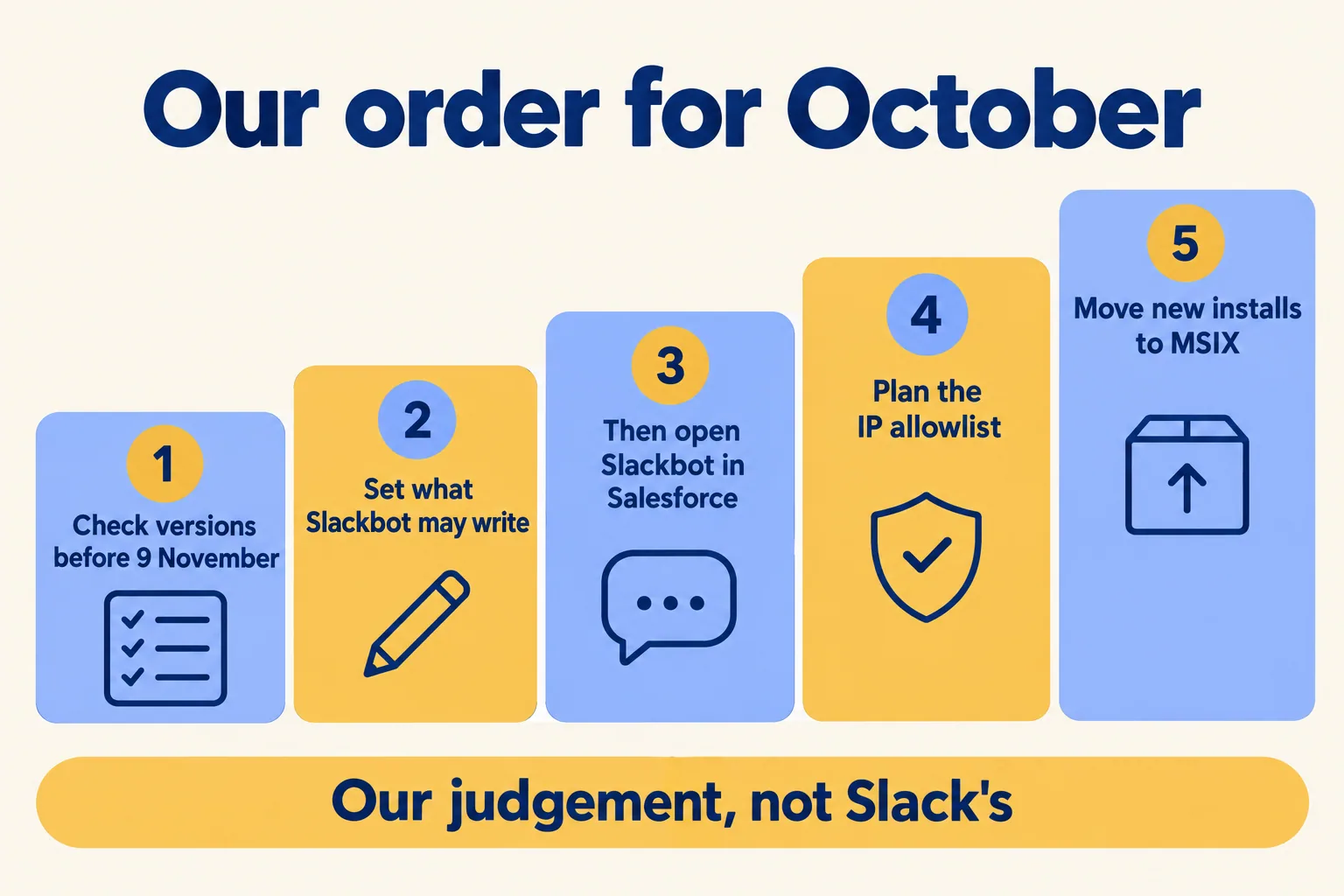
Our order for the October update
This week
Export members on unsupported versions and send the list to device management
Before 9 Nov
Desktop app above 4.47.59, mobile app above 25.10.50, browsers updated
Before Lightning
Set which objects Slackbot may create or update, and layout fields only
Pilot
Assign the Slackbot permission set to one named group, review its changes after two weeks
Then
IP allowlist dry run on one workspace, with every office and VPN address listed
Before March 2027
New Windows builds on MSIX
We run our own approvals and handoffs in Slack, connected to Salesforce, so the Slackbot write setting is the one we look at first on any connected org. The approvals we run in Slack show what that connection carries day to day.
This is not for a team with no Salesforce org connected to Slack and no agent writing to a real system yet. For you, the Slackbot sections can wait. Start with the version table under "What stops working on 9 November?", then the IP allowlist and passkeys.
Next step: use the form at /contact/run-on-slack and tell us which Salesforce org your Slack connects to (or that none does yet) and who owns it. You hear back within 24 hours from the person who signs the work, with a written note, not a demo: the ten Slack use cases that fit your work, what to build first, and what to leave alone. That note is our Pick your ten. If your Slack already connects to Salesforce, the note starts with the Slackbot write setting: who owns it and how to stop it. Licences come from Salesforce today. We help you pick the plan and work with your Salesforce account team.
Related reading: Run the Work in Slack, Slack use cases, and Slack security.
