

If a request that lands late on your last working day is marked late before anyone was at work, or your reply promise has no Ramadan version, this is for you. It is not for a desk that has no reply time written down yet (write that first), or a team where nobody owns the queue after the first reply.
Why is a request marked late when nobody was at work?
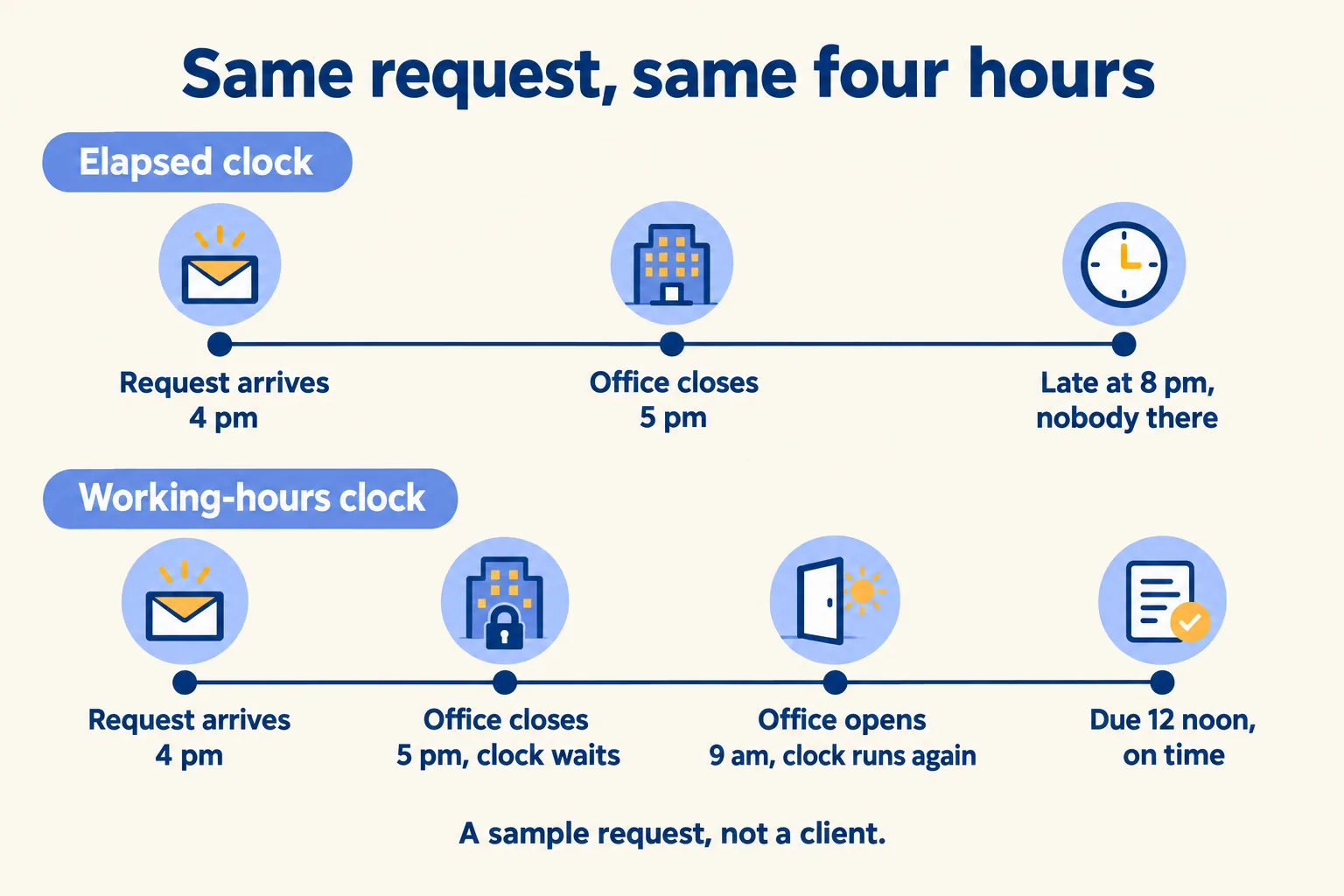
Because the clock counts elapsed hours. A promise of "reply within four hours" sounds exact. On a calendar of 24 hours a day, seven days a week, it means four hours on the wall clock, whether or not anyone is in the office.
Here is a sample, not a client. A Dubai desk works Monday to Friday, 9 to 5. A request arrives at 4 on a Friday afternoon. Four elapsed hours end at 8 on Friday evening, with the office shut. The ticket is late before anyone could have opened it, and the monthly report shows a breach that nobody caused.
Teams then stop trusting the report. They argue each breach by hand, or they stop reporting. Both cost more than the missed reply did.
The fix is one word in the agreement: working. "Four working hours" means four hours the desk is open, counted on a calendar you name.
Which calendar does your SLA agreement run on?
One calendar per office, written into the agreement: working days, opening hours, time zone and public holidays. A desk with a Dubai office and a Riyadh office has two, and a client on a 24/7 contract for urgent work has a third.
On Mindcat Desk, that is how it is set up. Each office gets its own calendar and time zone: Sunday to Thursday in Riyadh, Monday to Friday in Dubai, or 24/7 for urgent work. We load your public holidays during setup. Generic help desk tools also document business-hours calendars, so the feature alone is not what to buy. Ask any vendor, us included, to show you the screen: working days, opening hours, time zone, holidays, and where a Ramadan version goes.
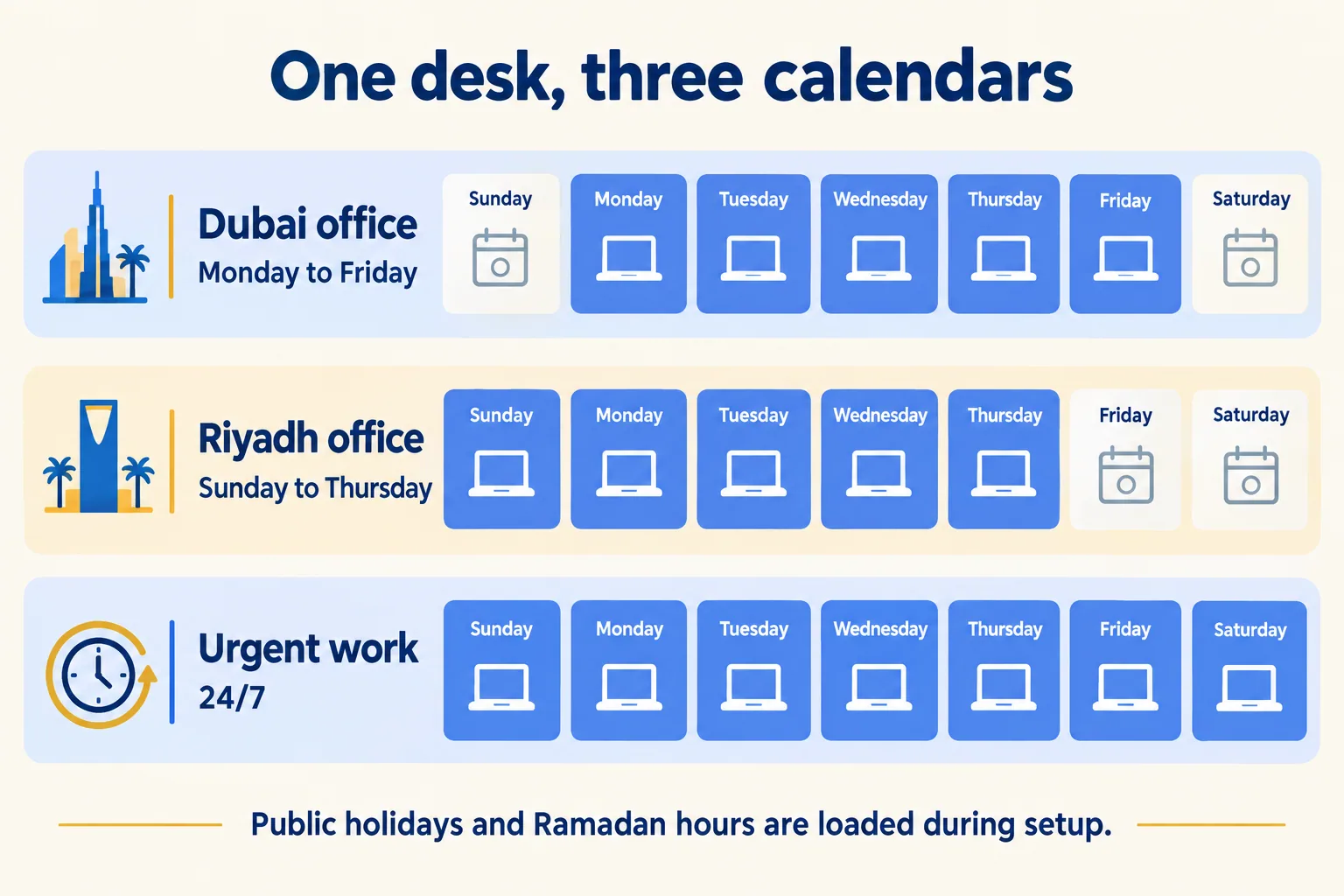
We have not listed the weekend rule or the holidays here. Take them from your HR or your client contract. The clock should follow what you have written, and the agreement should say it.
What does Ramadan do to a four-hour promise?
It makes the promise cover more of the day. On 12 February 2026, the Ministry of Human Resources and Emiratisation (MoHRE) announced that private-sector working hours fall by two a day in Ramadan. Companies may use flexible or remote work within the daily hours.
The government portal puts normal private-sector hours at 8 a day or 48 a week. So here is the arithmetic, using that maximum. On an 8-hour day, "four working hours" is half a day. In Ramadan the day is 6 hours, and the same promise is two thirds of it. If your people did not agree to that, the agreement needs a Ramadan version.
If your clients are federal government bodies, check their hours too. The National reported that federal public-sector Ramadan hours in 2026 were 9 am to 2.30 pm Monday to Thursday and 9 am to 12 pm on Fridays. A desk that waits on a government client's reply is waiting inside those hours.
Ramadan moves every year. We do not state next year's dates here, because they depend on the moon sighting. Write the rule into the agreement ("on the hours the employer sets under the Ministry's Ramadan notice"), then change the calendar when the notice comes. For Saudi Arabia, we did not check the Ramadan hour count for this post. Use the figure your HR sets.
Which fields does an SLA agreement need?
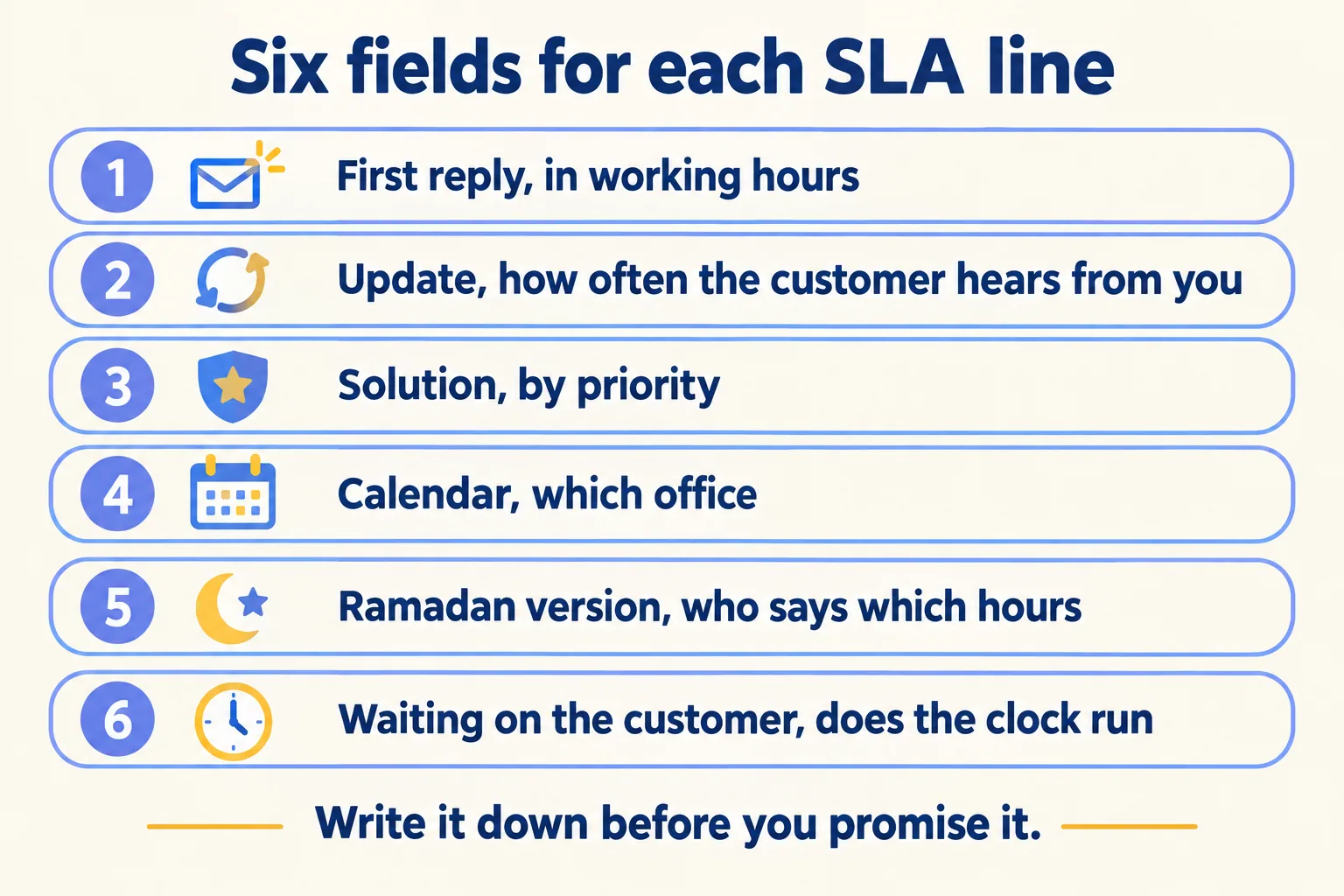
Most pages that define an SLA stop at the definition. Here is what to write down so two people read the same clock.
Here is one line written out, as a sample and not a client contract. "First reply: 4 working hours on the Dubai calendar. In Ramadan: 3 working hours on the Dubai calendar's Ramadan hours." On the 8-hour and 6-hour days above, both are half a working day, so the promise keeps its meaning when the day shrinks.
The last row is a contract question, not a software one. Decide it with your client, then ask the software to follow it.
What does Mindcat Desk do today, and what is left out?
Mindcat Desk is a ticketing system we host in the UAE or Saudi Arabia. Email, phone and portal requests become tickets with an owner and a reply deadline. The open list is sorted by time left, and when the first reply is late the ticket turns red and moves to escalated tickets. See the IT service desks page for the shape of the work, or manufacturing and supply chain if suppliers hold you to SLA contracts.
What is left out matters here:
- Ramadan hours and public holidays are added during setup each year. They are not automatic. Hijri dates are not supported.
- Arabic for agents is partial. About 60 percent of the labels are translated, and some stay in English. We finish the screens your team uses during setup.
- AI drafts and summaries are billed at cost, on your own AI account, along with SMS and your phone system.
If the ticket becomes a job on site, that is work for Mindcat Maintain. If your customers write to you on WhatsApp first, Mindcat Inbox is the better fit. We do not tell you that any software makes you compliant with anything. The agreement is yours, and so is the promise.
What does it cost?
You pay per agent per month, and an agent is anyone who answers or works tickets in that month, so a colleague who helps once in a while counts for that month. Customers, staff who raise requests and one owner login that only reads reports are free. There are no per-ticket fees.
The rate drops in bands: AED 99 for agents 1 to 5, then AED 69 for agents 6 to 20. The shared plan has a minimum of AED 495 a month, the price of 5 agents, so a team of three pays AED 495, not 3 × 99. At 20 agents the page works it out: 5 × 99 + 15 × 69 = AED 1,530 a month.
Up to 20 agents on the shared plan, the quick start is a fixed package we set up for AED 2,500, one time. It includes one SLA on your working week with public holidays. If you need the Ramadan version, say so on the form, because Ramadan hours are set up during the managed setup. Prices exclude 5 percent UAE VAT, and annual prepay takes 15 percent off.
What happens on the first call?
We call the method Every request on the clock: each request gets a number, an owner and a clock on your calendars. Your mailbox stays the address people write to, and we connect it so each email becomes a ticket. You tell us how many agents answer requests, how they arrive and the response time you promise today. We reply with the setup plan and the monthly price per agent, in AED or SAR. If your promise is not written down yet, we will say so and send you back to fix that first. If it is, tell us how your desk works and we start from your calendars.
