
If the old CRM export is bigger than anyone on the team has read, this is for you. So is an org that already loaded all of it and now has duplicate accounts and slow activity reports. The usual instinct is to bring all of it into Salesforce, just in case. That instinct costs storage, slows the load, and much of what it brings will not show up where your team looks. This is not for you if your org has no named Salesforce admin or owner to make the call, or if you are not moving or merging a CRM at all.
What goes wrong when you bring everything?
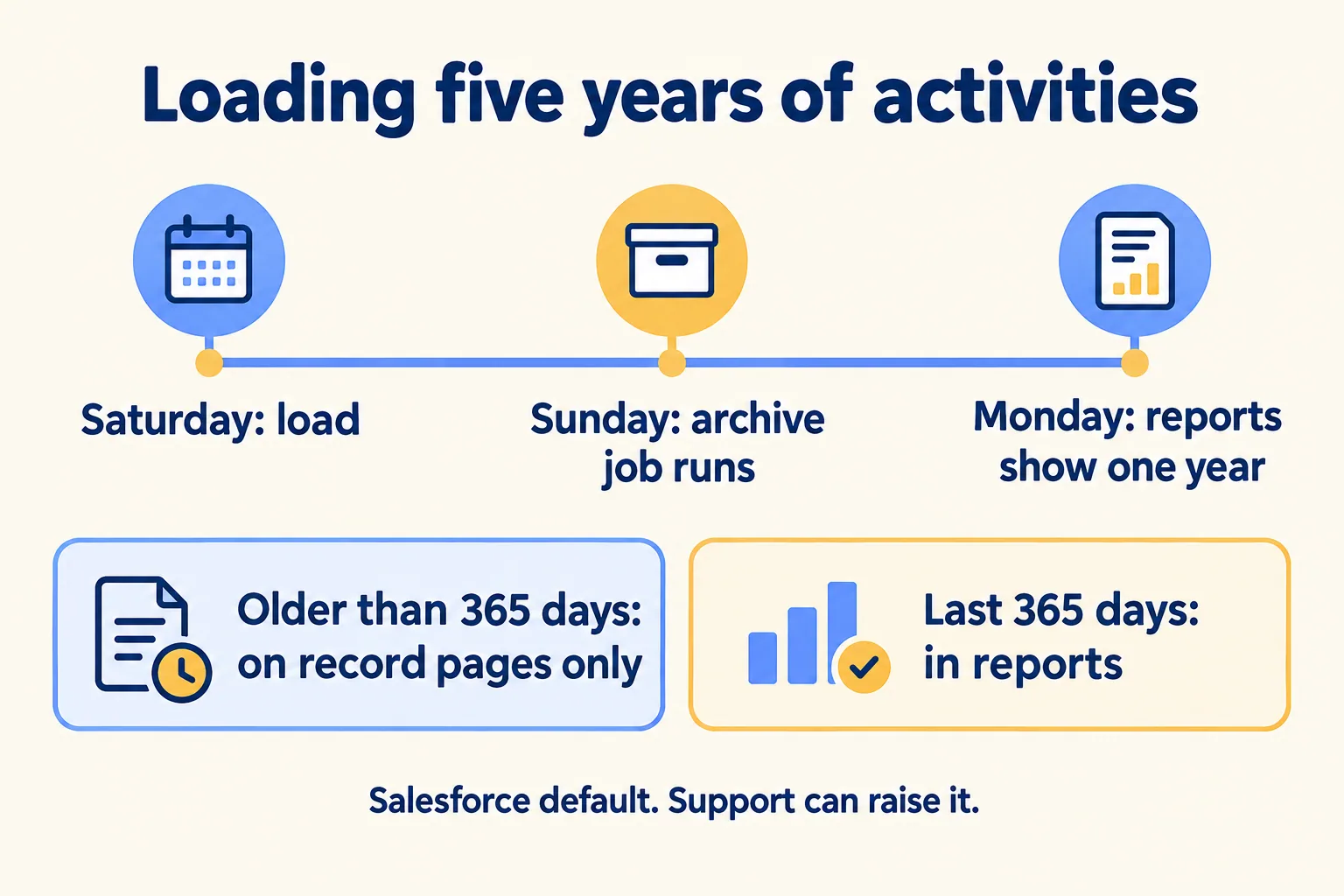
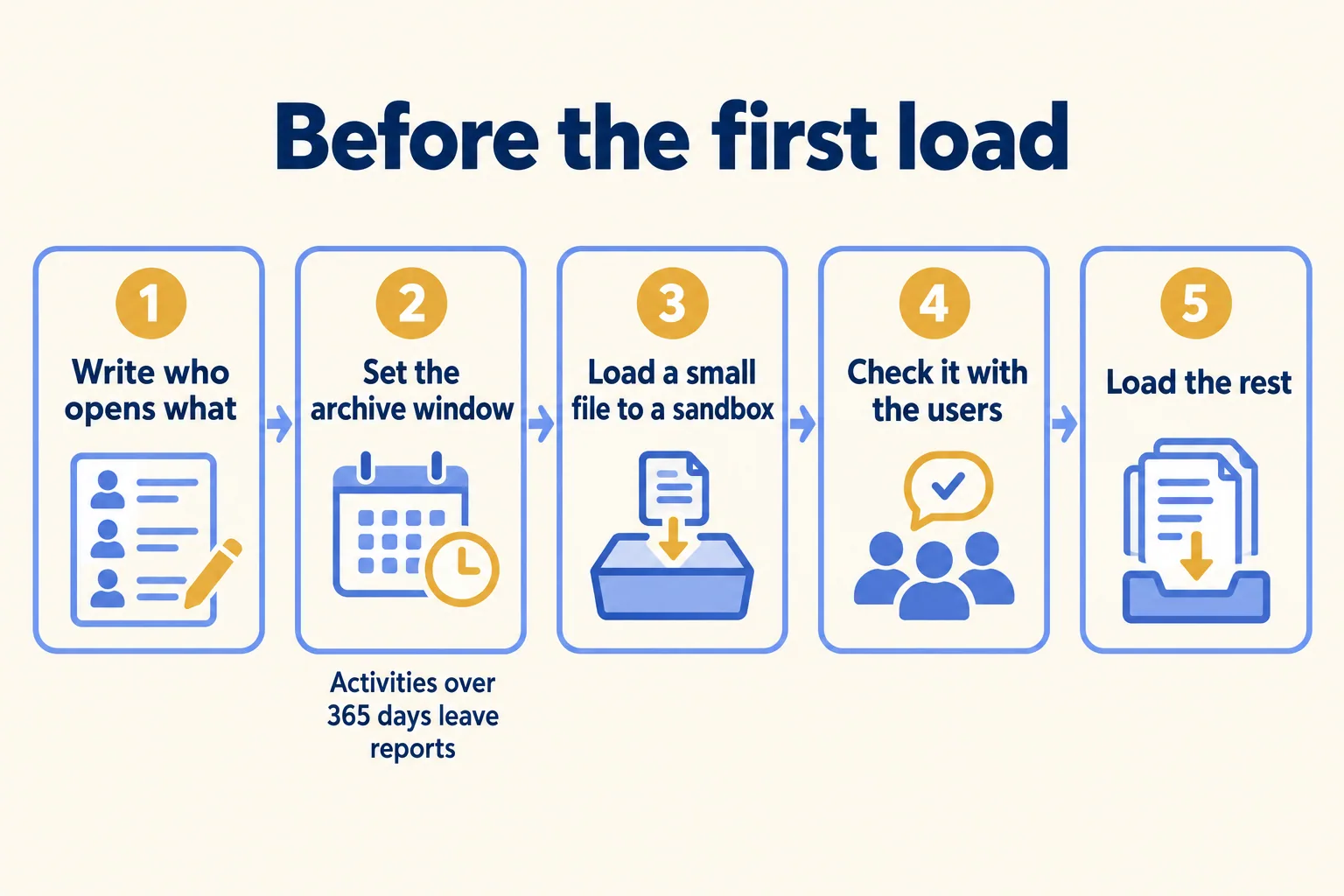
Most of the old activity lands out of sight. Salesforce Help says it archives events that ended more than 365 days ago and closed tasks due more than 365 days ago, and that "archived activities aren't included in reports." Archived activities also drop out of list views and the calendar view. The archive job runs every Sunday. Load five years of calls and meetings on a Saturday, and by the next week most of them sit on record pages only, out of every activity report.
The records still count against storage. Salesforce Help says most records use about 2 KB of data storage, and an HTML email message uses its actual size, so a 100 KB email counts as 100 KB. Enterprise Edition starts at 10 GB of data storage per org, plus 20 MB per user licence. Files count against a separate allocation.
Do the arithmetic on a typical export. One million old activity records at 2 KB each is about 1.9 GB. A 30-user Enterprise org starts with 10.6 GB. One table from the old CRM can take nearly a fifth of the org's storage before anyone has logged a new deal.
Bringing too little fails too. Rework's migration guide tells the story of an account executive whose renewal history was left out of the export. Three weeks after go-live, she asked a prospect a question they had already answered. The renewal closed, at a lower rate. Their verdict: "It was a planning failure. Nobody had made a decision about what to migrate and what to leave behind."
Where do the migration guides agree?
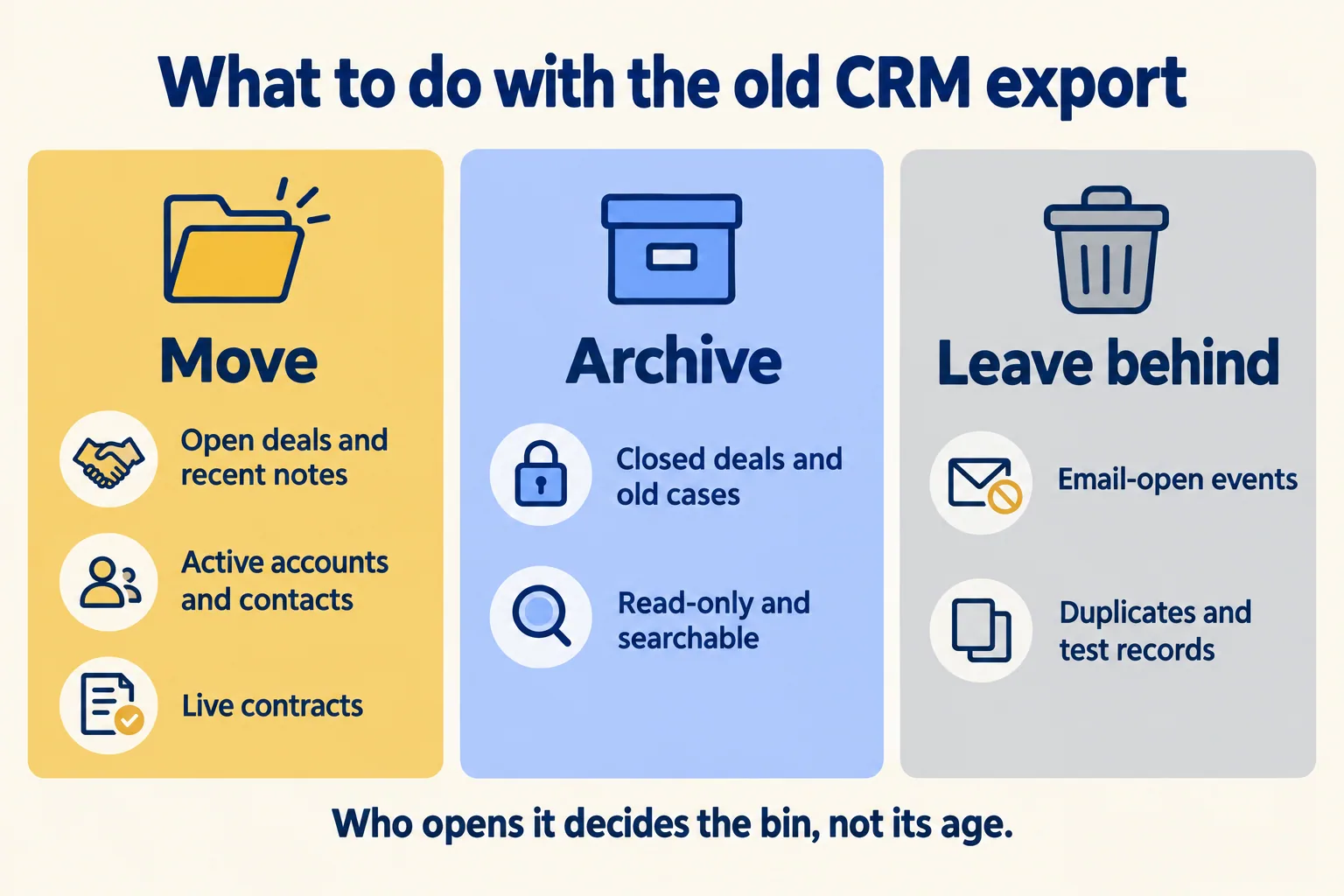
On the bins, not the window. Three guides published this year use the same three: move, archive, leave behind.
- Umbrex, a consultancy, asks "what must be in the new system for the first selling cycle and first service cycle to work without calling the legacy team?" and calls the urge to migrate everything "just in case" the default impulse.
- HubSpot's guide, updated 29 October 2026, sorts records into migrate and archive, and says the rest can be disposed of only under your organisation's retention rules.
- Rework gives a matrix by age, record type and deal status, and says auto-logged email-open events should be discarded at any age.
The windows differ. Rework moves rep-entered notes from the last 12 months. CRMIT suggests two to three years of closed opportunities and cases for most organisations, and 18 months for fast, high-volume sellers. Umbrex says the window depends on regulation and how managers coach.
The spread is the useful part. No number of years is right for every team, because the window is set by who opens the record, not by its age.
How do we decide: move, archive or leave behind?
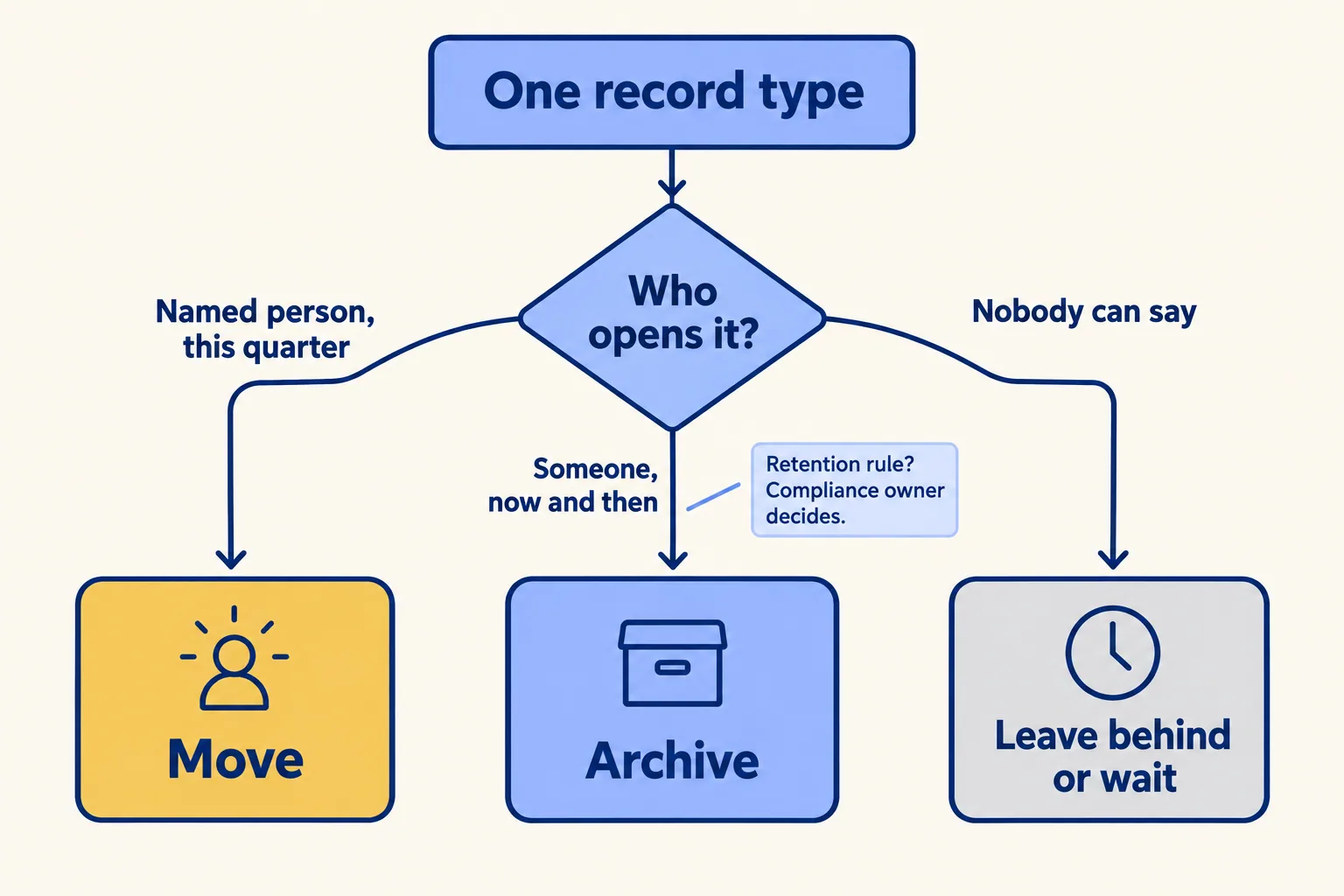
We start from people, not the export. For each record type in the old CRM, we write one line with three columns: who opens it, how often, and what they do with it.
- 01List every record type in the old CRM export: accounts, contacts, deals, activities, notes, files, custom tables.
- 02Next to each, name the person who opens it. A role is fine; 'everyone' is not an answer.
- 03Write when they open it: this week, this quarter, once a year, or only when someone asks.
- 04Write what they do with it: work it, report on it, or look something up.
- 05Give the line a call: move, archive or leave behind.
- 06For every record type that moves, write the match rule for duplicates (legacy ID, email domain, normalised company name) and merge before the load.
Then apply the rule. This is our rule, not a Salesforce rule.
Here is the list on a sample company. The company and every line are invented; the shape is the one we write.
Three lines move, one is archived, one is merged before the load, and one is left behind. The line that matters most is the one where nobody can say who opens it. That is a finding about the process, not the data, and it waits until someone owns it.
Where should the archive live?
Somewhere the team can still search, or they will rebuild the old system on the side. Rework recommends keeping the source system "accessible for 90 days post-migration" because "most requests will come in the first two weeks." Umbrex recommends read-only access to the legacy system or an archive store, with clear search instructions.
Two habits make the archive usable:
- Keep the old record ID. Store the legacy ID in an External ID field on each record you move. Reloads can then update the same record instead of creating a duplicate, and anyone can find the same customer in the archive.
- Say where it is. Put the archive link and the date the old system goes read-only in the go-live note, so nobody has to ask.
If your team does need older activity in Salesforce reports, decide that before the load. Salesforce Help says a System Administrator can ask Support to raise the archive threshold, up to 3,650 days, with about five years recommended, and warns that a higher threshold can slow activity reports and list views. After an increase, Salesforce Help says archived records gradually become available again.
If you already loaded everything, the same list still works. Write who opens each record type, then merge the duplicates on the match rule, keeping as the master the record whose owner and last activity the team trusts. Export what nobody opens to the archive and delete it from the org, and decide with your team whether the archive window should change, before anyone buys more storage. If the org is already live and stuck, that is a rescue and optimize week, not a new build.
What breaks in the load itself?
Dates and volume. Vantage Point's activity migration guide points out that a task's completed date is set by Salesforce when the task closes, so 10,000 closed tasks loaded on migration day all show that day. Their fix: map the legacy date to the task's Date field, keep the original in a custom field, and decide before the first load whether the load user gets the Set Audit Fields upon Record Creation permission, which keeps the old created dates and works only when a record is first inserted.
Volume picks the tool. Salesforce Help says the Data Import Wizard imports up to 50,000 records at a time. The Salesforce Data Loader guide covers larger loads, objects the wizard does not support, and scheduled loads. Both start the same way: load a small file into a sandbox and check it with the people who will use it.
For the full plan around this decision, mapping, cleansing and cutover, read our Salesforce data migration strategy guide. If you are still deciding whether to move at all, we covered that in when we tell a team on HubSpot to stay.

What would we do first?
At Mindcat, we call this method "Find your week." We spend week one in the org and in your real work, then write down who opens which record, how often, and what they do with it. The migration scope comes from that list, with the archive and the records left behind named on it, before anyone exports a file. You can see a sample note, on an invented org, before you send us anything.
The assessment is free: a short read of the org and a written note. If you go ahead, the first build week is a fixed AED/SAR 14,900 (about USD 4,050), credited in full when you sign the build within 60 days. There is no number before week one, and a fixed price for a named piece after it. The build itself is our Salesforce implementation work.
Not for you if your org has no named Salesforce admin or owner yet, or if a retention rule requires every record to stay live in the CRM. Name the owner, or settle the rule with your compliance owner, then write the list.
