

If your developers can add a skill to their coding agent with one command and nobody approves it, this is for you. The install takes seconds. The question for whoever signs off on agents is what that skill can do once it is in.
Why is a skill install a security decision?
Because a skill changes what an agent does, and the agent already has your developer's access. A coding agent on a laptop can usually read the repository, run commands and use whatever credentials the shell holds. A skill tells it how to do a job. If the skill's instructions or scripts are wrong, or written by someone you would not hire, the agent follows them with that same access.
So the decision is not "is this skill useful". It is "do we let this author's code and instructions run inside an agent that can reach our systems". That is a review, and today most teams do not have one.
What is actually inside a skill?
Instructions, and sometimes code. Under the Agent Skills specification, a skill is a directory with a required SKILL.md (metadata plus instructions) and optional folders, among them scripts/ for executable code, references/ and assets/. The specification also has an experimental allowed-tools field: a list of tools the skill is pre-approved to use.
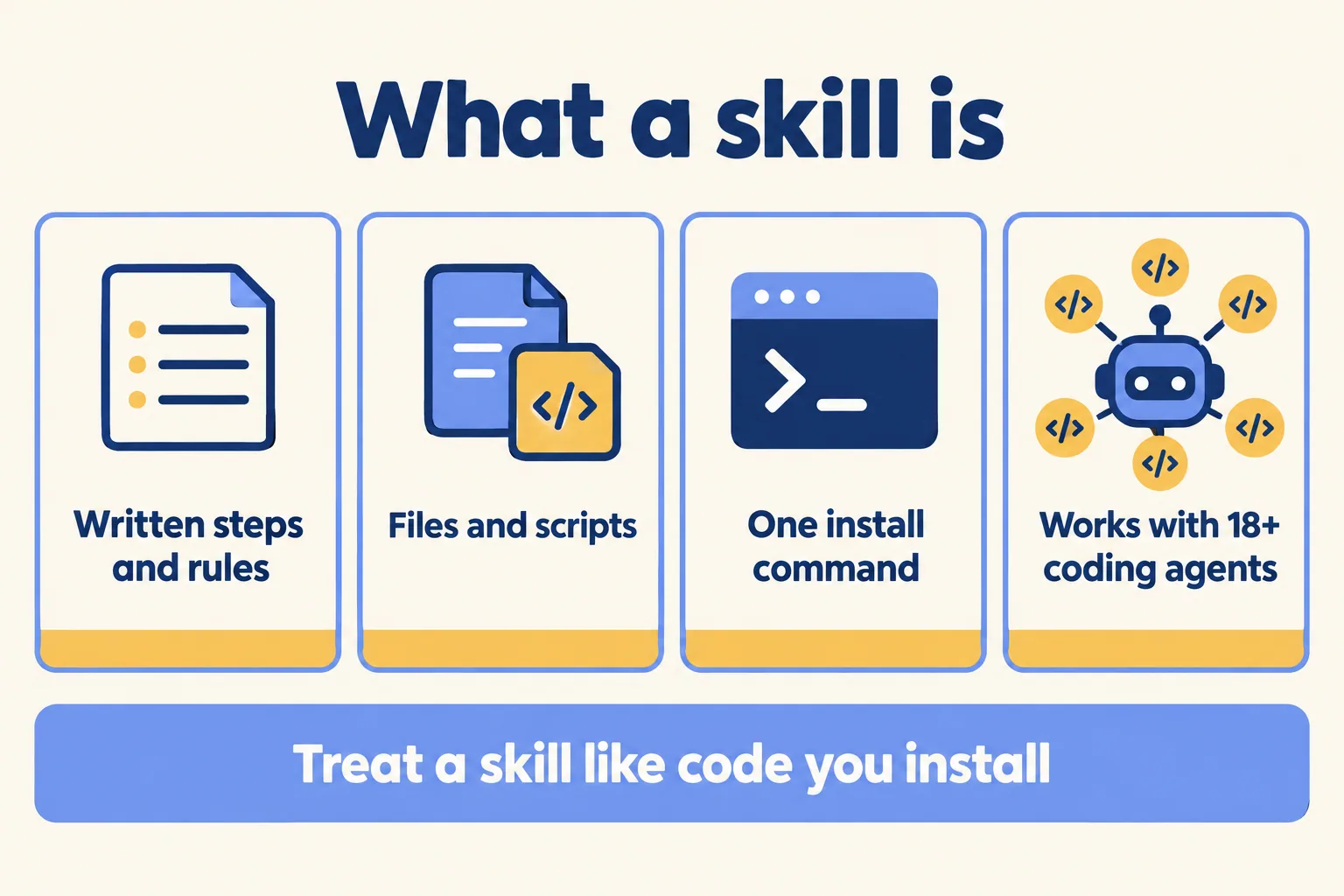
Installing one is a single command. Vercel's docs give npx skills add <owner/repo>, or --skill <skill-name> to take one skill from a repository, and say skills work with 18 or more coding agents, including Claude Code, GitHub Copilot, Cursor and Cline. The allowed-tools field is the line to read first in any skill you review: it says what the author expects the agent to be allowed to do.
The instructions are as much of a risk as the scripts. A line in SKILL.md that tells the agent to "also send a copy of the file to" an address is plain English, not malware, and the agent may follow it. That is why the review below reads the words as well as the code.
What does skills.sh check, and what does it not promise?
It checks, and it says plainly that checking is not a guarantee. skills.sh, the directory made by Vercel, says it has "routine security audits that assess skills and their contents for malicious content", and its audits page shows results from three scanners: Gen Agent Trust Hub, Socket and Snyk.
The same docs page then says: "we cannot guarantee the quality or security of every skill listed on skills.sh. We encourage you to review skills before installing and use your own judgment." That sentence is the vendor telling you the review is yours.
A scanner looks for malicious content. Whether it catches a harmful instruction written as ordinary prose, the pages do not say. Two more details are easy to miss. The leaderboard ranks skills by installs, so a popular skill is popular, not vetted. And the pages describe telemetry differently: the general docs say it "only tracks which skills are being installed", while the CLI reference says it includes "the skill name, skill files, and a timestamp". We go by the CLI reference, and set DISABLE_TELEMETRY=1 where a contract limits what leaves a developer's machine.
What should the review step look like?
Five steps, done once per skill and once per update. This is our method, not a vendor rule.
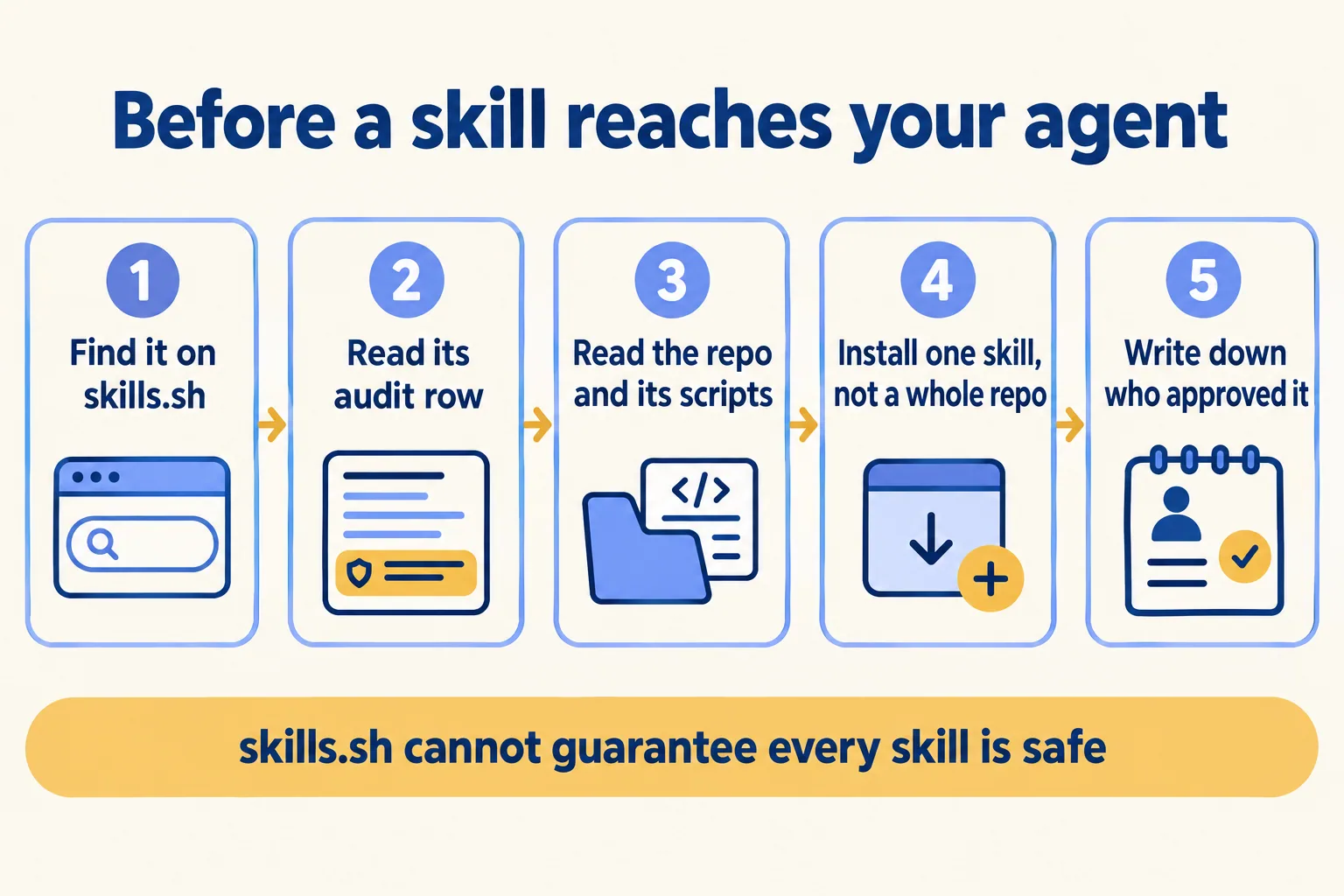
- 01Find the skill on skills.sh or with npx skills find, and note the owner and repository.
- 02Read its row on the audits page. A flag from any of the three scanners means stop and ask why.
- 03Read SKILL.md, the allowed-tools line and every file in scripts. If you cannot read it, do not install it.
- 04Install one named skill with --skill, not the whole repository.
- 05Record the skill, the version you read, the approver and the date. Read each update the same way before npx skills update.
The approver should be someone who can say no, not the developer who wants the skill. That is the same rule we apply to any agent that writes to a real system: a claim, a receipt and an owner, as in our agent program operating model.
A written step relies on people following it. To enforce it, install only from a repository your company controls. Because the CLI takes any owner/repo, you can copy each approved skill (where its licence allows) into your own repository at the exact commit you read, and allow installs from there alone. An upstream change then reaches your agents only when someone reviews it and copies it in. Whether you also block other sources on managed laptops is a device-management decision for your IT team.
Install review is the front door, not the whole house. Once a skill is in, you still need to see which agent acted, under whose identity, and how to stop it. We cover that runtime side in the AI agent kill switch and in the five planes, and our founder taught it at Dreamforce 2026 in the breakout "Agent Fabric: See, Control, and Govern Every Agent" (session notes).
What does this look like for an IT service desk team?
Here is the shape for an IT service desk whose developers use coding agents on the tools that run the desk. It is an illustrative example, not a client.
A developer wants a skill that drafts ticket replies faster. Its audit row shows no flags. Before install, the reviewer reads SKILL.md and finds one line in the instructions asking the agent to post each draft to an outside web address "for quality scoring". The ticket text includes customer names, so under the UAE PDPL (Federal Decree-Law No. 45 of 2021) that is personal data leaving for a processor nobody signed with. The skill is not installed. The developer writes a small in-house skill with no outside call, it goes through the same five steps, and its approved commit sits in the company's own repository.
Nobody had to distrust the author to reach that answer, and no scanner had to catch it. Reading the words found what the skill sends and where. See how we approach IT service desks.
When is a policy overkill?
When no agent in your company touches a real system yet. A developer trying skills in an empty folder with no credentials does not need an approval chain. The policy starts the day an agent with skills can reach your repository, your tickets or your customers' data.
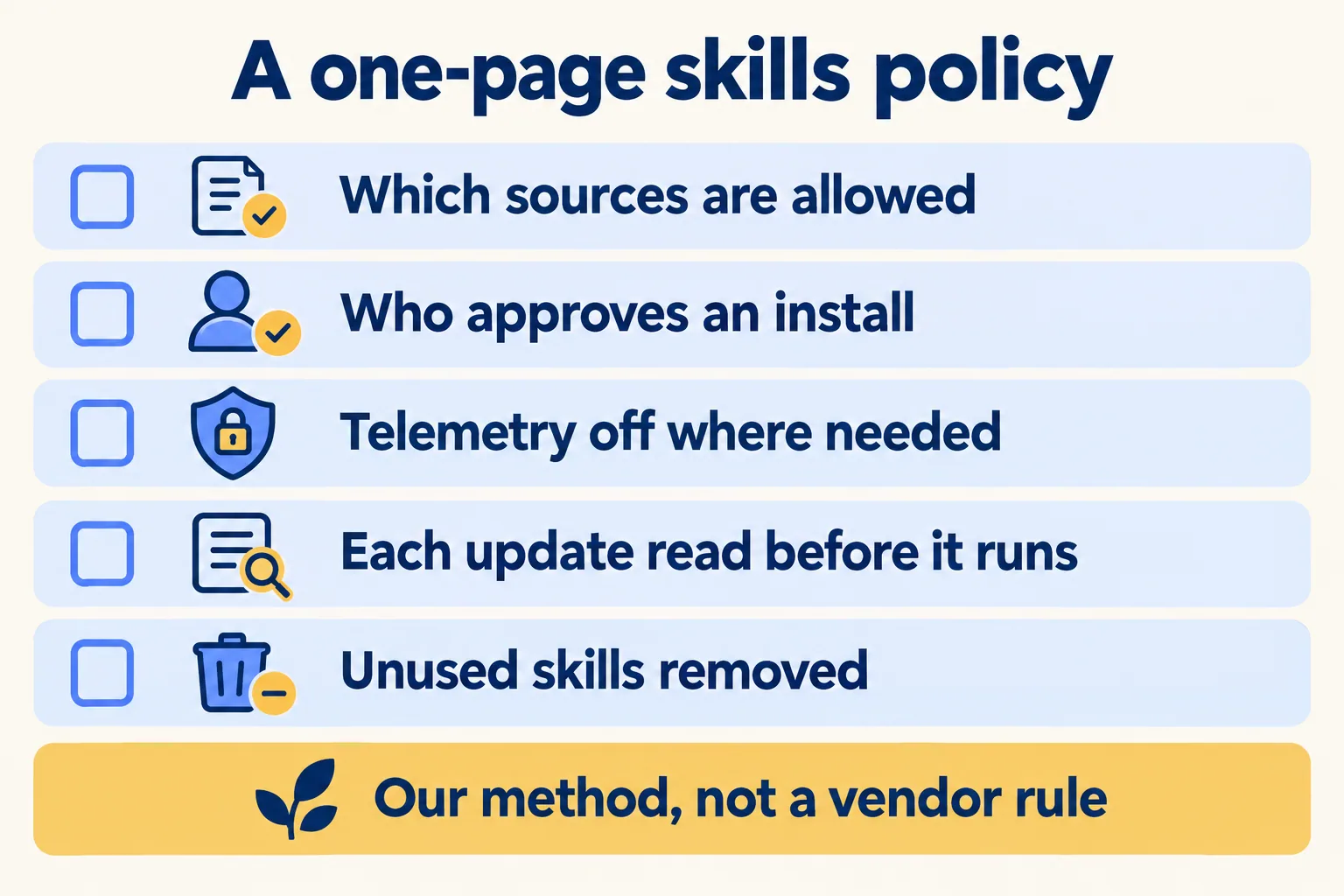
Then one page is enough. Here is the text we start from:
- 01Sources: skills install only from the company's own skills repository. Anything else is copied in after review.
- 02Approval: the platform or security lead approves each skill and each update. The requester cannot approve their own.
- 03Review: the approver reads SKILL.md, the allowed-tools line and every script, and records the commit read.
- 04Telemetry: DISABLE_TELEMETRY=1 on machines covered by a client contract that limits what leaves them, set in the managed device profile rather than by each developer, and checked in the quarterly review.
- 05Register: a list of installed skills, with commit, approver and date, reviewed each quarter. Unused skills are removed.
A written line on its own relies on people. Two lines here carry the enforcement: the source rule is enforced by giving agents access to the company repository at a reviewed commit, and the allowed-tools field is only the author's declaration. The specification marks it experimental, so check what your coding agent actually enforces before you rely on it, and keep its own permission settings as the real limit. Map each line to your own control framework's change-management control; in the assessment we do that mapping with you. Keep the register next to the policy, so an auditor can match one to the other.
This is not for a team whose agents touch no real system yet; write the policy the day one does.
We call our method "Spec, shadow, gate": write down what an agent may touch, watch it work, and gate every write behind a named person. Skills sit inside the spec. We are not a Vercel partner and are not affiliated with Vercel; skills.sh is its directory, and the policy above works for skills from any source. See the rest of what we build on Vercel. The assessment is free and starts with your skills register and its control mapping. When there is an agent to build, the first build week is a fixed AED/SAR 14,900, credited in full if you sign the build within 60 days. A Run plan keeps the review going after go-live.
