A reviewer in a US office ticks a paper checklist while reading printed pages beside a laptop, a colleague leaning in.

Vercel · Tools

Your developers install agent skills nobody has read. Read each one before it reaches your code.

A skill tells your coding agent what to do and what to call, and Vercel says it cannot guarantee the quality or security of every skill on skills.sh. Each one installs with a single command, so nobody stops to look. We read each skill and its audit results before it reaches your team, and keep one approved set.

Salesforce consulting partner since 2010 · MVP Hall of Fame · 200+ agents in production · UAE, India and US desks

The problem

What happens when skills go in unchecked.

What Agent Skills is

Agent Skills, in plain words.

Facts from Vercel’s own pages, checked on 16 October 2026. The sources are at the end of this page.

What it is
Reusable know-how for AI agents, listed at skills.sh. Install one with npx skills add owner/repo, or one skill with --skill.
Which agents
Vercel says skills work with 18 or more agents, including Claude Code, GitHub Copilot, Cursor and Cline.
Audits
skills.sh runs routine audits with results from Gen Agent Trust Hub, Socket and Snyk. It also says it cannot guarantee the quality or security of every listed skill.
Telemetry
The CLI sends the skill name, skill files and a timestamp. DISABLE_TELEMETRY=1 turns it off.
Packs
Unlisted bundles of public and private skills. Making one needs a Vercel sign-in; installing one does not.
Who maintains them
Each skill’s author. Problems go to that skill’s GitHub repository. Using skills is free, with no Vercel support line or SLA.


How it works

How a skill gets from the directory to your team.

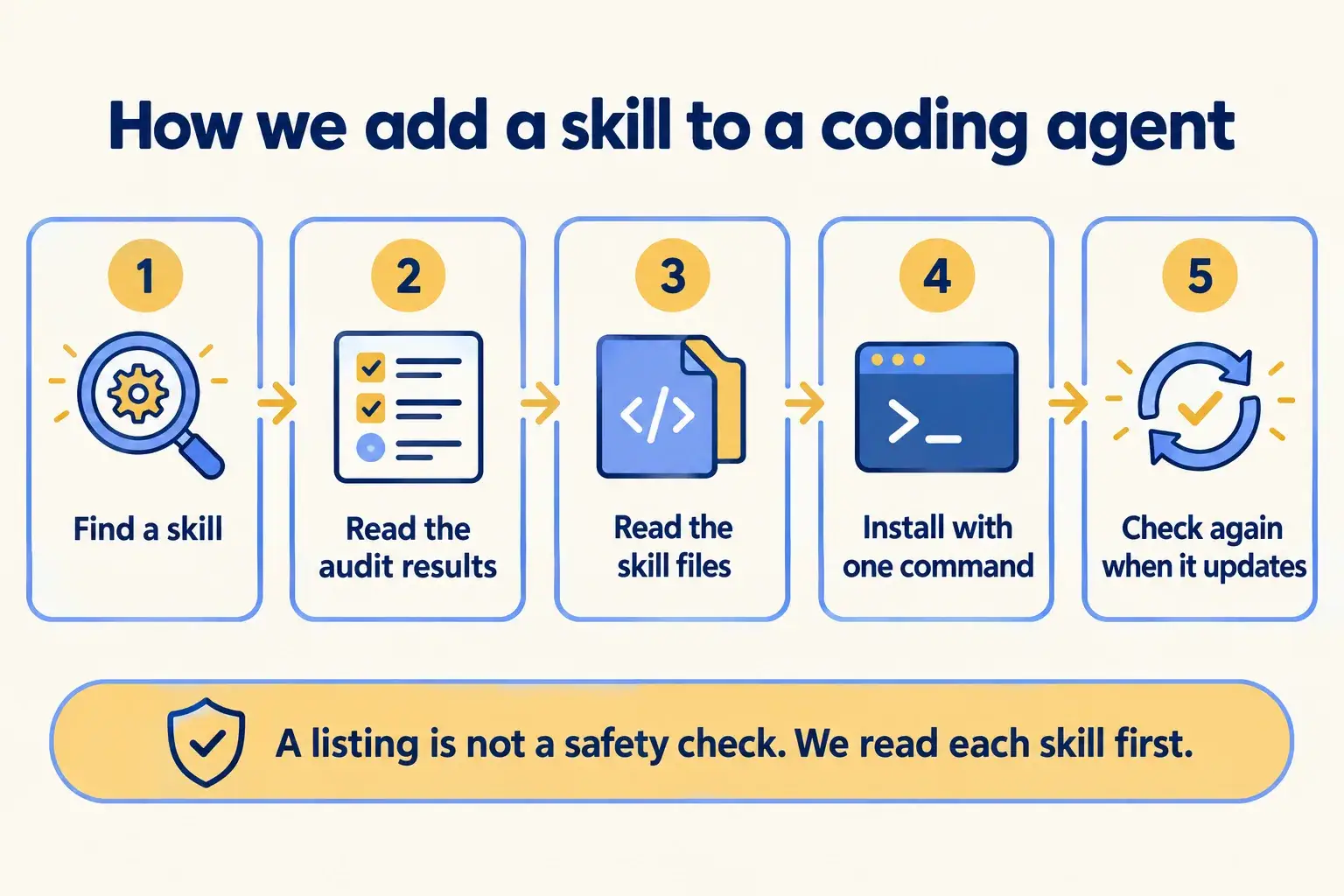
Five steps. Two of them are reading. That is where we spend the time, so your developers install a skill knowing what it does.

Five steps: find a skill, read the audit results, read the skill files, install with one command, check again on update.

Infographic

The same steps are written out below.

Step by step

What happens at each step.

  1. Find

    Find a skill

    On skills.sh, or with npx skills find and a search word.

  2. Audit

    Read its audit row

    Gen Agent Trust Hub, Socket and Snyk results sit on the skill’s listing.

  3. Read

    Read the skill itself

    Its files and its repository: what it tells the agent to do, and what it calls.

  4. Install

    Install it with one command

    npx skills add owner/repo. The CLI sets it up for your agent.

  5. Update

    Check again when it changes

    npx skills update pulls new versions. We read the change before your team updates.

How it fits together

Where skills sit between the directory and your developers.

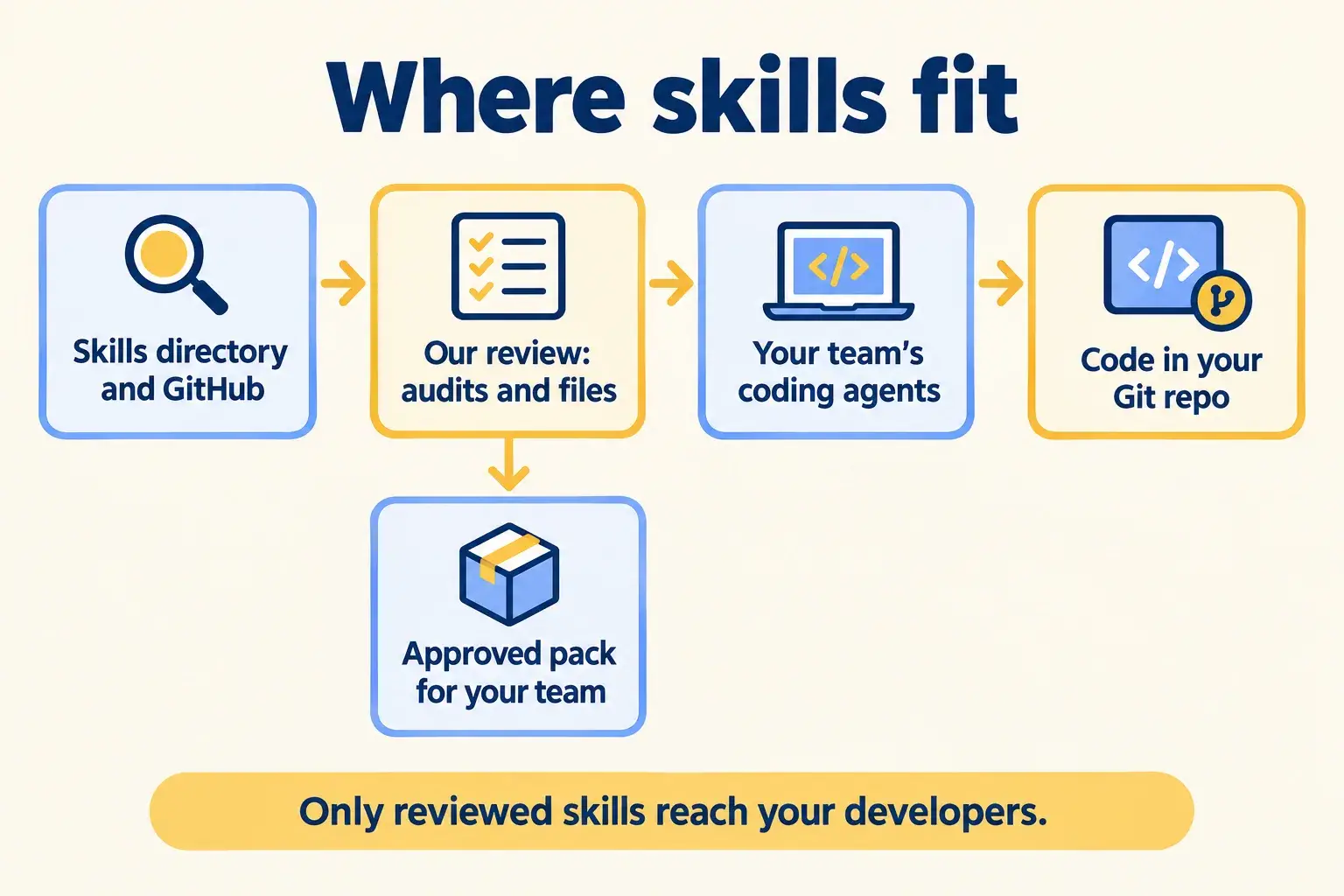
Skills come from skills.sh and GitHub. Our review sits in the middle. What passes goes into one pack your team installs, and the coding agents use it to write code that goes to your Git repository.

Skills from the directory pass through our review into an approved pack, then to your team’s coding agents and your Git repo.

Infographic

Where it sits next to the systems you run today.

Use cases · worked examples

One worked example in each industry.

How Agent Skills fits into the work of the industries we serve, one step at a time.

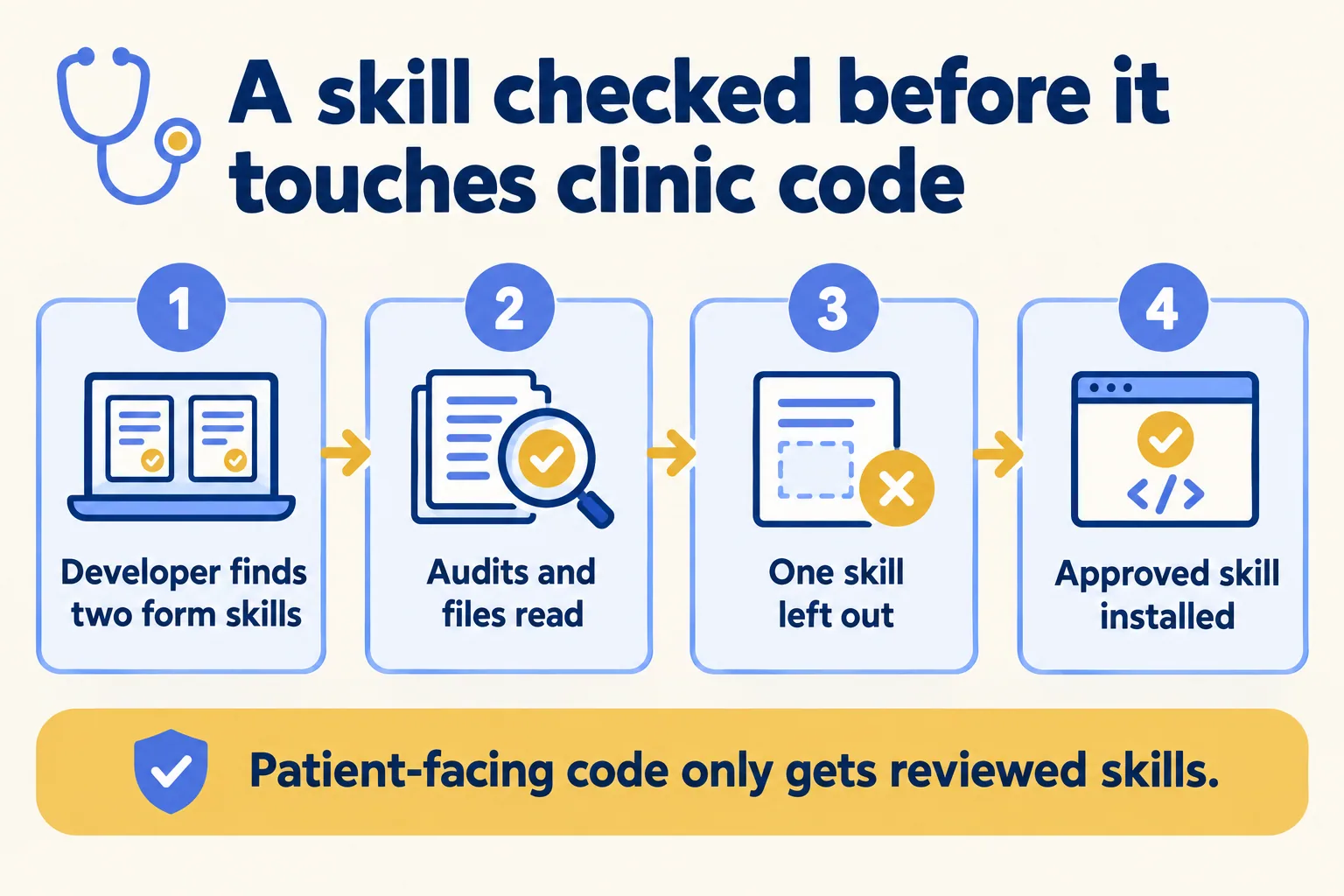
  1. Two form skills are found, their audits and files read, one is left out, and the approved skill is installed.

    Example 1 · Clinics, Houston · Infographic

    Lead developer at a Houston clinic group

    Today: Our coding agent is building the booking forms. I found two skills for accessible forms and I have no time to read either.

    After: We read both skills and their audit rows. One is left out. The other goes in, with telemetry off.

    Worked example, step by step

    1. Tue 09:00Lead developer. Runs npx skills find forms and shortlists two skills.
    2. Tue 09:30Mindcat reviewer. Reads both audit rows and both skills’ files.
    3. Tue 10:30Mindcat reviewer. Leaves one out: its files tell the agent to fetch from an address nobody recognises.
    4. Tue 11:00Lead developer. Sets DISABLE_TELEMETRY=1 and installs the other with npx skills add and --skill.
    5. Tue 15:00Practice IT lead. Gets a one-page note: which skill, which version, and why the other was left out.

    The booking forms are written with a skill someone has read, and the clinic has a record of why.

    Clinics
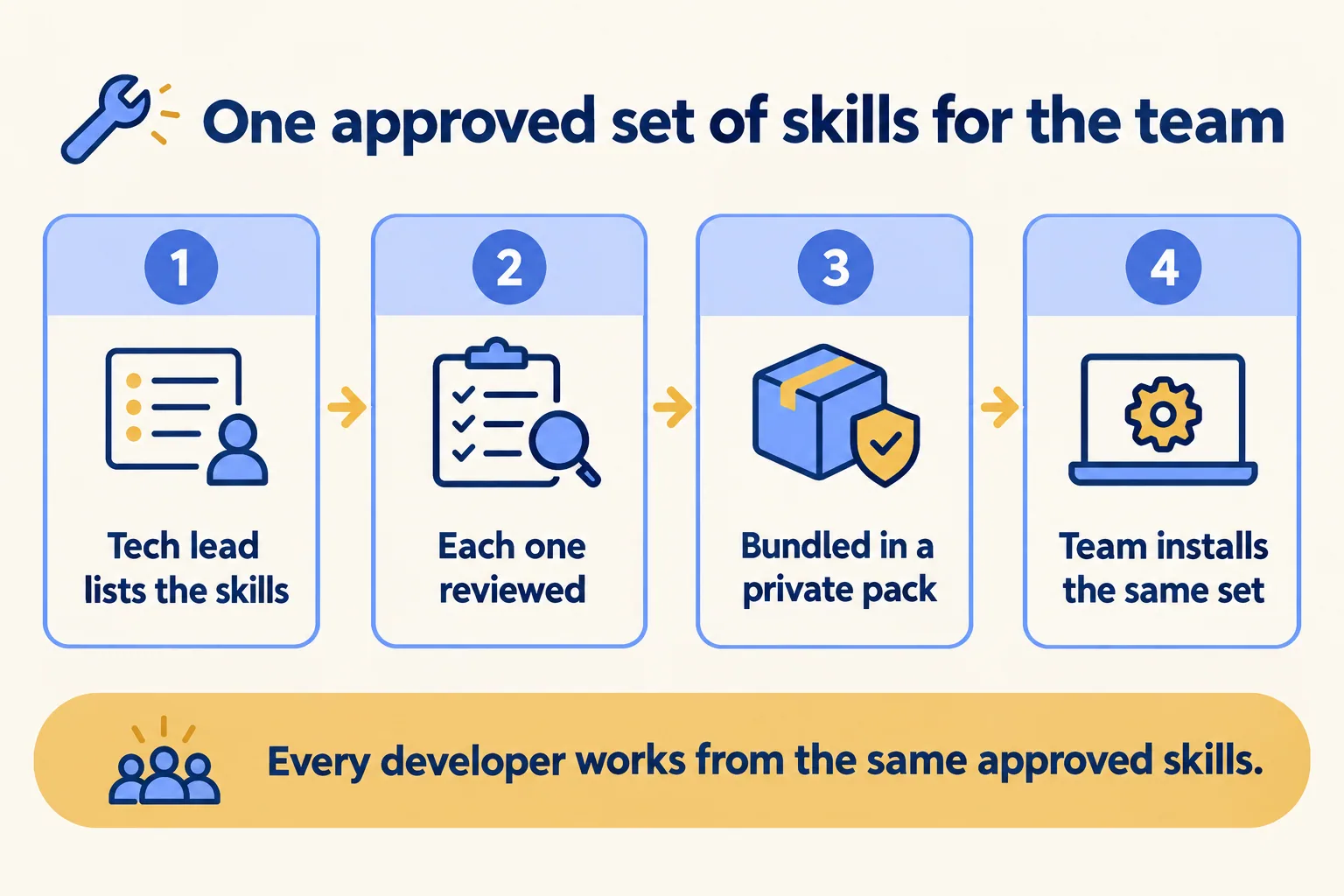
  2. A tech lead lists skills, each is reviewed, they are bundled in a private pack, and the team installs the same set.

    Example 2 · Facilities management, Riyadh · Infographic

    Tech lead at a Riyadh facilities management company

    Today: Four developers work on the work-order app. Each one has installed different skills, and their code looks like four different teams wrote it.

    After: The tech lead lists the skills the team needs. We review each one, he bundles them in a private pack, and the team installs the same set.

    Worked example, step by step

    1. Sun 09:00Tech lead. Lists the skills the work-order app needs: Next.js, AI SDK and web design guidelines.
    2. Mon 10:00Mindcat reviewer. Reads each one and records the version that passed.
    3. Mon 14:00Tech lead. Signs in on skills.sh and makes an unlisted pack of the approved skills.
    4. Tue 09:00Developers. Each runs one command with the pack link. All four now have the same set.
    5. Next monthMindcat reviewer. Reads what changed in each update before the team runs npx skills update.

    Four developers work from one approved set, and updates get read before they land.

    Facilities management
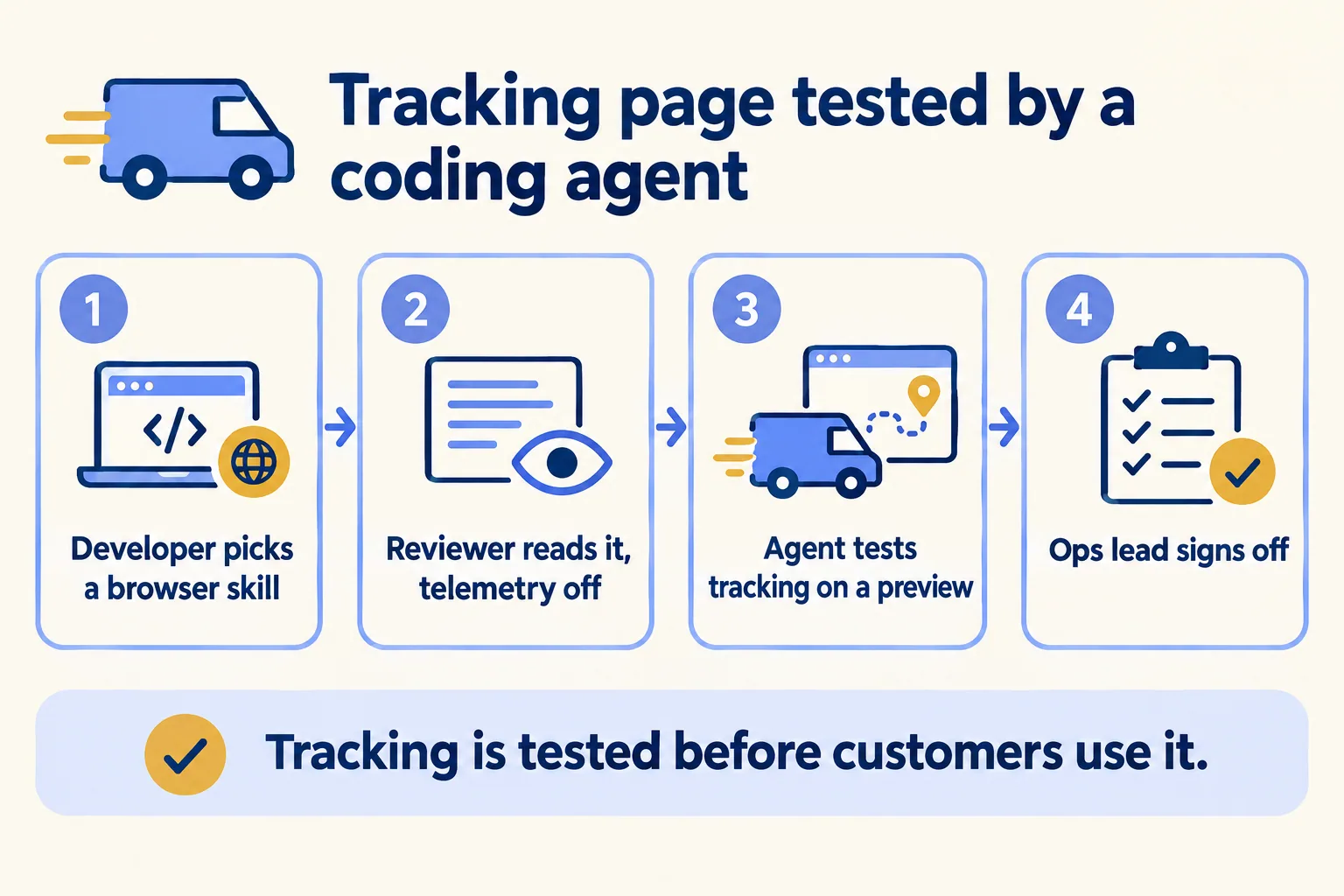
  3. A browser-testing skill is reviewed and installed with telemetry off, tests tracking on a preview, and the ops lead signs off.

    Example 3 · Couriers, Mumbai · Infographic

    Developer at a Mumbai courier company

    Today: The parcel tracking page breaks every few releases. I want the coding agent to test it in a browser, but the repo is private.

    After: We review Vercel’s agent-browser skill, install it with telemetry off, and the agent tests the tracking flow on every preview before the ops lead signs off.

    Worked example, step by step

    1. Wed 10:00Developer. Picks the agent-browser skill, which Vercel publishes.
    2. Wed 11:00Mindcat reviewer. Reads it, then sets DISABLE_TELEMETRY=1, because the CLI would send skill files.
    3. Wed 12:00Developer. Installs it and asks the agent to test five tracking numbers on the preview link.
    4. Wed 12:20Coding agent. Reports one number that shows the wrong status. The developer fixes it.
    5. Wed 15:00Ops lead. Reads the test notes on the pull request and approves the release.

    Tracking gets tested before customers use it, by a skill someone has read.

    Couriers and delivery
Examples of the work, not client stories. Times in each example show the order of events, not a measured result.

Is it for you

When Agent Skills fits, and when it doesn’t.

Good fit

Not for you yet

Your developers use coding agents daily
Nobody on the team uses a coding agent
Several people work on the same codebase
You want a vendor to guarantee each skill: none does
You need to know what each tool sends out
You need a supported product with an SLA
You want one approved set, kept current
You will not set aside time to read updates

What Mindcat does

We build it, then we run it.

The assessment is free: a short read of the org and a written note. If you go ahead, the first build week is a fixed AED/SAR 14,900 (about USD 4,050), credited in full when you sign the build within 60 days. After go-live, we keep it patched, watched and changing every month.

FAQ

What teams ask about Agent Skills.

Are skills on skills.sh safe?
Not by default. skills.sh runs routine audits with Gen Agent Trust Hub, Socket and Snyk, and also says it cannot guarantee the quality or security of every skill listed, and asks you to review skills before installing. On 16 October 2026, the audits page showed a medium-risk flag in Snyk’s column for Vercel’s own most-installed skill. That is why we read each one.
What does the CLI send?
The skill name, the skill files and a timestamp. Setting DISABLE_TELEMETRY=1 turns it off.
Does an install count tell us a skill is good?
No. The leaderboard ranks skills by anonymous install telemetry. A count says how often it was installed, not how many people use it or whether it is safe.
Can we keep our own private skills?
Yes. A pack bundles public and private skills behind an unlisted link. Making a pack needs a Vercel sign-in; installing it does not.
Who fixes a broken skill?
Its author. Problems go to that skill’s GitHub repository. Skills are free and carry no Vercel support commitment, so we pin the version that passed review.

Sources

Where these facts come from.

Start here

Tell us what you want built, and where it runs today.

One or two lines is enough. You hear back within 24 hours from the person who signs the work.

Salesforce consulting partner since 2010 · MVP Hall of Fame · 200+ agents in production · UAE, India and US desks