A sales head in a Kochi office sketches an app screen on paper while a developer works on a laptop beside her.

Vercel · Tools

Your sales head built the app in an afternoon. Now it needs to run on real data.

v0 turns a prompt, a screenshot or a Figma file into a working Next.js app with a live preview. That gets you a long way. It does not decide where the data goes, who can sign in, or what happens when it breaks. v0’s own FAQ says its output may be incomplete or contain bugs. We take what v0 made, review it as code, connect it to Salesforce, and run it.

Salesforce consulting partner since 2010 · MVP Hall of Fame · 200+ agents in production · UAE, India and US desks

The problem

Where a prototype stalls on the way to daily use.

What v0 is

v0, in plain words.

Facts from Vercel’s own pages, checked on 16 October 2026. The sources are at the end of this page.

What it is
An AI agent from Vercel that creates code and full-stack apps from a prompt, screenshots, a Figma file, a zip or a GitHub repo.
What it writes
Next.js, React, TypeScript, Tailwind CSS and shadcn/ui, with AI SDK version 6 by default. Vercel does not own the code it generates.
Git
Each change is committed to a v0 branch, and v0 never pushes straight to main. Publish merges the pull request and deploys; required GitHub checks still apply.
Previews
Previews run in Vercel Sandbox, a lightweight virtual machine, so API routes, databases and keys work in the preview.
Plans, as of 16 October 2026
Free with 7 messages a day; Plus at $30 per user a month; Business at $100 per user a month; Enterprise on quote. SAML SSO is Enterprise only.
Your prompts
v0 may use prompts and content to improve its models, except for Enterprise and accounts that opted out. Opt-out is on Business and Enterprise.


How it works

From a v0 prototype to an app your team runs.

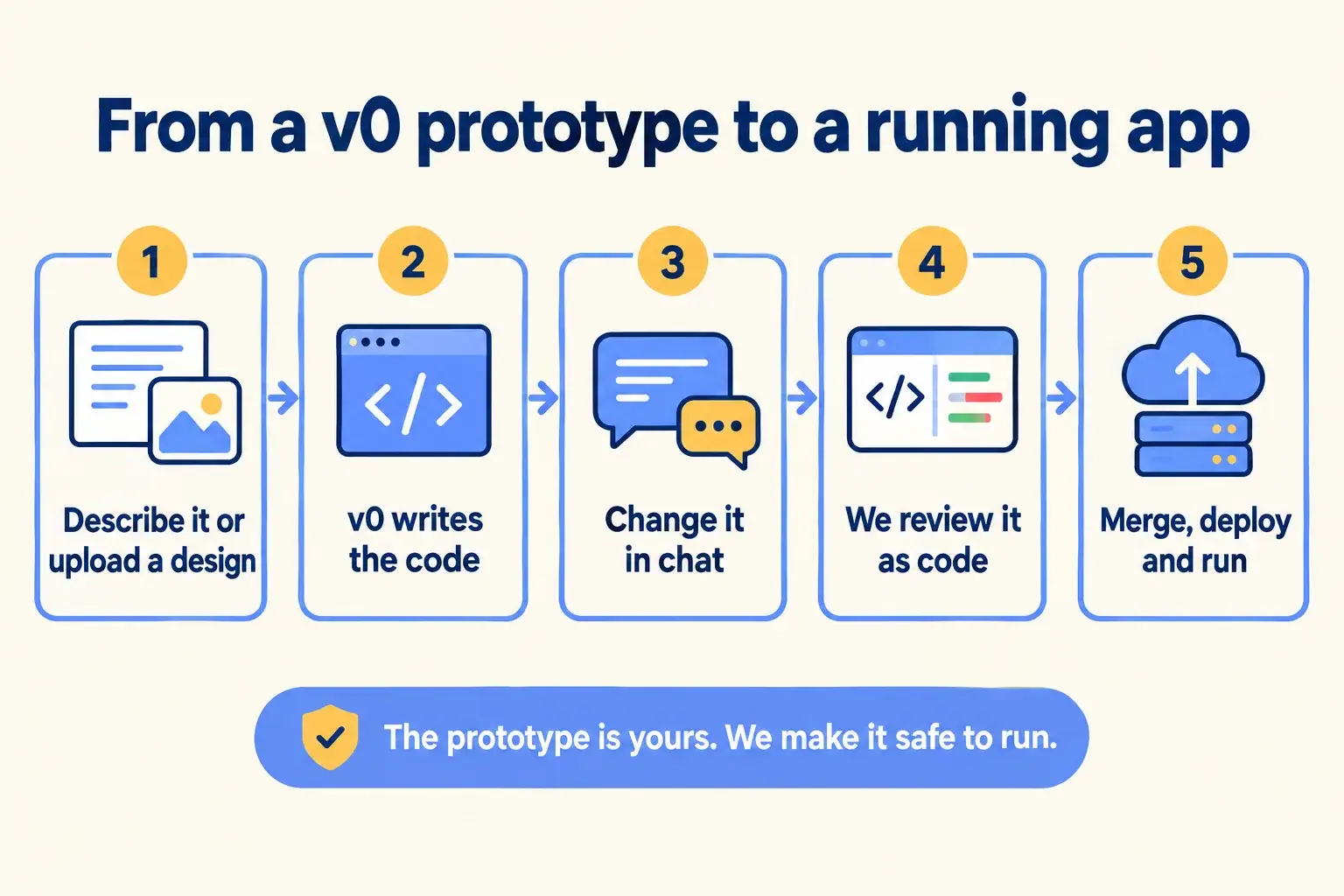
Five steps. v0 does the first three fast. We do the last two, which is where the data, the keys and the sign-in get settled.

Five steps: describe it or upload a design, v0 writes the code, change it in chat, we review it as code, merge, deploy and run.

Infographic

The same steps are written out below.

Step by step

What happens at each step.

  1. Describe

    Describe it, or upload a design

    A prompt in any language, screenshots, a Figma file, a zip, or a GitHub repo.

  2. Build

    v0 writes the code

    A Next.js app with a live preview in Vercel Sandbox.

  3. Iterate

    Change it in chat or Design Mode

    Each change lands on a v0 branch in GitHub, never straight on main.

  4. Review

    We review it as code

    Bugs, data handling, keys, sign-in and what happens on errors.

  5. Ship

    Merge, deploy and run it

    The pull request merges once checks pass, and we keep it patched and watched after.

How it fits together

Where v0 sits between the idea and the running app.

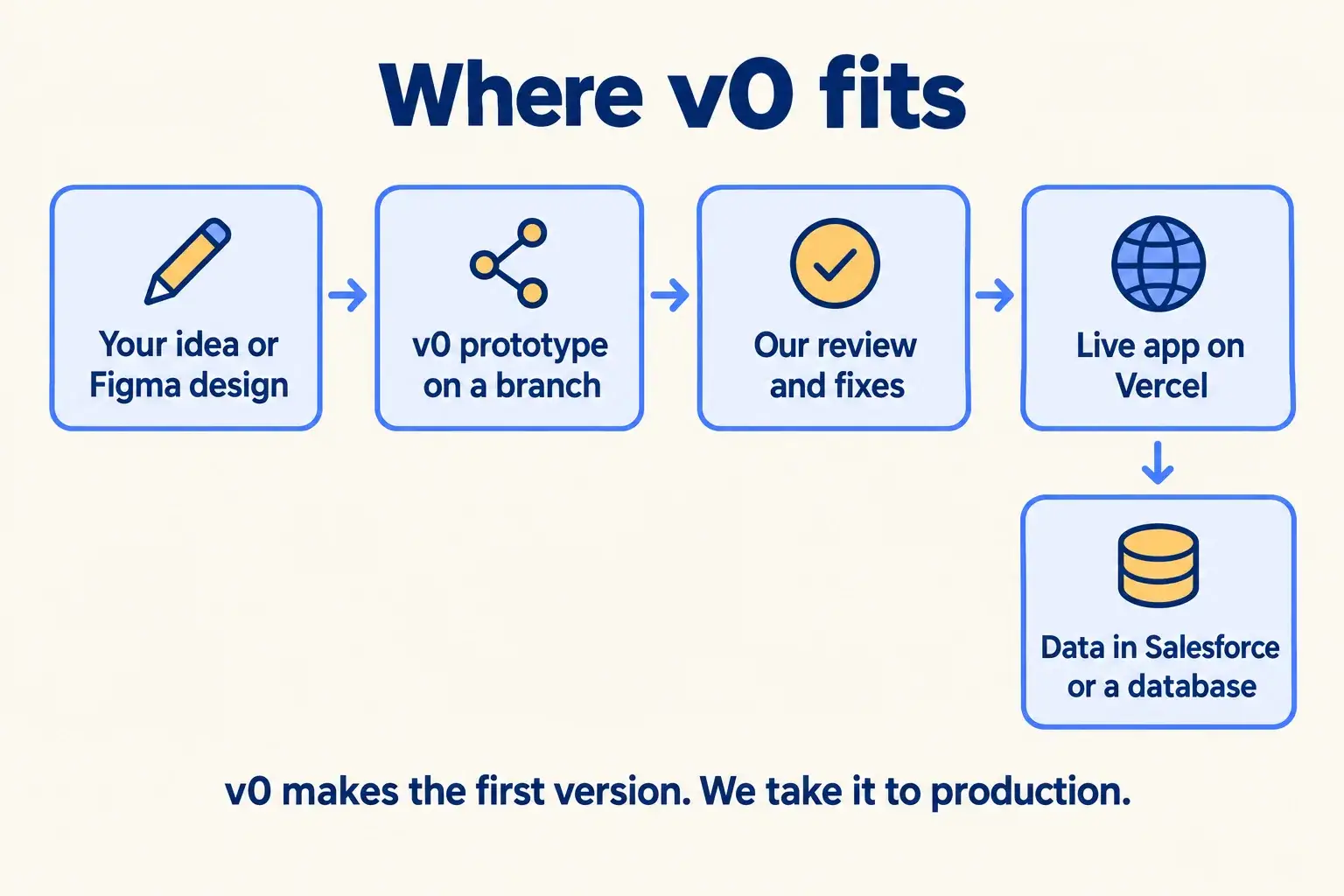
Your idea or design goes into v0, which writes a prototype on a branch. We review and fix it. The app goes live on Vercel, with its data in Salesforce or a database you own.

An idea or Figma design becomes a v0 prototype on a branch, is reviewed and fixed, goes live, with data in Salesforce.

Infographic

Where it sits next to the systems you run today.

Use cases · worked examples

One worked example in each industry.

How v0 fits into the work of the industries we serve, one step at a time.

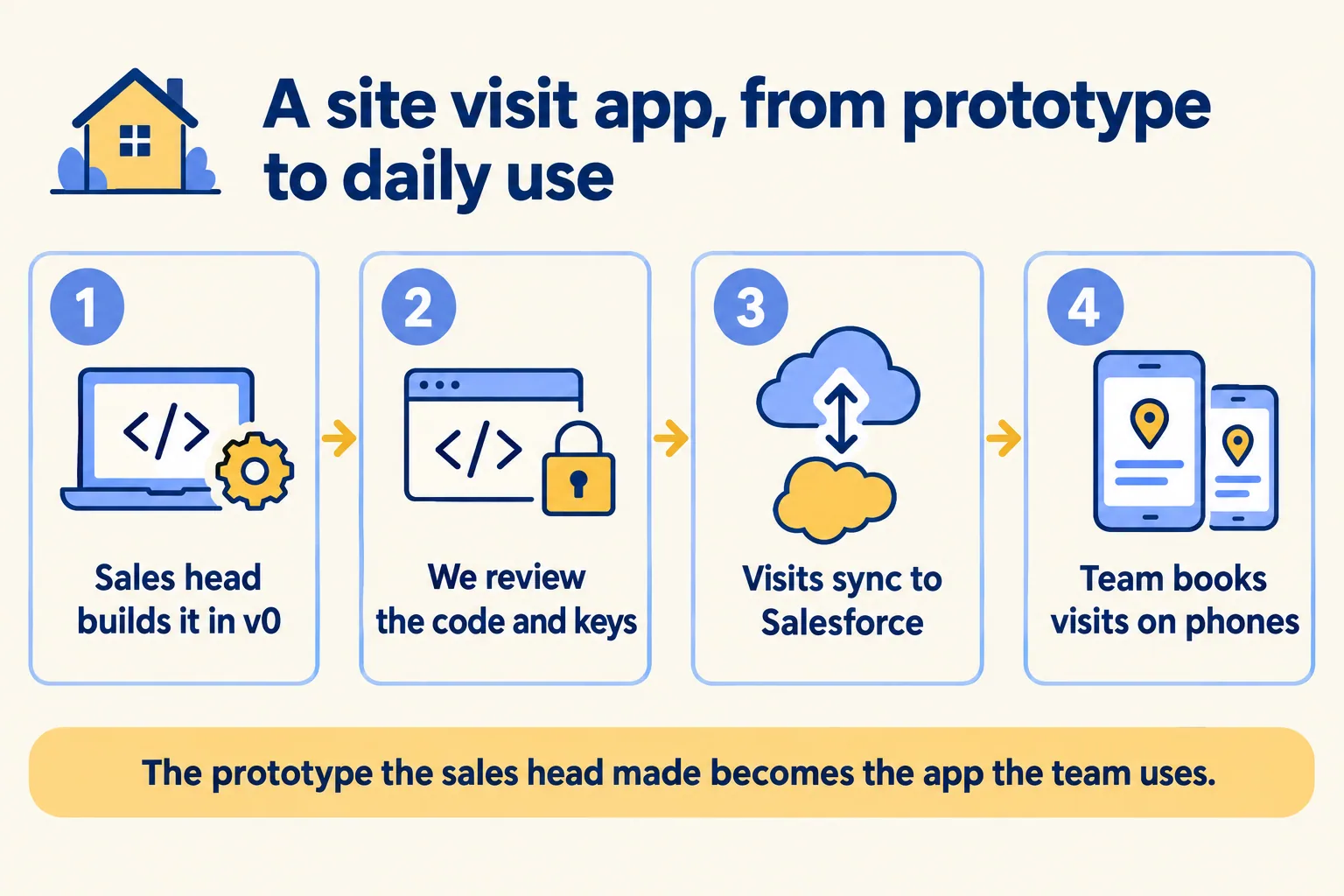
  1. A sales head builds a site visit app in v0, we review the code and keys, visits sync to Salesforce, the team books on phones.

    Example 1 · Real estate, Bengaluru · Infographic

    Sales head at a Bengaluru residential developer

    Today: Site visits are booked in a paper register at each project. I built a booking app in v0 from a photo of the register, but it only saves to a demo database.

    After: We take the v0 project, move the keys, add sign-in, and send each visit to Salesforce as an event on the lead. The sales team books from their phones.

    Worked example, step by step

    1. MonSales head. Builds the site-visit booking app in v0 from a photo of the paper register.
    2. MonSales head. Connects the GitHub repository. Changes land on a v0 branch.
    3. TueMindcat. Reviews the code: moves API keys into environment variables, adds input checks, removes a test page.
    4. WedMindcat. Replaces the demo database with Salesforce: each booking becomes an event on the lead.
    5. ThuSales head. Tests on the preview from her phone with two real projects.
    6. FriMindcat. Merges once the GitHub checks pass. The app is live on the company’s domain.

    The prototype the sales head made becomes the app the team books visits in.

    Real estate CRM
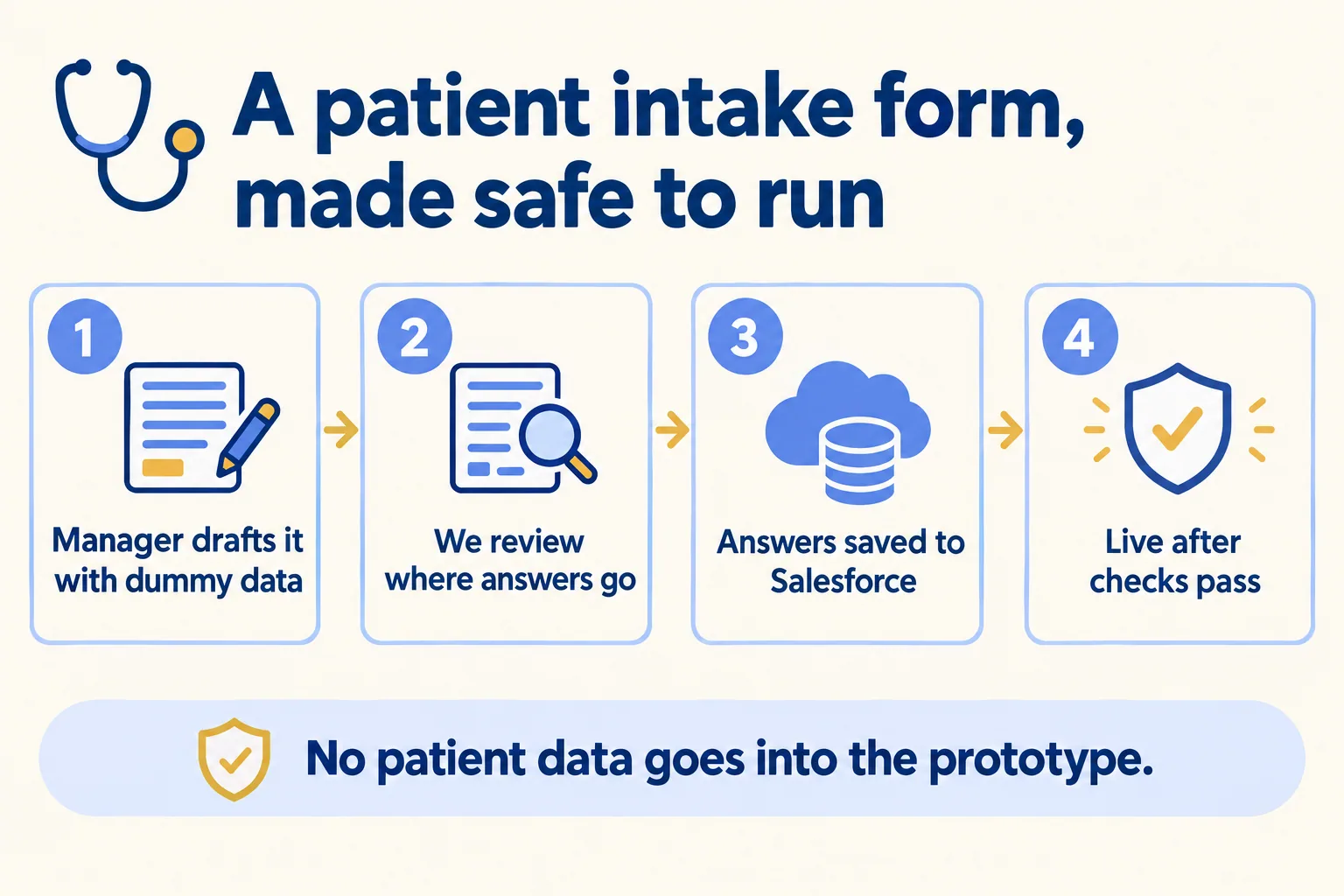
  2. A practice manager drafts an intake form with dummy data, we review where answers go, they save to Salesforce, it goes live.

    Example 2 · Clinics, Dubai · Infographic

    Practice manager at a Dubai dermatology clinic

    Today: I want new patients to fill in their history before they arrive. I tried v0 and got a form that looks right, but I do not know where the answers go.

    After: The practice manager builds the form with dummy data only. We review where every answer goes, store it in the clinic’s Salesforce, and ship it after the checks pass.

    Worked example, step by step

    1. Day 1Practice manager. Drafts the intake form in v0 with dummy names only, since prompts may be used for training on her plan.
    2. Day 2Mindcat. Reviews where each answer goes, who can read it, and what is logged.
    3. Day 3Mindcat. Sends answers to the clinic’s Salesforce instead of the prototype’s test database.
    4. Day 4Practice manager. Checks the Arabic and English versions on the preview.
    5. Day 5Mindcat. Merges after the required checks pass. The link goes in the booking confirmation.

    Patients fill in their history before they arrive, and no patient data ever went into the prototype.

    Clinics
  3. An ops lead drafts a driver check-in screen in v0, we fix bugs and add sign-in, check-ins save to a database for drivers.

    Example 3 · Couriers, Jeddah · Infographic

    Operations lead at a Jeddah last-mile courier

    Today: Drivers check in by voice note each morning. I made a check-in screen in v0, but anyone with the link can use it and it loses entries.

    After: We fix the bugs in the v0 code, add sign-in for drivers, and save each check-in to a database the ops team reads.

    Worked example, step by step

    1. SunOps lead. Drafts a driver check-in screen in v0: name, van, start time and a photo of the odometer.
    2. MonMindcat. Finds why entries are lost: two drivers saving at once overwrite each other. Fixes it.
    3. TueMindcat. Adds sign-in so only drivers on the roster can check in.
    4. WedMindcat. Saves each check-in to a database and shows the morning list to the ops team.
    5. Thu 06:30Drivers. Check in from their phones before the first route.

    The ops lead sees who is on the road each morning, without listening to voice notes.

    Couriers and delivery
Examples of the work, not client stories. Times in each example show the order of events, not a measured result.

Is it for you

When v0 fits, and when it doesn’t.

Good fit

Not for you yet

Someone has a v0 prototype that people want to use
The idea is not tested with users yet
It needs your real data, in Salesforce or a database
You expect v0 output to ship with no review
It needs sign-in, roles or an audit trail
You need SSO on Plus or Business: it is Enterprise only
You want someone to run it after launch
Patient or client data would go into the prompts

What Mindcat does

We build it, then we run it.

The assessment is free: a short read of the org and a written note. If you go ahead, the first build week is a fixed AED/SAR 14,900 (about USD 4,050), credited in full when you sign the build within 60 days. After go-live, we keep it patched, watched and changing every month.

FAQ

What teams ask about v0.

Can we keep building in v0 after you take over?
Yes. v0 commits each change to a v0 branch and never pushes straight to main. We review those pull requests like any other code before they merge.
Is v0 code ready for production?
Sometimes close, never guaranteed. v0’s own FAQ says output may be incomplete or contain bugs. We read it as code and test it on a preview before real users see it.
Who owns the code?
You do. v0’s FAQ says Vercel does not own the code it generates. We keep it in a GitHub repository in your company’s name.
Are our prompts used for training?
They may be, unless you are on Enterprise or opted out. Opt-out is on Business and Enterprise. Until then, we keep real customer or patient data out of prompts.
What does v0 cost?
As of 16 October 2026: Free with 7 messages a day, Plus at $30 per user a month, Business at $100 per user a month, and Enterprise on quote. The older Premium plan is closed to new users.

Sources

Where these facts come from.

Checked against Vercel’s own pages on 16 October 2026. Vercel changes fast, so we check again before any plan we write for you.

Vercel is a product of Vercel Inc. Mindcat builds and runs work on it for clients; we are not affiliated with or endorsed by Vercel.

Start here

Tell us what you want built, and where it runs today.

One or two lines is enough. You hear back within 24 hours from the person who signs the work.

Salesforce consulting partner since 2010 · MVP Hall of Fame · 200+ agents in production · UAE, India and US desks