

Real estate CRM for brokers · owners and listings
Ten agents called the same owner. Which one signed Form A?
Listings start with a phone call the rules now watch closely, then a Contract A, a permit and three portals that each want the listing their way. We set up Salesforce so the owner, the contract, the permit and the portal listing are one record, and nothing publishes without a valid permit.
Salesforce consulting partner since 2010 · MVP Hall of Fame · 200+ agents in production · UAE, India and US desks
The problem
Where a listing goes wrong before it goes live.
The process map
One owner, from the first call to three portals.
An owner in Marina Gate 1 who agreed to a valuation.
- 01Listing agentChecks before diallingGreen List, the Do Not Call Register, consent, the call window and this week’s attempts, all on the owner record.On: Salesforce owner
- 02Listing agentCalls from the company numberThe call is placed through the CRM, recorded and logged with its outcome.On: Phone system
- 03Listings adminCollects the documentsA WhatsApp template sends an upload link; the files land on the owner record, not a phone.On: WhatsApp
- 04OwnerSigns Contract ASigned in Dubai REST; the reference, type and expiry are stored and drive reminders.On: Salesforce owner
- 05Listings adminApplies for the permitThe Trakheesi permit number and QR code go on the listing; it can’t publish without them.On: Salesforce listing
- 06Listings adminPublishes everywhereOne listing goes to Property Finder, Bayut, dubizzle and your site after the quality checks pass.On: Portal feeds
The screens
The owner, the listing and the ad.
Drawn Salesforce screens with example names and figures. Your fields follow your process.
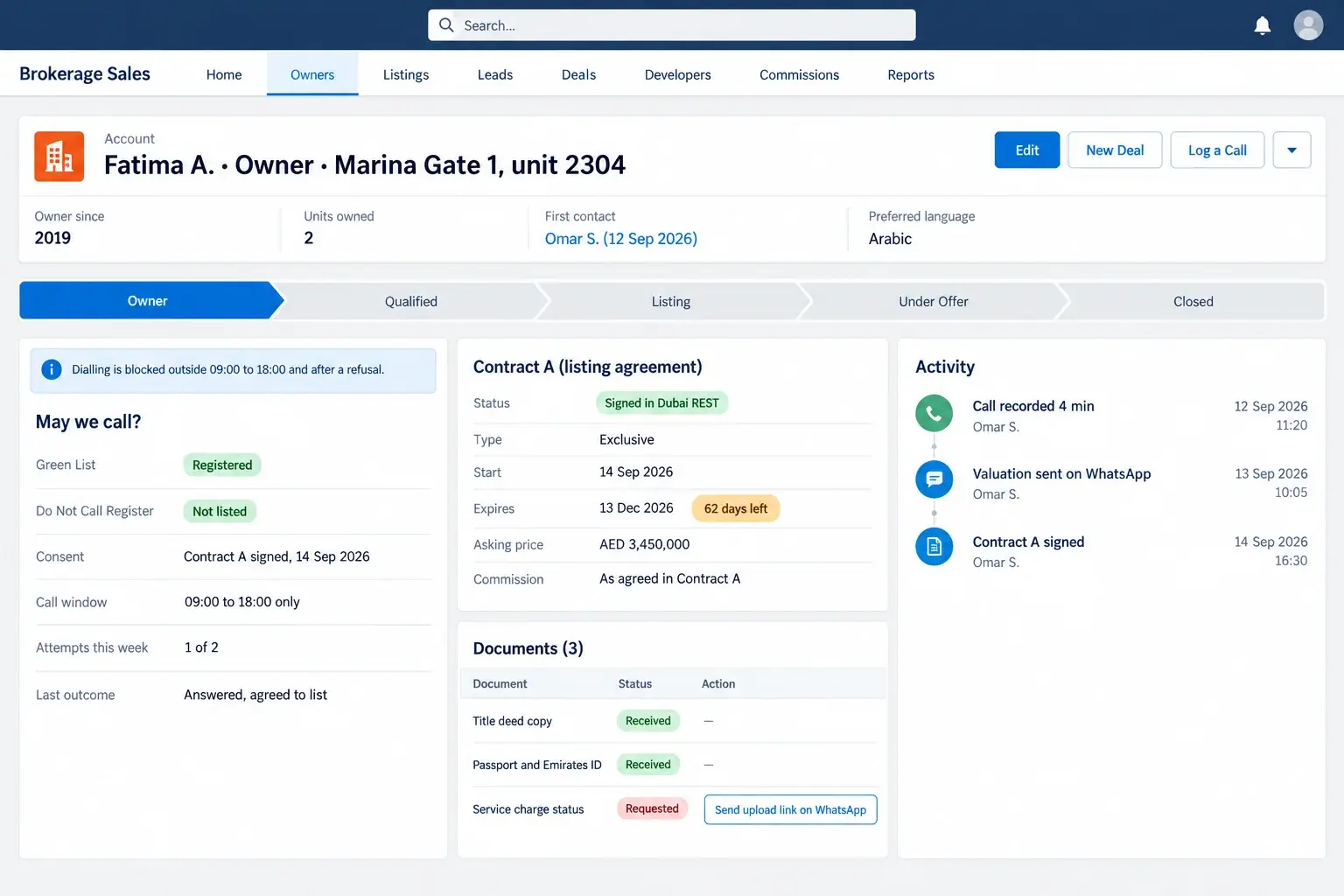
Listing agent
Before anyone dials, the record says whether the brokerage may call this owner, when, and how many times this week. Contract A and its expiry sit on the same page.
- 01May we call?: Green List, Do Not Call Register, consent and the call window, checked before the dial button works.
- 02Attempts this week: the count resets weekly and stops at the limit the rules set.
- 03Contract A: signed in Dubai REST, exclusive, with the days left before it expires.
- 04Documents: what is in and what is missing, with an upload link instead of a chat.
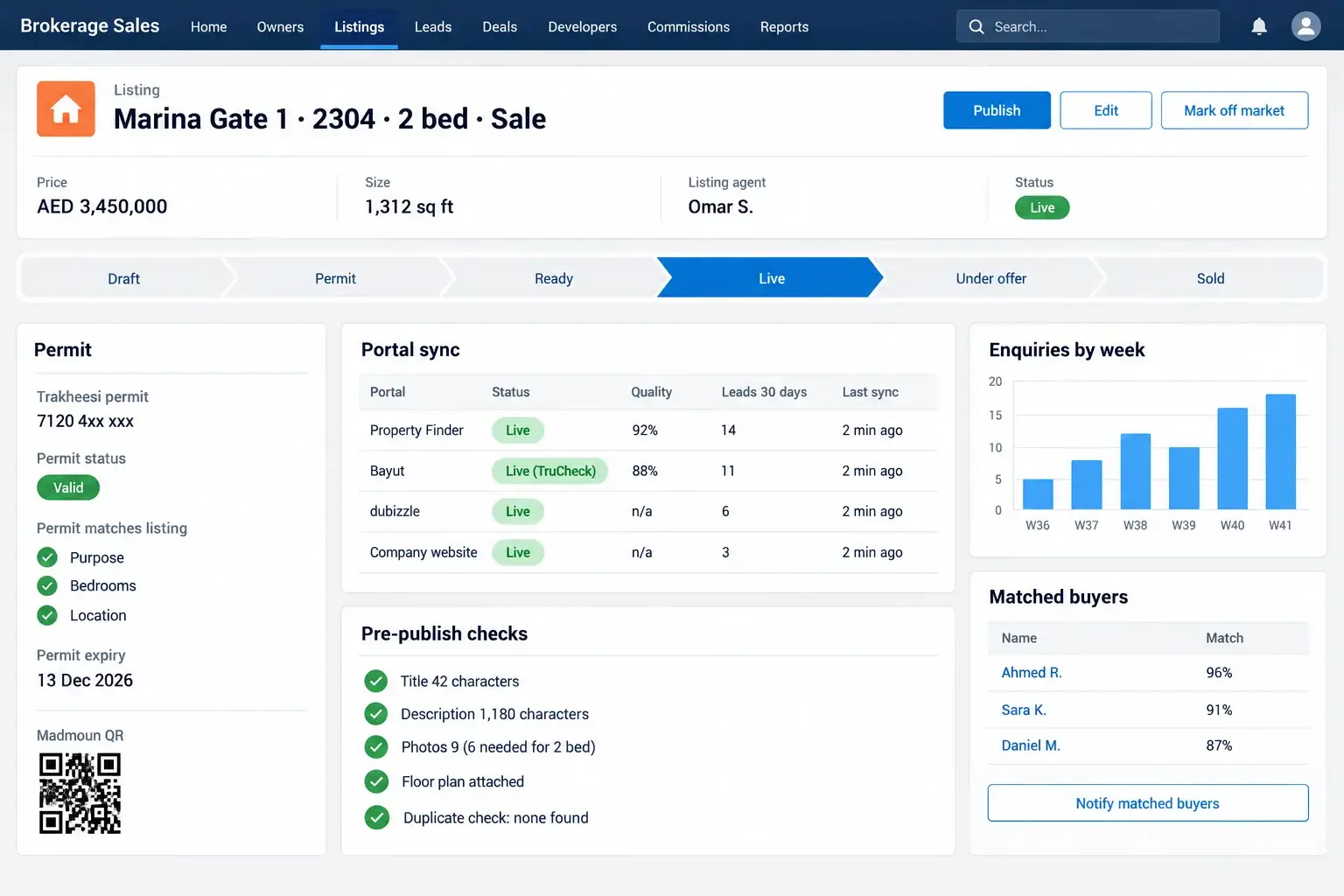
Listings admin
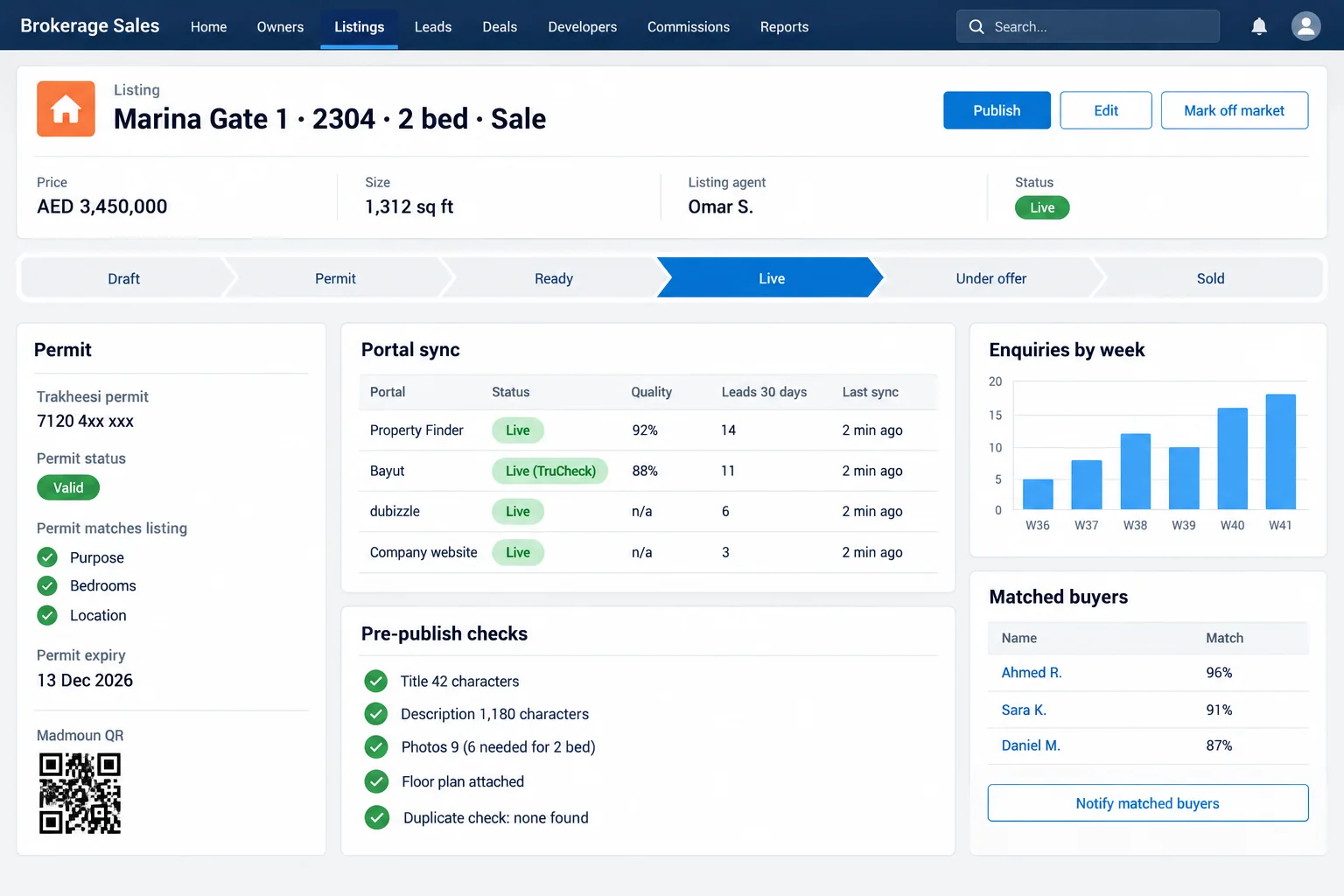
One master listing. It won’t publish without a valid permit that matches it, then goes to every portal at once, and off-market goes everywhere at once too.
- 01Permit: the Trakheesi number, its expiry and the QR code, and whether purpose, bedrooms and location match the listing.
- 02Portal sync: one listing, every portal, with each portal’s quality score and leads.
- 03Pre-publish checks: title and description length and photos against the portal’s rules.
- 04Matched buyers: open briefs this listing fits, one click to tell their agents.
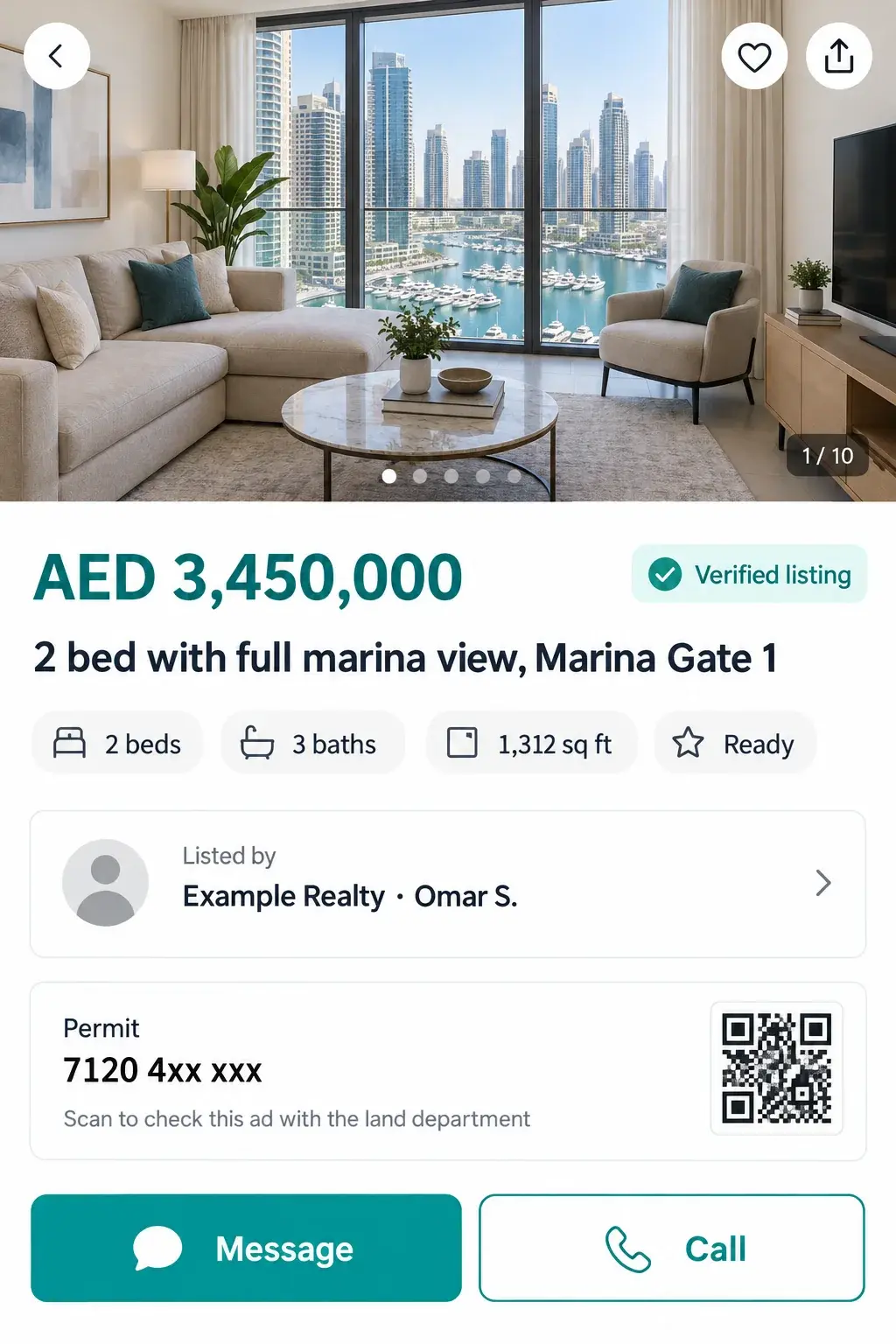
The buyer, on a phone
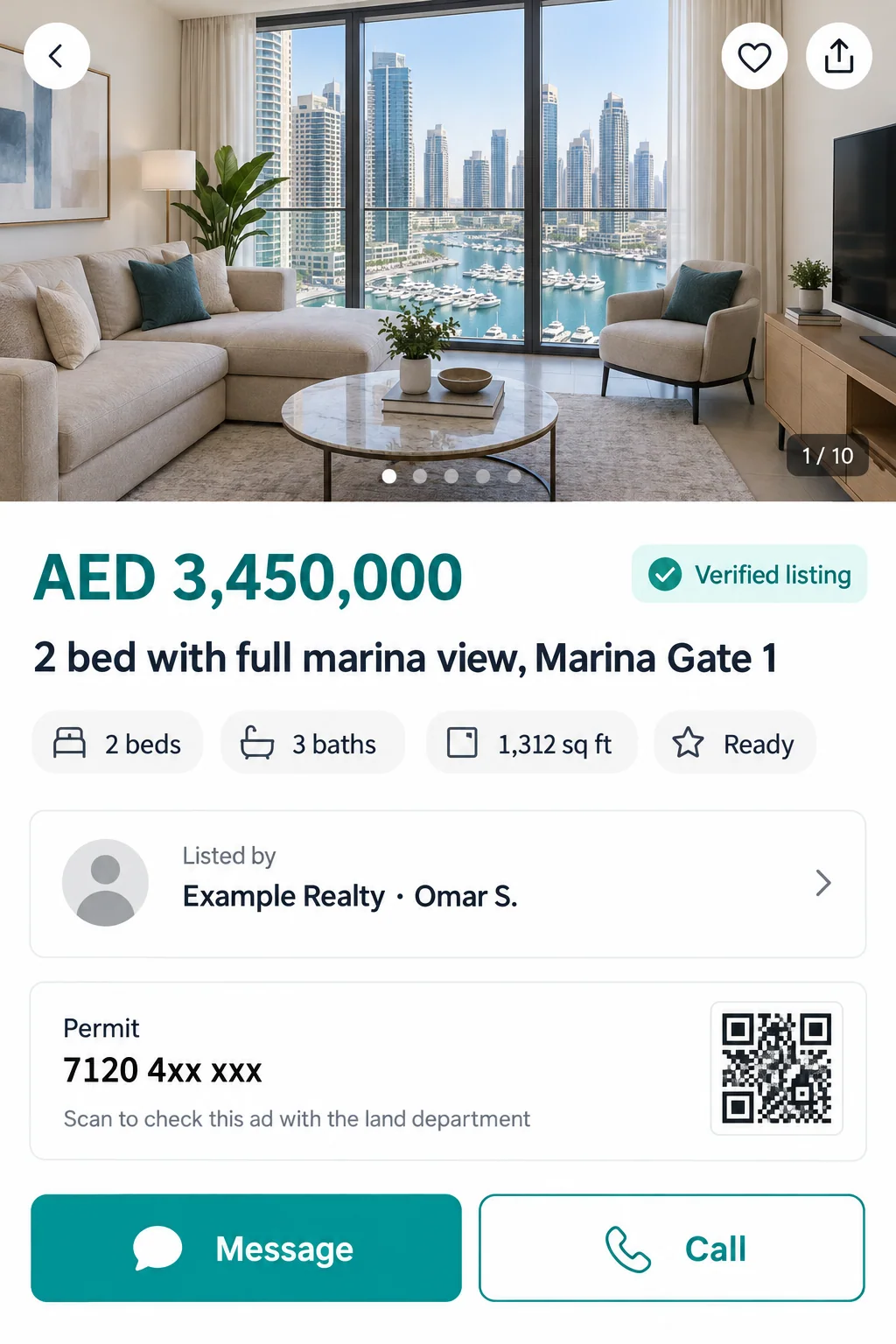
The buyer sees the price, the permit and the QR code that proves the ad is real, and a button that starts a chat with the brokerage, not with an agent’s own phone.
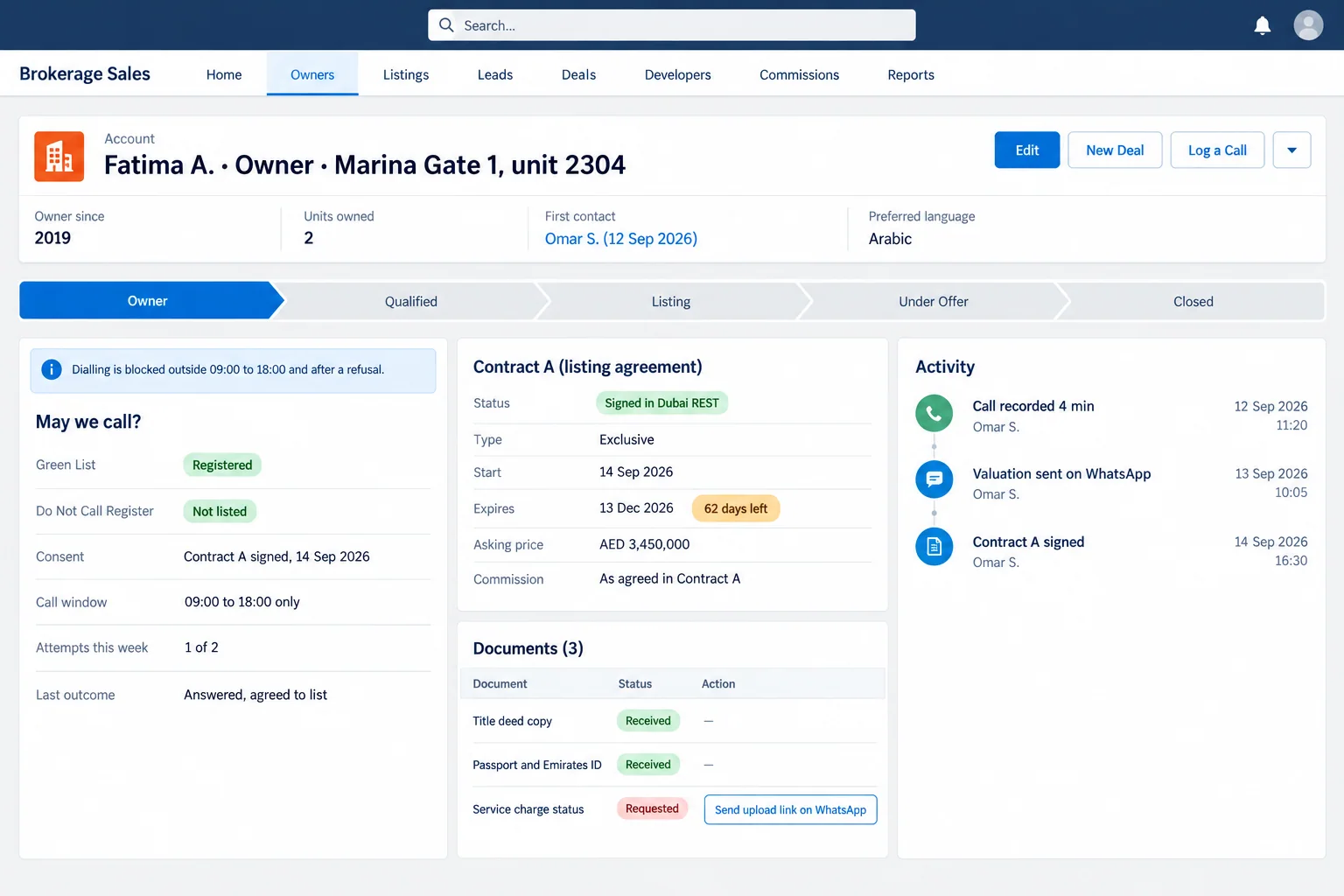
Every use case
Every listing use case we set up.
Pick the ones you need. Most teams start with three or four.
Before and after
What changes for the team.
Example
Listings manager at a 40-agent brokerage in Dubai Marina
Today: Permits are tracked in a sheet and listings are typed into three portals. A changed price reaches one portal and not the others.
After: One listing record with its permit and Contract A. A price change or off-market goes to every portal at once.
Example
Owner of a boutique brokerage in JVC
Today: Agents cold call from bought lists. One complaint could suspend the office.
After: Calls go only to owners the record says may be called, from the company number, inside the hours.
FAQ
What teams ask first.
- Can Salesforce push listings to Property Finder, Bayut and dubizzle?
- Yes, through each portal’s listing feed or API for brokerages that have one on their account. We test one listing per portal first because each portal’s fields and checks differ.
- Does the CRM apply for the Trakheesi permit?
- No. Your team applies in Trakheesi as today. The CRM stores the permit number, QR code and expiry, checks they match the listing and stops publishing without them.
- Is the Green List check automatic?
- The record holds the owner’s Green List status and your Do Not Call Register result, with the date checked. How it is checked depends on the access you have; we set it up with what your brokerage can use.
The brief · one email
Tell us how this stage runs today.
The honest no: if the work is a software factory with a named delivery date, we are the wrong partner.