
Which orgs can a coding agent reach through the Salesforce DX MCP Server?
Only the ones you list, and the list has a loose setting. The Salesforce DX MCP Server is an npm package, @salesforce/mcp, that lets a coding tool such as Claude Code, Cursor or VS Code with Copilot deploy metadata, run Apex tests and query data in a Salesforce org. Salesforce says it carries more than 60 tools. Some Salesforce pages label the server Beta, and the tool reference marks several tools non-GA. This piece is about that tool on a developer's machine, not about an Agentforce agent writing to production. For the production write path, see how we test an approval.
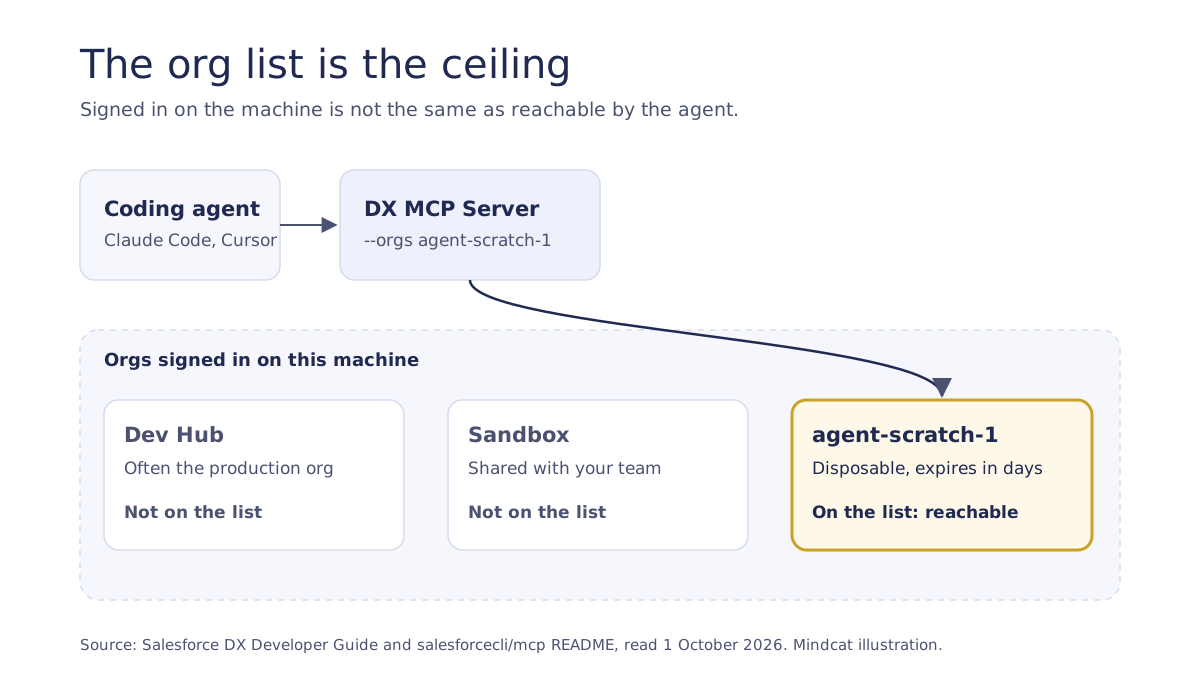
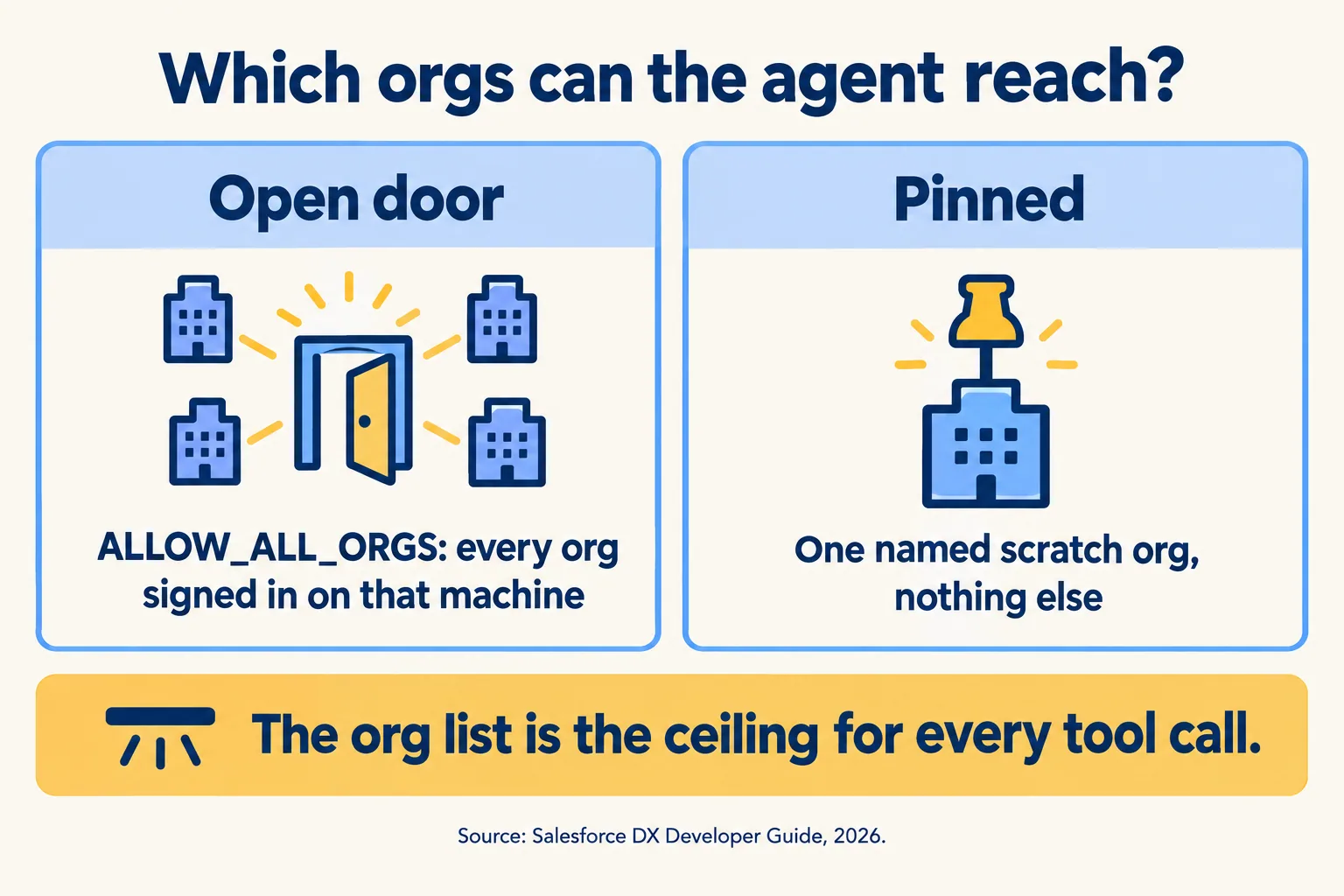
You tell it which orgs it may touch with the required --orgs flag. The values are DEFAULT_TARGET_ORG, DEFAULT_TARGET_DEV_HUB, ALLOW_ALL_ORGS, or a specific username or alias. Salesforce recommends that you not hand over every org you have authorized, and name only the ones the server should use.
Two details matter. First, the server reads the encrypted auth files already on the machine and passes usernames to its tools, not tokens. An org is reachable only if someone signed in to it on that machine and you allowlisted it. Second, the two DEFAULT_TARGET_* values are not fixed. The project's README says they resolve on every tool call and follow whatever the default org is at that moment. If you want a fixed set, name the aliases.

Why is creating the scratch org the risky step?
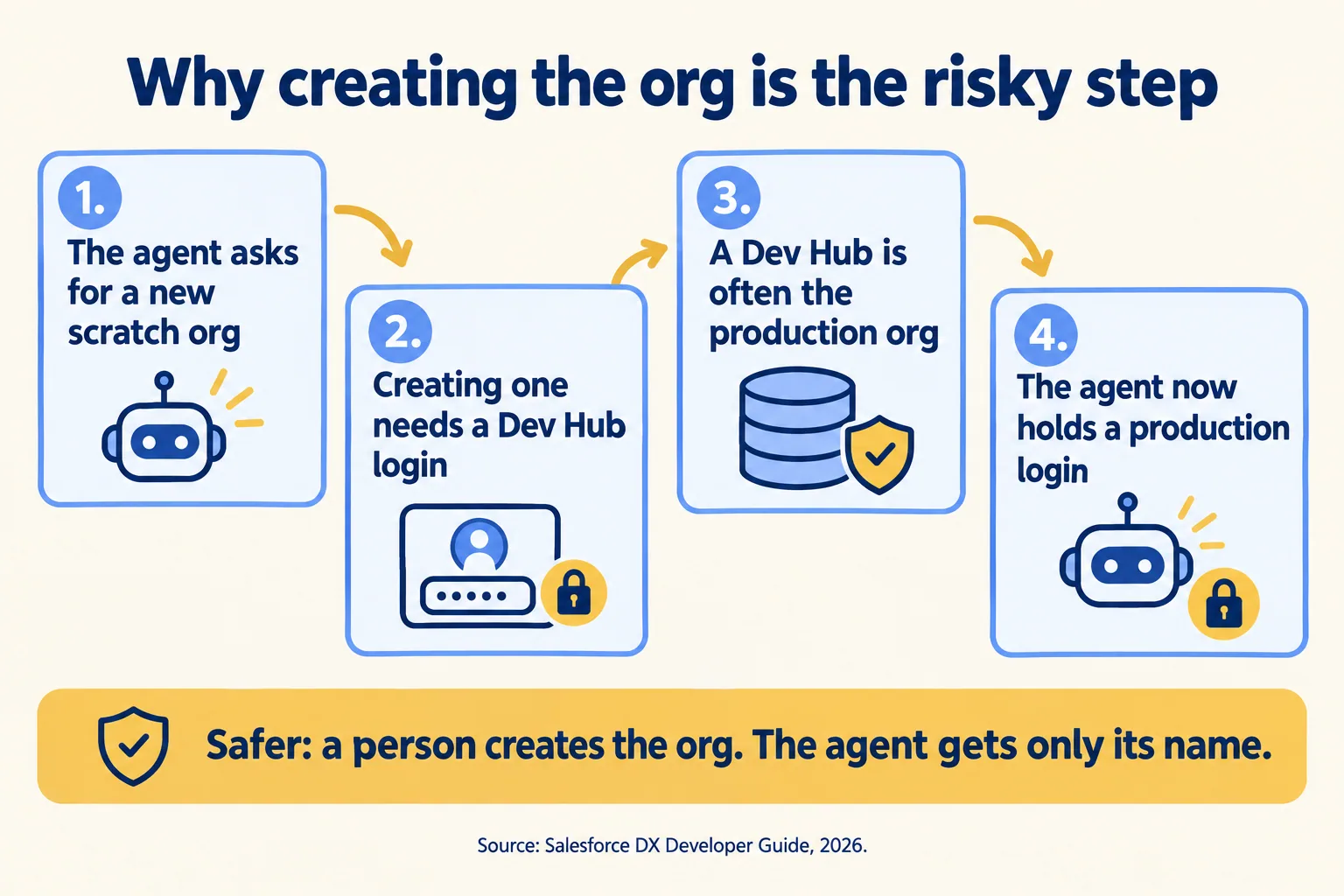
Because creating one takes a Dev Hub login, and Salesforce says a Dev Hub is often your production org. Salesforce's page on scratch org editions opens with it: "Your Dev Hub org is often your production org." Its guide to the core MCP tools says that to create a scratch org through MCP, you must also authorize a Dev Hub org.
So the convenient setup, where the agent makes its own disposable org, is also the one where a production login sits on the machine, inside the allowlist. The risk starts when the allowlist includes the hub.
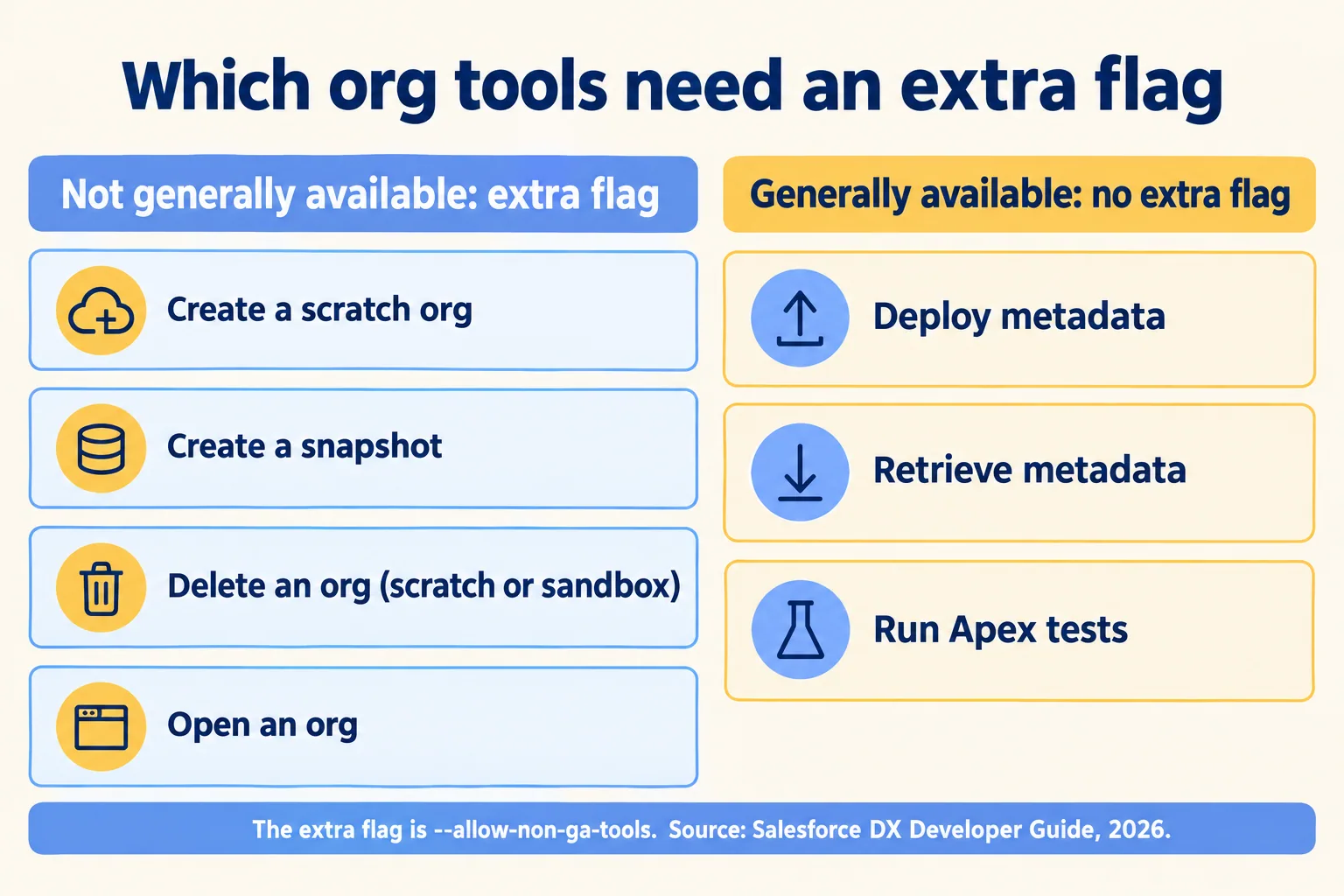
The tool that does it is create_scratch_org, and Salesforce marks it NON-GA, not generally available. So are create_org_snapshot, delete_org and open_org. By default the server uses only generally available tools. You switch the others on with --allow-non-ga-tools. deploy_metadata, retrieve_metadata, run_apex_test and list_all_orgs are generally available.
The tool reference has one more line. delete_org is described as deleting a locally authorized scratch org or sandbox. With the non-GA flag on and a sandbox alias in --orgs, the agent is allowed to delete the sandbox.
The documentation also has a trap. Salesforce's troubleshooting tip says that if a scratch org you created by prompt does not show up when you list orgs, add its alias to --orgs or specify ALLOW_ALL_ORGS. The second fix removes the allowlist. Take the first.
What does a loose setup look like next to a pinned one?
A loose one reaches every org on the machine and every tool. A pinned one reaches one disposable org and two toolsets. The flags below come from Salesforce's own examples and flag tables.
Two ways to start the DX MCP Server
In the pinned setup a person creates agent-scratch-1 before the session and authorizes it on the machine. The agent gets the alias and nothing else. If a loop goes wrong, the damage is one org that was going to expire anyway.
Salesforce adds a client-side control you should use too. Its guide suggests configuring your MCP client to run read-only tools automatically and to ask for confirmation before a tool that changes your project or an org. That is a setting in the client, so it is only as strong as the person who owns the client's configuration. So there are three layers, weakest first: the client's prompt, the --orgs list, and which orgs are signed in on the machine at all. The next section explains why the third is the one to rely on.
What enforces the list, and how do you stop the agent?
Nothing in Salesforce's documentation, as we read it. The --orgs flag lives in the MCP client's config file on a developer's machine. A developer can edit it, and Salesforce's own tip tells them how. So treat the flag as a convention until something else holds it.
The stronger control is physical. The server can use only orgs that someone has authorized on that machine. Run the agent on a laptop profile or a CI runner where the only org signed in is agent-scratch-1, and ALLOW_ALL_ORGS would still allow only that one. An org that was never signed in cannot be reached, whatever the flag says. Review changes to the config file as you would any access change, and pin the package version. Salesforce recommends the @latest tag, which means the tool list can change under you, and a Beta server with non-GA tools is a decision to put on your approved-tools list, not a default.
On who acted: the server reads the auth files already on the machine, so by our reading the agent writes as whoever signed in. In a scratch org that is a throwaway login in a throwaway org, so the question barely matters. In a sandbox it matters, because the change appears under a person's name with nothing to mark it as the agent's. We would keep sandboxes off the list. If the agent must work in one, our practice is to sign it in with a dedicated user created for that purpose, so the audit log names the agent's login and not a developer's. Salesforce's documentation does not prescribe that, and we have not tested what the log shows.
In a pipeline, split the work in two jobs. The first holds the Dev Hub login in the pipeline's secret store and creates the scratch org. The second runs the agent and receives only that scratch org's sign-in, never the hub's.
The stop is simple when the agent has only a scratch org. Delete the scratch org or sign it out of the machine, and the agent has nothing left to reach. What you can show an auditor: the server's args, the output of list_all_orgs, the scratch org's expiry date, and the pull request with its test run. In SOC 2 terms, the AICPA groups logical access under its CC6 series and change management under CC8, so our reading is that the org list and signed-in orgs belong under CC6 and the pull request under CC8. We have not mapped them to NIST AI RMF or ISO 42001, and your auditor decides which clause applies.
What stops an agent loop from using up your scratch orgs?
The Dev Hub's allocation, and it stops everyone, the agent included. Your Dev Hub edition sets two numbers: how many scratch orgs can be active at once, and how many creations you can start in a rolling 24 hours.
An agent that creates a fresh org for every retry reaches 80 on an Enterprise hub at one creation about every 18 minutes (24 hours divided by 80, our arithmetic). After that, nobody on the team can create a scratch org until older creations roll out of the window. Salesforce says an active allocation frees when you delete a scratch org or it expires. The daily limit counts creations, so by our reading a deletion does not lower it.
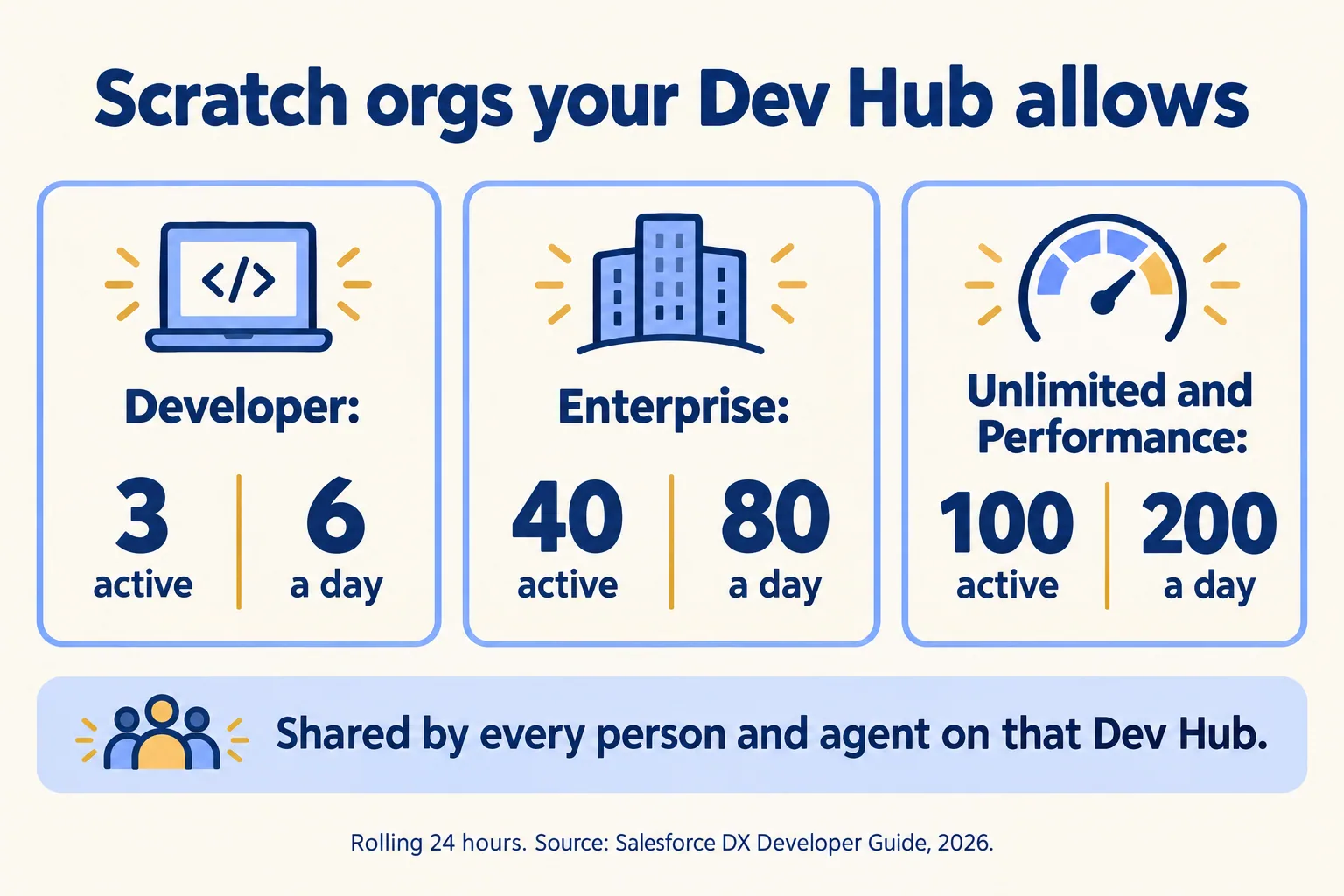
You can read what is left. Run sf limits api display --target-org <Dev Hub> and look at ActiveScratchOrgs and DailyScratchOrgs. The pinned setup above keeps the agent off the creation path altogether. If you do let it create orgs, set a short life. A scratch org lasts 7 days unless you set 1 to 30 with --duration-days, and an expired one cannot be restored.
Does a scratch org look like your real org?
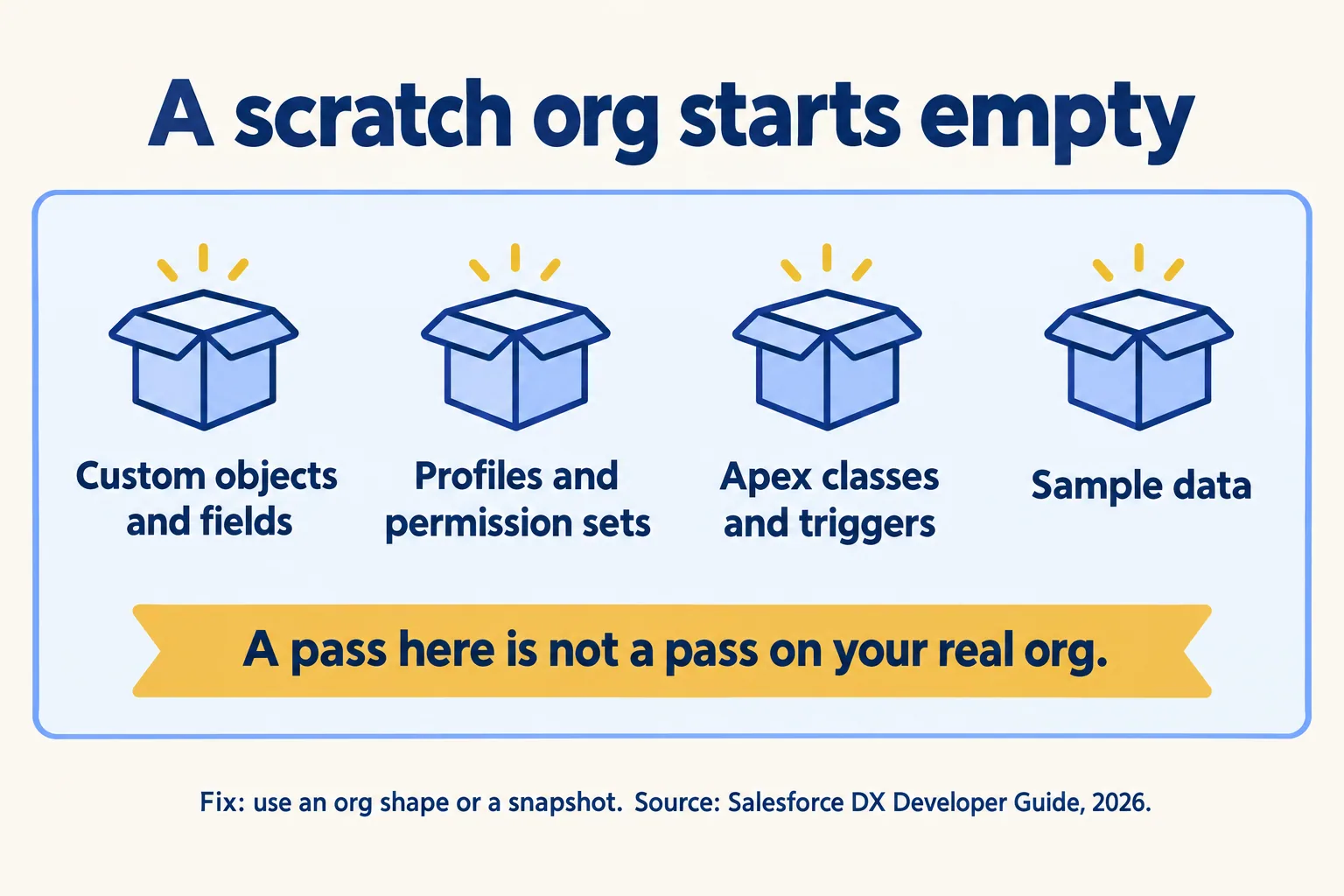
Not until you make it. By default a scratch org is empty. Salesforce lists what is missing: custom objects and fields, profiles and permission sets, Apex classes and triggers, and sample data. An agent that deploys a change there and sees green tests has proven the change works in an empty org.
Salesforce gives two ways to close the gap. An org shape copies the features, settings, edition, licenses and limits of a source org, often production. A snapshot is a point-in-time copy of a scratch org with its packages, metadata and data. Snapshots leave out connected apps, external credentials and named credentials, because they could expose secrets. So an integration test that needs a credential will not run from a snapshot alone.
Two cautions from the same pages. Salesforce says not to put personal data in scratch orgs. And scratch orgs are not a replacement for a sandbox when users test the result.
One related fact from our own reading of the billing rules: Salesforce does not meter registered-agent calls in scratch orgs, so you can count an agent's calls there before you see them on a bill. That is in what Salesforce says about agent call billing.
What do these docs not tell you?
Several things. We read the documentation. We did not run these flags against a live org for this piece, so treat the setups above as a design from the docs, and test them in a sandbox of your own.
Some Salesforce pages label the server Beta and others do not, and the tool flags can change. Check the version you install. The same Salesforce pages disagree on scratch org data storage, 500 MB on one and 200 MB on another, so we left the figure out.
The docs we read also do not say how an admin tells a change the agent made from one a person made. The server uses a login that was already authorized on the machine, so our reading is that the org sees that login. That is a question for your own audit log, and we did not verify it. The hosted MCP servers work differently and are covered in switching on read first.
What would we do first?
We would take one agent task a developer does today and run it in a pinned setup. At Mindcat, we start any work by reading what already exists, then writing down what is worth fixing. For a coding agent that means reading the MCP config on the machine, the orgs authorized there, and which of them is a Dev Hub.
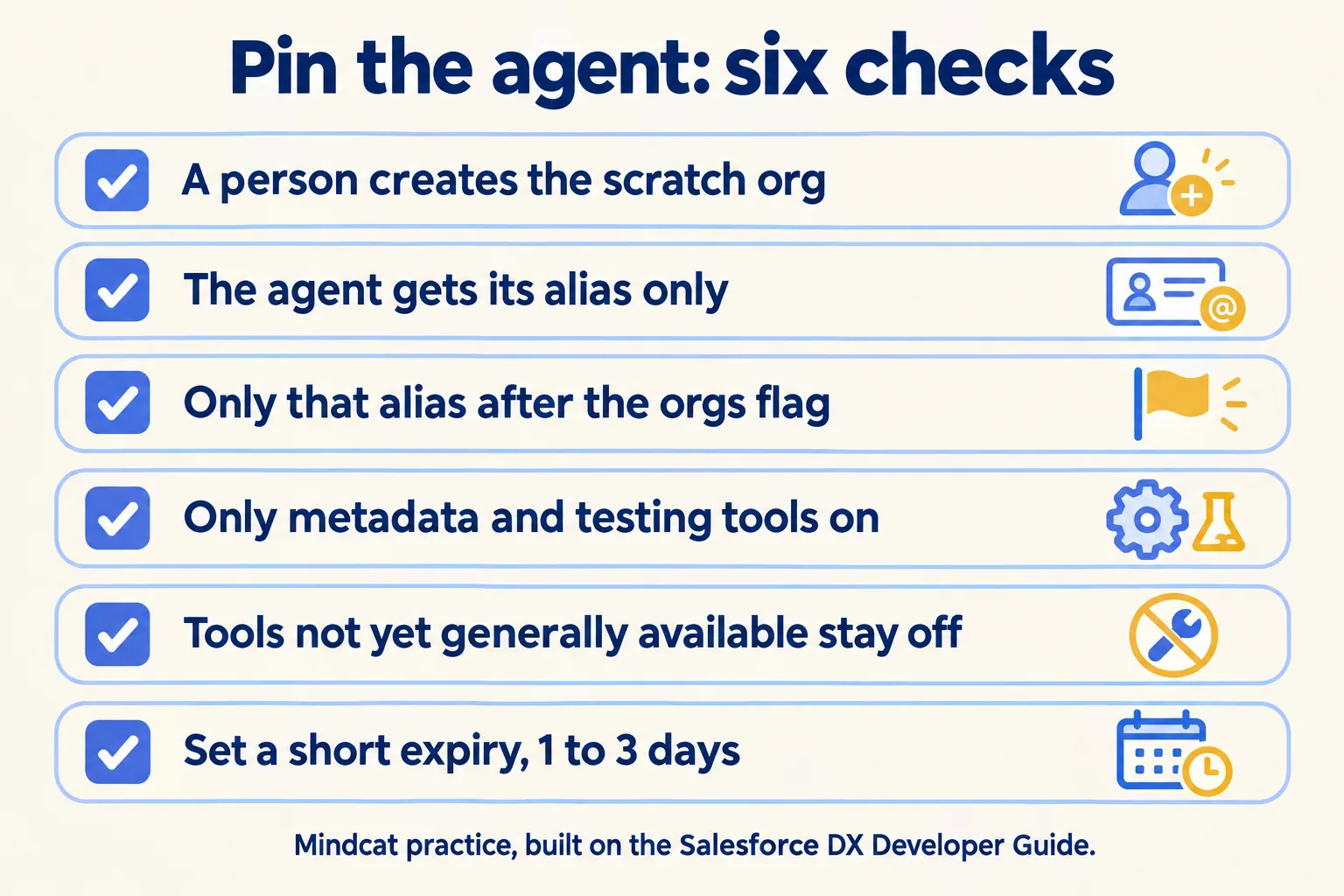
Then we would do five things, in this order:
- 01Run the agent where only the scratch org is signed in. Sign out of the Dev Hub and any sandbox.
- 02Have a person or a pipeline create the scratch org, with a 1 to 3 day life, and give the agent its alias.
- 03Start the server with that alias after --orgs and the metadata and testing toolsets. Leave the non-GA flag off.
- 04Run the task. Read what was deployed and which tests ran, not the agent's summary.
- 05Open a pull request for a person to review. Name who gets the exceptions and who can delete the scratch org.
Our first agent in production path puts a human gate on the write after the agent has run in shadow mode, and the same rule applies to a coding agent. See also how we think about stopping an agent.
Before a coding agent gets near your org, get three answers in writing: which orgs are authorized on its machine, which of them is a Dev Hub, and which tools are switched on.
